Inspiration
When you look at an apartment to rent, you usually see it once, at whatever hour the agent could meet you. Then you live there for a year. The same question comes up at home: will the plant by the window get enough sun in January, will the desk catch glare at 3 pm, which corner stays warm in winter? People answer it by guessing, or by waiting a whole year to find out.
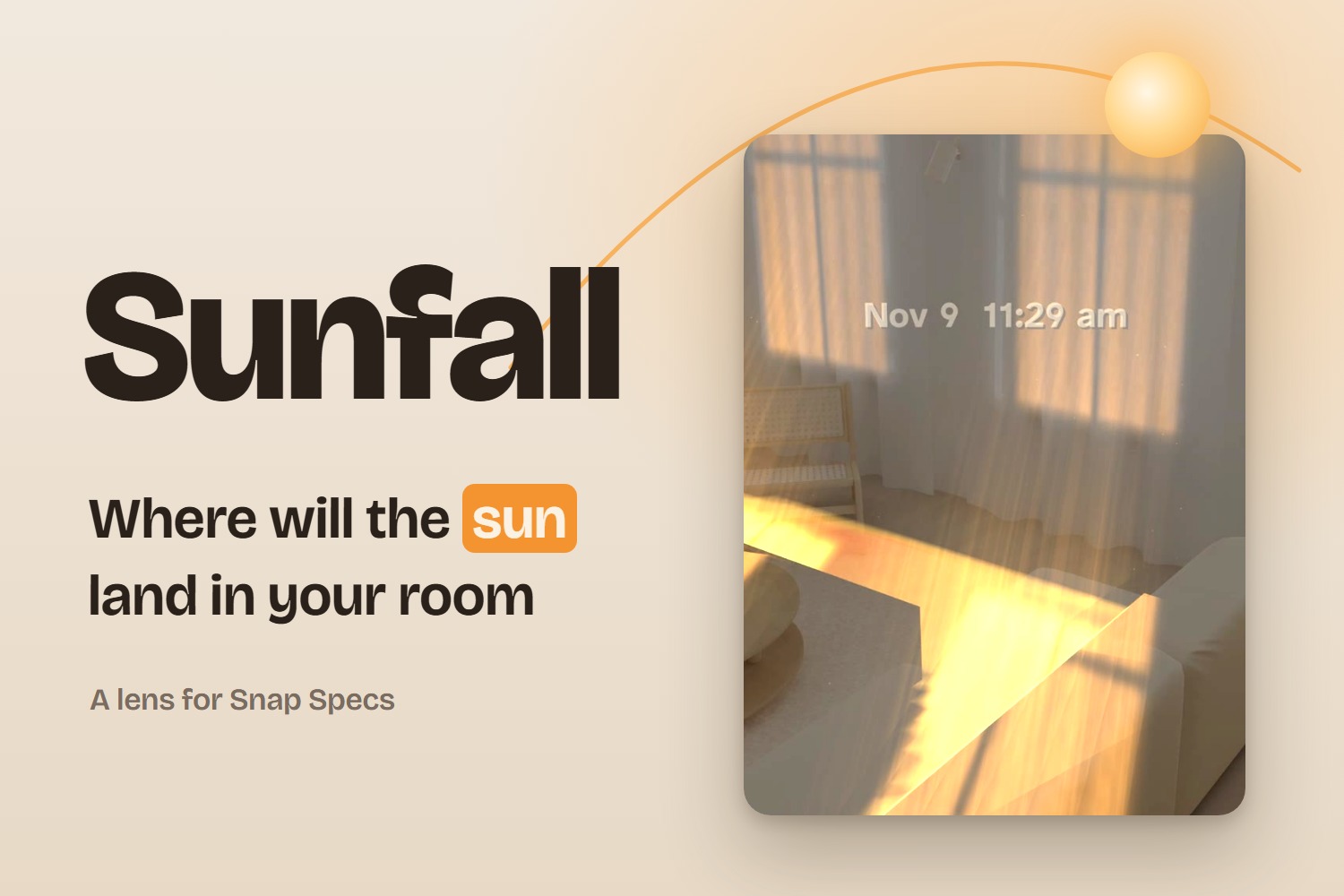
The sun's path is known to a fraction of a degree, and glasses can draw light right onto your floor. So we asked whether you could just look at the window, take the sun in your hand and move it.
What it does
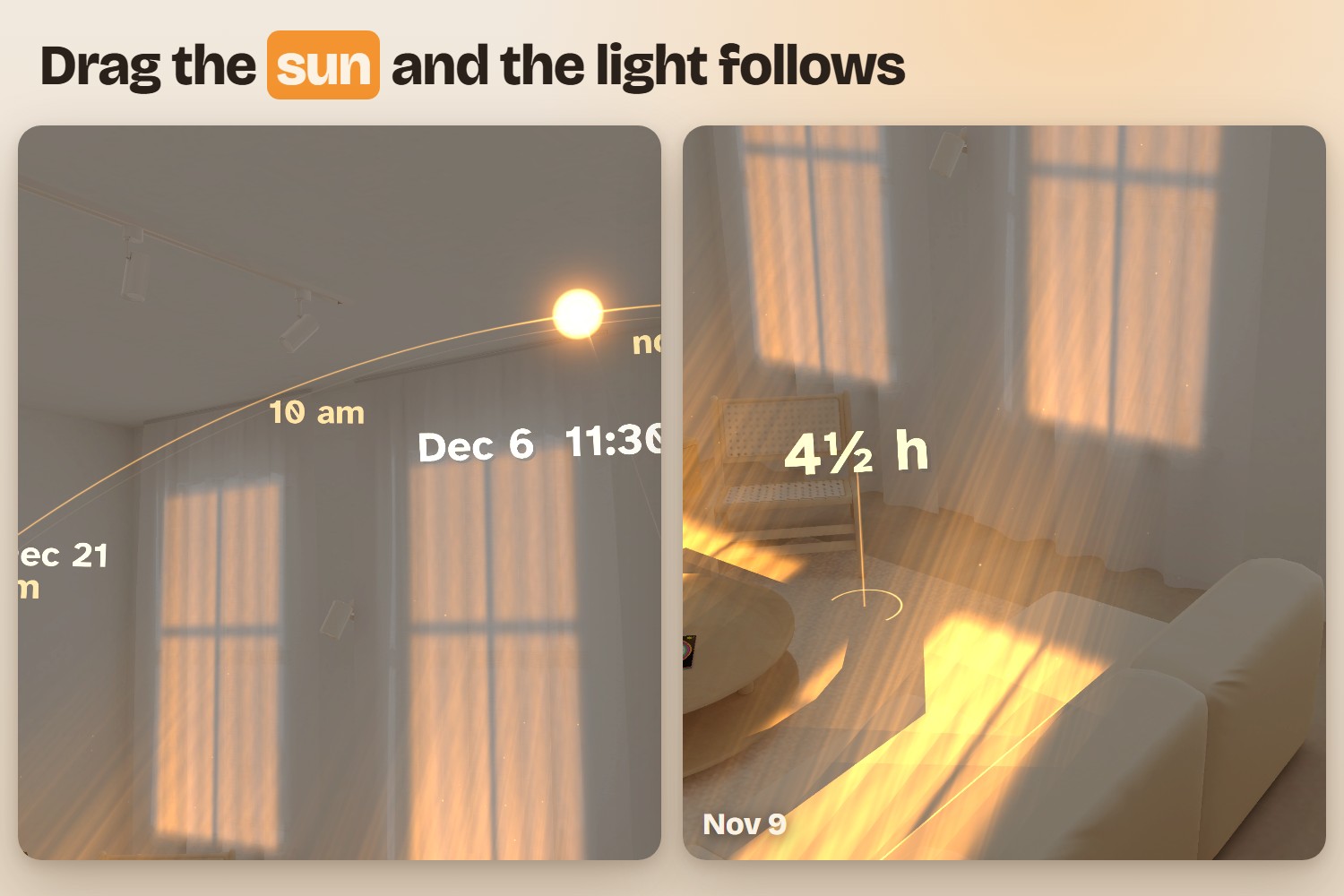
Sunfall puts the sun outside your window on its real path for today, in your city. You pinch the sun and drag it:
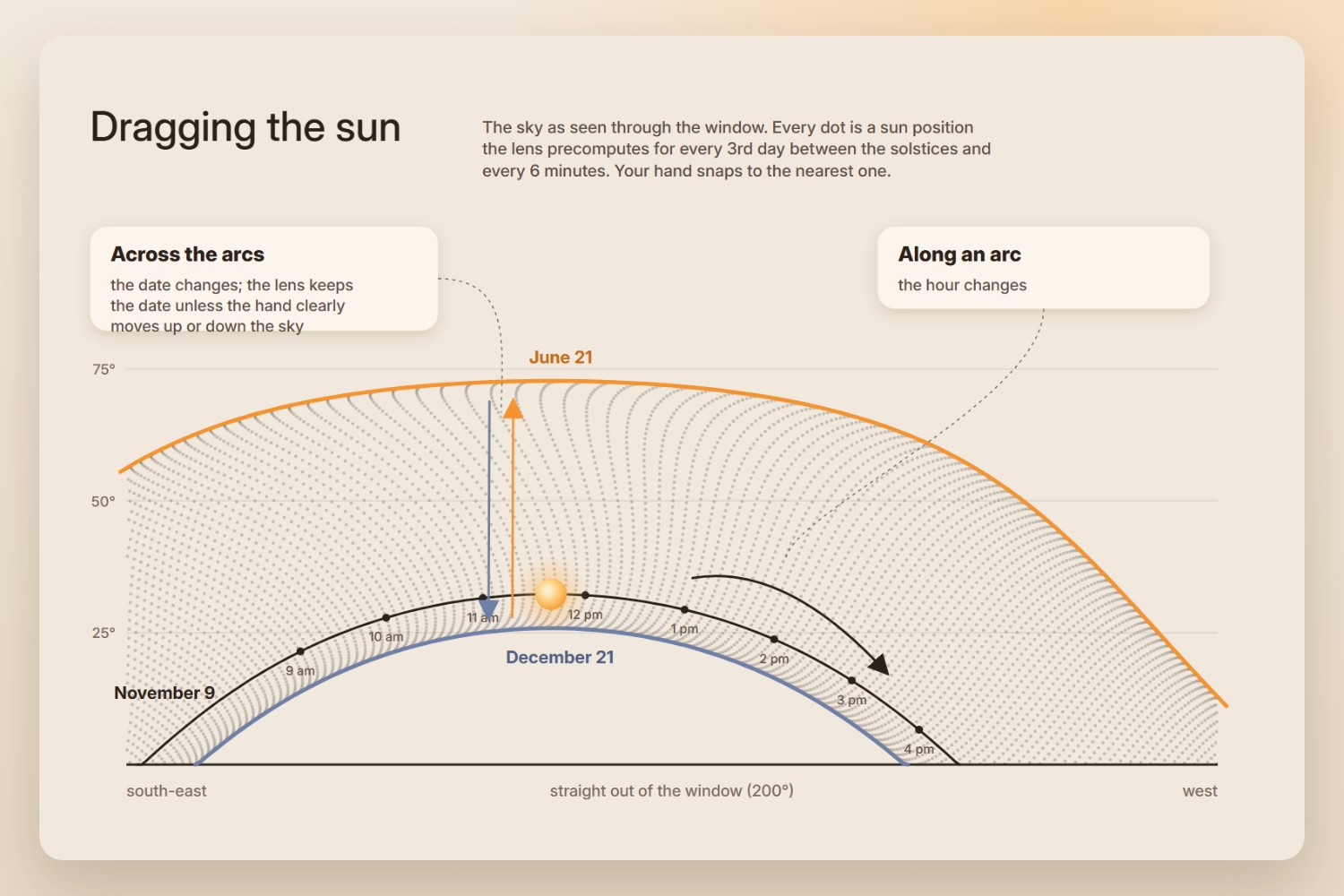
- Along the arc, the time changes. The patch of sunlight from the window slides across the real floor, onto the wall and over the coffee table, from sunrise to sunset.
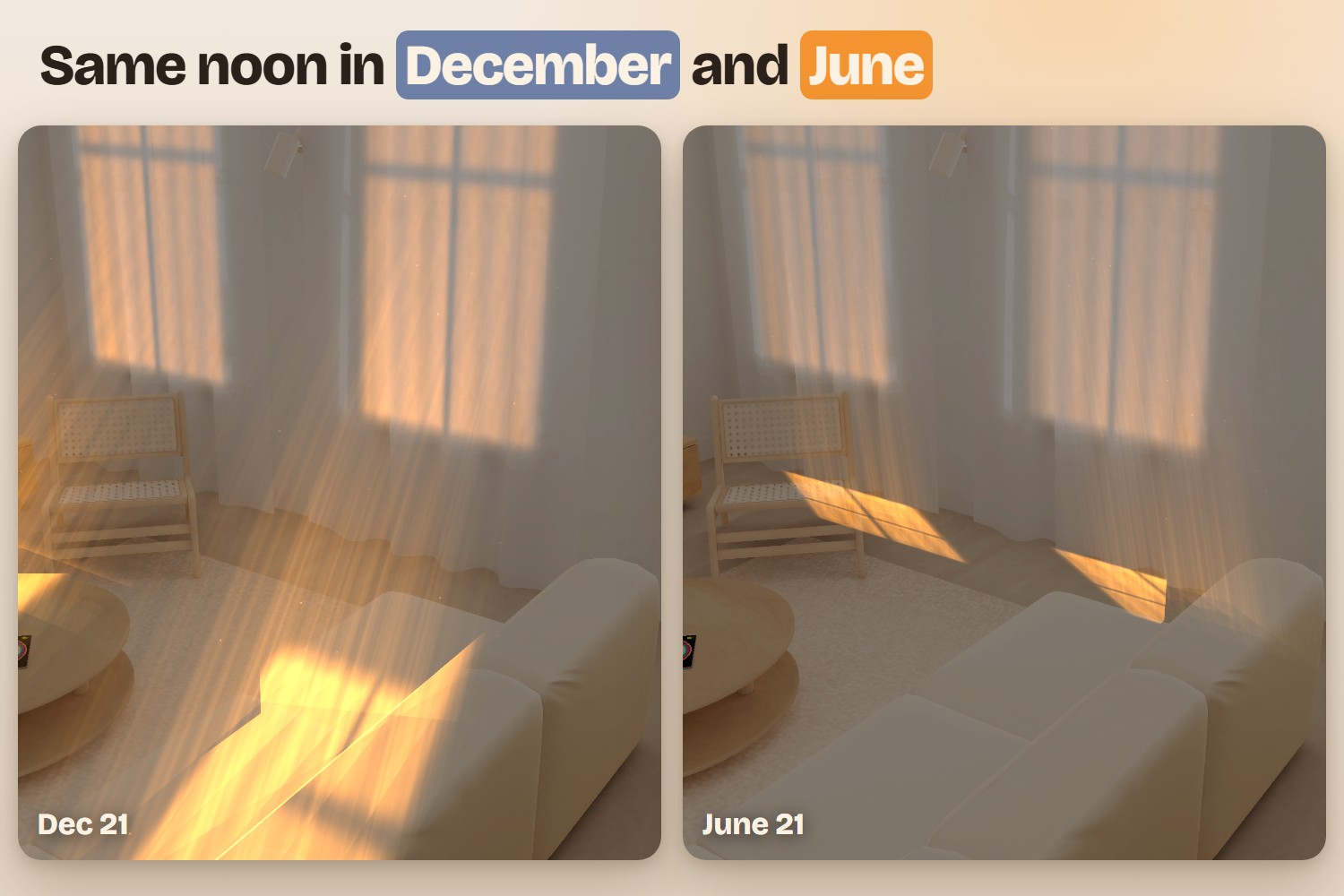
- Up or down the sky, the date changes. Pull it toward December and the light reaches deep into the room. Pull it toward June and it shrinks to a strip by the window. The summer and winter paths stay on screen as faint arcs, so you can see the whole year's range.
Three buttons do the rest:
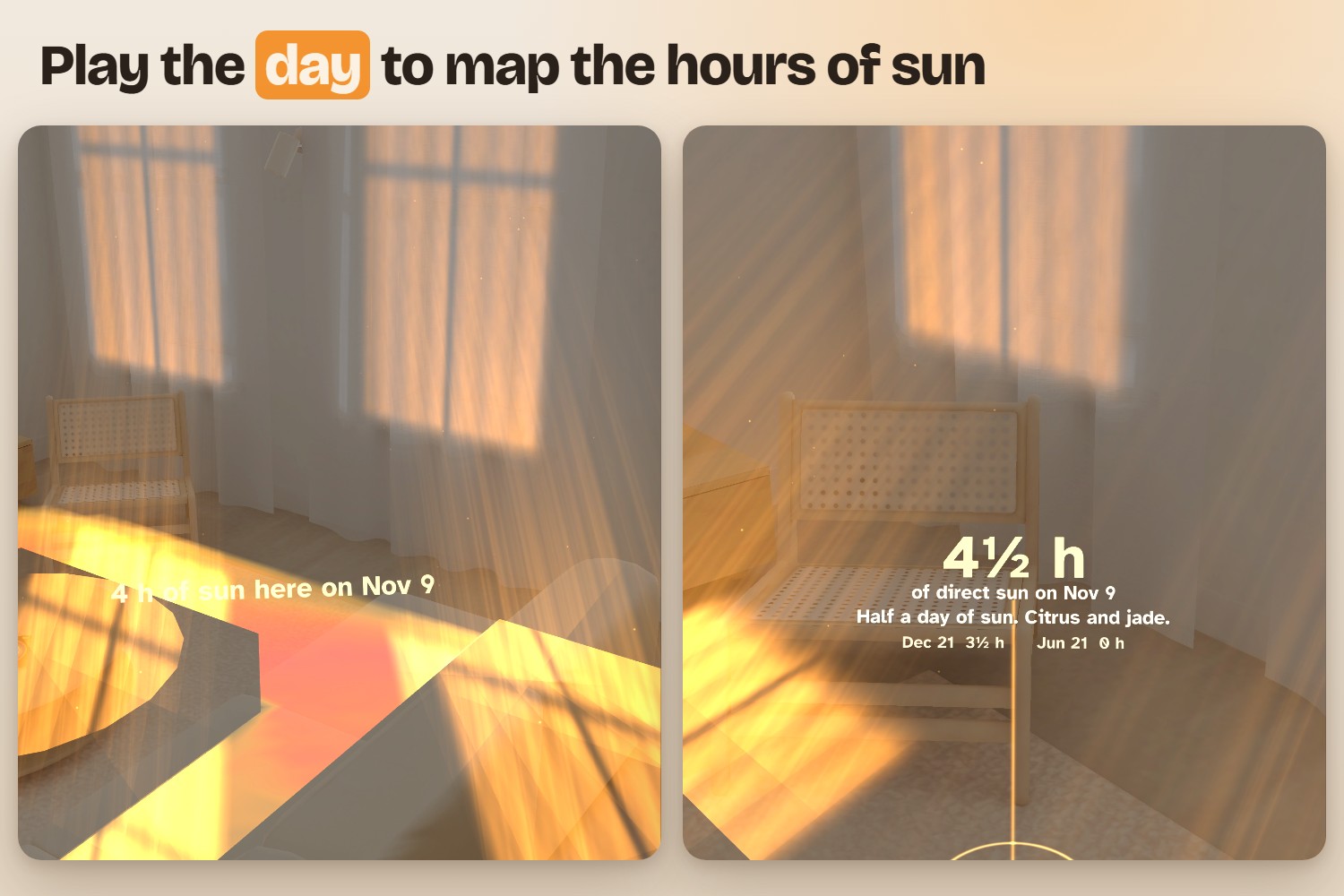
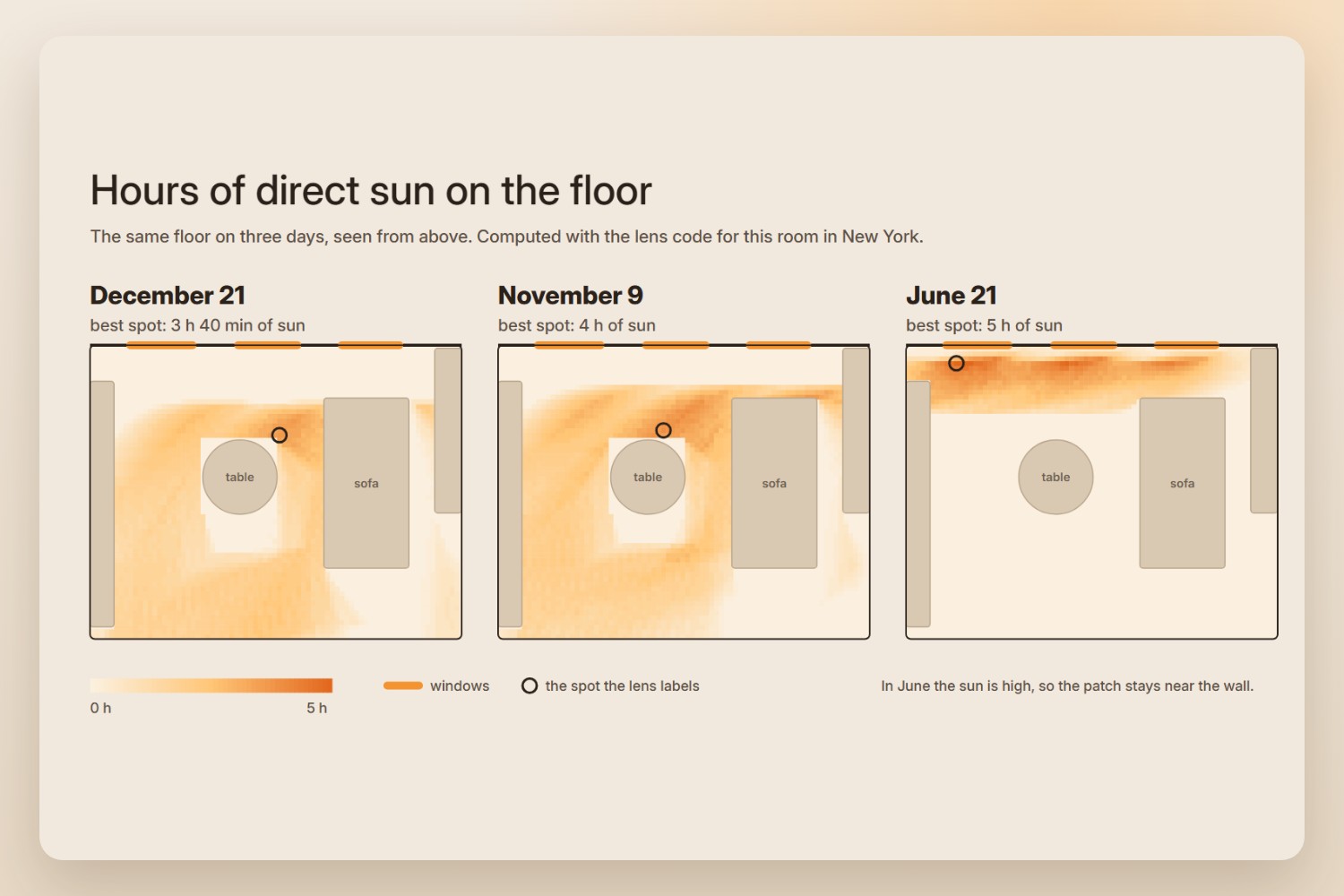
- Play the day runs the sun from sunrise to sunset and paints a map of sun hours on the floor, with a label on the spot that gets the most.
- Add a plant: pinch the floor where a pot will stand. A card shows how many hours of direct sun that spot gets on the chosen day, what grows in that much light, and the numbers for December 21 and June 21. From across the room it shows just the number. Up close it adds the details.
- Now brings the sun back to the current time.
To start, you pinch each window that lets sun in. It snaps to the window frame and its light comes in at once.
Who it's for
People deciding where things go in a room: plants, a desk, a reading chair. And people viewing an apartment they are about to rent or buy, who need to know what the light is like at the times they can't visit.
How we built it
We planned it with the Devpost Learn skill pack, which produced the design brief in the devpost folder of the repo, and built it in Lens Studio 5.23.2 with Claude Code driving the editor through the Lens Studio MCP.
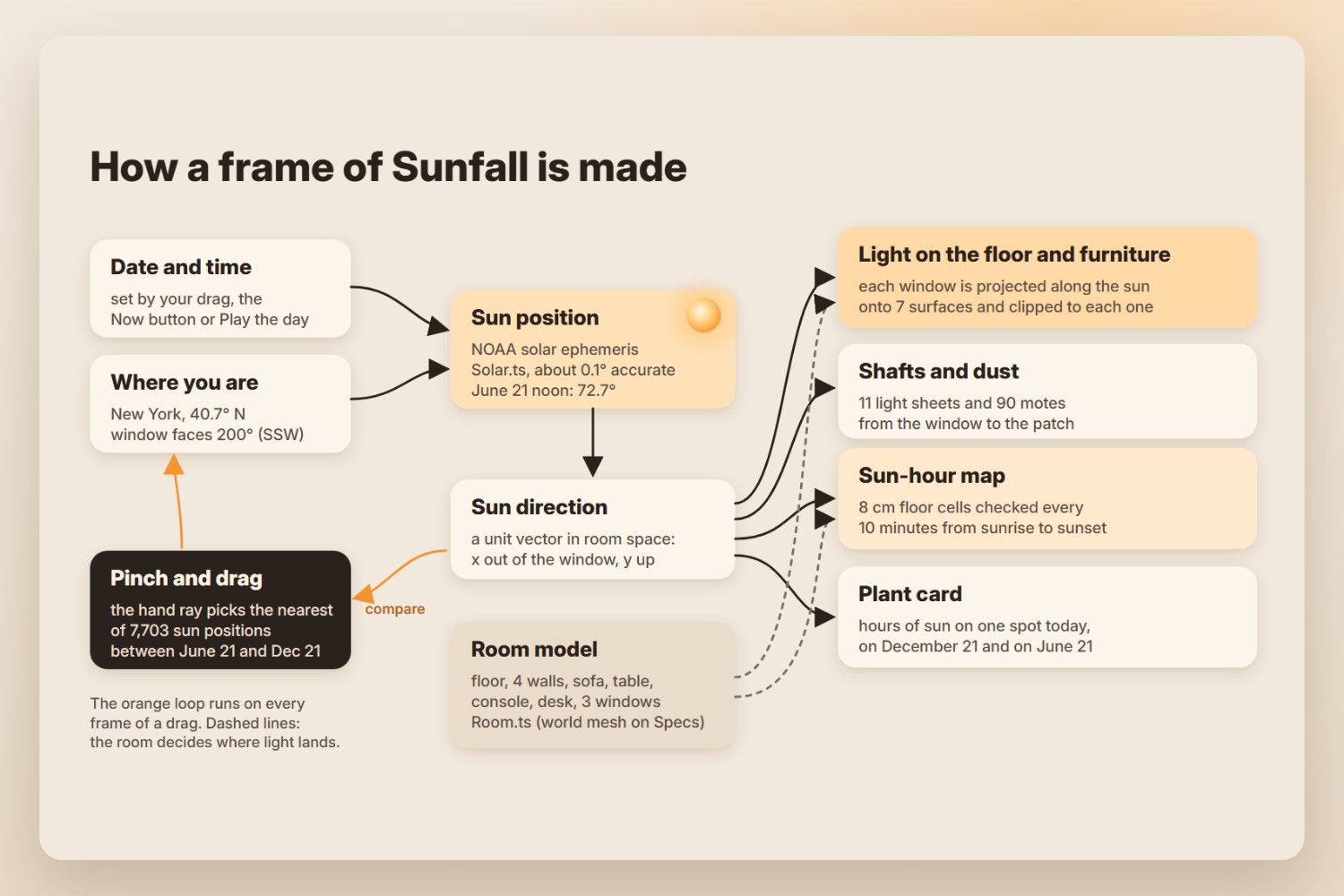
- Sun position. The NOAA solar ephemeris gives the azimuth and elevation of the sun for any date, time and place. We checked it against known values: in New York the June solstice noon sun is at about 72.7° and the December one at 25.8°.
- Light on the room. Each window rectangle is projected along the sun direction onto every surface of the room: floor, walls, sofa, table and console. The projected shape is clipped to that surface, so the edges stay sharp and the window's cross bars land in the right place. The curtain of a sunlit window glows, and sheets of light with drifting dust connect the window to the patch.
- Dragging the sun. While you drag, the lens compares the direction your hand points with 7,703 precomputed sun positions between the two solstices (every third day, every six minutes) and picks the closest. It keeps the date fixed unless your hand moves at least 2° further up or down the sky, so a sideways drag only changes the time.
- Sun hours. For every 8 cm cell of the floor, the lens checks in 10-minute steps whether the line toward the sun leaves the room through a window without hitting furniture. It adds up the hours as the day plays.
- The demo video is made in code as well: an HTML page with one
renderAt(time)function, rendered frame by frame with Playwright and encoded with ffmpeg. The music and every sound effect are synthesized in Python and placed on the picture's events. The lens footage in it is a real Lens Studio Preview recording, driven by the lens's owndemoScriptinput so every take is repeatable, recorded at a tenth of real speed and sped back up. - The README diagrams come from the same math: a Python port of the solar and sun-hour code draws the real sun paths and the sun-hour maps of the room for December 21, November 9 and June 21.
- Glasses design. The display adds light and can't darken, and sunlight is exactly what an additive display draws well. Text is short and light. There are only three buttons, 6 cm discs that wait half a meter ahead and below eye level, appear when you glance down and hide while you drag. The plant card shows only the number from across the room and adds the details when you walk up to it.
Challenges we ran into
The Interactive Preview rooms in Lens Studio don't answer world hit tests. Our first probe cast 576 rays around the room and got back only one flat test plane. So we measured the Sunlit Room by hand: we laid grids of labeled markers at a guessed floor height and on the window wall, took Preview screenshots from several camera positions, and used parallax between them to find the floor (178 cm below eye level), the window wall and the three window bays. On Specs, the same code would take its surfaces from the world mesh.
Our first light patch was a grid of rays, and its edges came out jagged wherever a ray hit a different surface. We replaced it with exact polygon projection and clipping.
Drags can't be simulated through the MCP in this version, so we tested taps through the MCP and drags by hand in the Preview.
Accomplishments that we're proud of
The first time the sun was dragged and the light slid across the floor with the window's cross shadow in it, it already read as sunlight. The sun's position is real, and the whole year fits in one gesture.
What we learned
- Glasses are good at answering "where" questions in your own space, at real scale.
- On an additive display, light is the most natural thing to draw.
- Fewer controls make the direct gesture more obvious. Our first version had more buttons than it needed.
What's next for Sunfall
- Use the world mesh on Specs for the floor and furniture, and detect windows automatically.
- Use the device's location and compass instead of a fixed city and window direction.
- Add shadows from buildings and trees across the street, using map data.
- A mode for apartment viewings that saves the sun-hour map of every room so you can compare flats later.
Built With
- clad
- claude-code
- devpost-learn-skill-pack
- lens-studio
- lens-studio-mcp
- noaa-solar-ephemeris
- python
- snap-specs
- spectacles
- spectacles-interaction-kit
- typescript
