Inspiration
Every week, someone in my family fills my grandmother's 7-day pillbox: five bottles, morning and evening, one half tablet on some days and one pill that's only taken once a week. Knowing the schedule isn't the hard part. Keeping your place is: read the list, look at the box, look back at the list, and drop a pill in the wrong cell.
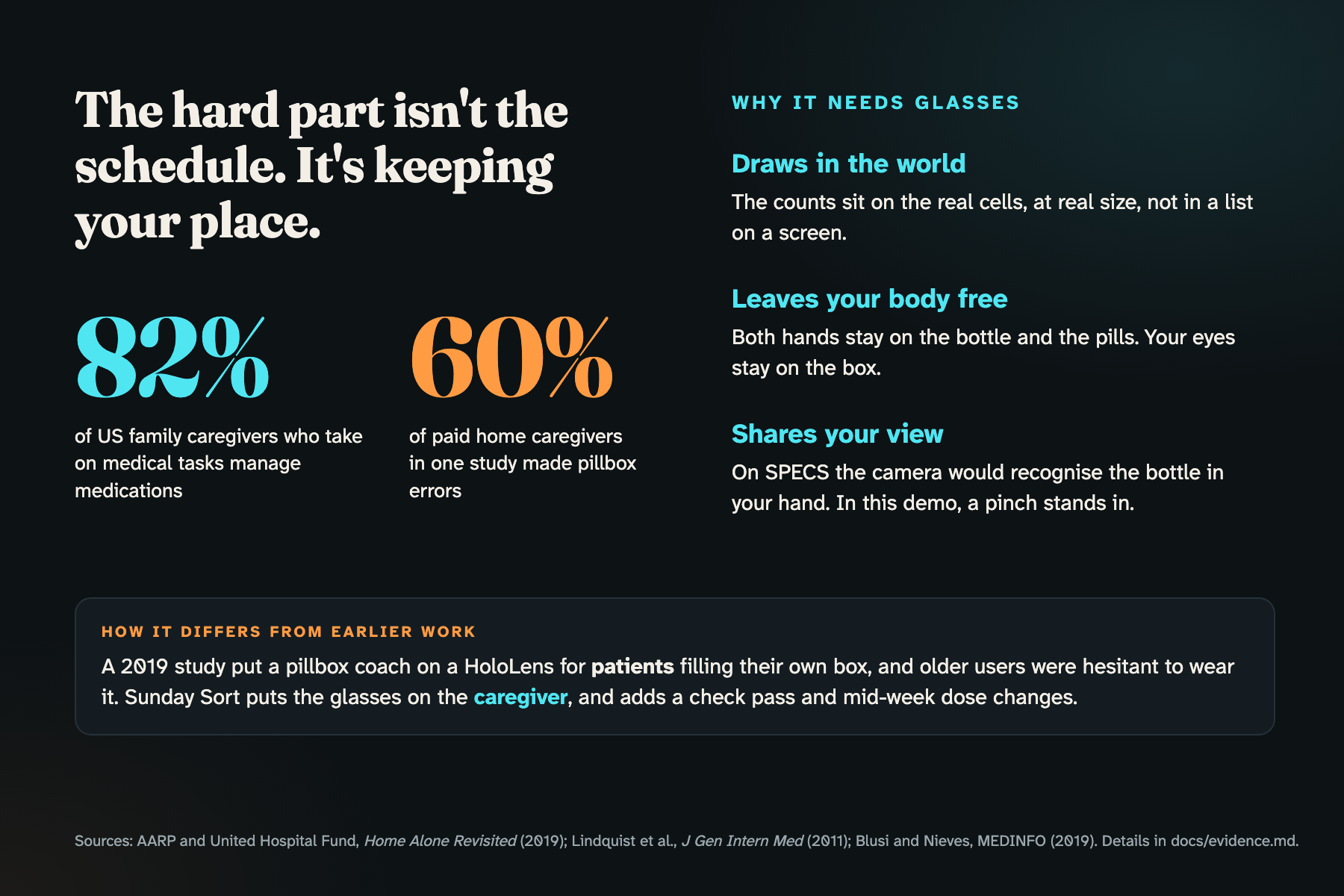
It's a common job and an error-prone one. 82% of US family caregivers who take on medical tasks manage medications (AARP, 2019), and in one study 60% of paid home caregivers made errors sorting medications into pillboxes (Northwestern, 2011).
What it does
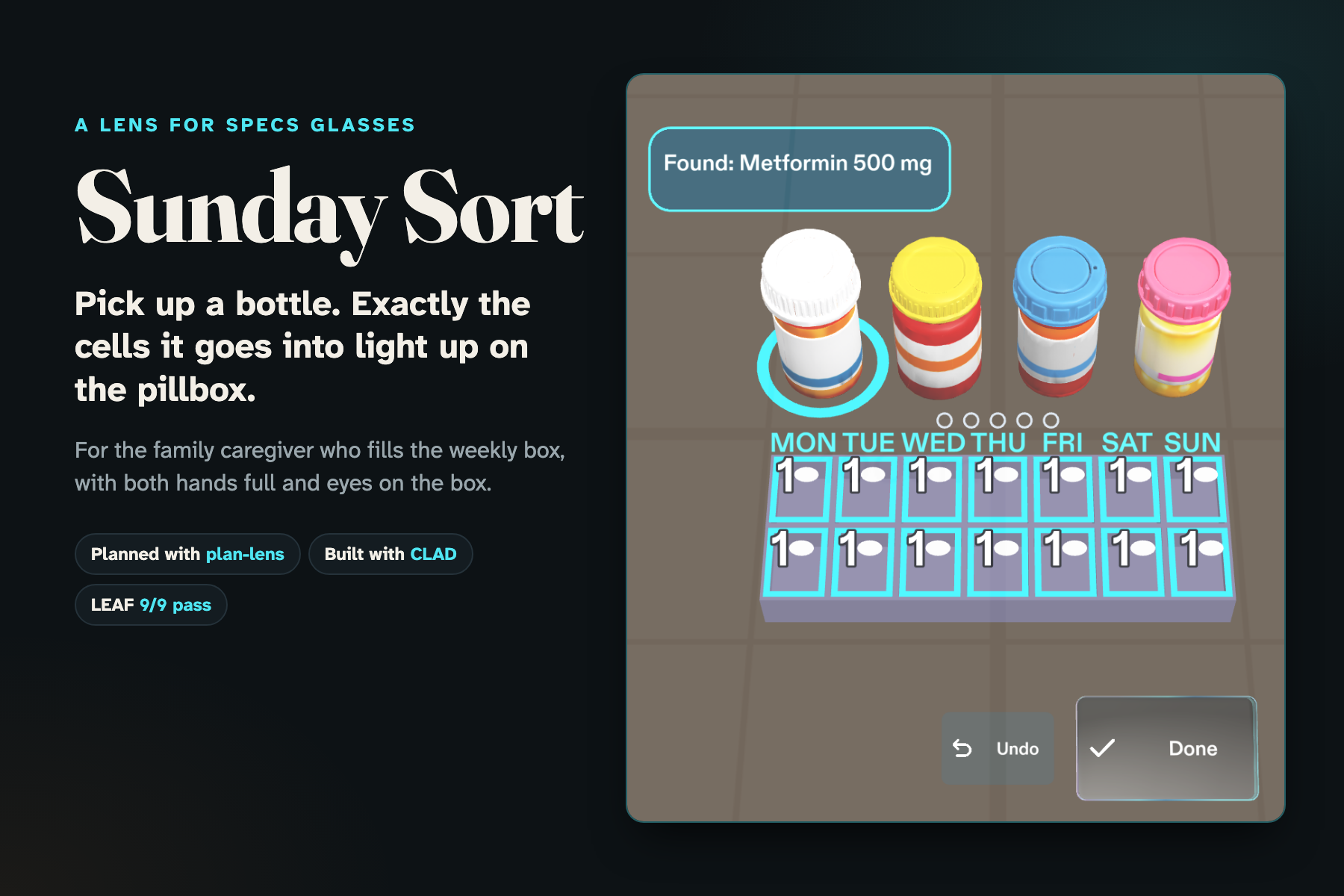
Sunday Sort is a Lens for SPECS for the family caregiver who fills the box.
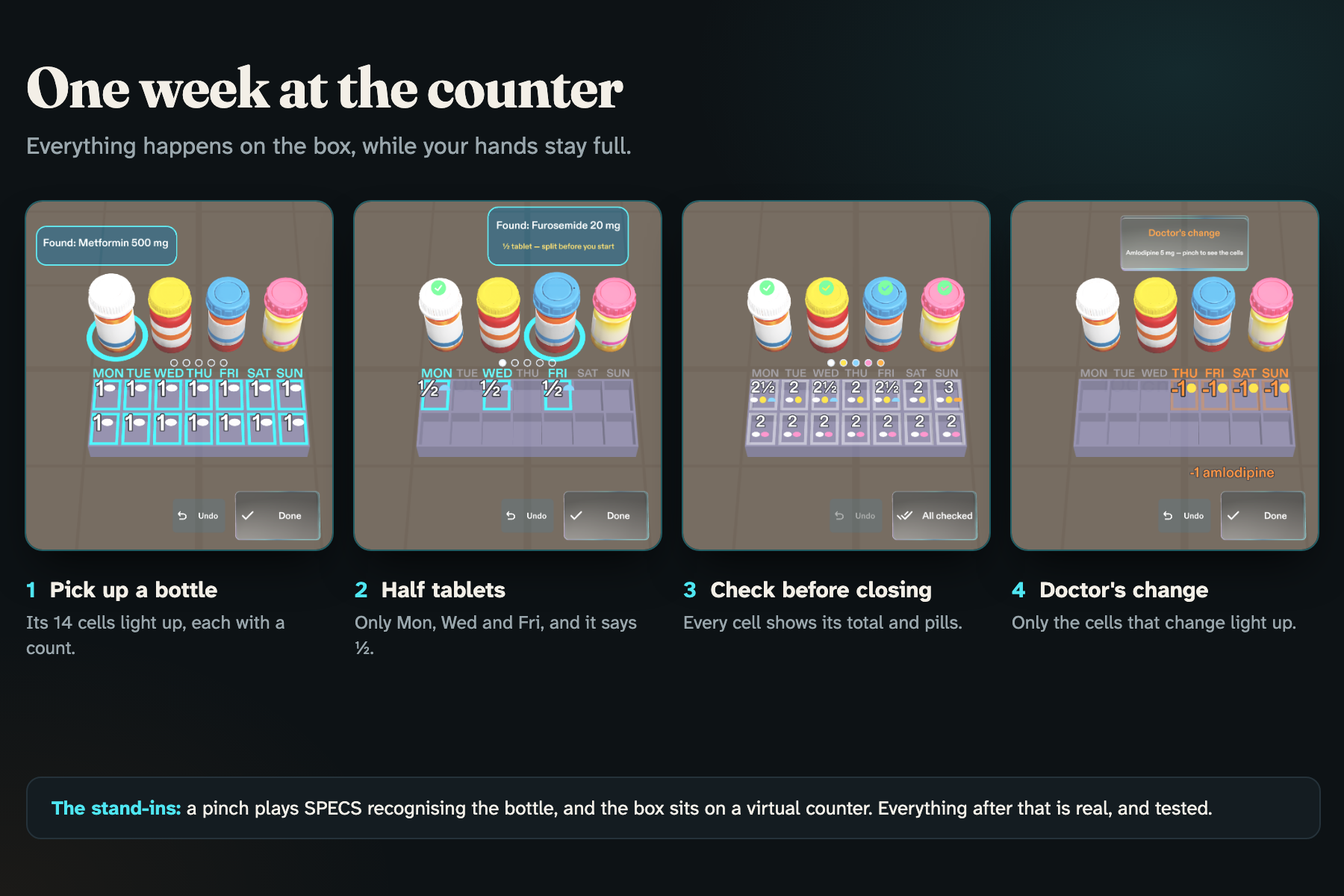
- Pick up a bottle and exactly the cells it goes into light up on the box, each with how many pills. Every other cell stays dark, so the pattern shows which days differ before you read anything. Half tablets read "½", never "0.5".
- Pinch Done: one big button in the same place every time, a soft chime, and a tick on the bottle. Undo clears a wrong pick.
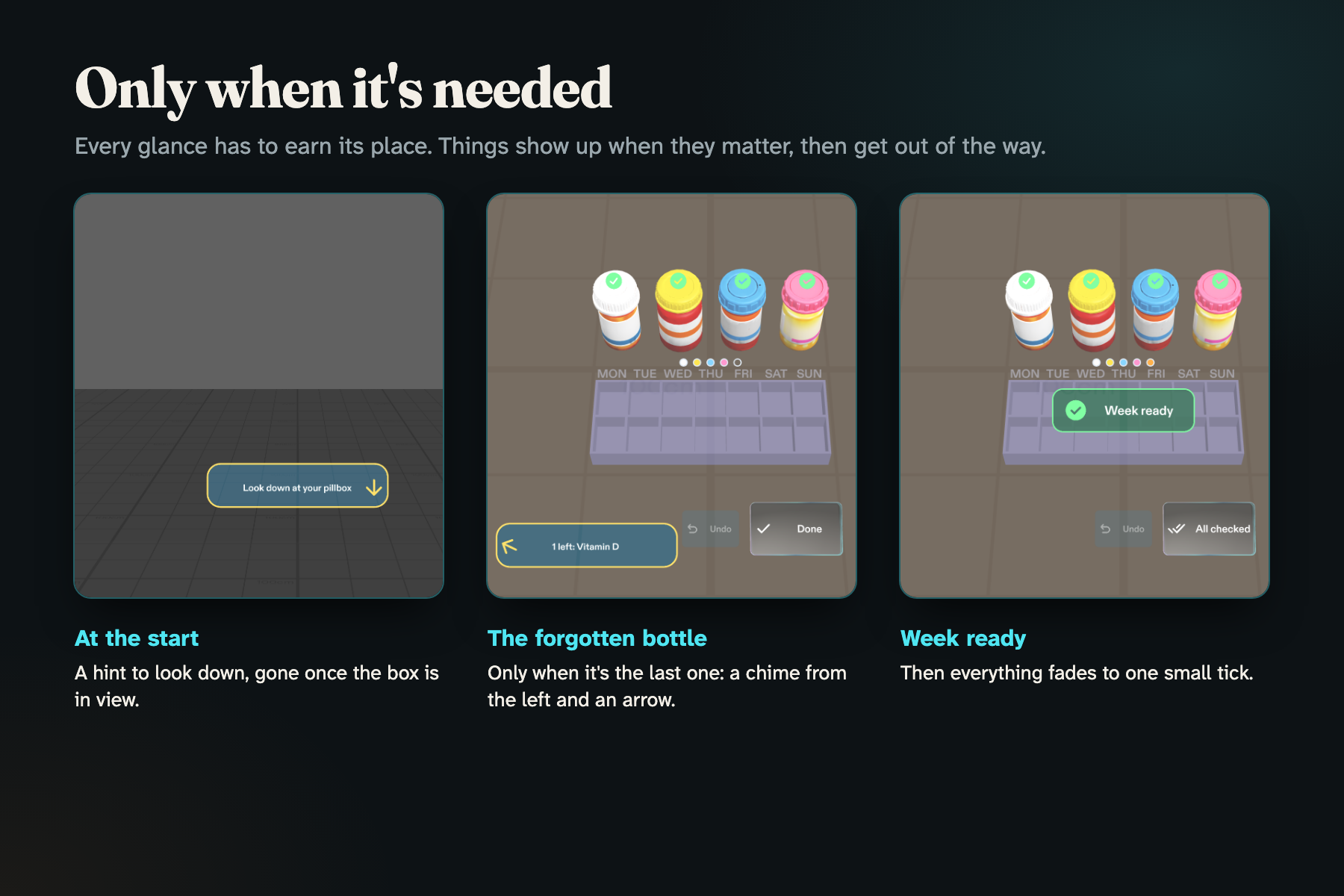
- The forgotten bottle: when the only one left is the weekly vitamin D in the cupboard, a chime from that side and a small arrow point the way. Nothing nags before then.
- Check before closing the lids: every cell shows its total and one coloured dot per pill. "All checked" turns into "Week ready".
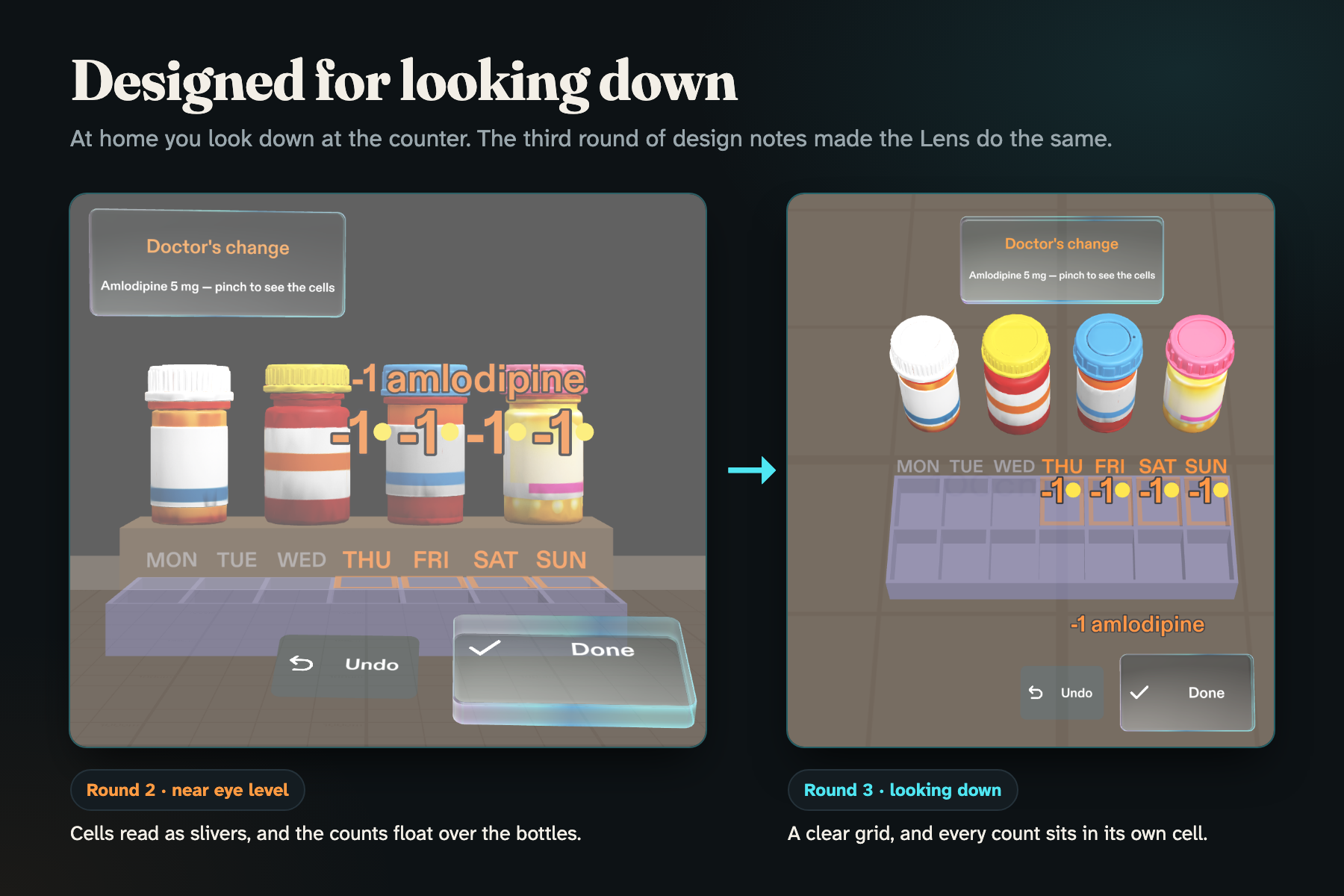
- A dose change mid-week lights only the cells that change: "-1 amlodipine", Thursday to Sunday mornings.
Why glasses: the counts sit on the real cells (it draws in the world), both hands stay on the bottle and the pills (it leaves your body free), and on real glasses the camera would recognise the bottle in your hand (it shares your view). A 2019 study put a pillbox coach on a HoloLens for patients and found older users hesitant to wear it, so Sunday Sort puts the glasses on the caregiver instead.
The bottles and schedules are fictional sample data. Sunday Sort follows a list; it never decides doses.
How I built it
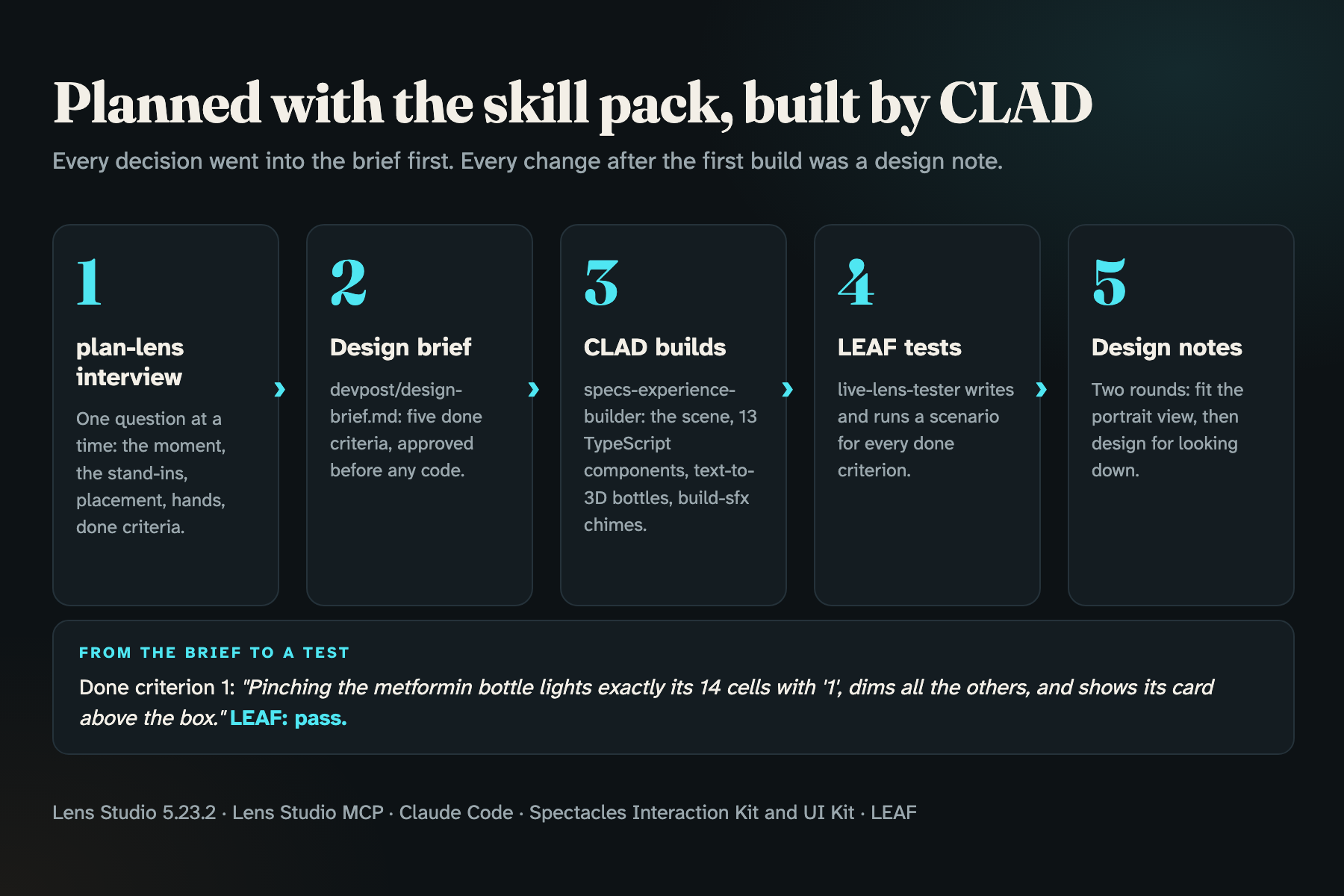
- Planned with the Devpost Learn skill pack. The
plan-lensinterview turned the idea into a design brief with five done criteria, including how the preview fakes recognition: pinching the bottle stands in for the camera reading its label. - Built with CLAD in Lens Studio 5.23.2 through the Lens Studio MCP, driven from Claude Code. The
specs-experience-builderagent built the scene and thirteen TypeScript components, generated the bottles with text-to-3D and the chimes withbuild-sfx. - Tested with LEAF. CLAD's
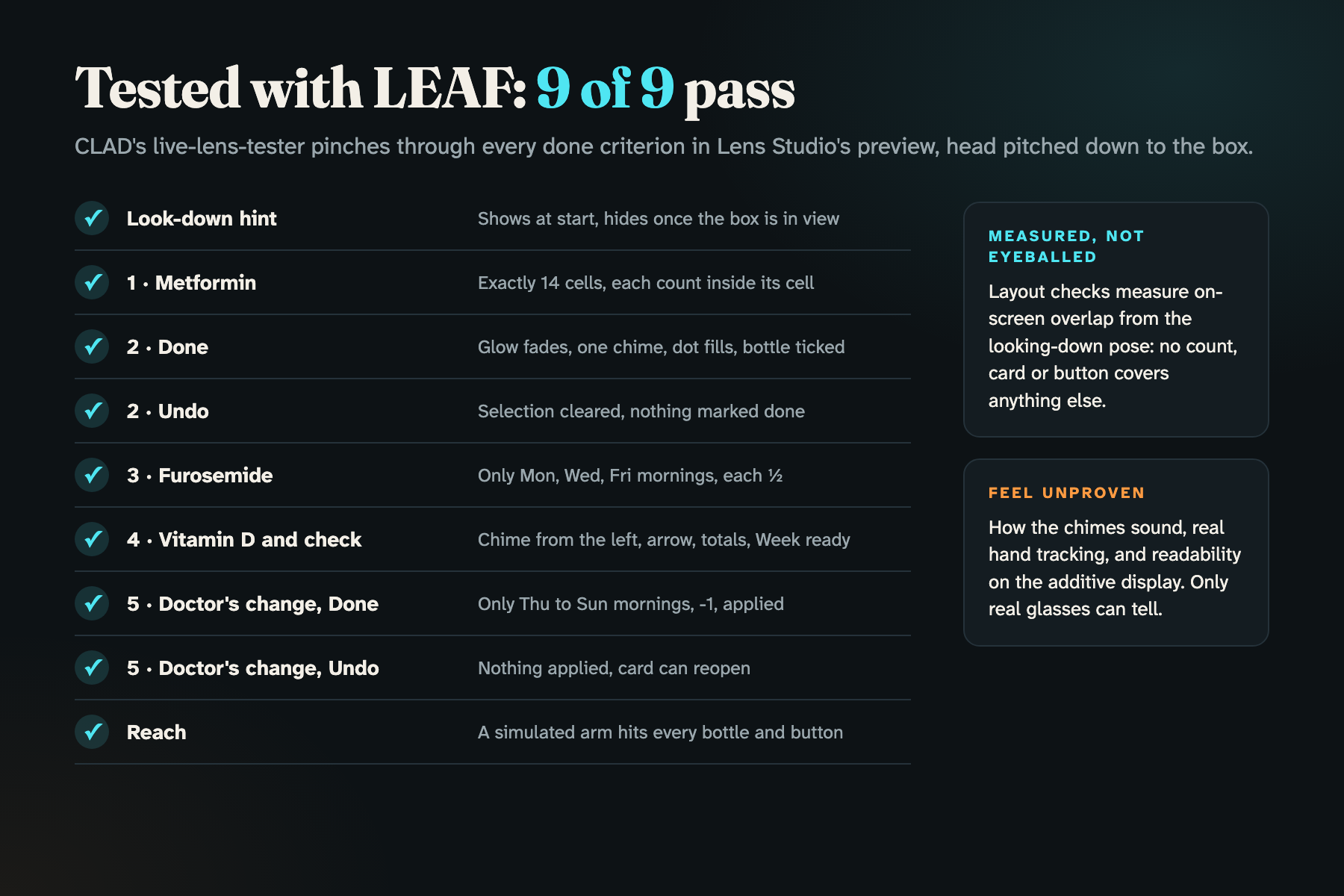
live-lens-testerwrote scenarios for every done criterion, plus a reach test and layout checks that measure on-screen overlap. All nine pass in the preview. - Fixed with design notes, not code. Two rounds of notes reshaped the Lens after walking around it in Interactive Preview.
Challenges I ran into
- Designing for a narrow, portrait view. SPECS shows about 33 cm across at 60 cm, so a box plus a 2x2 group of bottles didn't fit. The bottles moved into one row behind the box, which also fixed a real aiming bug the reach test found: one bottle was catching the aim meant for the one in front of it.
- The core moment didn't read. With the box near eye level, the cells were slivers and the counts floated over the bottles. Designing for looking down at the counter, as you would at home, turned them into a clear grid.
- Tooling. Lens Studio 5.24 deleted the skill pack's folder on every project load, and its new account sign-in failed, which blocks CLAD. Lens Studio 5.23.2 fixed sign-in, and the skill pack now lives where Lens Studio leaves it alone. Both are written up in the repo for other builders.
Accomplishments that I'm proud of
- Every done criterion in the brief passes LEAF, and "nothing covers anything" is measured, not eyeballed.
- The before-and-after of designing for looking down, which made the Lens readable.
- The stand-ins stay honest: the Lens fakes only recognising the bottle and finding the box, and everything after that works for real.
What I learned
- Design for where people already look. For a task on a counter, that's down at your hands, not straight ahead.
- Fake the sensing, build the response. The preview can't recognise a real bottle, but everything that happens after recognition can be real and tested.
- Fix with design notes, not code. Every change after the first build was a note in design terms, like "lay Done and Undo on the counter in front of the box", which CLAD turned into code and re-tested.
- Write down what's proven and what isn't. The logic is proven in the preview; how it feels on real glasses (sound, hand tracking, readability on an additive display) is not yet.
What's next for Sunday Sort
- Real recognition on SPECS: read the bottle label with the camera and find the box on the counter.
- Let the caregiver enter the week's list from the prescription instead of sample data.
- Try it with family caregivers on real glasses, the part only hardware can answer.
Built With
- augmented-reality
- clad
- claude-code
- leaf
- lens-studio
- lens-studio-mcp
- spectacles
- spectacles-interaction-kit
- spectacles-ui-kit
- typescript

Log in or sign up for Devpost to join the conversation.