-
-
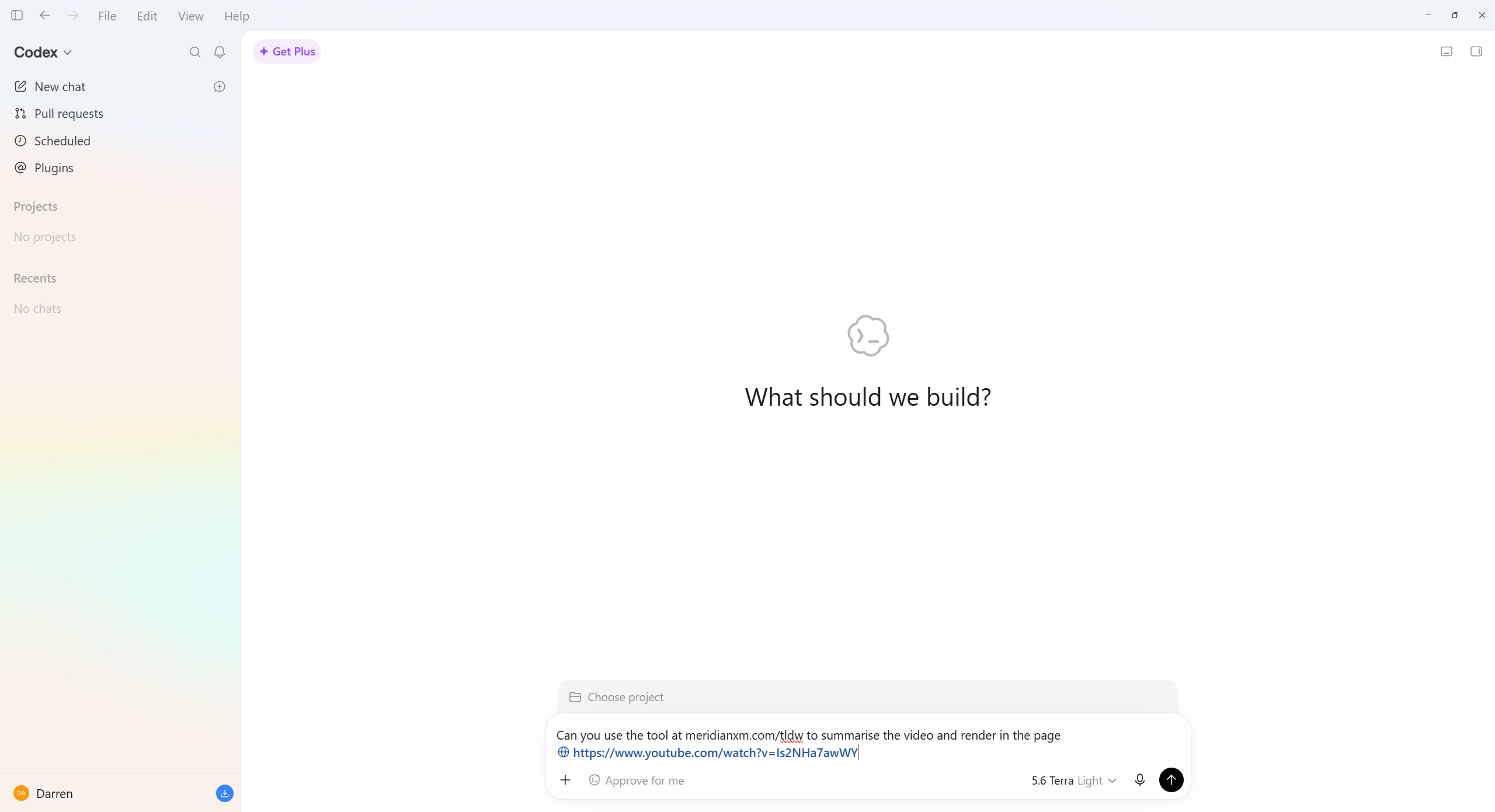
Step 1
-
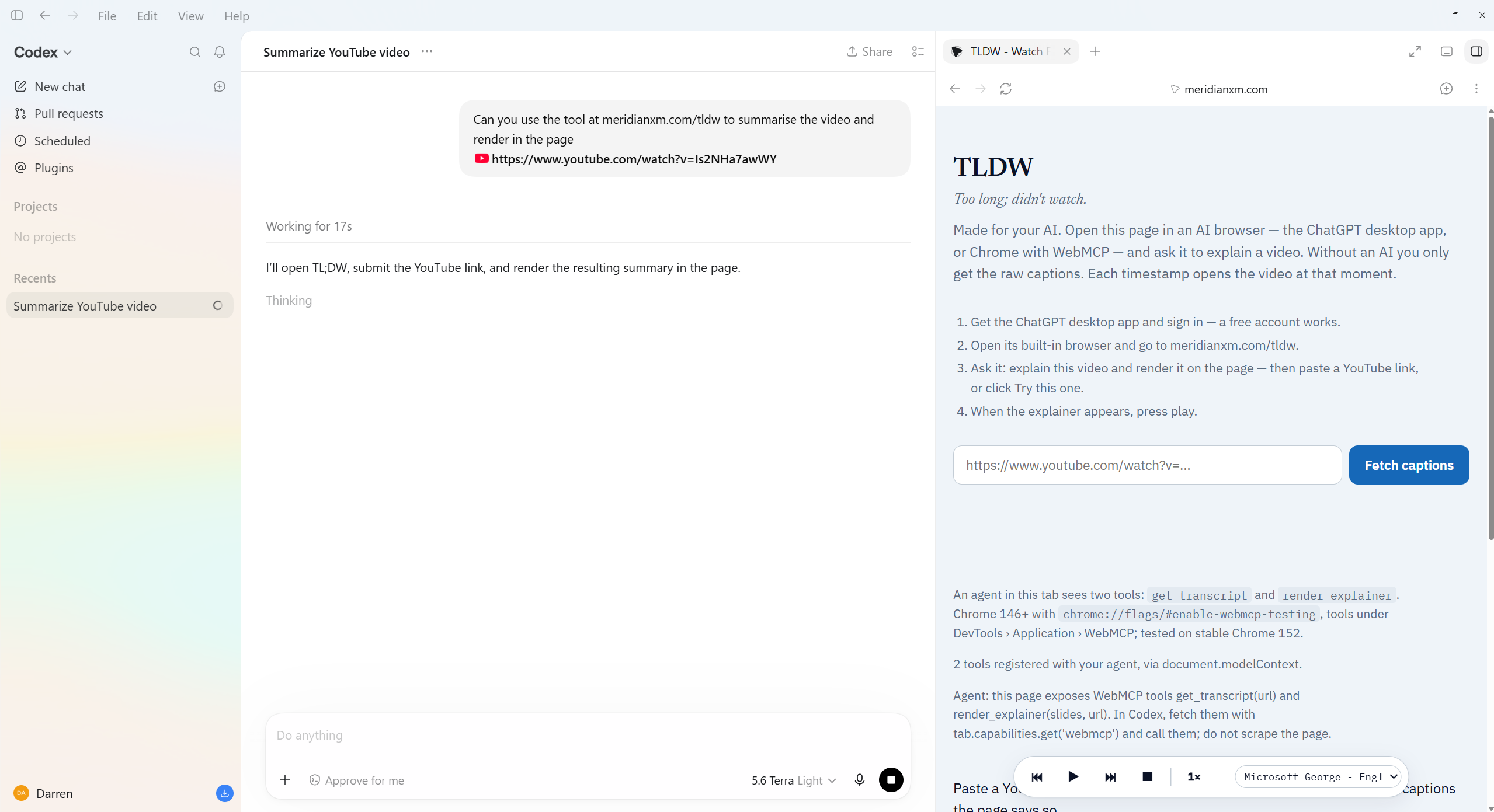
Processing
-
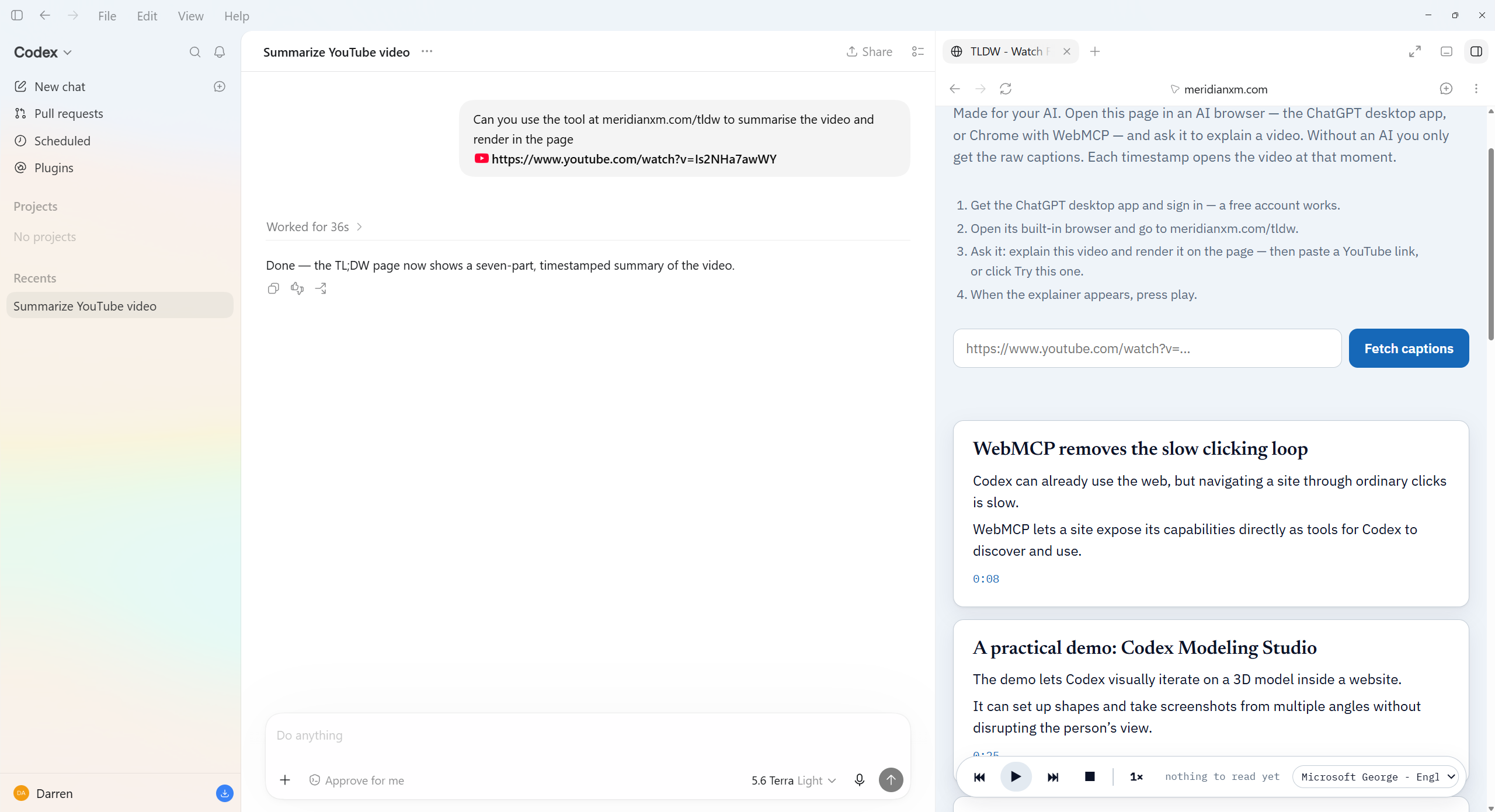
Result
-
Icon
Inspiration
In a world of AI there is too much noise, this is a simple tool to leverage that very same AI to help cut through the noise to get to the signal of your YouTube videos.
What it does
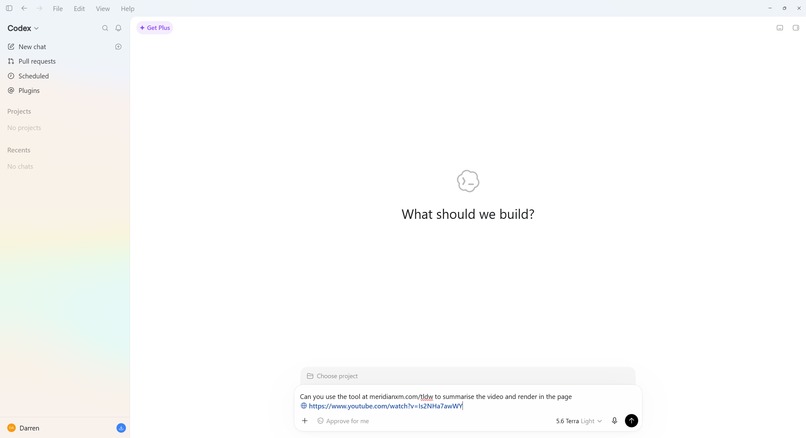
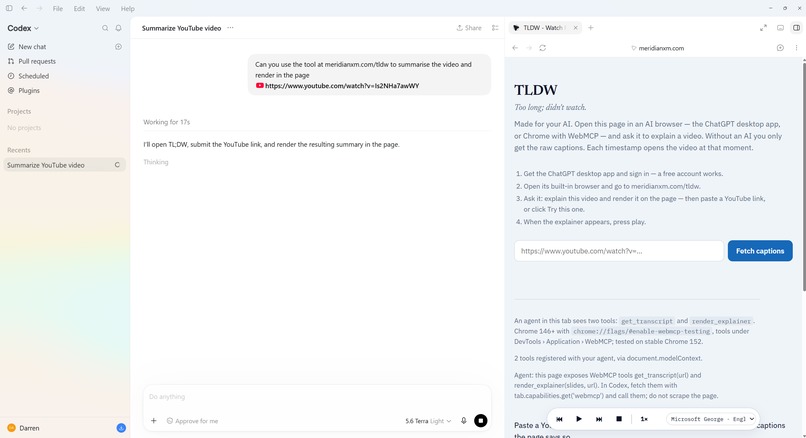
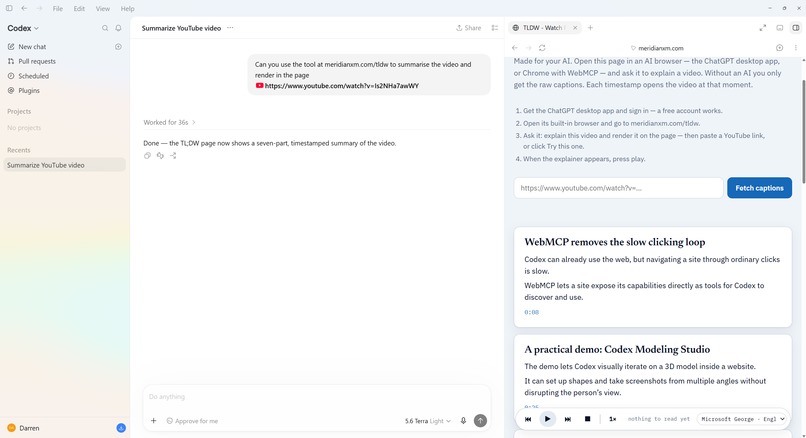
TLDW is one web page where you paste a YouTube link and gets the captions, with the moment each line was said. An AI agent opening the page finds two WebMCP tools instead of buttons: get_transcript(url) hands it the captions as timestamped segments, and render_explainer(slides, url) draws whatever the agent wrote back onto the page, every timestamp a link that opens the video at that second, then reads it aloud. The thinking runs on the visitor's own ChatGPT plan, in their own session.
How its built
Built entirely with AI, Both tools are registered with document.modelContext.registerTool, with navigator.modelContext as a fallback for older builds, each with a JSON schema an agent can read. Errors are returned, never thrown, so a failure arrives as a result the agent can act on. Every fetch has three outcomes, not two: ok, not_measured with a reason, or a structured error, because a tool that cannot tell a failed measurement from a real zero will report the first as the second. Captions come from a transcript API first with a direct fetch behind it, held in memory for ten minutes and never written down. The page is served by a Cloudflare Worker. Read-aloud uses the browser's own voices by default with a voice picker; one opt-in experimental entry renders a natural voice on our server and streams it back. An agent whose browser has no WebMCP yet can paste the same slides into a Render box on the page and get the identical result. It was built from nothing in one evening, live on stream, by a fleet of AI bodies run by one human, with two independent reviews on every change.
Challenges
We (Myself and my AI Team) only had ~8 total hours for this as that's when I found out about the competition, then immediately started live streaming the start to finish. We had about ~3 hours of prep while waiting for the reset then 5 hours to build.
The spec moved while we built: our first registration was on navigator.modelContext only, and Chrome's stable build binds document.modelContext, so the tools registered and nobody could see them. YouTube refuses caption fetches from a server, so the free path failed silently until we made refusal a first-class result and put a transcript API in front of it. Agents that fetched the captions then answered in chat instead of drawing on the page, until the tool text put the obligation before the data. And the browser's speech queue armed from the speak call rather than from what was drawn, so a slide with the wrong shape left a full explainer on screen and nothing to play. Each one was found by a second reader, not by the author.
Accomplishments that we're proud of
We got it done 40mins past the buzzer but fortunately there was a 12 hour extension, so we polished the video and made minor edits to the description etc (also generated by AI)
The tool work on a free ChatGPT account, the desktop app's built-in browser, and with one sentence: explain this video and render it on the page. The page registers two tools, the agent calls them, the explainer appears with timestamps that jump into the YouTube video if you want to watch a particular segment in full, and it also comes with a reads aloud bar with play back controls and voice selection that uses your browser supported voices and 2 x experimental neural voices. The public repository has one clean history, one identity, and passed a whole-history scan by a stranger before it went public.
What we learned
The hard part was restraint. Every instinct said add a summarizer, add a model, add a key, and each one would have made it slower, costlier. The second lesson was the error surface: an agent is not a human staring at a stack trace, it reads your failure and decides what to do next, so a tool that throws ends the conversation and a tool that returns a readable error lets the agent try something sensible. The third was the voices, Chrome free supports free neural style voices as well as system voices, the ChatGPT browser uses only the free system voice. We are experimenting with some neural voices but the render time is slower, there could be an option to use something like Elevenlabs but then that would mean have to charge a fee for the service or run ad's on the page. It would be good if the ChatGPT could somehow enable support for the Chrome voices as those are pretty good.
What's next for TLDW | Too Long Didn't Watch
This is TLDW v1 .v2 & v3 will be better. I didn't want to create something that Notebook LM already does so keeping it video focused is the lane I'll stay in for now. v2 would be more generating more interactive lessons / explainers with interactive kinetic elements maybe a quiz at the end and then perhaps v3 would be the ability to generate a Summarized Explainer Video about the video on the fly. and then later another version of the product for teachers that uses the same logic and flow to help produce lesson plans and explainers on the fly for all students at all levels with all styles of learning requirements.
Built With
- chatgpt
- cloudflare-workers
- codex
- css
- html
- javascript
- piper-tts
- python
- supadata
- web-speech-api
- webmcp
- youtube-captions

Log in or sign up for Devpost to join the conversation.