-
-
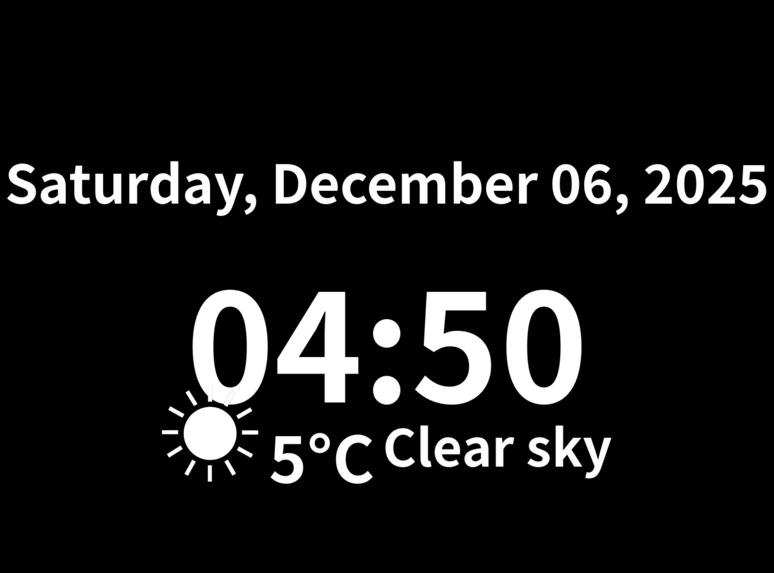
SumiClock(Dark-mode)
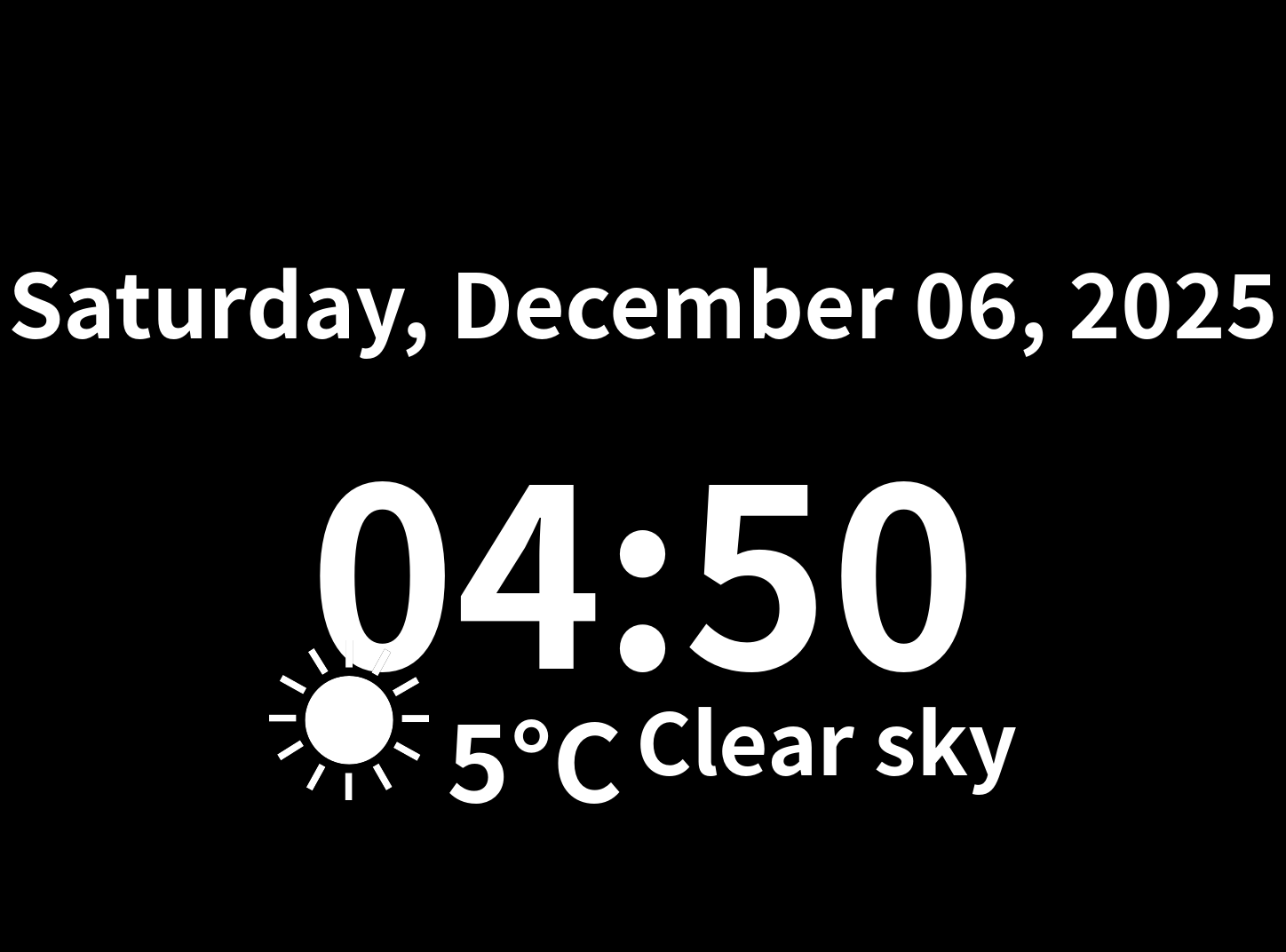
SumiClock
Tagline
Bringing E-paper displays back to life with a minimalist, timezone-aware clock and weather display
Category
Resurrection - Bringing old-generation Kindles and their browser functionality back to life
Inspiration
E-paper displays like Kindle and Kobo e-readers are amazing pieces of technology - they're readable in sunlight, consume almost no power, and can display information indefinitely without electricity. But their experimental web browsers are rarely used, and old-generation e-readers sit forgotten in drawers.
I wanted to resurrect these "dead" devices and revive their underutilized browser functionality by creating something useful: a simple, elegant clock that can run 24/7 on an old Kindle, turning it into a low-power ambient display.
What it does
SumiClock generates clean, high-contrast clock images optimized for E-paper displays. It:
- Displays current time in any timezone
- Shows date and optional weather information
- Automatically switches between light/dark themes based on time of day
- Supports both landscape and portrait orientations
- Caches images for fast, efficient serving
- Runs as a lightweight Docker container
Users can point their E-reader's browser to the SumiClock URL and get a constantly updating, battery-friendly clock display.
How I built it
Technology Stack
- FastAPI: Lightweight Python web framework for serving images
- Redis: Caching layer for performance
- Pillow (PIL): Image generation optimized for E-paper
- Docker: Containerized deployment
- OpenWeatherMap API: Weather data integration
Development with Kiro
Kiro was essential to this project's rapid development:
1. Steering Documents Created 7 comprehensive steering documents that taught Kiro about:
- E-paper display characteristics and optimization
- Python development standards (Google Style Guide)
- FastAPI best practices
- Docker deployment patterns
- Testing strategies
These steering docs transformed Kiro from a generic assistant into an E-paper display expert.
2. Agent Hooks Implemented 7 automated workflows:
- Auto-formatting with Black on save
- Type checking with mypy
- Linting with flake8
- Automated testing on file changes
- Image validation
- Docker health monitoring
- Dependency management
These hooks eliminated repetitive tasks and caught errors early.
3. Spec-driven Development For complex features like the SVG template system, I created detailed specifications that Kiro used to generate well-structured, maintainable code.
4. Vibe Coding For simpler features, conversational development with Kiro was incredibly fast:
- "Add timezone support" → Complete pytz integration
- "Optimize for E-paper" → Grayscale rendering, high contrast
- "Add weather display" → API integration + custom E-ink icons
Time Savings
Traditional development: 20-30 hours With Kiro: 6-8 hours Time saved: 70-75%
Challenges I ran into
E-paper Optimization E-paper displays have unique constraints:
- Slow refresh rates (1-2 seconds)
- Limited color depth (grayscale)
- Need for high contrast
Solution: Used PIL's grayscale mode, pure black/white rendering, and aggressive caching to minimize updates.
Font Rendering E-paper displays need clear, readable fonts. Finding and configuring Noto Sans CJK for Japanese character support required careful testing.
Weather Icon Design Standard weather icons don't work well on E-paper. Created custom high-contrast icons specifically designed for E-ink displays.
Timezone Handling Ensuring accurate time display across timezones required careful use of pytz and UTC conversion.
Accomplishments that I'm proud of
- Minimalist Design: Clean, distraction-free interface perfect for ambient displays
- E-paper Optimization: Images look crisp and clear on E-ink screens
- Comprehensive Documentation: 7 steering docs, detailed README, extensive code comments
- Automated Workflows: 7 agent hooks that streamline development
- Extensible Architecture: Easy to add new features (electricity usage, calendar, etc.)
- Docker Deployment: One-command setup with docker-compose
What I learned
E-paper Technology
- Display characteristics and constraints
- Optimization techniques for E-ink
- Device-specific considerations (Kindle vs Kobo)
AI-Assisted Development
- Steering documents dramatically improve AI responses
- Agent hooks eliminate repetitive tasks
- Spec-driven development works well for complex features
- Vibe coding is perfect for rapid prototyping
Python Best Practices
- Type hints and mypy for reliability
- Black for consistent formatting
- Comprehensive testing strategies
- Docker for reproducible environments
What's next for SumiClock
Immediate Plans (Before Judging)
- Add electricity usage display via smart meter API
- Implement multiple timezone support in single image
- Create more theme options
- Add calendar integration
Future Enhancements
- Custom layout templates
- Battery-friendly update intervals
- Support for more E-paper devices
- Plugin system for custom data sources
- Web configuration interface
- MCP integration for external APIs
Long-term Vision
Transform SumiClock into a platform for ambient information displays on E-paper devices, making "obsolete" E-readers useful again as low-power, always-on information displays.
Built With
- Python
- FastAPI
- Redis
- Docker
- Pillow (PIL)
- OpenWeatherMap API
- Kiro (AI development assistant)
Try it out
- GitHub Repository: https://github.com/snickerjp/SumiClock
- Demo Video: https://www.youtube.com/watch?v=Z_NDSMUbGjk
Kiro Usage
See KIRO_USAGE.md for detailed documentation on how Kiro accelerated this project's development.

Log in or sign up for Devpost to join the conversation.