-
-
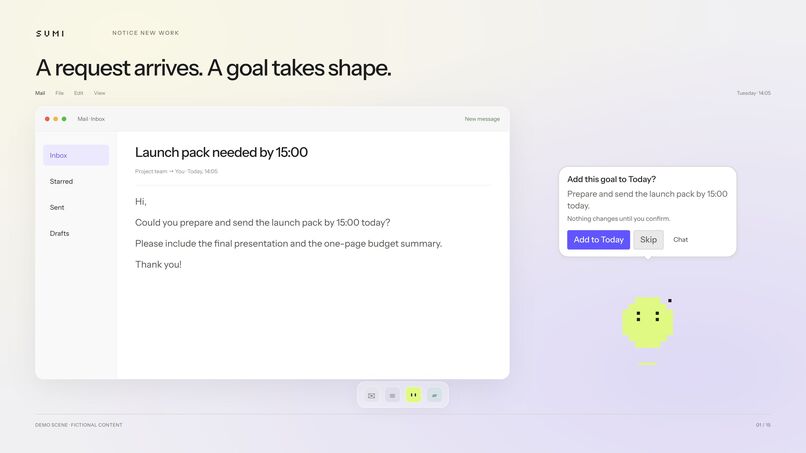
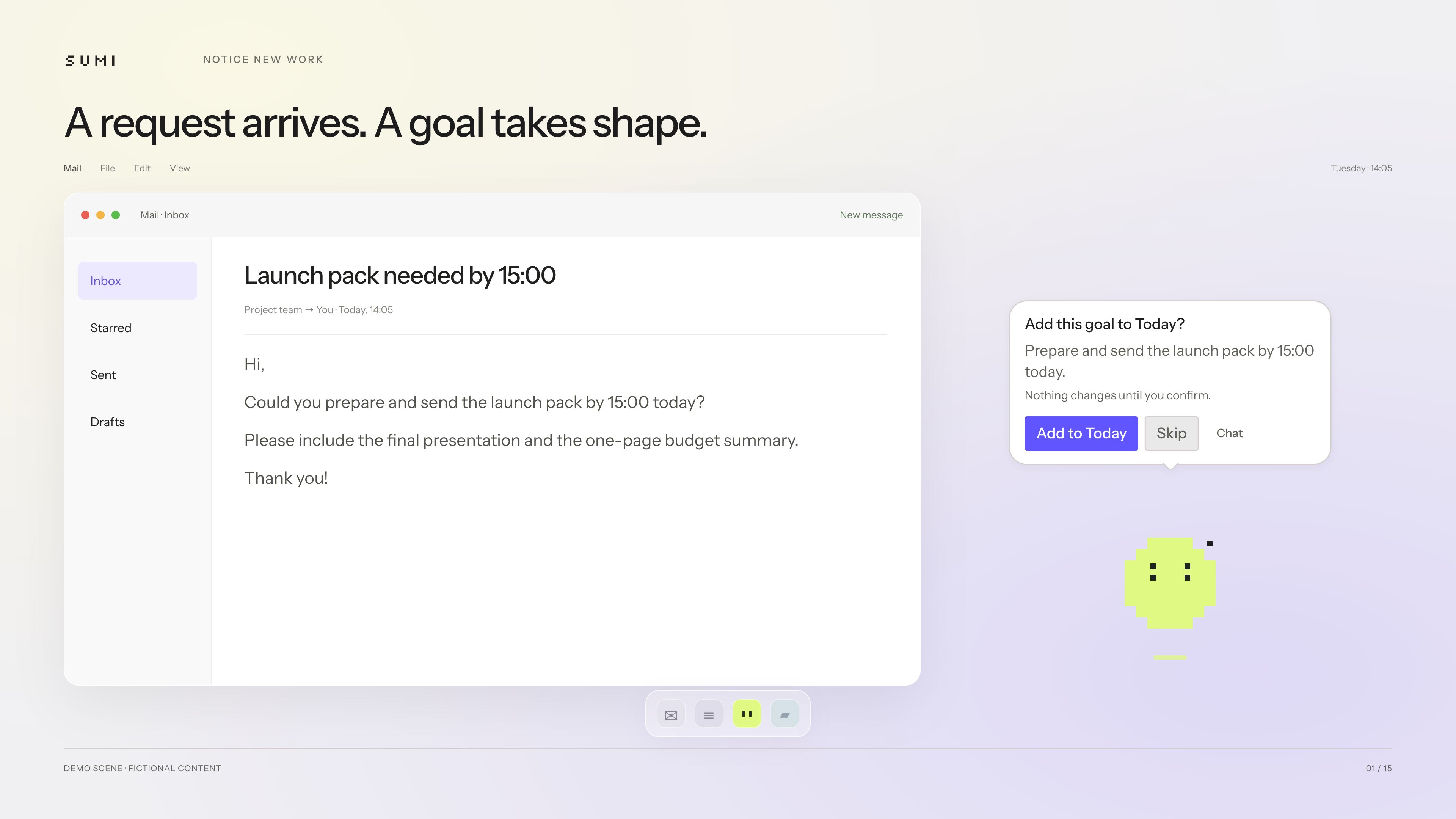
sumi spots a request in your email and offers to turn it into a goal. You decide what gets added.
-
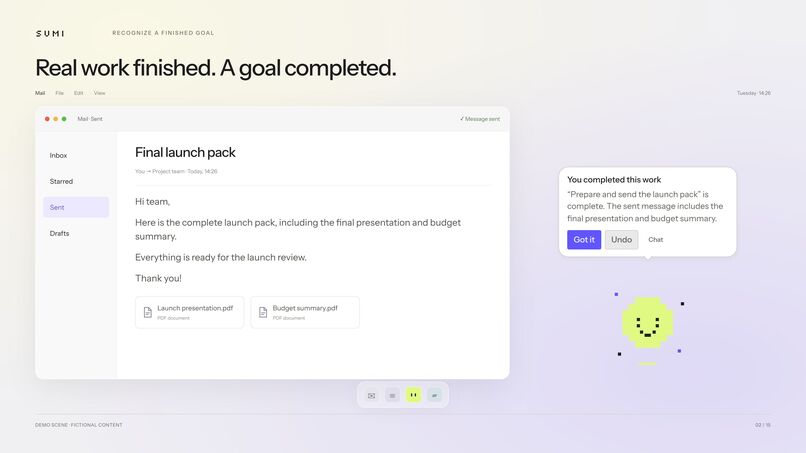
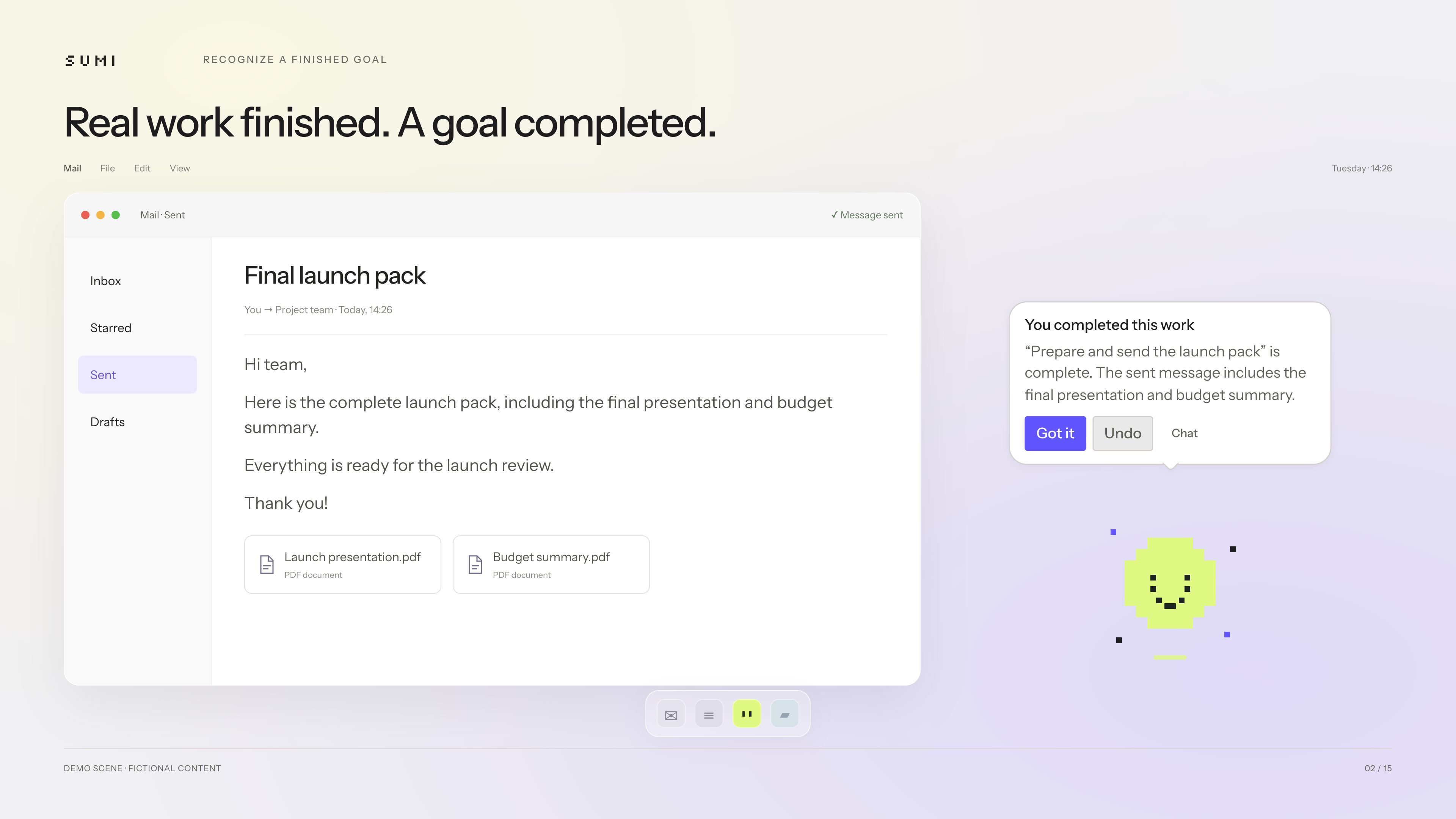
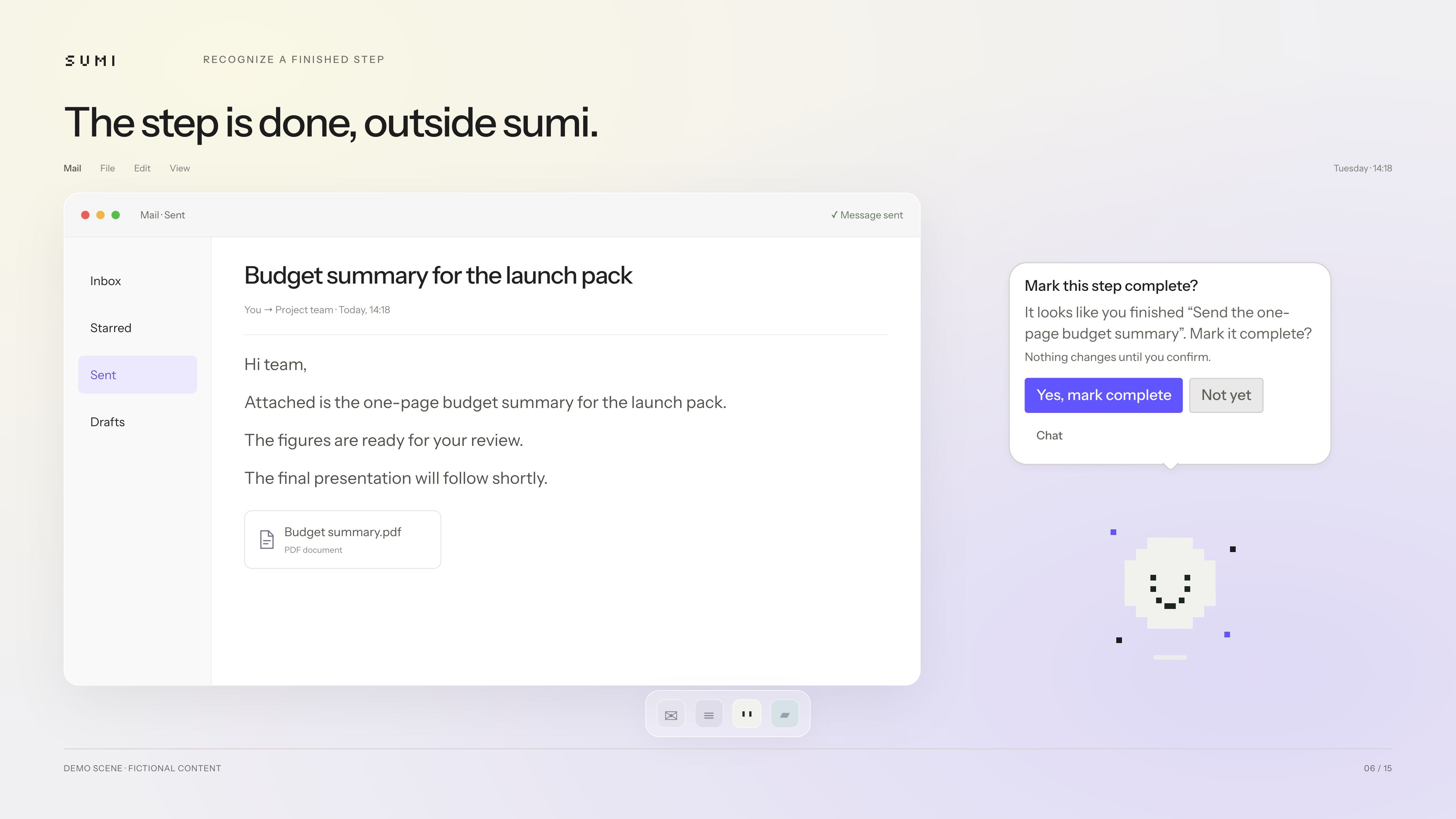
Finished work outside sumi? It recognizes verified results, completes the goal, and lets you undo.
-
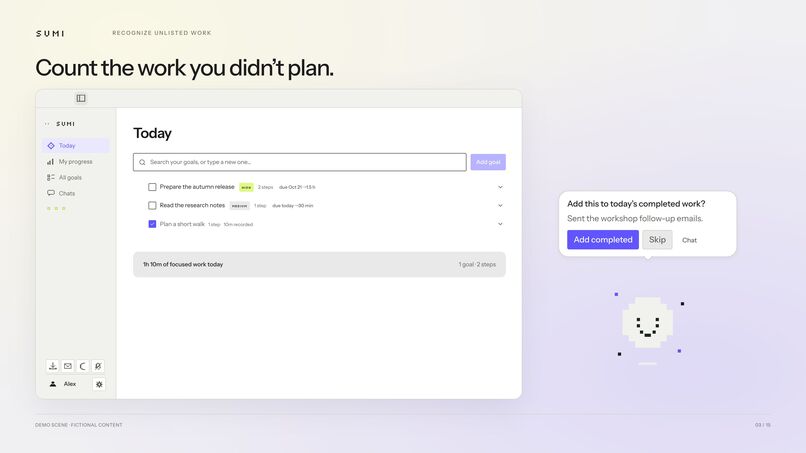
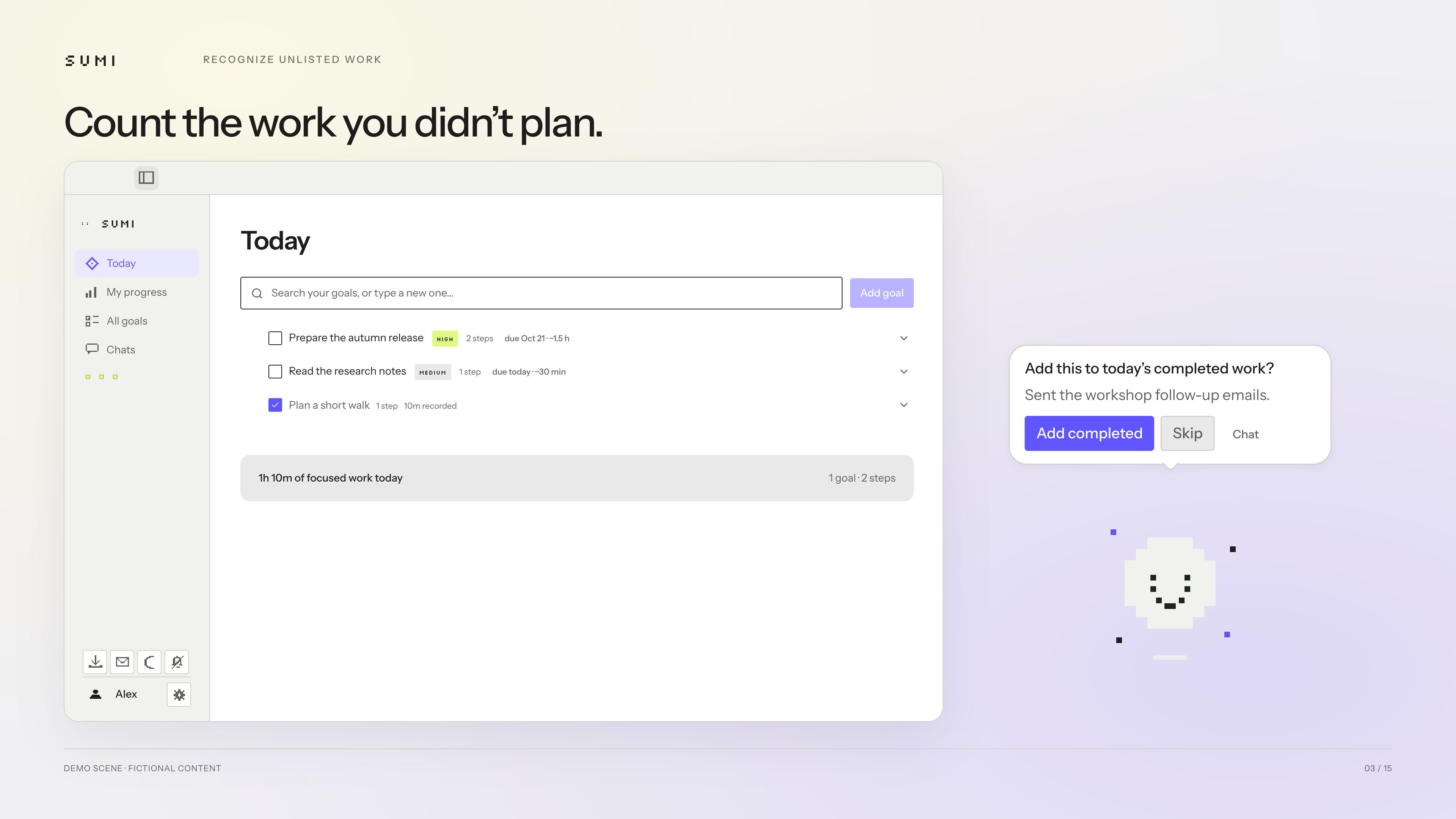
Not everything you accomplish starts on a list. sumi helps you count the work you didn't plan.
-
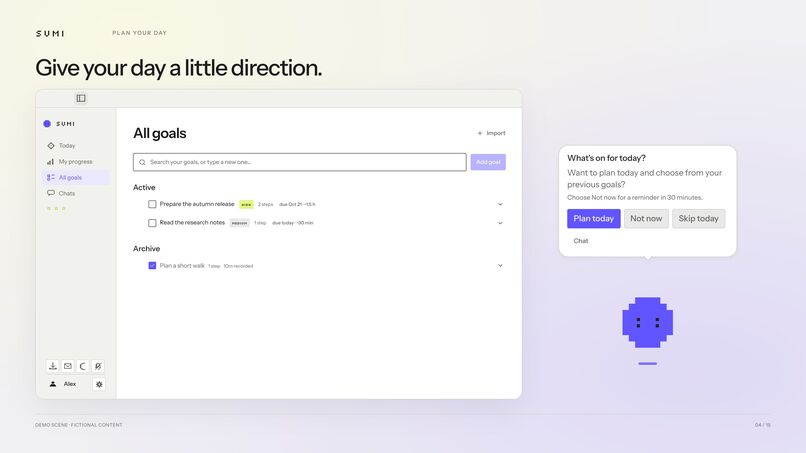
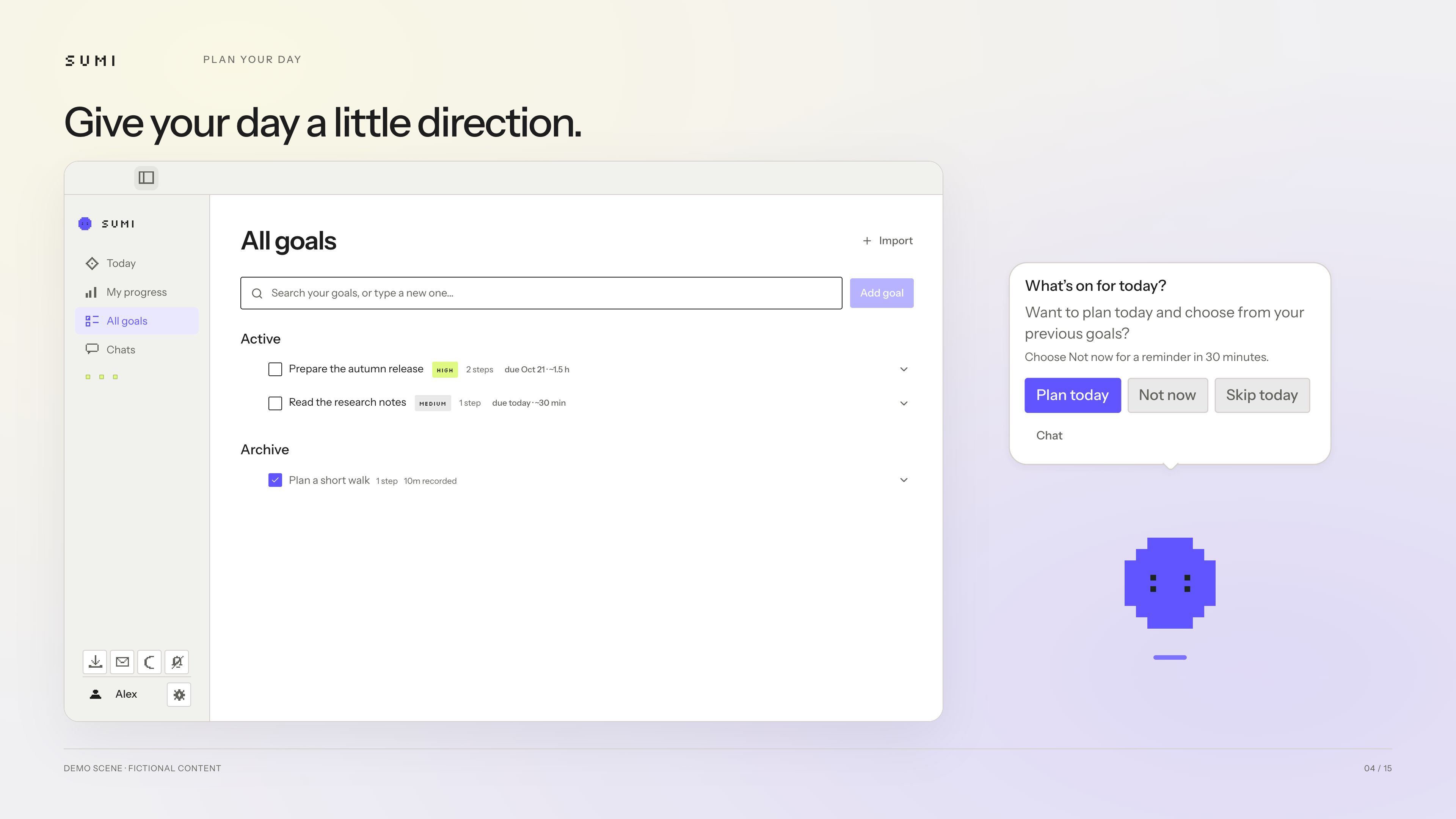
Choose what matters today and turn your goals into a manageable daily plan.
-
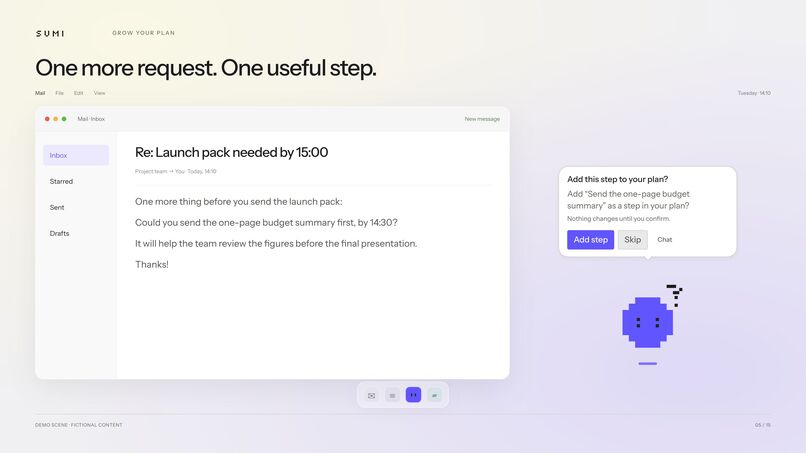
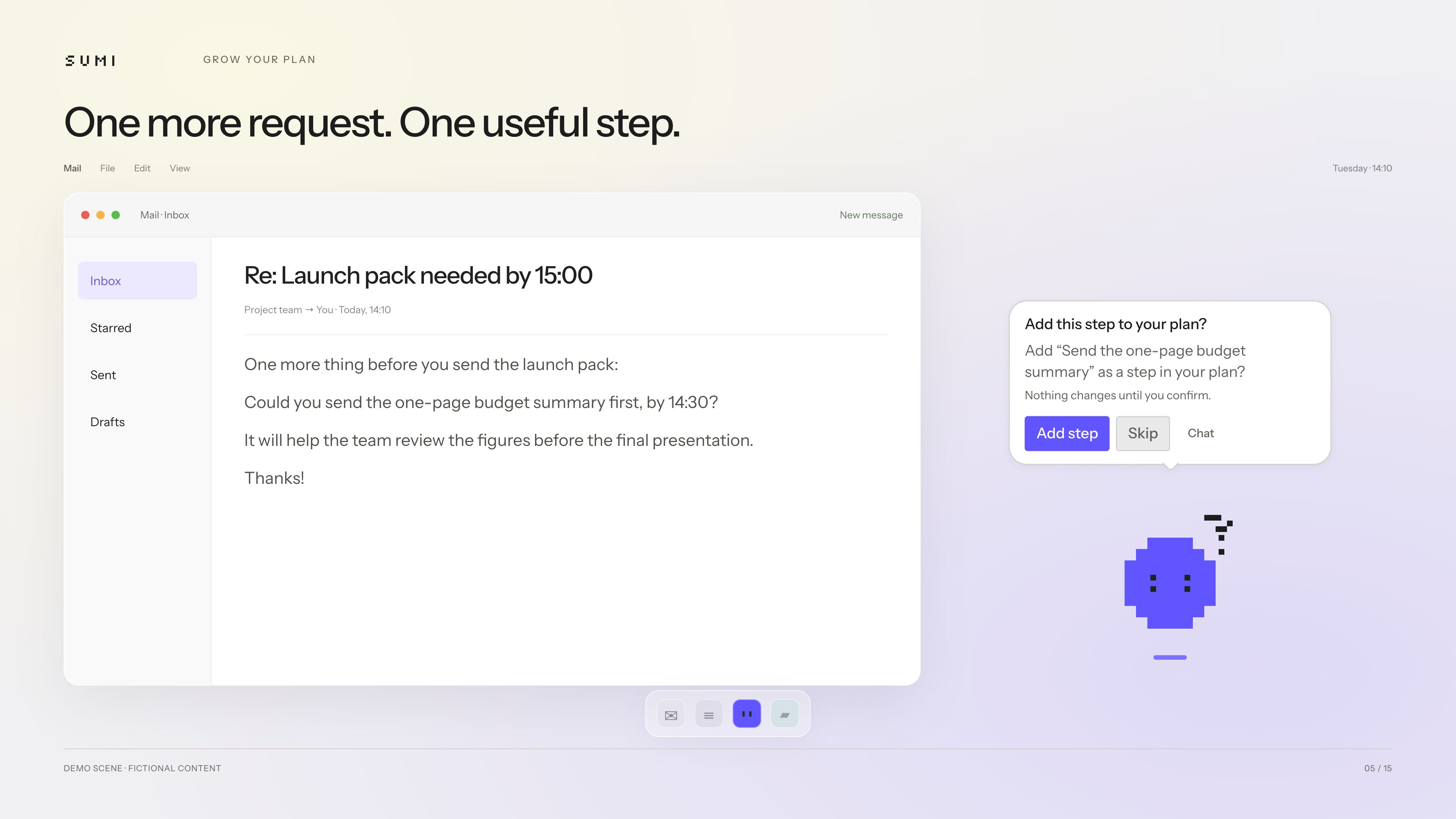
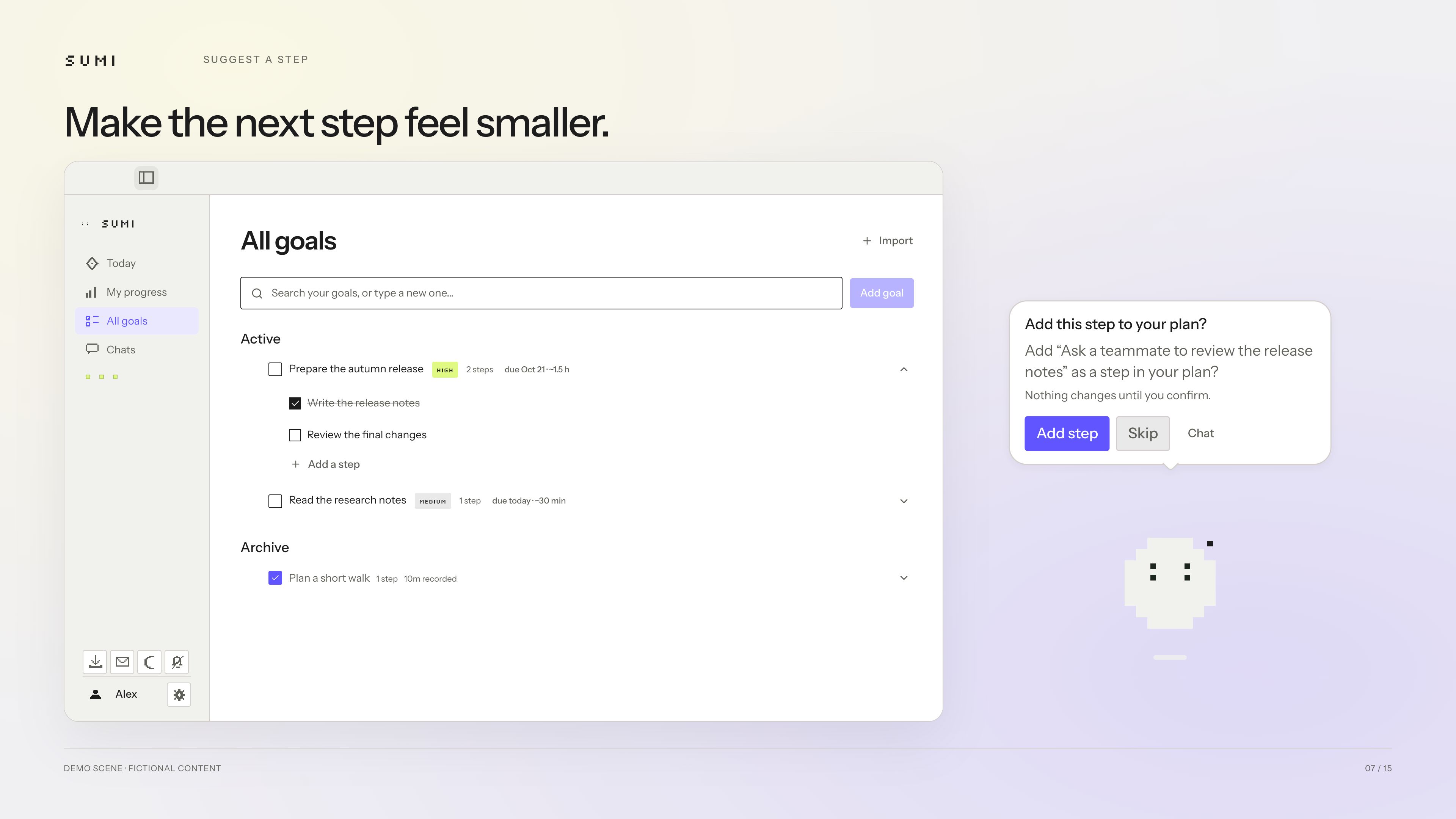
A follow-up request becomes a suggested step in your existing goal, ready for your approval.
-
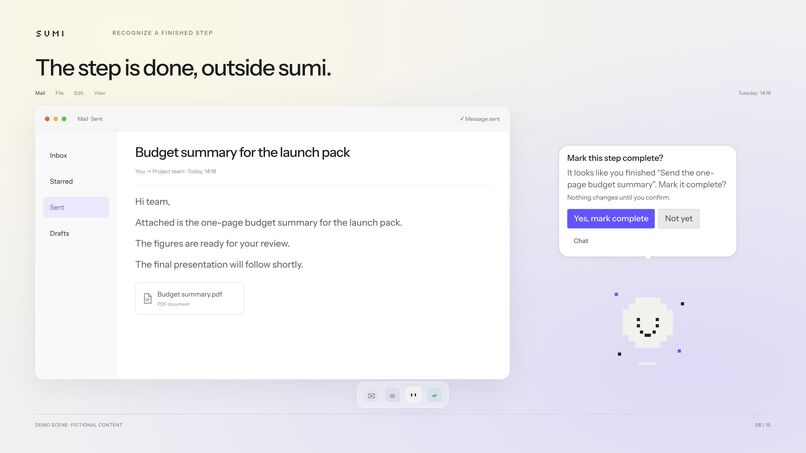
Sent the document? sumi notices the result and asks whether to mark the matching step complete.
-
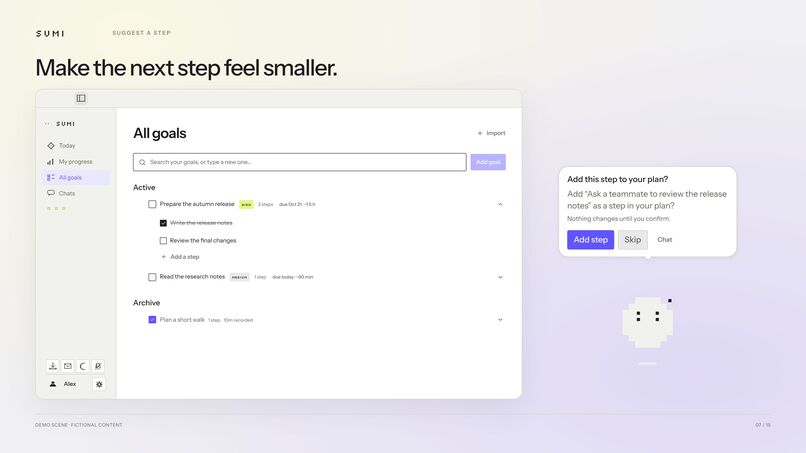
When a goal feels big, sumi suggests a small next step to help you move forward.
-
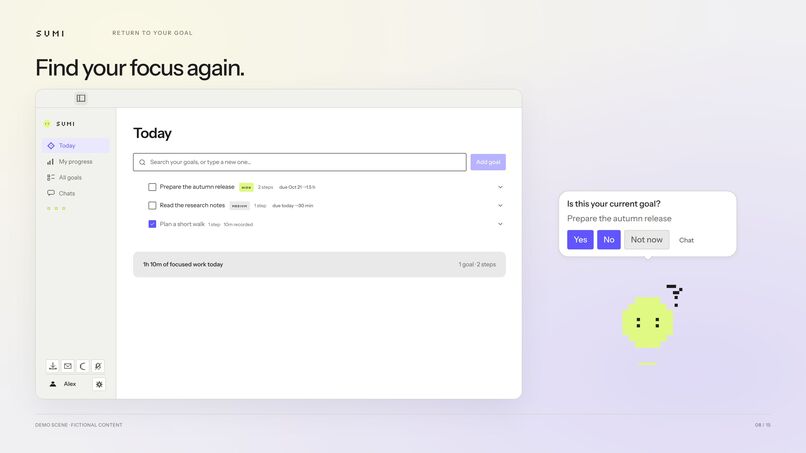
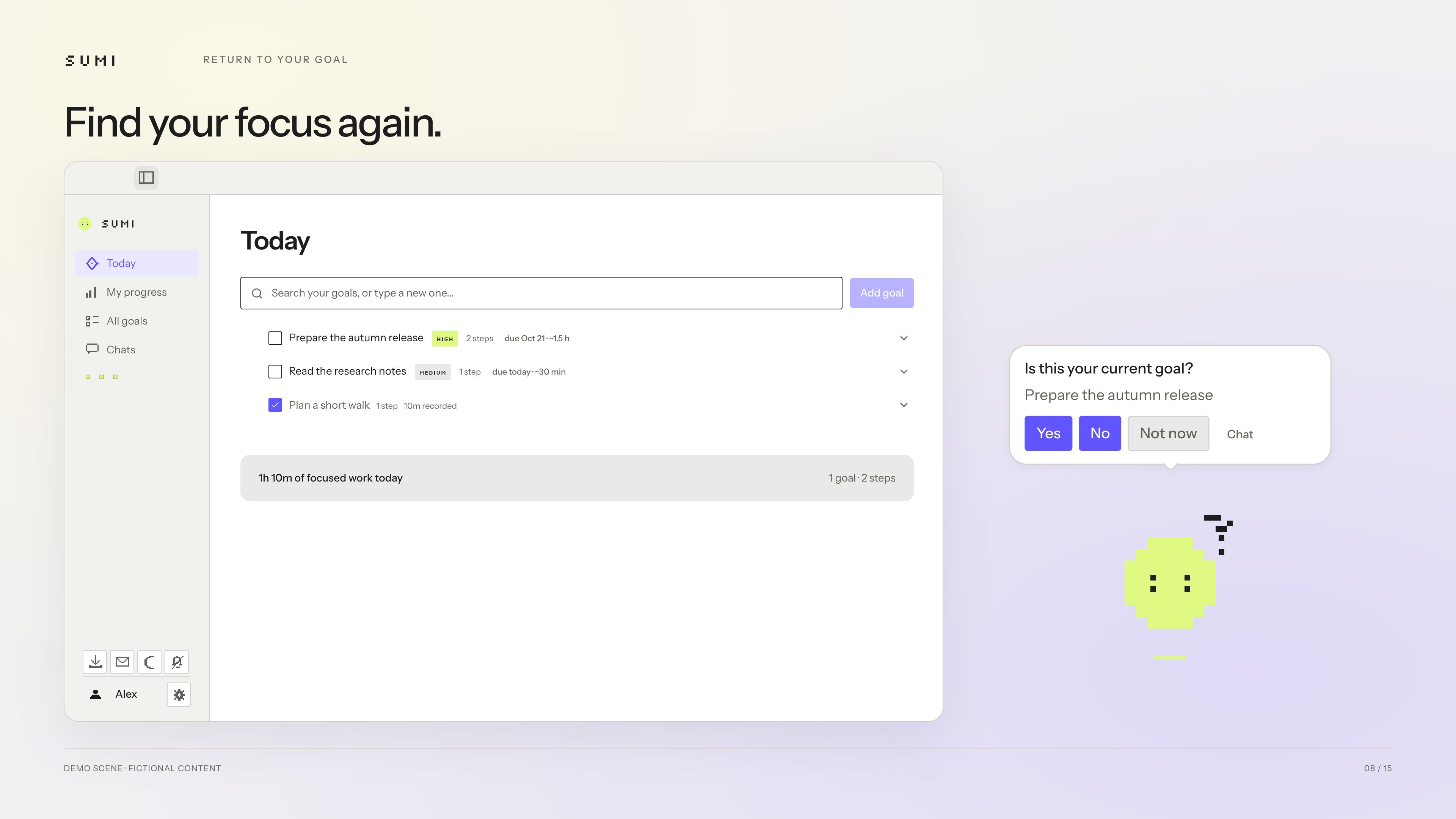
Lost track of your original task? A gentle check-in helps you find your focus again.
-
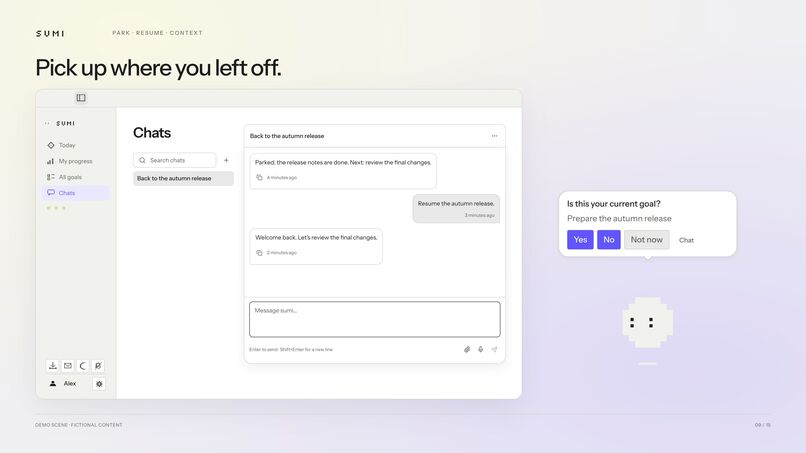
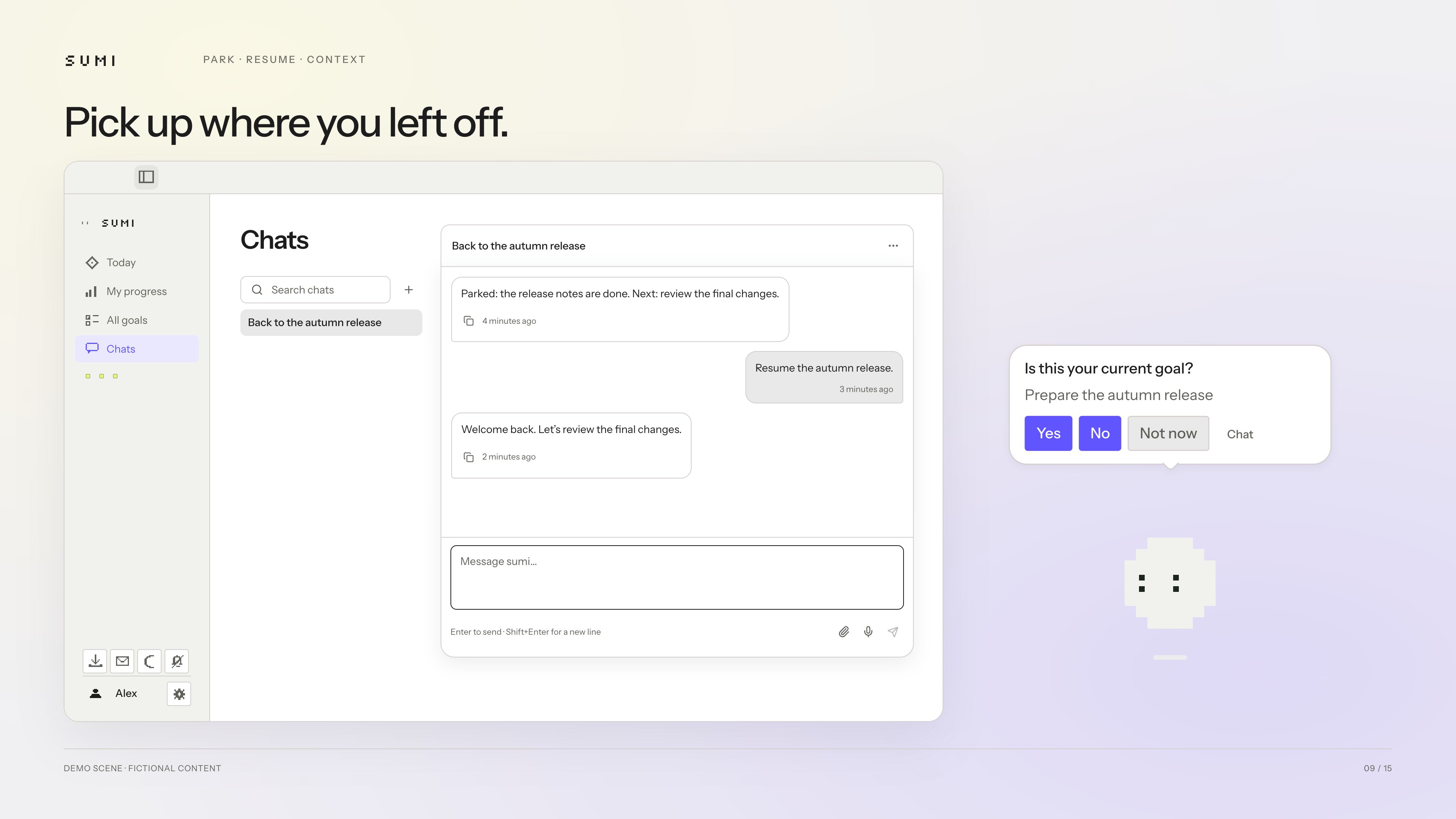
Pause a goal and return later. sumi remembers where you stopped and what comes next.
-
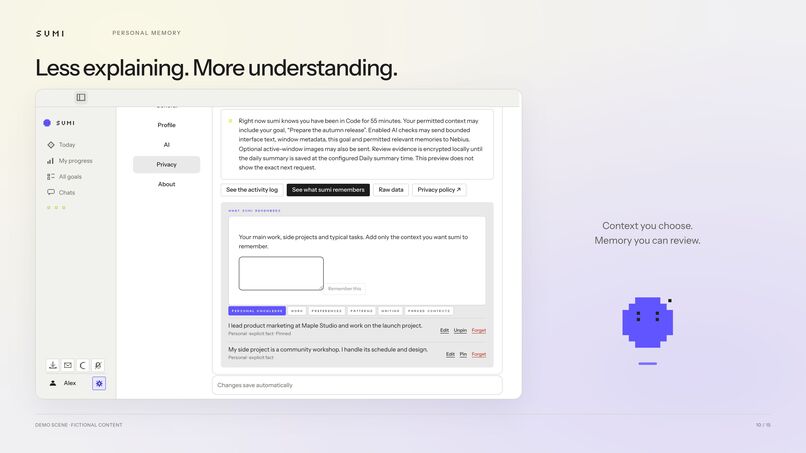
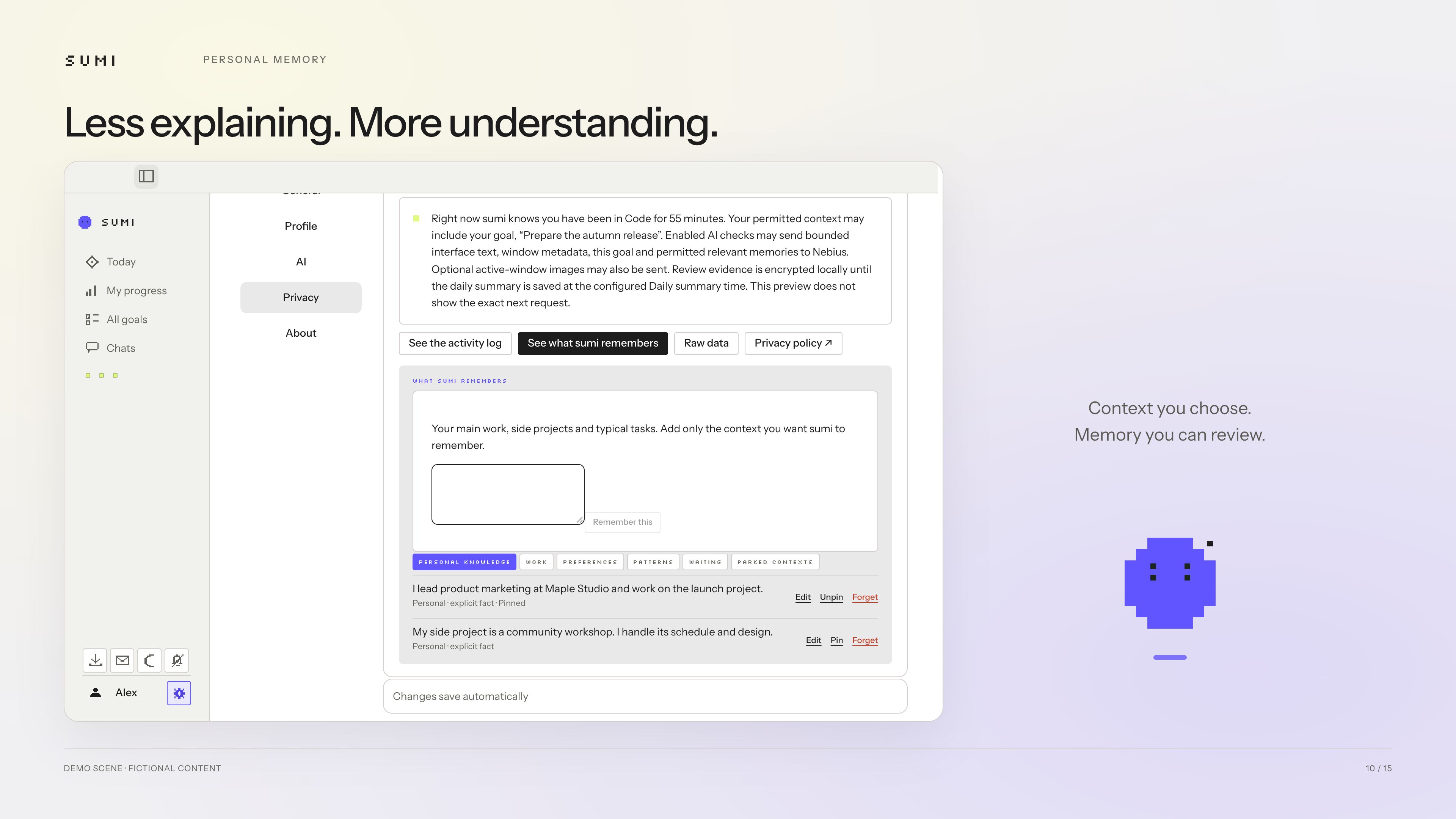
Give sumi the context you want it to remember. Review, edit, or forget it whenever you choose.
-
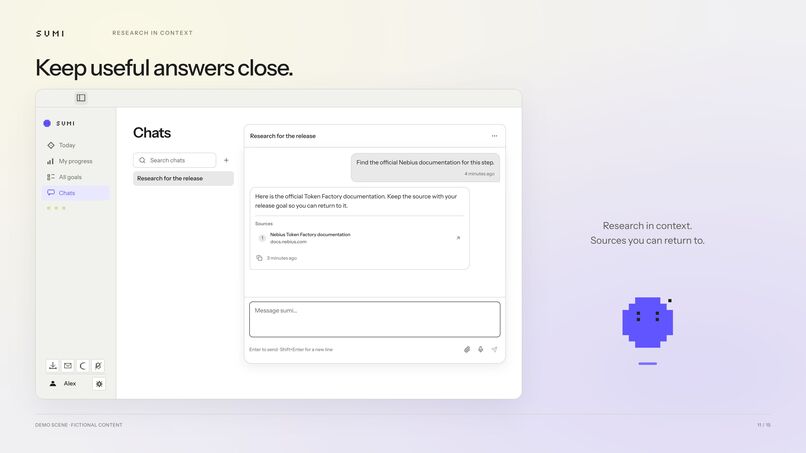
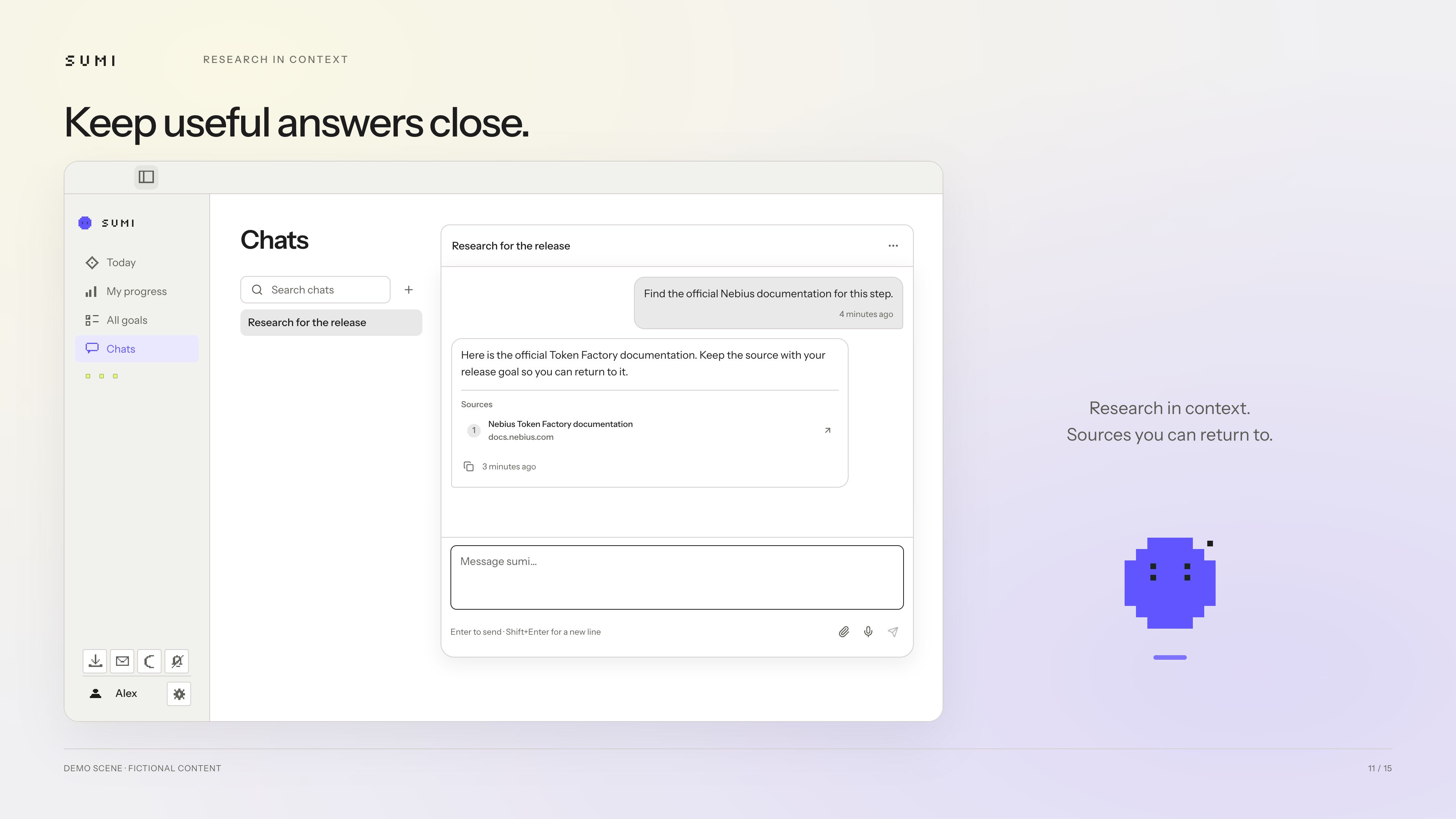
Get useful research in the context of your goal, with sources saved alongside the conversation.
-
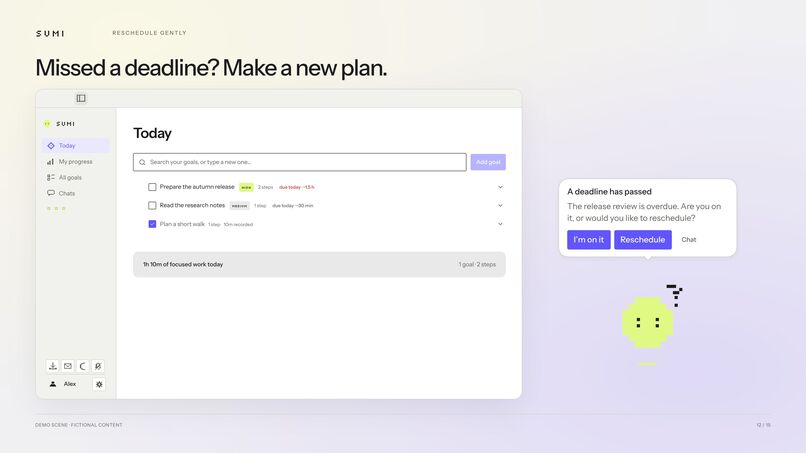
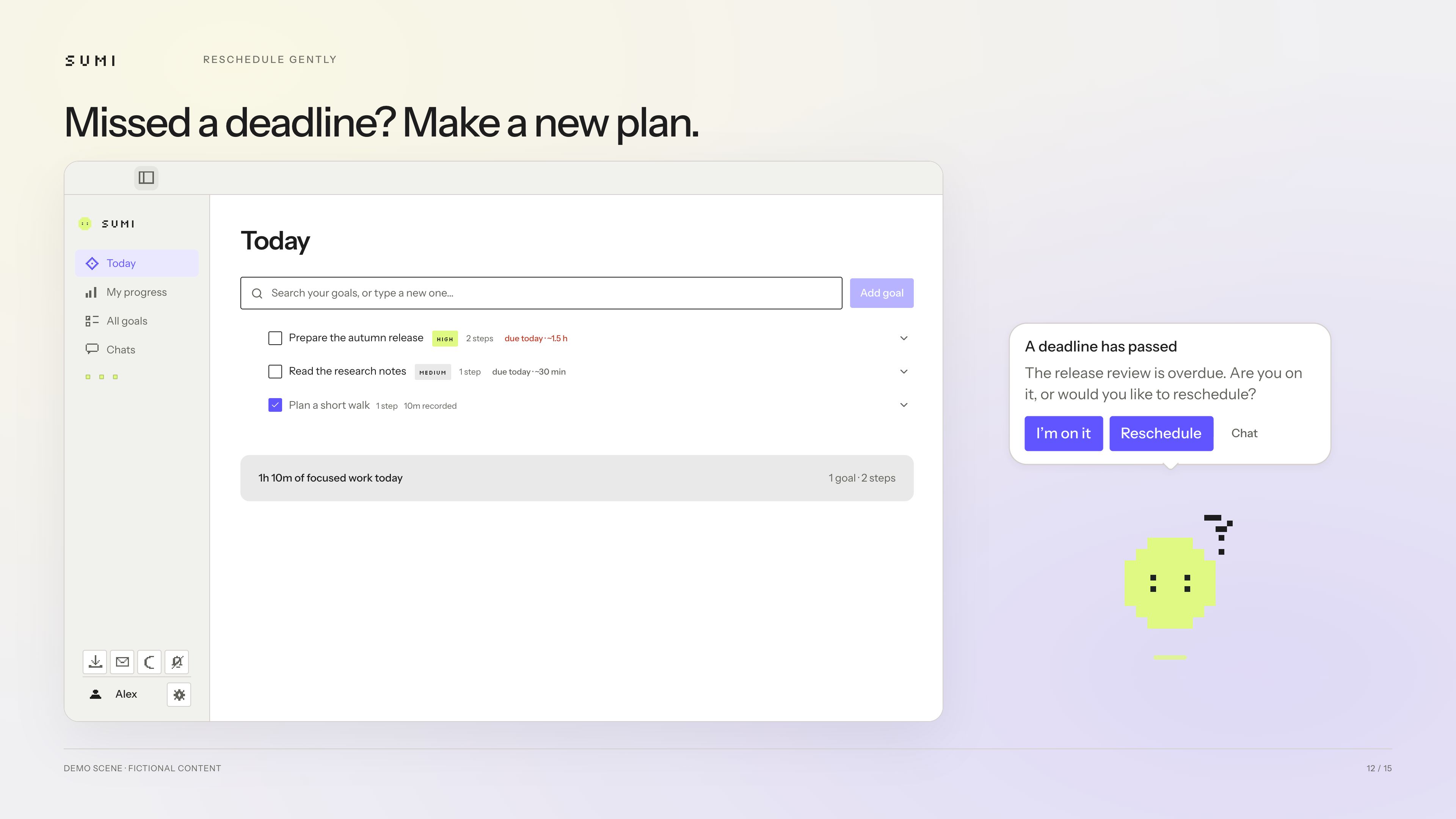
A missed deadline gets a gentle check-in and an option to reschedule, without the guilt.
-
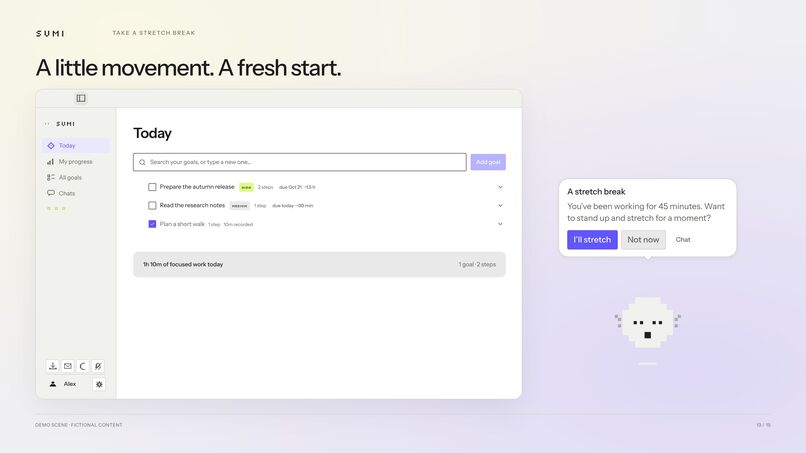
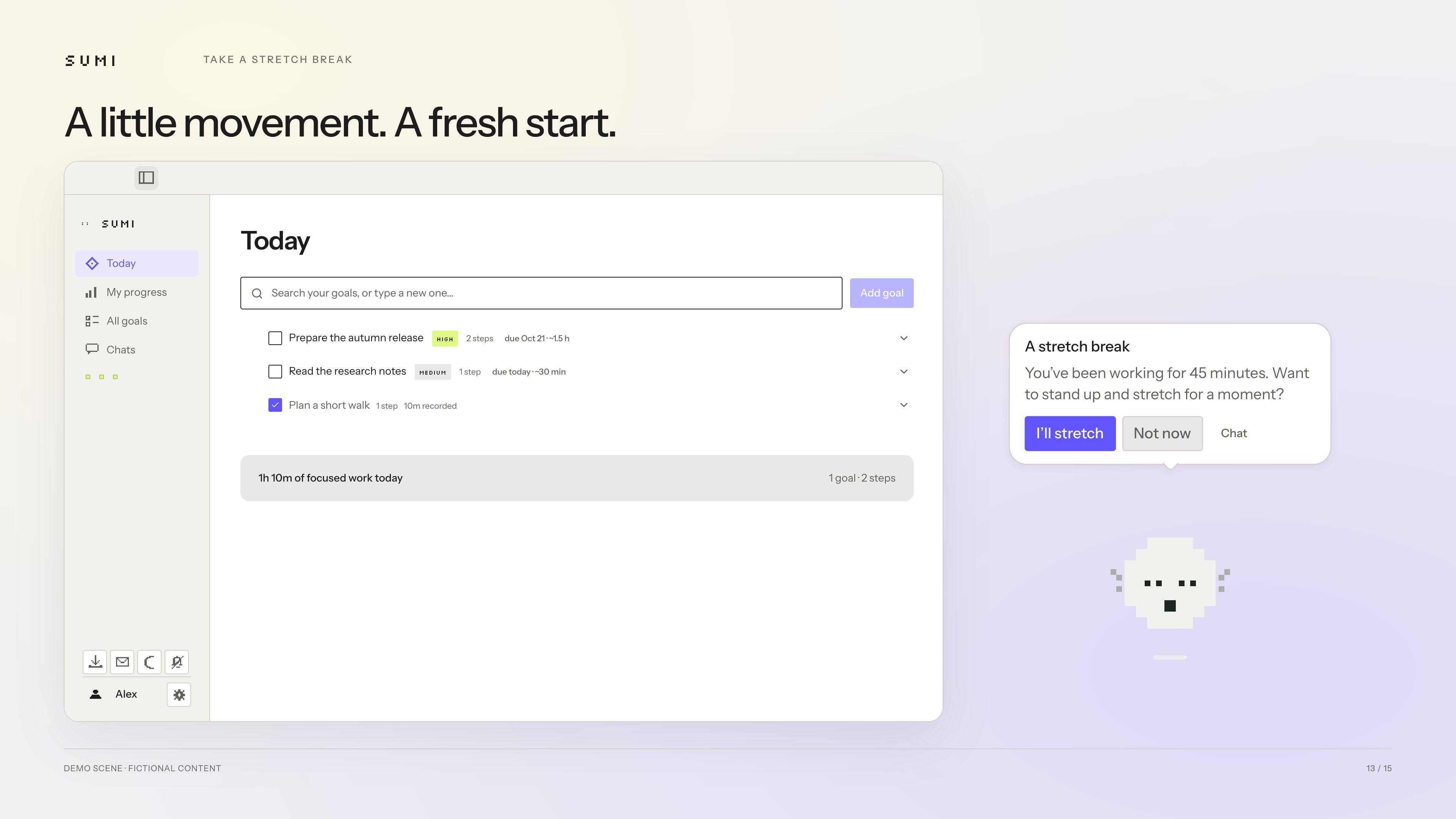
After a long stretch at your desk, sumi reminds you to stand up, move, and take a moment.
-
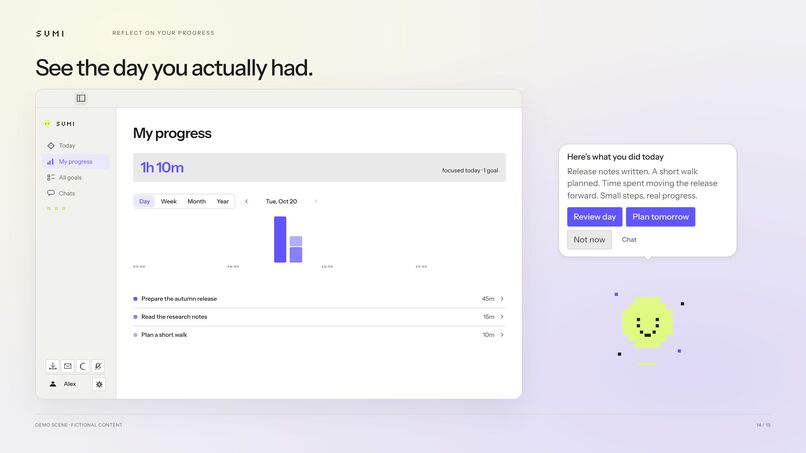
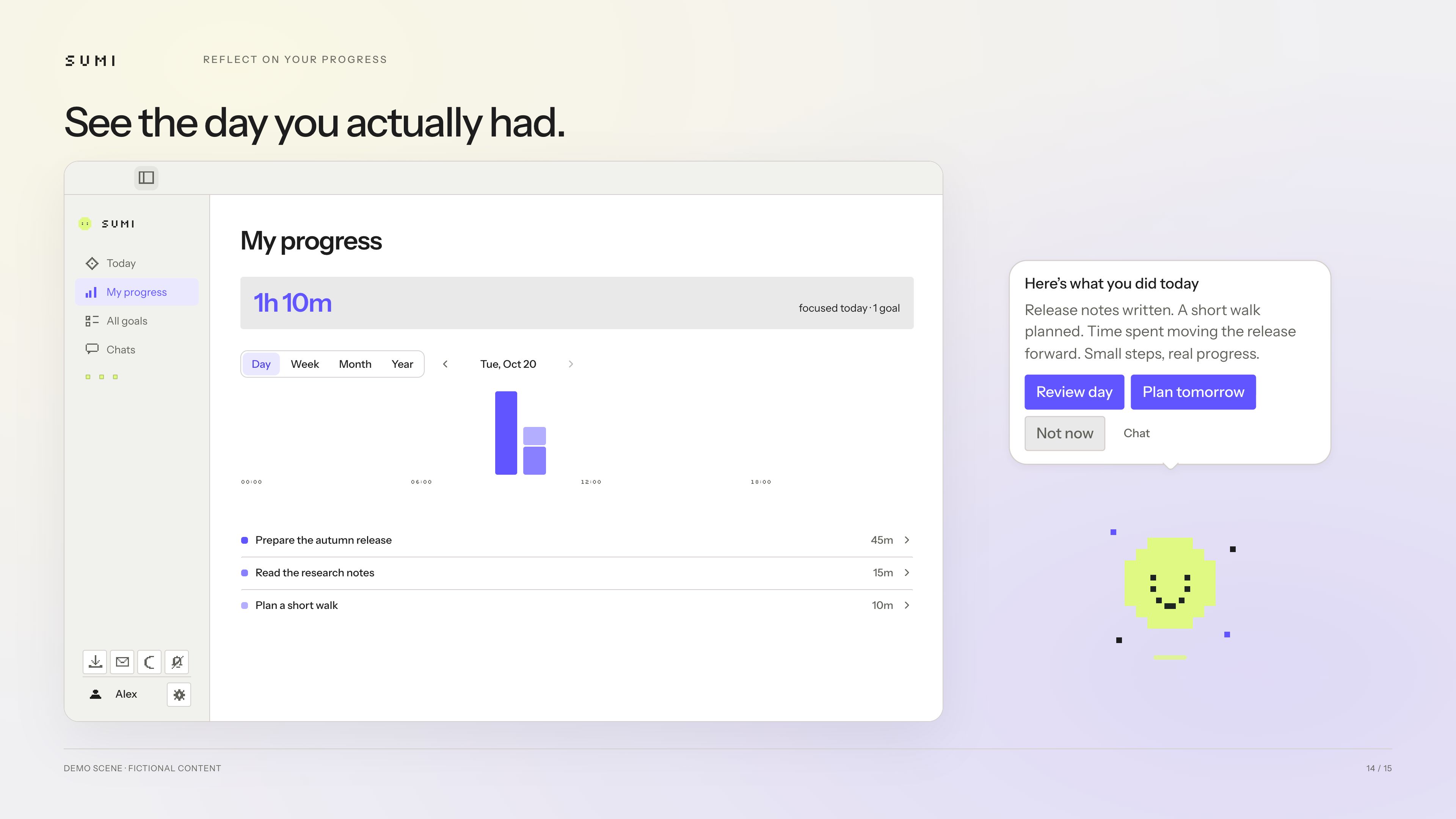
See where your time went and what you accomplished. Small steps add up to real progress.
-
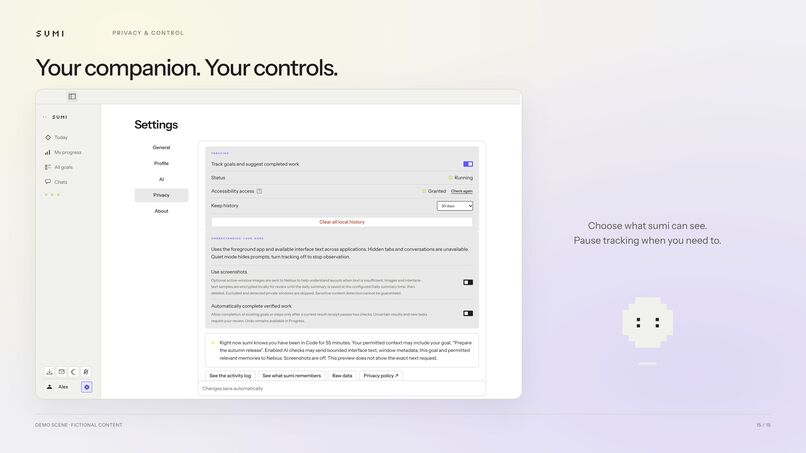
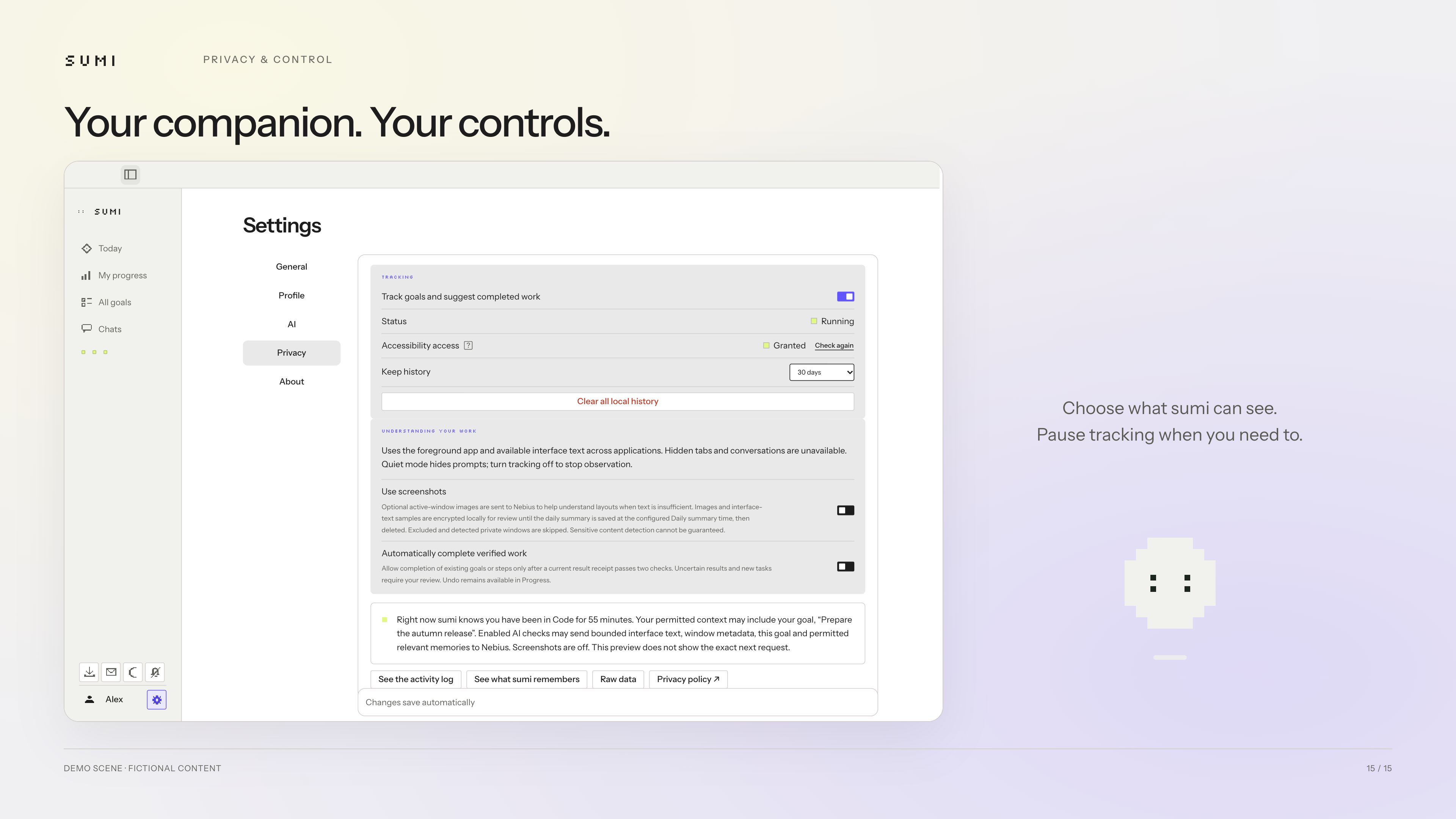
Choose what sumi can observe, control screenshot access, and pause tracking whenever you need to.
Inspiration
Two of three people on our team work as freelancers and combine a few projects in their daily life. One of us has ADHD. When discussing the possible options for the real problem-solving app, we found that all of us had one thing in common - while spending the whole day on the computer, on some days we couldn’t tell where our time went. Small tasks would “eat” it all: ten emails, five prompts, a few customer replies - and the day is gone. Putting all of those tasks in the task manager manually was tiring and boring work, and it was very easy to get distracted - and we decided to put the tracking and observing AI on top of the process. And added coaching to return us to work after the distractions. Similar task managers existed, but they didn’t combine all the features we needed in one place, which required manual managing.
What it does
Meet Sumi, your AI desktop companion for focused work. With permission, it observes foreground activity, matches observed activity to existing goals or suggests new goals based on what you do. Sumi also offers reminders for deadlines or when you drift off, and provides coaching and research when useful. Today’s priorities stay visible. Time spent and verified results remain distinct. Stretching reminders are available for desktop workers.
How we built it
We built Sumi with Codex and Claude Code using Tauri 2, Rust, React, TypeScript and local SQLite storage. Nebius Token Factory powers inference: by default, NVIDIA Nemotron supports background reasoning and goal matching, Nemotron vision provides retrospective context, and Kimi K3 handles dialogue and outcome verification. Rust validates permissions, goal and step identifiers, and current state before executing proposed actions. Native adapters support Windows and Apple Silicon macOS.
Challenges we ran into
The hardest problems were matching ambiguous activity to the right goal, suggesting creating an adequate goal, preserving context across interruptions, and avoiding false completion claims. Native permissions, protected credentials, signed updates, and internal macOS app signing added cross-platform complexity.
To resolve this, we narrowed our initial scope around activity tracking and goal context, then built focused coaching, planning and research features around that core. As a solution, we combined analysing scoped memory and state validation, and matching this information to the user context.
Initially, we wanted to run the app without screenshots due to privacy concerns, but the tracking quality without it was poor. We addressed this trade-off by making screenshot use configurable: users can disable it in Settings and continue with foreground metadata and available interface text.
Accomplishments that we're proud of
We’re proud of turning Sumi into a working desktop companion for Windows and Apple Silicon macOS. It helps us stay focused, pick up interrupted tasks, and make progress on their everyday goals.
What we learned
None of us is a developer by trade, the whole app has been created with the AI-coding tools. Therefore, the whole developing process has been new for us. The app architecture and planning have been a tough learning curve. We needed to carefully write down and agree on all the possible scenarios for the working app model, the criteria for tracking, progress, and matching, the quiet rules, and etc. Turns out, we still have better judgement than AI tools, because, in the end, we are the end users of the app.
We have been using this app for over three weeks now, and we had to adjust the UX and UI based on that. Our initial idea of the app didn’t correspond to how it was actually comfortable to use it. We had to change quite a lot of details.
Initially, we used Nemotron-3 Super, but as we developed the technical features of the app like a coaching chat (with context and memory) and screenshots analytics for better tracking, we realised we needed smarter, more specialised models, each for its own task. Therefore, we stopped at:
- Nvidia/Nemotron-3-super-120b-a12b (background reasoning, matching and auxiliary analysis; chosen to balance reasoning capacity, latency and cost);
- Nvidia/Nemotron-3.5-Super-VL (retrospective scene captions; chosen for vision-language capability);
- Moonshotai/Kimi-K3 (interactive planning, replies and semantic outcome verification; goal-aware screen interpretation and independent outcome verification; stronger evidence-rule adherence in our limited tests); all via Nebius Token Factory.
What's next for Sumi
We plan to bring Sumi to our clients and employers through team pilots, measuring whether it helps employees stay focused and make meaningful progress. If we validate employer demand and productivity gains, we’ll pivot to B2B: selling company subscriptions to corporate teams rather than targeting individual freelancers.

Log in or sign up for Devpost to join the conversation.