
Inspiration
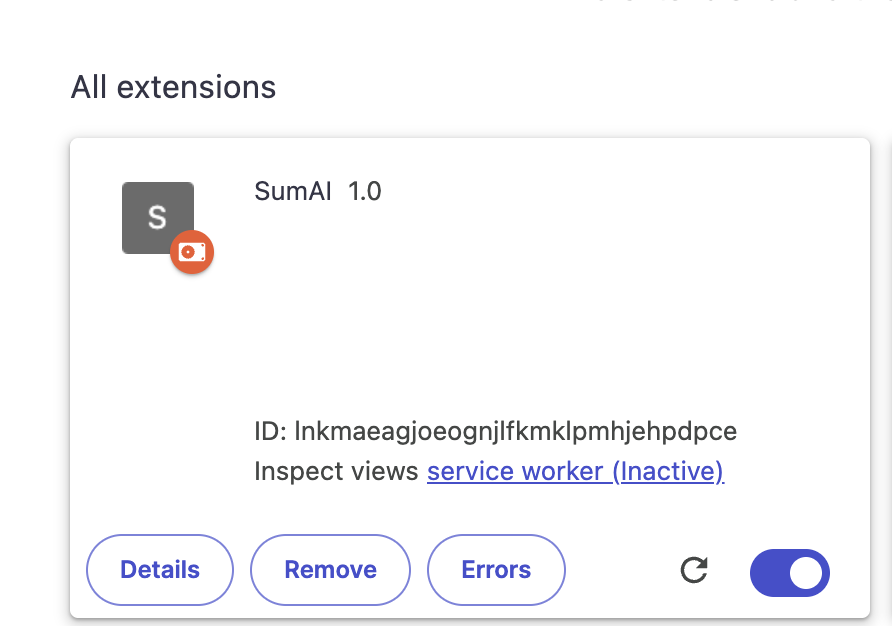
I often found myself skimming through long articles, research papers, or blog posts when I really just wanted the key points. That sparked the idea for SumAI — a simple Chrome extension that gives you instant summaries right inside your browser.
What it does
I learned how to build and ship a Chrome extension from scratch with Manifest V3, how to securely store API keys, and how to design a lightweight but polished UI that feels native to the browser. I also picked up better practices for handling background scripts, message passing, and async API calls.
How we built it
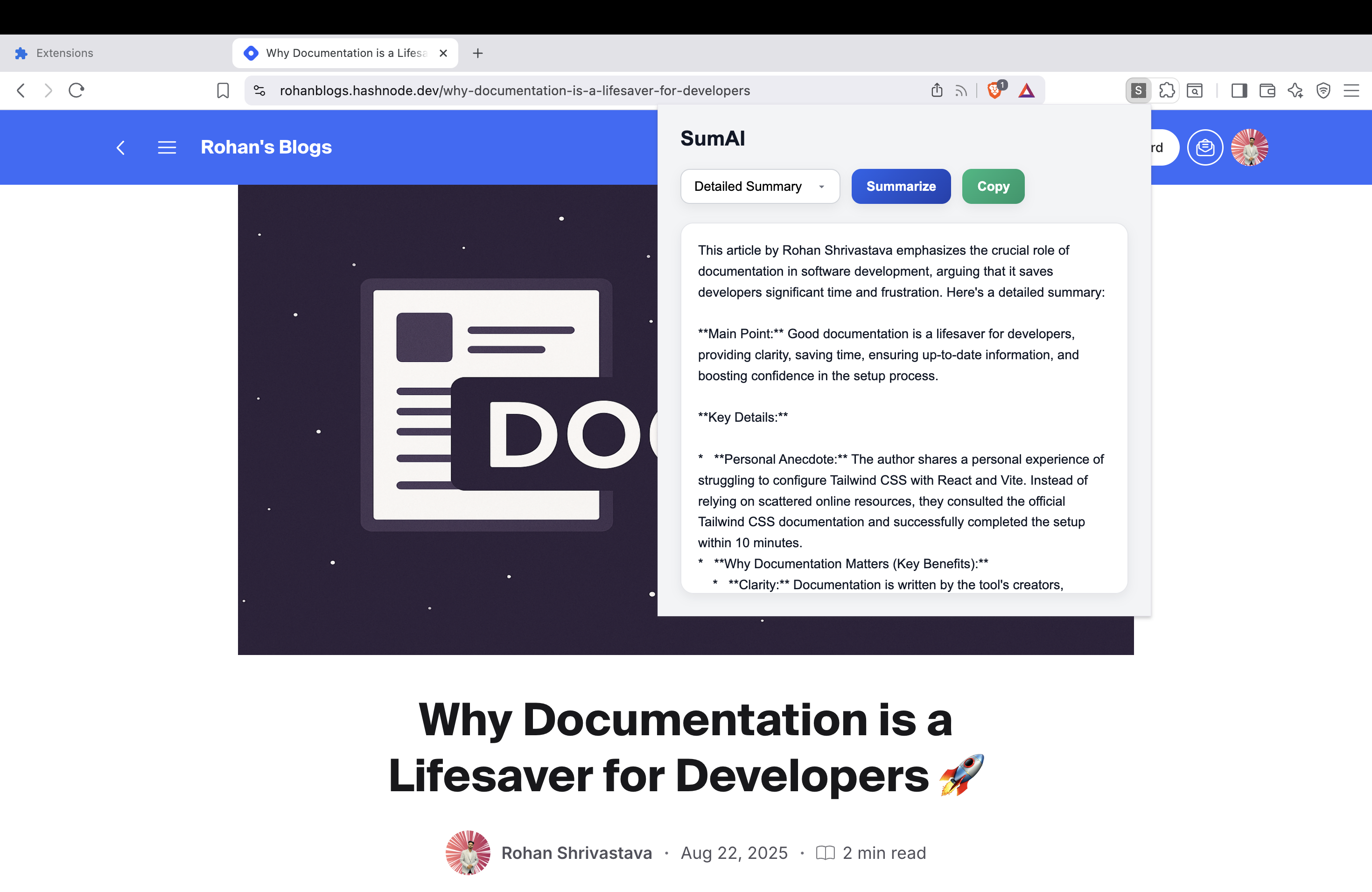
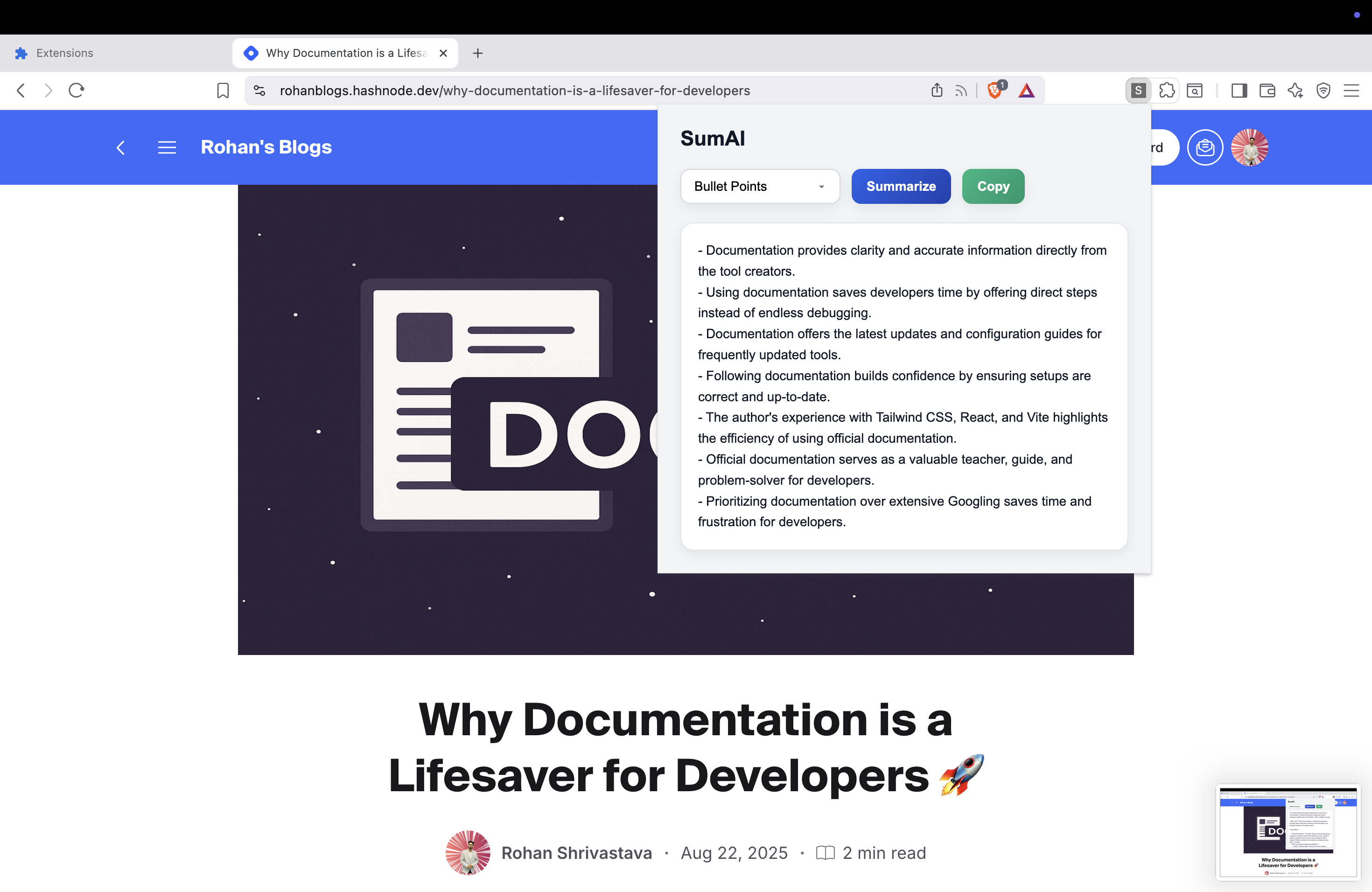
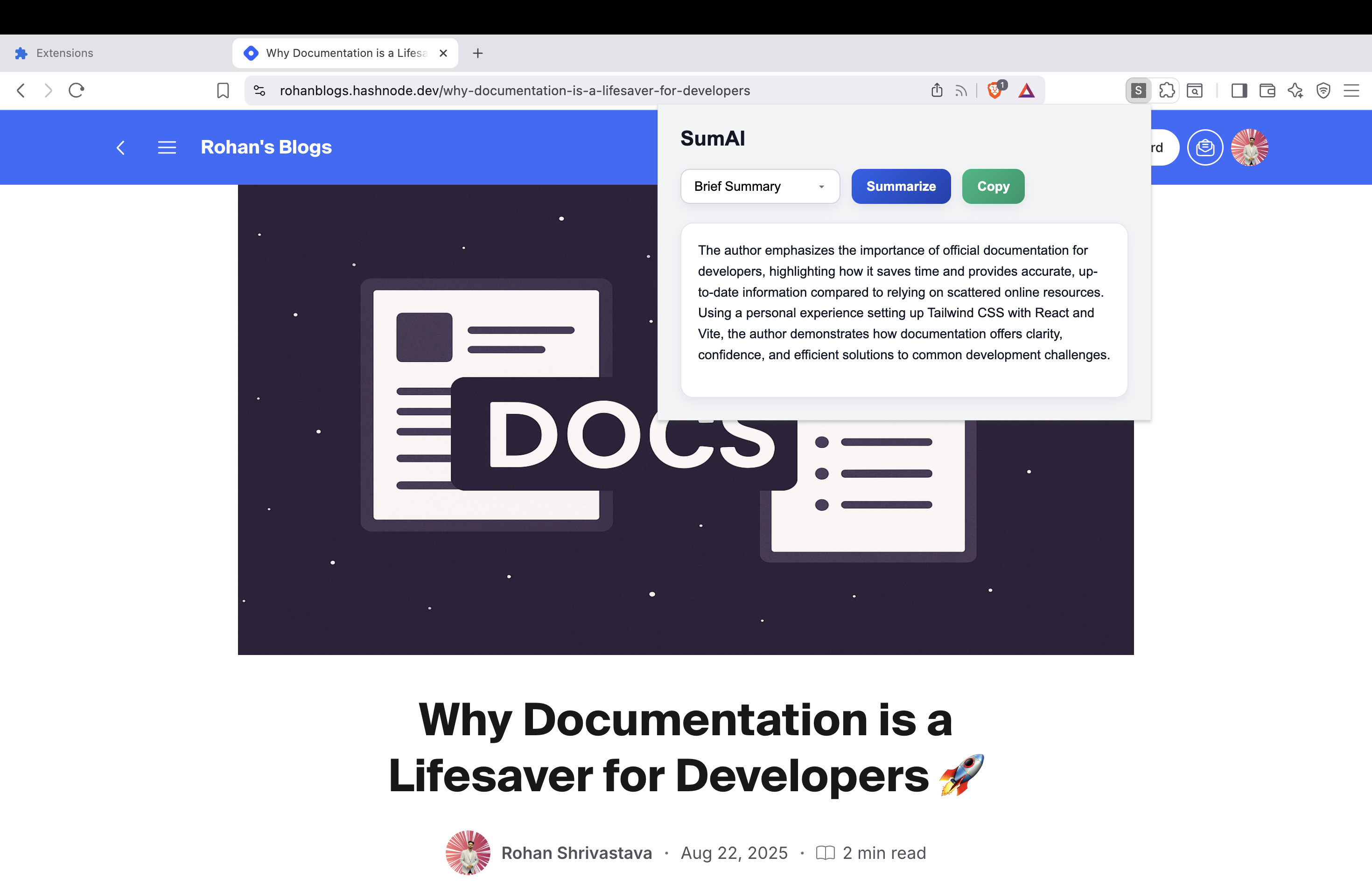
Designed a clean popup UI with HTML, CSS, and JavaScript. Implemented summarization with Google’s Gemini API for fast and reliable AI responses. Used Manifest V3 with a background service worker and content scripts to grab page text and send it for summarization. Added options page for user settings (API key storage, preferences). Focused on a smooth, minimal UX with loading indicators, copy-to-clipboard, and multiple summary styles (brief, detailed, bullet points).
Challenges we ran into
Working with Manifest V3 service workers, which behave differently from the older background pages. Handling long webpage content efficiently without hitting token limits. Designing a UI that feels both simple and classy in a small popup window. Testing across different sites where the DOM structure varies a lot.
Accomplishments that we're proud of
Built a fully working Chrome extension from scratch with Manifest V3. Designed a clean, minimal UI that feels smooth inside a small popup window. Integrated Google Gemini API to generate accurate summaries in multiple styles (brief, detailed, bullet points). Made it simple enough for anyone to install and start using in seconds.
What we learned
How to structure Chrome extensions with background service workers, content scripts, and storage. Best practices for handling API keys securely inside a browser extension. UI/UX design for small spaces — balancing simplicity with functionality. Managing text extraction and token limits when summarizing long web pages.
What's next for SumAI
Add support for saving summaries locally or exporting them as a file. Provide more customization (summary length, tone, language). Explore integrations with Google Docs / Notion / Slack for one-click sharing. Release SumAI on the Chrome Web Store and collect feedback to guide improvements.

Log in or sign up for Devpost to join the conversation.