-
-
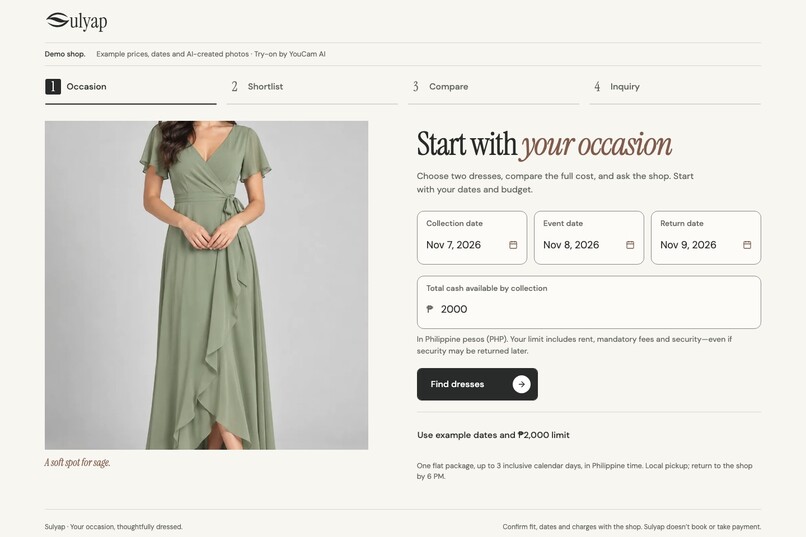
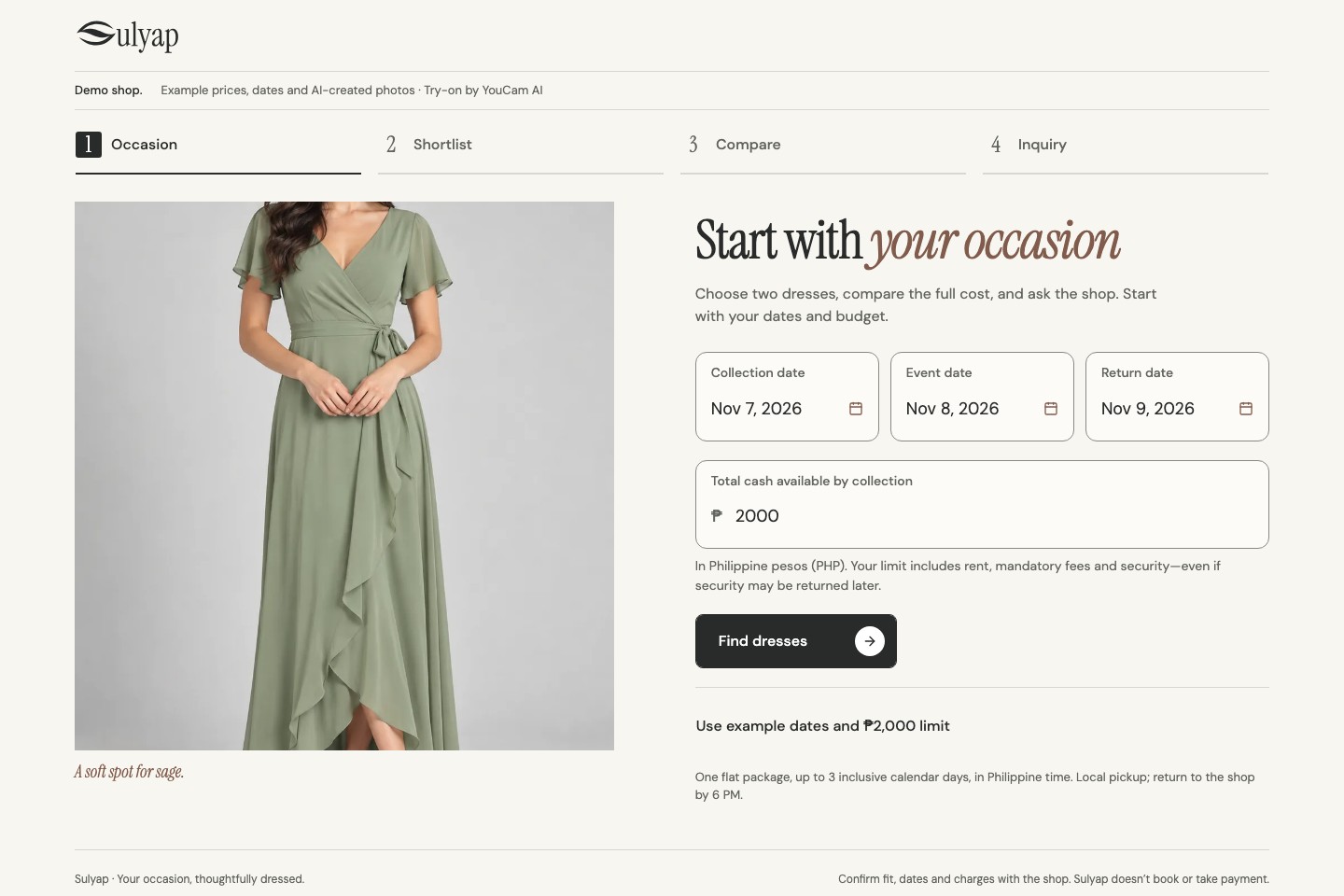
Start with your dates and the cash you can bring by pickup.
-
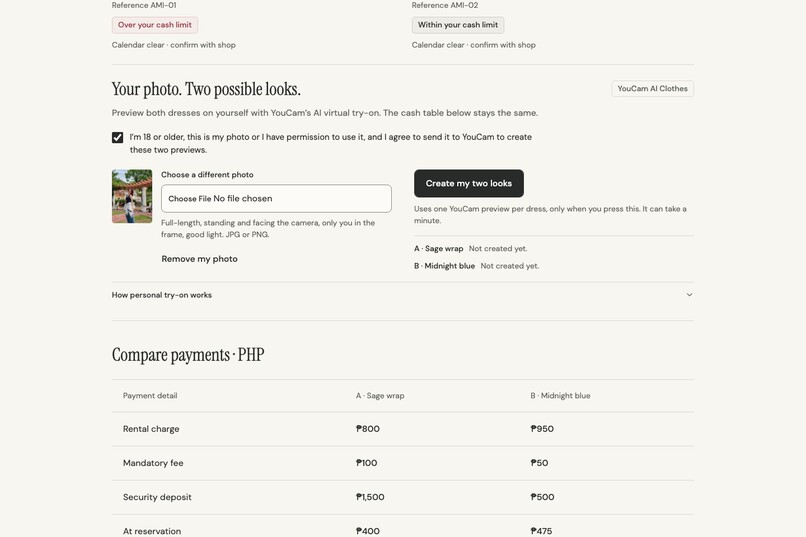
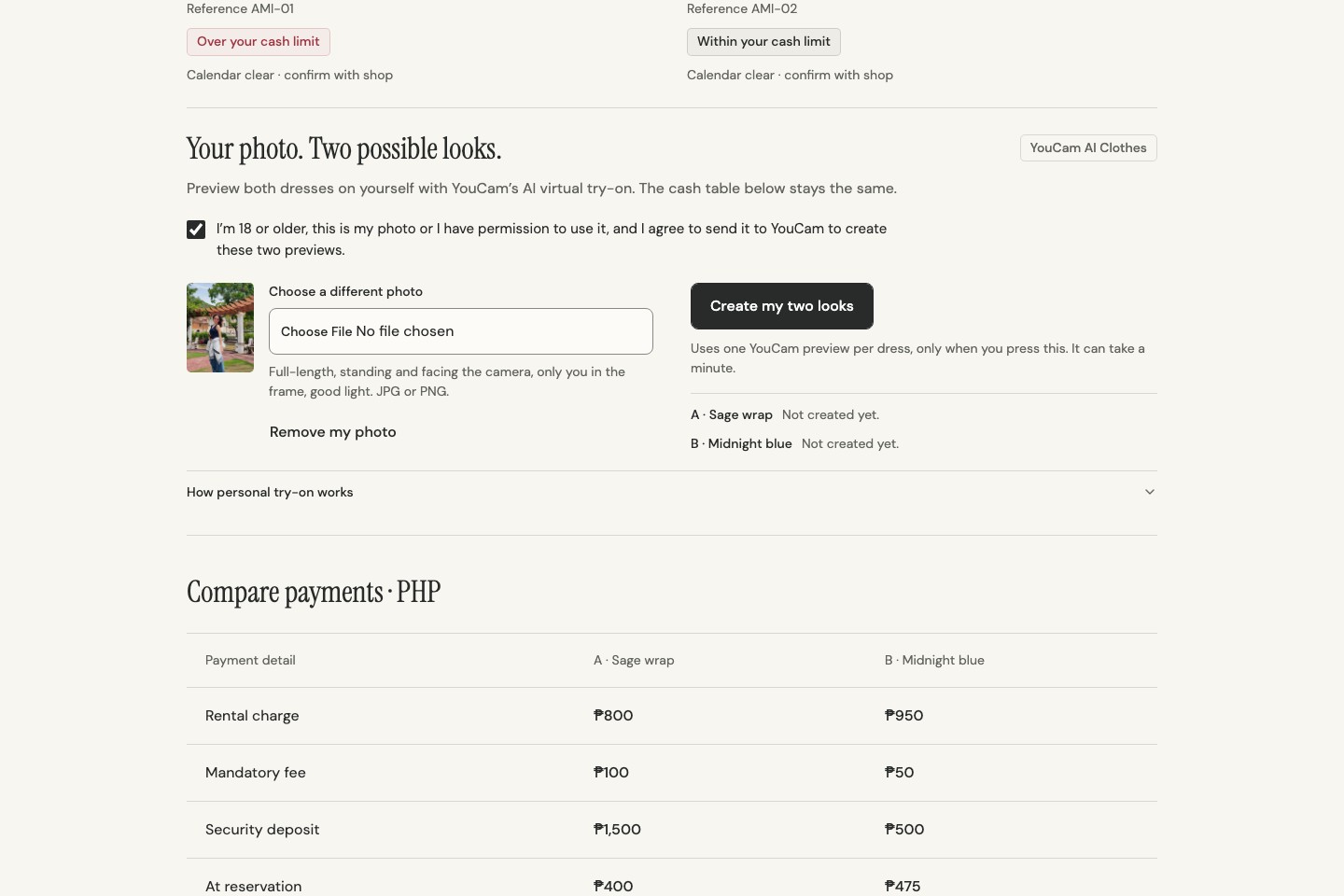
Consent first; nothing uploads until you press Create.
-
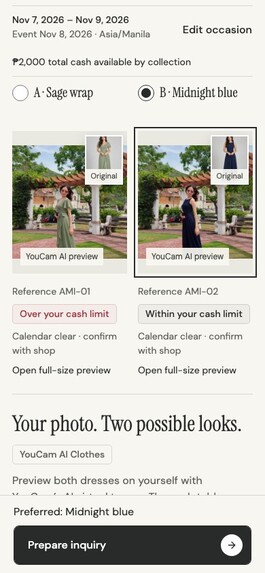
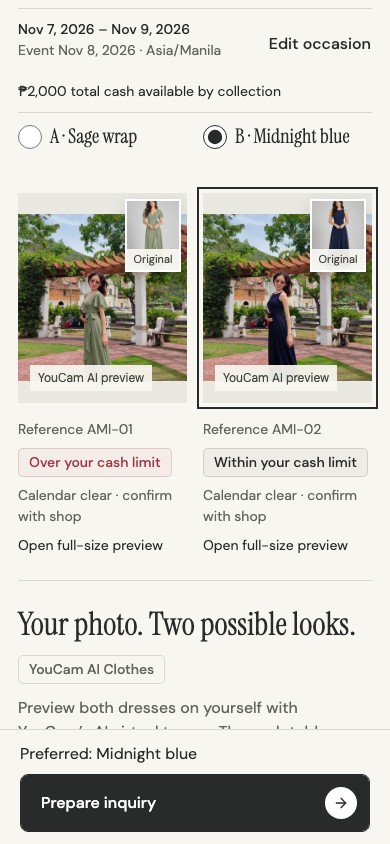
The same comparison on a phone.
-
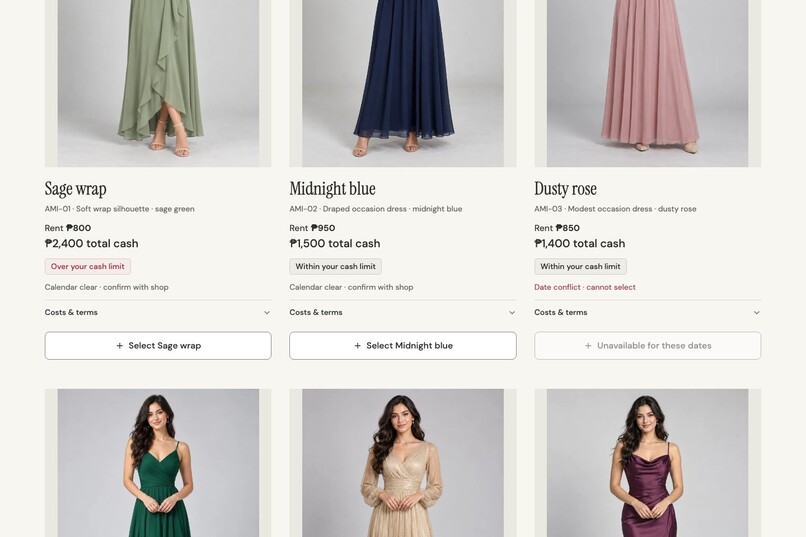
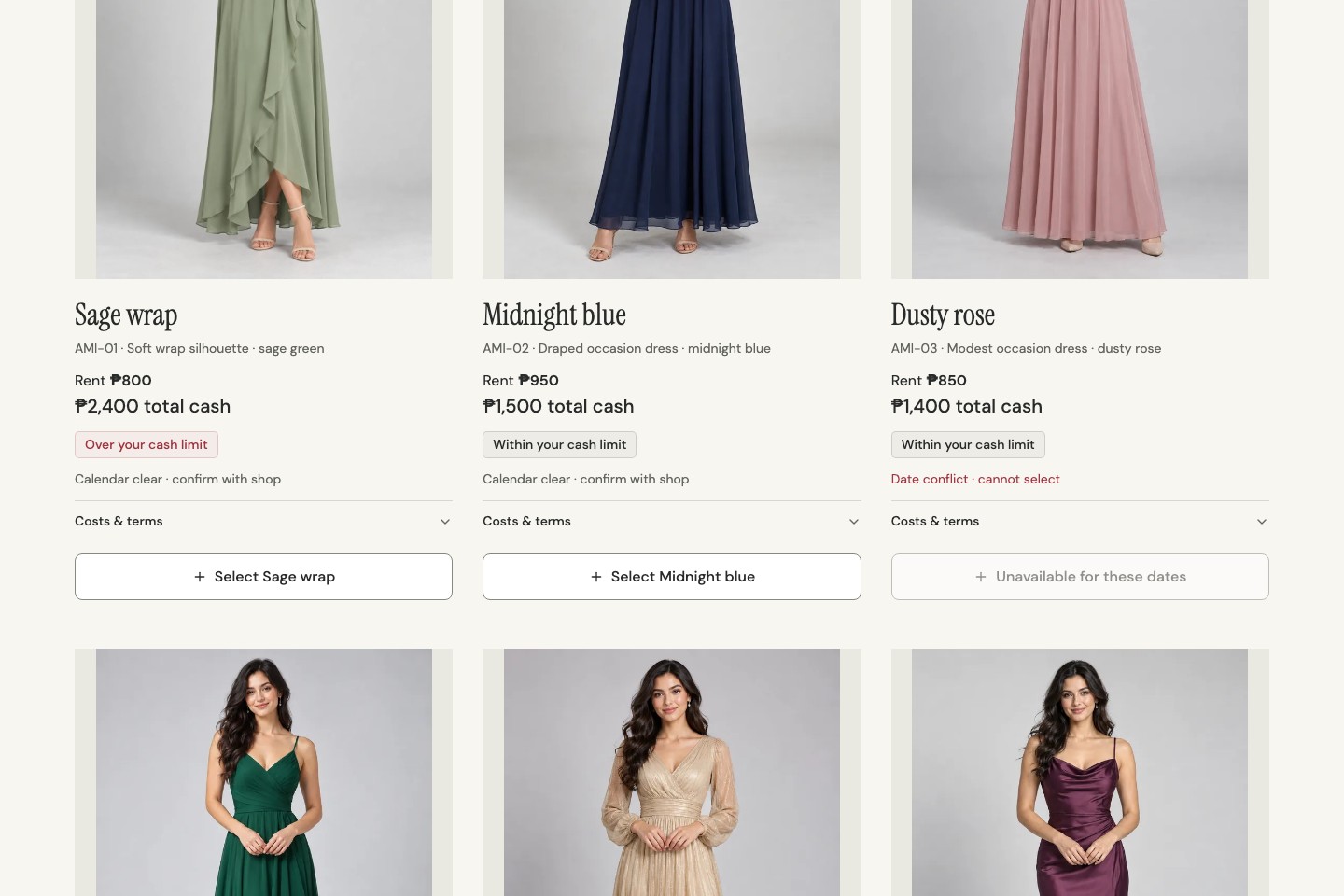
Each dress shows its full cash by pickup; the lowest rent is over budget once the deposit is added.
-
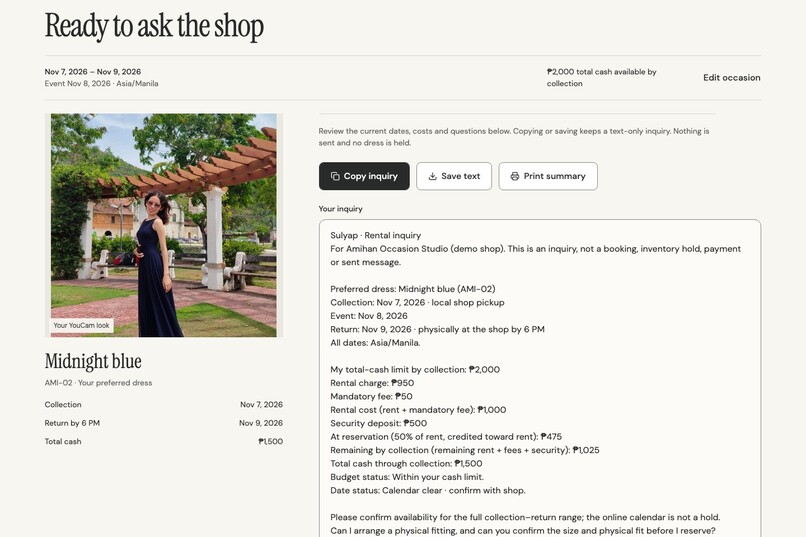
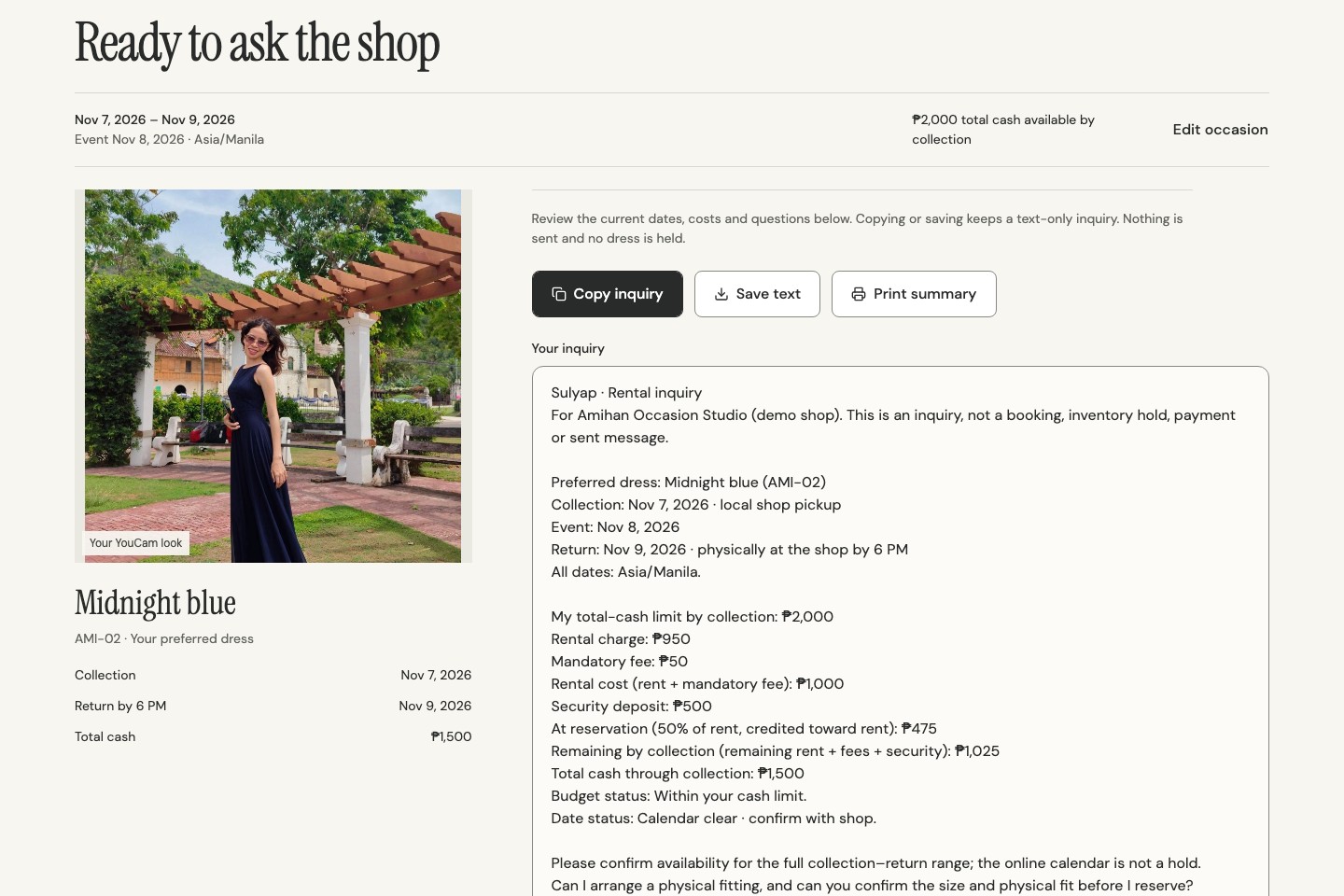
A clear text inquiry for the shop: no photo inside, nothing booked.
-
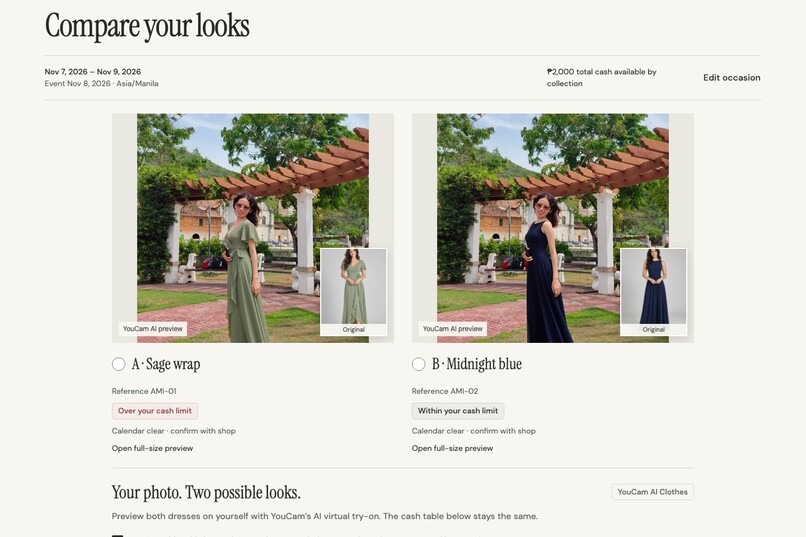
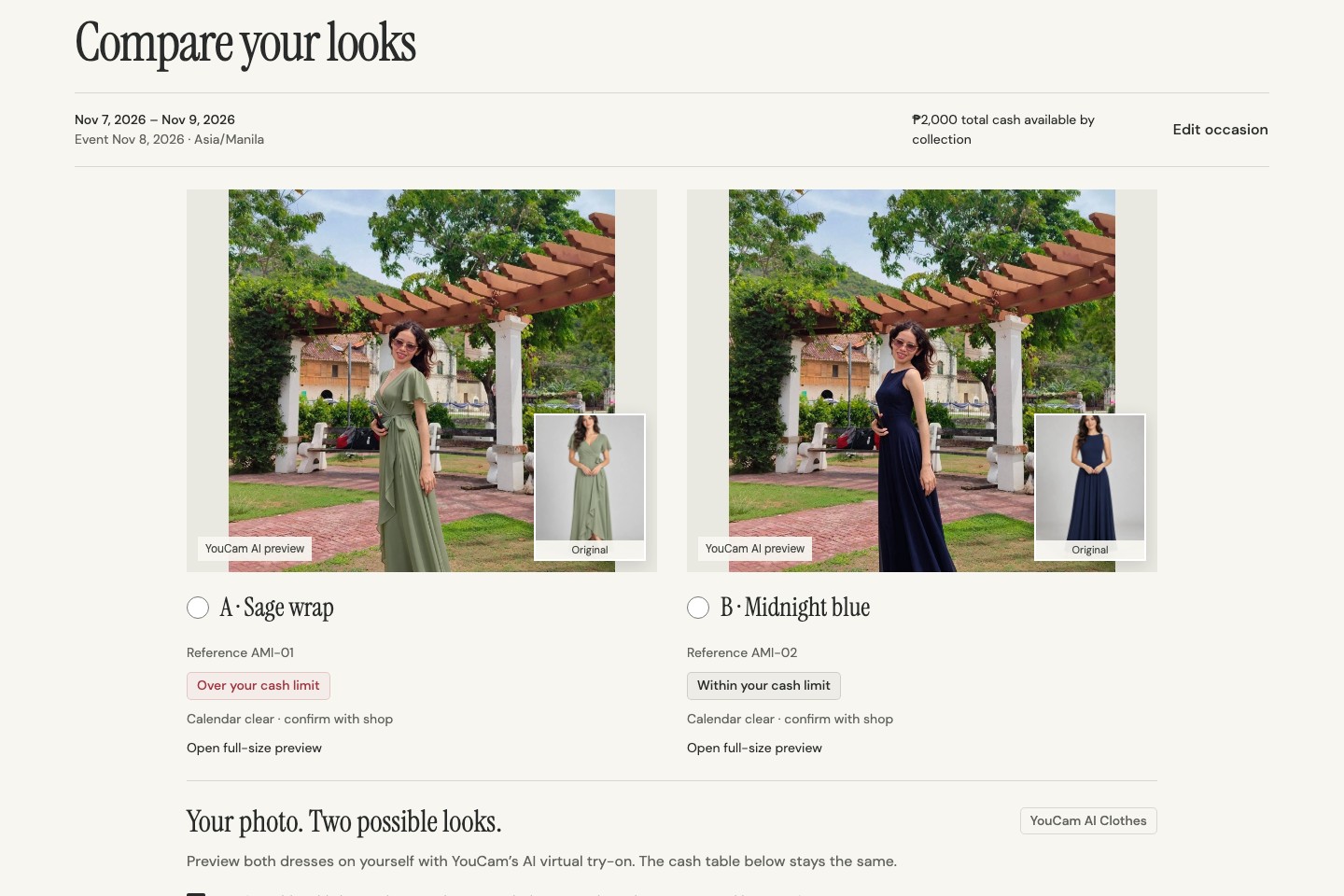
Two real YouCam AI Clothes looks from one photo, each beside the original dress.
-
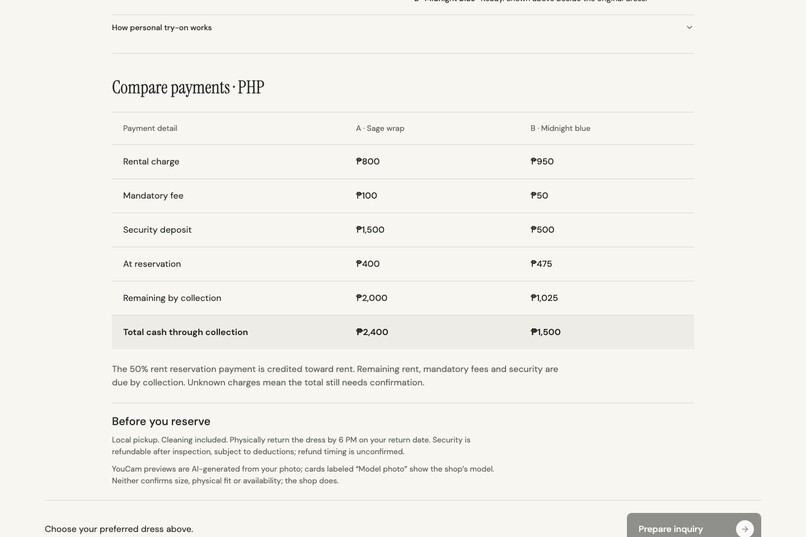
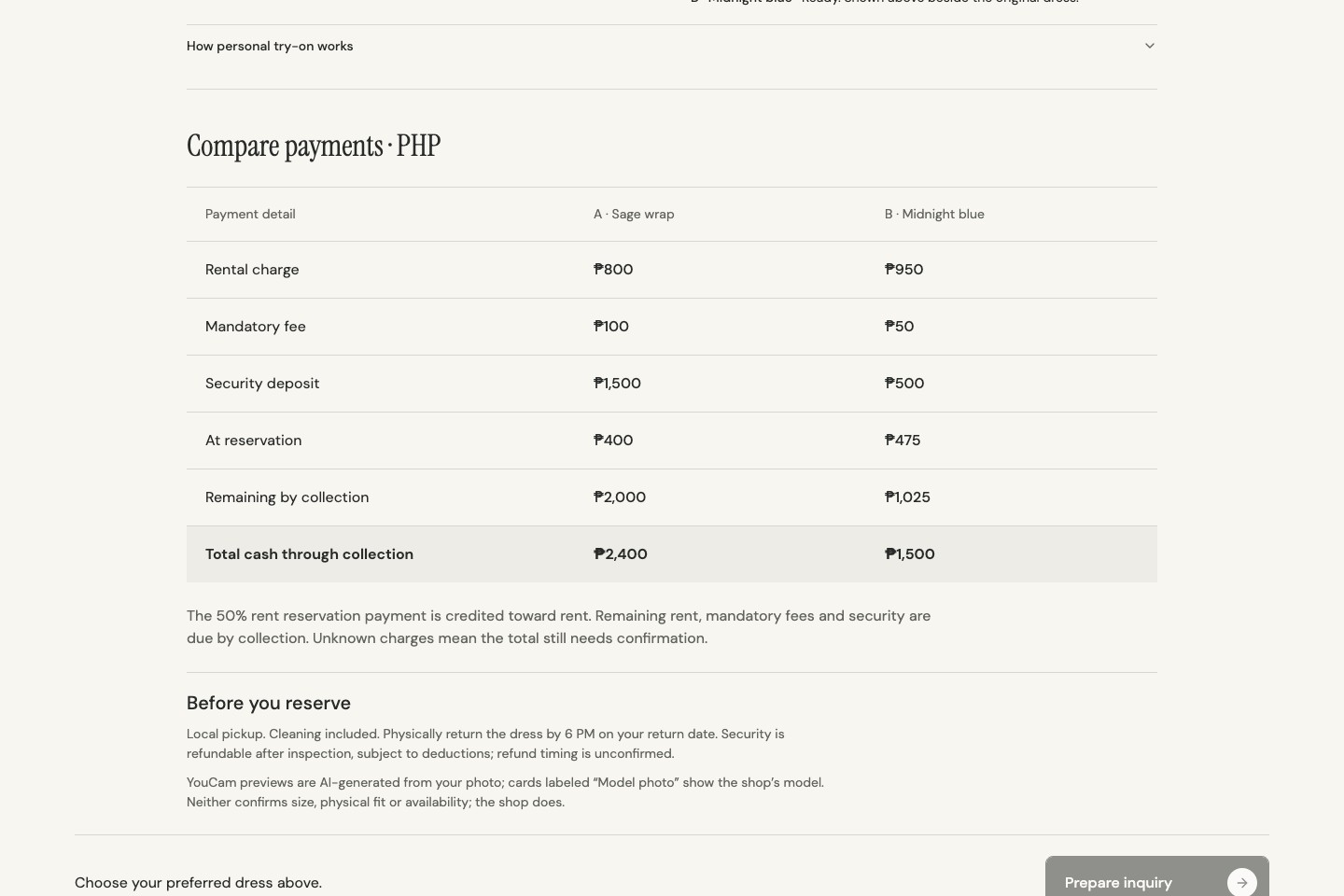
Reservation payment, remaining payment and total cash through pickup.
Inspiration
In the Philippines, many people rent a dress for weddings, debuts and formal events instead of buying one. Choosing usually means scrolling photos of a model, then a long chat with the shop about dates, the reservation payment and the security deposit. The lower rent is not always the cheaper choice: once the deposit is added, it can need more cash on pickup day. We wanted the look and the money in one place, before anyone commits. Sulyap is Filipino for "a glance": a quick look before you decide.
What it does
Sulyap is a four-step web app for occasion-dress rentals:
- Occasion: set your collection, event and return dates and the total cash you can bring by pickup.
- Shortlist: six dresses from a demo shop, each showing its full cash by pickup (rent, mandatory fee and security deposit), date availability, and whether it fits your limit.
- Compare: after explicit consent, add one full-length photo and press Create my two looks. YouCam AI Clothes dresses that same photo in both dresses. The results appear side by side, each beside the original dress, above a payment table: reservation payment, remaining payment and total cash through pickup.
- Inquiry: choose one and get a clear text inquiry for the shop with dates, the payment breakdown and the questions the shop must still confirm (fit, availability, unknown fees). It shows your YouCam look on screen but never includes the photo in the text, and nothing is booked or paid.
Prices are in Philippine pesos because we are based in the Philippines. The shop and its prices are demo data, labeled in the app.
How we built it
- YouCam APIs: the File API (
/s2s/v2.0/file) uploads the shopper's photo once; AI Clothes V4 (/s2s/v2.0/task/cloth-v4,garment_category: full_body) runs one try-on task per dress; the app polls each task for the result. - Key safety: the YouCam key lives only in server code: Vercel Functions in production and a Vite middleware locally, sharing one handler. It never reaches the browser.
- Protecting API units: nothing renders without an explicit click; one upload per photo; results keyed by photo and dress so going back and forth never re-bills; the server reuses a task for the same photo and dress; bounded polling, and "Check again" resumes the same task instead of creating a new one; per-visitor and daily limits.
- Honest failures: every documented YouCam error (no standing pose, multiple people, lower-body-only photo, credits, expired task or link) becomes a plain-language instruction.
- Front end: React 19, TypeScript, Vite, Tailwind 4, shadcn/ui on Radix. All money is integer centavos in one pure domain module, so the try-on can never change a price.
- Tests: 12 Vitest checks (rental rules, the YouCam client and server against a fake YouCam) and 55 Playwright browser checks, including four try-on journeys that mock our own API so tests never spend units.
Challenges we ran into
- Photos that work for a full-length dress. AI Clothes needs one person, standing and facing the camera. A person who is small in a wide scene gives a small preview, so we guide users toward full-length photos (cropping helped a lot).
- Spending free units carefully. Each render costs units, so we designed for one upload, one task per dress and no silent duplicates, and kept automated tests off the real API.
- Results that load after the task finishes. The result image downloads from YouCam's storage a moment after the task succeeds, which briefly showed empty frames. Previews now fade in once loaded, and an expired link (after about 2 hours) asks the same task for a fresh one.
- Being honest without clutter. We kept one clear demo note and labeled every AI preview, so a preview is never mistaken for a fit check.
Accomplishments that we're proud of
- Two real YouCam looks from one photo in about 17–20 seconds, side by side with the original dresses, on the live site.
- The preview changes the picture, never the money: a test proves the payment table is identical with and without a try-on.
- Consent first, photo never stored by us, never included in the inquiry.
What we learned
How YouCam's asynchronous S2S API works (file slots, presigned uploads, tasks and polling), what makes a good try-on photo, and how much the true cash by pickup (rent plus deposit) changes which dress is actually affordable.
What's next for Sulyap
Partner with real rental shops in Cebu for their own photos and prices; test the flow with renters (we have not run user tests yet); combine YouCam makeup try-on for a complete event look; let shops answer the inquiry directly.
The try-on photos show a team member, used with her permission.
Built With
- node.js
- playwright
- radix-ui
- react
- shadcn-ui
- tailwindcss
- typescript
- vercel
- vite
- vitest
- youcam-api
