Inspiration
Sudoku is fun, but can be boring alone. We wanted to make a cooperative version of sudoku that people can play together.
What it does
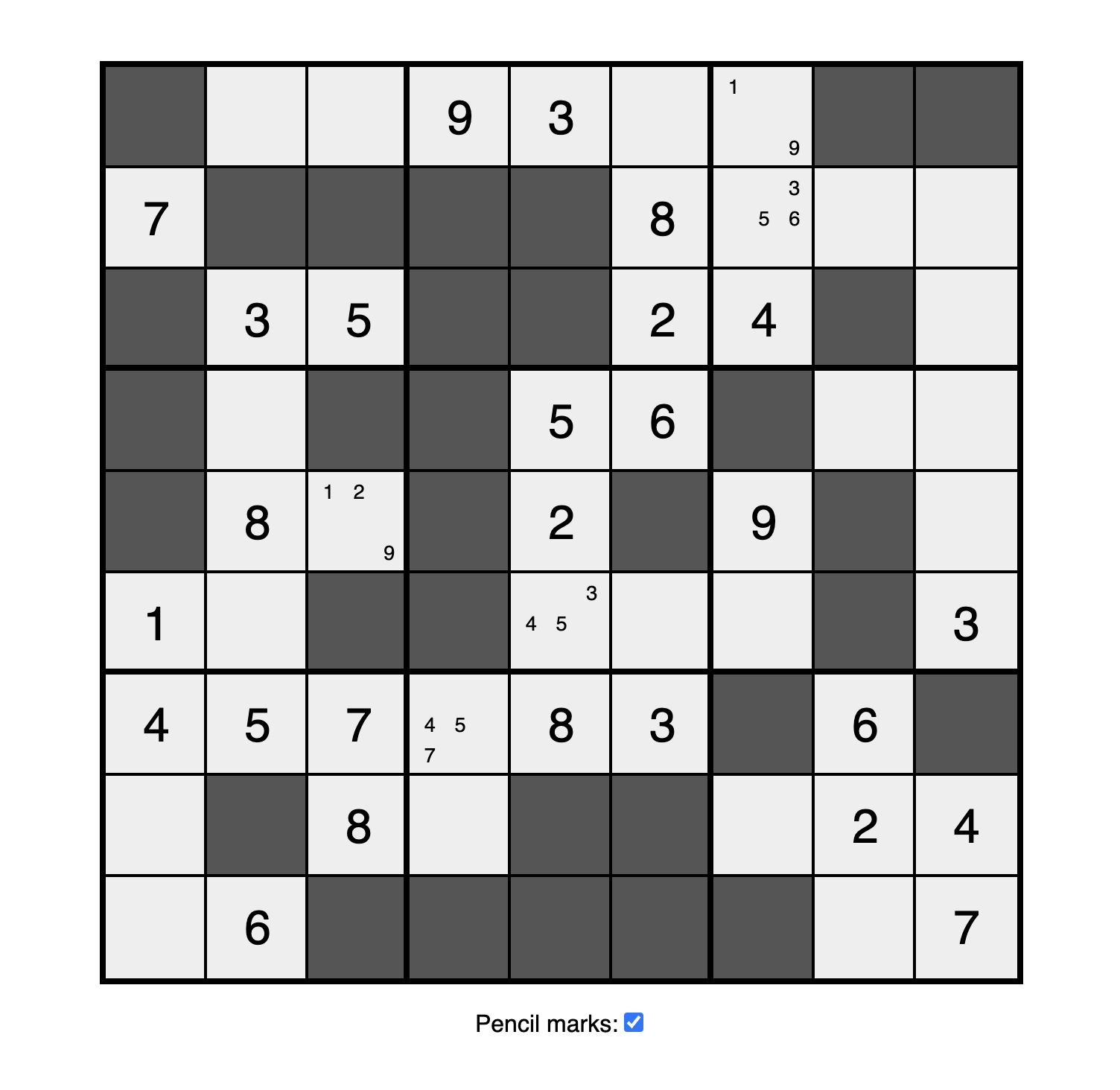
Our multiplayer game allows players to log in and play Sudoku with their friends. Each player is given a limited view of a shared Sudoku board. Players must work together to overcome this limitation to solve the entire puzzle.
How we built it
We built our backend using the Django framework and integrated it with a Google Cloud SQL database using PostgreSQL. Through Django, we implemented views to authenticate users and generate boards, created web sockets to enable real-time player interactions. When users want to pause their game, they can simply exit and their board state will persist to Google Cloud.
Our backend included the necessary utility functions to represent Sudoku board data. We needed to store our board state and 'views', which acted as visibility masks to hide specific board cells from players. Since we store our board state and views as strings in the database, we created serializers and deserializers to convert our data from numpy arrays to strings and vice versa.
To generate boards for the players, we first created a solver for the game that takes into account what is visible to each player. Then, a completed board is generated by recursively backtracking a solution from an empty board. Solvable boards were generated by repeatedly removing cells from the completed board, ensuring that the game is still solvable by the solver. This process also allows us to generate boards of varying difficulty, measured by the number of empty cells.
We built our user interface with React.js and TypeScript. Due to the amount of custom styling needed for our board to look ~fabulous~, we decided to create our styles from scratch using CSS.
Challenges we ran into
When designing our backend architecture, we had some trouble choosing our backend framework and database solution. Our primary considerations for this were ease of use and how well our systems would integrate with one another. Since our Sudoku algorithms were significantly simpler to implement in Python with NumPy, we decided to use a Python framework, leading us to Django. Django has limitations however with how models are defined. Google Cloud SQL was the clear option due to its relational capabilities and easy integration with Django.
Google Cloud SQL came with its own challenges however. We had to spend time to figure out how to use the shell to create our database and configure users for Django. We also had some trouble connecting to our database from localhost, but found the necessary configurations in the Google Cloud Console.
None of our team members had worked with web sockets before, so creating those in Django was a challenge for us. We performed extensive research into articles, documentation, and tutorials to find out how the Django Channels library worked and how it could fit out use case. We encountered many connections errors, but were able to debug and learn more about the library's architecture to get everything to work!
One challenge of board generation is ensuring that the board is solvable for the players, despite all the limitations placed on what they can see. Given the time constraints, we opted for a simpler solver with fewer possible actions.
Accomplishments that we're proud of
We are proud of our ability to learn and push out a fully functioning product with limited experience using the technologies we integrated.
What we learned
How to use web sockets, how to start a google cloud database, experience using numpy, and implementing recursive / brute force algorithms on arrays.
What's next for Sudokuop
More challenging puzzle generation. Increase solving / generation efficiency to make larger (ex. 25 x 25) sudoku boards more practical. Allowing users to view solutions and hints, and verify whether they have completed the sudoku.


Log in or sign up for Devpost to join the conversation.