-
-
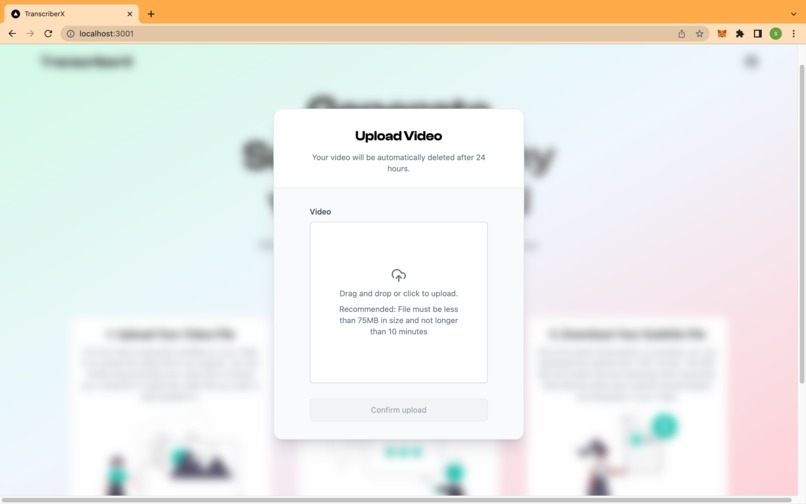
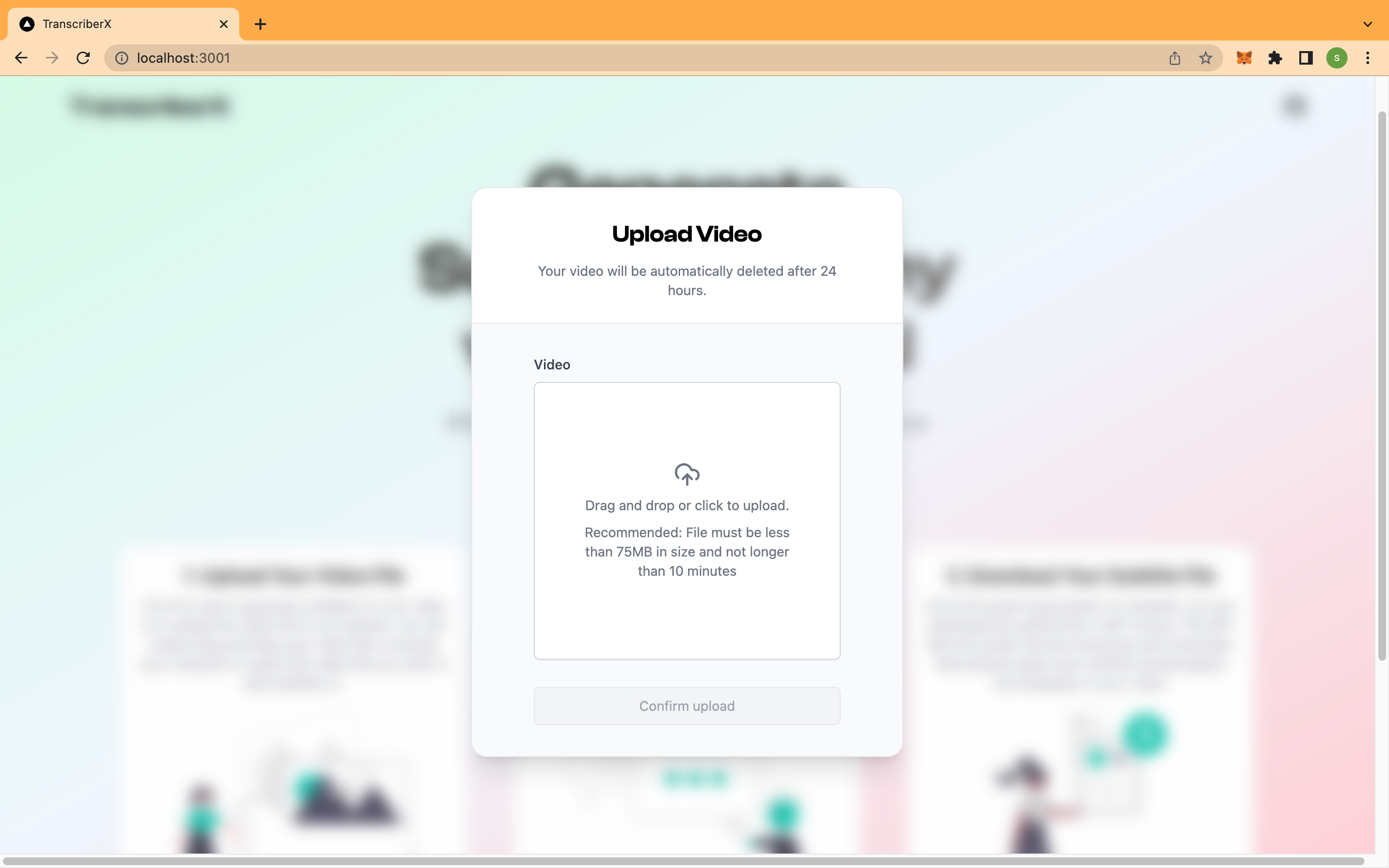
Upload modal
-
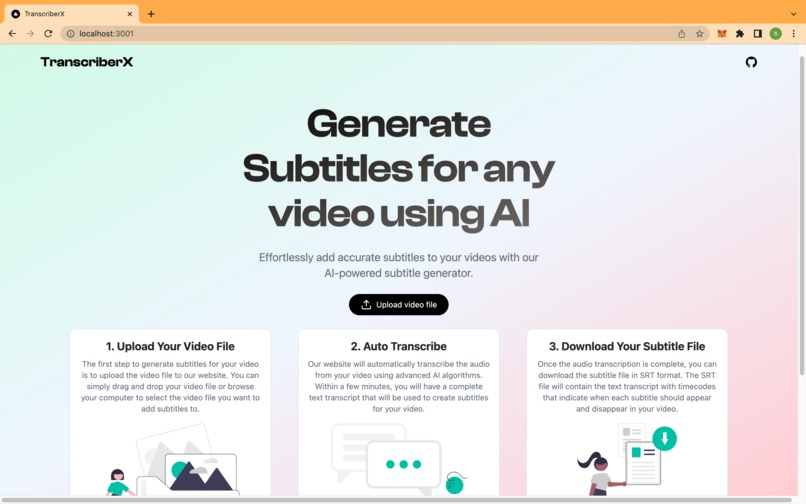
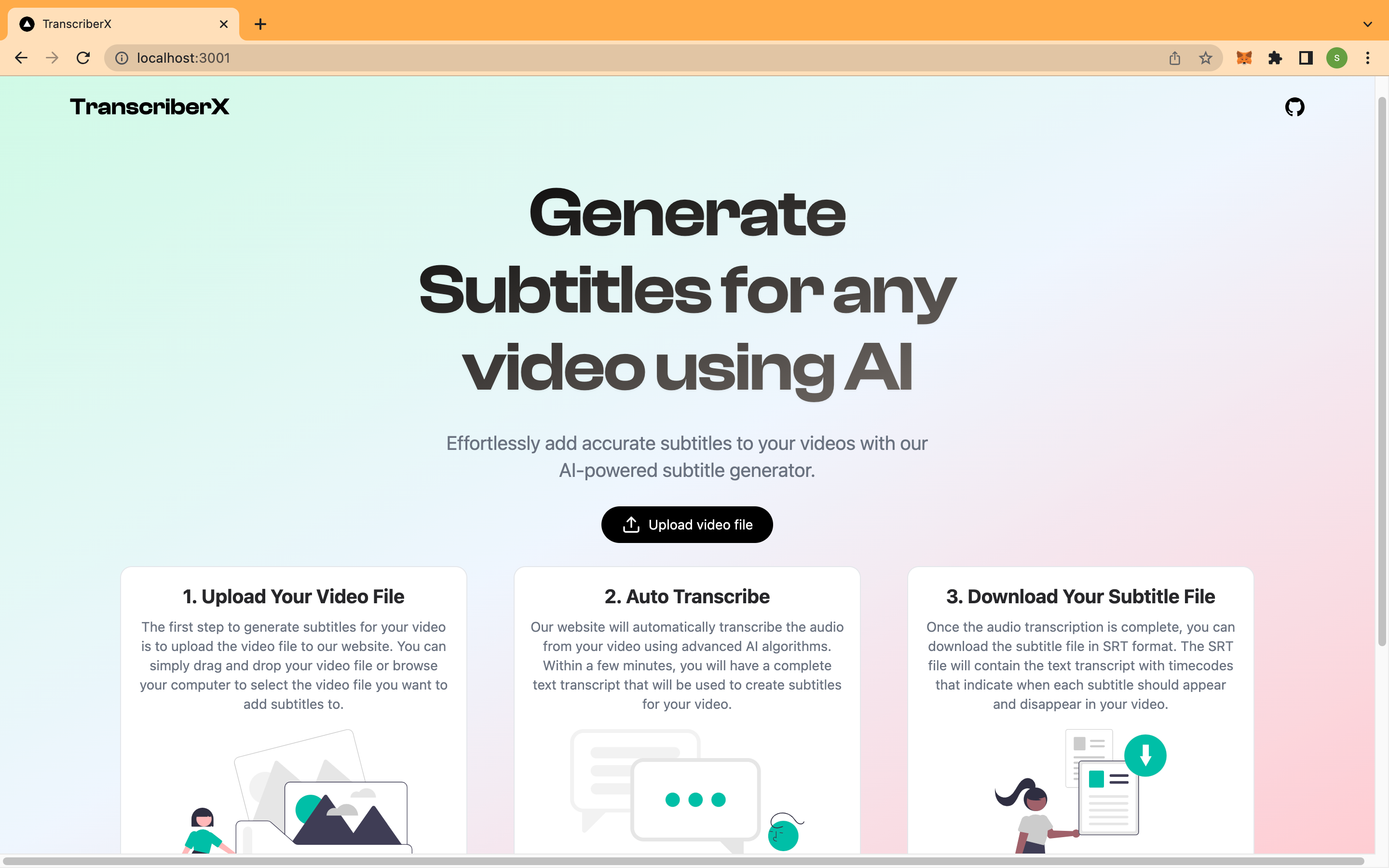
Homepage
-
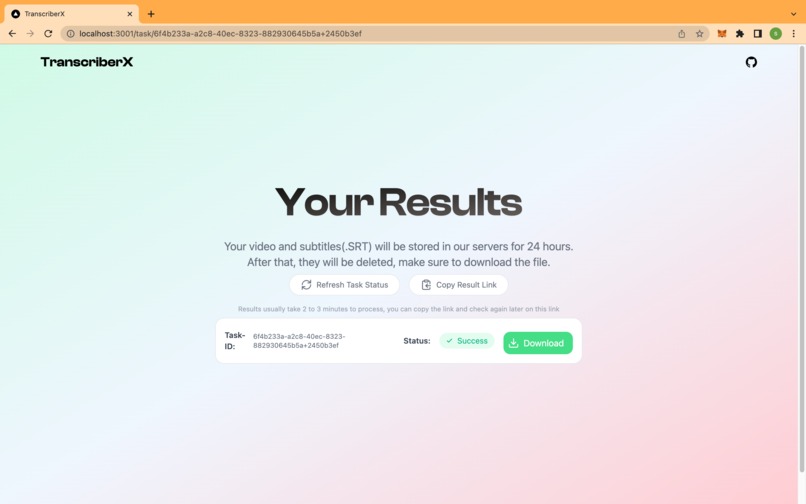
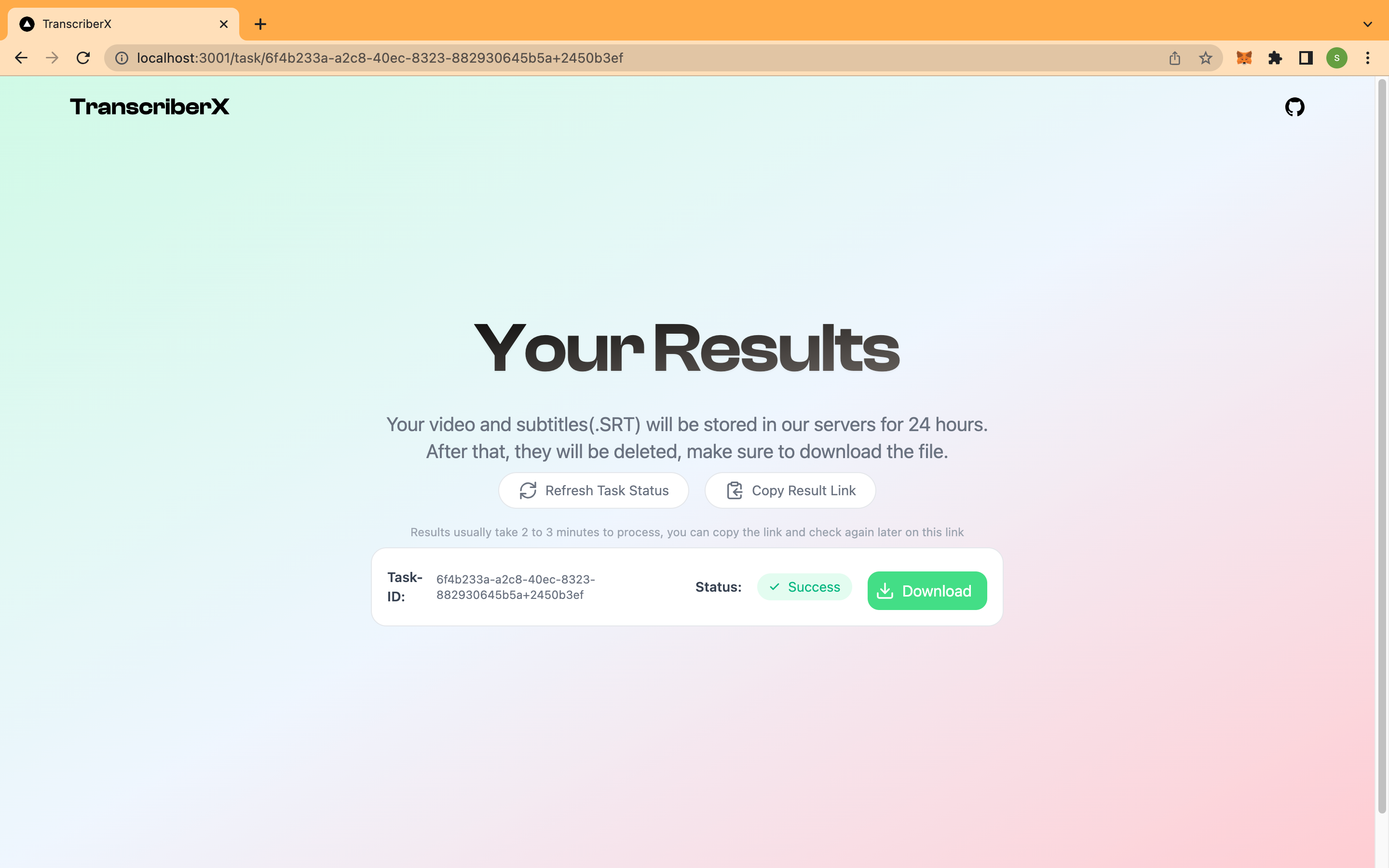
Result page
Inspiration
•The inspiration for building the TranscriberX app stems from recognizing the growing need for accurate and efficient transcription services in various industries and fields. Transcriptions play a crucial role in content creation, research, journalism, accessibility, and many other areas where accurate documentation of spoken content is essential.
•Traditionally, transcription has been a time-consuming and labor-intensive task, often requiring manual effort and specialized skills. The goal of TranscriberX is to simplify and automate this process, providing a fast, reliable, and user-friendly solution for generating transcriptions from video and audio files.
•The advancement of AI and deep learning models, such as OpenAI's Whisper models, has revolutionized the field of natural language processing. These models have shown remarkable capabilities in understanding and transcribing spoken language with high accuracy, even in challenging scenarios involving different accents, languages, and speech patterns.
What it does
TranscriberX is a video transcription app that utilizes advanced AI technologies, specifically OpenAI's Whisper models, to provide accurate and efficient transcriptions of video and audio files.
•Here's what the app does: File Upload: TranscriberX allows you to upload video or audio files from your device or cloud storage platforms.
•Automatic Transcription: The app utilizes the power of Whisper models to automatically transcribe the spoken content in the uploaded files. These models have been trained on vast amounts of data and can accurately recognize speech, including various accents, languages, and speech patterns.
•By providing accurate and efficient transcriptions, TranscriberX simplifies the process of converting video and audio content into written form. It eliminates the need for manual transcription work, saving time and effort for content creators, researchers, journalists, and anyone who relies on accurate documentation of spoken content. With its user-friendly interface and seamless integration options, TranscriberX aims to enhance productivity and streamline workflows in various industries and fields.
How we built it
using artificial intelligence. The frontend is built using Next.Js and the backend is built using Flask and Celery with the help of ffmpeg and OpenAI's Openn Source Whisper models.
Challenges we ran into
- Training and Fine-Tuning Models: One of the primary challenges was training and fine-tuning the Whisper models from OpenAI. This involved obtaining and curating large amounts of high-quality multilingual and multitask data to train the models effectively. The process required significant computational resources and expertise in deep learning.
- Handling Audio and Video File Formats: Working with various audio and video file formats posed challenges in terms of parsing and extracting the audio content accurately. Different codecs, bitrates, and container formats needed to be handled to ensure compatibility and reliable transcription results.
- Accurate Speaker Identification: Identifying and labeling different speakers in a conversation or interview can be challenging, especially when there are overlapping speech or unclear audio quality. Developing robust algorithms and heuristics to accurately determine speaker turns required careful consideration and testing.
- Accents, Languages, and Speech Variations: Whisper models are designed to handle different accents, languages, and speech patterns, but accurately transcribing diverse speech can still be challenging. Some accents or dialects may be less represented in the training data, leading to potential inaccuracies in transcriptions. Ongoing improvements in training data diversity and model fine-tuning help address this challenge.
Accomplishments that we're proud of
- Accurate Transcriptions: Achieving high accuracy in transcribing video and audio files was a significant accomplishment. Our integration of the advanced Whisper models from OpenAI allows us to provide accurate transcriptions across different accents, languages, and speech patterns.
- User-Friendly Interface: We successfully designed a user-friendly interface that makes it easy for users to upload files, review transcriptions, edit text, and export the transcriptions in various formats. The intuitive design ensures a seamless and efficient user experience.
- Speaker Identification: Implementing speaker identification capabilities within the app was a notable accomplishment. This feature allows users to identify and label different speakers in transcriptions, enhancing the readability and usability of the transcribed content.
What we learned
- Training and Fine-Tuning AI Models: Working with advanced AI models like Whisper required deep understanding and expertise in training and fine-tuning. We learned the importance of data curation, model selection, hyperparameter tuning, and ongoing model optimization to achieve accurate results.
- Data Diversity and Representativeness: We realized the significance of having diverse and representative data for training models. Incorporating a wide range of accents, languages, and speech patterns in the training data helped improve the accuracy of transcriptions for a broader user base.
- Iterative Design and User Testing: We embraced an iterative design approach and conducted regular user testing throughout the development process. This allowed us to gather valuable feedback, identify pain points, and make informed design decisions that enhanced the usability and user experience of the app.
What's next for TranscriberX
- Improved Accuracy and Language Support: We are continuously working on improving the accuracy of transcriptions, particularly in handling challenging accents, languages, and speech variations. By expanding the training data and fine-tuning the models, we aim to provide even more precise transcriptions across a wider range of linguistic contexts.
- Real-Time Transcription: Our goal is to introduce real-time transcription capabilities, allowing users to transcribe video and audio content as it is being recorded or streamed. This feature will be particularly useful for live events, meetings, and presentations, enabling users to access transcriptions in real-time.
- Advanced Editing and Annotation: We plan to introduce advanced editing and annotation features to empower users in customizing and enriching their transcriptions. This includes the ability to add timestamps, highlight specific sections, and incorporate notes or comments within the transcribed text.
- Customization Options: We understand that different users have specific needs and preferences when it comes to transcriptions. Therefore, we aim to introduce customization options, such as formatting styles, language settings, and speaker identification preferences, allowing users to tailor the transcriptions to their specific requirements.


Log in or sign up for Devpost to join the conversation.