Subtext
Find the right words when they matter most.
Inspiration
I have always been bad at texting. While most agents are focused on productivity in a professional setting, the people who matter most to me are not in email or Slack. They are in iMessage, spread across years of jokes, plans, check-ins, missed replies, tough breakups and deep conversations.
I built Subtext because I wanted help that had context on my challenges in communication. I wanted a product that that helps me be the best version of me in the most used digital form of communication today, which is texting.
I was thrilled by the reaction. Within hours of sharing Subtext on X, it had already reached 75,000 views and several hundred users. More importantly, users were telling me that they already found meaningful impact using Subtext. In one instance, a user realized that they are 3x slow in responding to their family vs their other contacts, and this led him to introspect. That response showed me how many other people had been carrying the same quiet anxiety around their texts.
What it does
Subtext is a native Mac app with a paired iPhone companion. It turns iMessage history into a private communication coach grounded in the user's own patterns.
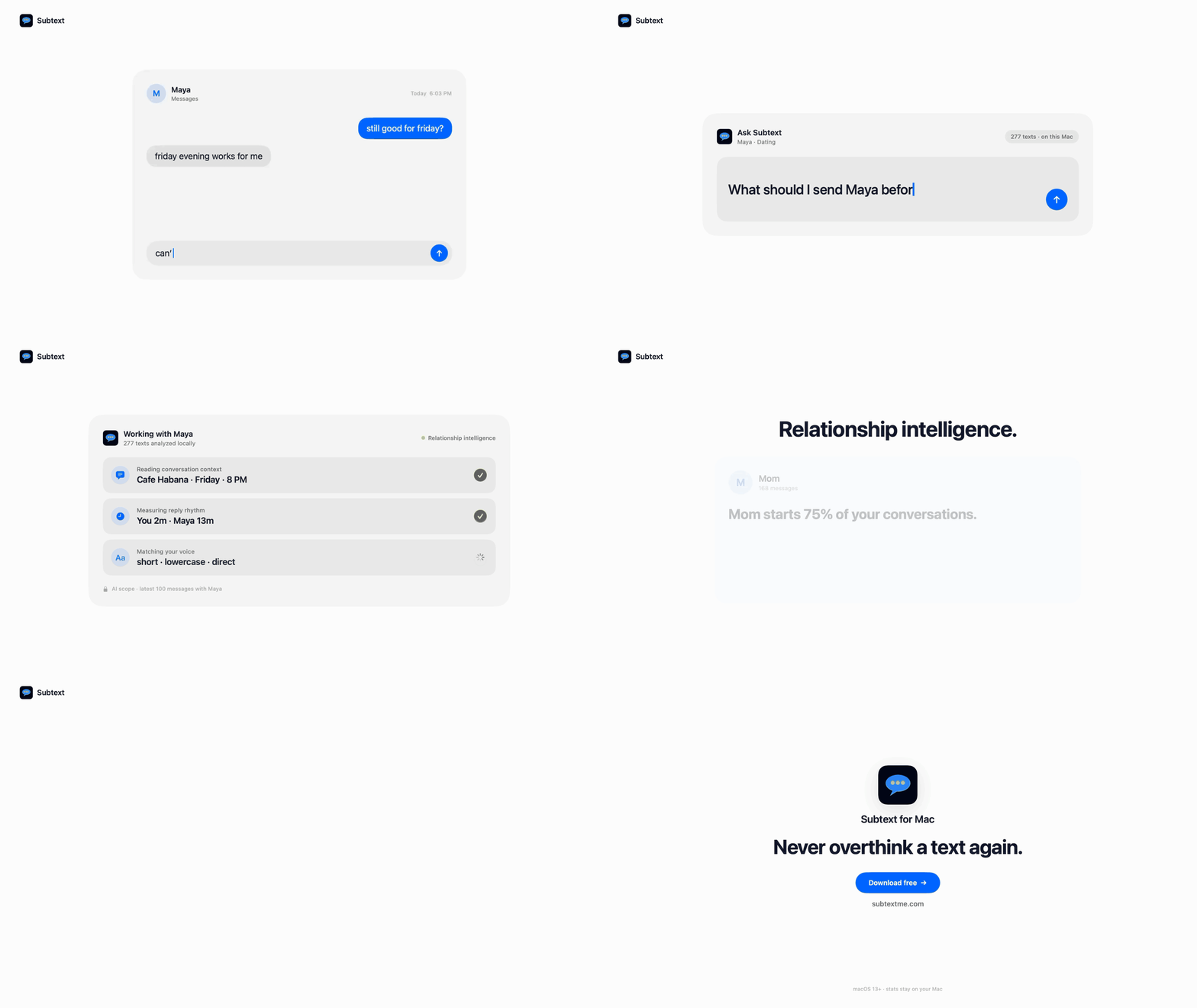
- Ask Coach about a real conversation. Subtext can look at reply rhythm, recent context, past conversations, group activity, and examples of the user's writing. It then explains what it found and offers practical options, including drafts that fit the user's voice. Every lookup appears in a visible Checked your texts trail. But it's not just drafting messages - helping me uncover communication patterns has been very rewarding.
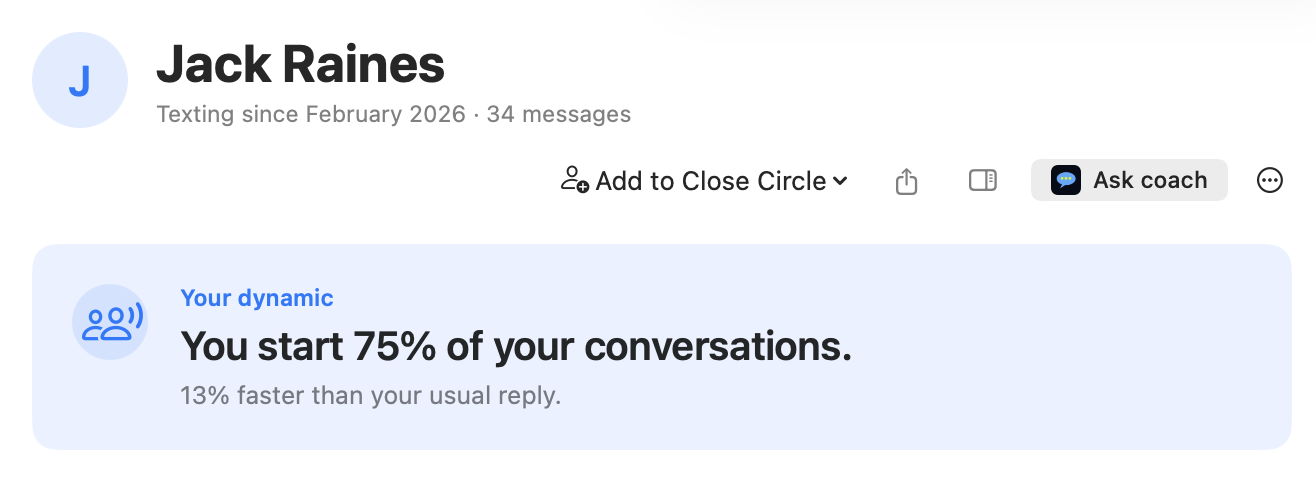
- See communication patterns without turning people into scores. People and Groups show observable facts such as initiation, reply timing, activity, style, and changes over time. Subtext does not claim that a response time proves affection, interest, or the health of a relationship.
- Choose a Close Circle. Subtext allows you to prioritize people and set specific intentions, such as my friend Rory who I want to reconnect with. The user decides who matters and how they want to keep in touch. Subtext it helps me stay true to my intentions.
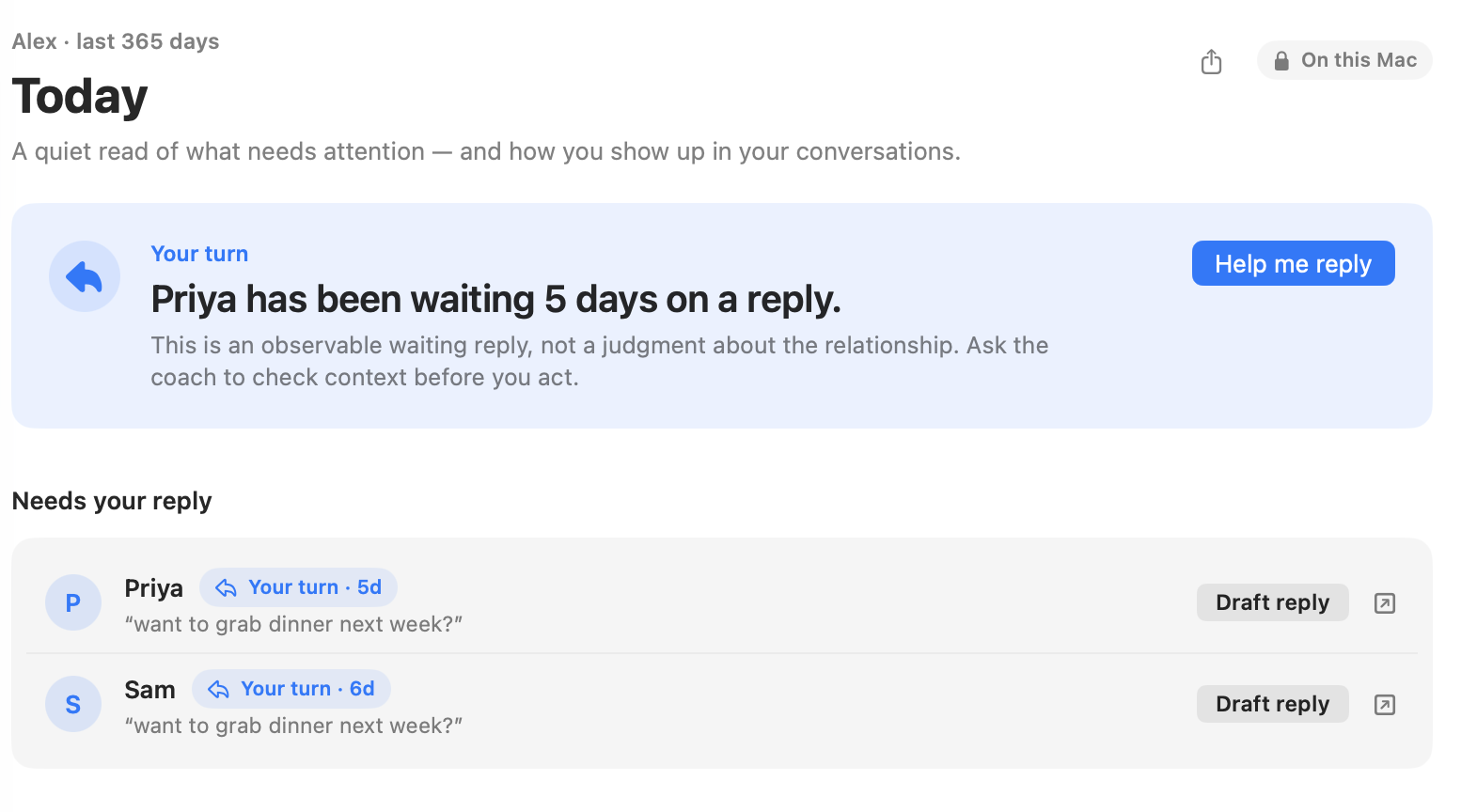
- Use the useful parts on iPhone. The companion carries an encrypted brief made from derived context, not a copy of the Messages database. It includes Today, Ask, Wrapped, Close Circle, People, and Groups. A user can also paste new text or extract it from a screenshot with on-device OCR, review it, and decide whether to include it in a question.
- Turn reflection into something worth sharing. iMessage Wrapped tells the story of a year through top people, reply habits, timing, laughter, emoji, and communication patterns. The cards can be shared without exposing the underlying conversation.
The core flow is simple: Subtext notices a real messaging moment, grounds an answer in years of private context, shows the evidence it used, helps the user act from the phone, and remembers only what the user chooses.
Why it is different
There is simply nothing like this for users right now. No offense intended, but screenshot or copy/paste approaches in generic chat window ChatGPT or Anthropic (no offense), miss a tremendous part of the story. Subtext can ask better questions of the history around it, learn from patterns and create a holistic space for mindfulness and communication.
Coach works as an agent with local tools. It can request a conversation window, search for a topic, compare communication patterns, inspect an unanswered question, or sample the user's writing style. Those tools run against the corpus on the Mac, and only the bounded result needed for the current question is returned to the model.
That changes the quality of the answer. It also changes the privacy boundary. Years of messages can remain local while the model receives the small, disclosed slice that makes a response specific and useful.
How I built it
- Native apps and a shared core. The Mac and iPhone apps are written in Swift and SwiftUI. A shared
TexterCorepackage owns message parsing, metrics, groups, trends, Wrapped, Close Circle, exclusions, and the Coach tool definitions. - A careful local data path. The Mac builds a private temporary directory. The parser recovers modern attributed-body text, resolves contact aliases, reconstructs one-to-one and group threads, and handles reactions without treating them as ordinary messages. All statistics are calculated locally.
- A tool-using Coach. Coach is a custom agent that can make multi-step calls across eleven local tools for search, counts, samples, timelines, conversation windows, person statistics, comparisons, unanswered messages, overviews, and groups. The app streams the answer, records the lookup trail, and keeps user-visible Coach memory in encrypted local storage.
- Explicit consent and exclusion. Before message context is used for AI, Subtext describes the scope. A conversation can be excluded at the source boundary, which removes its aliases, affected groups, aggregates, Coach artifacts, companion output, and in-flight access before a fresh analysis is published.
- A narrow hosted relay. Consented AI requests pass through a Cloudflare Worker that validates payloads, enforces usage limits, and streams responses. The checked-in relay does not store or log prompt or response bodies.
- An encrypted Mac-to-iPhone bridge. iOS does not allow a third-party app to read the Messages database, so the Mac remains the source of truth. It builds a versioned and encrypted snapshot containing derived summaries and opaque identifiers, with no raw message bodies, phone numbers, email addresses, attachments, or excluded conversations.
Challenges I ran into
The biggest challenge I had is how to avoid creating an iMessage slop machine, but rather create something truly thoughtful and unique. That is the North Star for me. There are, of course, technical challenges like the following:
- Apple's Messages database was not built for this. Recoverable text can live in different fields, reactions are stored as separate records, contacts have multiple aliases, group threads need different treatment, and a live SQLite database cannot be copied carelessly. Reliable context had to come before any model work.
- Useful context and minimal disclosure pull in opposite directions. A model with too little context becomes generic. Sending everything would make the product hard to trust. Local tools became the answer: retrieve one relevant slice, disclose it, and keep the rest on the Mac.
- The best moment for help is usually on the phone. iOS provides no general API for another app to read Messages. Instead of pretending otherwise, I built a paired architecture with a derived offline brief, visible freshness, direct questions when aggregate context is enough, and Mac-assisted lookup only when raw message evidence is actually required.
- Relationship software has to be careful about certainty. A slower reply can mean dozens of things. Subtext treats message patterns as observations, not diagnoses. Prompts and evaluation cases reject claims about another person's motives, attraction, or relationship outcome, and the interface keeps the user in control of every suggested action.
- Deletion across devices is a protocol. Clearing a phone cache is not enough if another Mac can publish the data again. The companion uses account-bound requests, source-Mac targeting, revocation markers, authenticated checkpoints, and a two-step acknowledgement before it can claim that paired data was removed.
Accomplishments I am proud of
In 30 hours of development,
- I took Subtext from a idea to a released Mac product with People, Groups, Today, Wrapped, Close Circle, Deep Dives, encrypted Coach memory, conversation exclusions, and a tool-using agent that shows its work, with hundreds of users. I want to see how far I can go to help people communicate better.
- I built a substantial iPhone companion rather than leaving mobile as a roadmap bullet. The current source and Simulator build includes the main daily surfaces, encrypted sync, offline state, on-device screenshot text extraction, StoreKit purchase and restore flows, and honest unavailable states.
- I found a privacy model that preserves real utility. Statistics need no network, the full archive stays on the Mac, AI context is scoped to an explicit action, and the phone receives a smaller encrypted model instead of raw history.
- I built the product to be demonstrated, not explained away. The repository includes deterministic launch scenes, native X and TikTok cuts, shareable Wrapped cards, and fictional demo data that never touches the user's Messages or an AI service.
What I learned
People have an inherent desire to be understood and to make sure others understand them in the way that they intend. Sending text messages is only a 20-year-old paradigm in human history. It's unnatural. It's not spontaneous. It leaves time for rumination. I learned that not just me, but so many people struggle with this issue. Work, forgetfulness, our ever-diminishing attention spans. I realize, using Subtext, that my mom actually initiates 81% of texts, and I'm way slower responding to her than she is to me. That made me feel something.
Technical learnings:
- The best context is selected, not maximal. A small piece of relevant history beats a huge prompt, both for answer quality and for trust.
- Privacy has to appear in the interaction. A policy page cannot replace a consent screen, a visible evidence trail, a real exclusion control, and deletion that fails closed.
- Communication data describes behavior, not a relationship. Reply time, initiation, and message volume can support a question. They cannot answer what another person feels.
- Delight brings people in, but usefulness brings them back. Wrapped makes the product easy to understand and share. The lasting value is helping someone handle one real conversation with less anxiety and more intention.
- The model should support authorship, not replace it. The best result is not a message that sounds machine-perfect. It is a suggestion the user can recognize, edit, and make their own.
What's next
The next step is to finish the iPhone companion as a signed product: physical-device testing, production CloudKit setup, App Store subscription approval, and the full multi-device acceptance matrix.
From there, I want to shorten the distance between advice and action without ever auto-sending on someone's behalf. That means better draft editing, a carefully scoped Messages extension, stronger outcome feedback, and local learning from how a user changes a suggestion before using it.
I also want to keep improving the hardest part of Coach: knowing when evidence is sufficient, when to ask for more context, and when the honest answer is that a texting pattern cannot tell us what another person meant. I'm looking forward to building this, and I'd love to do it at the hackathon with OpenAI.
Built With
- cloudkit
- codex
- openai
- swift
- typescript

Log in or sign up for Devpost to join the conversation.