-
-
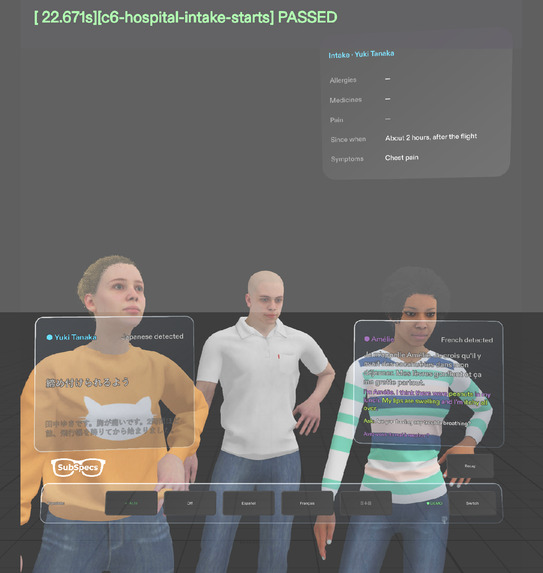
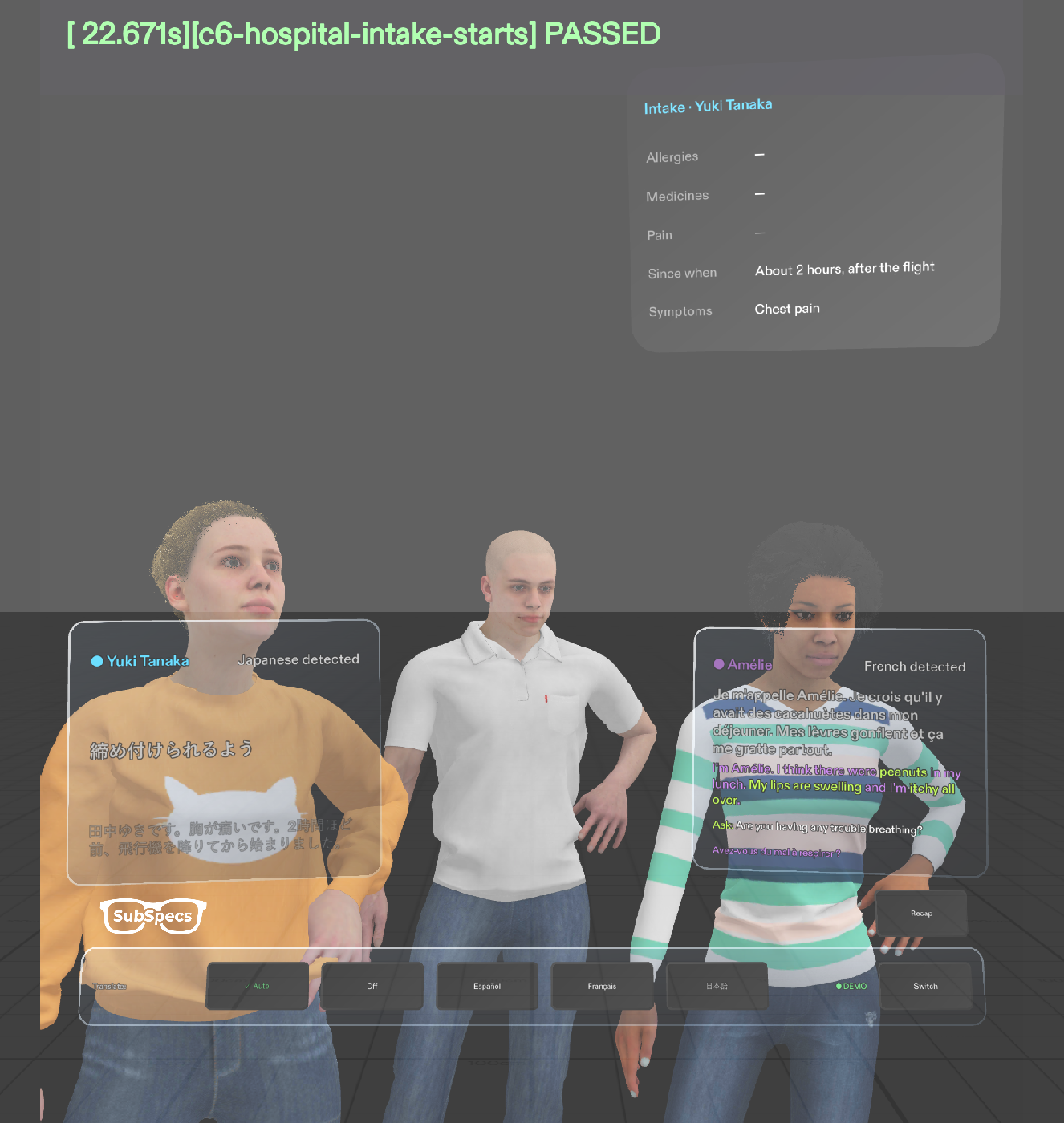
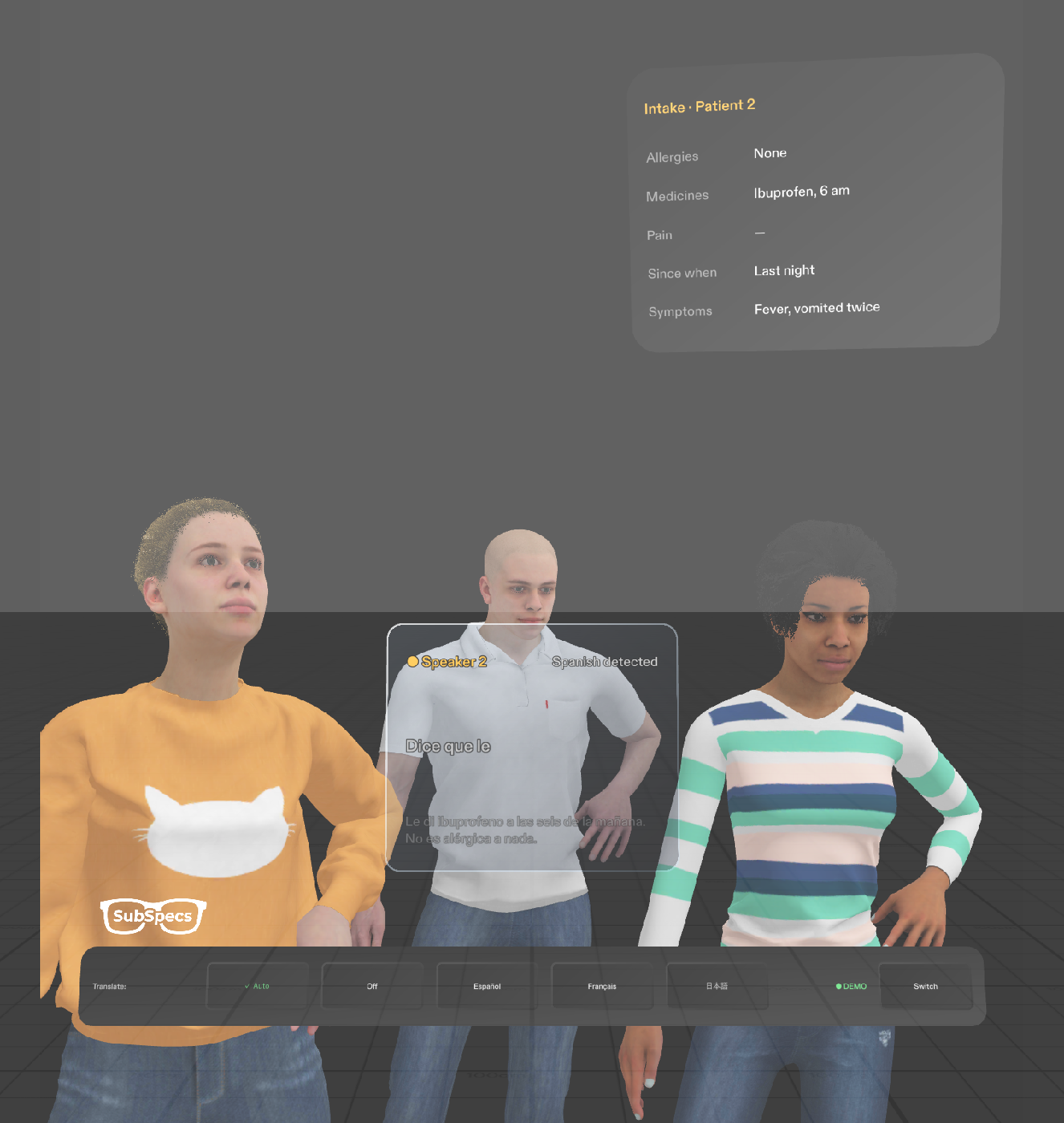
Hospital intake demo: Yuki's Japanese and Amélie's French, each on their own card with the English underneath and the key facts highlighted.
-
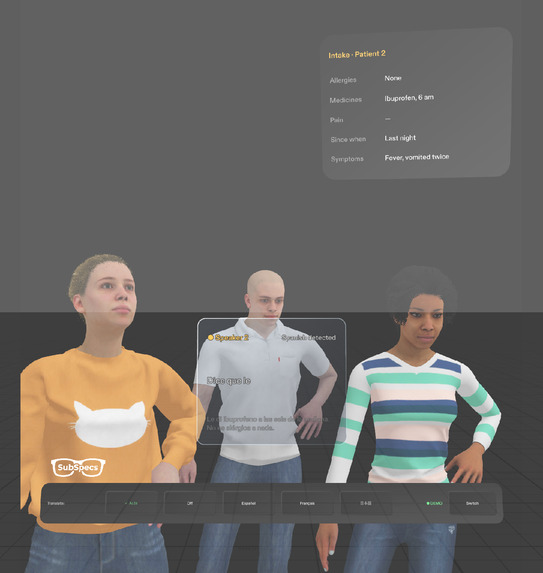
The intake form fills itself in from what the patients say: symptoms, pain, allergies and medicines.
-
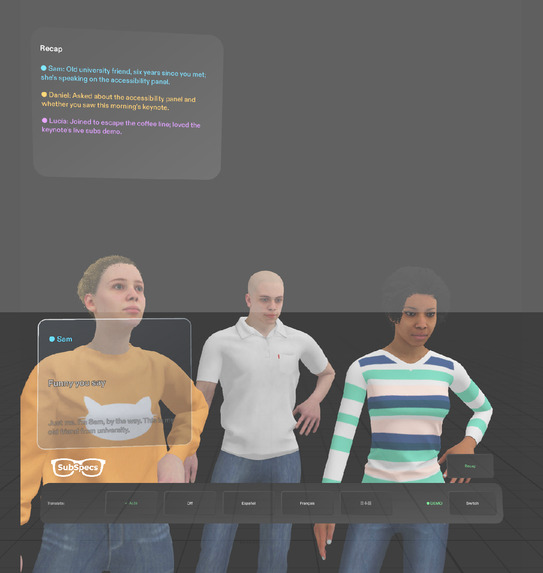
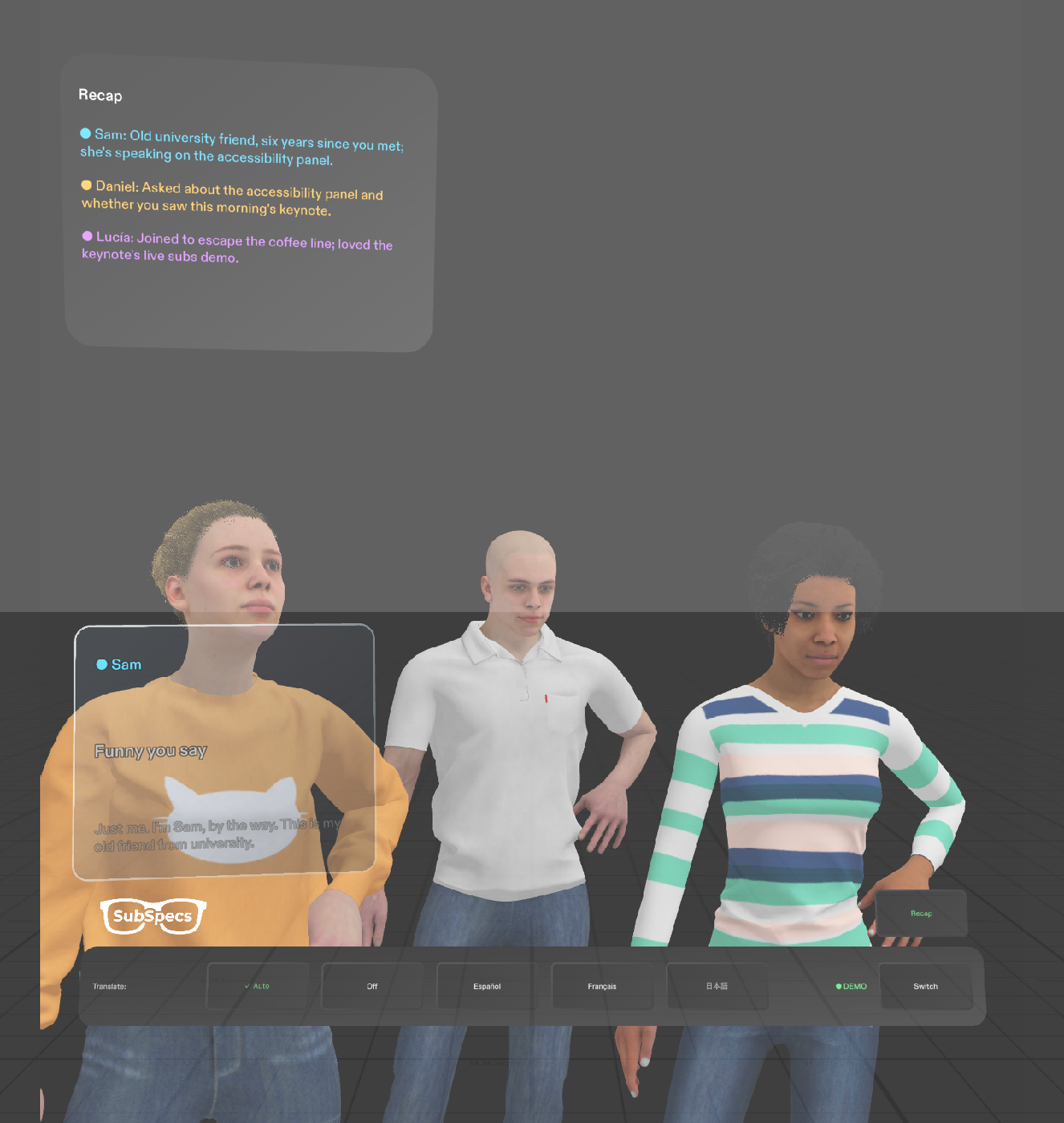
Recap: one pinch shows a short summary of what each person has said so far.
Inspiration
In a loud conference corridor, someone who is hard of hearing spots a friend they haven't seen in years. Normally they'd nod along and miss most of it, or make everyone shout. Phone captions mean looking down at one wall of text and losing faces. Glasses can put the words in front of you while your eyes stay on the people.
What it does
SubSpecs shows live subs on see-through "liquid glass" cards in front of the wearer.
- Subs and translation: everyone's words, in the wearer's view; anyone speaking another language is translated automatically, or the wearer picks a language.
- Help taking part: after someone answers, SubSpecs suggests the next question in English and in their language, so the wearer can read it out or show it.
- Recap: one pinch shows what's been said so far.
- Hospital intake: at an airport hospital's front desk, patients' answers in Japanese, Spanish and French fill an intake form (allergies, medicines, pain, since when, symptoms), with the key facts highlighted.
- Honest by design: in Live mode SubSpecs can't tell voices apart, so it uses one "Speaking" card instead of guessing. It hides the wearer's own speech when it can tell, and its privacy note says exactly where audio goes.
Two demo conversations with recorded voices, the words typed in time with each voice, show the whole experience in Lens Studio's preview.
Who it's for
People who are deaf or hard of hearing, and anyone who works across a language barrier, like a hospital intake worker.
How we built it
- Planned with the Devpost Learn skill pack; the design brief and done criteria are in the repo's
devpost/folder. - Built by a coding agent through Snap's CLAD plugin and the Lens Studio MCP, in TypeScript with the Spectacles Interaction Kit and UI Kit.
- 20 LEAF scenarios test every feature in the preview, including Live mode with a stand-in AI.
- Live mode runs only on the glasses and Snap's cloud: the microphone is read on the glasses, and each bit of speech goes to an AI model through Snap's Remote Service Gateway. No server and no laptop.
Challenges we ran into
- Snap's speech-to-text only hears the wearer. It turns on Bystander Speech Rejection, perfect for voice commands and wrong for captions. Live mode reads the microphone directly instead.
- The glasses can't tell who is talking. We built cards that followed people and cues pointing to off-screen speakers, then removed them: they suggested abilities the glasses don't have.
- No glasses to test on. Everything runs in the preview; Snap's AI gateway only answers on real SPECS, so Live mode is tested with a stand-in AI until then.
Accomplishments that we're proud of
- Turning subtitles into something you can take part with: reply help, recap and the intake form.
- Telling the truth in the product: one honest card, a privacy note that only claims what's true, and plain-words error messages.
What we learned
- Start from what the hardware can really do; the agent can build almost anything, but deciding what's worth building, and what not to fake, is the design work.
- Good AR here means eyes up and hands free: the words come to where you're already looking.
What's next for SubSpecs
- Testing on real SPECS.
- Streaming subs and one card per voice, via a streaming speech service with speaker labels.
- Choosing your own language and any translation language.
- Final character models for the demo.
Credits and pre-existing work
Our code is everything in Assets/Scripts/ plus the docs, written during the contest from Lens Studio's SPECS Base Template. Pre-existing work used: Snap's Spectacles Interaction Kit, UI Kit, Remote Service Gateway and other Asset Library packages; Snap's LEAF testing framework and AI Preview Agent packages (unpacked, imports adjusted); the Devpost Learn plan-lens skill; Mixamo characters as demo stand-ins; demo voices generated with ElevenLabs. The full table is in the README.
What it does
How we built it
Challenges we ran into
Accomplishments that we're proud of
What we learned
What's next for SubSpecs
Built With
- blender
- clad
- elevenlabs
- gateway
- gemini
- interaction
- kit
- leaf
- lensstudio
- lensstudiomcp
- mixamo
- remote
- remoteservicegateway
- service
- snap
- spectacles
- spectaclesinteractionkit
- spectaclesuikit
- typescript
- ui