💡 Inspiration
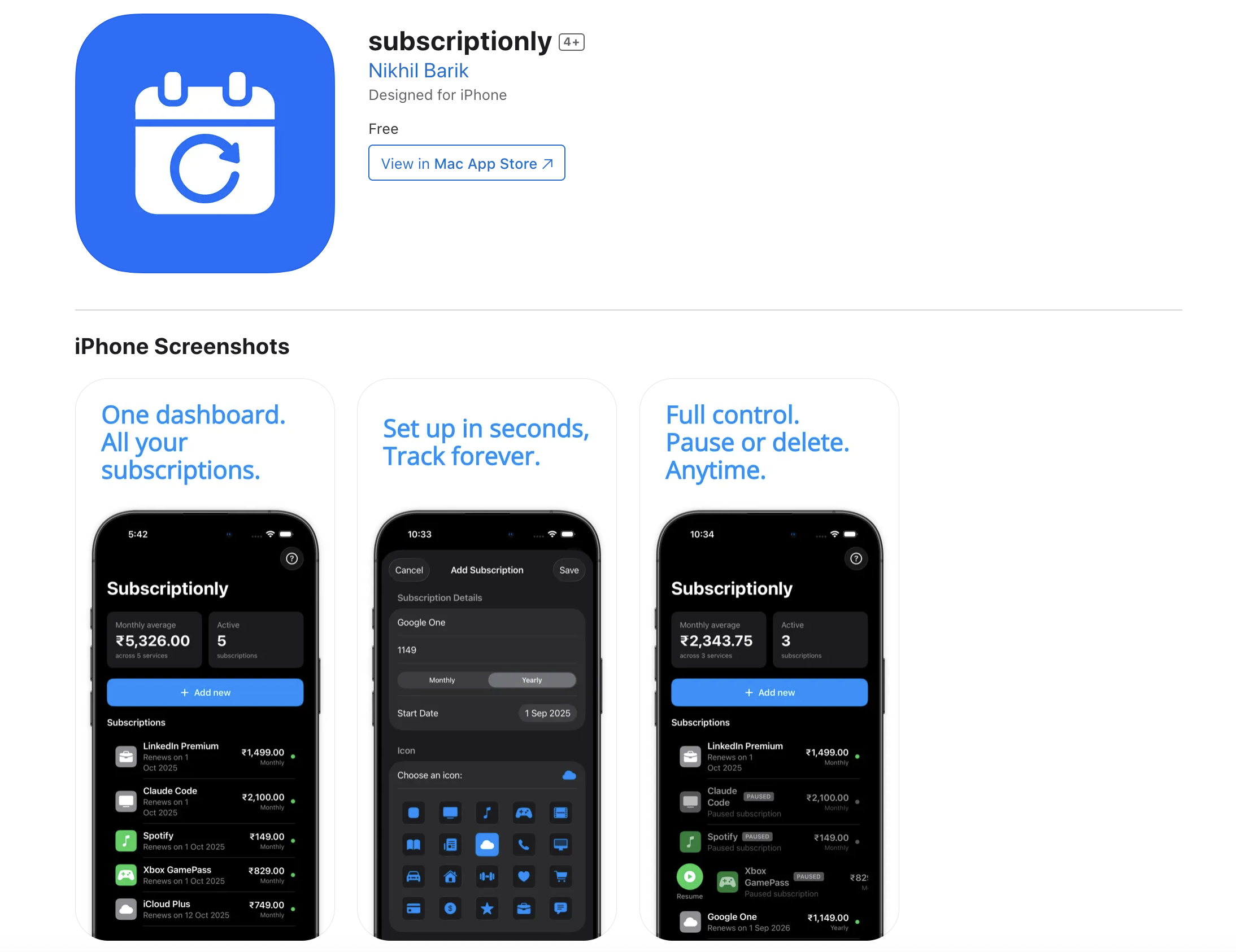
It all started with me staring at my bank statement thinking: “Wait… did I really pay for three different music apps this month?” Turns out, yes. And worse, I had no clue when half of my subscriptions renewed. That little “oops” moment turned into Subscriptionly.
🤓 What I Learned
SwiftUI isn’t as scary as it looks (it’s actually fun once you stop yelling at Xcode).
Core Data + CloudKit are like a relationship: messy at first, but beautiful when they finally sync.
Simple design beats feature bloat — less “Swiss Army knife,” more “sharp little scalpel.”
Also, math sneaked in. For example, I wanted to see how much I really spend monthly. So I used:
Monthly Damage
∑
𝑖
1 𝑛 𝑝 𝑖 𝑓 𝑖 Monthly Damage= i=1 ∑ n
f i
p i
where 𝑝 𝑖 p i
is what I pay, and 𝑓 𝑖 f i
is how often. Spoiler: the total was… not cute.
🛠️ How I Built It
Sketched messy wireframes in Figma (with too many colors).
Built a clean SwiftUI app — one screen at a time.
Added notifications, because my brain forgets stuff.
Tested by adding my own subscriptions (yes, including Netflix and Disney+).
😅 Challenges
Time zones: Apparently, people live outside mine. Notifications broke. Fixed by wrangling UTC.
Privacy paranoia: Kept everything on-device unless you choose iCloud.
Overthinking: I almost added crypto wallet tracking (??). Glad I didn’t.
🎉 The Result
Now Subscriptionly:
Tracks my subs
Warns me before auto-renewal disasters
Shows my spending habits (ouch, but helpful)
It’s simple, quirky, and saves me from surprise credit card heartbreaks.
Built With
- swiftui
Log in or sign up for Devpost to join the conversation.