💡 Inspiration
This project started because of a weird drop-off that I could not stop thinking about.
A friend was working on an AI product, and the landing page seemed to be doing its job. People were signing up, the copy was clear, and the value proposition sounded strong. But once users actually got into the product, a lot of them disappeared almost immediately.
So we opened the product and went through it ourselves.
The landing page basically promised that anyone could get started quickly: no code, simple setup, only a couple of minutes. But the first onboarding screen asked for an API key and linked out to developer docs.
That felt like the real problem. The landing page had made one promise, but the product experience immediately proved something else.
That became the idea behind Styx.
I started thinking about this gap as trust debt: the distance between what a product asks users to believe and what the first-use experience actually proves. A lot of tools can show you where users drop off, but they do not really explain whether the product broke its own promise before the user even had a fair chance.
The name came from Greek mythology. In myth, an oath sworn on the River Styx was binding, even for the gods. I liked that because a landing page is basically an oath. It tells the user, “Trust us, this is what the product will be like.” Styx is meant to check whether the product actually keeps that oath.
📚 What I learned
At first, I thought I was building something about copywriting. By the end, I realized it was much more about product alignment.
The copy, onboarding flow, trust cues, and analytics all have to agree with each other. When teams move quickly, those pieces can drift apart without anyone noticing. The homepage might say the product is easy, but the onboarding flow might quietly ask the user to do something difficult. That mismatch can kill activation even if the product itself is good.
I also learned that getting AI to return structured output is much harder than making a good demo prompt. I needed the model to return the same kind of report every time, with valid JSON, specific evidence, and usable recommendations. That meant dealing with schemas, retries, streaming, validation, and a lot of edge cases.
Another thing I learned was that fallback paths matter. A lot of onboarding flows are gated or hard to crawl, so Styx could not depend only on live URL scraping. I added screenshot upload and notes so that even if crawling fails, the user can still get a real report.
I also ran into how different LLM providers can behave completely differently with the same prompt. One model would follow the schema well. Another would stall or return messy output. That made me think much more carefully about reliability, not just model quality.
🛠️ How I built it
I built the project in the order that made the demo as reliable as possible.
The first thing I built was the report experience. I used Next.js 16, the App Router, Tailwind v4, and shadcn/Base UI. Before the backend was fully working, I made a polished sample report for a fake product called Flowpilot. Flowpilot promises “no-code” setup, but the first onboarding step asks for an API key. Styx catches that mismatch and gives it a score of 62 with “Trust debt detected.”
I wanted the sample report to work with zero setup because that is probably the first thing a judge will click. Even if they never run a live audit, they should understand the product within a minute.
After that, I added Supabase for persistence. Audits and screenshots are stored separately, and reports can be saved and opened later. I also added an in-memory fallback so missing config would not completely break the app during testing.
Then I built the AI analysis route. It looks at the landing page, pulls out the promises the product is making, compares those against the first-use flow, and returns a structured StyxReport. The report includes the Oath Score, mini-metrics, broken promises, evidence, proof moments, ranked fixes, and a tracking plan.
I added both URL extraction and screenshot upload because real products are messy. Some onboarding flows are behind login screens, some are dynamic, and some just do not crawl cleanly. Screenshots made the product much more practical.
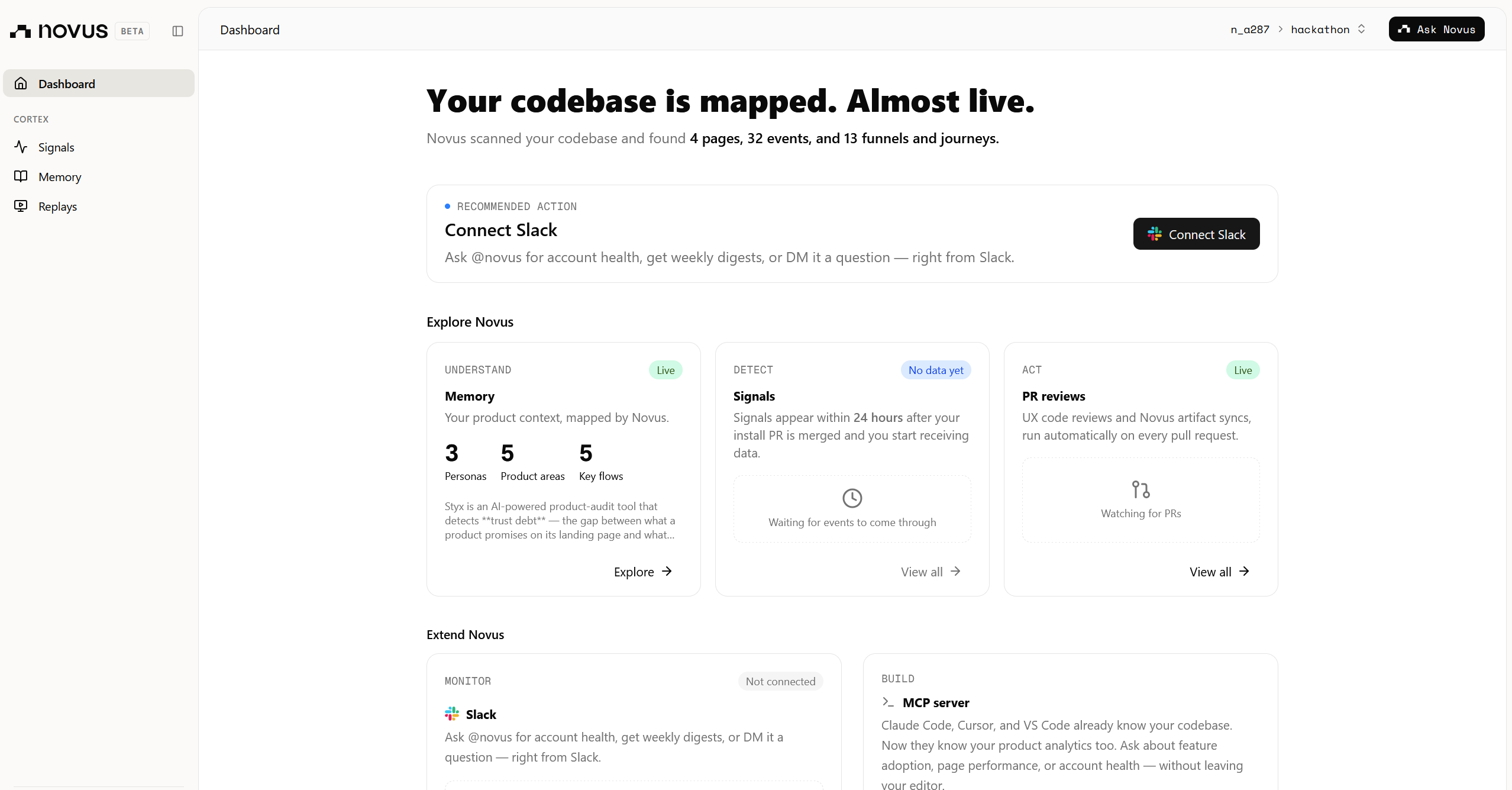
I also wired in Novus, Pendo’s AI installer, to track the funnel from homepage view to generated report. The main events are:
homepage_viewedaudit_startedaudit_generatedreport_viewedshare_link_copied
The app is deployed on Vercel and connected to GitHub for auto-deploys.
For the design, I wanted the mythology to be present but not overdone. The design system is called “The Riverside Tribunal,” but there are no gods, fantasy art, or giant dramatic visuals. It is mostly typography, thin river lines, seals, and verdict-style language. I wanted it to feel serious, not gimmicky.
🧱 Challenges I faced
The most frustrating challenge was the first LLM setup. My first model choice would hang on real audits and never return anything useful. It did not fail clearly, which made it worse. I spent a while thinking my code was broken before realizing the issue was probably the gateway or model behavior. Once I switched models, the response started almost instantly.
I also had problems with non-streamed completions. Some requests would silently stall, so I changed the pipeline to stream responses instead. That made the app feel much more stable.
Deployment had its own problems too. I set environment variables in Vercel through the CLI using PowerShell, and they looked like they saved correctly, but they were actually empty strings. The app worked locally and failed in production, which was pretty painful to debug. I eventually pushed the env vars through the REST API directly, and that fixed it.
Supabase also confused me for a bit. Some newer secret keys are blocked in the browser by design, but at first I thought I had configured something wrong. Moving those calls server-side fixed the 401 errors.
The hardest product/design challenge was making the AI output feel like something real. I did not want Styx to feel like a chatbot that gives generic advice. I wanted the report to feel like an artifact a founder could actually send to their team and say, “This is the thing we need to fix.”
🏆 Accomplishments I'm proud of
I am proud that someone can open Styx and understand it quickly. The sample report does not require login, setup, or any explanation. A judge can click it and immediately see what the product does.
I am also proud that the live audit does not just say vague things like “improve onboarding.” It points to a specific promise, shows where that promise breaks, and gives a practical fix.
The goal was simple: a founder should be able to audit their landing page and onboarding flow, then leave with one clear thing they can fix to reduce trust debt.
That is what Styx does.
Built With
- css
- html
- javascript
- next.js
- node.js
- novus
- react
- sql
- tailwind
- typescript

Log in or sign up for Devpost to join the conversation.