-
-
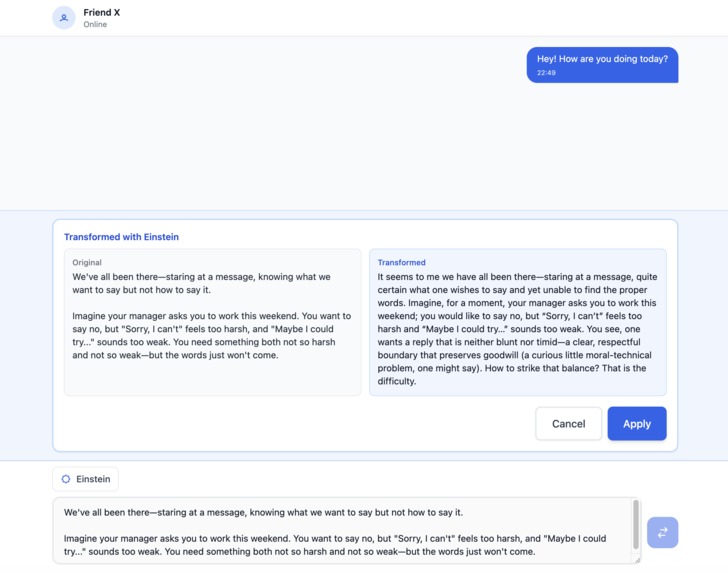
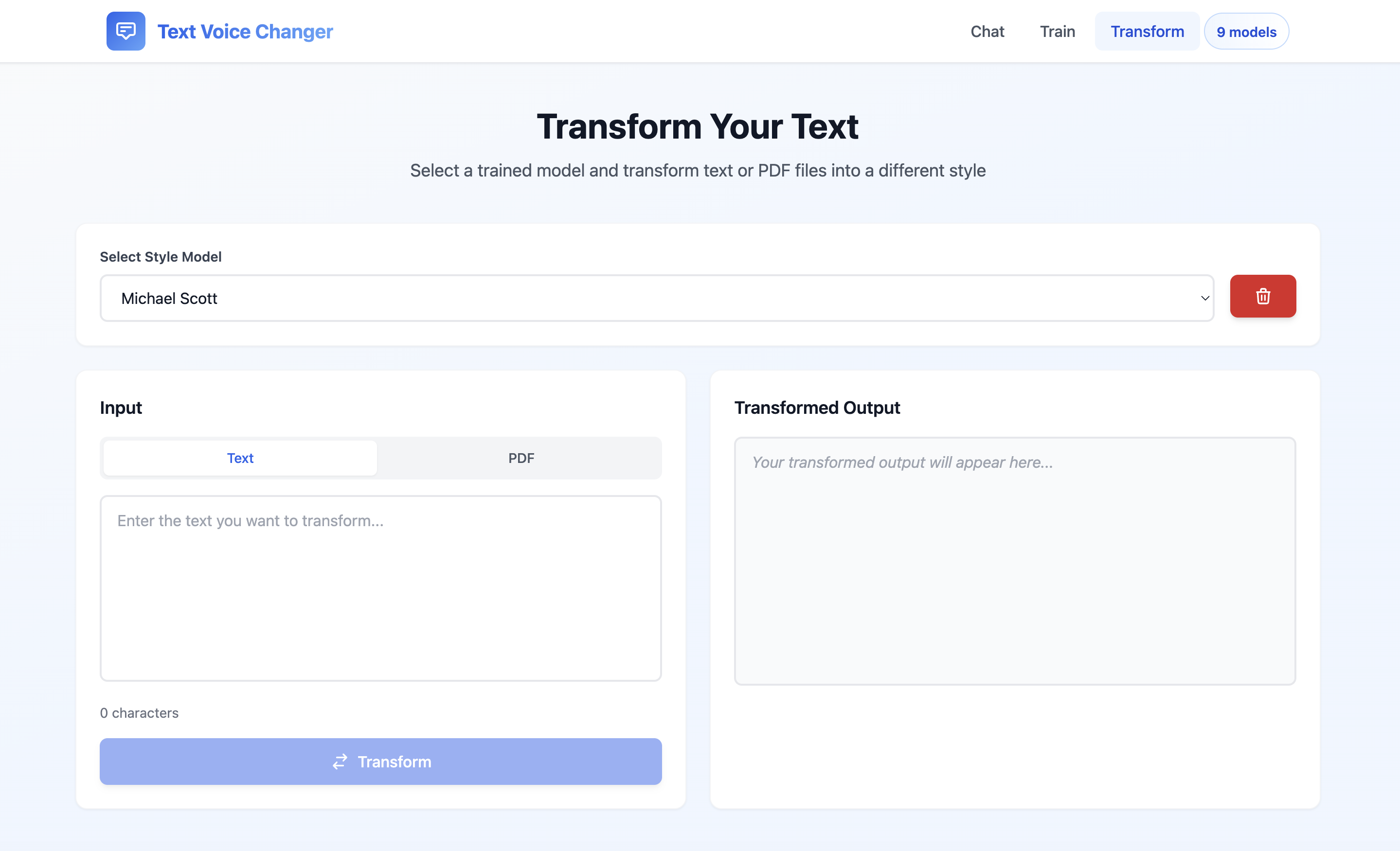
Apply Transformation
-
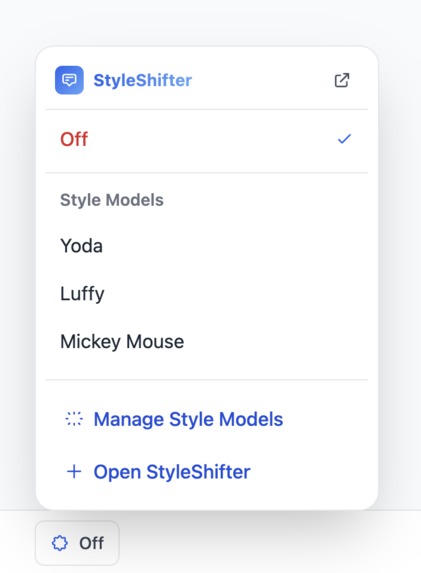
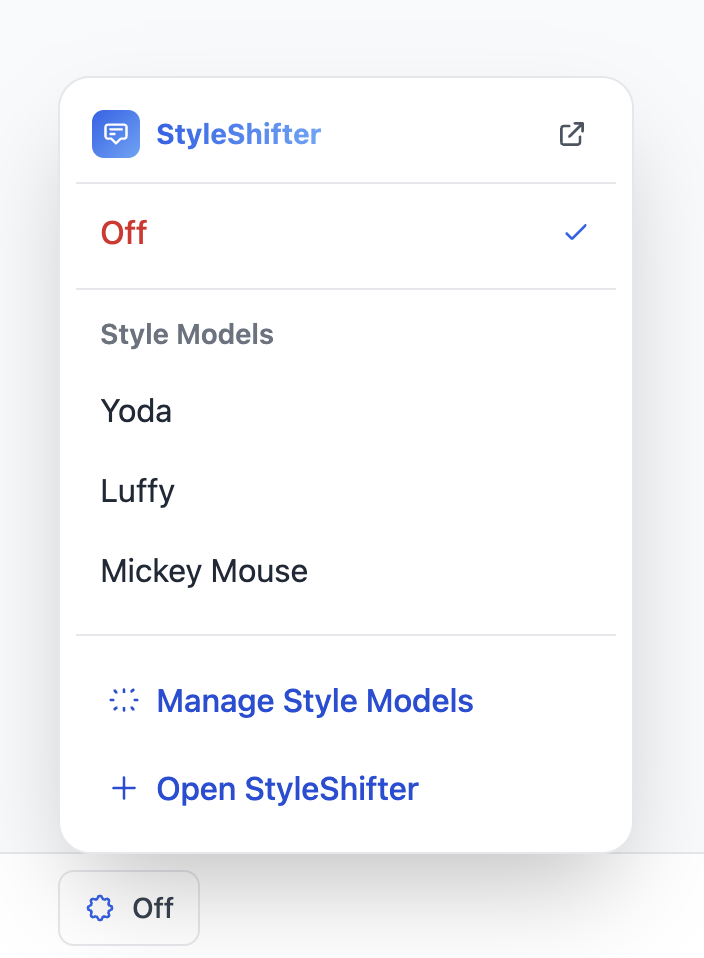
Select Style model
-
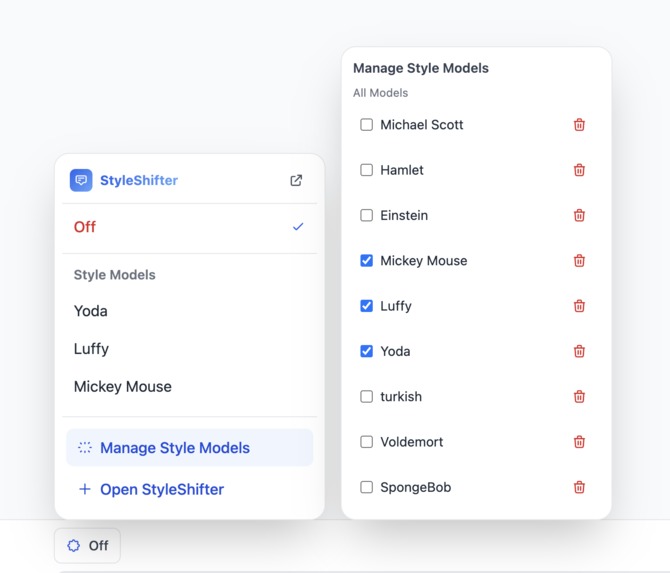
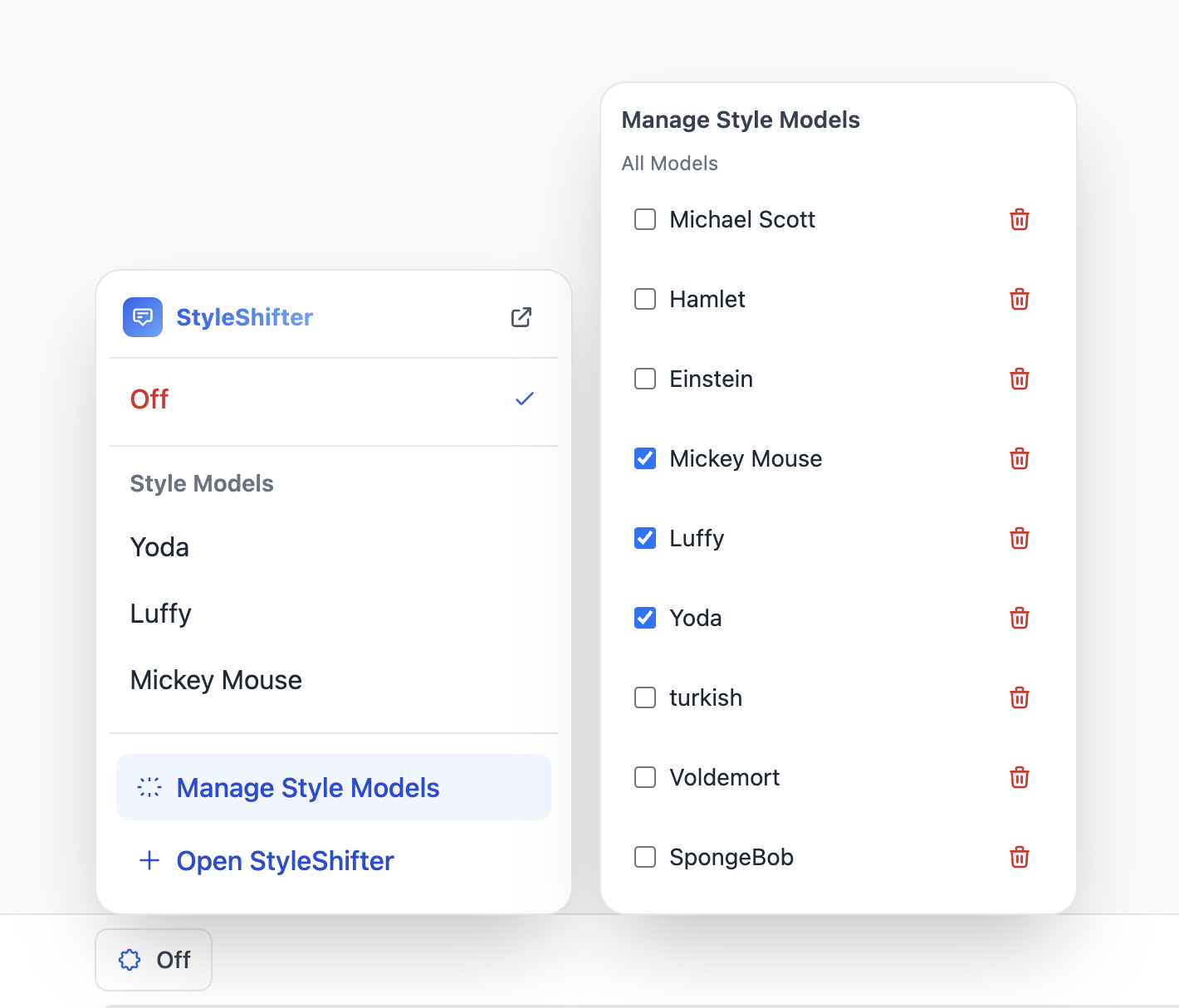
Manage your model panel
-
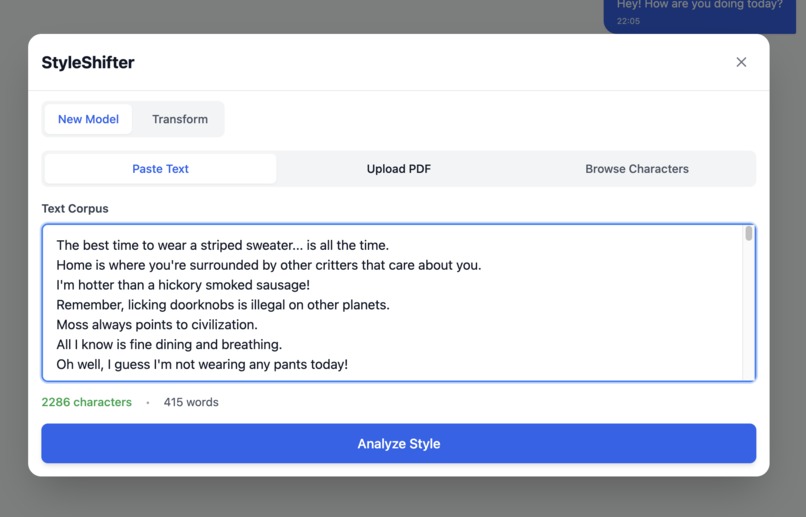
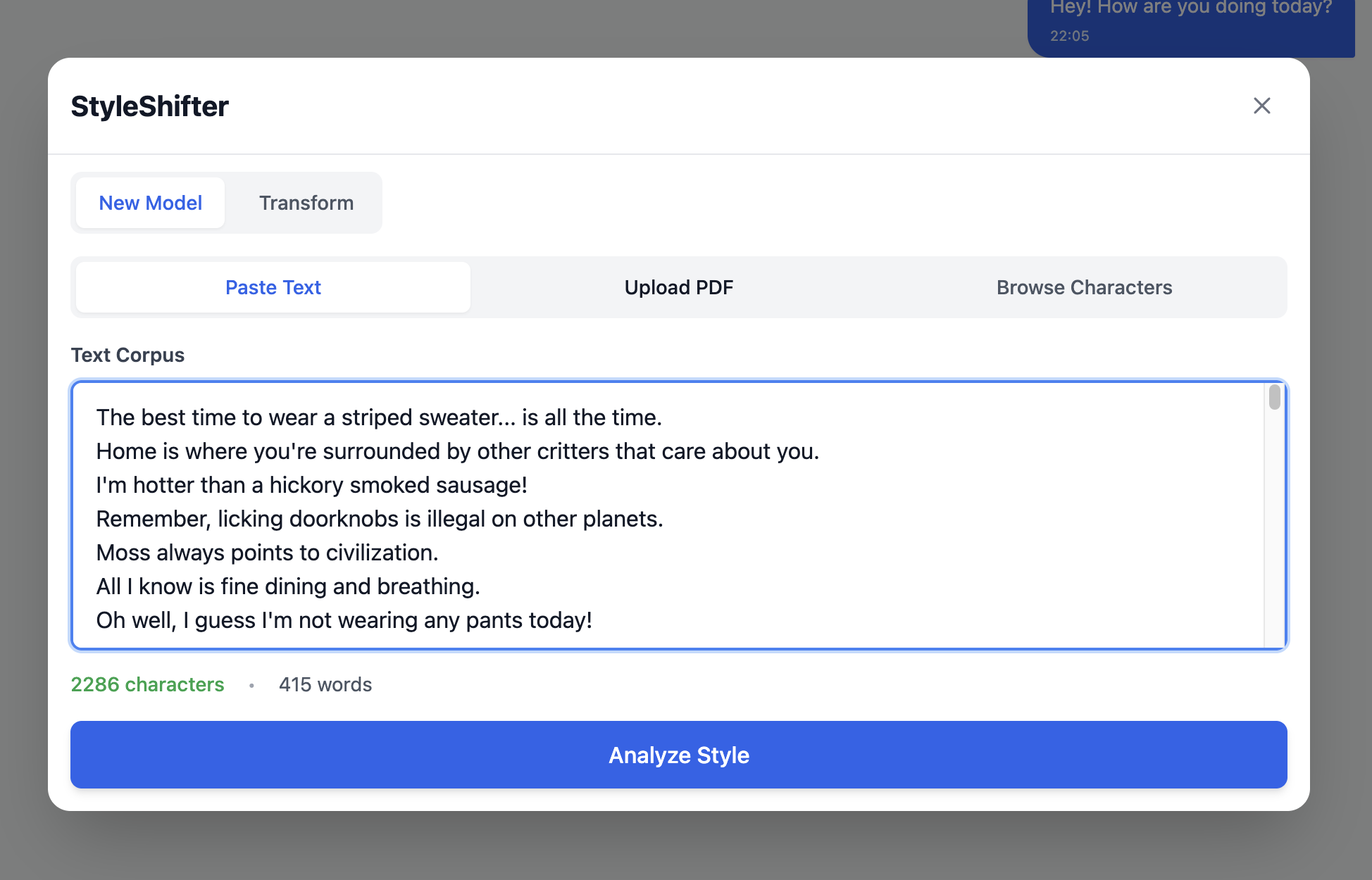
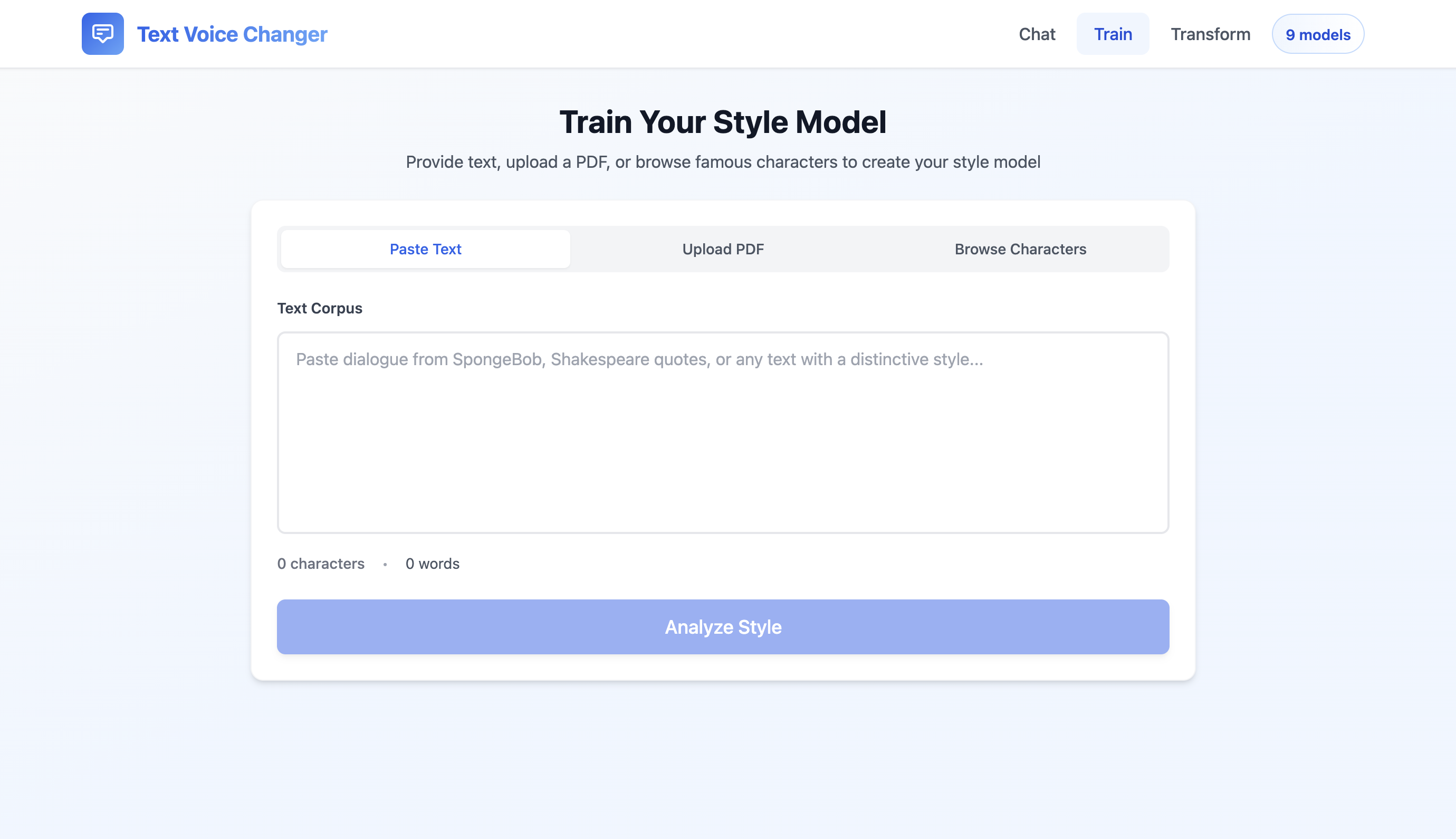
Train Your Own Model using text/pdf input
-
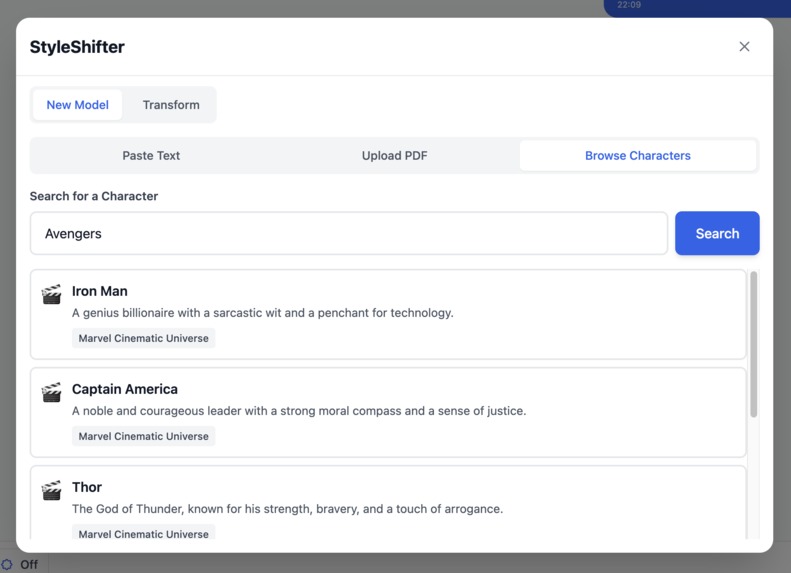
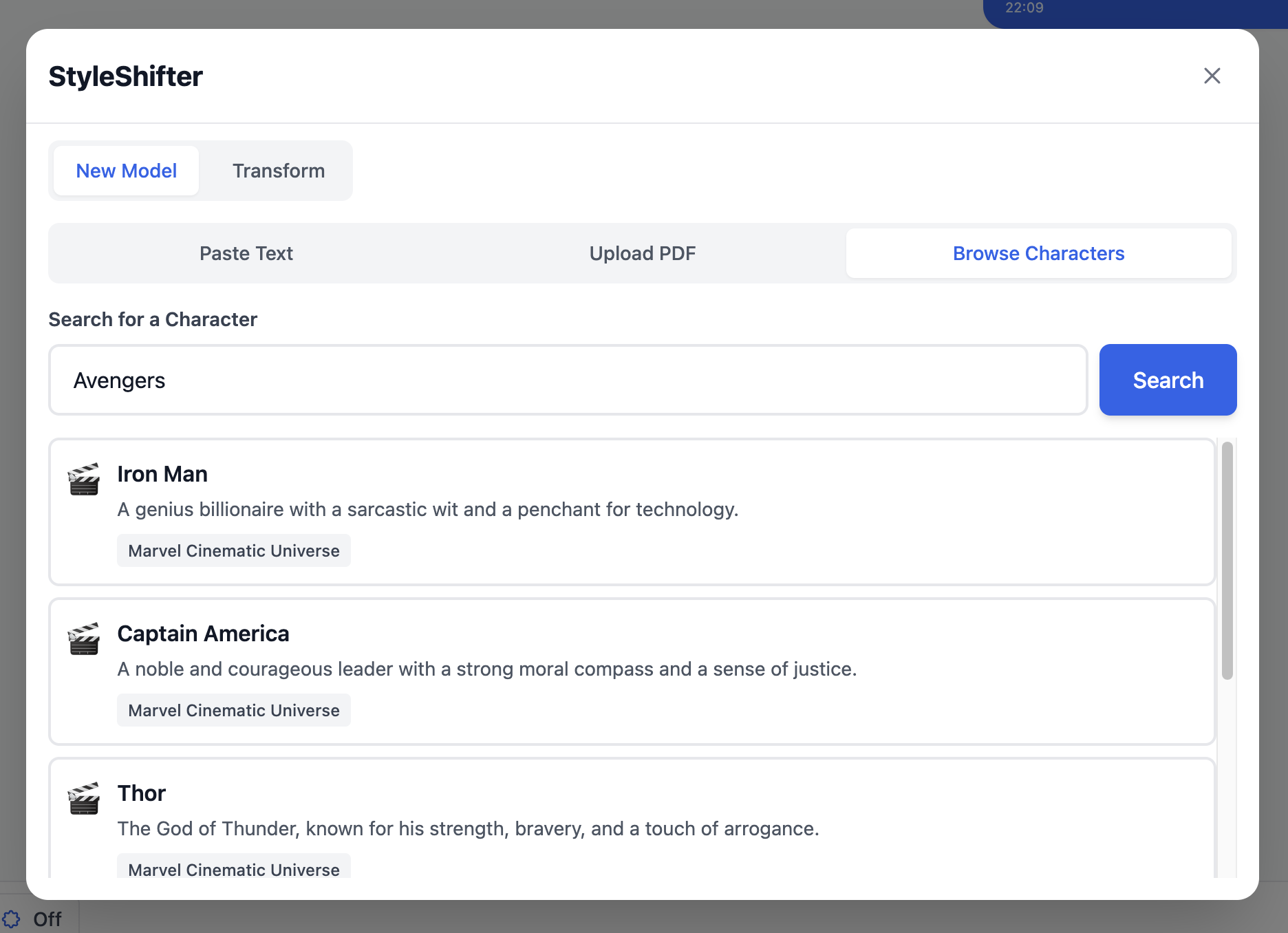
Browse Characters to create model
-
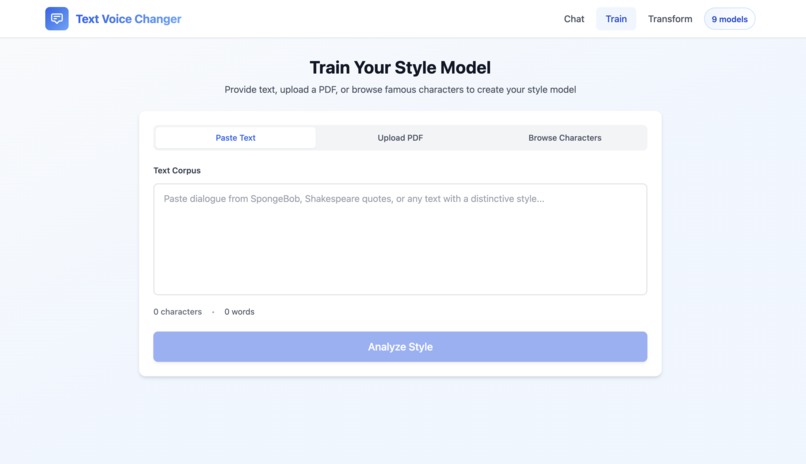
Webpage Training
-
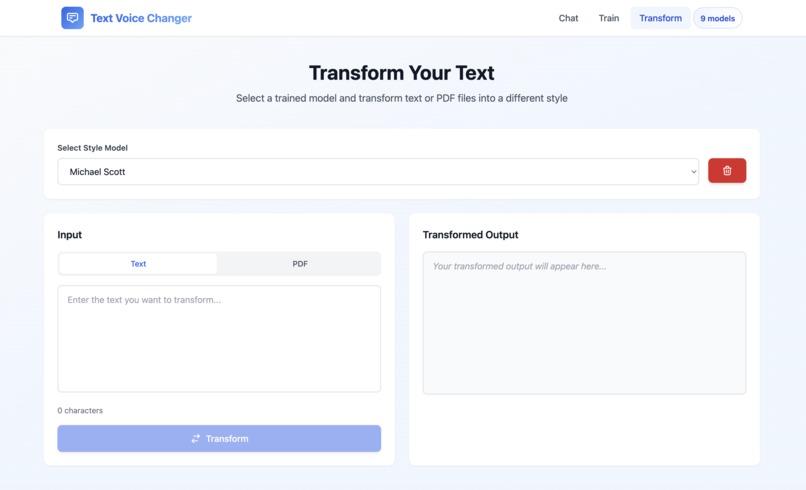
Webpage Transforming
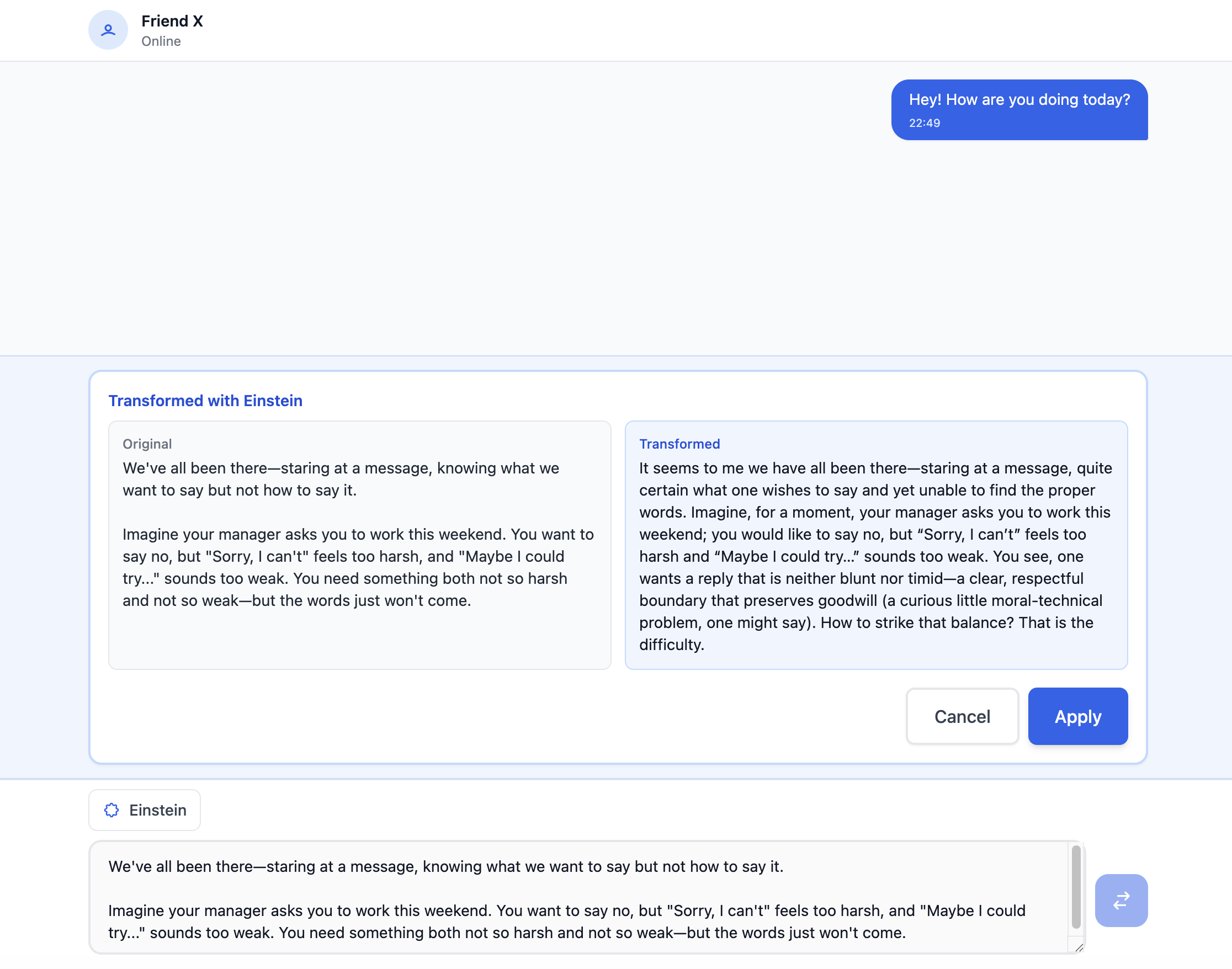
Inspiration
We've all been there—staring at a message, knowing what we want to say but not how to say it.
Imagine your manager asks you to work this weekend. You want to say no, but "Sorry, I can't" feels too harsh, and "Maybe I could try..." sounds too weak. You need something both not so harsh and not so weak—but the words just won't come. Especially if you're not a native speaker, it can feel like your language doesn’t quite match what you really want to express.
One more scenario: your friend is going through a tough time. You want to comfort them, but "Are you ok?" feels cold and robotic. You know there's a warmer, more empathetic way to reach out—you just can't figure it out in the moment because that's not your style.
Whether you're a people-pleaser struggling to set boundaries, a professional needing to sound more assertive, or someone trying to offer genuine comfort without the awkwardness, communication anxiety is real.
What if you had a personal AI style model that could transform your words into the tone you wish came naturally?
What it does
Style Shifter is an AI-powered text transformer that helps users instantly convert their messages into their desired communication style, eliminating the anxiety of not knowing how to phrase messages. The system learns and mimics communication styles based on provided text samples.
One-click training, model selection, user input, style transformation—seamlessly
Core Features:
Custom Style Model Training: Upload the text samples with the style you desired (professional, positive, empathetic) to train a highly customized language style model.
Celebrity/Public Figure Style Models: Search for any public figure or communicator you admire. Style Shifter automatically collects their communication samples and generates a model that captures their distinctive style—such as SpongeBob's cheerful optimism, Einstein's thoughtful clarity, or Dante's poetic eloquence.
Personalized Learning Assistant: Train a model on your own writing style and use it to translate complex content (research papers, legal documents, technical manuals) into your personal language style—making learning feel like teaching yourself.
How we built it
Backend: We used Python FastAPI with OpenAI GPT-5-mini for the core style analysis and transformation, and GPT-4o-mini to power the character search feature.
Frontend: The UI was built with React 19 + Vite + TailwindCSS, featuring a clean drag-and-drop interface.
Architecture: We designed a two-stage system: a StyleLearner analyzes the desired style, and a StyleActor performs the text transformation.
Storage: Trained models are saved as lightweight Markdown files with YAML frontmatter.
Key features: We implemented three training methods (text paste, PDF upload, and character search), a chat interface with modal popups, a transform preview, and drag-and-drop functionality for pinned models.
Challenges we ran into
GPT-5 API migration: We had to quickly adapt our code when switching from the
chat.completionsto the newresponsesAPI format.OpenAI SDK compatibility: Upgrading from an older version of the SDK broke existing code and required significant refactoring.
Drag-and-drop logic: Our initial logic for swapping models was too complex. We had to simplify the feature to focus on clear "swap" and "replace" cases.
Modal alignment: It was surprisingly difficult to get the output text boxes to align perfectly with the input areas using flexbox.
Copyright concerns: We wanted to offer character-based training but needed a way to do it without storing or training on actual copyrighted text.
Accomplishments that we're proud of
Novel training approach: We solved the copyright challenge by using the LLM's existing knowledge of a character to generate the style model. This requires no corpus and avoids copyright issues entirely.
Intuitive UX: We're very proud of the clean modal design, the simple drag-and-drop for pinned models, and the helpful inline transform preview.
Three input methods: We successfully integrated text paste, PDF upload, and character search into a single, seamless training workflow.
Optimized layouts: We built responsive designs that gracefully adapt to different content lengths while maintaining perfect alignment.
What we learned
The detailed structure of the new GPT-5 Responses API and how to migrate from older OpenAI SDKs.
Advanced React state management techniques to handle nested modals and complex user interactions.
The nuances of the HTML5 drag-and-drop API, especially how to control event propagation (
stopPropagation).Advanced Tailwind CSS techniques for flexbox and grid alignment (like
flex-1andspace-y).Practical methods for PDF text extraction and generation in Python.
A great deal about LLM prompt engineering to analyze style purely from high-level character descriptions.
What's next for Style Shifter
Style Shifter's future development strategy includes the following key objectives, designed to make it much convenient for users to use and enhance the performance of style model training:
Messaging App Integration: Integrate with popular messaging apps (WhatsApp, Slack, iMessage, Discord) so users can transform messages in real-time without leaving their conversations.
Chrome Extension Development: Develop a Chrome extension that transforms web content into users' preferred styles—making articles, documentation, and online content instantly more accessible and personalized.
Advanced Model Optimization: Refine and optimize the style training prompts to better capture nuanced communication preferences Implement adaptive learning that improves trained style accuracy based on user feedback and usage patterns
Enhanced User Experience: Continue optimizing the UI/UX design to create a more intuitive and seamless user experience across all platforms.
Built With
- claudecode
- codex
- python


Log in or sign up for Devpost to join the conversation.