Inspiration
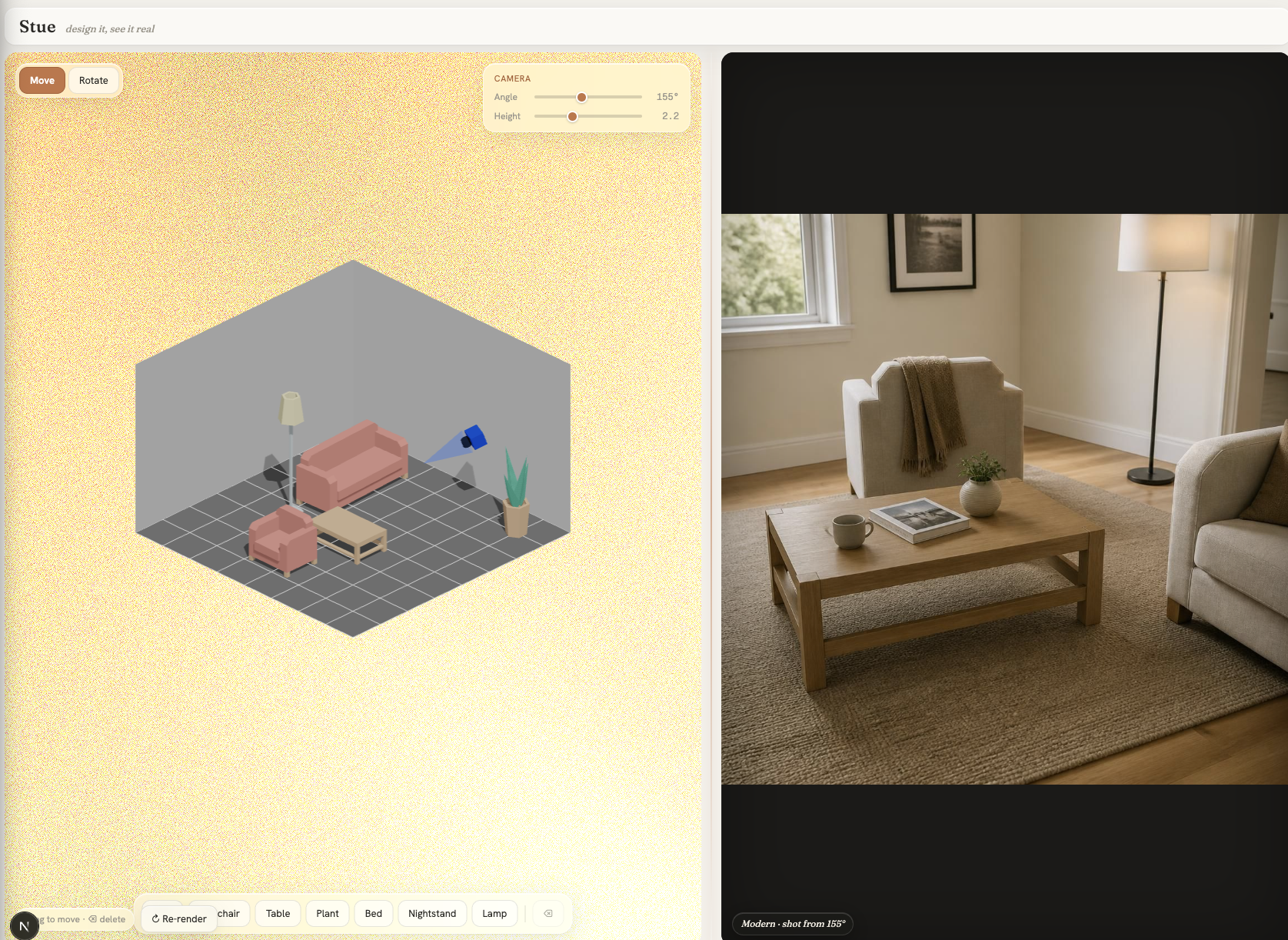
Anyone who's used a furniture planner knows the gap: you drag boxes around a flat, toy-looking 3D room and then have to imagine what it actually looks like. IKEA's own tools live on either side of this gap — a stylized planner that's easy but unreal, and Kreativ, which is photoreal but needs you to scan a real room first. We wanted the middle: design from scratch in a simple planner and instantly see a photograph of that exact room. A photoreal skin over the planner.
What it does
How we built it
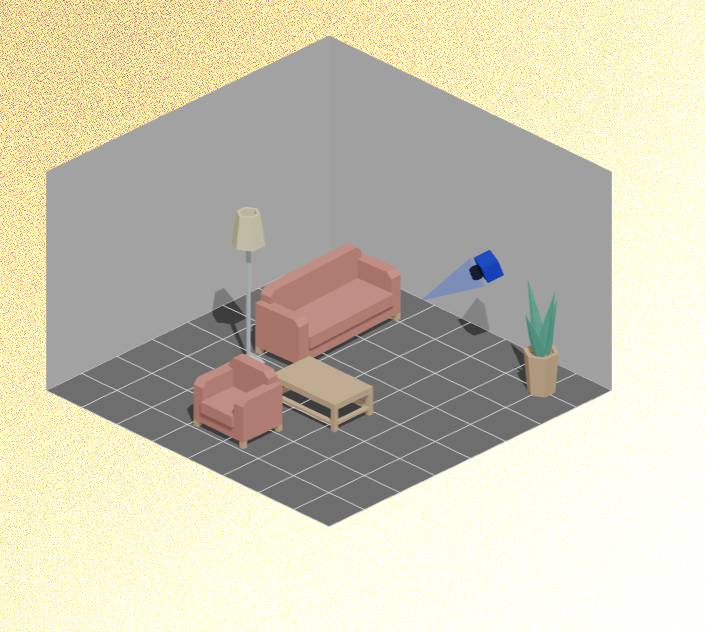
You arrange furniture in a clean 3D room and place a camera that orbits the space. The moment you stop moving, Stue captures that viewpoint and renders a photorealistic photo of your room — real materials, natural light, lived-in detail — from the angle you chose. Move a sofa, raise the camera, swap the layout, and the photo re-renders to match. It's "design it, see it real."
Challenges we ran into
- Generative models normalize. GPT Image 2 loves to "tidy" a layout — clustering furniture, re-orienting sofas, even adding an off-camera plant it read from the text. We fixed this with named-position prompts, count-anchoring, and camera-frustum visibility (describe only what the camera sees) — the single biggest quality jump.
- The image beats the prompt. We learned the reference image is a far stronger signal than the text, so we swapped blocky stand-ins for real furniture models and made the camera's view be the render's view.
- Latency (~25–30s) isn't sub-second, so we designed around it: instant 3D manipulation, loading-over-last-good, abort-and-restart, and a deliberate "move → reveal" rhythm.
- Keeping it honest. Making the room float on an animated gradient without polluting the model's reference took a clean-backdrop trick at capture time.
Accomplishments that we're proud of
- It actually works, live. Stue is deployed and gated — a real photo of your room in ~25s, not a scripted slideware demo.
- We beat the hallucinations. The camera-frustum visibility + count-anchoring fix turned unreliable, "tidied-up" outputs into faithful renders — the difference between a toy and a tool.
- A complete product, not just a pipeline. A full design system on top of the core loop — the "Stue" liquid-glass UI, a living gradient the room floats on, a placeable orbit camera, and loading-over-last-good so the panel never blanks.
- We turned a model limitation into a product insight. "Only describe what the camera sees" fixed a whole class of hallucinations that no amount of prompt-tweaking could — instead of giving up on fidelity.
What we learned
- In image editing, what you show matters more than what you say — align the reference and the prompt or the model invents the difference.
- "Real-time" can mean responsive interaction + a deliberate reveal, not sub-second frames.
- A small product insight (only describe what the camera frames) fixed a whole class of hallucinations that more prompt-engineering never could.
What's next for Stue
- Structural conditioning (depth/edge) for pixel-exact fidelity.
- Editable room shape, multiple design styles, and per-surface "what-ifs" (change the floor only).
- Real catalog integration so every rendered piece is a product you can buy.
Built With
- css-backdrop-filter
- drei
- fraunces
- glsl
- javascript
- kenney-furniture-kit
- next.js
- node.js
- openai-gpt-image-2
- react
- react-three-fiber
- shadergradient
- three.js
- typescript
- vercel

Log in or sign up for Devpost to join the conversation.