-
-
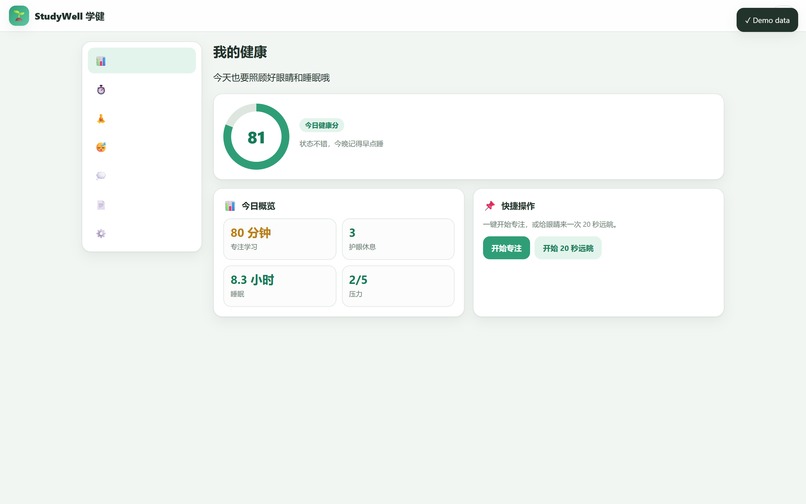
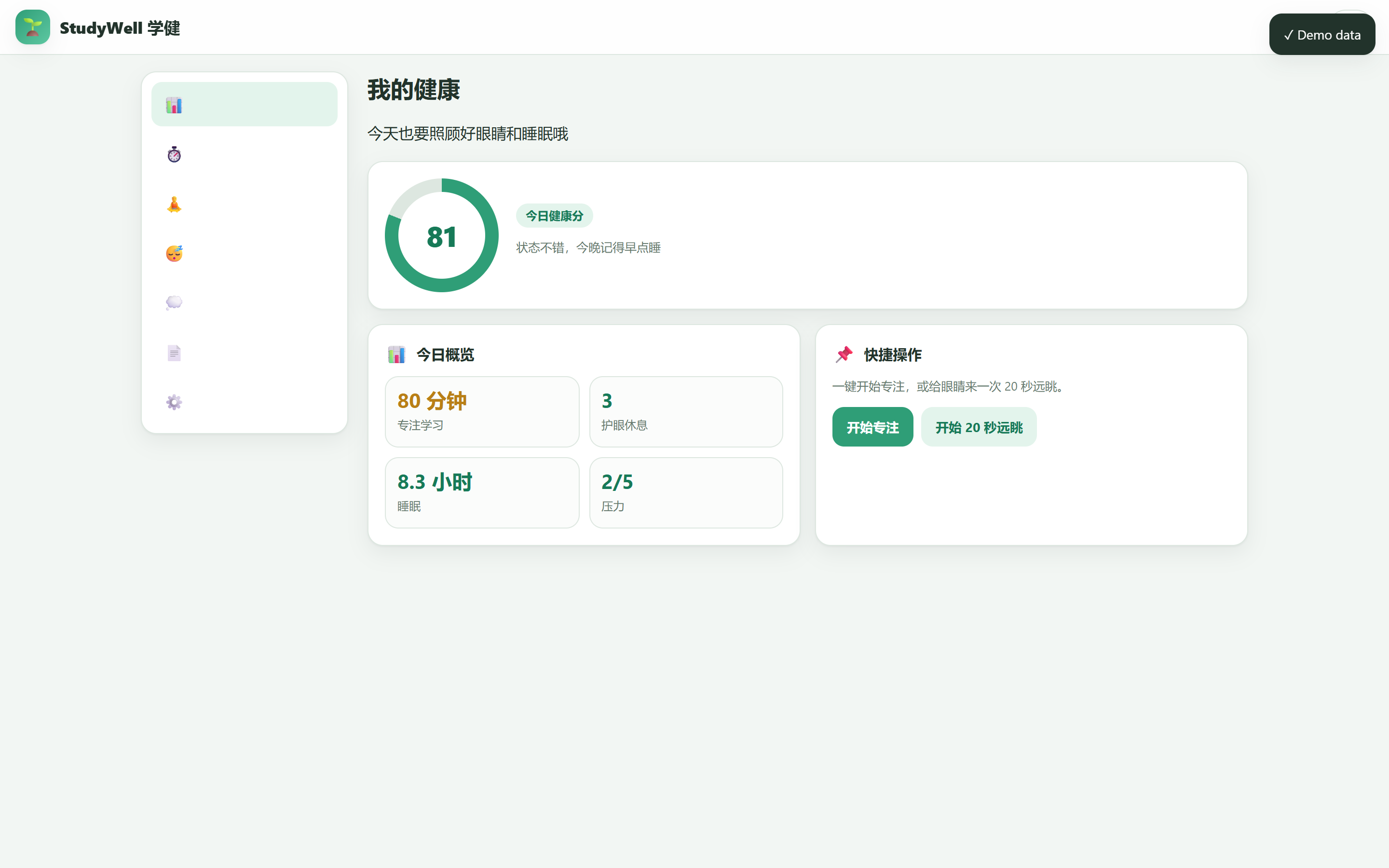
Home dashboard in Chinese showing the daily health score with focus, eye breaks, sleep and stress cards.
-
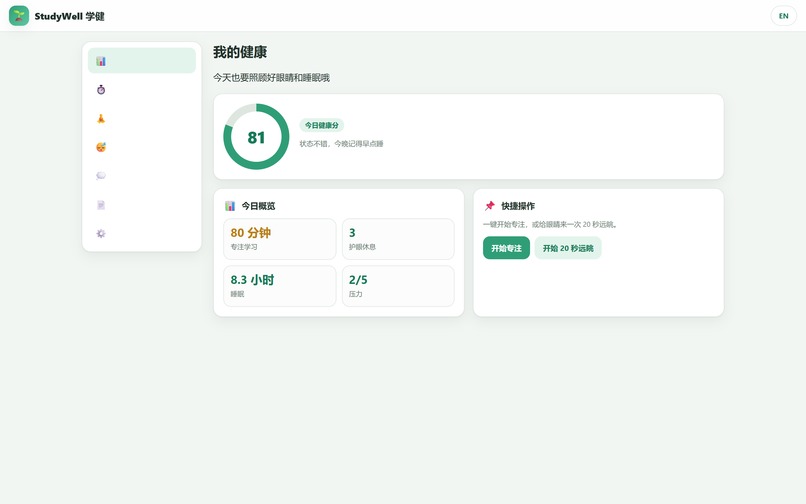
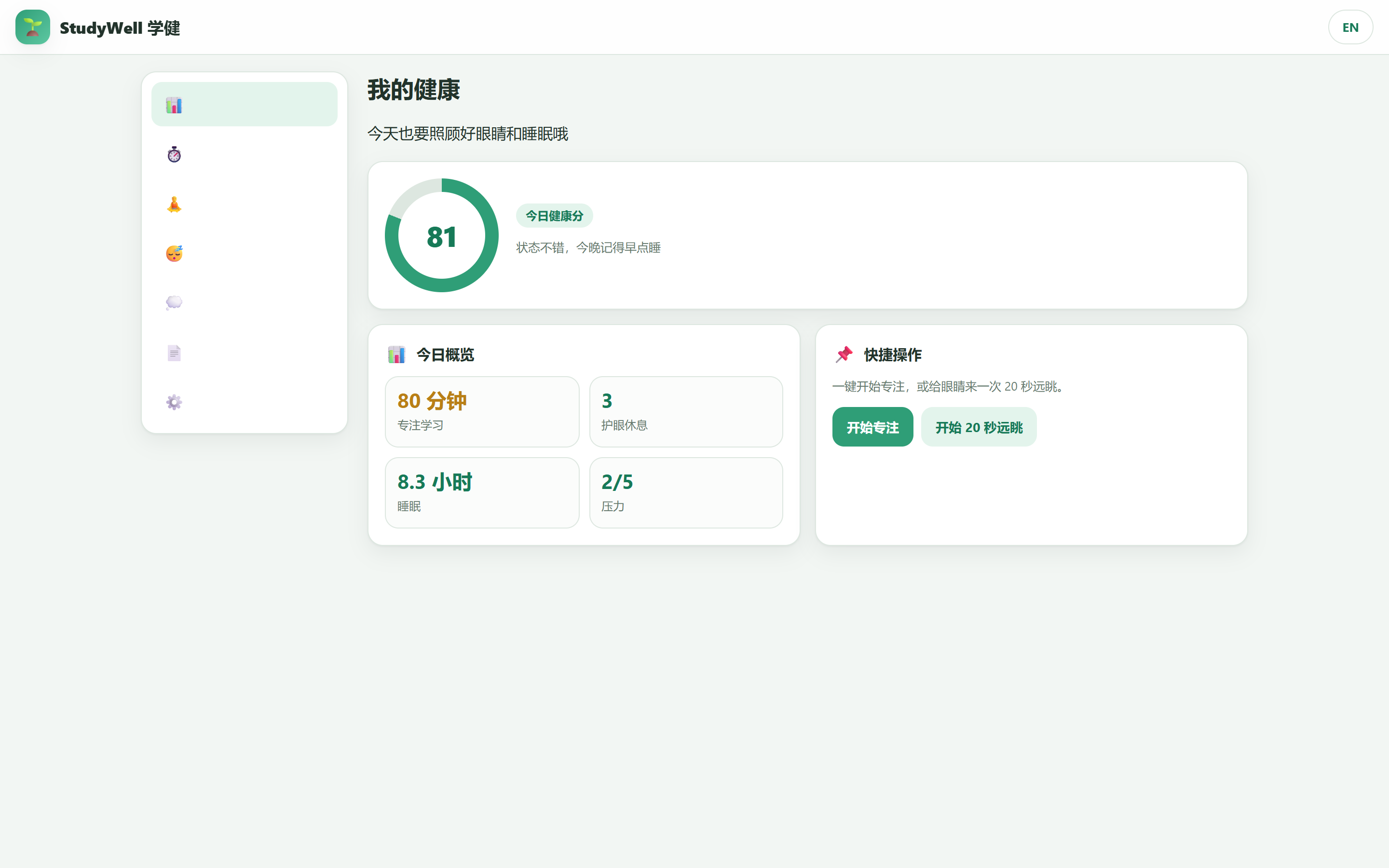
Chinese dashboard after loading 7 days of demo data - score ring, quick actions and live daily stats.
-
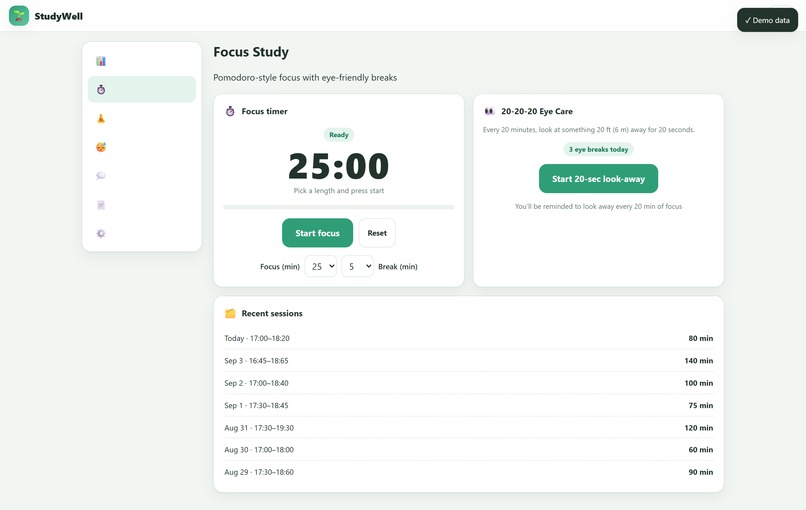
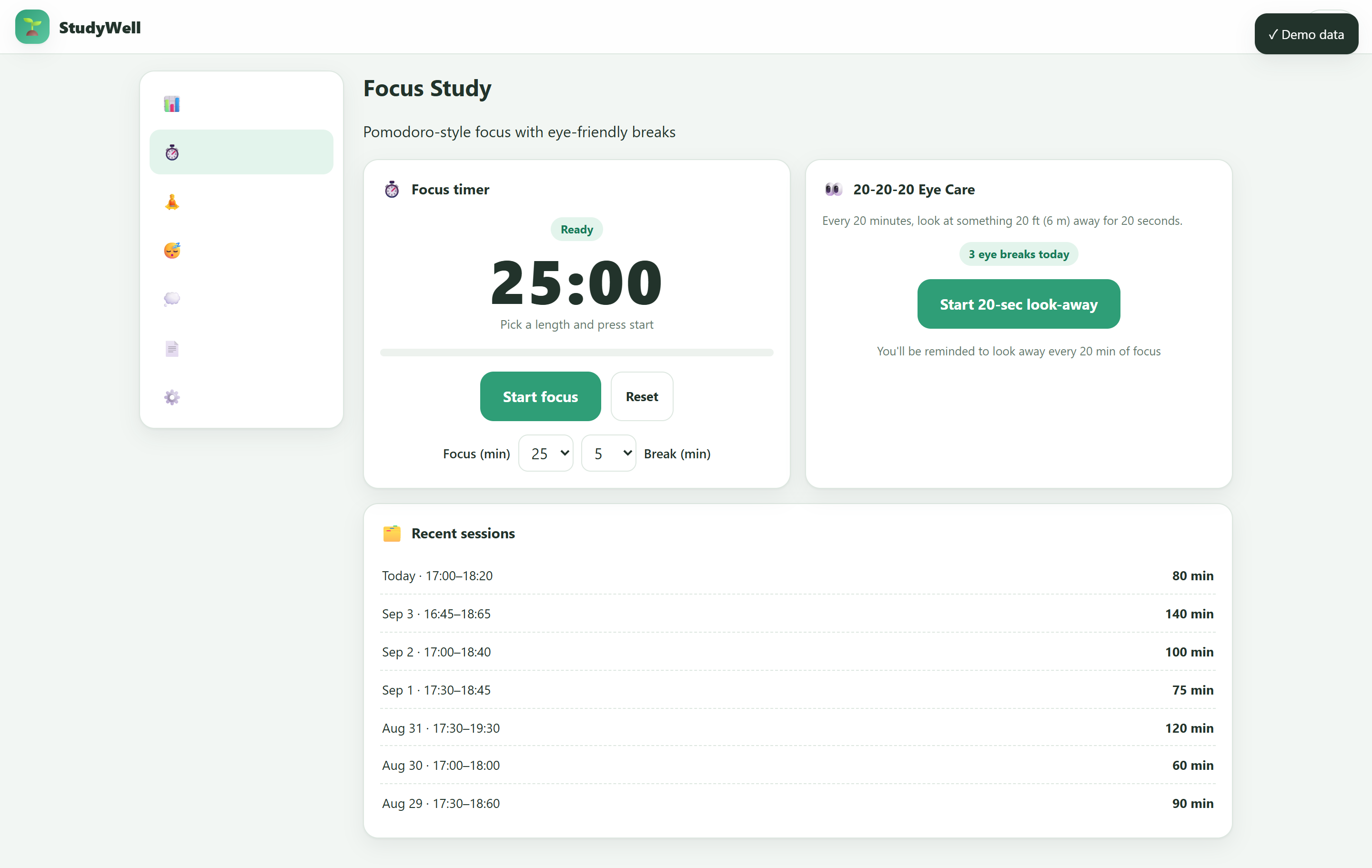
English focus view: pomodoro timer, focus/break selectors and the 20-20-20 eye-care panel with guided 20-second rest.
-
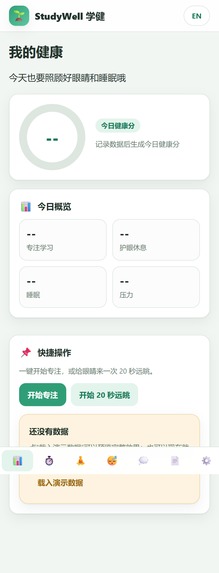
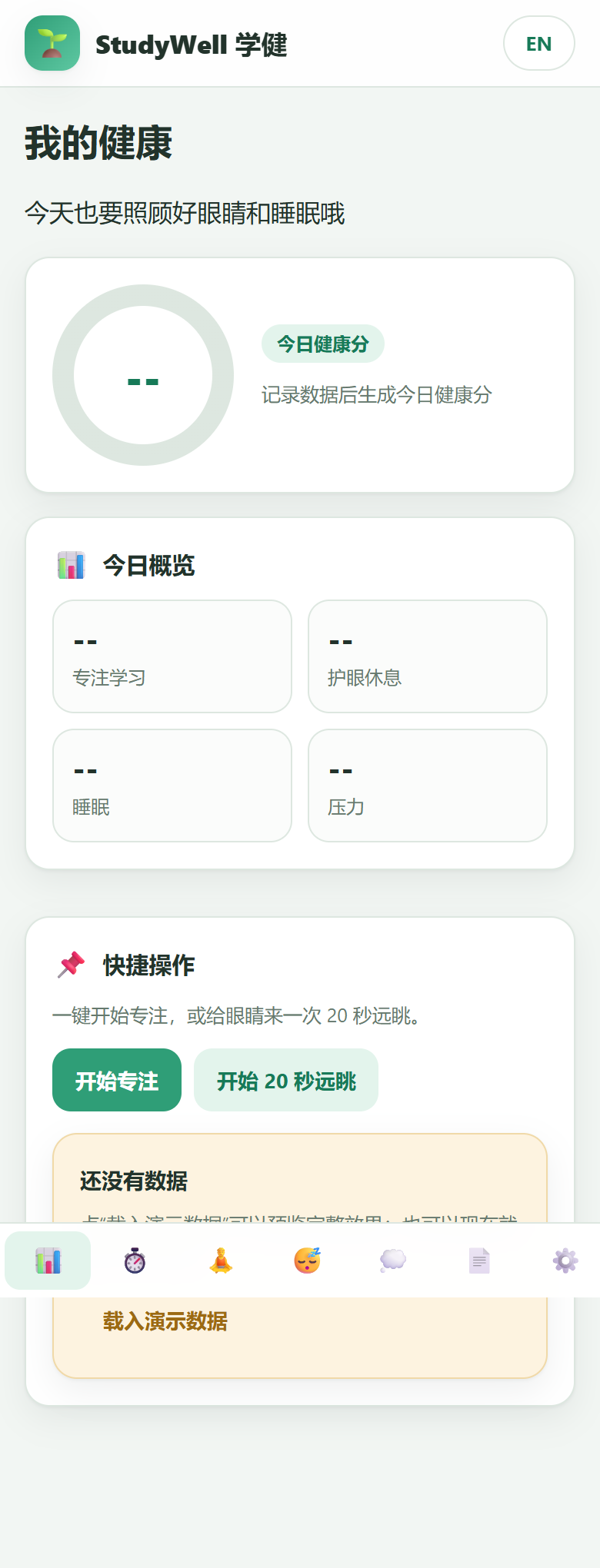
375px mobile layout with bottom navigation - the dashboard scales cleanly to phones for students on the go.
-
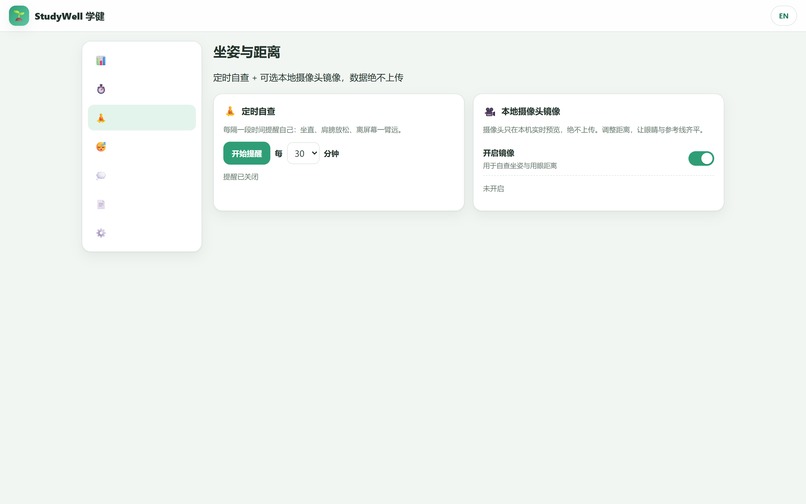
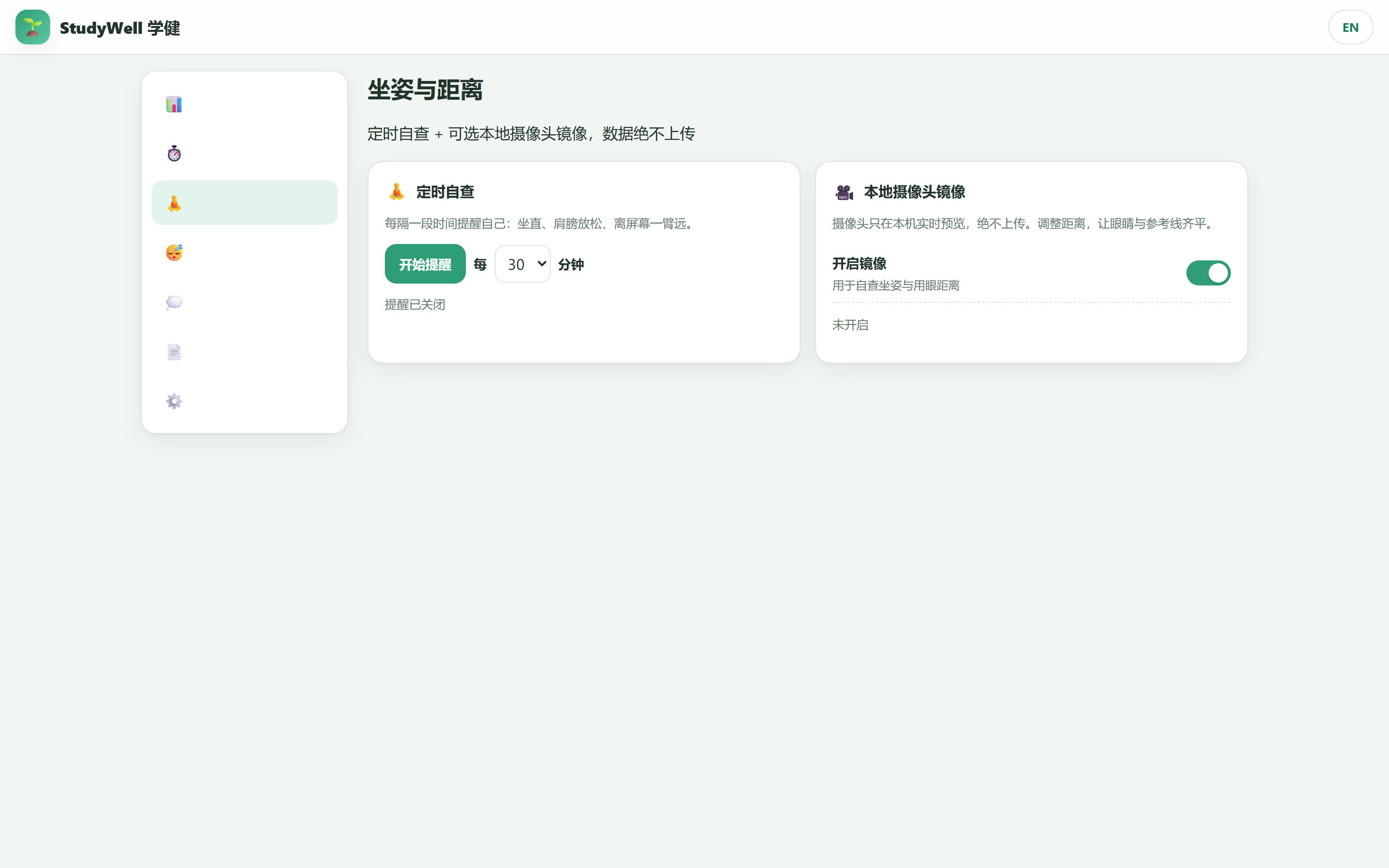
Posture page: timed self-check reminders plus an optional local-only camera mirror with an eye-distance guide line.
-
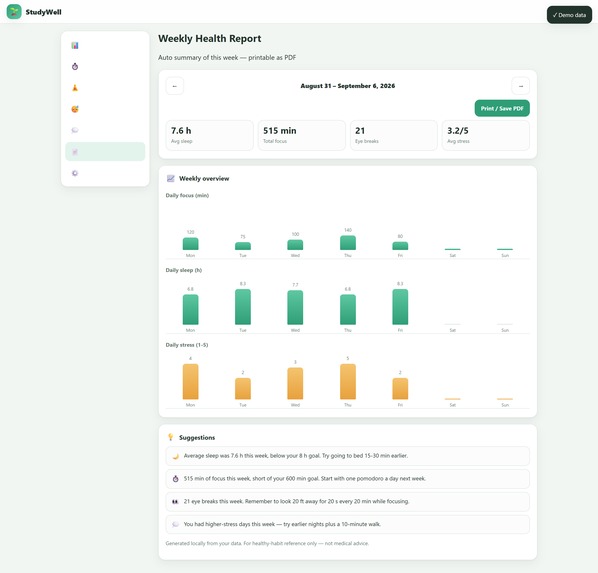
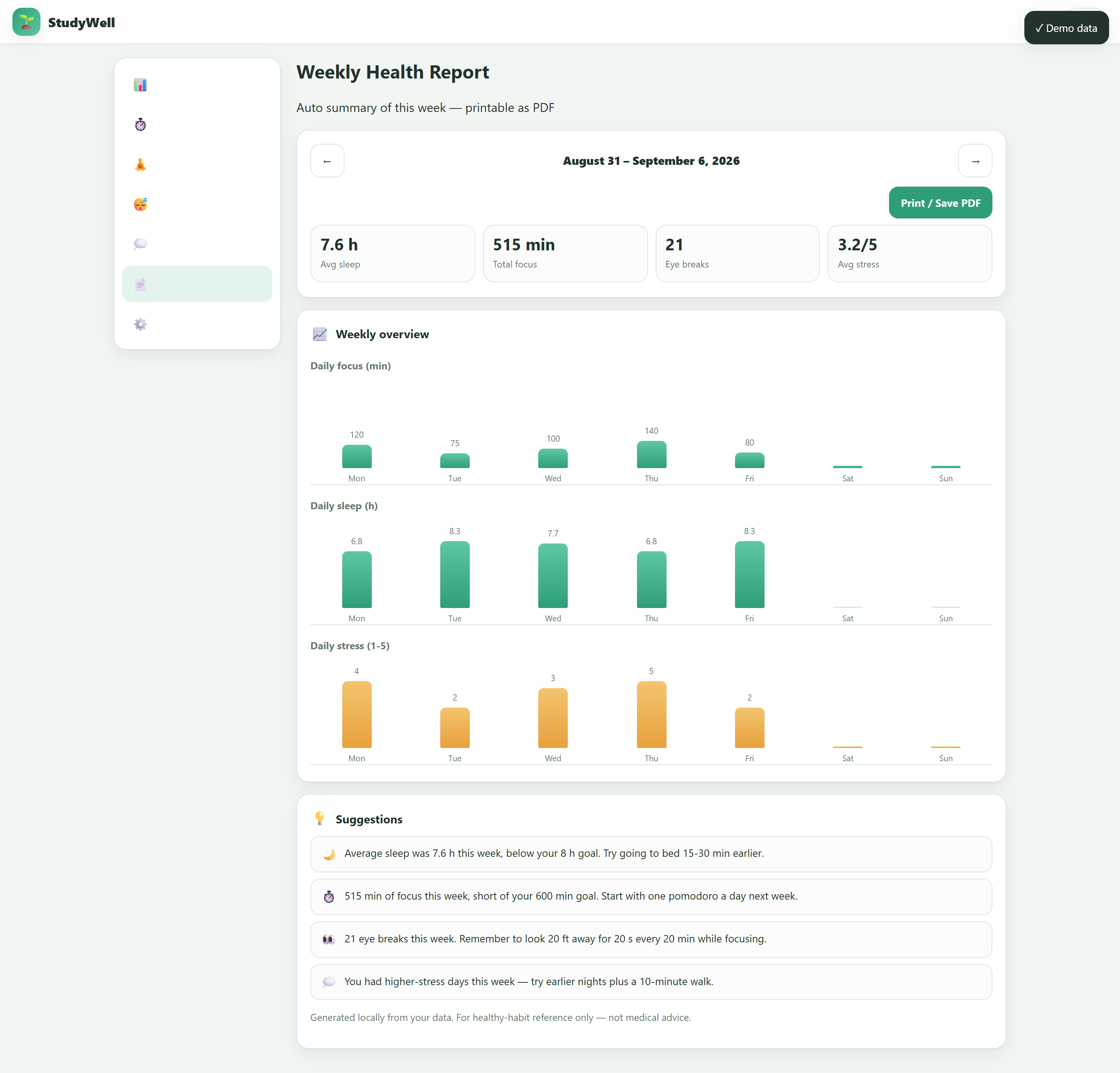
English weekly report with per-day charts for focus, sleep and stress, auto suggestions and print/Save-as-PDF button.
-
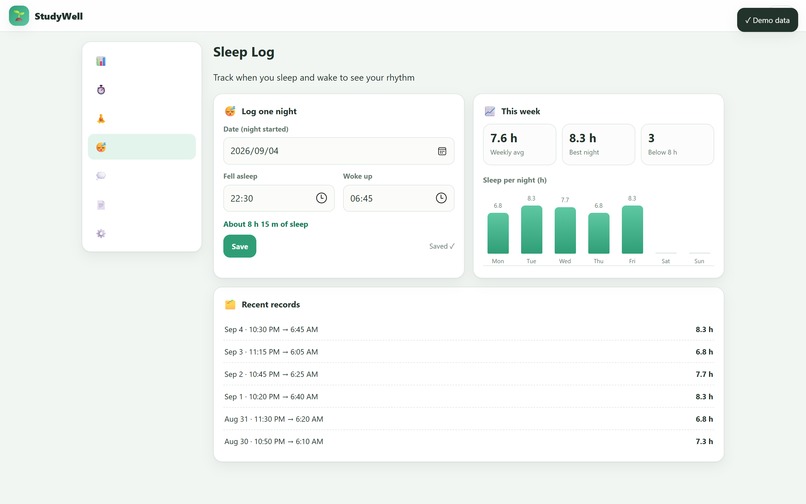
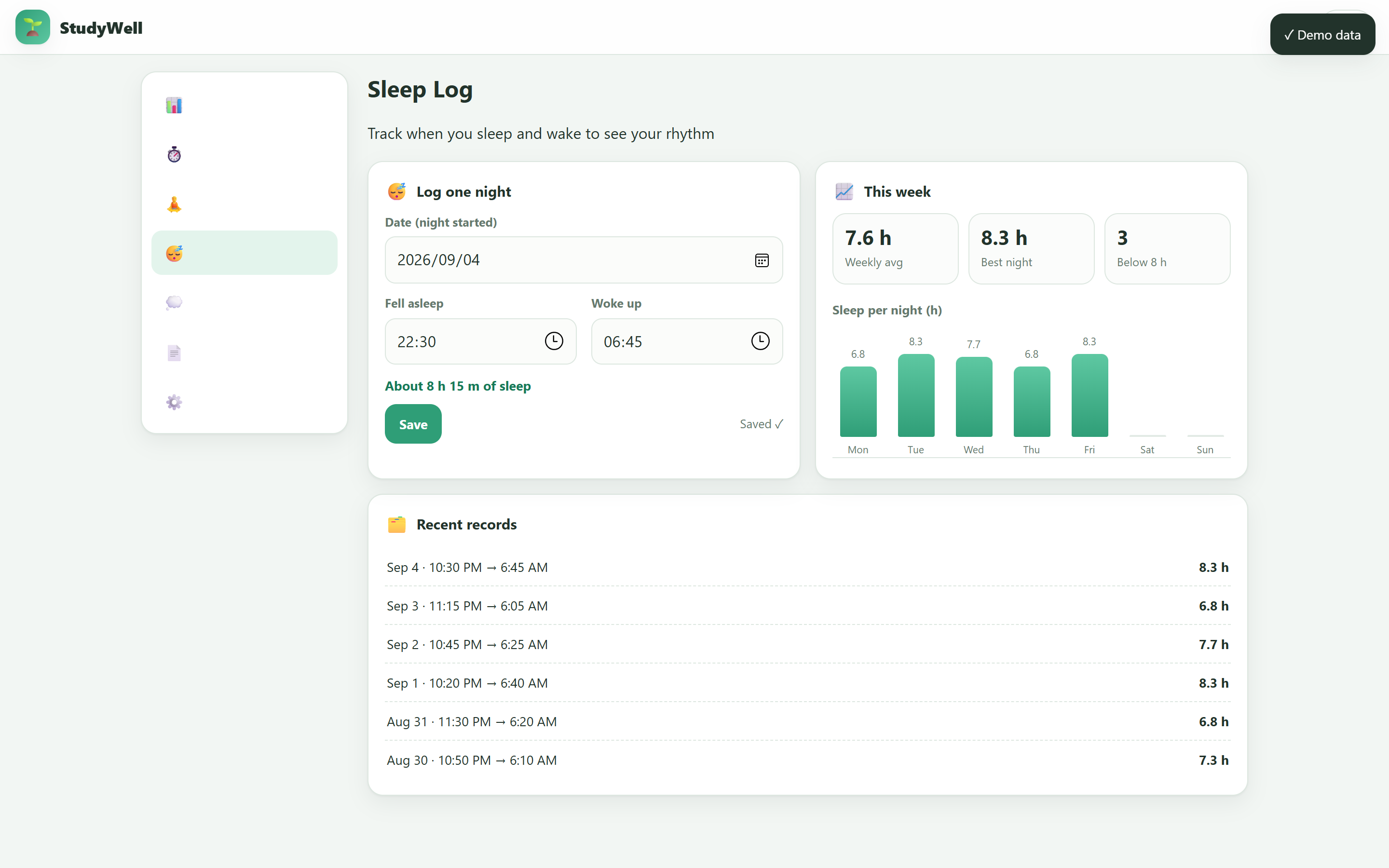
English sleep log: record bedtime and wake-up, then see weekly averages and the sleep-per-night chart.
-
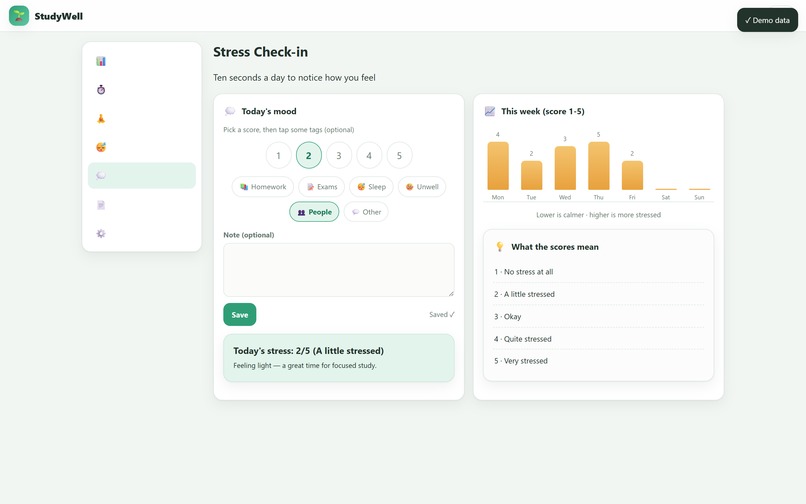
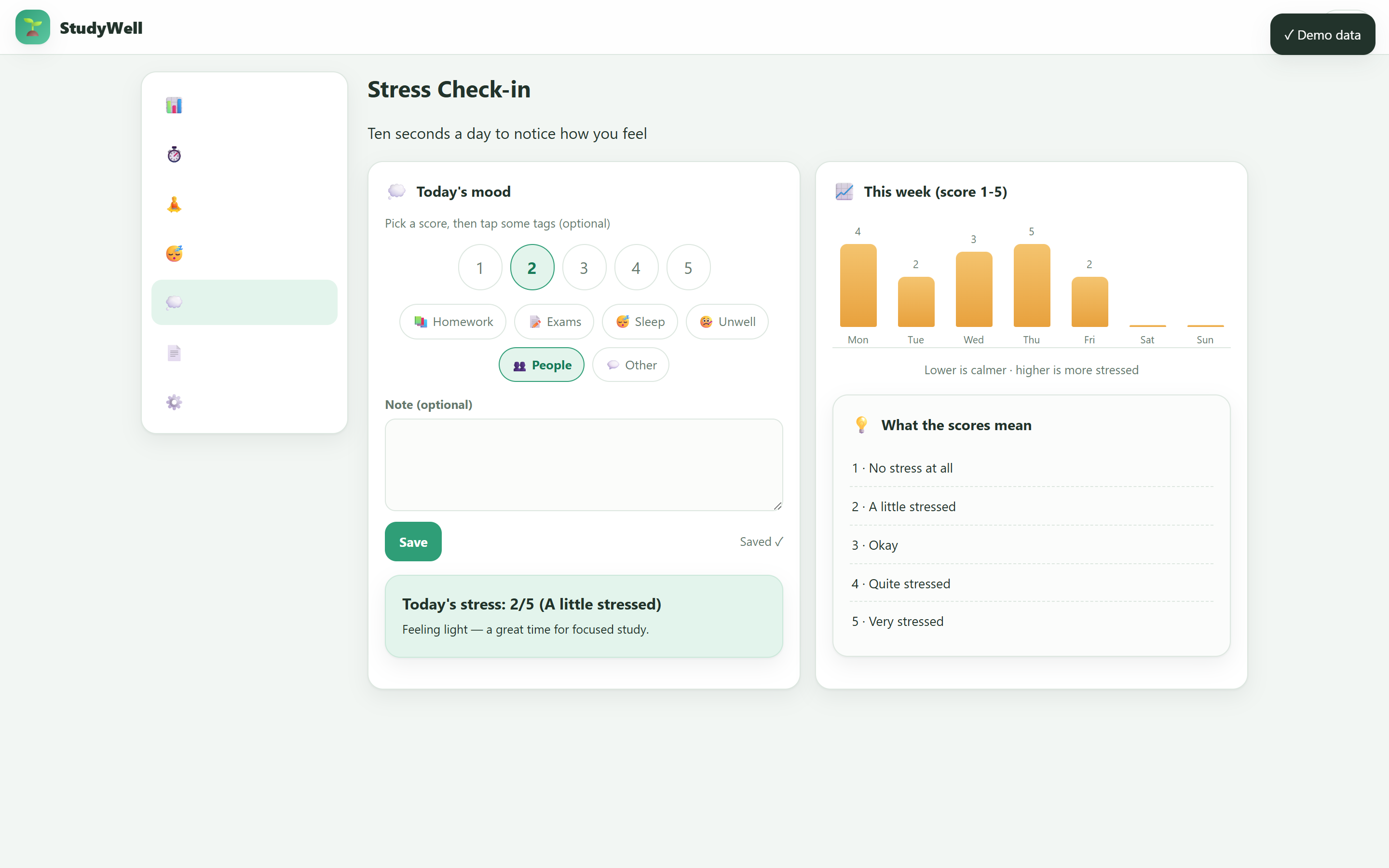
English stress check-in: 1-5 score, tags and note, weekly trend chart and score legend.
Inspiration
Middle-school students in China face a quiet health crisis: nearly 70% are myopic, most sleep less than 8 hours a night, and exam pressure is constant. Productivity apps tell them to study longer, while health apps ask for accounts and upload their data to the cloud. I wanted a tool that treats health as part of studying, not a break from it — and one that is private enough for students and parents to actually trust.
What it does
StudyWell is a single-file web app that helps students protect their eyes, sleep, and mental health while preparing for exams:
- 20-20-20 eye care — every 20 minutes of focus, a reminder to look 20 feet away for 20 seconds
- Pomodoro focus timer — focus/break cycles with local notifications
- Sleep log — track bedtime and wake-up, with weekly averages and charts
- Stress check-in — a daily 1–5 score with tags and notes
- Weekly health report — auto-summary with charts, suggestions, and one-click PDF export
- Full Chinese/English UI — one-click language switch
- Demo-data mode — explore the whole app in seconds
How I built it
Everything lives in one index.html using vanilla HTML/CSS/JS — no frameworks, no build step, no server. Data persists in localStorage; charts are hand-written CSS/SVG; the PDF report uses window.print() with print styles; notifications use the Notification API with Web Audio fallbacks. The optional camera mirror uses getUserMedia and only displays locally — it is never recorded or uploaded.
Challenges
I learned reliability the hard way: in an earlier hackathon, a third-party API went down and broke my whole project. So this time I set a strict rule: core features must never depend on anything outside the browser. If the camera is denied, it hides. If notifications are blocked, the app uses sounds. If storage fails, it falls back to memory. The demo can never be broken by an external outage.
The second challenge was bilingual engineering: every static label, dynamic statistic, date format, chart, and report tip had to switch between Chinese and English, while the user's own notes stay untouched. I built a unified i18n dictionary and verified both languages page by page with automated browser tests — no missing translations, no page errors.
What I learned
This was my first complete journey from design, to build, to testing, to submission materials: scoping a v1 that fits a deadline, designing graceful degradation, and testing a front-end app on real mobile and desktop viewports. Most importantly, I learned that a project's real strength is not which APIs it calls — it's how well it works when the world around it doesn't.
Health features are habit-support tools and not medical advice.
Built With
- css3
- edtech
- eye
- health-tech
- html5
- i18n
- javascript
- localstorage
- mediadevices-api
- notification-api
- print-to-pdf
- responsive-design
- vanilla-js
- web-audio-api


Log in or sign up for Devpost to join the conversation.