-
-
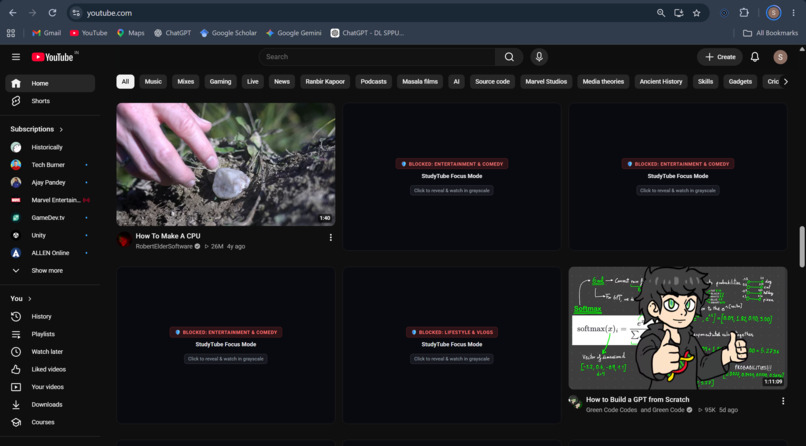
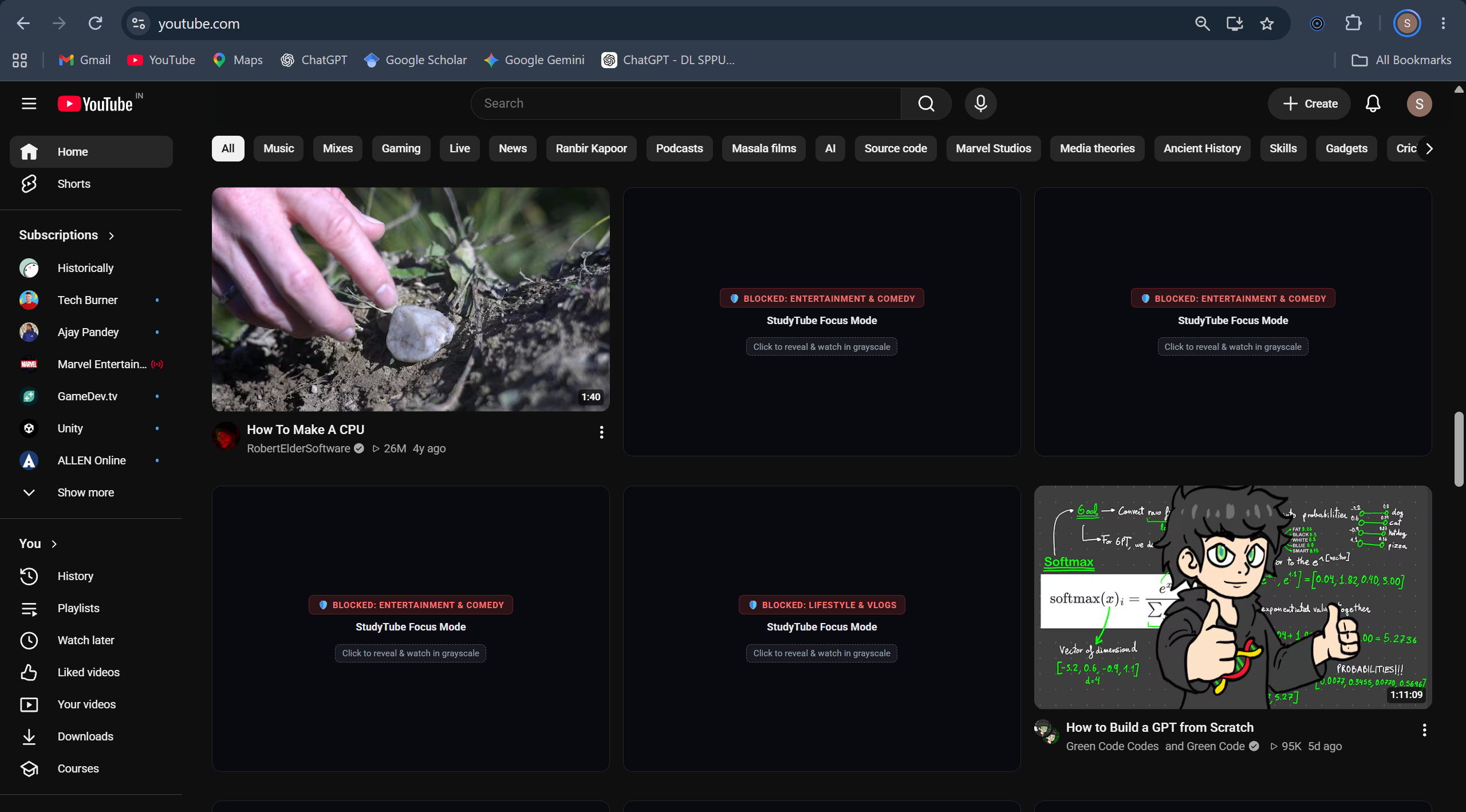
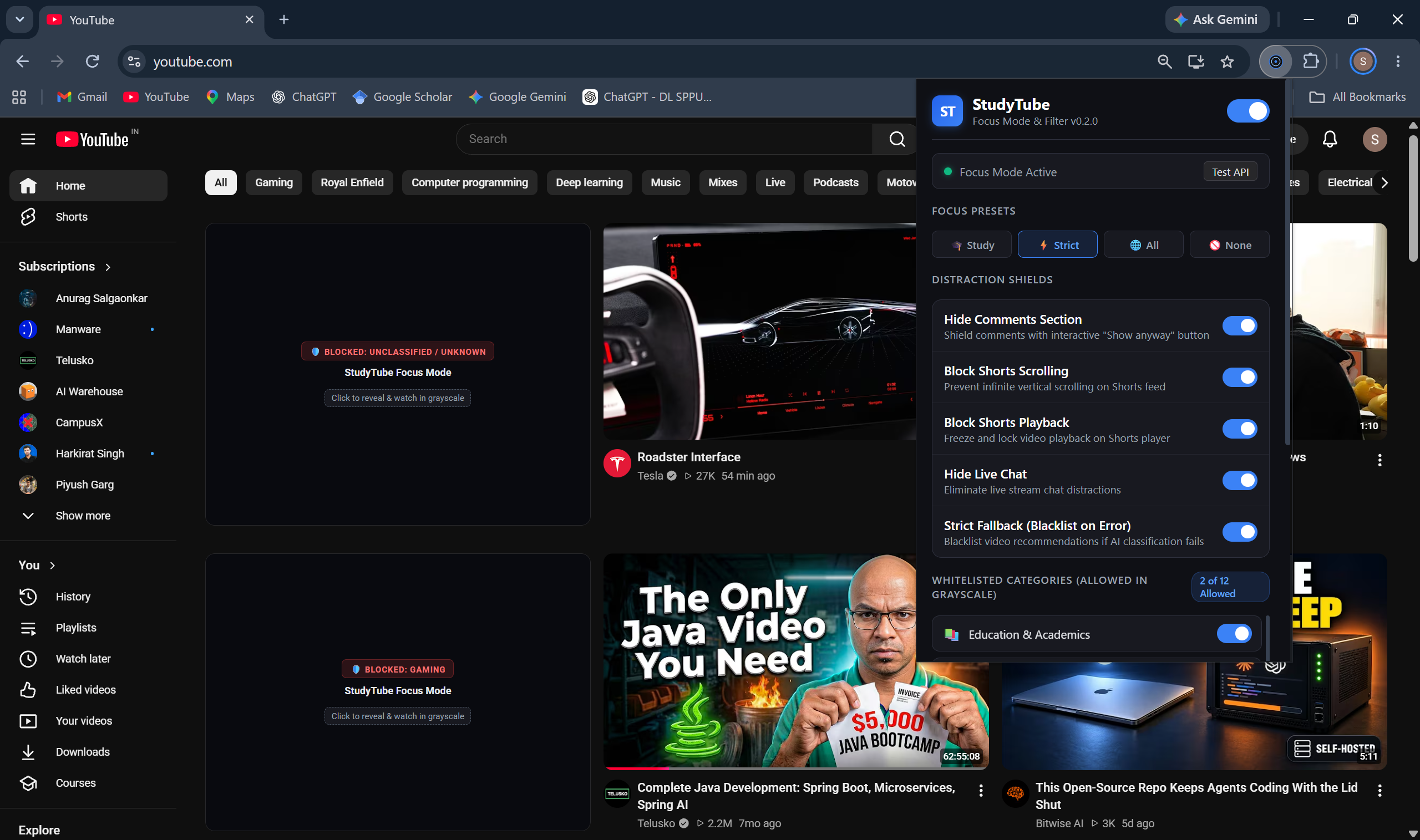
Video Classifications done by our extension
-
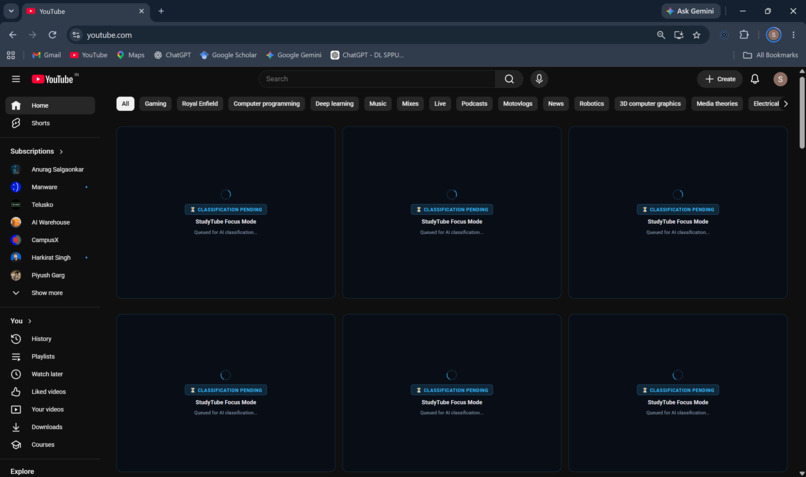
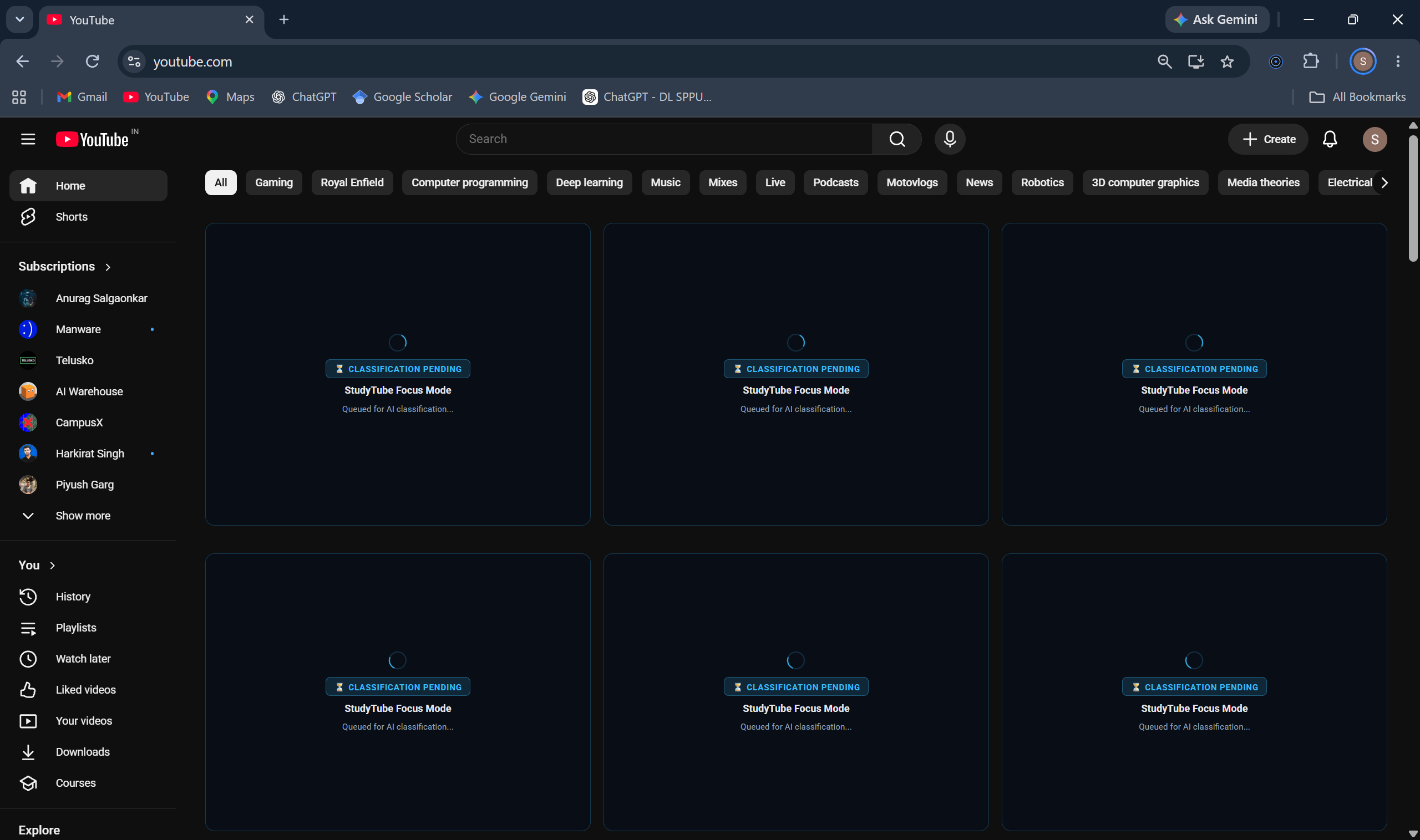
AI Classification in Progress
-
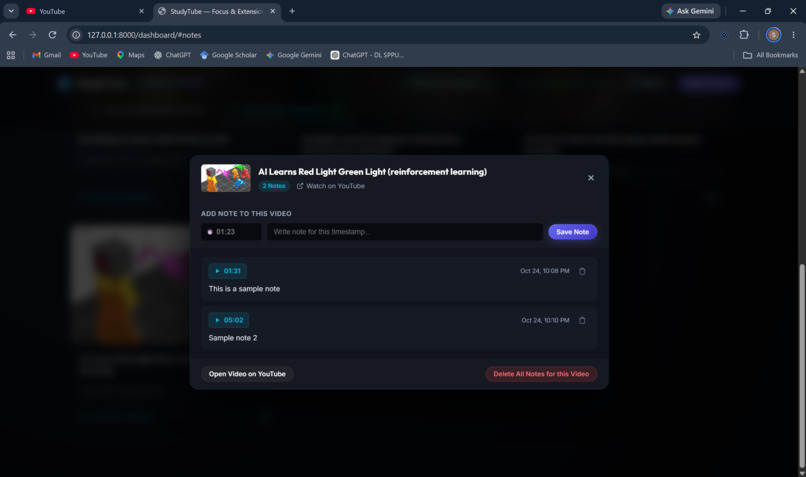
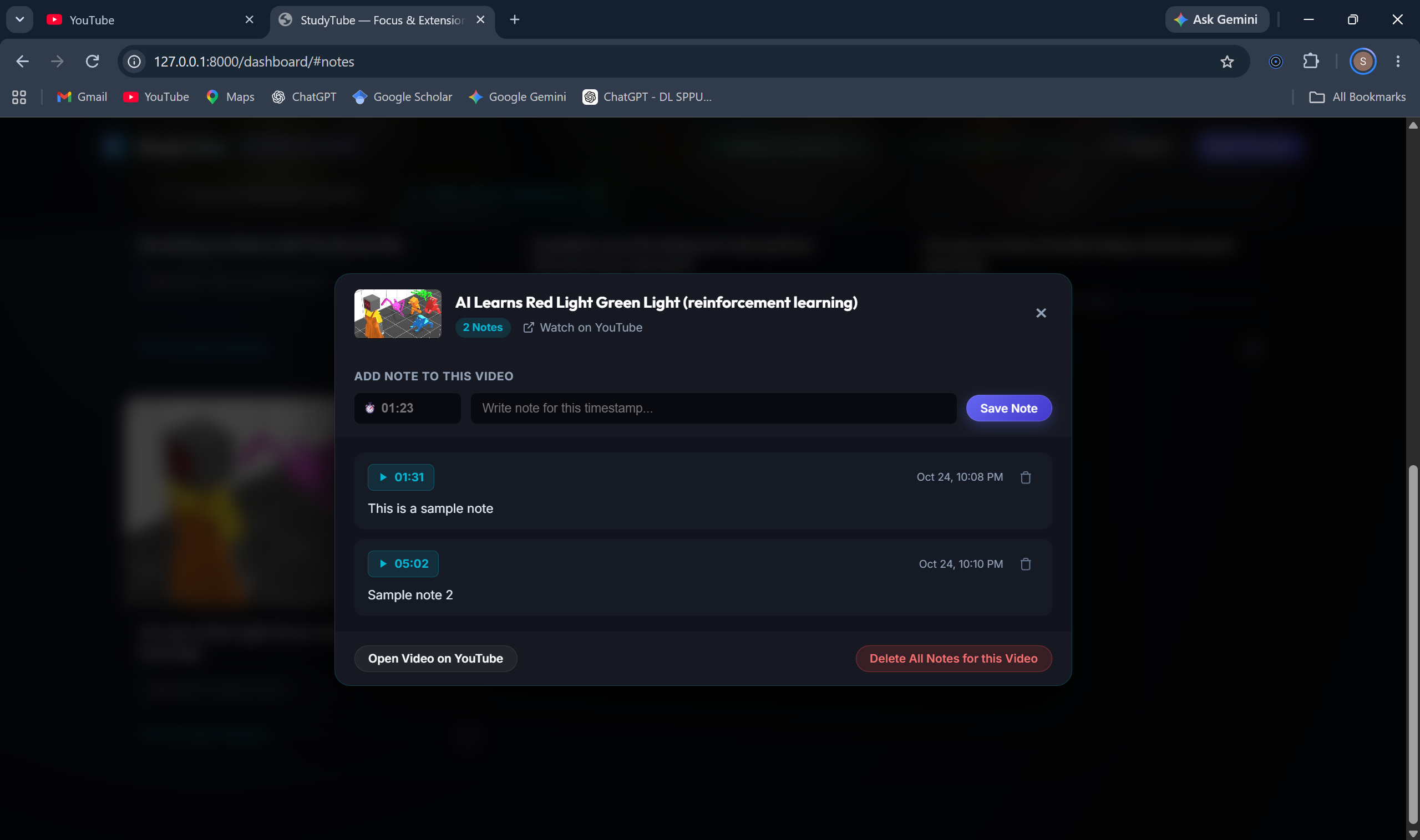
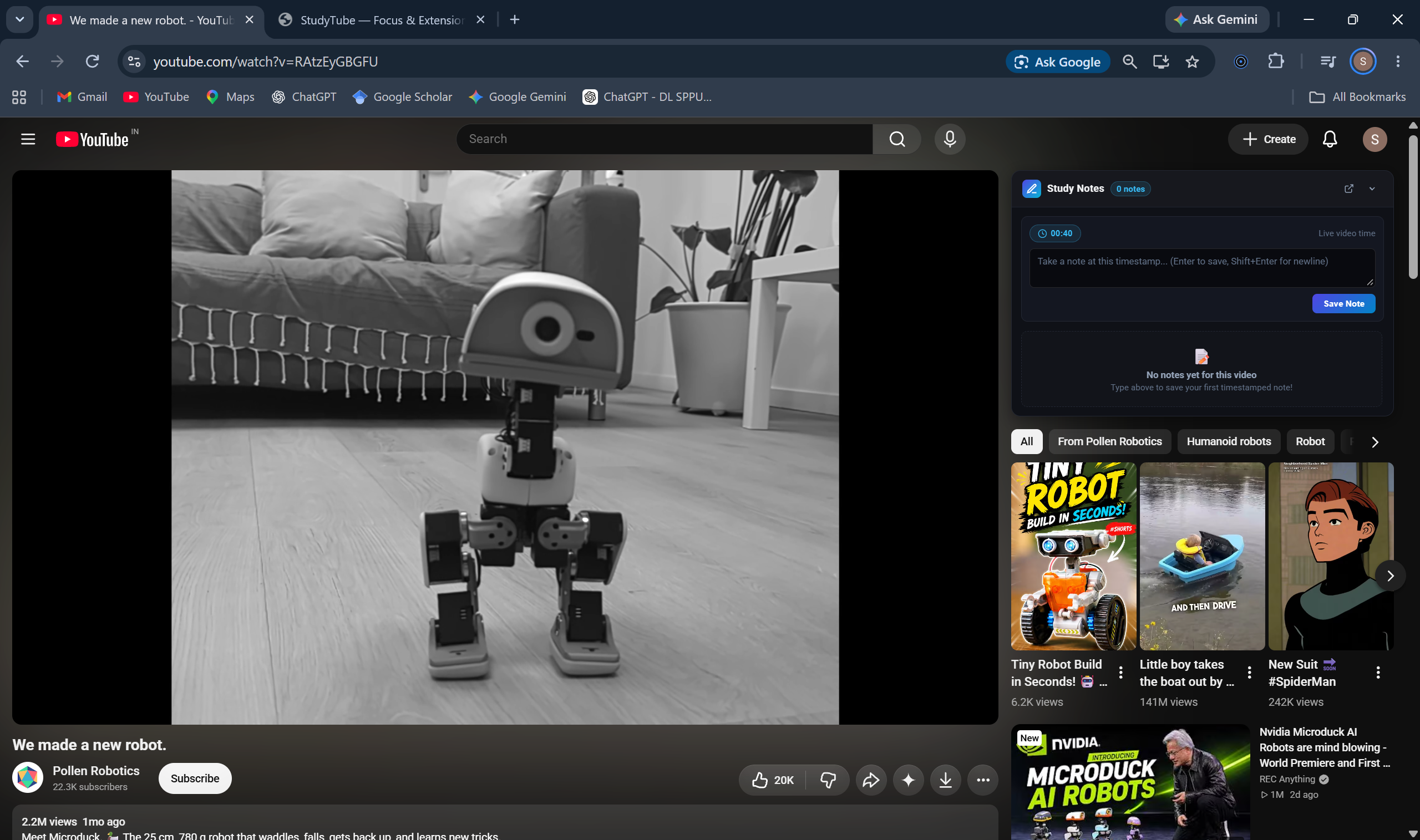
Notes on a particular video
-
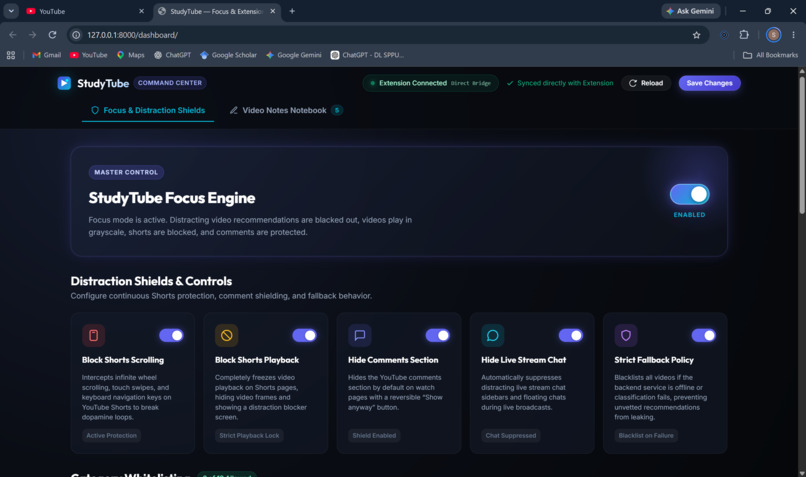
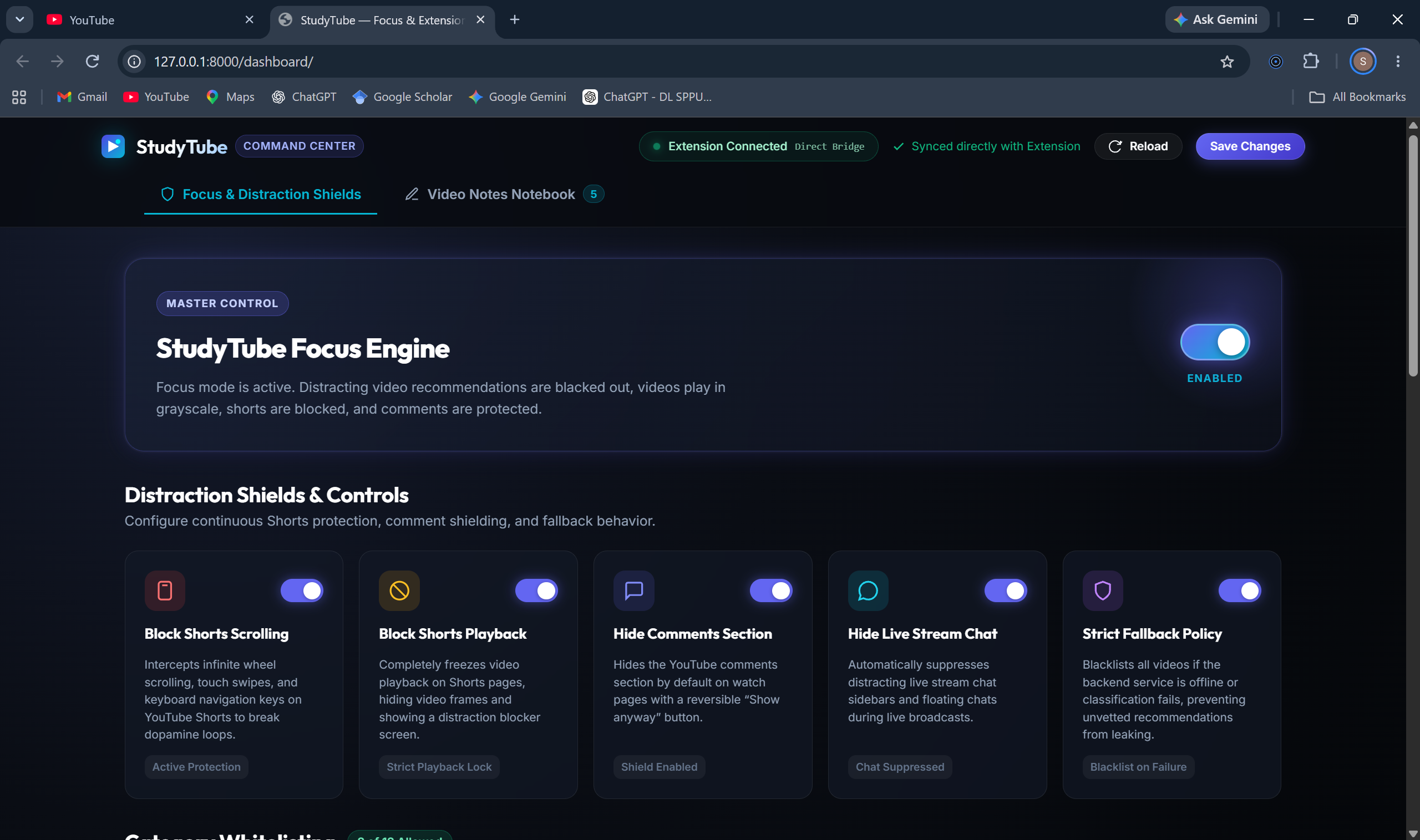
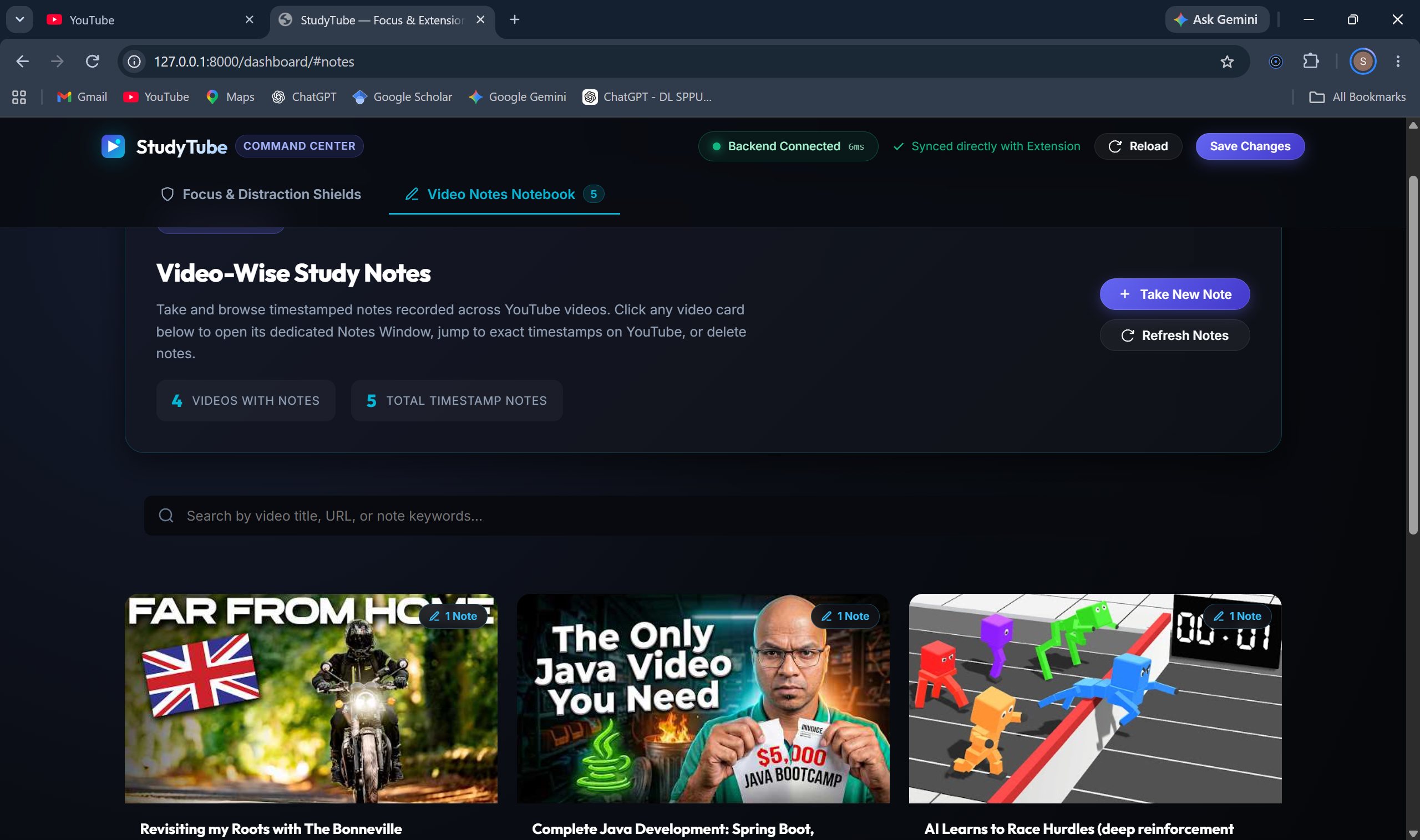
Dashboard
-
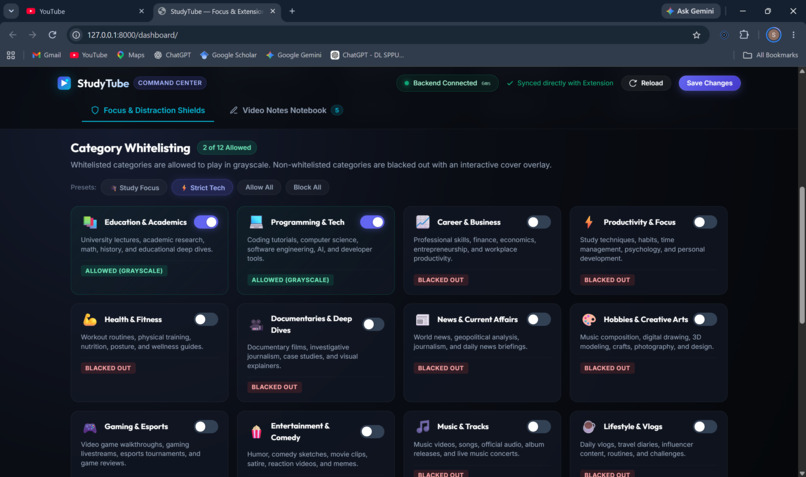
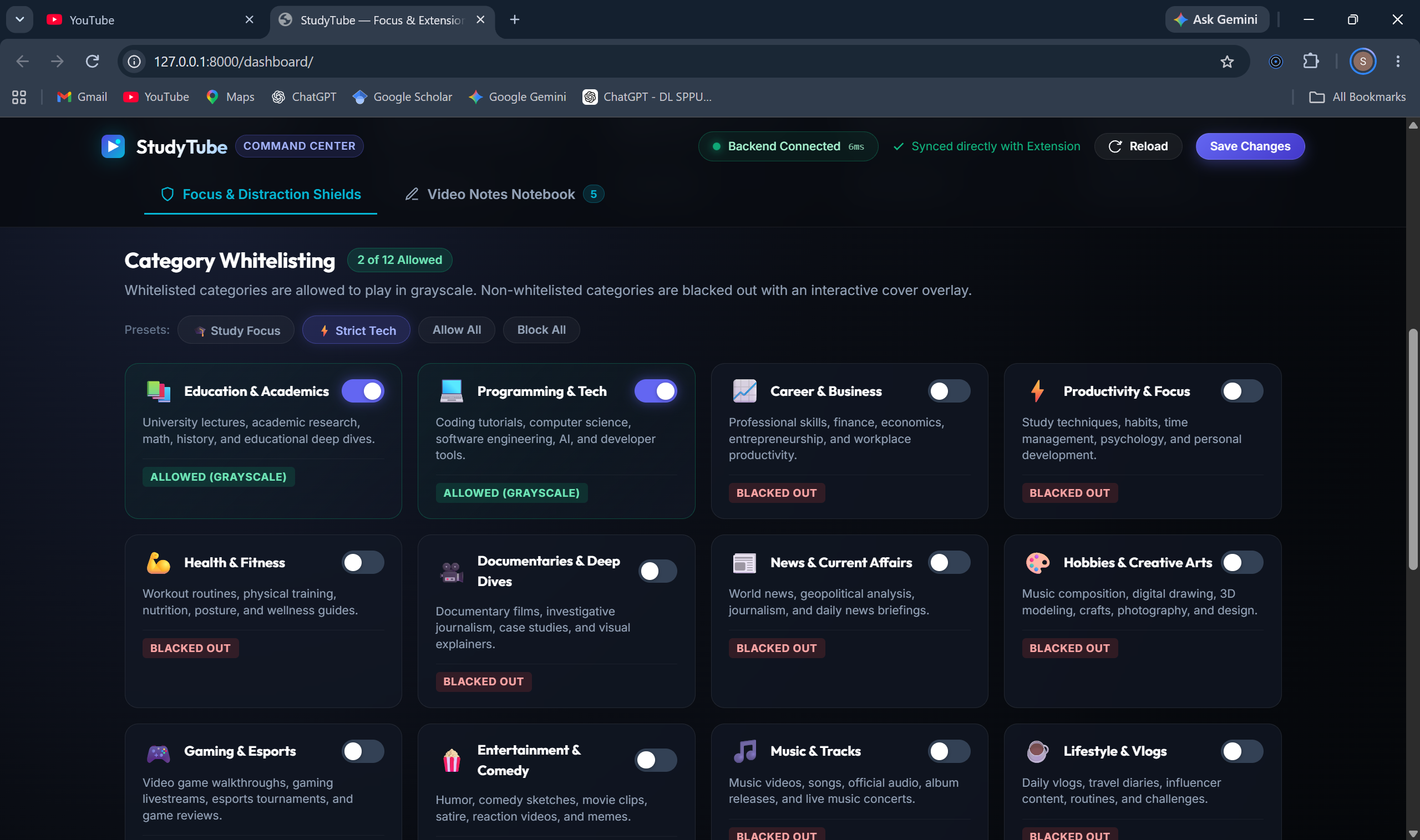
Classification categories with toggle switch
-
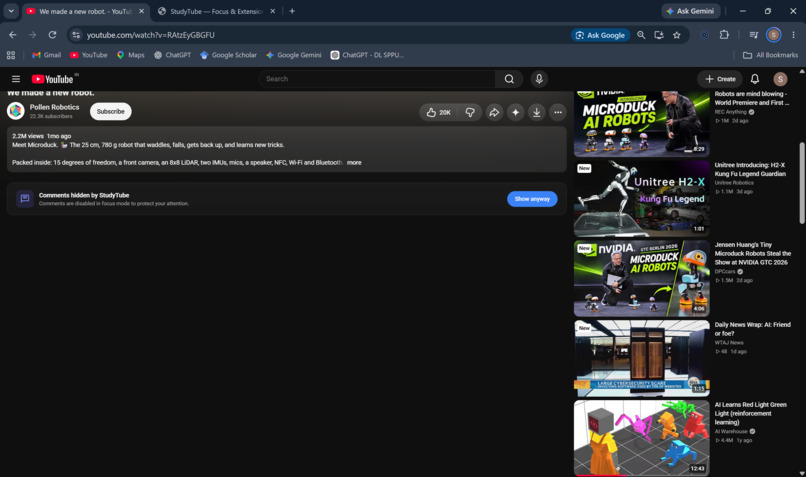
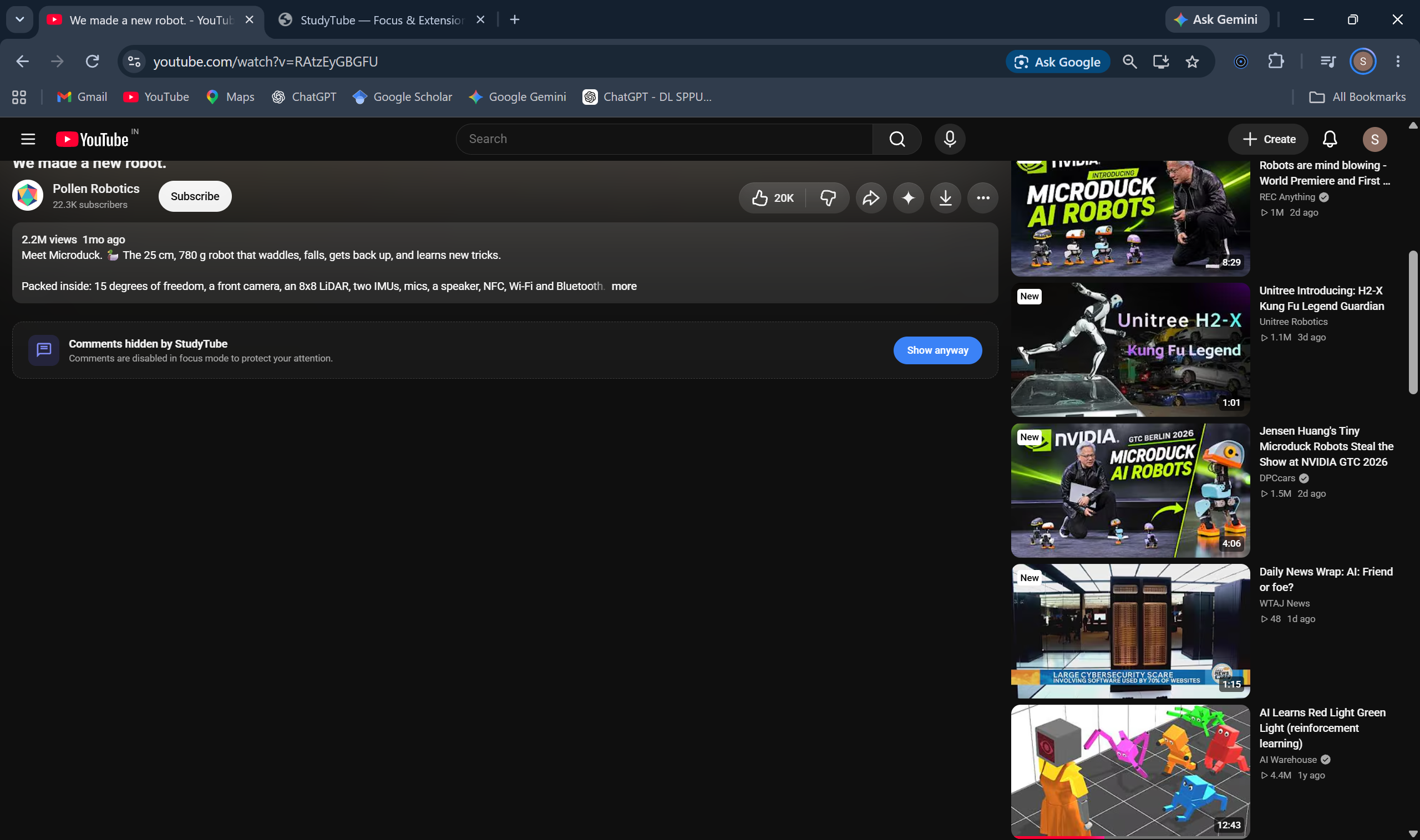
Comment Section Disabled
-
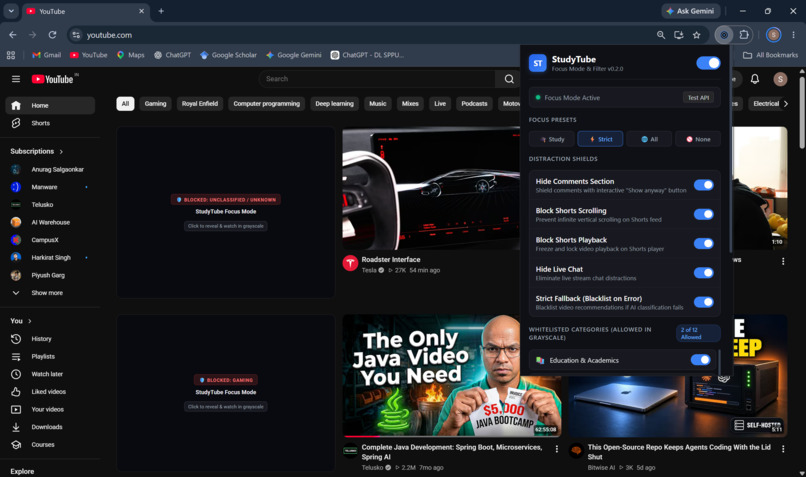
Extension Chrome Pop-up window
-
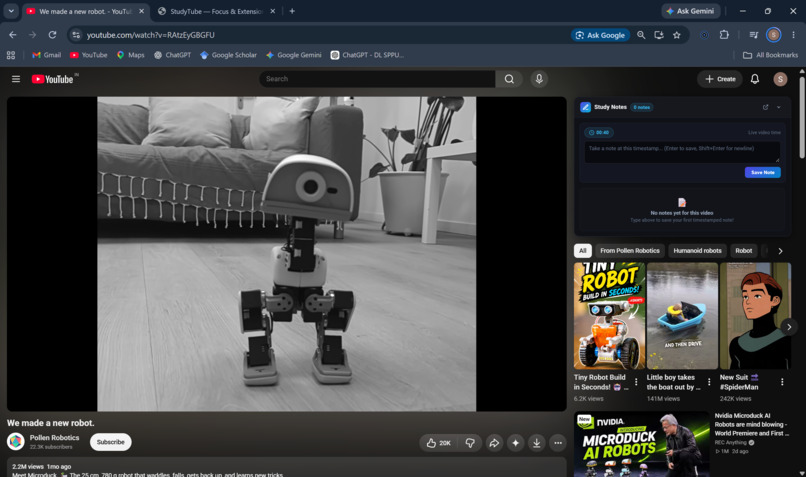
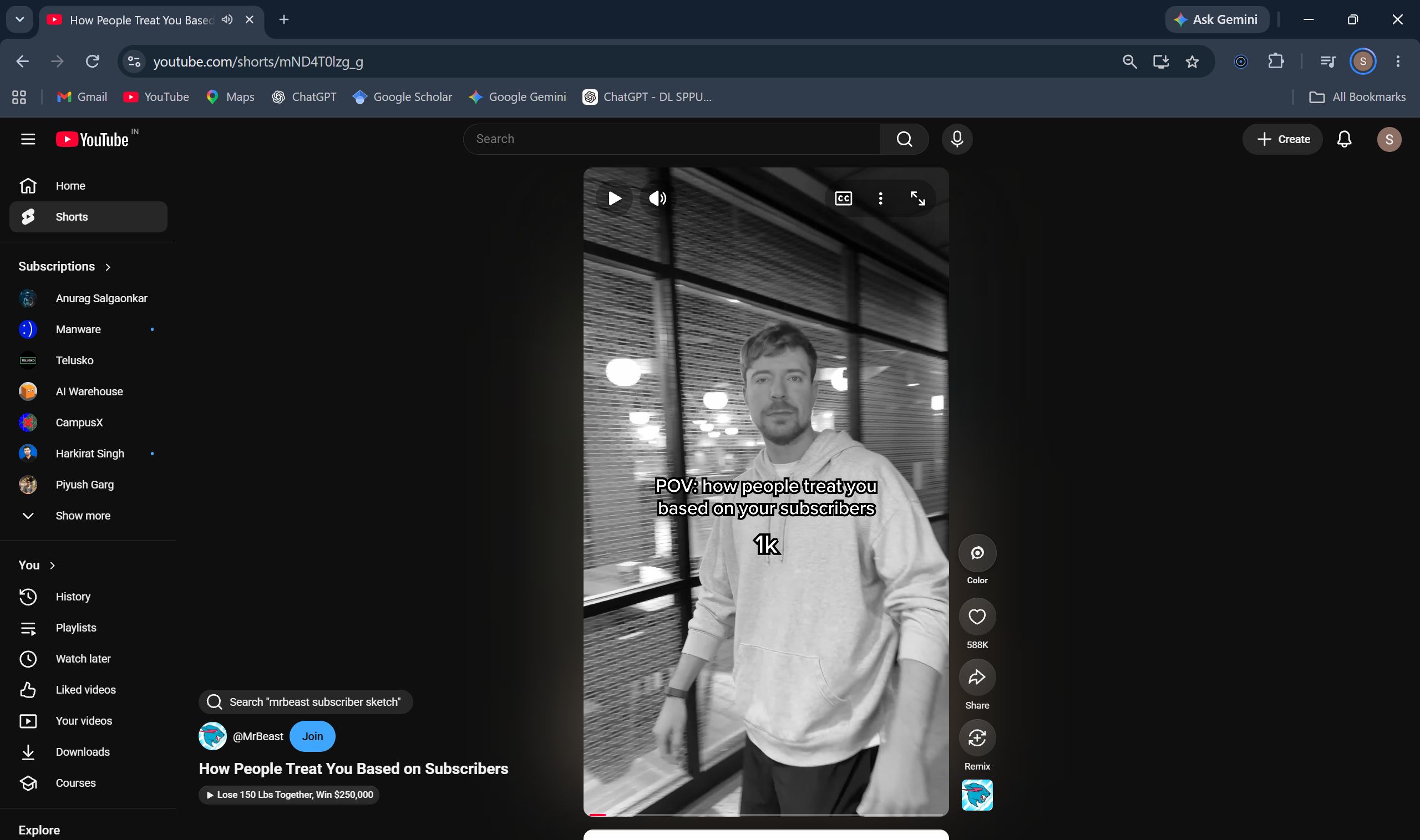
Greyscale video playback and notes taking UI with toggle button to switch to color
-
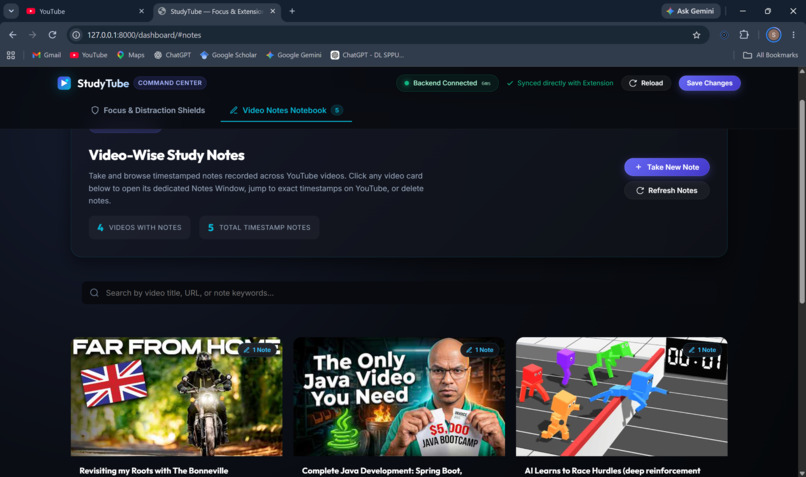
Notes Section in Dashboard
-

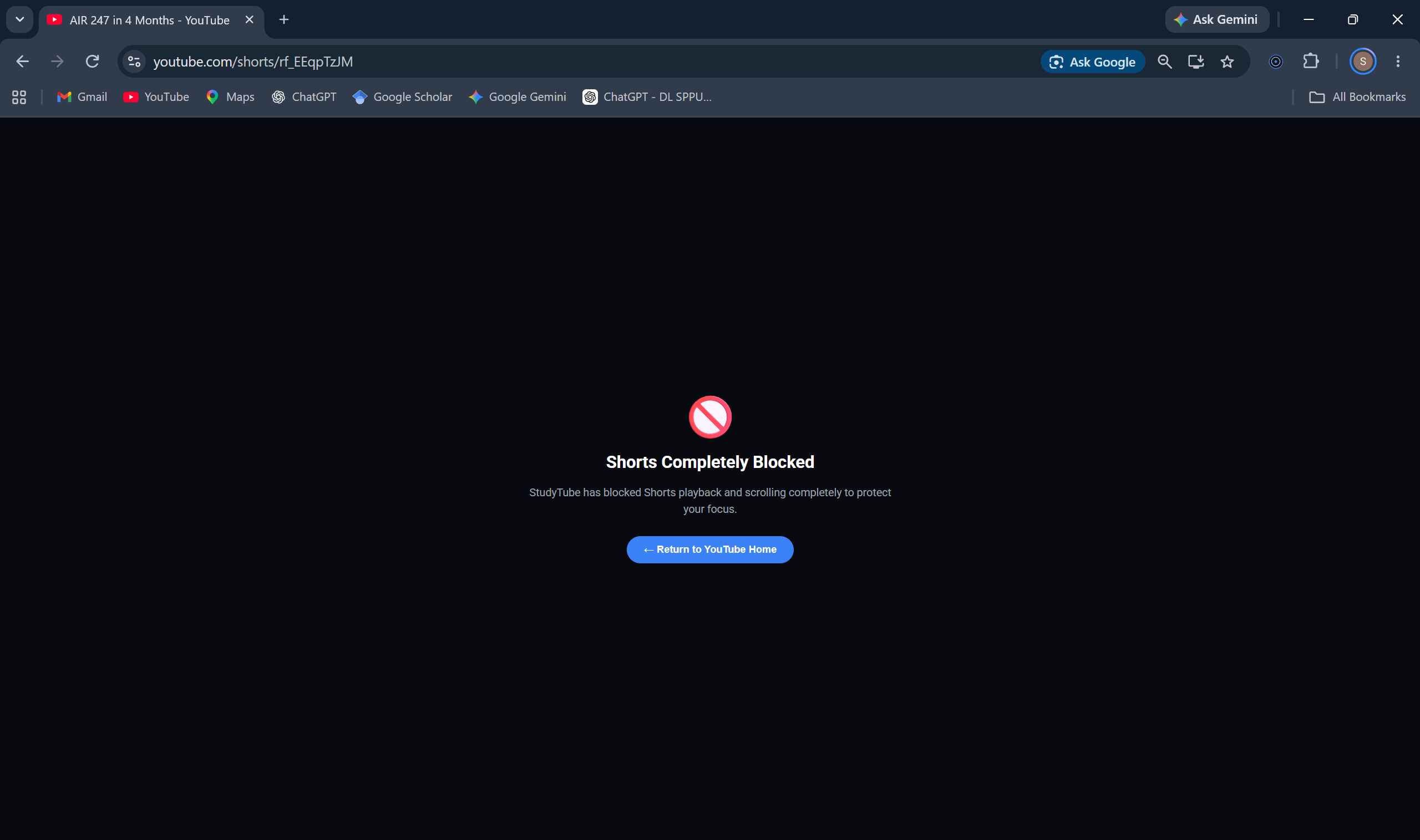
Shorts Blocked if shorts block shield is activated
-
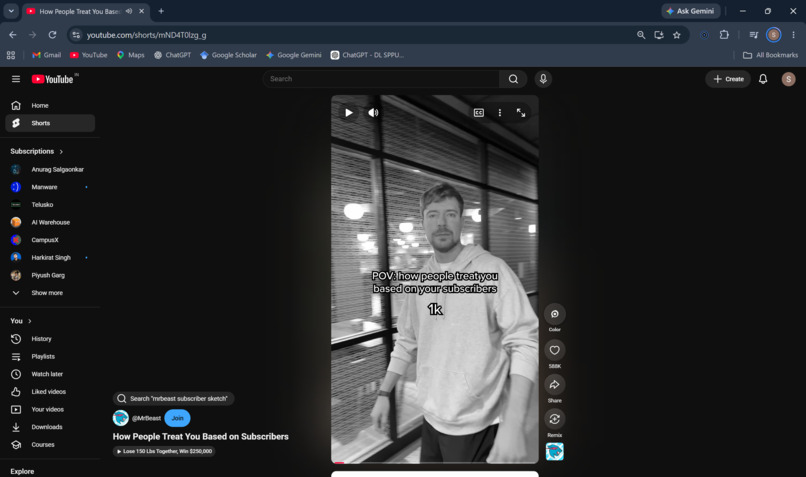
Shorts visible in greyscale if shorts block shield is deactivated with option to convert to color
StudyTube
Learn Without the Distractions
YouTube is a goldmine of knowledge. Why does finding it sometimes cost us our focus?
The Problem We Experienced
We are two Computer Science students who use YouTube almost every day to learn.
Whether it is understanding a complex DSA problem, exploring machine learning, learning a new framework, or watching a programming tutorial, YouTube has been one of our most valuable learning resources.
But we kept running into the same problem.
We would open YouTube with a clear goal: watch one tutorial and get back to work.
Then came the recommendations. An interesting thumbnail. A trending video. A YouTube Short that looked harmless.
One video turned into five. A quick break became half an hour. And the tutorial we originally came for? Sometimes, we never finished it.
The irony was hard to ignore: the platform we relied on to learn was also competing for our attention.
Why Not Just Block YouTube?
We considered the obvious solution: block YouTube entirely.
But that would mean losing access to the very resource we needed. Traditional website blockers treat the entire platform as a distraction, even when we are using it productively.
We didn't want less access to knowledge. We wanted less exposure to distractions.
That distinction became the foundation of StudyTube.
Introducing StudyTube
StudyTube is a Chrome extension that helps users take control of their YouTube experience without sacrificing access to educational content.
Using AI-powered video classification, StudyTube identifies content across 12 customizable categories and lets users decide which categories they want to see.
Instead of forcing users away from YouTube, it makes the distracting parts less intrusive.
What We Built
- AI-Powered Classification — Classifies video titles into content categories using a locally running LLM through Ollama.
- Customizable Filtering — Lets users enable or disable categories according to their goals.
- Distraction Reduction — Grayscales distracting thumbnails and can obscure recommendations.
- Shorts Control — Blocks mindless Shorts scrolling.
- Watch Anyway — Allows users to reveal blocked content and make their own decisions.
- Local Caching — Stores classification results to reduce repeated inference and improve efficiency.
Our Philosophy
We don't believe every entertaining video is a waste of time. Nor do we believe software should dictate what people are allowed to watch.
The problem is not entertainment itself. It is the gap between what we intend to do and what we end up doing.
StudyTube is designed to introduce a little friction between an impulse and an action, while keeping the user in control.
Why This Matters to Us
We built StudyTube to solve a problem we experienced ourselves as students. It started with our own struggle to balance learning and distraction, but the idea extends to anyone who wants to use YouTube more intentionally.
We believe productivity tools should not force people to disconnect from useful resources. They should help people use those resources on their own terms.
Our Vision
Keep the knowledge. Reduce the noise. Take back your focus.
StudyTube aims to make YouTube a better learning environment — one where your intentions have a better chance of winning over distractions.
Built by two CS students who wanted to learn more and scroll less.
Built With
- ai/ml
- api
- chromeextension
- fastapi
- html5
- javascript
- llama
- llms
- ollama
- python
- sqlite


Log in or sign up for Devpost to join the conversation.