-
-
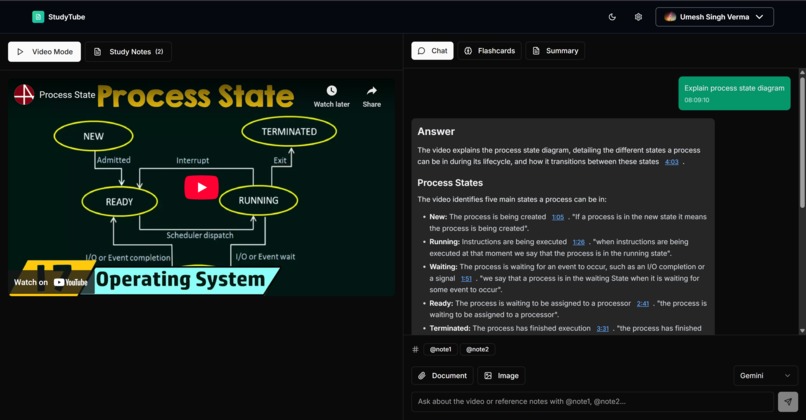
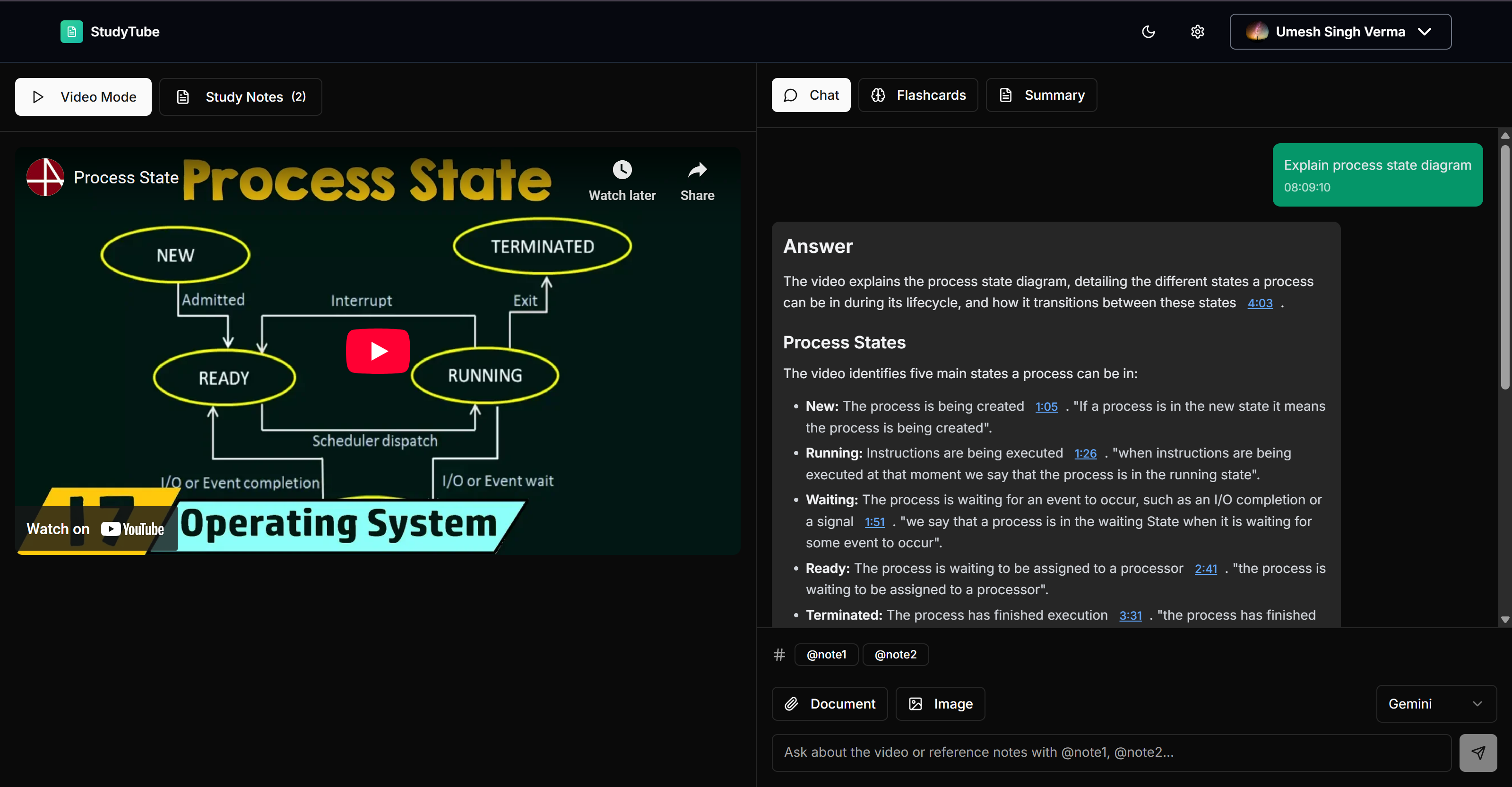
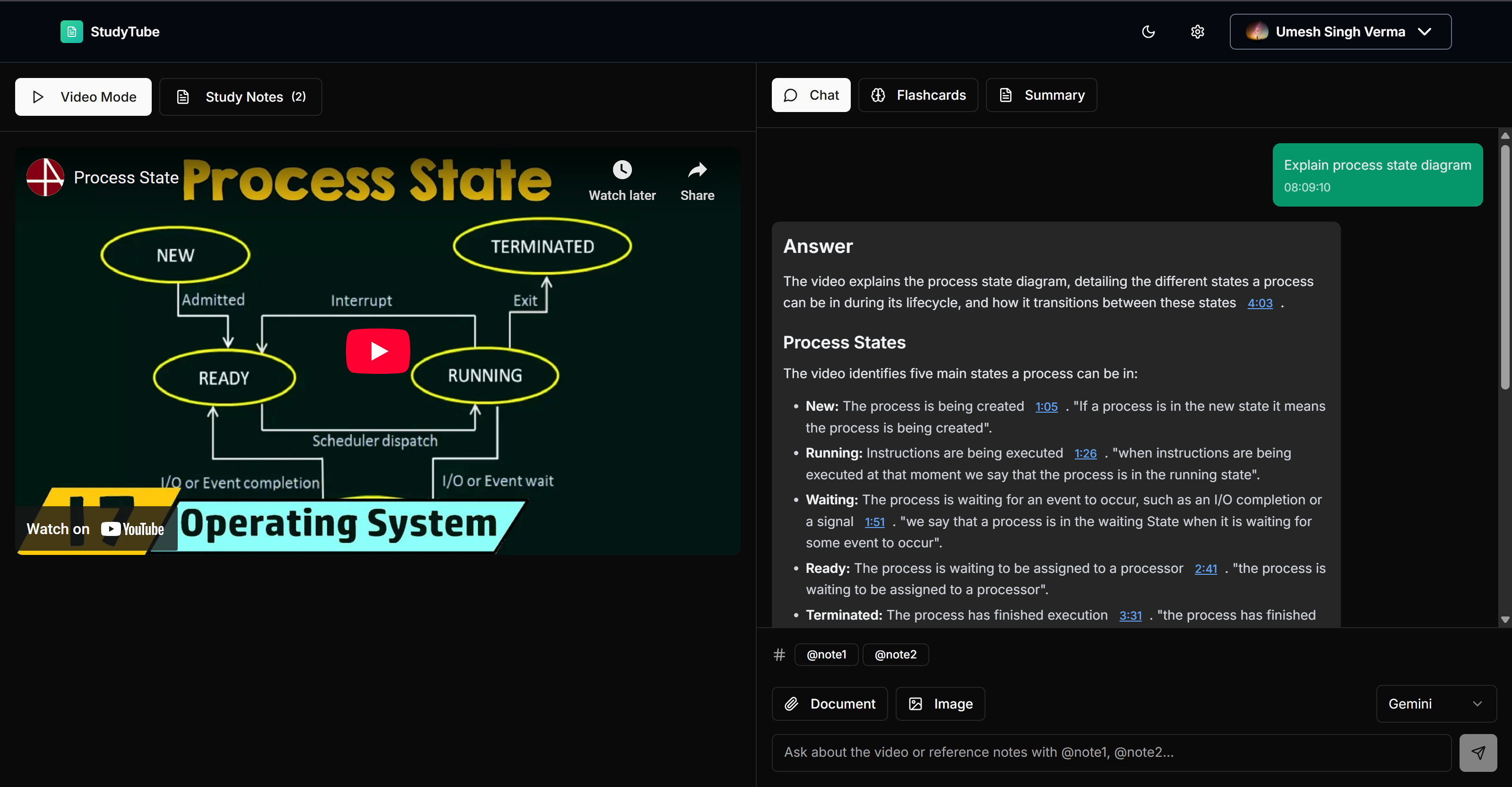
Chatting with Video Content
-
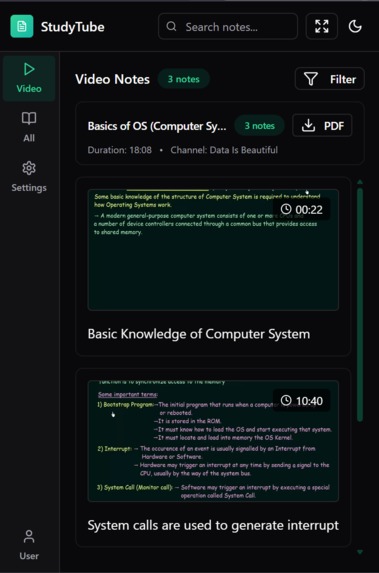
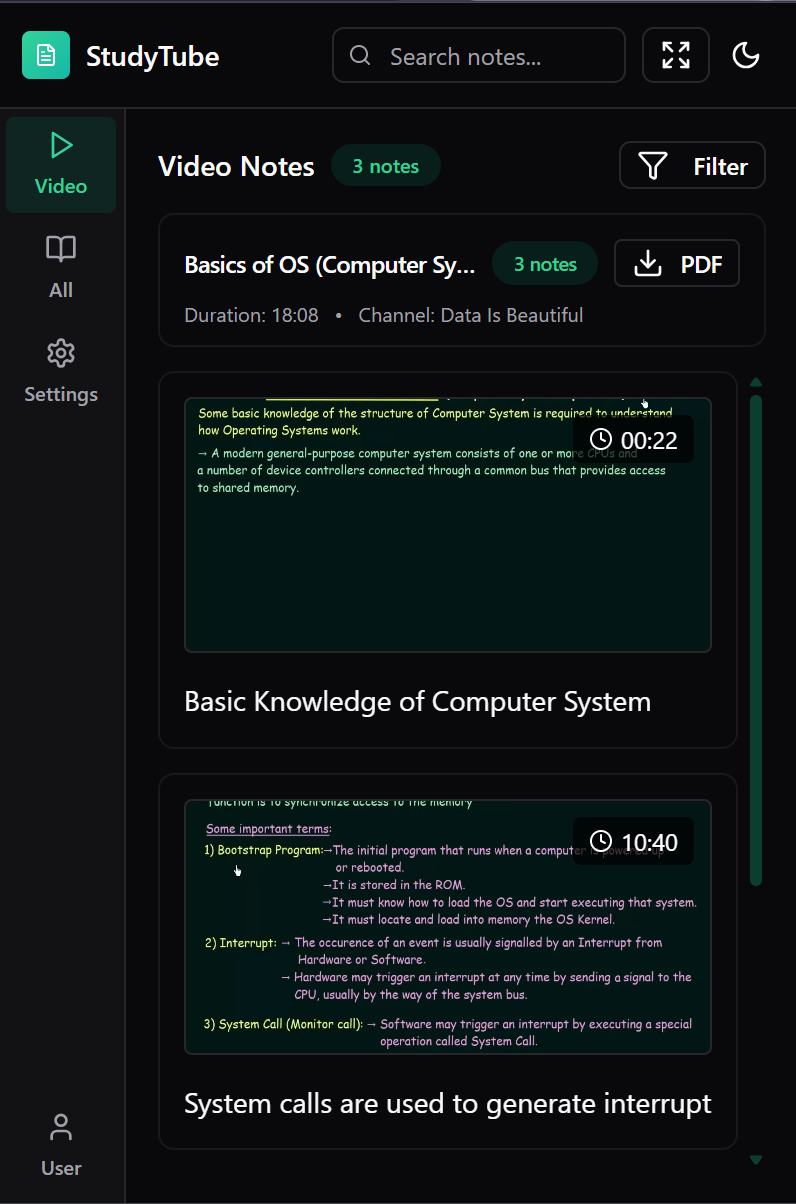
Extension Image
-
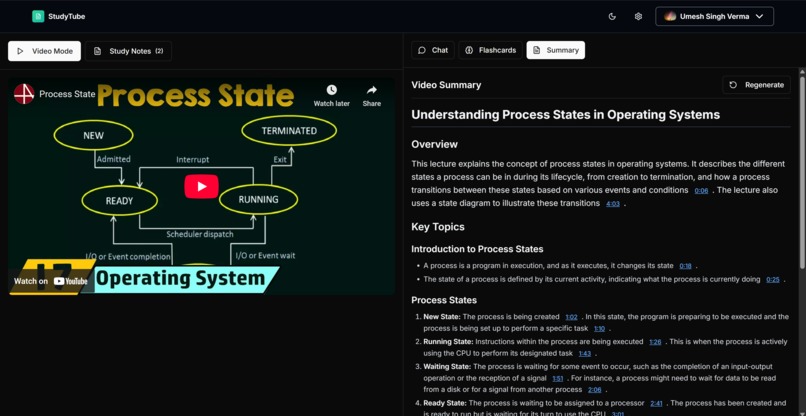
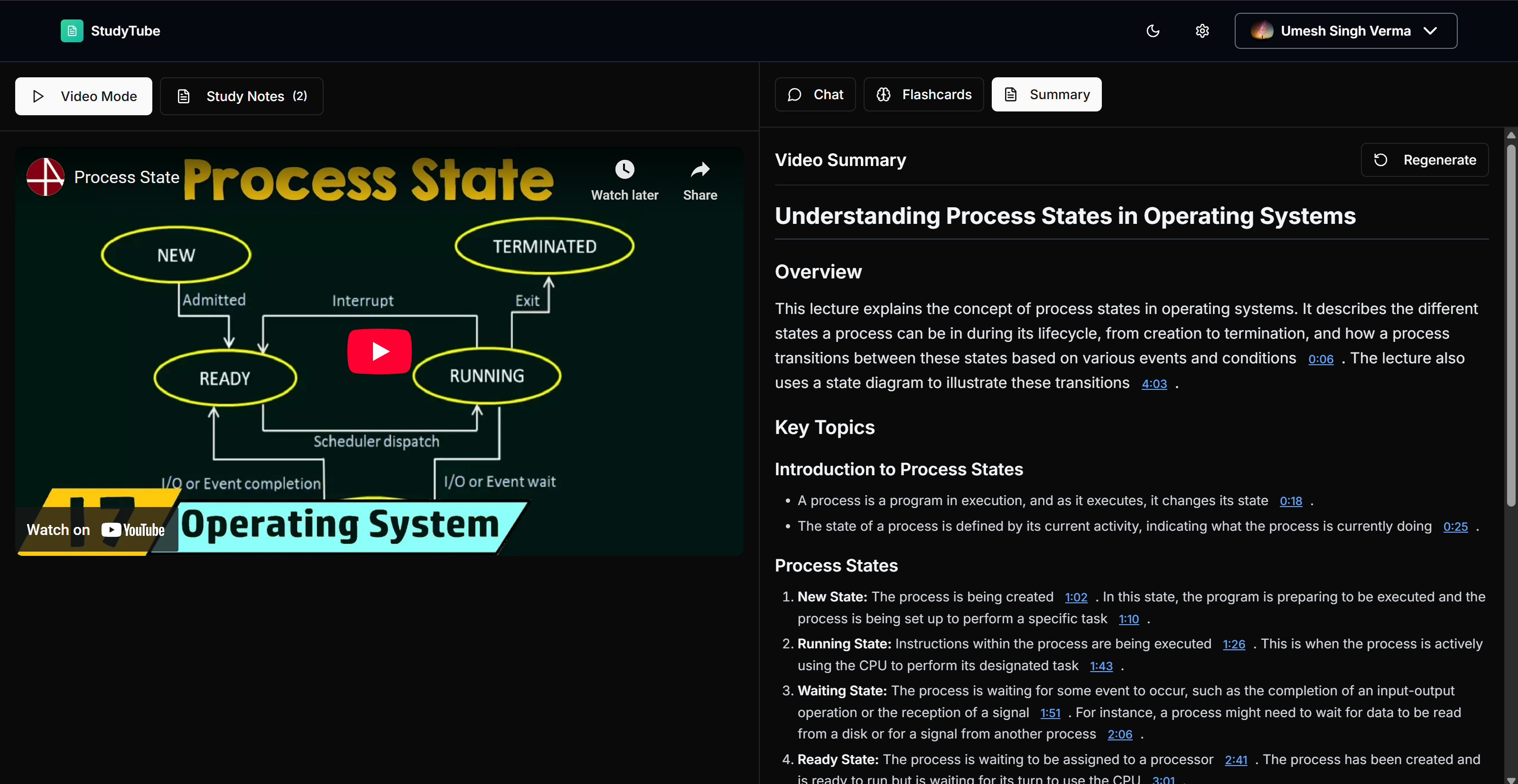
Summary Generation
-
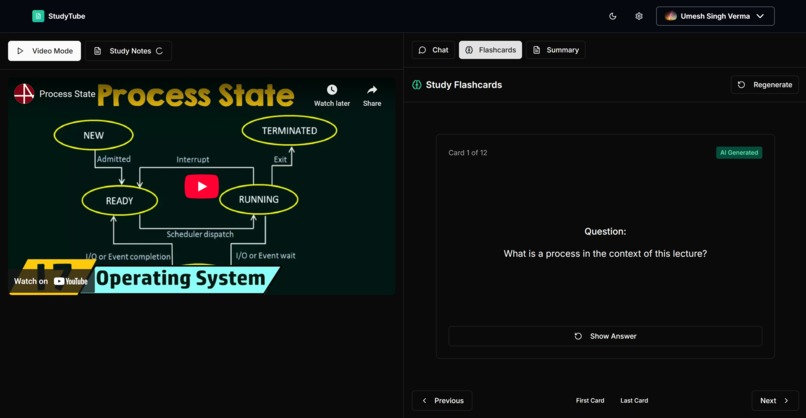
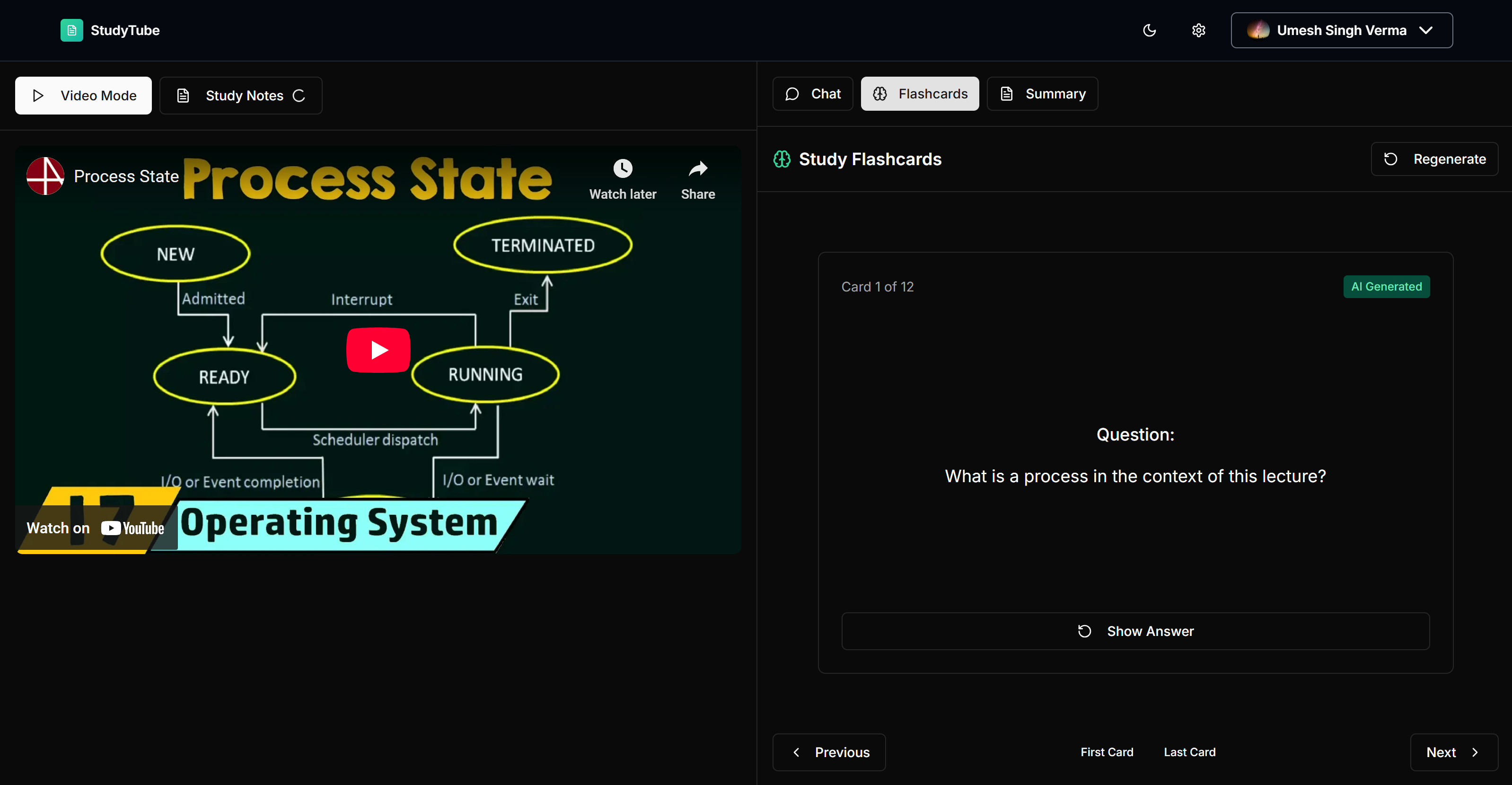
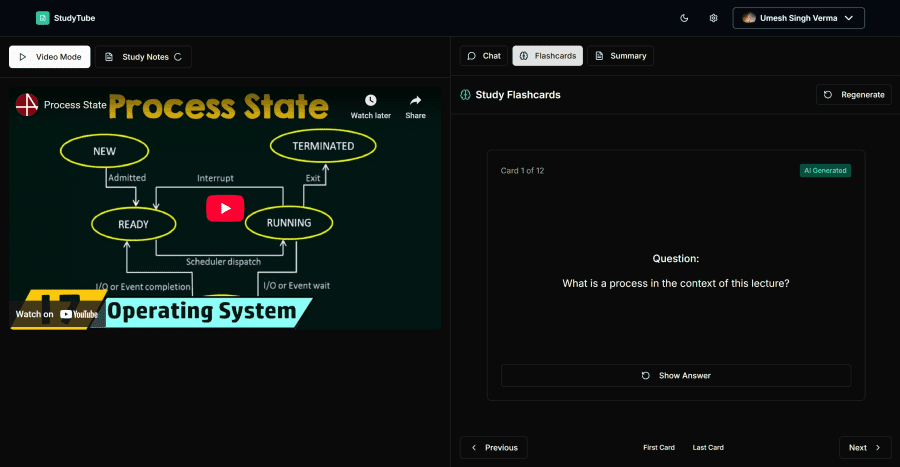
Flashcard Generation
StudyTube
Inspiration
Exams are around the corner. You’ve watched tons of educational YouTube videos and felt productive while doing it. But when it’s time to revise, reality hits—how do you go through hours of video content efficiently?
Traditional options:
- Pause every few seconds to take notes—slow and disruptive.
- Take screenshots, paste them into documents, and try to organize—messy and hard to revise.
- Waste hours sorting through videos instead of learning.
And worst of all—what if you have a doubt? You can’t just ask the tutor in the video.
That’s where StudyTube comes in. What if you could:
- Instantly capture important moments while watching videos?
- Download all your notes in a clean, organized PDF?
- Ask any question about the video and get a direct, timestamped answer powered by AI?
That’s exactly what StudyTube does: it turns passive YouTube watching into active, organized, and revision-friendly learning.
What It Does
StudyTube is a Chrome extension and Web Application that transforms the YouTube learning experience by combining note-taking, timestamped snapshots, and AI-powered question-answering based on the video’s content.
Key Features:
- Timestamped Note Capture: Take a snapshot of key video moments with a single click. Add notes and export them to a PDF with clickable timestamps.
- Playlist Notes: Combine notes across entire playlists into one downloadable, organized document.
- AI-Powered Doubt Resolution: Ask questions about the video, and get answers based on semantic understanding of subtitles stored in Pinecone vector database.
- Interactive PDF Generation: All notes and timestamps are auto-organized into a polished, study-ready PDF.
How to Use
Take Notes and Export PDFs

- Click to capture key moments while watching.
- Add relevant notes on-the-fly.
- Download everything as a shareable and clickable PDF.
Ask Questions, Get Smart Answers
Summarize to revise quickly

Flashcards for quick test
- Ask your question about the video.
- Our system uses subtitle embeddings stored in Pinecone to retrieve relevant context.
- Get concise answers with clickable timestamps to jump directly to that part of the video.
How It Works
Semantic AI Flow with Pinecone
- Subtitles are automatically extracted from the YouTube video.
- They are chunked and embedded using Sentence Transformers.
- Embeddings are stored in Pinecone for fast, semantic similarity search.
- When a user asks a question, it’s embedded and semantically matched with the most relevant subtitle chunks.
- These chunks are passed to the AI model (e.g., OpenAI or Gemini) to generate a timestamped and context-aware answer.
Visual Process Diagram

Try It Out
Check out what the output looks like:
Tech Stack
Frontend
- React, TailwindCSS, and JavaScript for the Chrome Extension UI
Backend
- Node.js for subtitle processing, Pinecone integration, and AI handling
- Pinecone for storing and searching embedded subtitles
- OpenAI/Gemini for generating accurate, context-rich answers
PDF Generation
@react-pdf/rendererto generate styled, timestamp-linked PDFs
Challenges We Faced
- Accurately syncing subtitle chunks with timestamps in the generated answers
- Handling long subtitle files for full playlists without performance issues
- Designing a retrieval-augmented workflow that gives precise answers with proper context
Accomplishments We're Proud Of
- Built a seamless experience for transforming YouTube videos into structured study material
- Integrated real-time, AI-powered Q&A using subtitle embeddings
- Enabled PDF exports with live, clickable timestamps for instant video navigation
What We Learned
- Embedding-based search can significantly improve AI's ability to answer user queries from long videos
- Timestamp-level linking makes revision faster and more effective
- Simplicity and usability are just as important as advanced AI features for student-focused tools
What's Next for StudyTube
- Mobile App support for studying on the go
- Voice Input & Answering for accessibility
- Note Sharing & Collaboration with classmates
- Context-Aware Auto-Suggestions during note-taking based on the video content
StudyTube makes learning from YouTube efficient, interactive, and revision-friendly. It's built to help students study smarter, not harder.
Built With
- chrome
- gemini
- next
- openai
- pinecone
- react
- supabase
- typescript


Log in or sign up for Devpost to join the conversation.