-
-
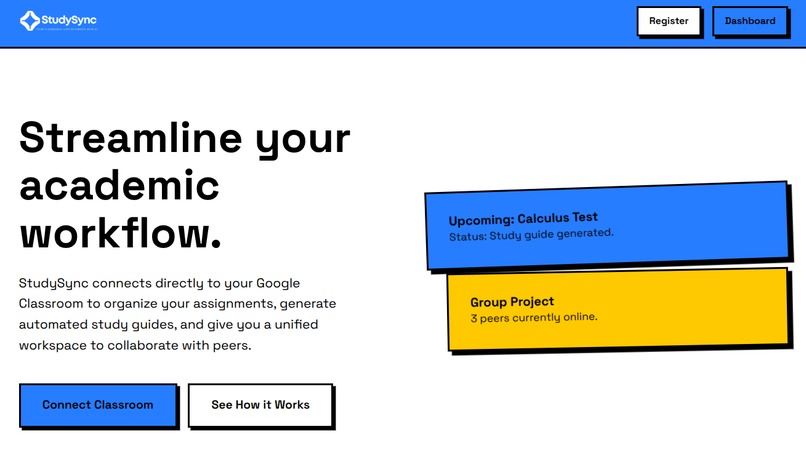
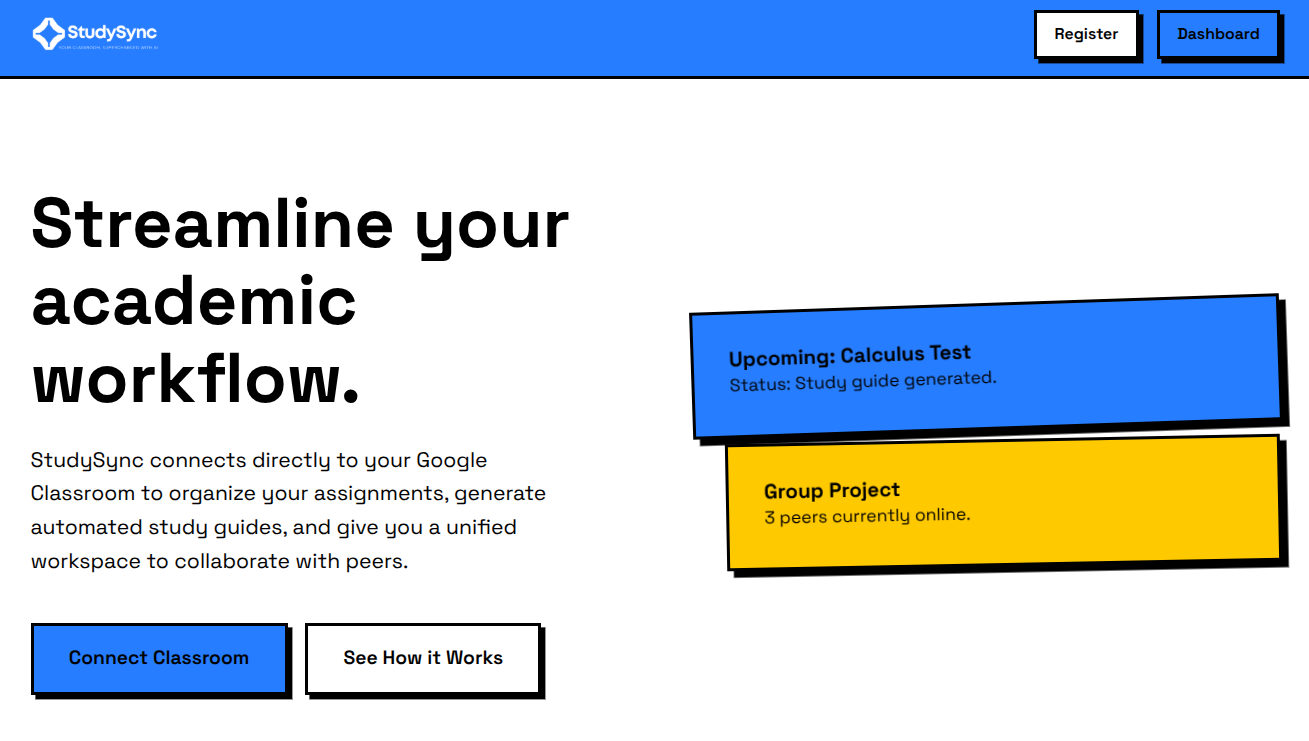
Landing Page
-
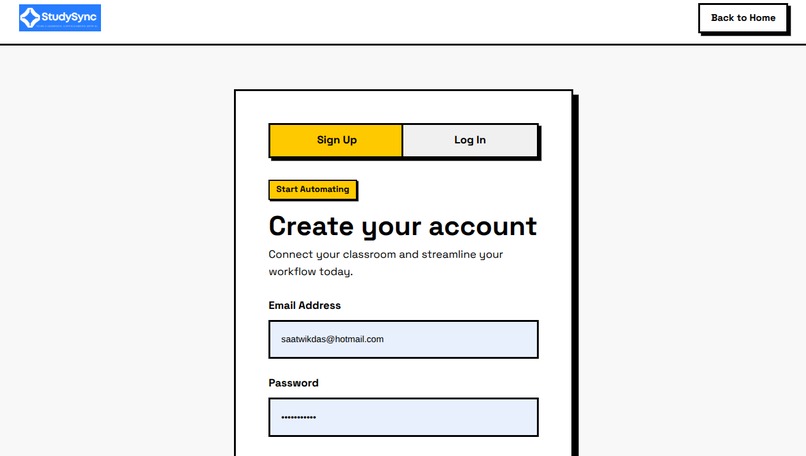
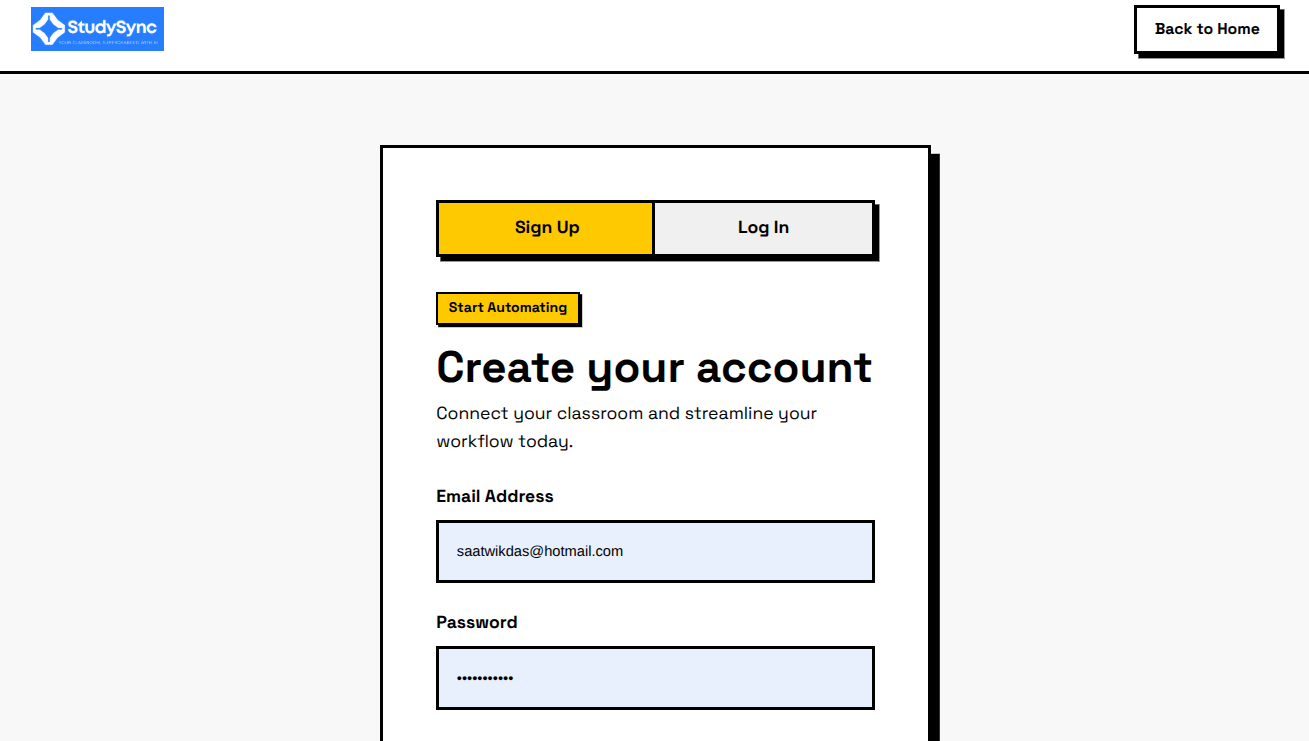
Registration Page
-
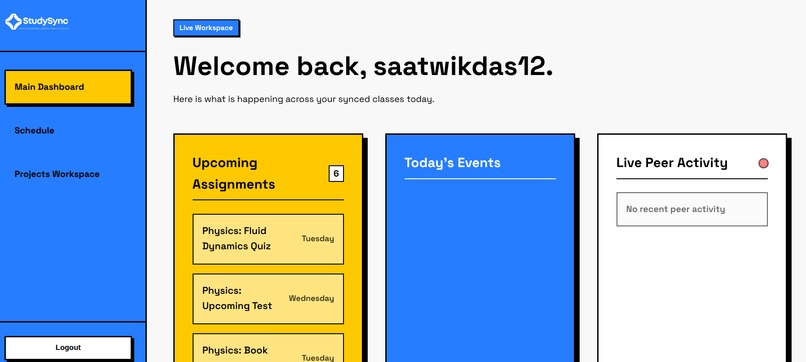
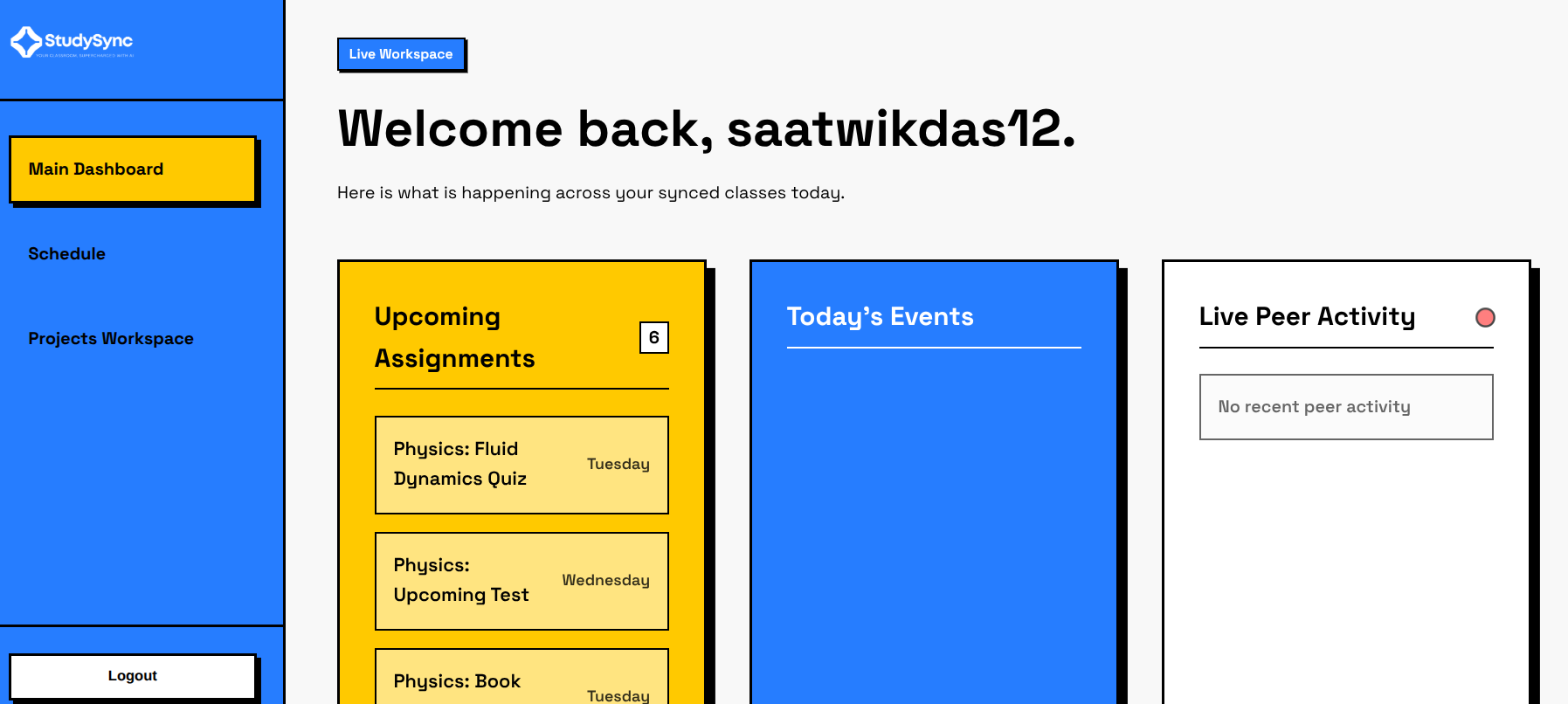
Main Dashboard
-
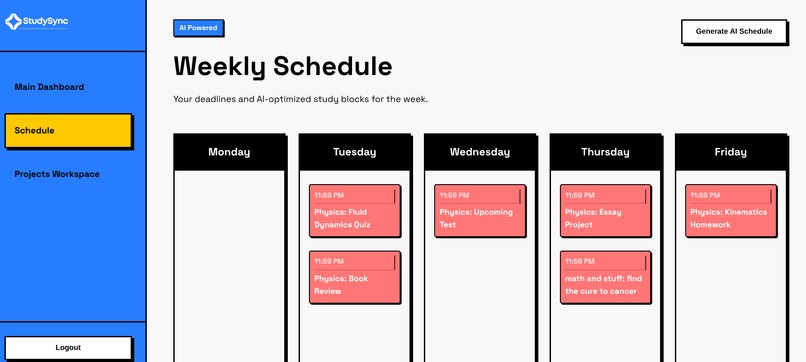
Schedule
-
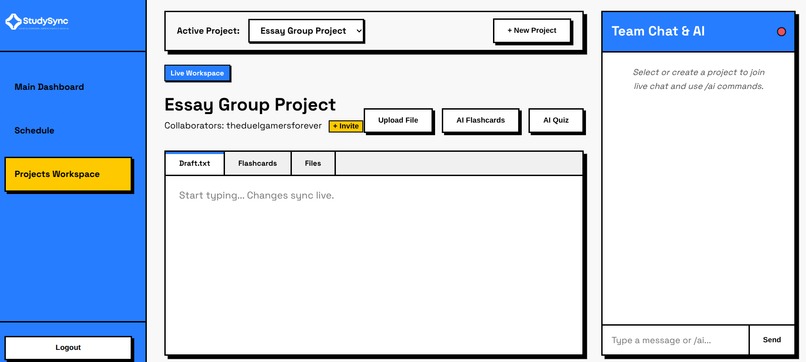
Project Workshop
StudySync
Introduction
StudySync is a web platform designed to streamline and automate academic organization, making schoolwork more efficient for students. The platform consists of five main pages:
- Landing Page – Introduces the platform and highlights its core features.
- Registration – Allows users to create an account or securely connect using Google Classroom.
- Dashboard – Displays upcoming assignments that are automatically synced from Google Classroom, along with a live peer activity feed showing project updates and upcoming events.
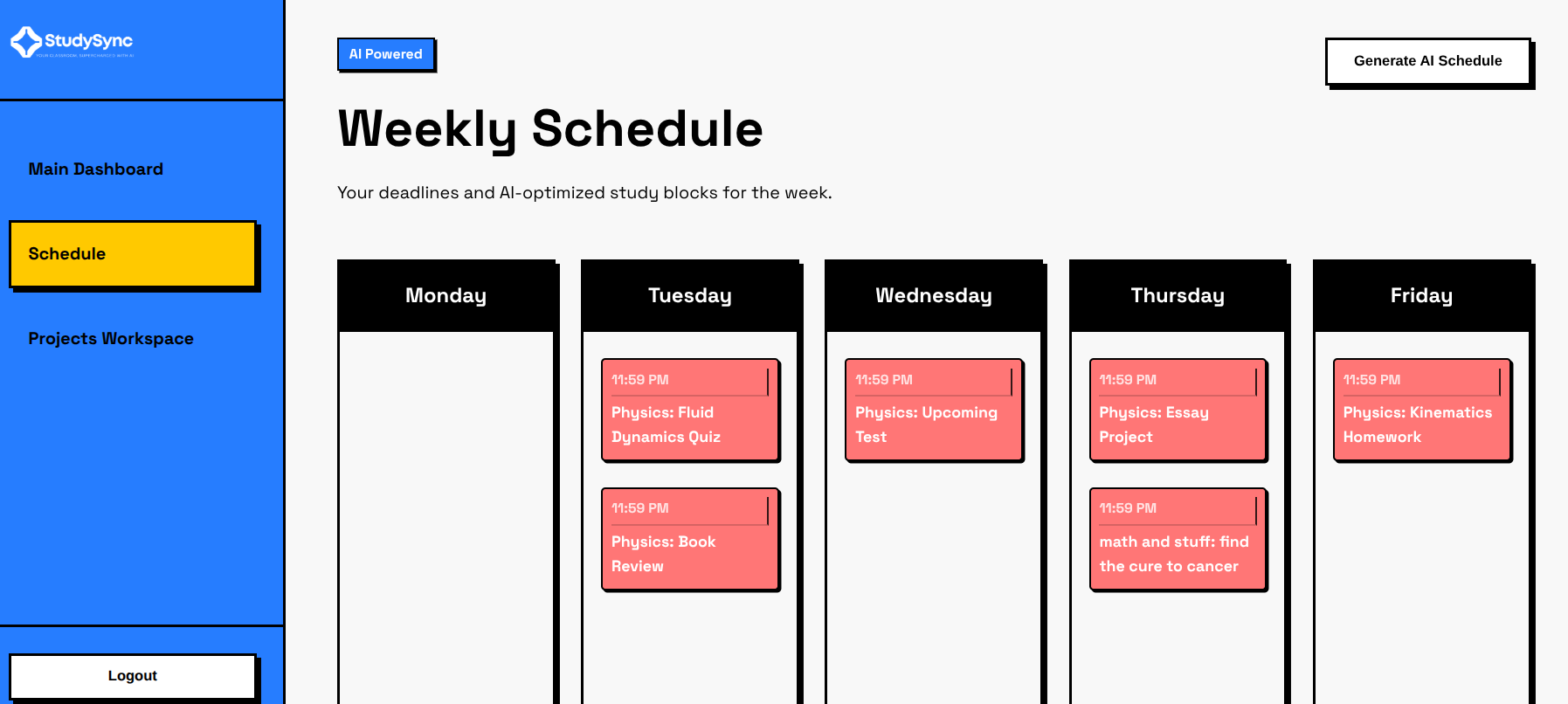
- Scheduling – Provides a weekly view of assignments and includes an AI-powered study planner that generates an optimized study schedule to help students stay on track.
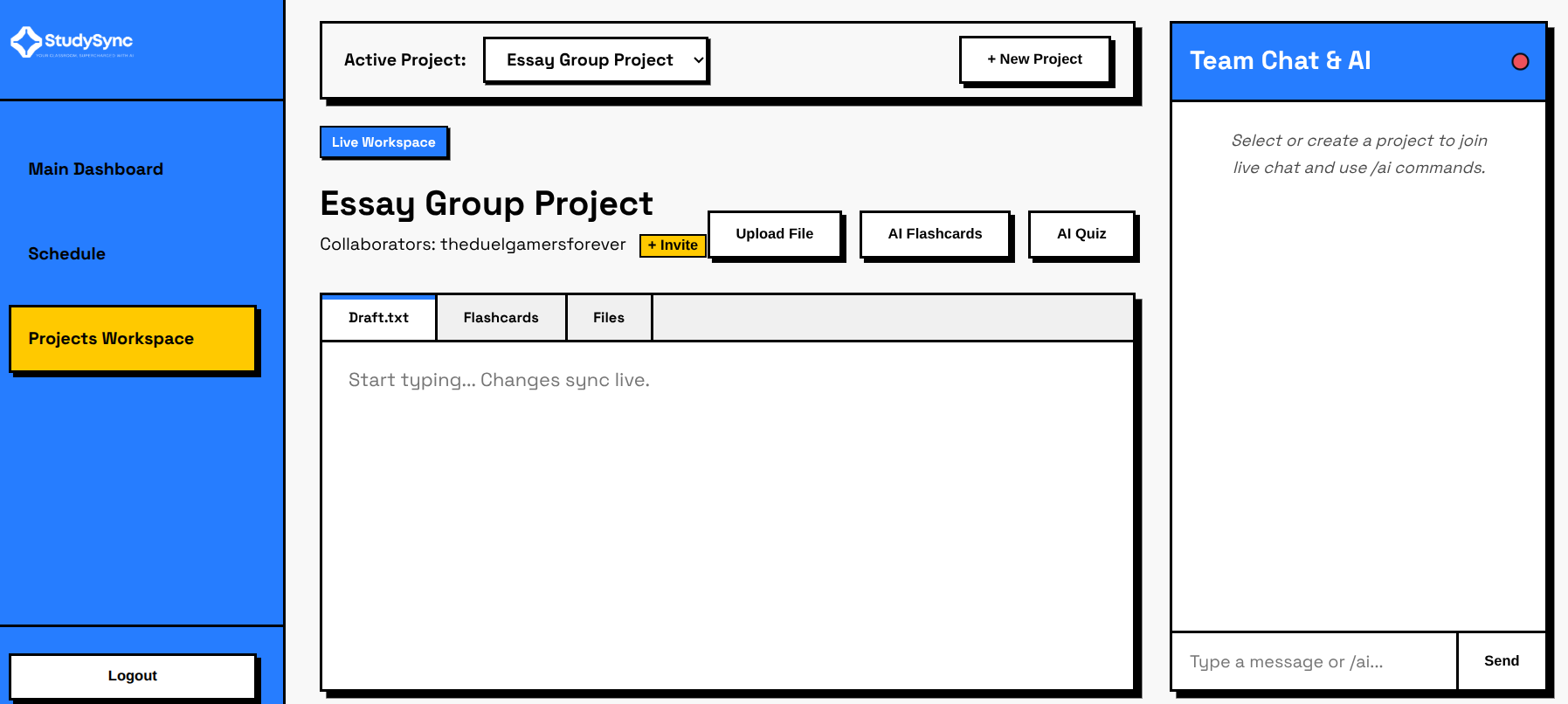
- Project Workshop – A collaborative workspace where students can manage project files, work with AI-powered study tools, and collaborate with classmates in real time.
Goal: Automate repetitive academic tasks so students spend less time organizing their work and more time actually learning.
Design
The UI follows the Neobrutalism design style, giving the website a clean, simple, and unique aesthetic. We focused on creating an interface that feels modern without being overwhelming by using subtle animations, bold colors, and clean iconography.
Navigation
- Landing Page – Feature overview and navigation.
- Registration – Toggle between Sign Up and Log In, with Google authentication.
- Dashboard – Sidebar navigation with the main workspace centered on screen.
Implementation
Tech Stack
Frontend
HTMLCSSJavaScript
Backend
SupabaseGoogle Cloud AuthenticationGoogle Classroom APIJavaScript
AI
Featherless AI APIDeepSeek V4 Flash- Custom JavaScript prompt parsing
Landing Page
The landing page is entirely frontend-based, consisting of responsive layouts, animations, and interactive elements that introduce users to the platform.
Registration & Authentication
- User credentials are submitted through JavaScript and stored in Supabase.
- Users can authenticate with Google OAuth.
- Returning users are validated against stored account information before logging in.
Dashboard
Peer Activity Feed
Uses Supabase Realtime to broadcast live project activity to collaborators without requiring page refreshes.
Assignment Sync
Assignments are automatically retrieved using the Google Classroom API and displayed on the dashboard.
Scheduling
The AI planner receives assignment data and returns a structured JSON response. The client parses this response and converts it into the weekly schedule shown on screen.
Project Workshop
Features include:
- Creating and managing projects
- Uploading and downloading files through Supabase Storage
- Real-time collaboration
- Live chat
- AI-generated quizzes and flashcards
Like the scheduling feature, the AI returns structured JSON which is parsed into interactive UI components.
Challenges
Saatwik
Implementing the realtime collaboration system was initially difficult. The first version refreshed the page every second, causing poor performance and unnecessary database requests.
Kunj & Avinav
As first-time hackathon participants, they had to quickly learn new technologies while building a large project under a tight deadline.
Solutions
- Replaced polling with
Supabase Realtime, allowing clients to subscribe to database events instead of repeatedly requesting updates. - Split development responsibilities evenly across the team, improving efficiency and allowing all planned features to be completed.
Conclusion
StudySync demonstrates how automation can simplify everyday academic workflows. By integrating Google Classroom, AI-powered planning, cloud storage, and real-time collaboration into a single platform, we created a centralized workspace that helps students spend less time managing assignments and more time focusing on learning.
While there are still features we'd like to expand in the future, we're proud of what we were able to build within the limited timeframe of a hackathon.
Built With
- css
- google-classroom
- google-cloud
- html
- javascript
- supabase

Log in or sign up for Devpost to join the conversation.