StudySync: See what to start before it’s due
Inspiration: The “I’ll do it later” problem
We built StudySync because deadlines are not usually the problem — starting too late is.
As students, we noticed that most people do not fail because they do not know an assignment exists. They fall behind because they only react when something feels urgent. If a homework set is due Friday night, a lot of students do not really think about it until Thursday or Friday. By then, stress takes over, quality drops, and the entire week starts feeling reactive instead of planned.
Canvas does a good job of storing deadlines, but it does not really help students answer the question that matters most:
What should I be starting right now so I’m not stressed later?
That is the gap we wanted to solve.
Use Case: Turning deadlines into decisions
StudySync is designed for the student who opens Canvas, sees a bunch of assignments, and still does not know where to begin.
Imagine this:
You have:
- a lab report due Friday
- a problem set due Thursday
- a quiz next week
- a discussion post due tomorrow
Canvas shows the official deadlines, but StudySync adds a smarter planning layer on top of them.
Instead of only saying:
“Lab Report due Friday at 11:59 PM”
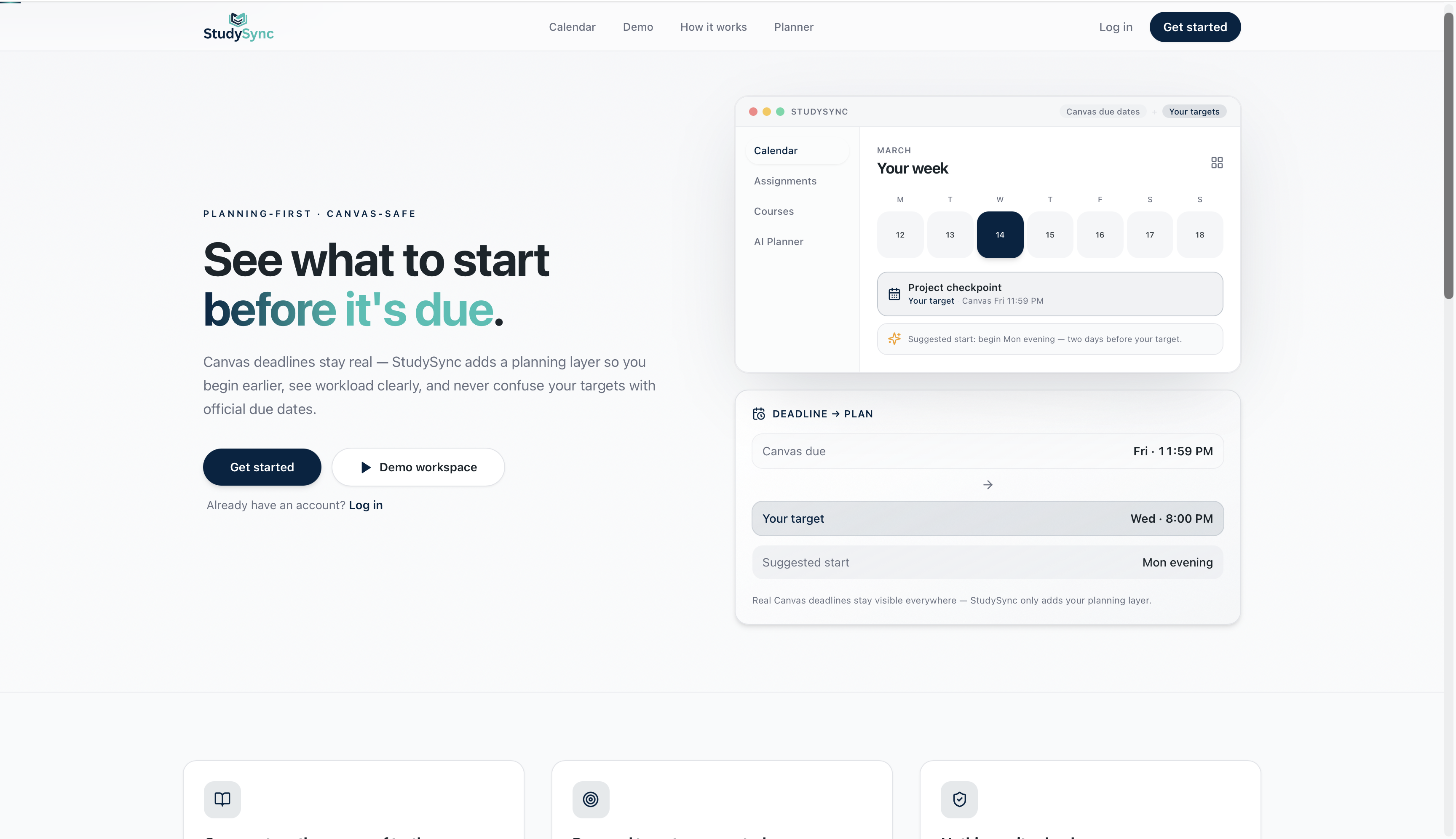
StudySync can show:
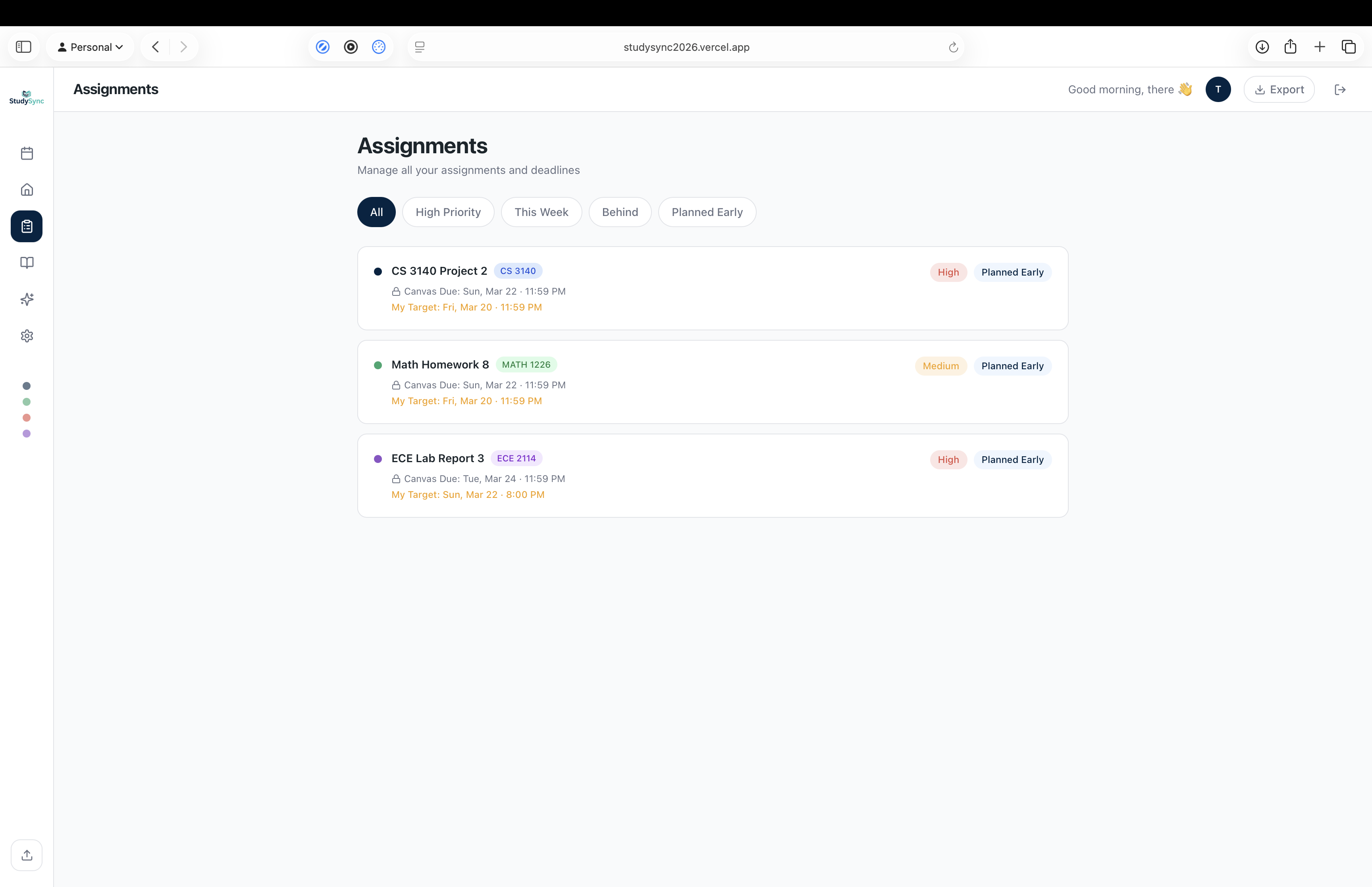
- Canvas due: Friday, 11:59 PM
- Your target: Wednesday, 8:00 PM
- Suggested start: Monday evening
That small shift changes everything. The assignment stops being something you panic about later and becomes something you can plan for now.
StudySync is not trying to replace Google Calendar. It is trying to make Canvas deadlines more actionable.
What It Does: A planning layer on top of Canvas
StudySync is a planning-first workspace for students.
Core functionality
Canvas-aware planning
StudySync uses Canvas assignment/calendar feed data as the source of truth.
Personal target generation
The app creates earlier personal planning targets before the official due date so students can start sooner.
Start-now guidance
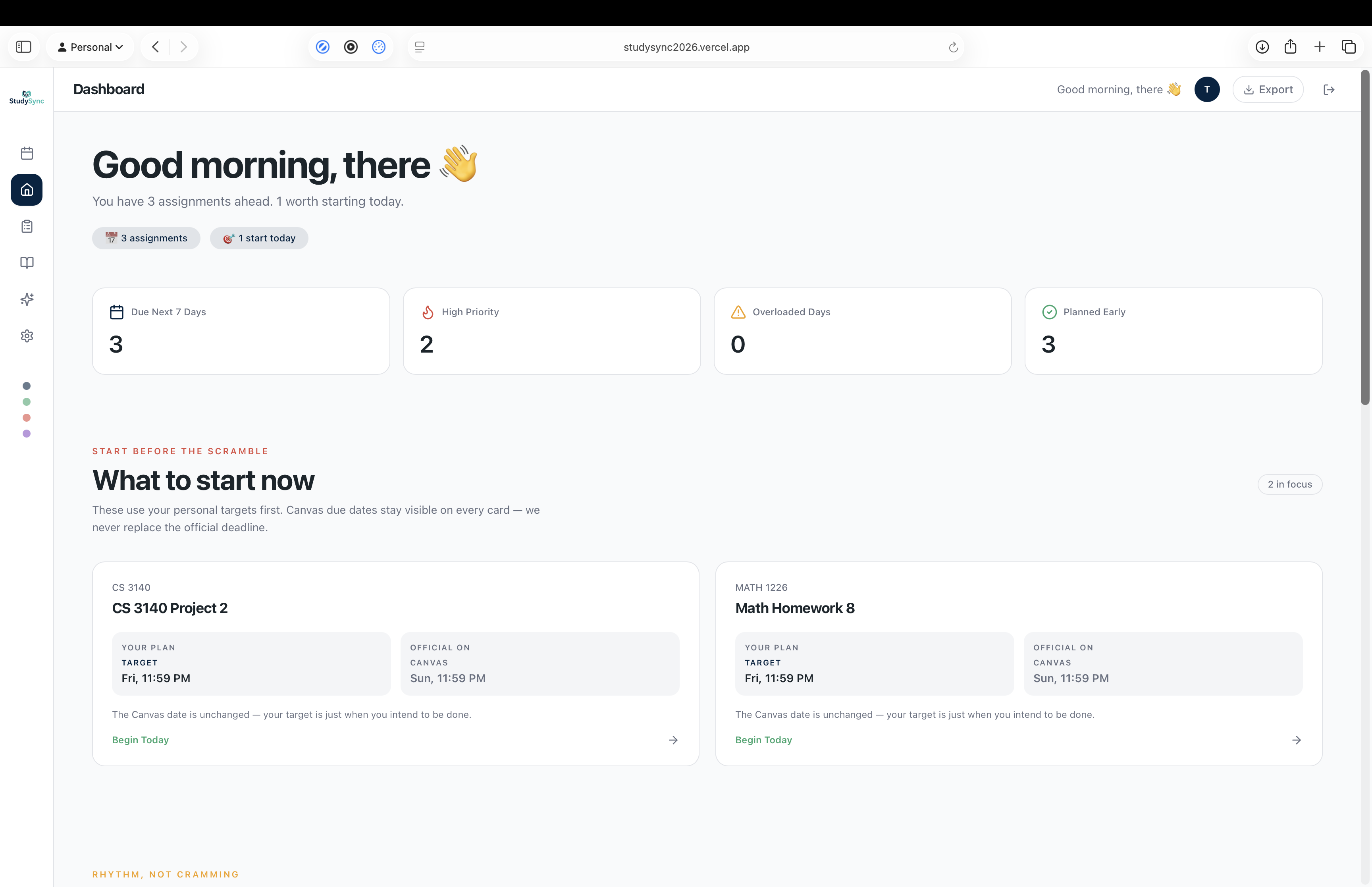
Instead of only showing what is due today, StudySync highlights what should be started now.
Multiple planning views
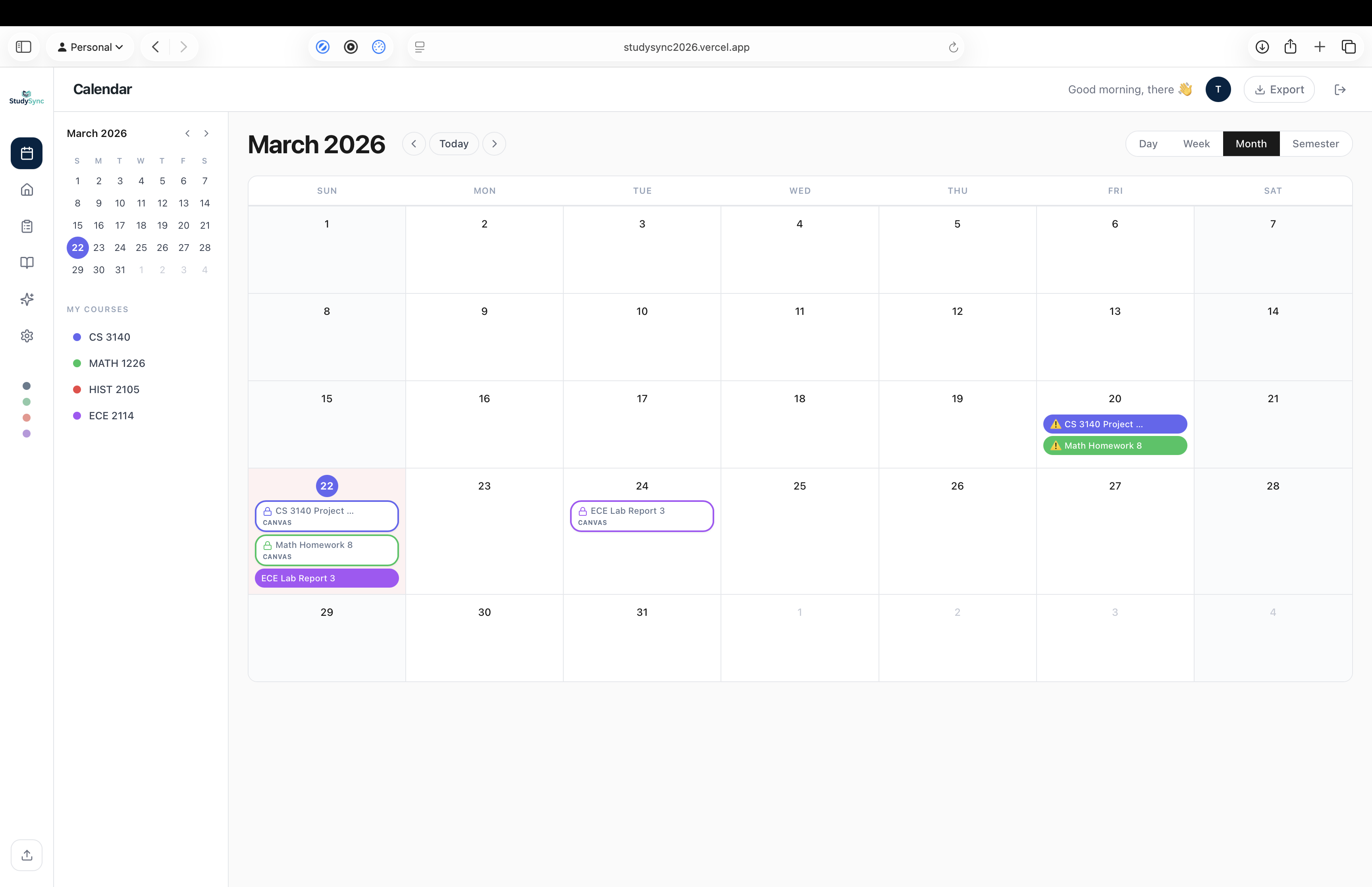
Students can view their work across:
- daily
- weekly
- monthly
- semester-level planning views
Real deadlines stay visible
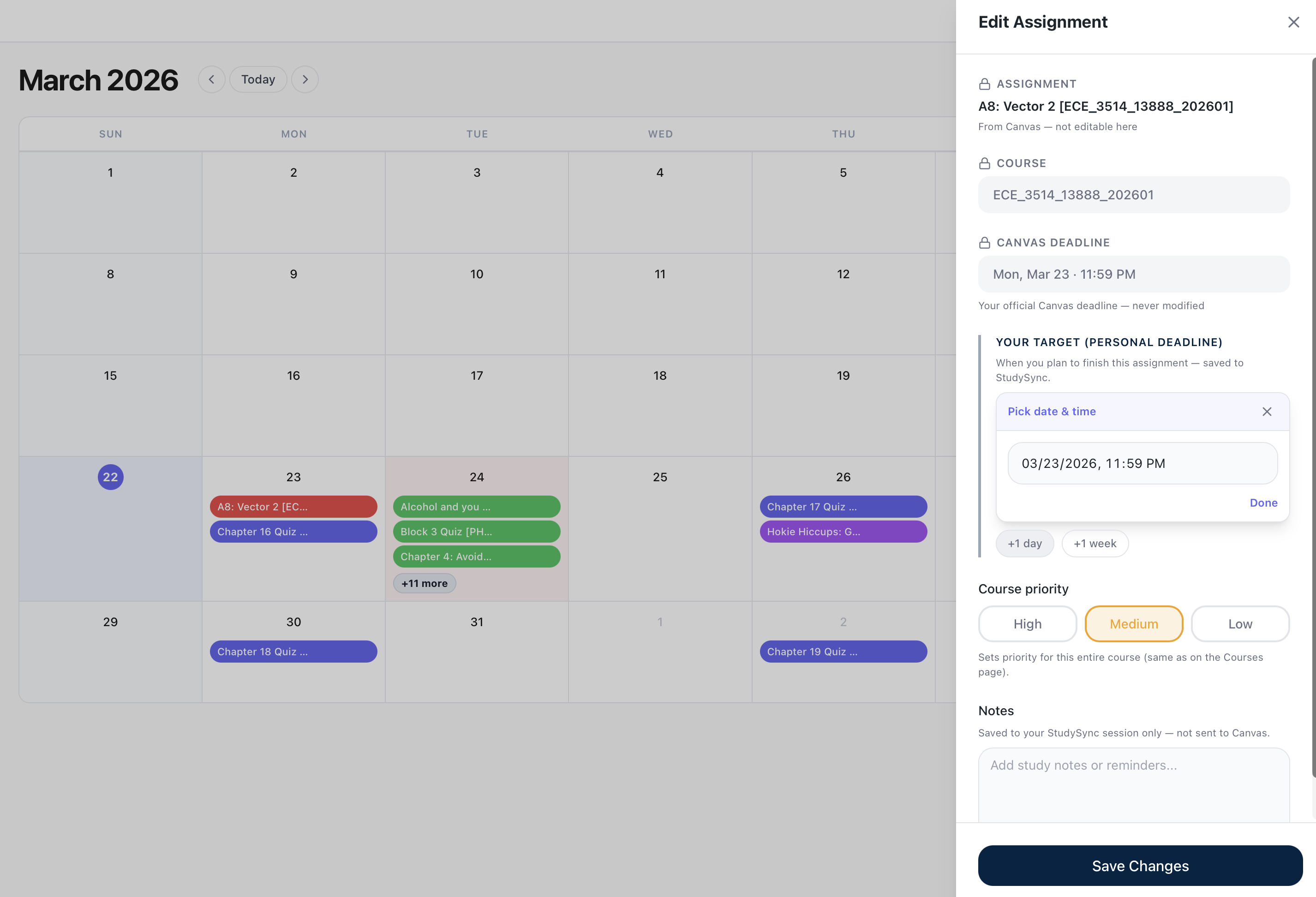
Canvas deadlines are always preserved and shown clearly. StudySync never tries to hide or overwrite the official due date.
Demo workspace
Users can explore the product with sample data before connecting their own Canvas feed.
The core product idea is simple:
Canvas deadlines stay real. StudySync adds the planning layer.
How We Built It
We built StudySync as a modern web app focused heavily on frontend product experience, planning UX, and a backend that could support live imports, authentication, and intelligent features.
Frontend stack
- React
- Vite
- TypeScript
- Tailwind CSS
- React Router
- Zustand
- TanStack Query
- Framer Motion
- Lucide React
- Zod
- date-fns
Backend stack
- Python 3.13
- FastAPI
- Uvicorn
- SQLAlchemy 2.x
- SQLite
- Firebase Admin
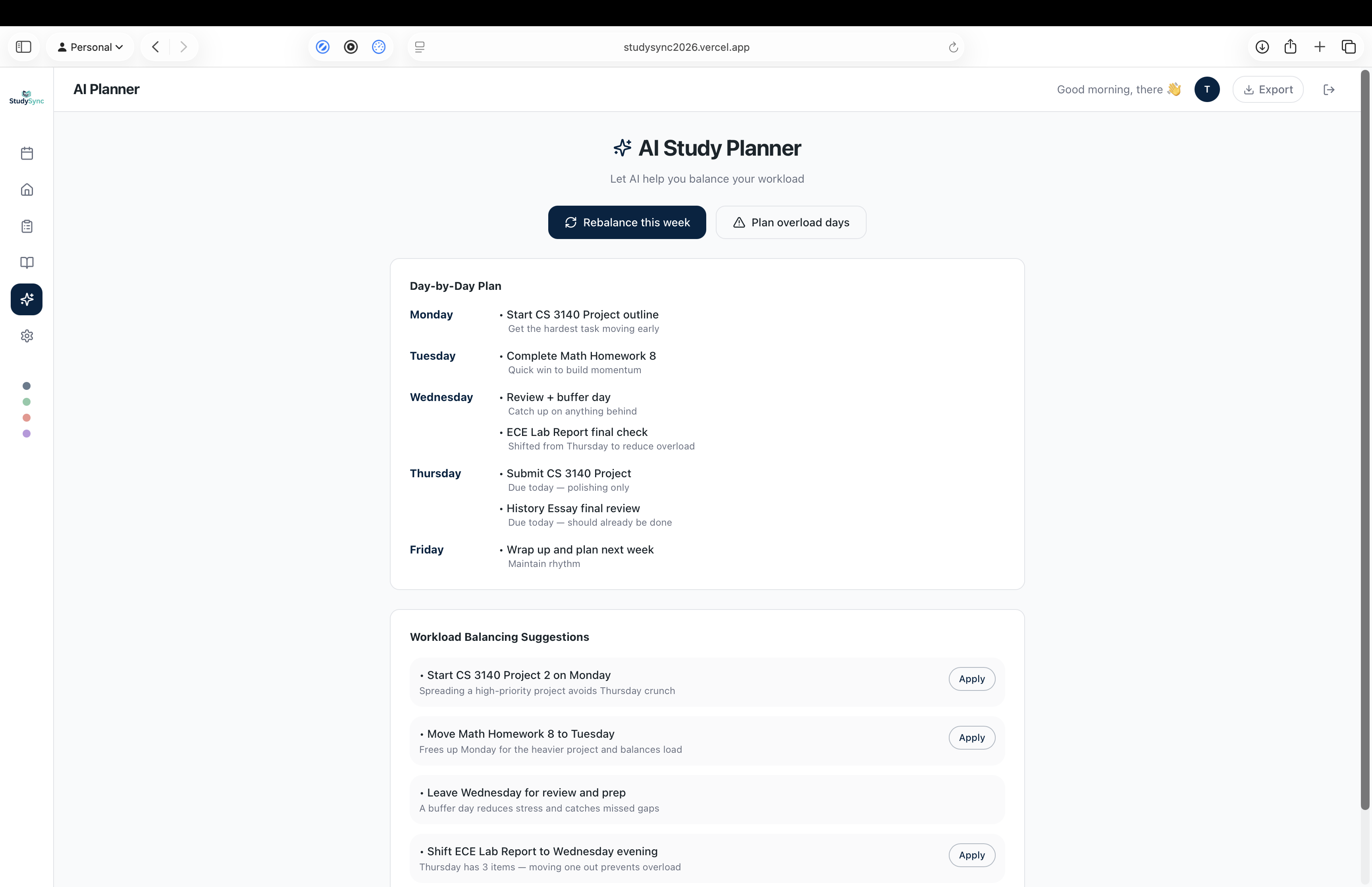
- Google GenAI / Gemini
- icalendar
- requests
- python-dotenv
- Starlette
Product logic
A big part of the build was not just displaying deadlines, but deciding how to turn them into planning targets.
We built logic to:
- infer assignment type from task names
- generate earlier personal targets
- surface recommended start times
- support multiple calendar/planning views
- show the relationship between official due dates and personal targets clearly
For example:
- quizzes and discussions can be shifted slightly earlier
- homework and problem sets need more lead time
- labs and projects benefit from even earlier planning targets
Frontend experience
A lot of our effort went into making the product feel polished and intuitive instead of just functional.
We worked on:
- a planning-first interface
- onboarding and landing page design
- multiple views such as daily, weekly, monthly, and semester planning
- a demo workspace so users can try the product before connecting Canvas
- clear visual distinction between Canvas deadlines and personal targets
Backend functionality
On the backend, we focused on building the systems needed to support a real student workflow.
That included:
- API endpoints with FastAPI
- database models and persistence with SQLAlchemy + SQLite
- support for importing calendar/feed data
- Firebase token verification for authentication
- Gemini integration for future AI-powered planning and recommendation features
- configuration through environment variables for easier development and deployment
UX / product direction
A lot of our work went into product design decisions:
- how to make the app feel premium instead of academic/corporate
- how to explain the product clearly during onboarding
- how to keep trust high by emphasizing that the app is read-only
- how to make planning views feel useful instead of overwhelming
We also built a landing/onboarding experience that makes it easier to understand the value of the product before connecting Canvas.
Challenges We Ran Into
One of the hardest parts was not the idea — it was making the idea feel obvious in the product.
“Personal deadlines” sounds simple, but in practice we had to solve a few design challenges:
1. Communicating the difference between Canvas deadlines and personal targets
We had to make sure users would instantly understand:
- Canvas due date = official
- personal target = planning suggestion
- suggested start = when to begin
If that hierarchy was not visually clear, the whole product became confusing.
2. Avoiding the “school portal” feeling
We did not want StudySync to look like a boring academic tool or just another dashboard. We wanted it to feel like a modern productivity product that students would actually want to use every day.
3. Balancing polish with simplicity
We kept iterating on the UI because some versions looked too plain, while others felt too busy or overdesigned. Finding the right balance between premium and practical was a big challenge.
4. Onboarding trust
Because users need to paste a Canvas feed, the onboarding page had to clearly communicate:
- read-only access
- password required
- real Canvas deadlines remain unchanged
That trust layer was essential.
Accomplishments We’re Proud Of
We are proud that StudySync solves a very real student pain point in a way that is both practical and original.
Highlights
- Built a planning-first product instead of a generic task tracker
- Created a system that keeps official due dates visible while adding smarter planning targets
- Designed multiple views for different planning horizons: daily, weekly, monthly, and semester
- Added a demo workspace so users can try the product immediately
- Iterated heavily on the UX until the experience felt much more polished and intentional
- Kept the concept focused: help students start earlier without disrupting the tools they already use
What We Learned
This project taught us that building a good productivity app is as much about behavior design as it is about code.
We learned that:
- students do not just need information, they need timing
- clear hierarchy matters more than adding more features
- onboarding trust can make or break a product
- small UI decisions dramatically affect whether a product feels useful or confusing
- iteration is everything when building a polished frontend experience
We also got more experience building a modular frontend architecture that can later connect cleanly to a real backend.
What’s Next: From deadlines to real pacing
We see StudySync as more than just a deadline viewer.
Next steps
- fully integrate live Canvas feed imports
- improve personal target generation with smarter logic
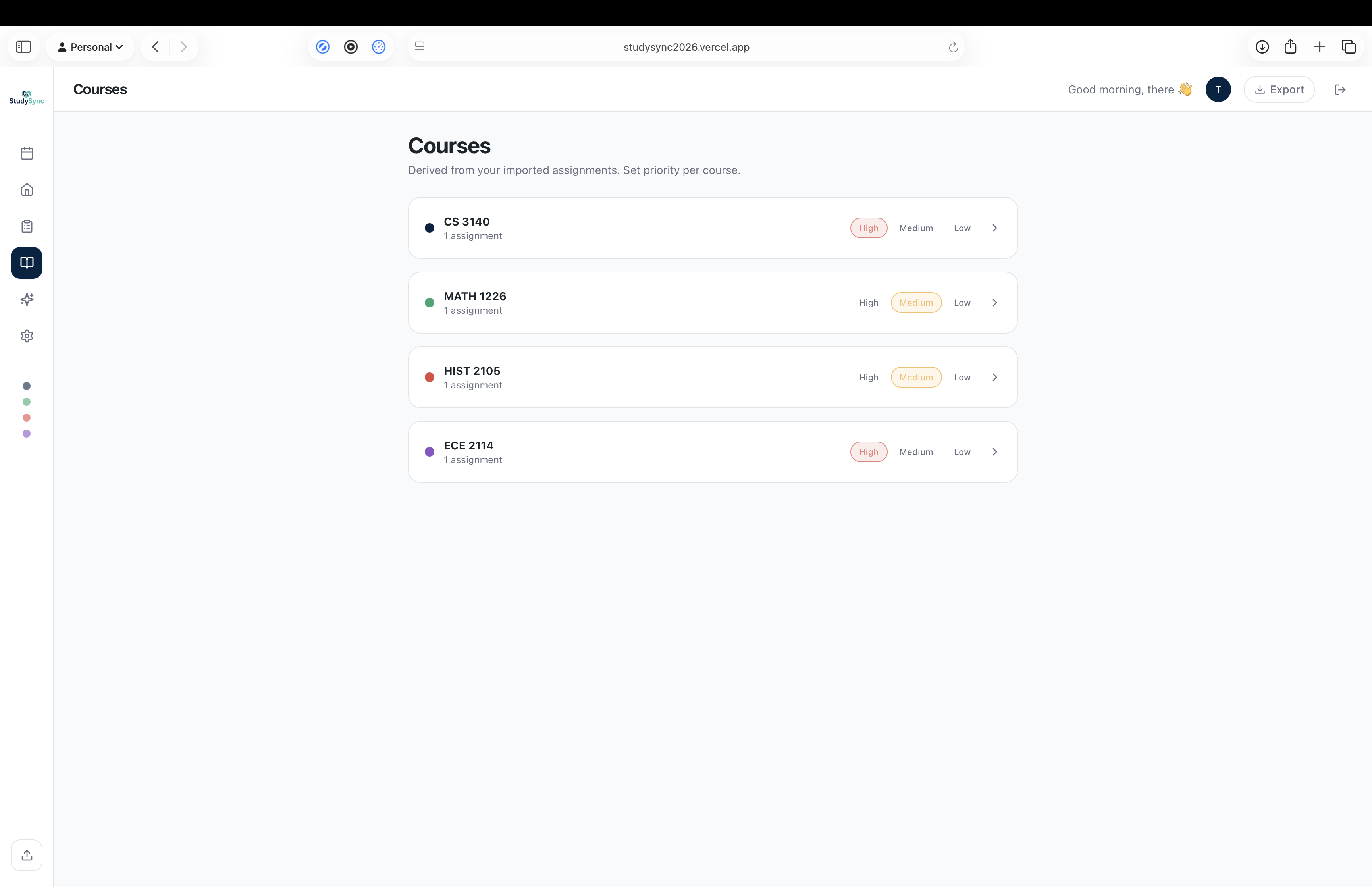
- add course-aware recommendations
- support reminders and notifications
- improve workload balancing across the week
- make the semester view stronger and more strategic
- continue refining onboarding and planning UX
Long term, we want StudySync to help students shift from:
reacting to deadlines
to
planning ahead with confidence
Built With
- apis
- cloud-services
- databases
- date-fns
- fastapi
- firebase
- firebase-admin
- framer-motion
- frameworks
- gemini
- google-genai
- icalendar
- lucide-react
- platforms
- python
- python-dotenv
- react
- react-router
- requests
- sqlalchemy
- sqlite
- starlette
- tailwindcss
- tanstack-query
- typescript
- uvicorn
- vite
- zod
- zustand


Log in or sign up for Devpost to join the conversation.