Inspiration
The night before an exam, most students do the same thing: they re-read their notes. It feels productive. It isn't.
Cognitive science has a name for why- the illusion of fluency. When you read something familiar, your brain registers it as "known" even when you can't actually recall it under pressure. The remedy is active recall, forcing yourself to retrieve information from memory and decades of research shows it produces dramatically better retention than passive review. The effect is so consistent it has its own name: the testing effect.
$$\text{Retention}{active} \gg \text{Retention}{passive}$$
The problem is friction. Writing good practice questions from a stack of notes takes almost as long as studying itself. Students know they should test themselves. They just don't, because the barrier is too high.
We kept thinking: what if a photo was all it took? You've already written the notes. The knowledge is there on the page. What if you could just snap it and get a quiz in under five seconds?
That question, and the arrival of truly capable multimodal AI through the Gemini API, is what became StudySnap.
What it does
StudySnap turns any photo of study notes into an interactive quiz — in seconds, with no setup.
The core loop is three steps:
- Snap : Upload a photo of your handwritten or printed notes. Drop it on the page or pick it from your camera roll.
- Configure : Choose your quiz type (multiple choice, fill-in-the-blank, or true/false), difficulty (easy, medium, or hard), and how many questions you want (3–10).
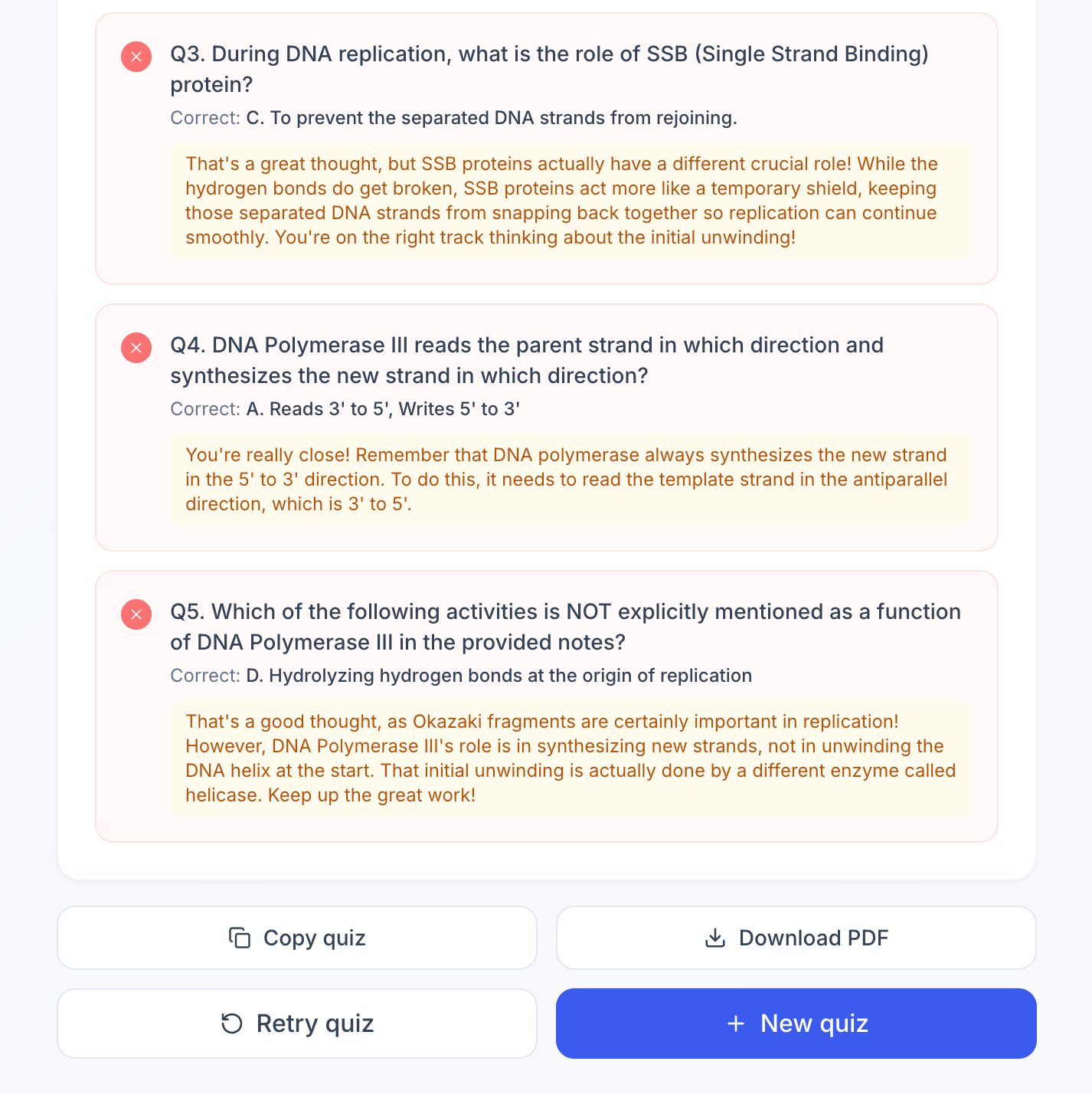
- Quiz : Gemini Vision reads your notes and generates a personalized quiz. Answer each question and get instant feedback. Wrong answers get a Gemini-powered explanation and not just "incorrect", but why.
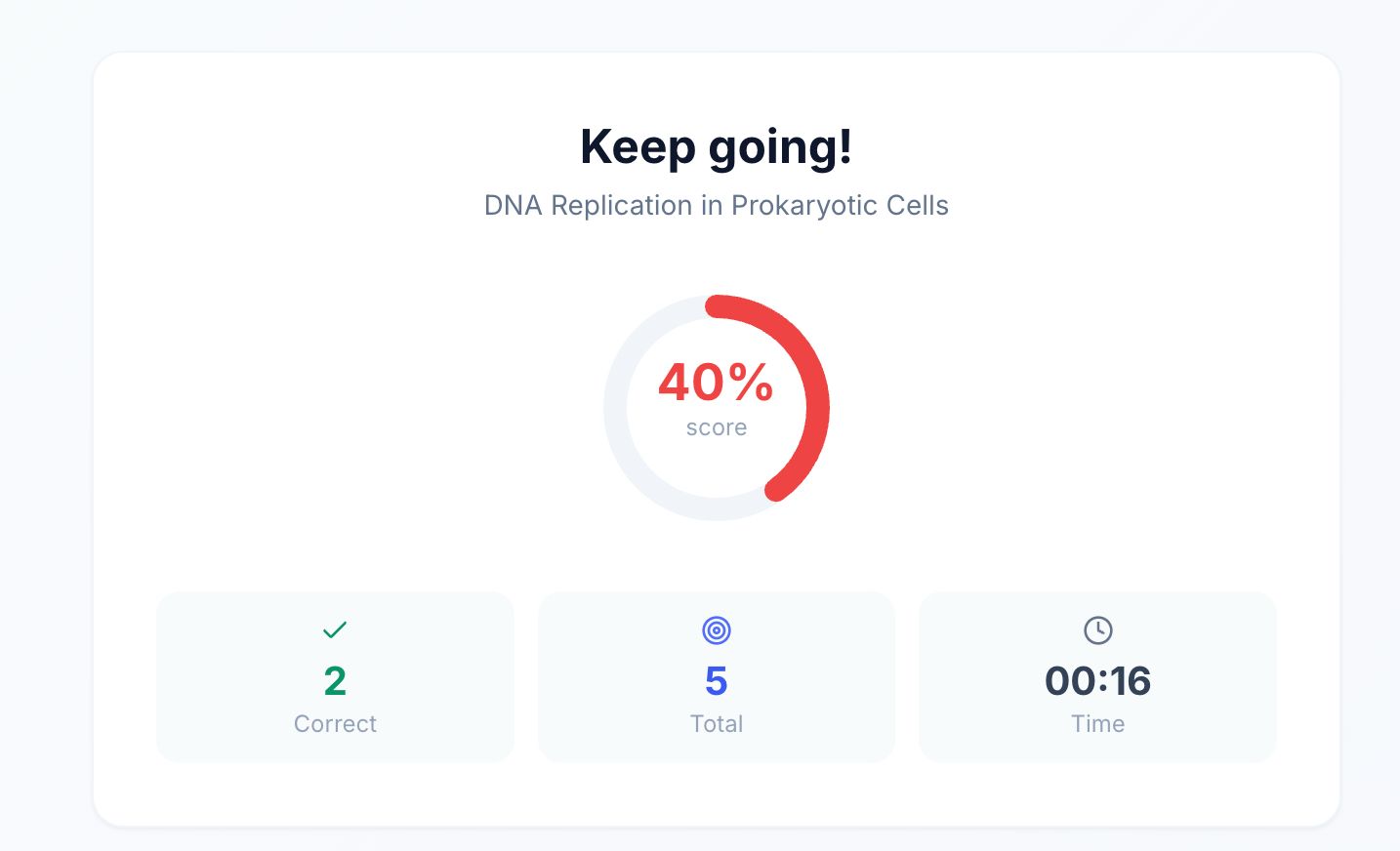
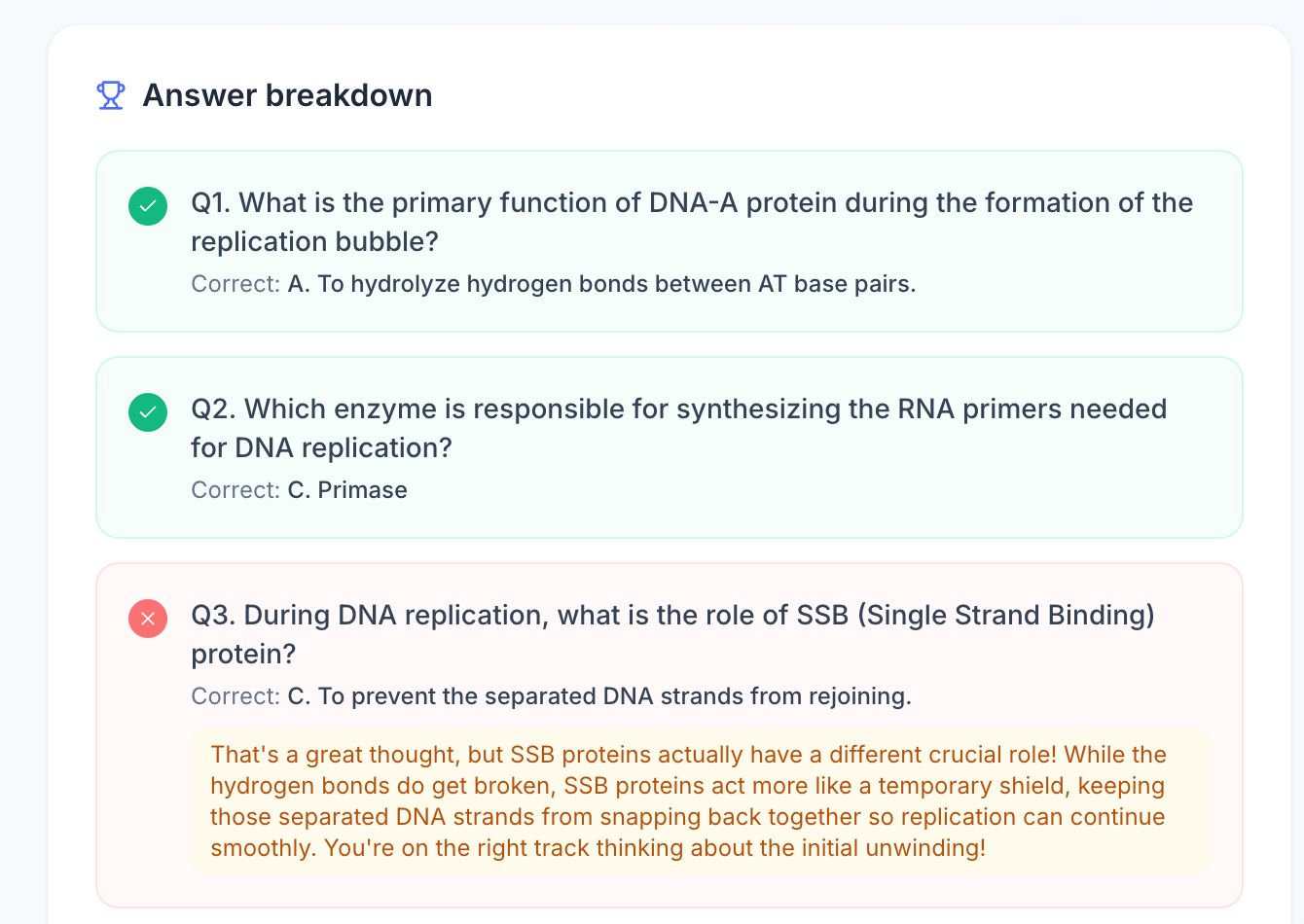
After finishing, you see a score summary with an animated score ring, a per-question breakdown, and options to retry, export as PDF, or copy the quiz as text to share with study partners.
Key features:
- Three quiz modes : MCQ with four options, fill-in-the-blank, and true/false, each using a different cognitive retrieval strategy
- Three difficulty levels : Easy tests direct recall; Medium adds application questions with plausible distractors; Hard makes distractors nearly indistinguishable from the correct answer
- AI explanations on wrong answers : A second Gemini call generates a friendly, encouraging 2–3 sentence explanation for every mistake, turning errors into learning moments
- Live timer : tracks how long you spend on each quiz session
- Progress indicators : a progress bar and dot trail show exactly where you are and which questions you've gotten right or wrong
- Export : download as PDF or copy as plain text, both ready to share
How we built it
StudySnap is a full-stack web app built and deployed entirely within the hackathon window.
Frontend: React 18 + Vite + Tailwind CSS. The app is a three-screen state machine, Upload → Quiz → Results , managed at the App level with no router needed. Each screen is a self-contained page component. Tailwind handled all styling; Lucide React provided icons; html2pdf.js handles client-side PDF export with zero backend involvement.
Backend: Node.js + Express. Two API routes do all the work:
POST /api/generate-quiz: accepts a multipart image upload alongside config parameters, calls Gemini, returns a structured quiz JSONPOST /api/explain: accepts a wrong answer and calls Gemini for a personalized explanation
The server acts as a secure proxy, keeping the Gemini API key server-side and never exposing it to the browser.
AI layer: Gemini 2.0 Flash via the @google/generative-ai SDK. The quiz generation call is multimodal, it sends both the image and a carefully engineered text prompt in a single request. The prompt is assembled dynamically based on the selected mode and difficulty:
You are a professional educator creating a study quiz from notes in an image.
Generate {n} {mode} questions at {difficulty} difficulty.
Return ONLY a valid JSON object , no markdown, no backticks.
The prompt includes a mode-specific JSON schema example, which dramatically reduces schema drift in the response. The server strips any accidental markdown fences before JSON.parse().
Deployment: Docker multi-stage build (Vite builds the client in Stage 1; only the Express server + compiled client dist goes into Stage 2), deployed to Google Cloud Run with the Gemini API key set as a Cloud Run environment variable.
Notes photo  →  POST /api/generate-quiz  →  Gemini 2.0 Flash  →  Quiz JSON  →  Quiz UI
Wrong answer →  POST /api/explain        →  Gemini 2.0 Flash  →  Explanation text
Challenges we ran into
Getting Gemini to return consistent JSON. The biggest engineering challenge was prompt reliability. Gemini occasionally wraps its response in markdown code fences (`json) despite being explicitly told not to, and sometimes uses slightly different field names (correct_answer vs correctAnswer). We solved this with two defenses: a mode-specific JSON example embedded in every prompt (gives the model a concrete schema to follow), and server-side fence-stripping before parsing. The combination reduced malformed responses to near zero.
True/False correctAnswer type safety. JSON boolean true is not the string "true". When Gemini generates a true/false quiz and the answer is serialized through FormData and back, type coercion causes silent comparison failures. We had to be explicit about boolean parsing throughout the pipeline.
Explanation latency UX. The wrong-answer explanation requires a second Gemini call, which takes 1–3 seconds. Showing a blank space while it loads felt broken; showing a spinner felt slow. The solution was an amber panel that appears immediately with a spinner and the static fallback explanation baked into the quiz JSON — the spinner is replaced by the richer Gemini explanation when it arrives, with no layout shift.
Fill-in-the-blank answer matching. Gemini generates "the water cycle" as the correct answer; a student types "Water Cycle". Case-insensitive comparison with whitespace trimming handles most cases, but edge cases (articles, plurals, hyphenation) are genuinely hard without NLP-level fuzzy matching. We added guidance in the prompt to make correct answers short, specific, and unambiguous, which reduced the mismatch surface area significantly.
PDF export clipping. html2pdf.js renders the visible DOM, which caused long answer breakdowns to get clipped at the viewport edge. The fix was rendering from a ref on the full breakdown section with explicit page-break CSS, not from the scrolled viewport.
Accomplishments that we're proud of
The explanation feature works beautifully. Getting a warm, encouraging, pedagogically sound explanation for every wrong answer generated in real time from context Gemini knows from your specific notes, is the feature that surprised us most in testing. It doesn't just say "wrong"; it teaches.
Gemini reads handwriting reliably. We tested with genuinely messy handwritten notes and Gemini 2.0 Flash extracted content accurately enough to produce sensible quiz questions. This was not a given, it's a real capability that makes StudySnap useful beyond typed notes and screenshots.
The difficulty system is meaningfully different across levels. By investing in the prompt engineering for each difficulty tier, Hard mode genuinely produces harder questions. On a photosynthesis note set, Easy asks "What color is chlorophyll?" while Hard asks about the distinction between cyclic and non-cyclic photophosphorylation, with distractors like "96%" vs "97%" for numerical facts.
Shipped a complete product solo in under 24 hours. Upload → configure → quiz → score → export → deploy. The full loop works end to end, deployed on a live URL.
What we learned
Prompt engineering is software engineering. Writing the Gemini prompts felt as rigorous as writing the application code. A single word change ("Return ONLY valid JSON" vs "Return valid JSON") measurably changes compliance rate. Embedding a typed example of the expected output in the prompt is the single highest-leverage technique we found.
Multimodal AI removes a whole class of preprocessing problems. In a pre-Gemini world, building StudySnap would require an OCR pipeline (Tesseract or Google Vision API) to extract text, then a separate LLM call to generate questions from the extracted text. Gemini 2.0 Flash collapses that into one call that understands the image semantically, not just as text , it can read diagrams, understand spatial relationships between labels, and handle mixed handwritten/printed content.
Lazy-fetch beats eager-fetch for secondary AI calls. Fetching explanations only when a user gets something wrong (not for all questions upfront) saved meaningful time and tokens. Only about 40–60% of answers in testing were wrong, so eager pre-fetching would have wasted roughly half the explanation API calls.
Structured output is worth the prompt investment. The temptation is to ask Gemini for a free-form response and parse it. The better approach is to spend time in the prompt defining the exact JSON schema you need and validating the output strictly. The extra 10 minutes writing the schema example in the prompt saved hours of debugging malformed responses.
What's next for StudySnap
The core insight : that the hardest part of active recall is writing the questions , applies well beyond a single study session.
Near term:
- Multi-image upload : photograph multiple pages of notes and generate one combined quiz across all of them
- Quiz history : save your last 10 quizzes in local storage so you can retake them or track score improvement over time
- Regenerate : produce a fresh quiz from the same image with one click, great for varied practice
Medium term:
- Spaced repetition : questions you get wrong are automatically scheduled to reappear in future sessions, using a simple SM-2-style interval algorithm:
$$I(n) = \begin{cases} 1 & n = 1 \ 6 & n = 2 \ I(n-1) \times EF & n > 2 \end{cases}$$
where $EF$ (easiness factor) starts at 2.5 and decreases with each wrong answer.
- Weak topic detection : across multiple quiz sessions, identify which concepts you consistently miss and surface them in a "focus list"
- Study group mode : share a quiz link, race through it with friends, compare scores
Long term:
- Adaptive difficulty : quiz difficulty auto-adjusts based on rolling performance
- Audio notes support : Gemini's audio capabilities mean voice-recorded lecture notes could become quizzes too
- Study plan generation : given an exam date and a folder of note photos, generate a day-by-day study schedule with targeted quizzes
Built With
- css
- docker
- express.js
- gemini2.0flash
- googleaistudio
- html5
- javascript
- node.js
- react
- restapi
- tailwind
- vite

Log in or sign up for Devpost to join the conversation.