
About the Project Inspiration
We noticed that students spend more time planning their studies than actually studying. Between juggling multiple subjects, keeping track of weak topics, and guessing what to study next, the process becomes overwhelming. We wanted to create a tool that removes this burden—something simple, visual, and smart enough to guide a student through their day.
That’s how StudySmart was born: a dashboard that acts like a personal study assistant.
What it does
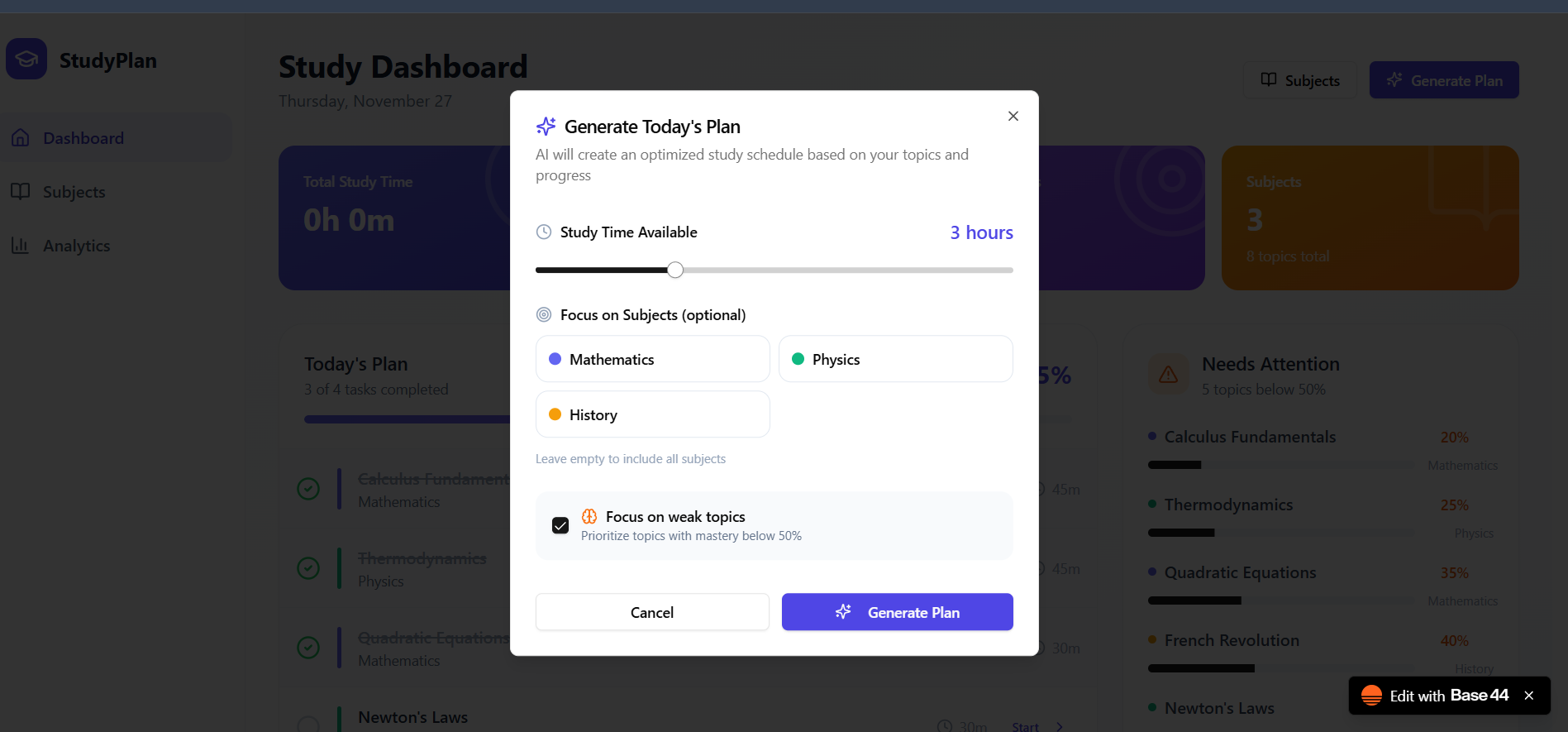
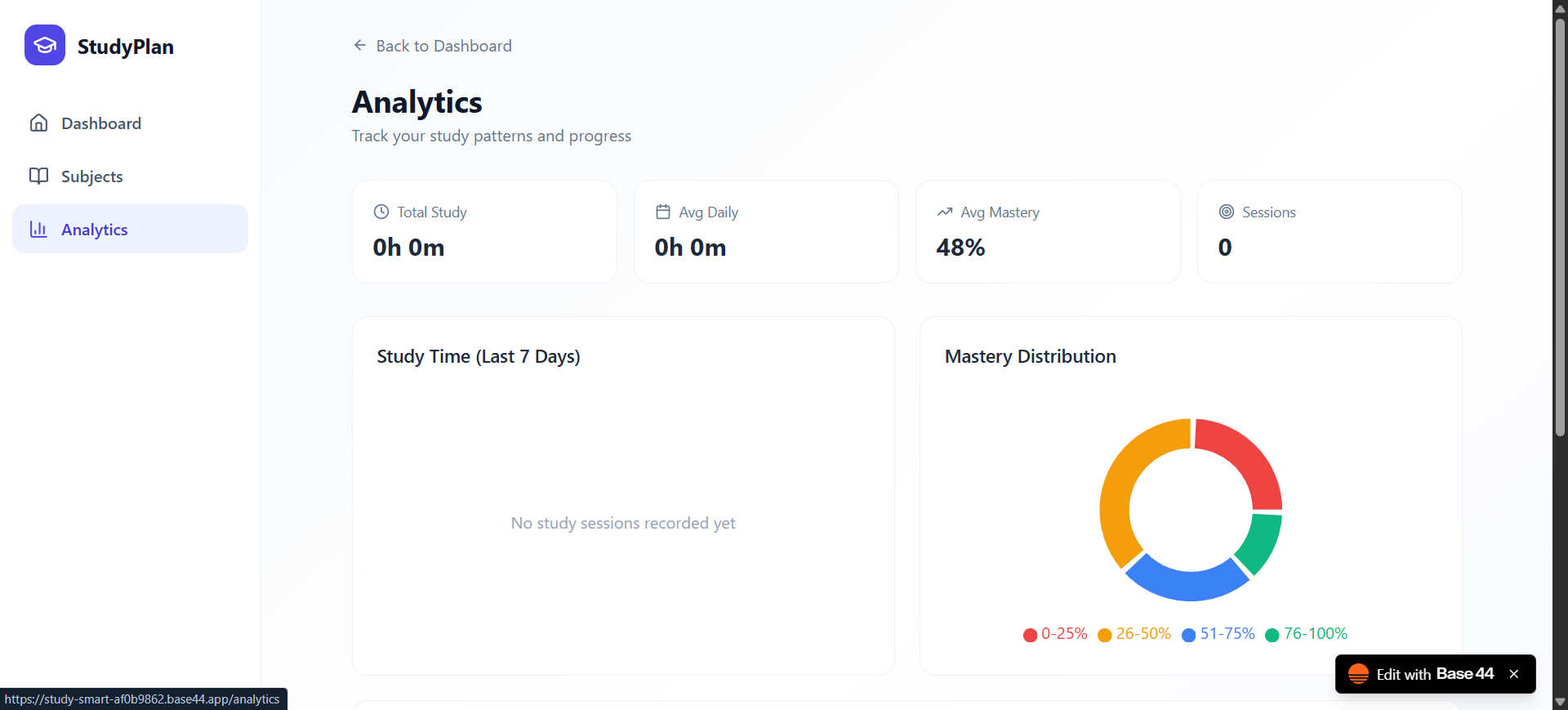
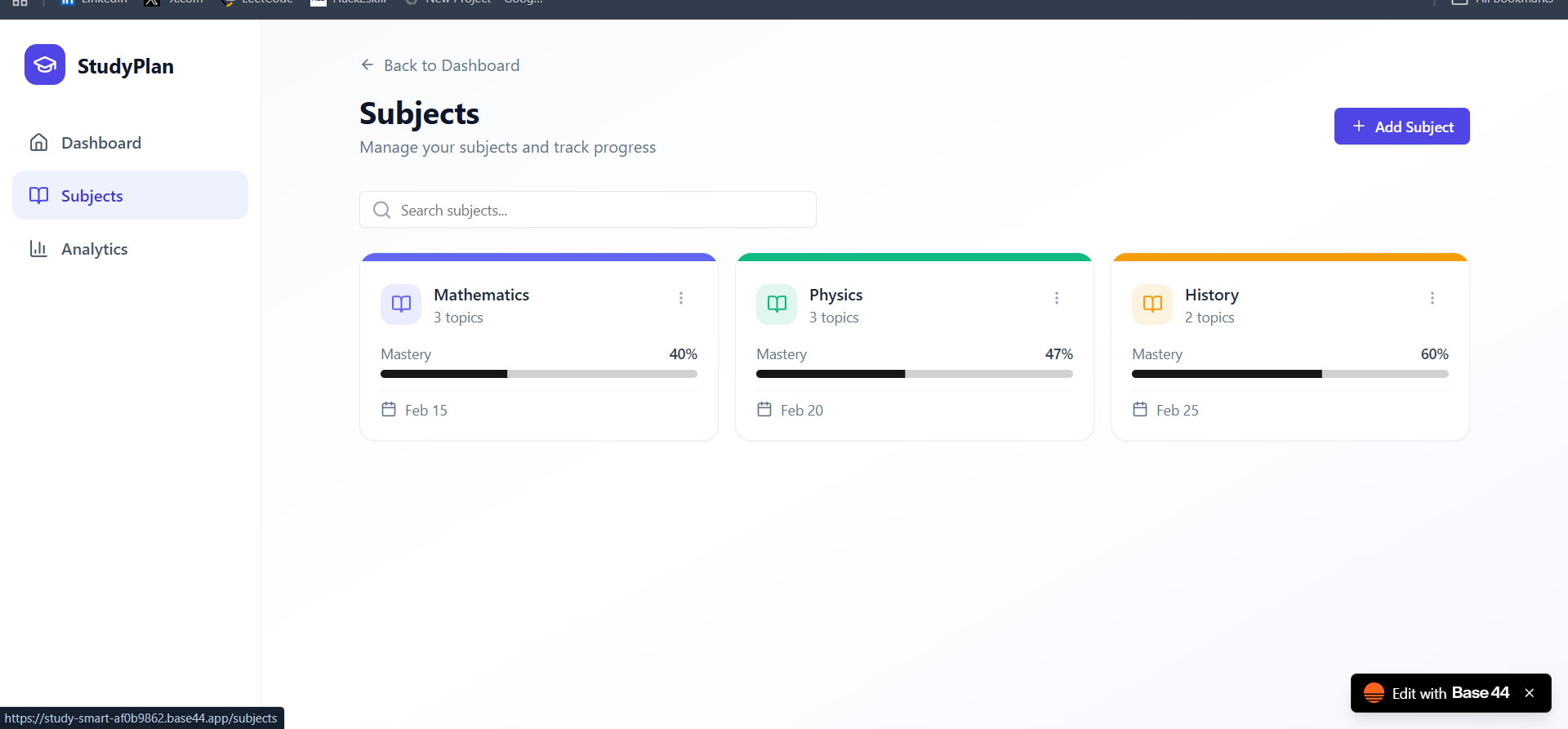
StudySmart is a smart study dashboard that helps students organize their entire learning routine in one place. It provides:
A daily study plan with tasks and timings Mastery tracking across all topics A focused Needs Attention panel for weak areas Real-time progress stats like study time, completion %, and topics covered Quick access to Subjects and Analytics
A single click on Generate Plan produces a personalized schedule for the day based on topics, progress, and mastery levels.
How we built it
StudySmart was created entirely using Base44, a no-code visual platform that allowed us to: Design the UI with responsive layouts Build interactive components (cards, progress bars, lists) Connect screens together through workflows Manage data (subjects, topics, mastery levels) Generate dynamic dashboards without writing traditional frontend code Base44 made it possible to prototype, iterate, and polish the user experience quickly.
Challenges we ran into
Designing a dashboard layout that was clean yet information-rich Structuring data for mastery tracking while keeping the interface simple Making the daily plan dynamic and readable Learning the Base44 workflow system and understanding how data-binding works Ensuring the design remained responsive across different devices Each challenge helped us improve our design thinking and problem-solving skills. Accomplishments that we're proud of Building a fully functional dashboard with a modern, intuitive UI Implementing real-time topic mastery and progress visualization Creating a working study planner without writing traditional code Designing a system that genuinely helps reduce planning time for students Delivering a polished prototype that looks and feels like a real product
What we learned
How to build complete apps using Base44’s no-code environment How to structure user flows and dashboards effectively The importance of clear visual hierarchy and usability How powerful no-code tools can be for rapid development How to turn a simple idea into a functional, testable product
What's next for StudySmart – Smart Study Dashboard
Adding AI-powered plan generation Integrating timers and productivity tools Offering spaced-repetition revision cycles Enabling user accounts and cloud-sync Adding mobile responsiveness and a PWA version Implementing interactive analytics graphs Expanding the recommendation engine for weak-topic improvement## Inspiration

Log in or sign up for Devpost to join the conversation.