-
-
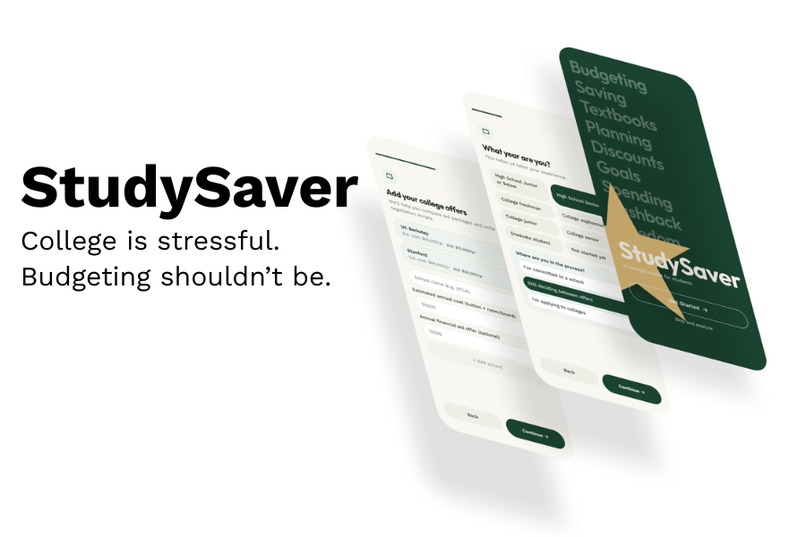
StudySaver
-
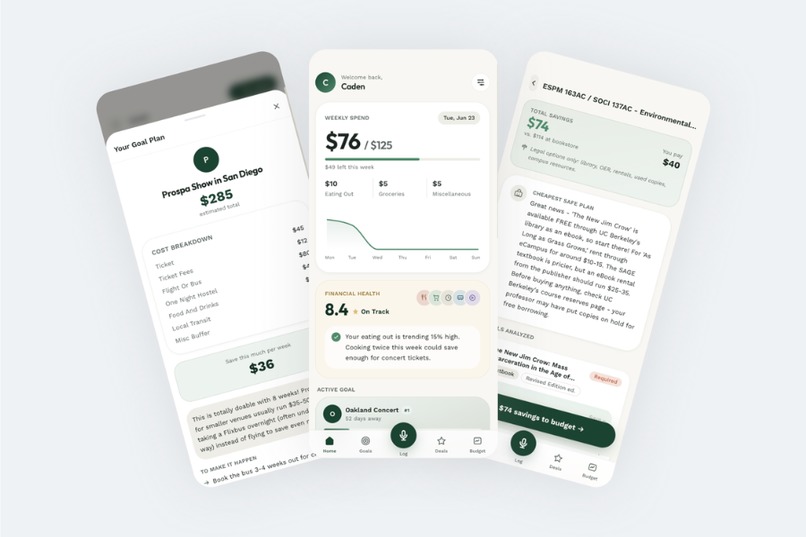
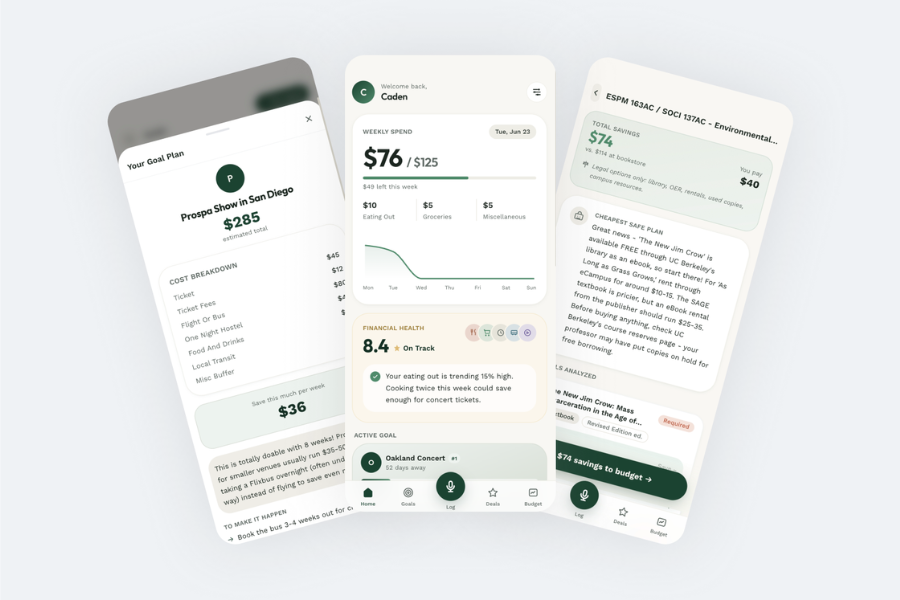
Dashboard, goal creation, and textbook saving pages
-
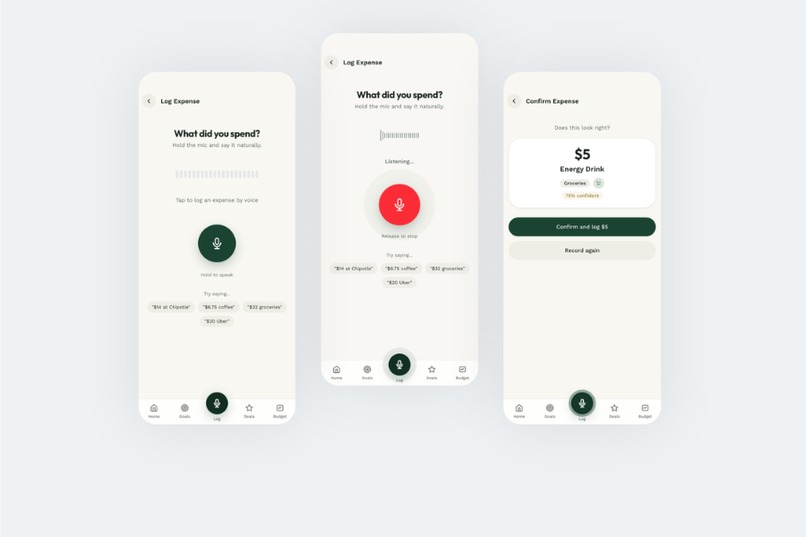
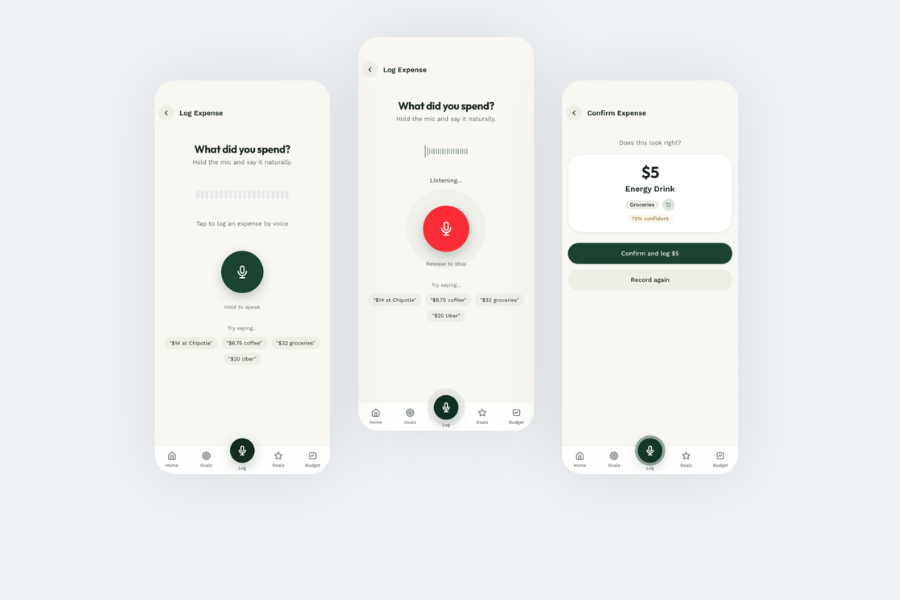
Voice logging feature
Inspiration
The inspiration for StudySaver is very personal. With my sister joining me at UC Berkeley next year, my family and I are facing the harsh reality of two simultaneous college tuitions. My parents have always said they want to support us, but after everything they have already sacrificed, I refuse to put that financial burden on them.
With recent bills capping Parent PLUS loans at $20,000 a year, families like mine are forced to take out tens of thousands of dollars in private loans with high interest rates, causing a massive amount of stress. I plan to pay my tuition and loans off entirely by myself. However, because of the new bill, repayments have to start right away. This means I have to secure an internship and a full-time job immediately, which is honestly pretty scary given how brutal the current tech job market is. The pressure to land a role just to keep my parents from paying out of pocket is immense.
I also reflected on my own transition from high school to college. Even with a dorm and a meal plan, my parents weren't there to hold my hand fiscally. I struggled with budgeting and often made impulsive decisions that quickly drained my savings. I wanted to build the tool I desperately needed back then to help other students survive, budget smartly, and navigate these exact financial and career pressures.
What it does
While there are hundreds of budgeting apps and dozens targeted at Gen Z, StudySaver is built by a college student for college and high school students.
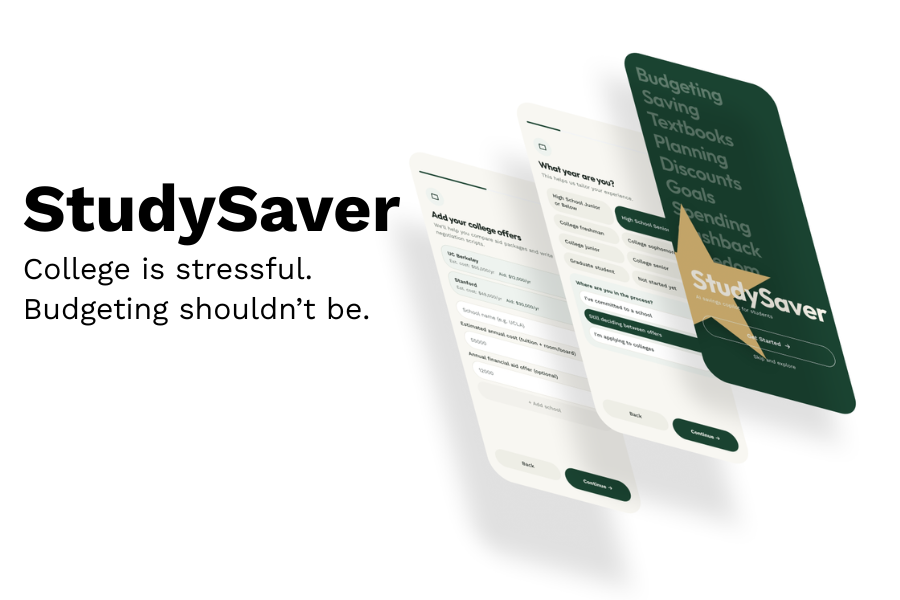
During onboarding, students enter their education details (current college, or colleges they are deciding between), and StudySaver immediately adapts. For example, if a user selects UC Berkeley, the app factors in the high cost of living. Every Claude API call that generates financial advice is injected with this specific context to ensure accuracy. StudySaver is hyper-localized: it uses Browserbase (a headless browser) to scrape real, cited information from university websites and campus subreddits.
Key Features:
- Financial Aid Negotiation:
Most students don't know they can negotiate their financial aid. Upload your financial aid offers, and StudySaver parses them to generate a personalized negotiation email or phone script to use with the admissions office.
- Syllabus Scanner:
Upload your syllabi, and StudySaver uses Browserbase to scour the internet for the cheapest legal way to get your course materials. It even cross-references your specific school's library system to see if the books are available to borrow for free.
- Student Discounts:
The app maintains a database of .edu email deals and uses Browserbase to find perks specific to your institution. It cross-checks your current subscriptions, calculates your potential savings, and can automatically reallocate that saved money into your monthly budget.
- Meal Plan Burn-Down:
Enter your remaining meal swipes, and the app calculates how much money you are wasting if you don't use them, generating a weekly "swipe target" to maximize your investment.
- Drop Deadline Tracker:
Automatically finds your university's class drop deadlines to ensure you drop classes before you get hit with partial-refund fees.
- Voice Logger:
Speak your expenses naturally. StudySaver uses Deepgram for speech-to-text, and Claude classifies the spending category, structuring it into a JSON file that updates your recent expenses.
- Natural Language Goals:
Tell the app your financial goals (e.g., "I want to fly home for Thanksgiving"). It uses Browserbase and Claude to estimate the real-time cost of the flight and allocates a safe amount of your budget toward that goal.
- "Is this a Smart Purchase?":
Talk through an impulse buy with the app. StudySaver checks your budget context to see if you can afford it and suggests cheaper alternatives if available.
How we built it
StudySaver was built as a Next.js web application, styled to look and feel like a native mobile app. The core AI is powered by the Claude API, which processes natural language, categorizes expenses, and generates contextual advice. I used Browserbase for our hyper-localized web scraping, allowing the app to pull real-time data from university websites and subreddits.
For the Voice Logger, I integrated Deepgram for lightning-fast speech-to-text processing. Because I ran out of Supabase projects, I utilized local storage for MVP data persistence. Finally, I used Remotion combined with Claude to programmatically generate our demo video.
Challenges we ran into
Initially, I planned to build a native mobile app using React Native and Expo. However, I ran into deployment and compatibility issues with the App Store and Expo, forcing a pivot.
I decided to build a Next.js web app, but test and design it entirely within the phone emulator in browser dev tools to perfect the mobile UI. This introduced some frustrating CSS overflow issues that broke the scrolling mechanics. I also spent a lot of time wrestling with React hydration errors caused by conflicting seed/demo data during testing.
Another issue is that I ran out of Supabase projects, and I didn't really want to set up a database and do auth and everything, so I decided to pivot and explore local storage alternatives.
Accomplishments that we're proud of
As someone who usually struggles with frontend development, successfully building the onboarding animation was incredibly rewarding. I'm also incredibly proud of the demo/advertisement video. I built it using Remotion and Claude, and although it took forever, it was a very useful skill to learn and plan to use in the future.
What we learned
I massively improved my frontend skills and learned how to handle complex mobile-first UI patterns in Next.js. I also finally got to use Browserbase using credits I'd saved from my last hackathon, but never implemented into my app. It's an incredible technology, and I learned how powerful and detailed headless AI-driven browsing can be. I also found out how React and Remotion could be used with LLMs to create really cool videos, which I can use for amazing marketing material.
What's next for StudySaver
Database Integration: The immediate next step is swapping local storage for a proper backend database so users can access their accounts across devices.
Native Migration: I'd love to migrate the codebase to Xcode/Swift or a stable cross-platform framework to officially launch it on the App Store.
Cost Optimization: Claude API calls add up quickly, even though I have credits from past hackathons. I plan to build a custom token compressor as a side project and a more efficient context retrieval system to lower API costs without sacrificing the quality of the advice.
Custom Model Fine-Tuning: It would be amazing to post-train the underlying models on university-specific subreddits (and maybe platforms like YikYak) to better understand campus culture and filter out the noise for even better, hyper-localized advice.
Built With
- browserbase
- claude-api
- deepgram
- framer-motion
- next.js
- react
- recharts
- tailwind-css
- typescript
- vercel
- zustand

Log in or sign up for Devpost to join the conversation.