-
StudyRescue AI — an AI-powered study recovery tool for turning confusion into clear revision steps.
-
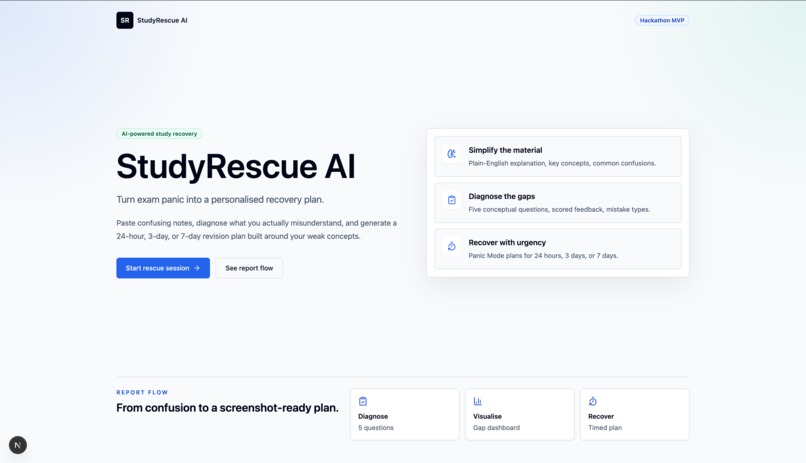
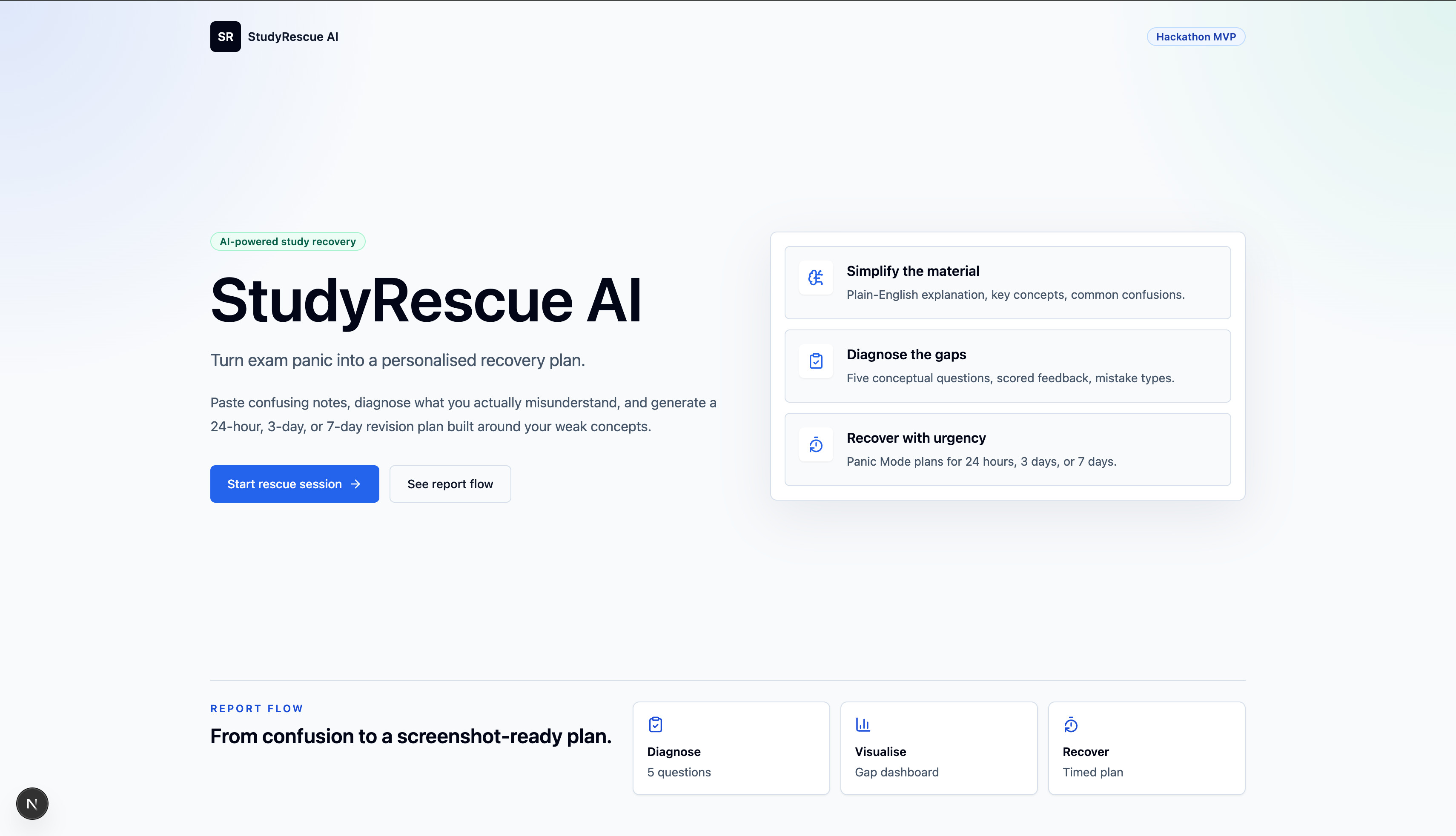
Landing page showing StudyRescue AI’s core flow: simplify material, diagnose gaps, and build a recovery plan.
-
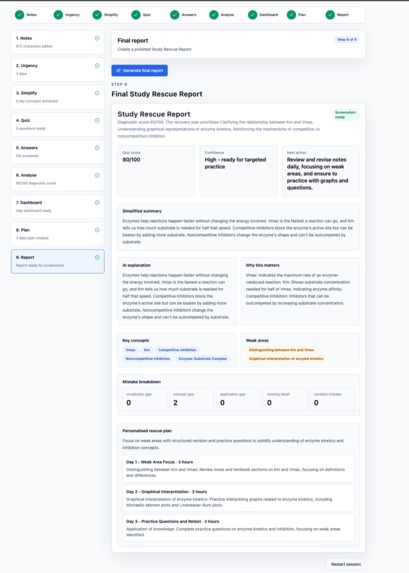
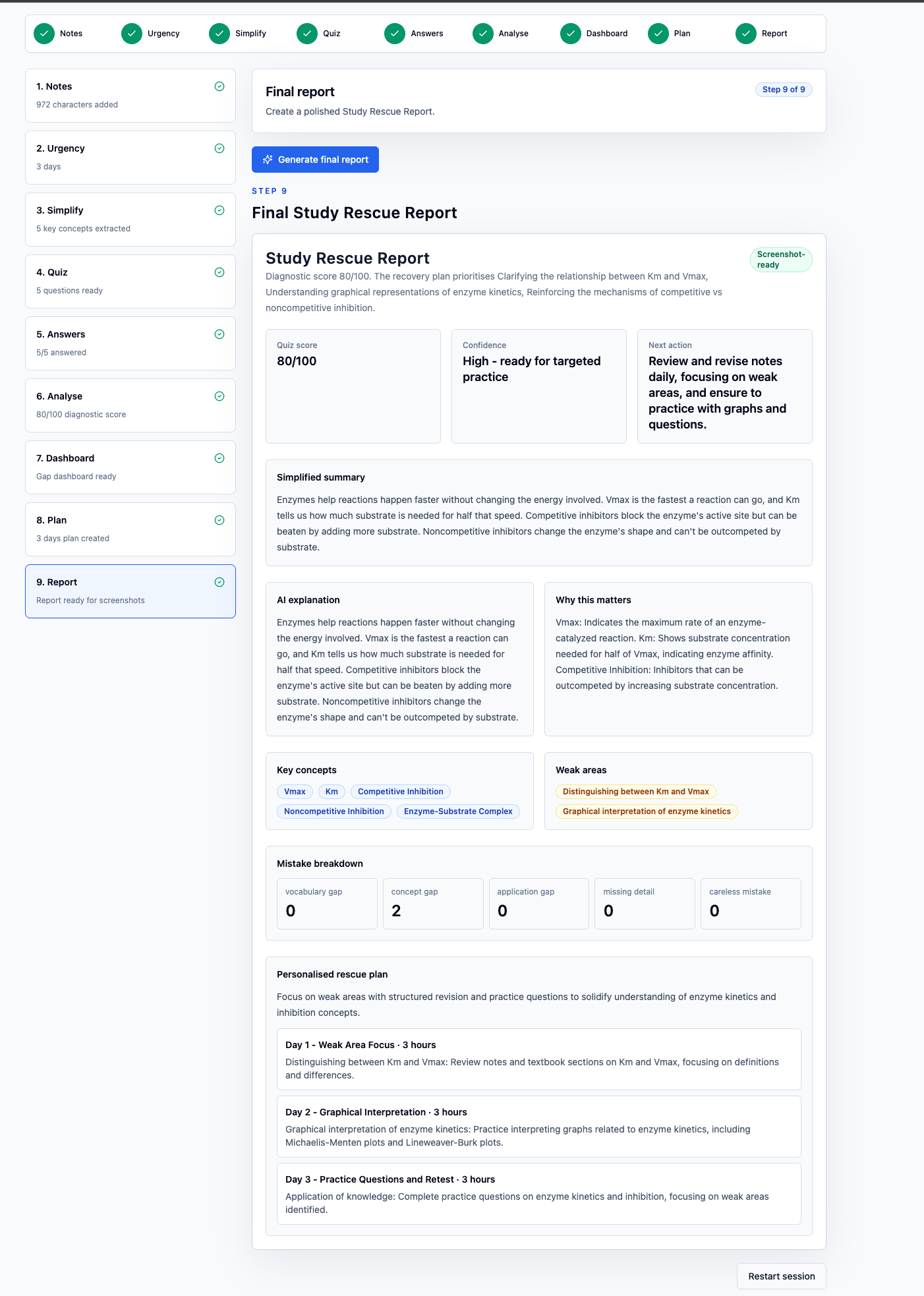
Final Study Rescue Report showing score, weak areas, mistake breakdown, and a personalised recovery plan.
-
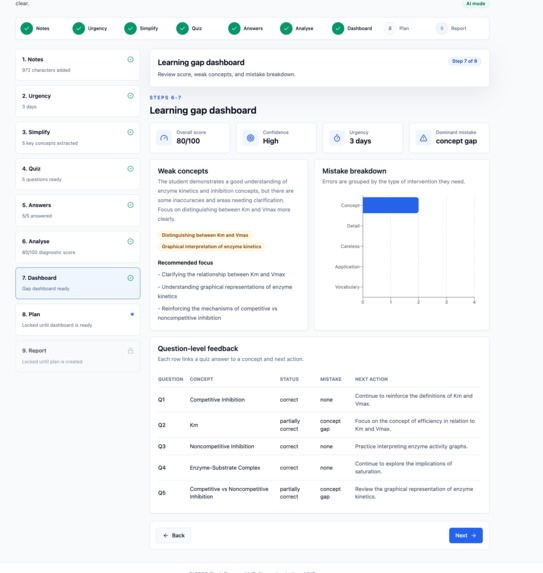
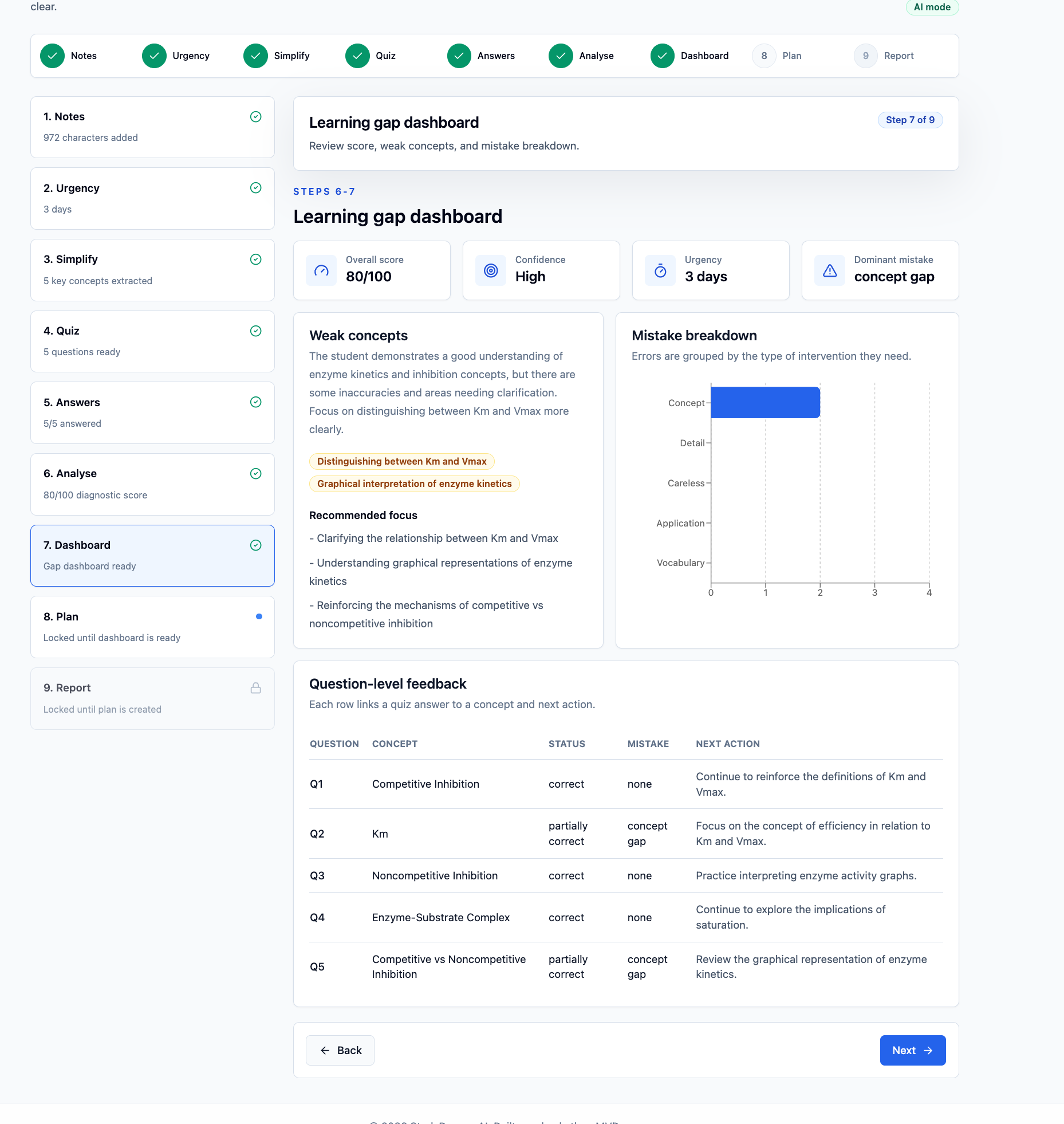
Dashboard showing diagnostic score, confidence level, weak concepts, and dominant mistake pattern.
-
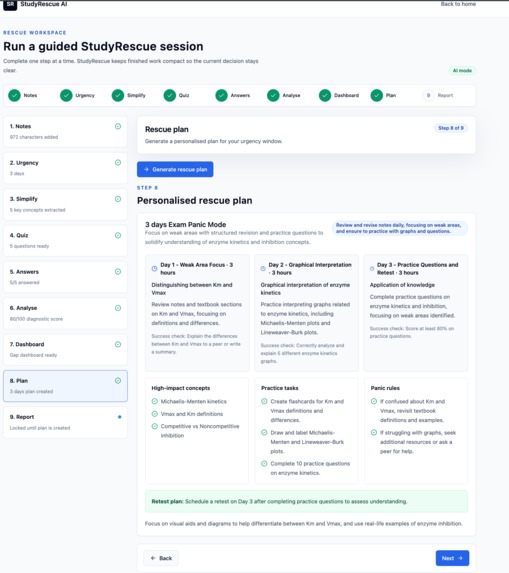
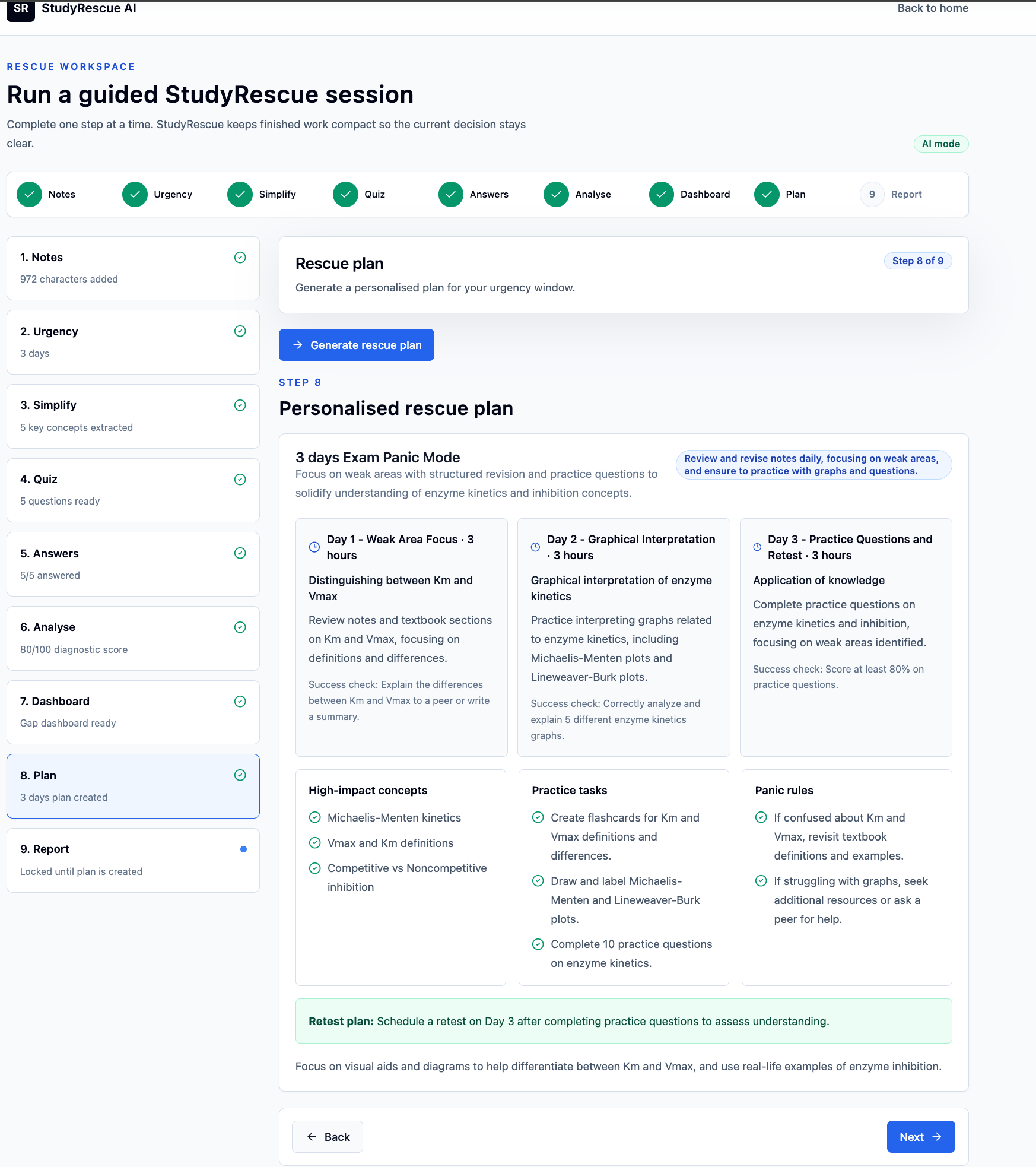
Personalised 3-day rescue plan with weak-area focus, practice tasks, and retest guidance.
-
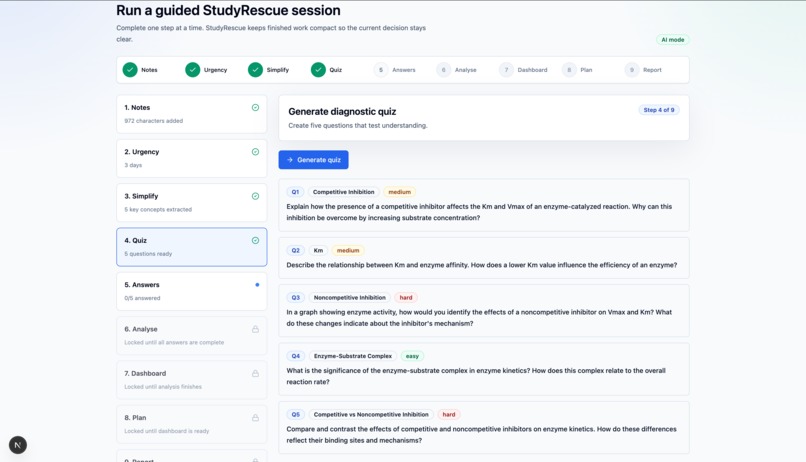
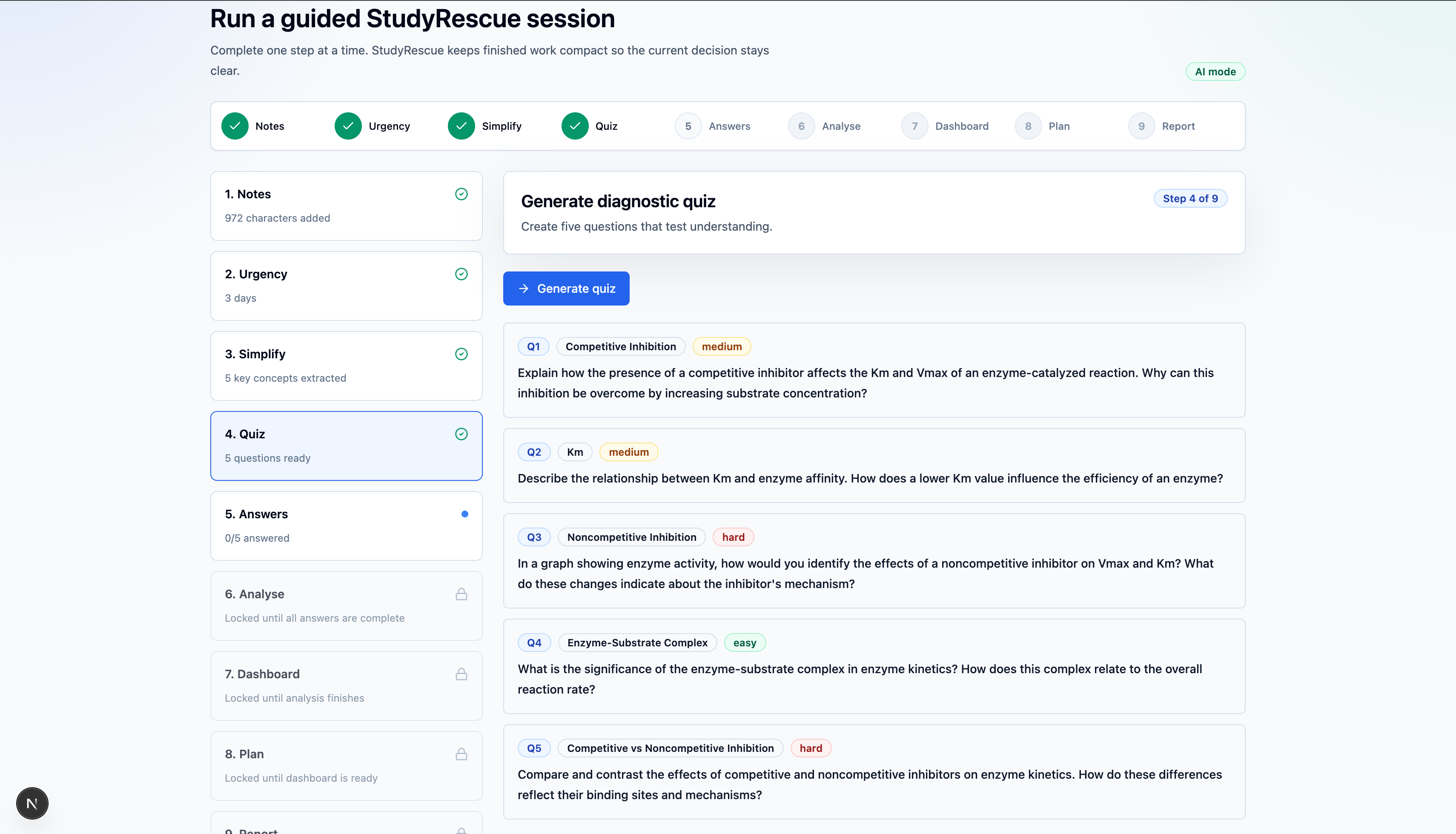
AI-generated diagnostic quiz designed to test understanding and expose learning gaps.
-
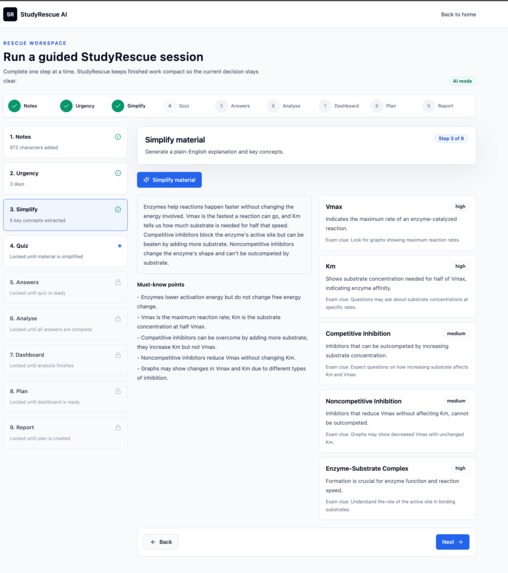
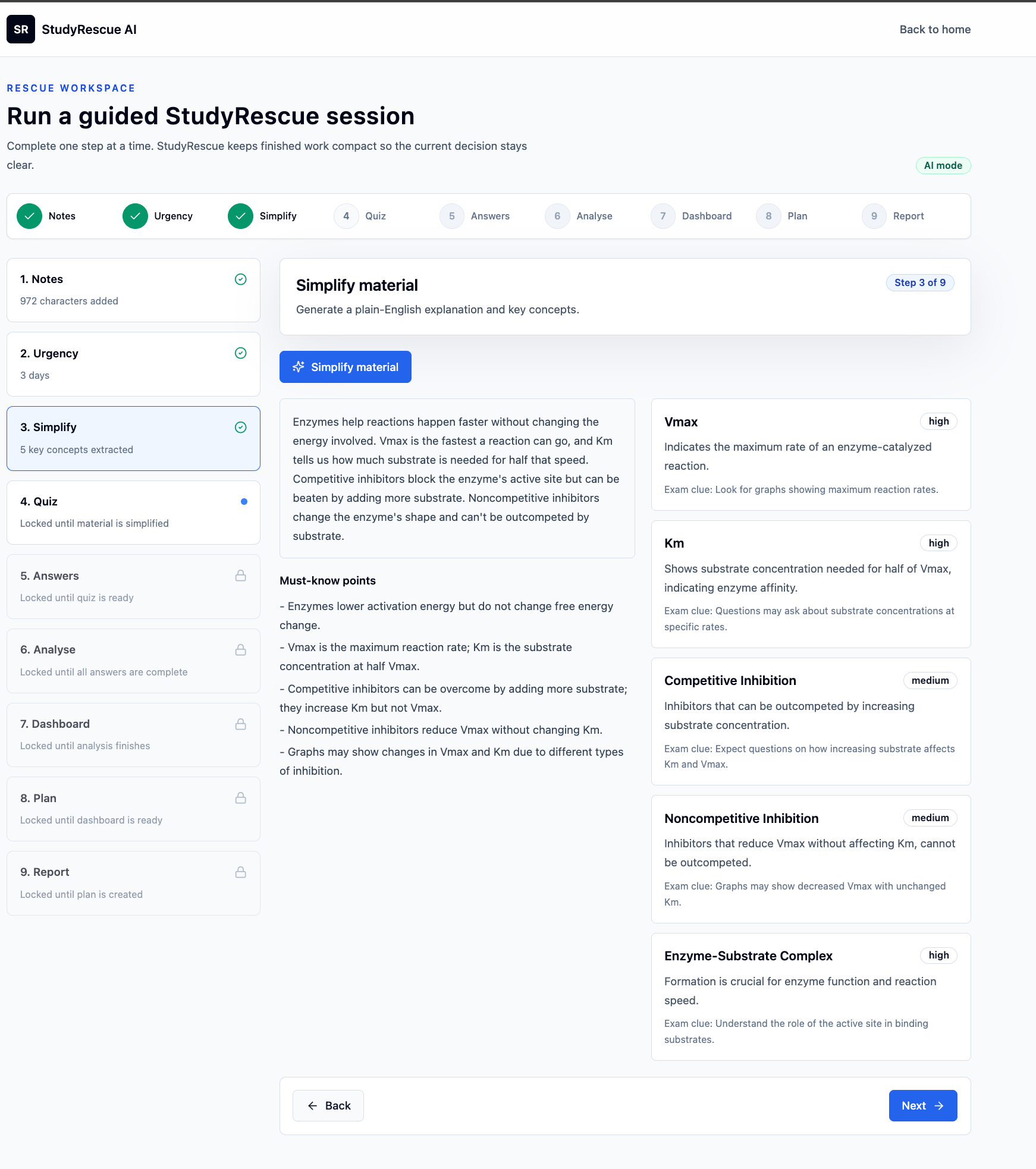
Simplified explanation and key concept cards generated from confusing lecture notes.
Inspiration
Many students do not struggle because they are lazy. They struggle because they have confusing notes, limited time before an exam, and no clear idea of what they actually misunderstand. Re-reading notes can feel productive, but it often does not reveal the real learning gaps.
I wanted to build something that helps students move from panic to action. The goal was not just to create another AI summariser or quiz generator, but a study recovery workflow that explains material, checks understanding, identifies weak areas, and turns those gaps into a practical revision plan.
What it does
StudyRescue AI helps students revise from confusing study material in a more structured way. A student can paste lecture notes or study content, choose how urgent their exam situation is, and move through a guided workflow.
The app simplifies the material, extracts key concepts, generates a diagnostic quiz, evaluates the student’s answers, identifies weak areas, and produces a personalised rescue plan. It also includes a learning-gap dashboard and final report so the student can clearly see what to focus on next.
A demo mode is included so judges can test the full workflow quickly without preparing their own notes.
How we built it
The project was built as a web app using Next.js, TypeScript, React, Tailwind CSS, shadcn/ui, and Recharts. The interface is designed as a step-by-step workflow so users do not feel overwhelmed.
The AI workflow is structured around several stages: simplifying notes, extracting key concepts, generating questions, evaluating answers, classifying mistakes, and creating a revision plan. The app also includes a demo mode so judges can test the full experience quickly.
Challenges we ran into
One of the main challenges was making the project feel different from a basic AI study assistant. Many AI tools can summarise notes or generate quizzes, so the project needed a clearer purpose. The solution was to focus on learning-gap diagnosis and exam recovery rather than simple content generation.
Another challenge was keeping the MVP realistic. It would have been easy to add accounts, databases, file uploads, calendars, or LMS integrations, but that could make the project too large and unfinished. Instead, the focus was on building a complete, polished workflow that solves one problem clearly.
Accomplishments that we're proud of
I am proud that the project works as a complete end-to-end experience rather than a single AI prompt. The user can go from confusing notes to a diagnostic quiz, then to learning-gap insights, a dashboard, and a personalised revision plan.
I am also proud of the user experience. The app is designed to guide the student through the process step by step, making it easier to understand what to do next.
The project shows how AI can be used not only to generate content, but to support better learning decisions.
What we learned
This project showed that AI becomes more useful when it is placed inside a clear workflow. A simple chatbot can answer questions, but a structured tool can guide users through a full process and help them make better decisions.
I also learned the importance of product focus. Instead of trying to build every possible study feature, I focused on one specific problem: helping students identify learning gaps and recover before an exam.
What's next for StudyRescue AI
Next, StudyRescue AI could support PDF and slide uploads, progress tracking over multiple sessions, calendar-based revision scheduling, and more subject-specific quiz types.
A future version could also allow students to compare progress over time and help teachers or tutors understand where learners need support. The long-term goal is to make StudyRescue AI a practical study recovery tool for students who need clear, personalised next steps before exams.
Built With
- ai/llm
- api
- css
- github
- next.js
- openai
- react
- recharts
- shadcn/ui
- tailwind
- typescript
- vercel
