-
-
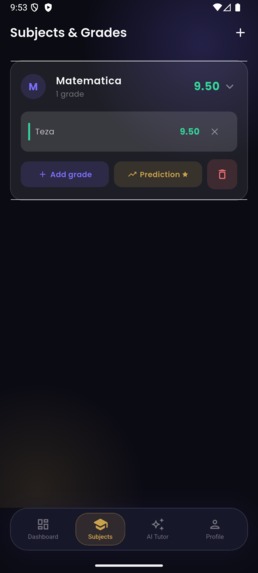
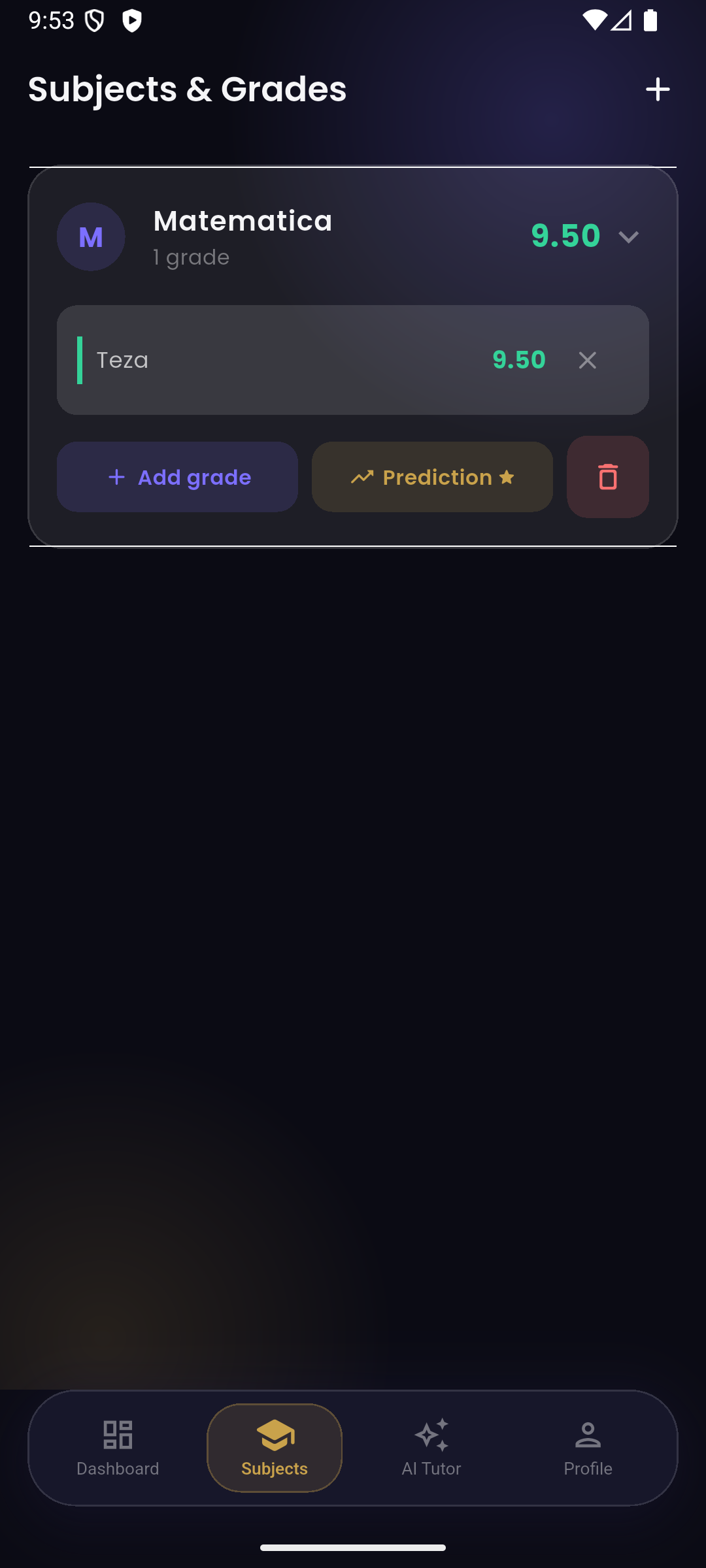
Subject tracking with weighted grade averages
-
Subject tracking with weighted grade averages
-
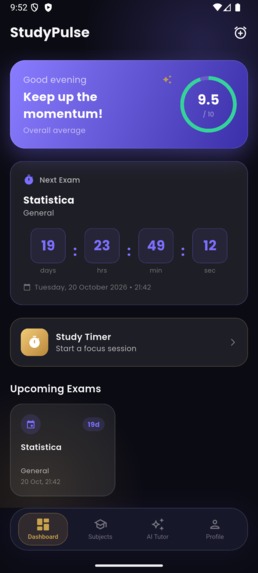
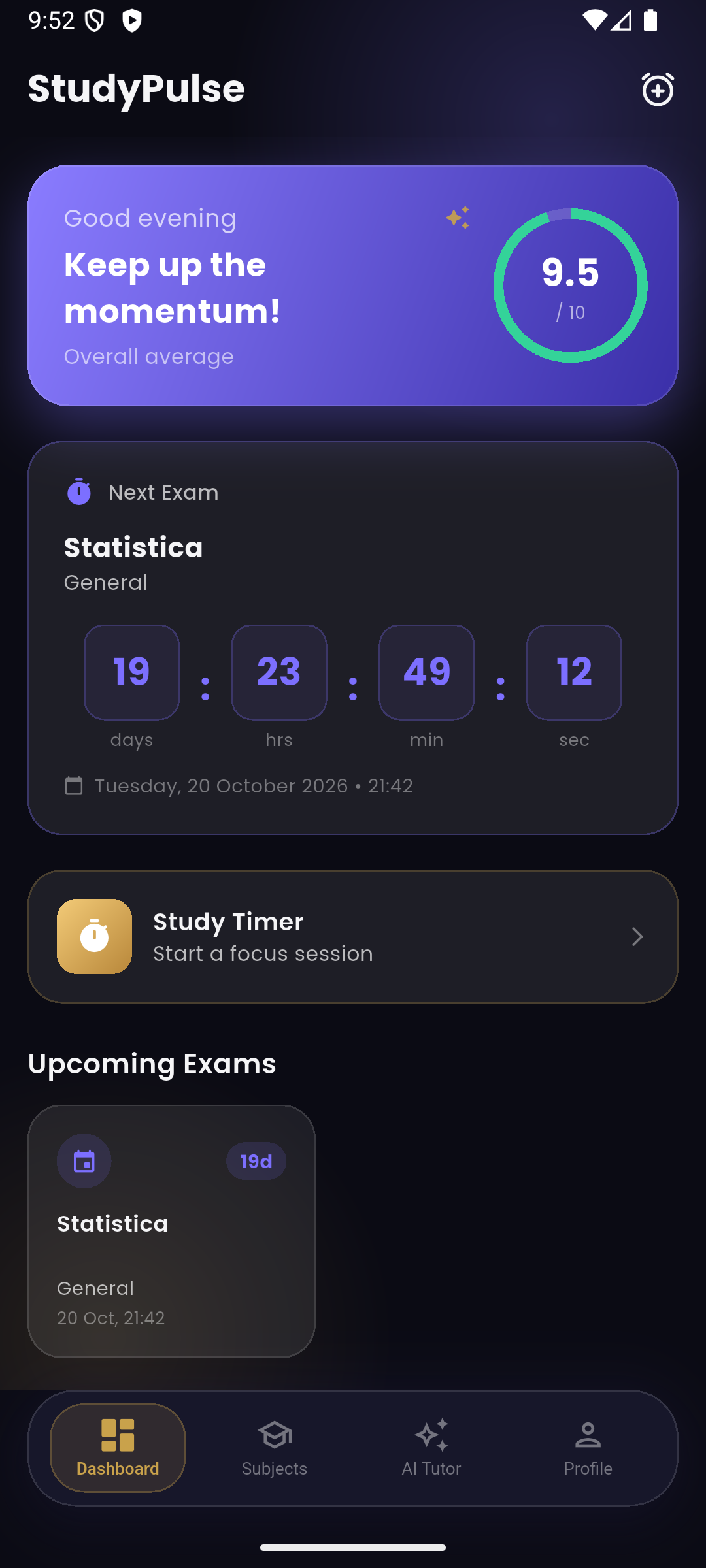
Dashboard with live exam countdown and overall grade average
-
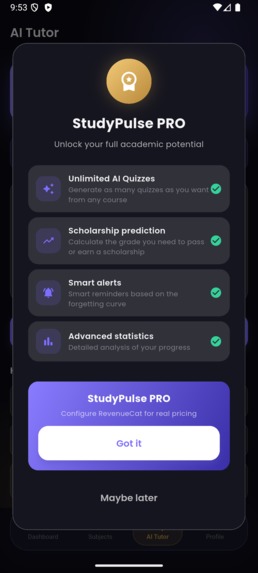
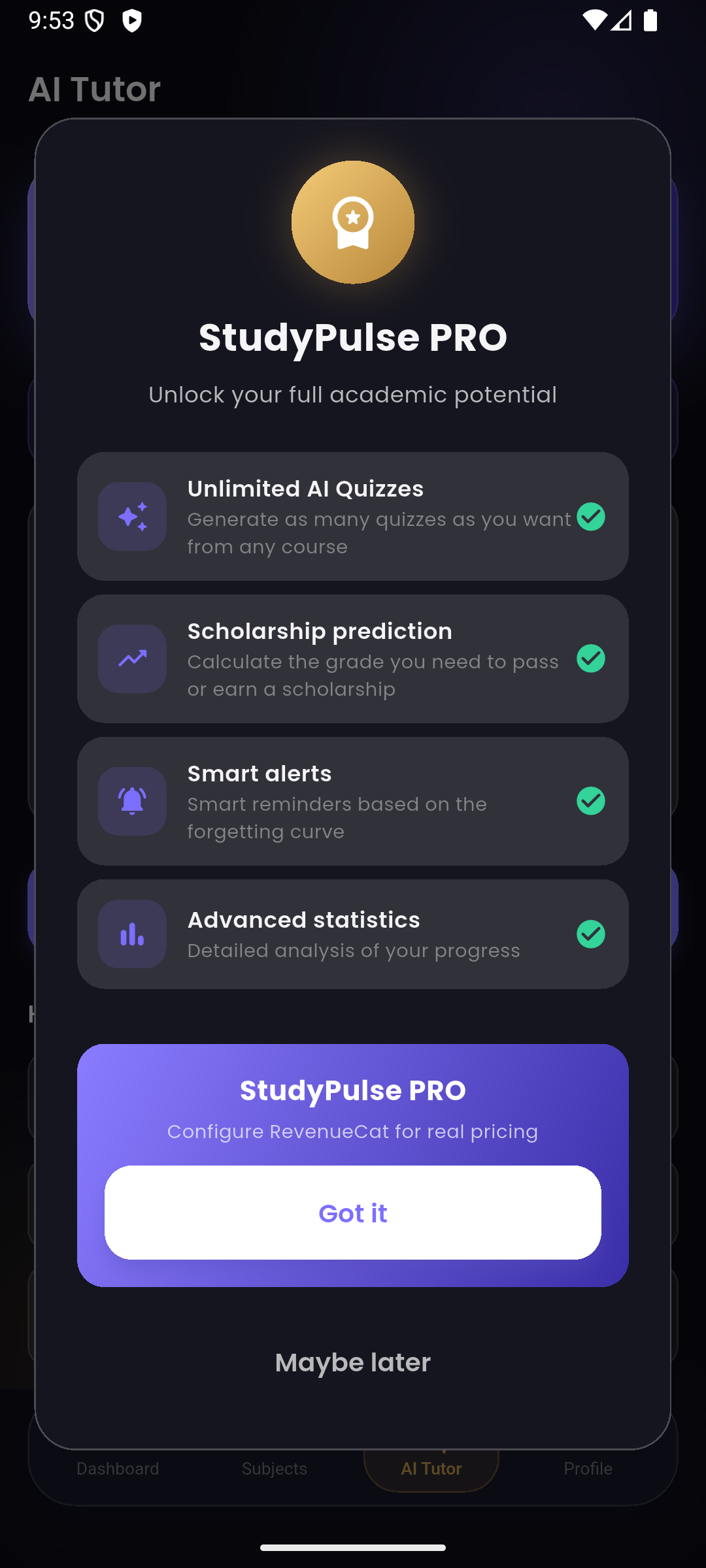
StudyPulse PRO paywall, powered by RevenueCat
-
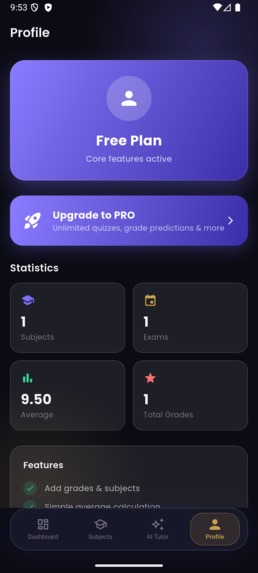
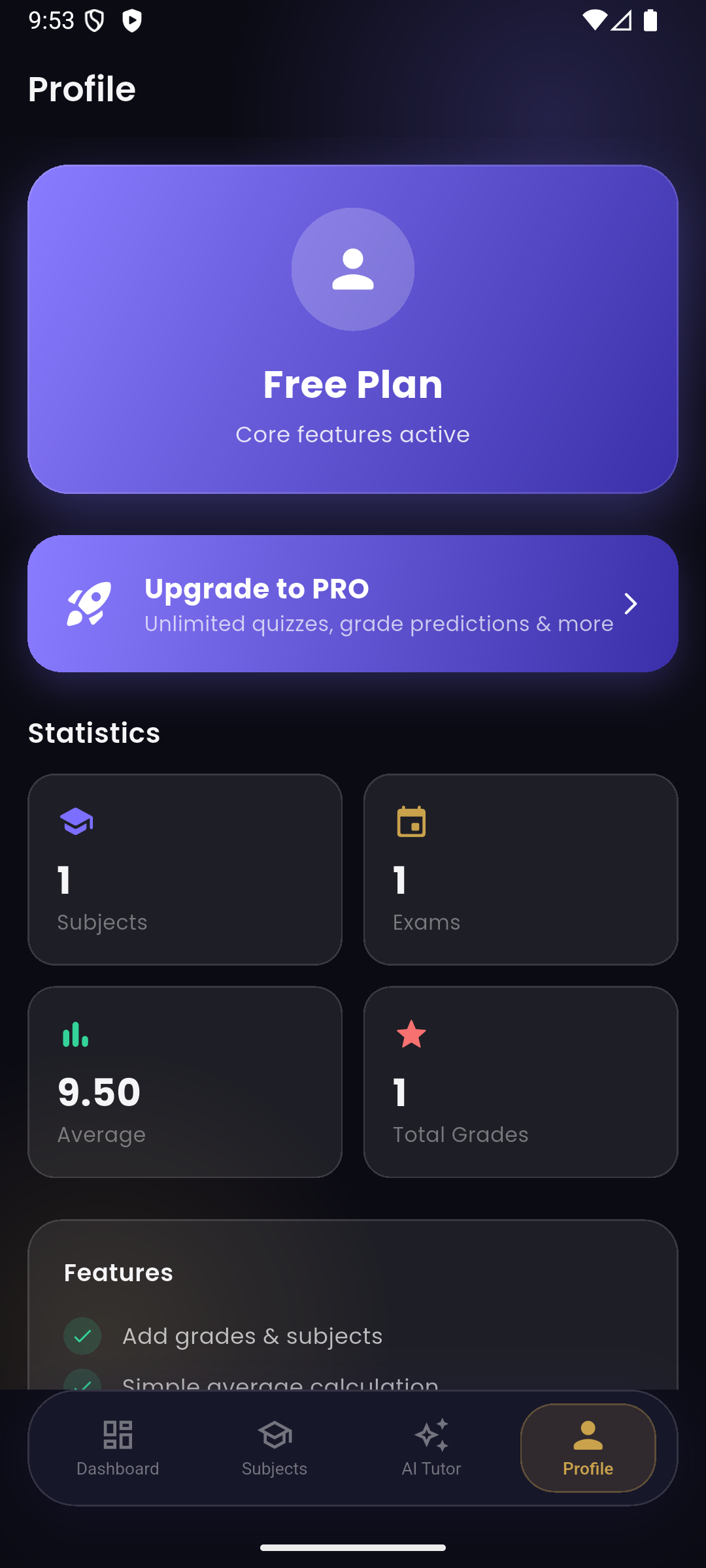
Profile screen with usage statistics and upgrade options
Inspiration
As a student, I was juggling grades scattered across notebooks and school portals, exam dates I'd half-forget until the week of, and hours spent making flashcards from lecture notes by hand. I wanted one place that could do all three: track grades with real weighted averages, count down to exams so nothing sneaks up on me, and turn my own notes into a quiz automatically instead of me writing questions by hand. That became StudyPulse.
What it does
- Grade tracking — organize subjects, log weighted grades, and see a live average with color-coded performance.
- Exam countdown — add exams with a live day/hour/minute/second countdown and automatic reminder notifications.
- Grade prediction — calculates the grade needed on remaining exams to hit a target average or scholarship threshold.
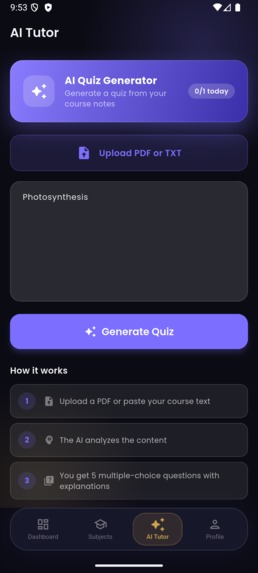
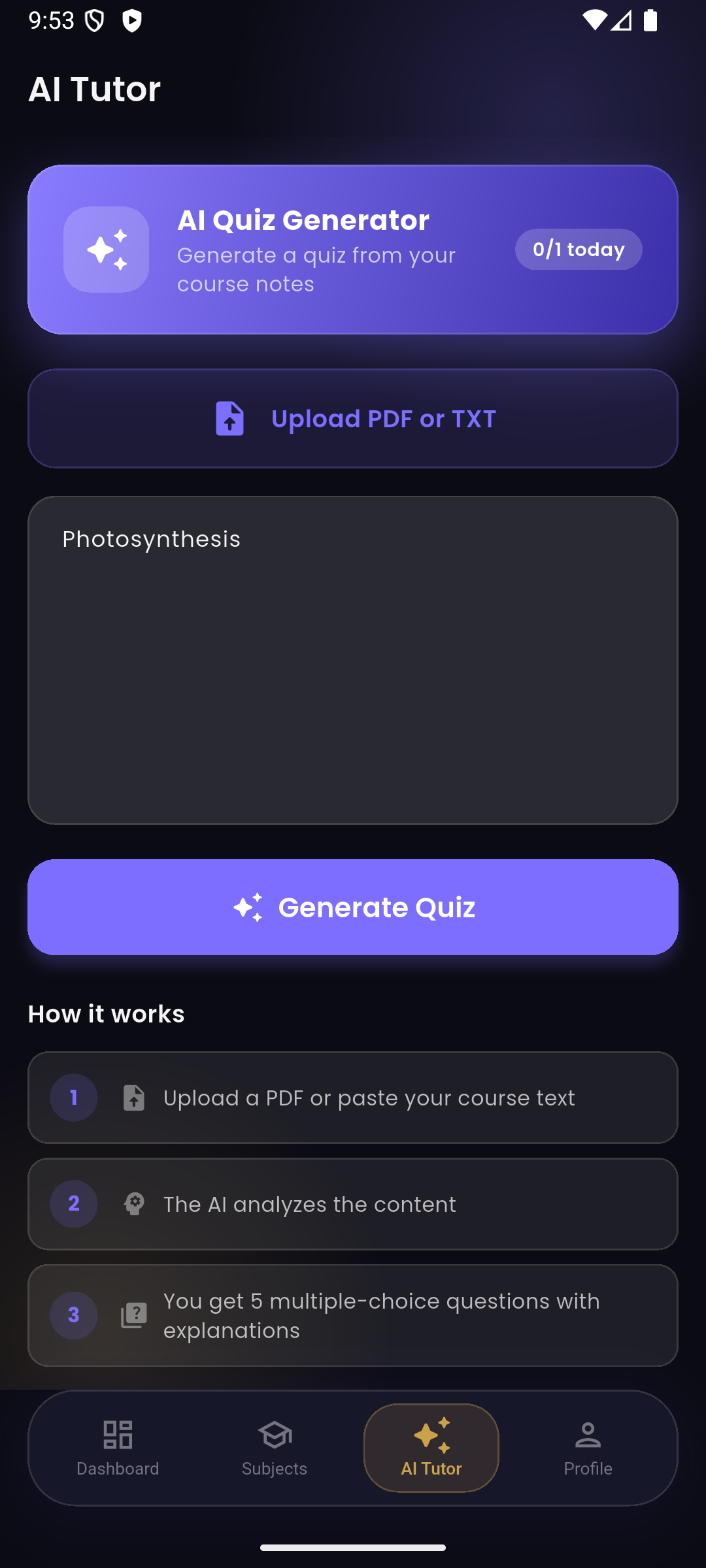
- AI Tutor — paste course notes (or upload a PDF/TXT) and get a 5-question multiple-choice quiz with explanations, generated by Google's Gemini API.
- Study Timer — a distraction-free focus timer with an optional fullscreen mode.
- Cloud sync — sign in with email/password; subjects and exams follow you across devices via Firebase.
- Smart Alerts (PRO) — spaced-repetition study reminders (7/3/1 days before an exam) instead of a single night-before nudge.
- StudyPulse PRO — a RevenueCat-powered subscription that unlocks unlimited AI quizzes, grade predictions, and Smart Alerts, with a free tier (1 AI quiz/day) for everyone else.
How I built it
The app is built with Flutter and Dart, targeting Android (and web). State is managed with Provider, with a single AppProvider holding the signed-in user's subjects and exams and syncing them to Cloud Firestore. Firebase Authentication handles email/password sign-in, and Firestore security rules lock each account to its own document.
The AI Tutor calls the Gemini API directly with the pasted course text and a structured prompt asking for a JSON array of questions, options, the correct index, and an explanation — parsed straight into the quiz UI.
RevenueCat powers the whole premium layer: it gates the AI quiz daily limit, grade prediction, and Smart Alerts behind a premium entitlement, checked through Purchases.getCustomerInfo(), with a paywall dialog that lists live packages and prices from a configured offering.
Smart Alerts schedule local notifications via flutter_local_notifications, anchored to the device's real IANA timezone (via flutter_timezone) rather than assuming UTC, so a reminder set for "the day before" actually fires the day before in the student's own timezone.
Challenges I ran into
- Package/Firebase mismatch: partway through development I renamed the Android package, which silently broke
google-services.json— Firebase kept looking for an app that no longer matched, and the Android build failed outright until I re-ranflutterfire configureagainst the existing project. - Core library desugaring:
flutter_local_notificationsneeds Java 8+ desugaring enabled on Android, which isn't on by default — a one-line Gradle fix, but a confusing first error. - Timezone-correct reminders:
package:timezone'stz.localsilently defaults to UTC unless you explicitly set it from the device's real timezone — an easy bug to ship without ever noticing locally. - No paid Apple/Google developer account as a student — RevenueCat's SDK, paywall, and entitlement logic are fully wired up and tested end-to-end (sandbox purchases, restores, Firestore sync), even though this submission ships as source + demo video rather than a live store listing.
What I learned
How much of "payments" is really state-sync and edge cases, not the purchase button — restoring purchases, keeping premium status in sync across sign-in/sign-out, and making sure a user's data (and their scheduled notifications) don't leak into the next person's session on a shared device. Also: test on a real timezone, not just the emulator's default.
What's next for StudyPulse
- A real subscription product configured in Google Play Console so the paywall shows live pricing end-to-end.
- PDF text extraction for the AI Tutor (currently PDF/TXT upload works, but PDF text still needs to be pasted in manually).
- iOS build and App Store listing.

Log in or sign up for Devpost to join the conversation.