-
-
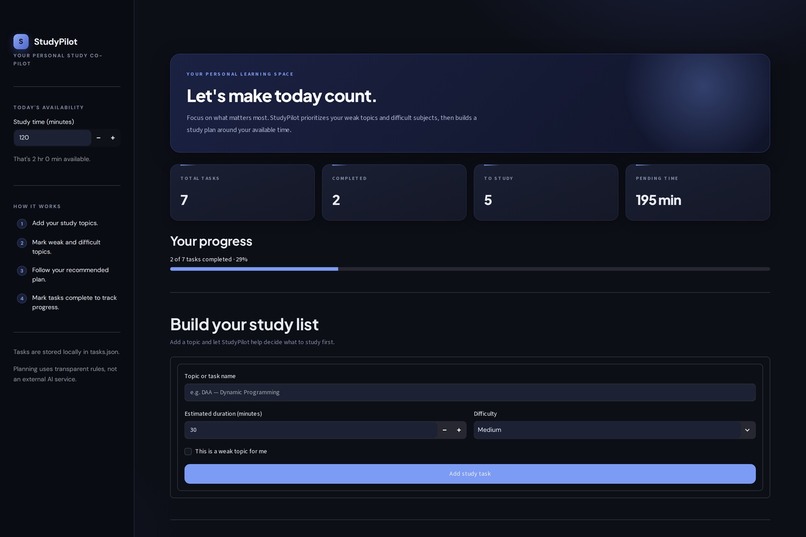
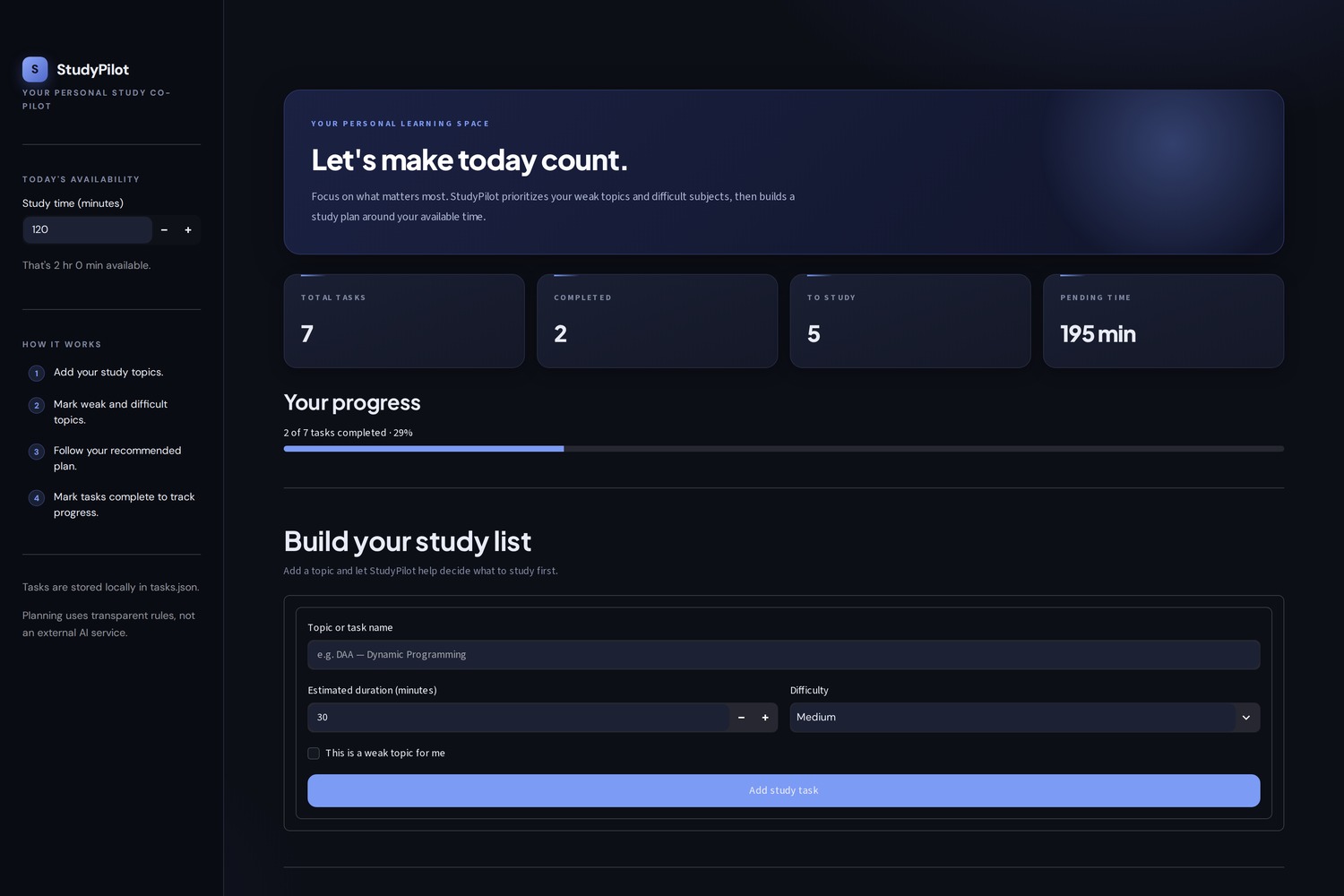
Your study dashboard: see total, completed and pending tasks, track progress, and add topics with duration, difficulty and weak flag.
-
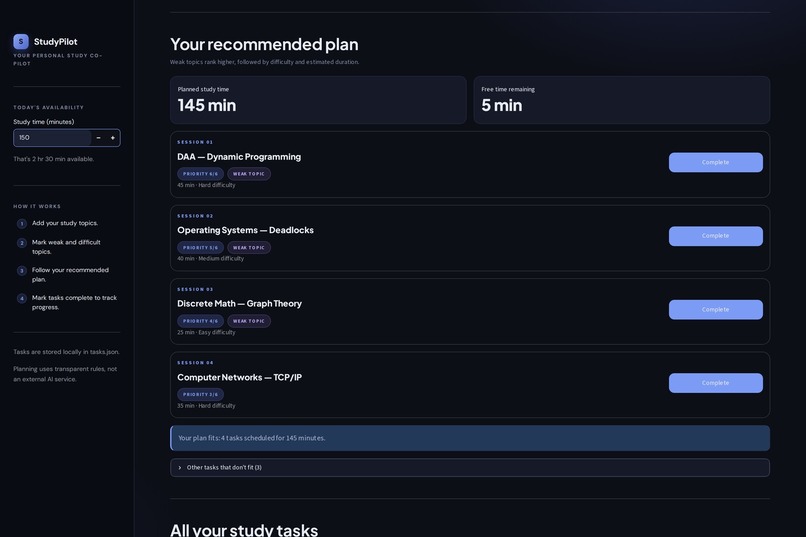
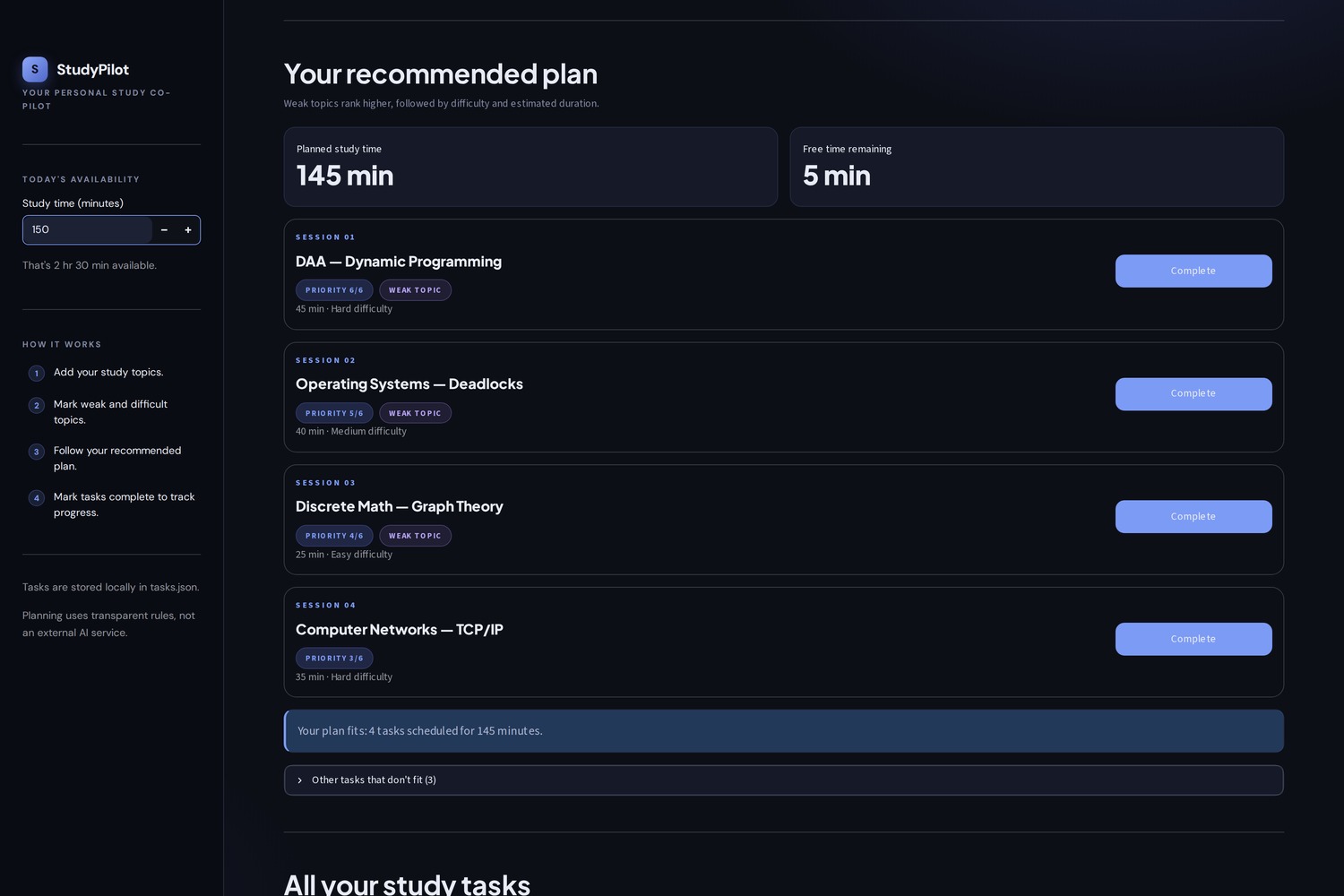
Smart planner: turns your available time into a prioritized plan, ranking weak topics first, then difficulty and duration.
-
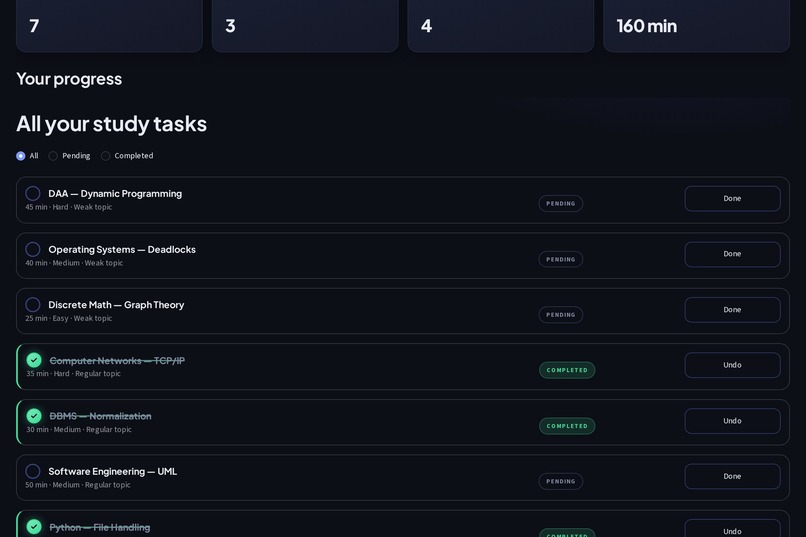
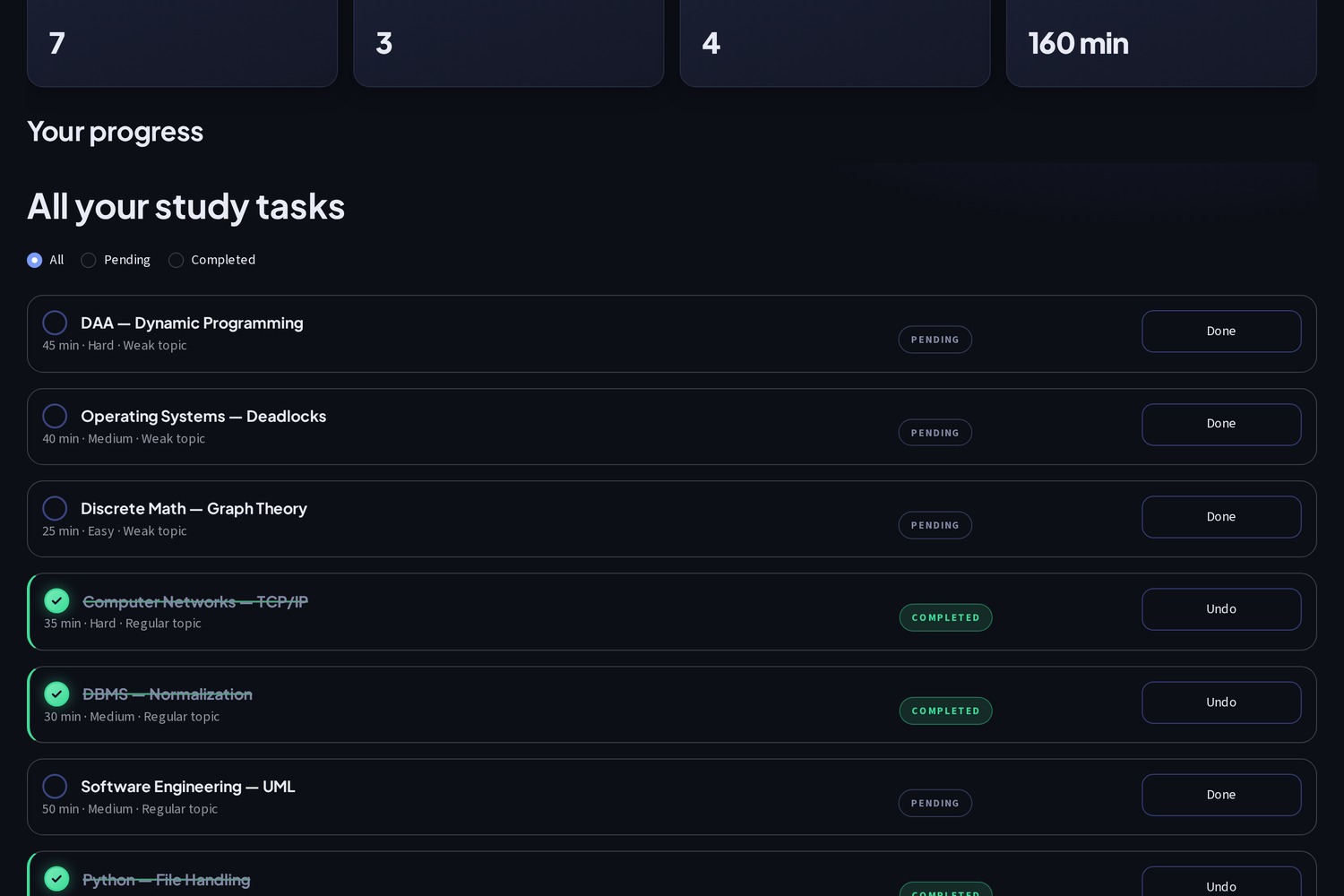
Track progress easily: filter by All, Pending or Completed, mark tasks Done, and Undo anytime. Finished topics turn green.
-
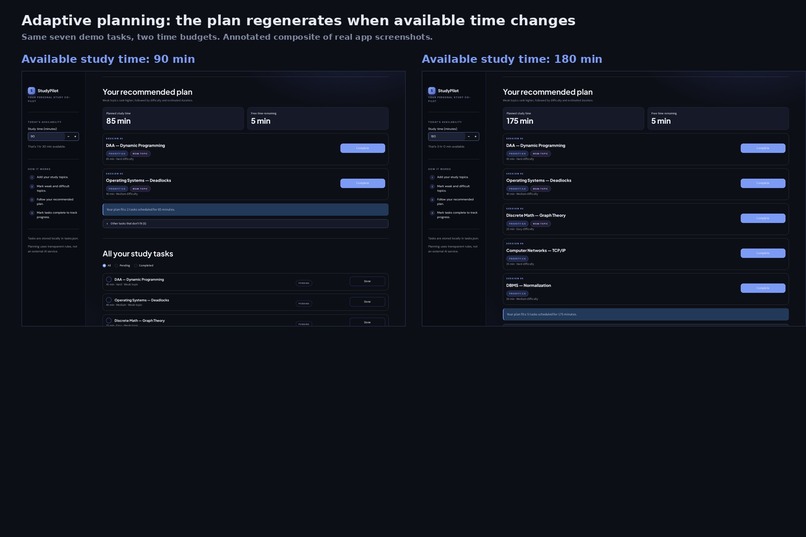
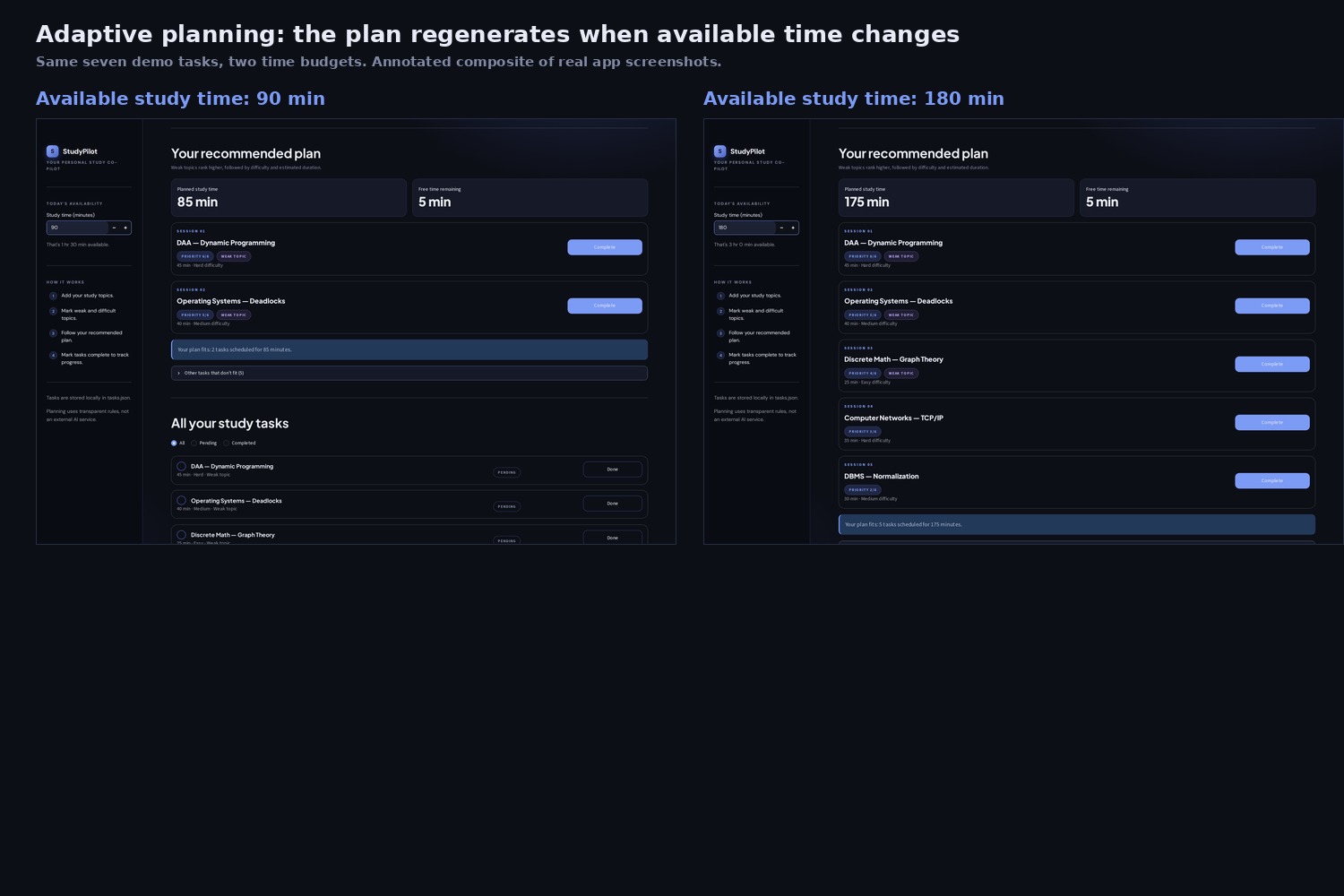
Adaptive planning: same seven tasks, two time budgets. 90 min fits 2 sessions, 180 min fits 5. The plan updates instantly.
-
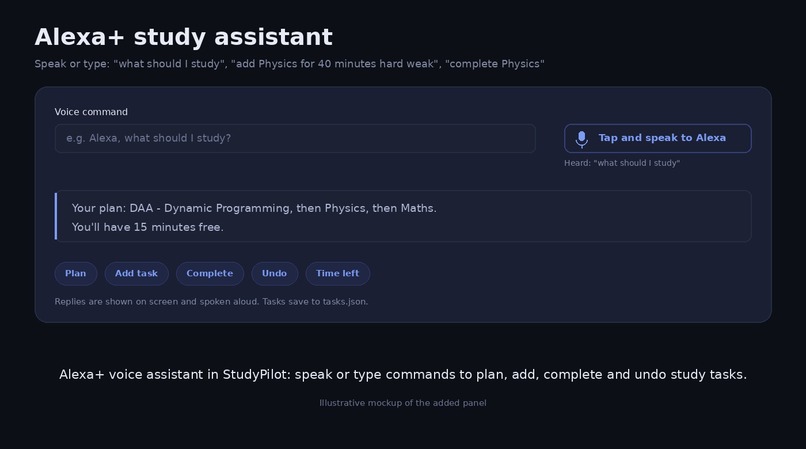
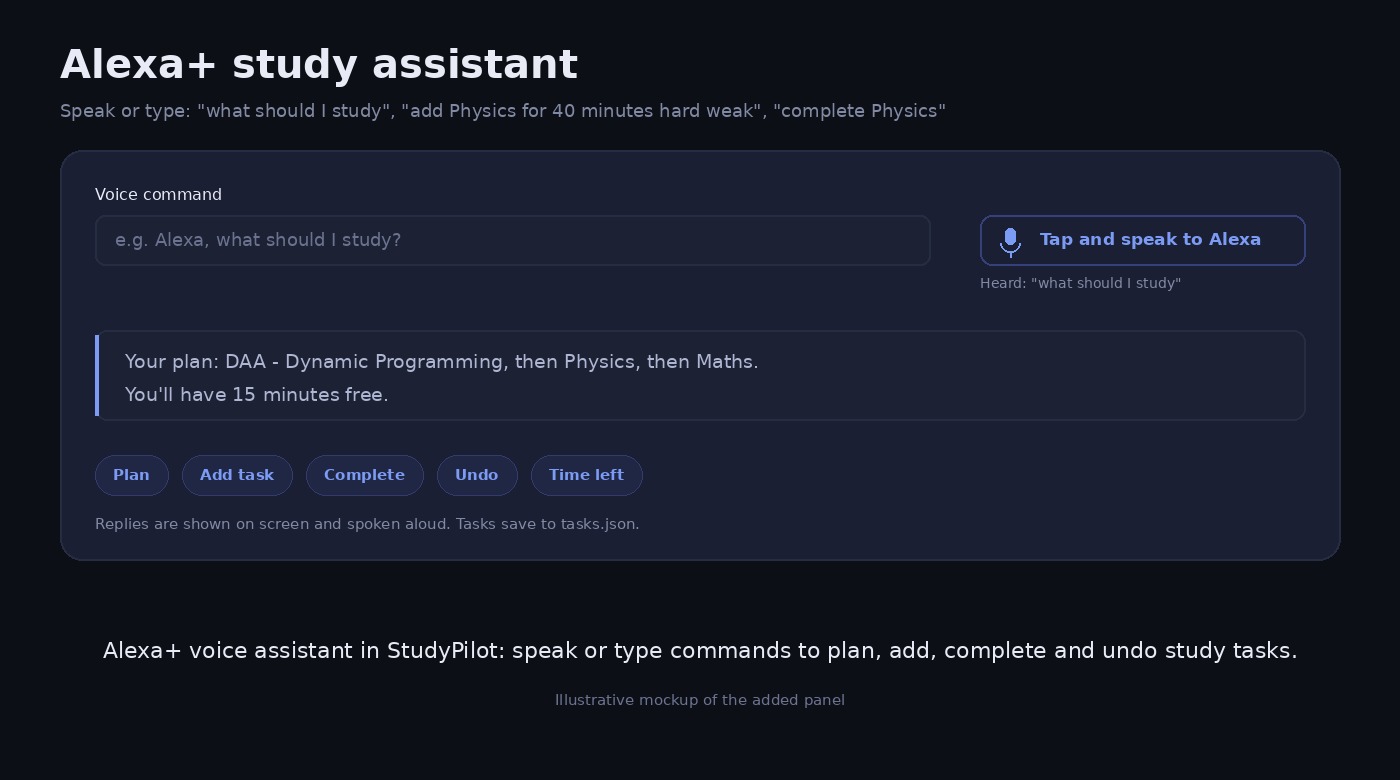
Alexa+ voice assistant in StudyPilot: speak or type commands to plan, add, complete and undo study tasks.
StudyPilot: Adaptive Study Planner What it is
StudyPilot is a web app built with Python and Streamlit. It helps students decide what to study and in what order, based on how much time they have today. You can also control it by voice through the built-in Alexa+ style assistant.
The problem it solves
Students often have more topics than time, and they tend to avoid the hard or weak ones. StudyPilot ranks your topics so the most important ones come first, then fits them into your available minutes.
How it works Set your time. Enter today’s study time in the sidebar, from 15 to 720 minutes. Add topics. Give each one a name, an estimated duration, a difficulty (Easy, Medium or Hard), and a weak-topic flag. Get a plan. Each topic gets a priority score from 1 to 6. Difficulty gives 1 to 3 points, and a weak topic adds 3. Topics are sorted by score, then by longer duration, then by name, and added to the plan until your time runs out. Anything that doesn’t fit goes into an “Other tasks” list. Track progress. Mark tasks done or undo them. The dashboard shows total, completed and pending counts, the pending time, and a progress bar.
The planning uses transparent rules, not an external AI service, so you can always see why a topic was ranked where it was.
Key features Smart prioritization: weak and hard topics are scheduled first. Time-aware planning: the plan fits the minutes you have, and shows planned versus free time. Persistent storage: tasks are saved to a local tasks.json file using atomic writes, so closing the app loses nothing. Voice assistant (Alexa+ style): speak or type commands to get your plan, add, complete or undo tasks, and check time left. Replies are shown and spoken aloud. Premium dark UI: custom CSS with animated cards, a shimmering hero, a completion celebration with a check-mark animation and confetti, a red animation when you undo, and a respect for reduced-motion settings. Safety touches: a confirmation step before clearing all tasks, HTML escaping of task names, and validation of the saved file on load. Tech stack Language: Python Framework: Streamlit 1.39 or newer (needed for keyed containers) Storage: local JSON file Voice: the browser’s built-in Web Speech API for speech recognition and speech synthesis, with no extra libraries or API keys Styling: custom CSS and animations, with DM Sans and Plus Jakarta Sans fonts Project structure app.py # the whole application tasks.json # created automatically on first save Limitations and future ideas It is a single-user local app, with no accounts or cloud sync. Voice input works best in Chrome or Edge. The voice commands use simple keyword rules, so they understand a fixed set of phrases rather than free-form language. Possible next steps include deadlines and exam dates, study streaks, a calendar or timer view, per-subject analytics, and a real Alexa Skill on AWS if you want actual Amazon Alexa+ integration.

Log in or sign up for Devpost to join the conversation.