-
-
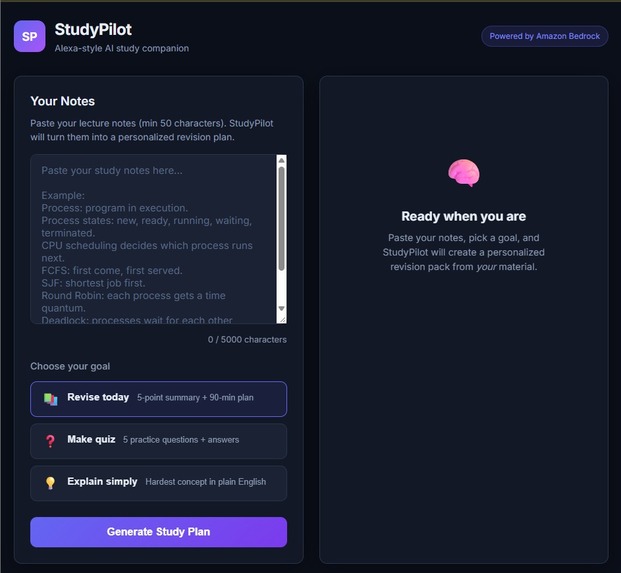
Webpage
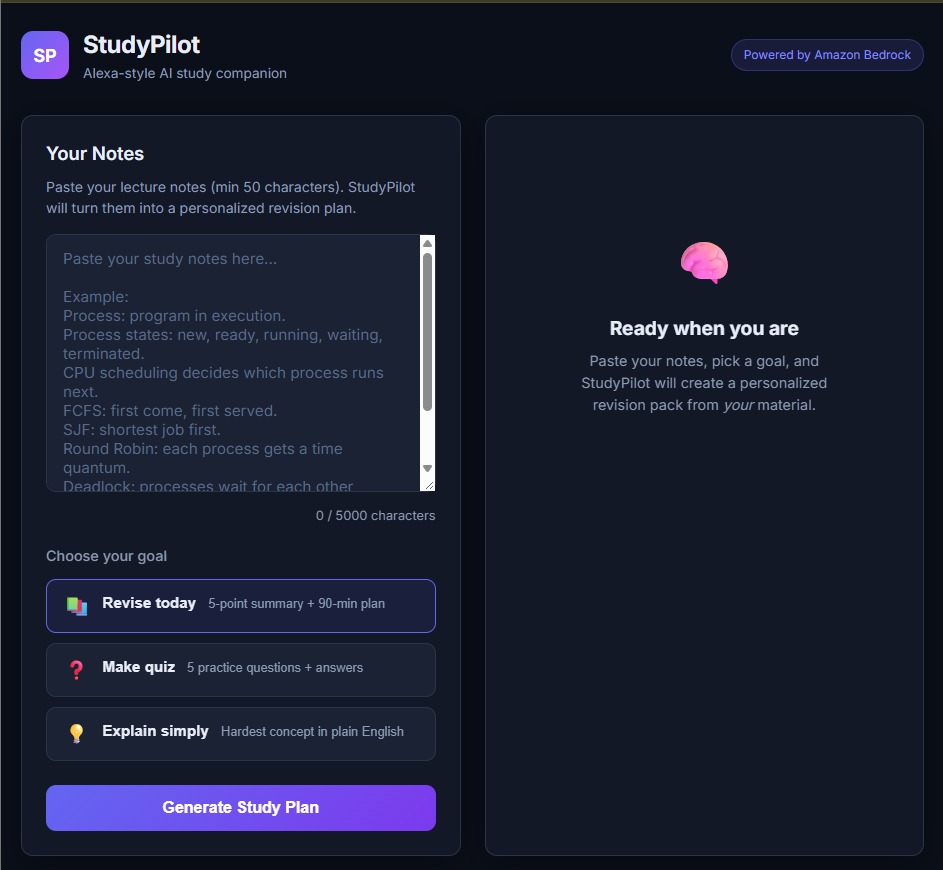
Inspiration
Students often have large amounts of lecture notes, PDFs, and textbook highlights but very little time to revise before exams. Manually identifying important topics, creating a revision schedule, and preparing practice questions takes valuable time.
StudyPilot was inspired by the idea of an Alexa-style conversational study companion. A student provides their own notes, chooses a learning goal, and receives a personalized revision summary, focused study plan, quiz, and simple explanation.
What it does
StudyPilot is an Alexa-style AI study companion built as a web experience. A student can:
- Paste lecture notes or revision material.
- Choose a goal: Revise today, Make quiz, or Explain simply.
- Receive a five-point revision summary.
- Get a focused 90-minute study plan.
- Generate five quiz questions with answers.
- Receive a simplified explanation of the most difficult concept.
StudyPilot uses only the student’s provided notes, making the revision output personal, focused, and relevant.
How we built it
StudyPilot is deployed on AWS using an Amazon Linux EC2 instance. Apache HTTPD serves the frontend on port 80 and acts as a reverse proxy for the Node.js backend.
The application flow is:
- The student enters study notes in the web interface.
- Apache serves the frontend and forwards
/api/studyrequests to the Node.js backend. - The backend stores the notes privately in Amazon S3.
- Amazon Bedrock generates the revision summary, study plan, quiz, and explanation.
- StudyPilot returns the structured study content to the student.
The frontend is built using HTML, CSS, and JavaScript. The backend uses Node.js, Express, the AWS SDK for JavaScript, Amazon Bedrock, and Amazon S3.
The EC2 instance uses a security group that allows SSH access on port 22 only from the administrator IP and HTTP access on port 80 for the web application. An EC2 bootstrap script automatically installs Apache, Node.js, Git, and project dependencies during instance launch.
AWS services used
- Amazon EC2 — hosts the StudyPilot application.
- Apache HTTPD — serves the frontend and proxies backend API requests.
- Amazon Bedrock — generates personalized study content.
- Amazon S3 — privately stores uploaded student notes.
- Amazon EBS — provides persistent block storage for the EC2 instance.
- AWS IAM — provides least-privilege access for Bedrock and S3.
- AWS Security Groups — control inbound SSH and HTTP traffic.
Alexa+ experience
StudyPilot simulates an Alexa-style conversational learning experience through a web-based assistant. Instead of requiring a physical Alexa device, the student interacts with StudyPilot through a simple chat-like interface.
The student selects a goal, such as Make quiz, and StudyPilot responds with structured study material generated from their notes. This demonstrates how conversational AI can support personalized education workflows.
Challenges we ran into
- Configuring Amazon Bedrock model access and selecting the correct model ID.
- Connecting the Apache reverse proxy to the Node.js backend.
- Keeping uploaded notes private in Amazon S3.
- Managing AWS permissions securely using IAM roles instead of hardcoded credentials.
- Controlling Bedrock usage by limiting input length and the number of generations per session.
What we learned
- How to deploy a full-stack application on Amazon EC2 using Apache.
- How to configure security groups, IAM roles, and private S3 storage.
- How to integrate Amazon Bedrock into a real application using the AWS SDK.
- How to design an Alexa-style conversational experience for a practical education use case.
- How to balance AI functionality with cost control and responsible usage limits.
What’s next
- Add user accounts and saved revision history.
- Support PDF and image-based notes.
- Add spaced-repetition reminders.
- Deploy multiple EC2 instances behind a load balancer for higher availability.
- Extend StudyPilot into a native Alexa+ experience.
Built With
- ai
- amazon
- amazon-web-services
- apache
- bedrock
- css
- ebs
- ec2
- express.js
- git
- github
- html
- iam
- javascript
- node.js
- s3


Log in or sign up for Devpost to join the conversation.