-
-
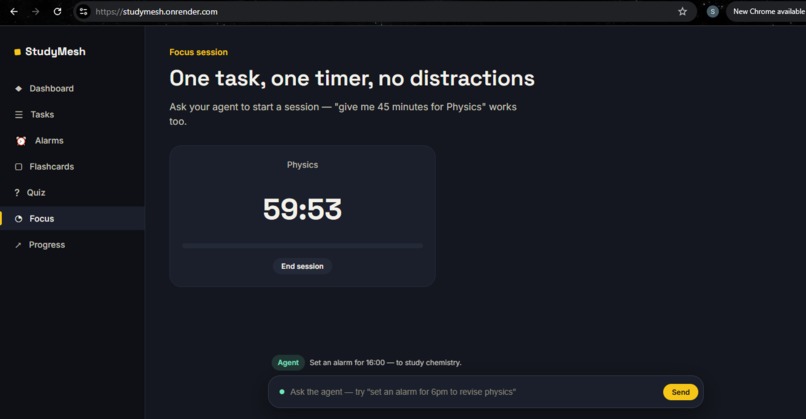
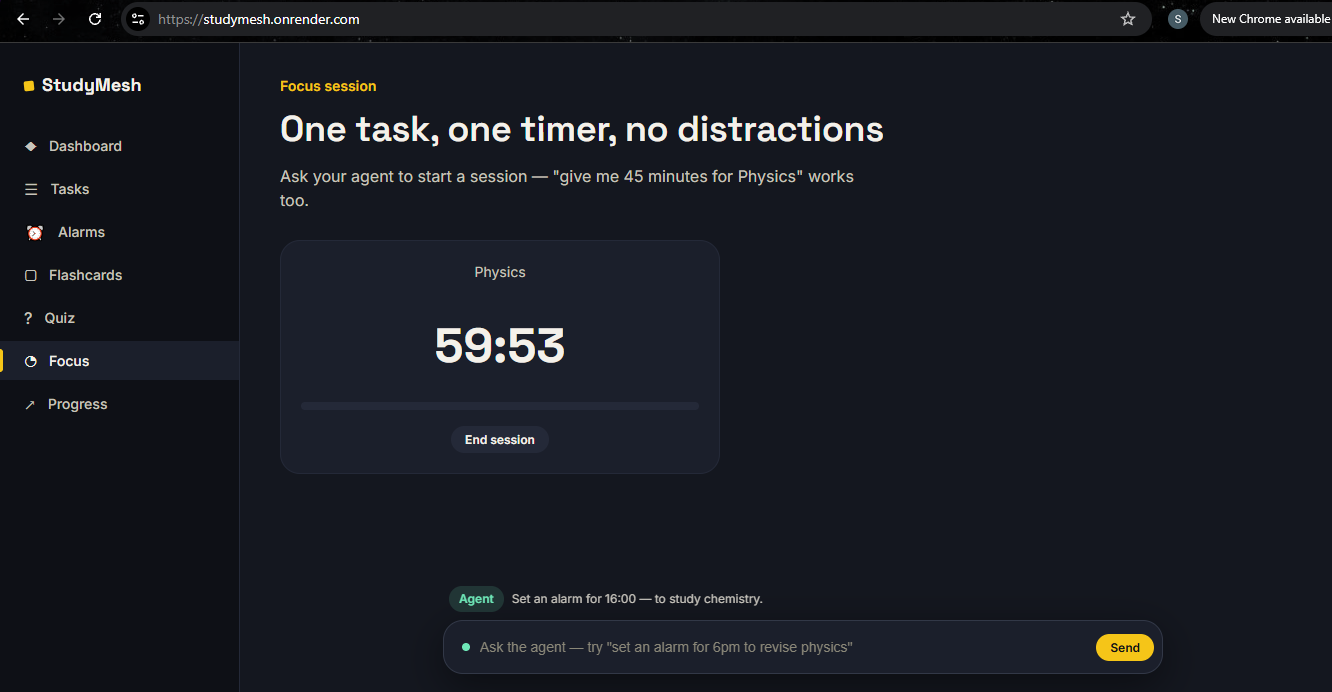
Focus timer — start it yourself, or ask the agent to start one for you.
-
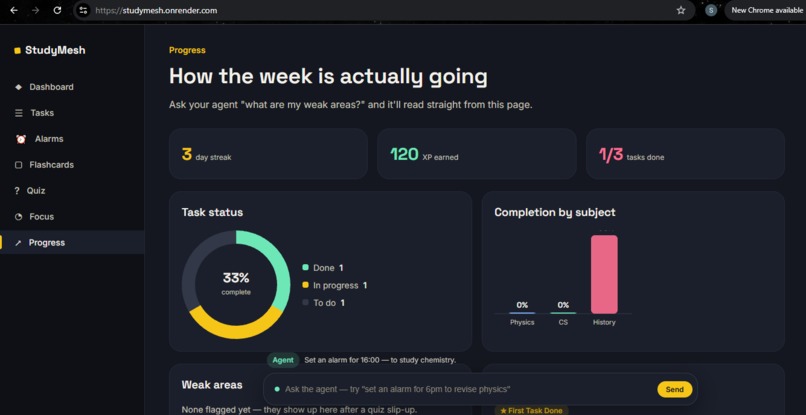
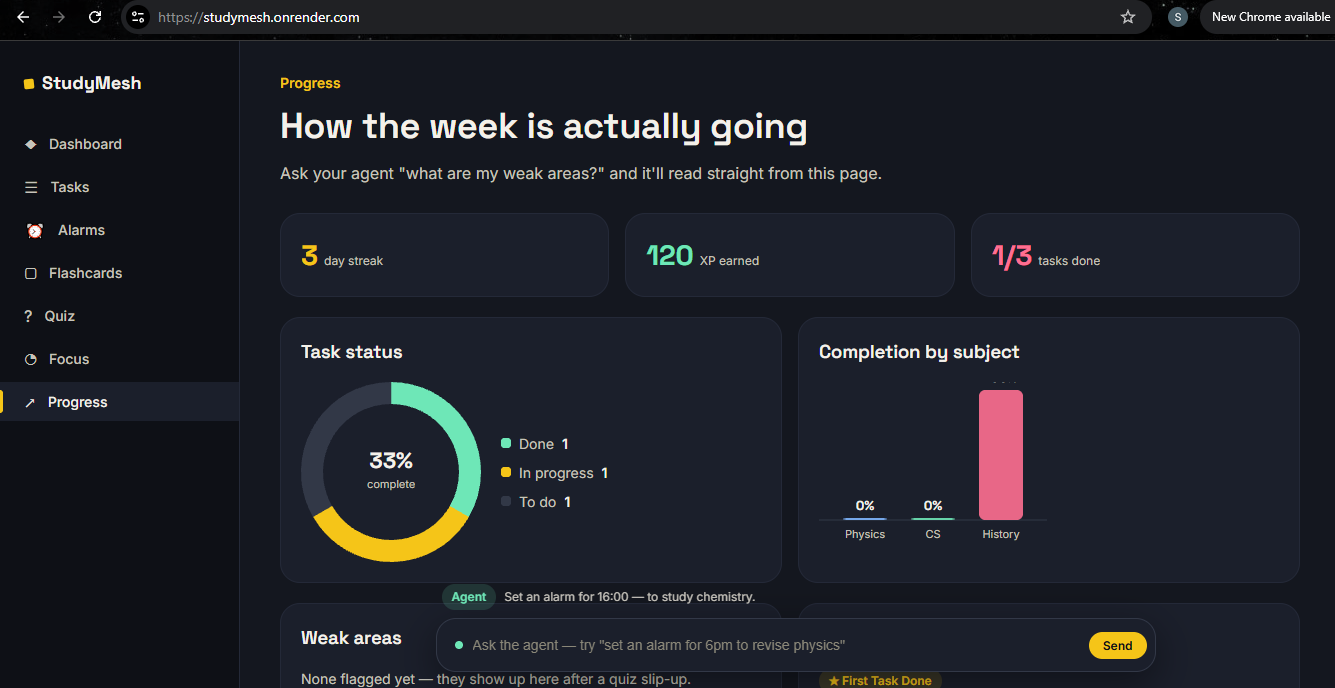
Live progress charts — task completion and subject breakdown, updated in real time.
-
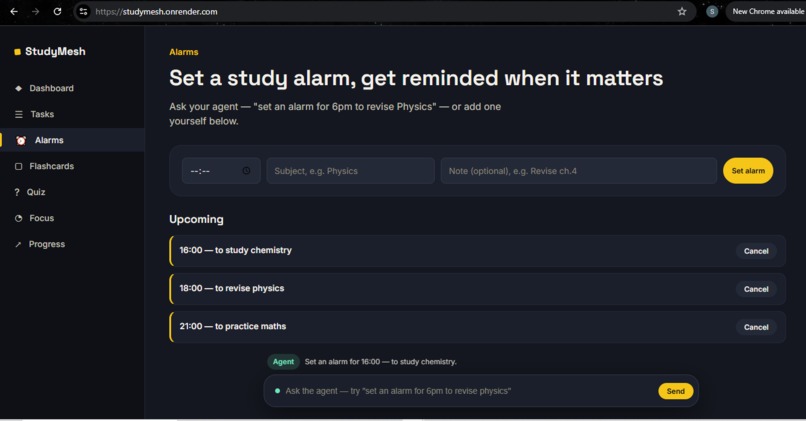
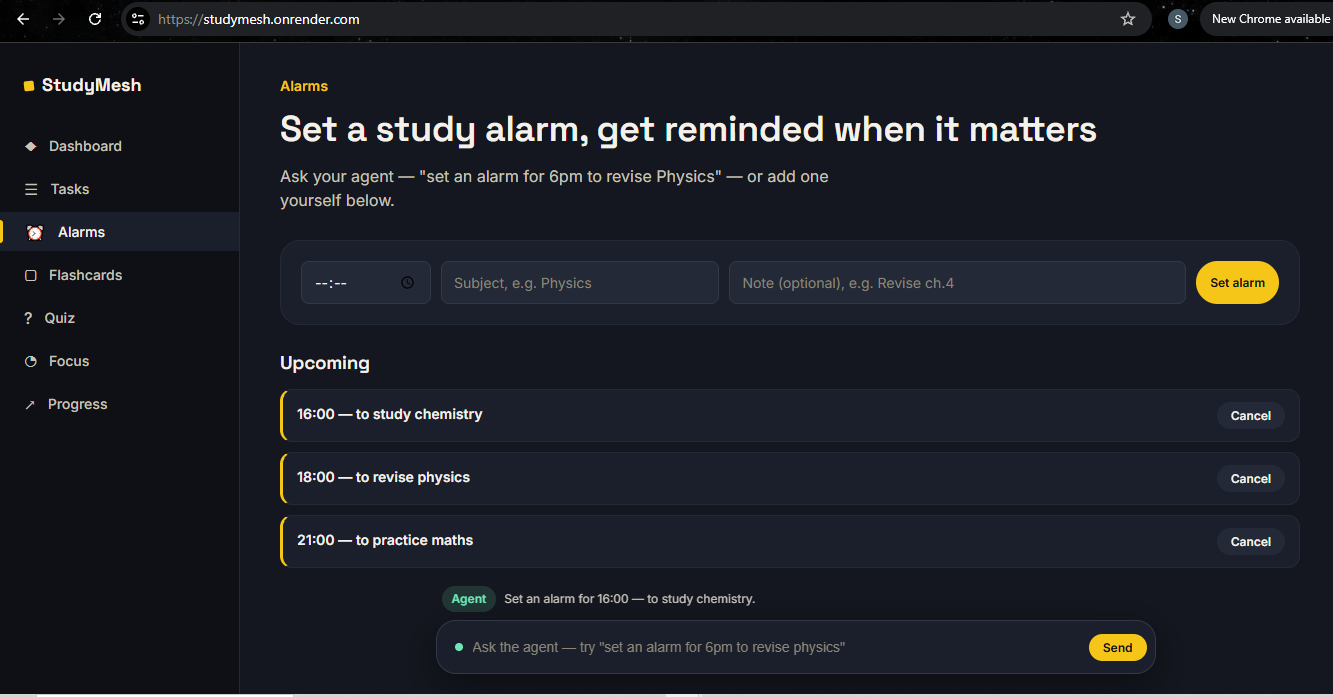
Alarms — set by user or by the agent in plain English, with a real popup and sound.
-
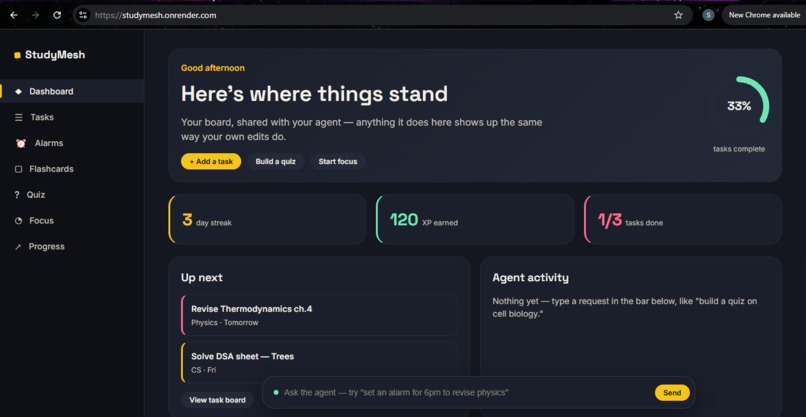
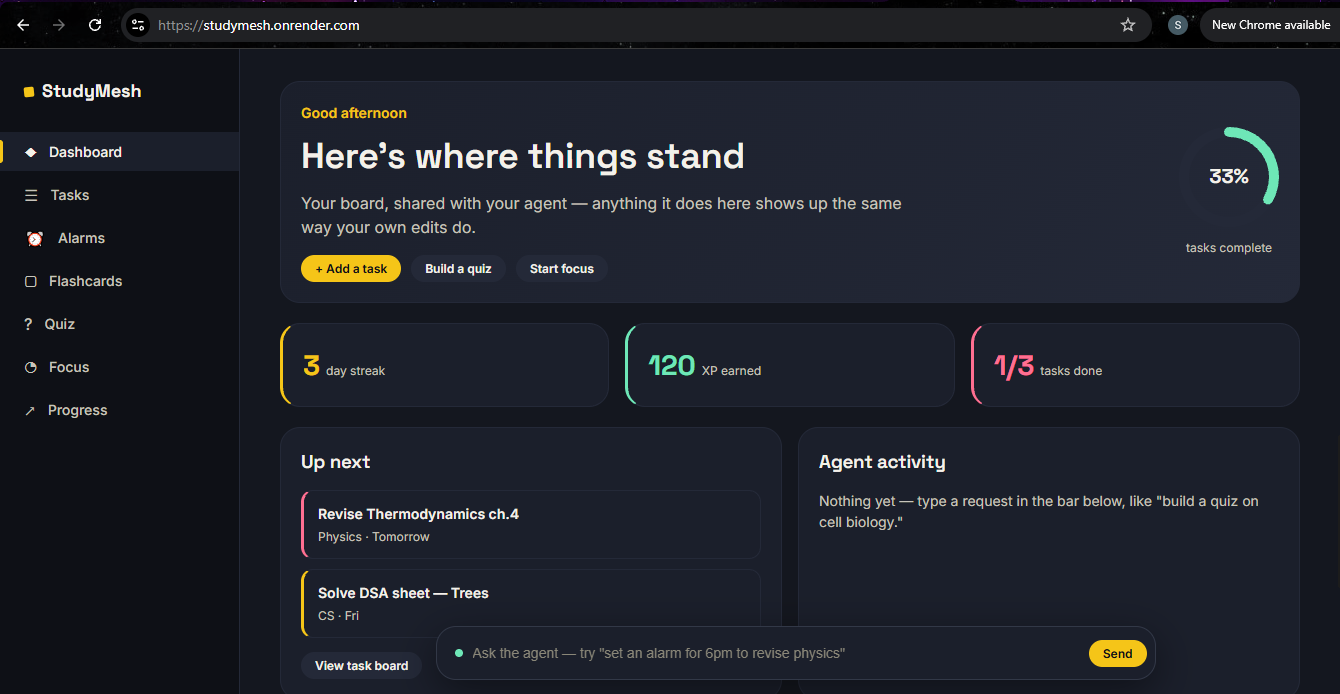
Dashboard — streak, XP, and agent activity, shared live between user and the AI.
Inspiration
Most AI study tools are just a chatbot bolted onto the side of an app — the agent talks, but you still do all the clicking. WebMCP made a different kind of tool possible: one where an agent doesn't just describe what to do, it actually does it, on the same board a student is already looking at. StudyMesh grew from that idea — a study workspace where a human and an AI agent share one board and are equally capable of acting on it.
What it does
StudyMesh is a study workspace with a task board, alarms, flashcards, a quiz zone, a focus timer, and a live progress dashboard. Every one of those actions — adding a task, setting an alarm, building a quiz, starting a focus session — can be done by clicking in the UI, or by asking an AI agent in plain English. Both paths hit the exact same backend logic, so there's one shared source of truth no matter who acts on it.
How we built it
The frontend is plain HTML, CSS, and JavaScript — WebMCP tools have to run client-side since document.modelContext is a browser API. Seven tools are registered on document.modelContext in mcp.js: add_study_task, reschedule_tasks, set_alarm, generate_flashcards, generate_quiz, start_focus_session, and track_progress. Each tool's execute function calls the same REST endpoints the human-facing UI calls, backed by a Python FastAPI server that holds the shared state. Quiz and flashcard content comes from a curated knowledge base of real facts for common syllabus topics (Physics, Chemistry, Biology, History, CS, Math), not generic filler text.
Challenges we ran into
Making sure an agent action and a human click were truly indistinguishable in effect took some care — every WebMCP tool had to route through the same backend function as its UI counterpart, with no separate "shortcut" path for agents. Getting alarms to fire reliably (with a browser notification, an in-app popup, and a sound) without a native OS scheduler was another one — solved by computing the trigger time server-side and having the client poll and confirm the fire exactly once.
What we learned
Building this made it clear that the real value of WebMCP isn't a chatbot with extra steps — it's giving an agent the same tools a human already has, on the same page, so the two can genuinely hand off work to each other mid-task without anything breaking.
What's next for StudyMesh
Persisting state in a real database instead of in-memory, expanding the curated content library to more subjects, and adding collaborative study boards where multiple students and their agents share one workspace.
Built With
- css
- fastapi
- html
- javascript
- pydantic
- python
- uvicorn
- webmcp

Log in or sign up for Devpost to join the conversation.