-
-
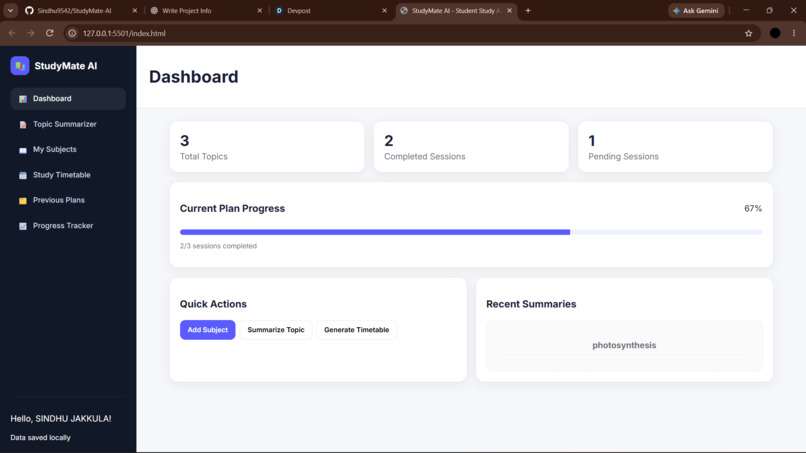
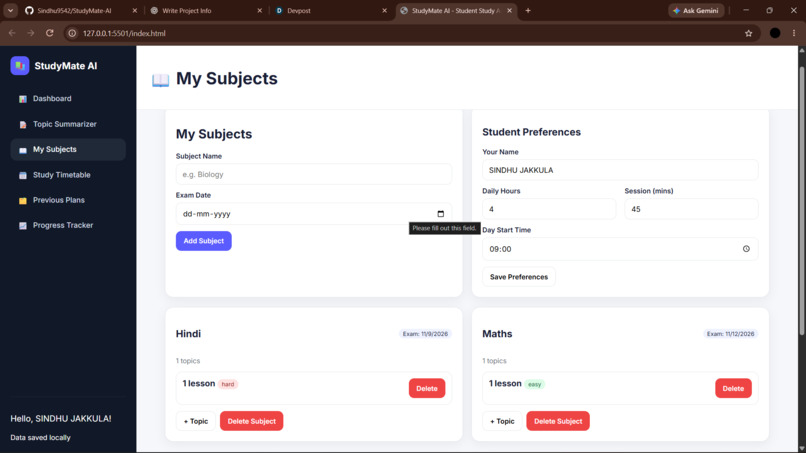
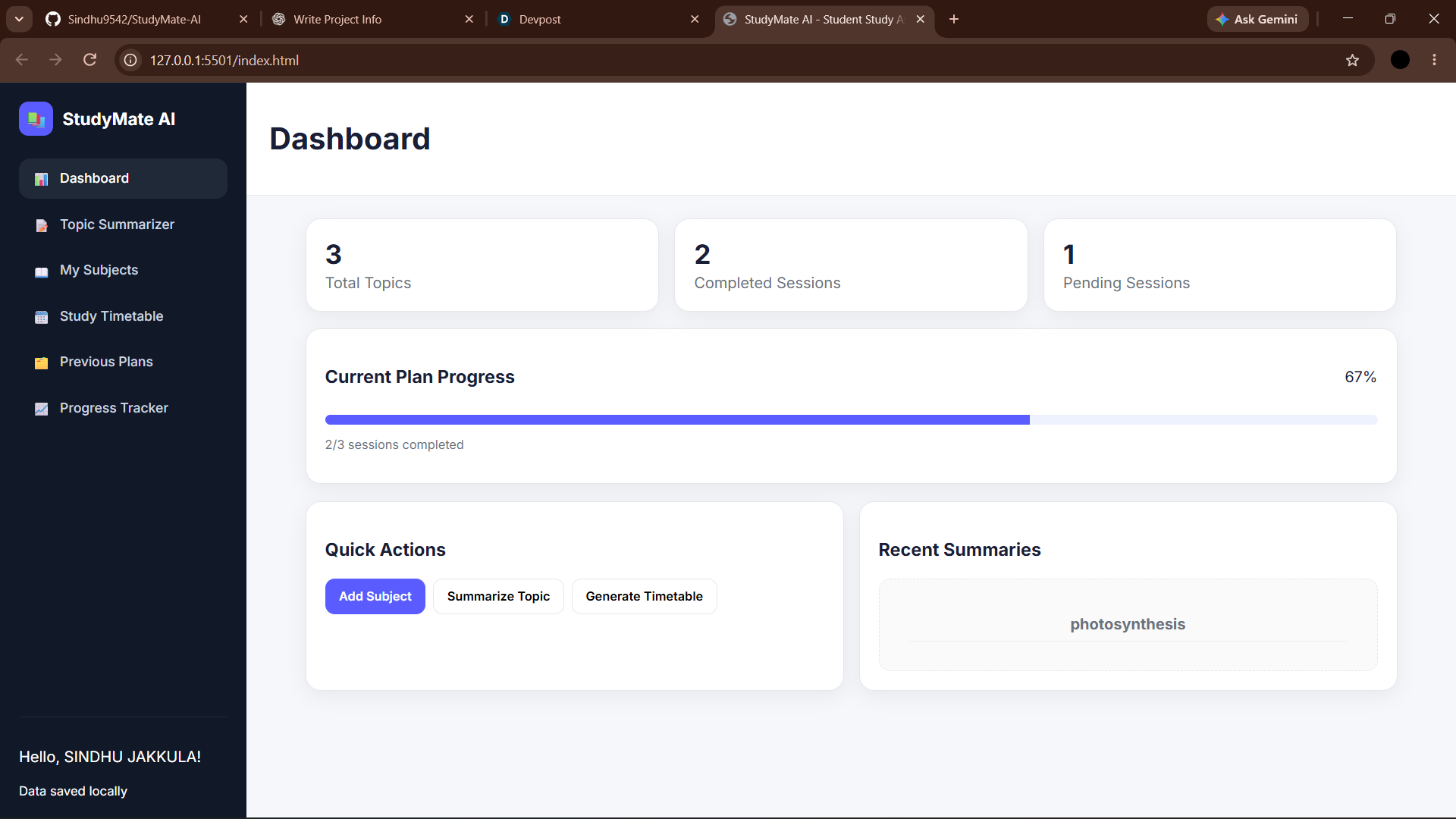
Dashboard
-
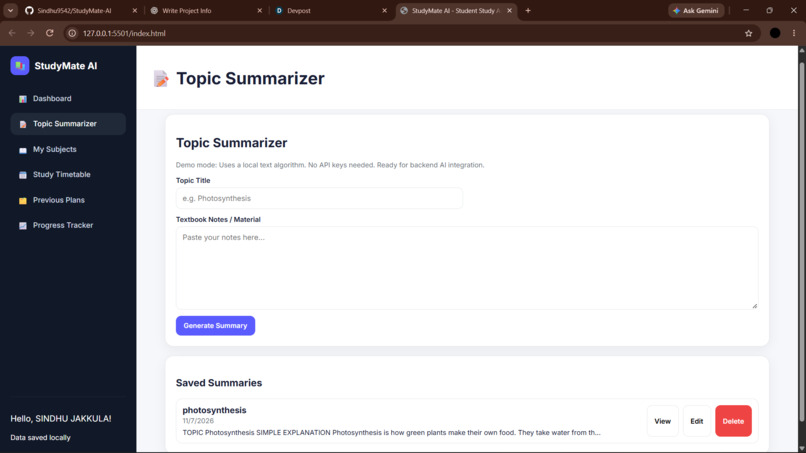
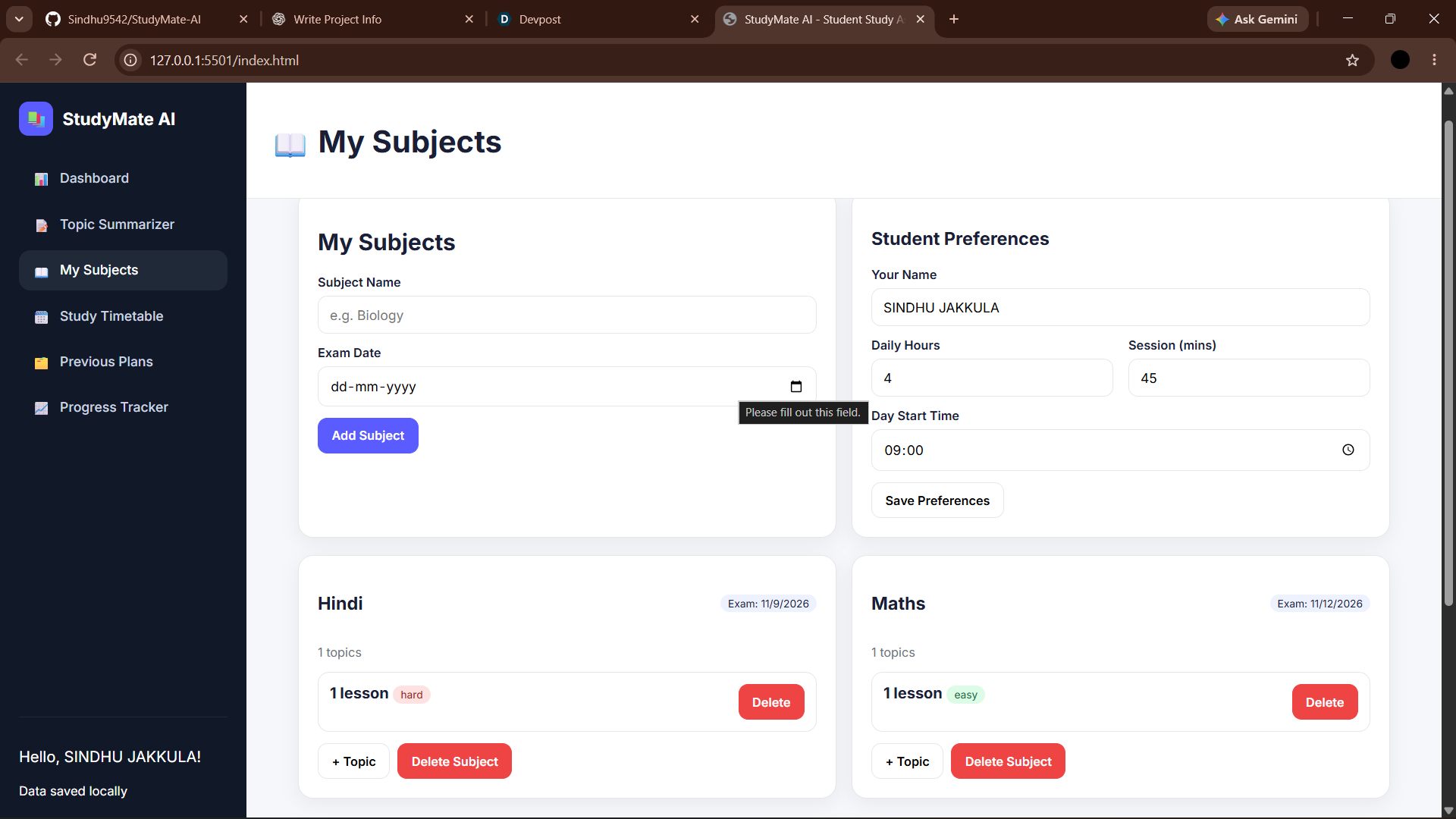
MySubjects
-
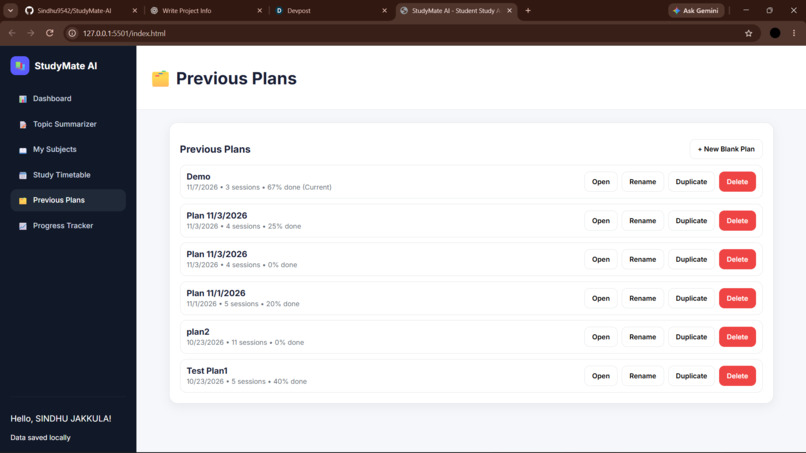
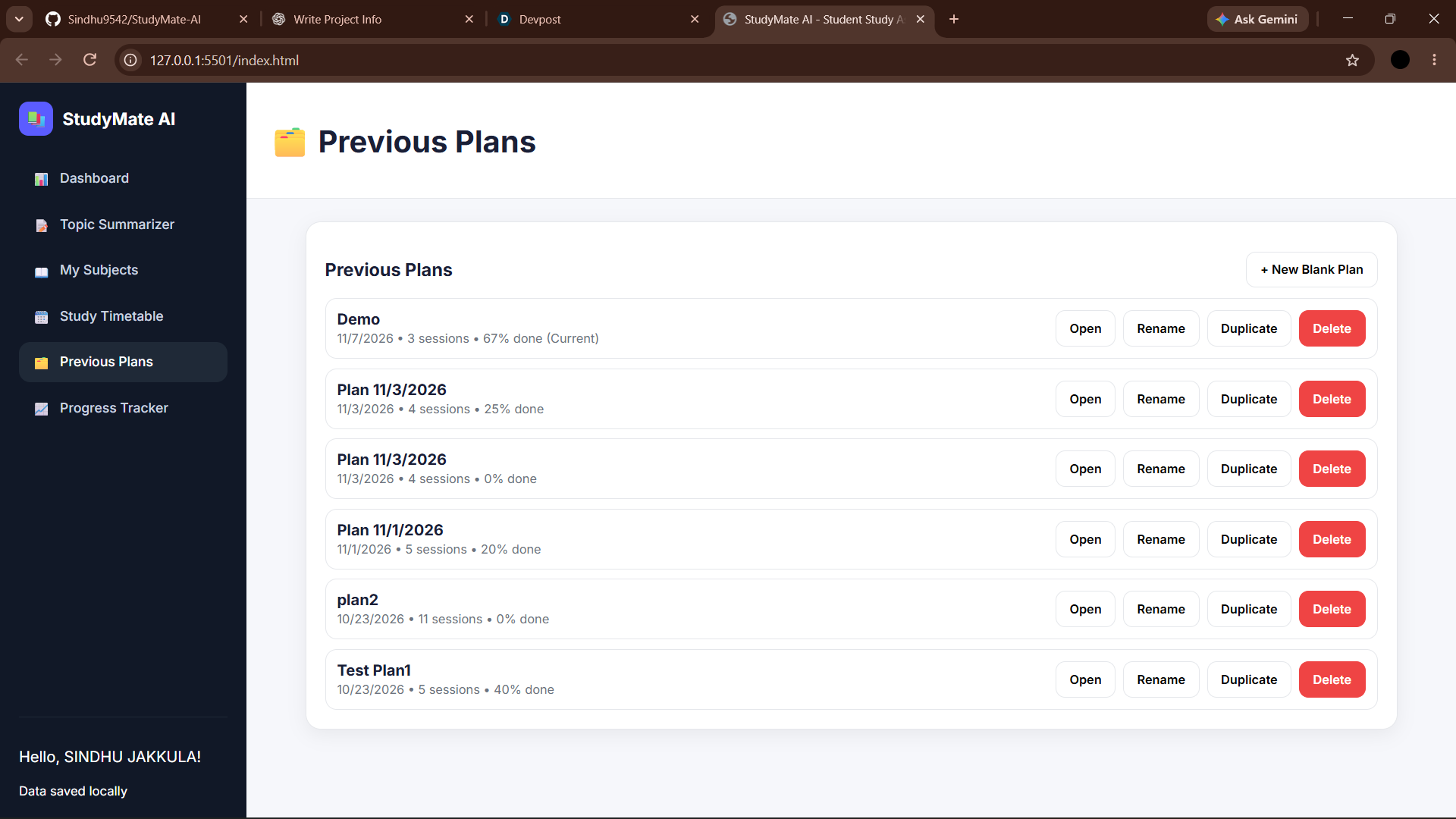
Previous plans
-
progress tracker
-
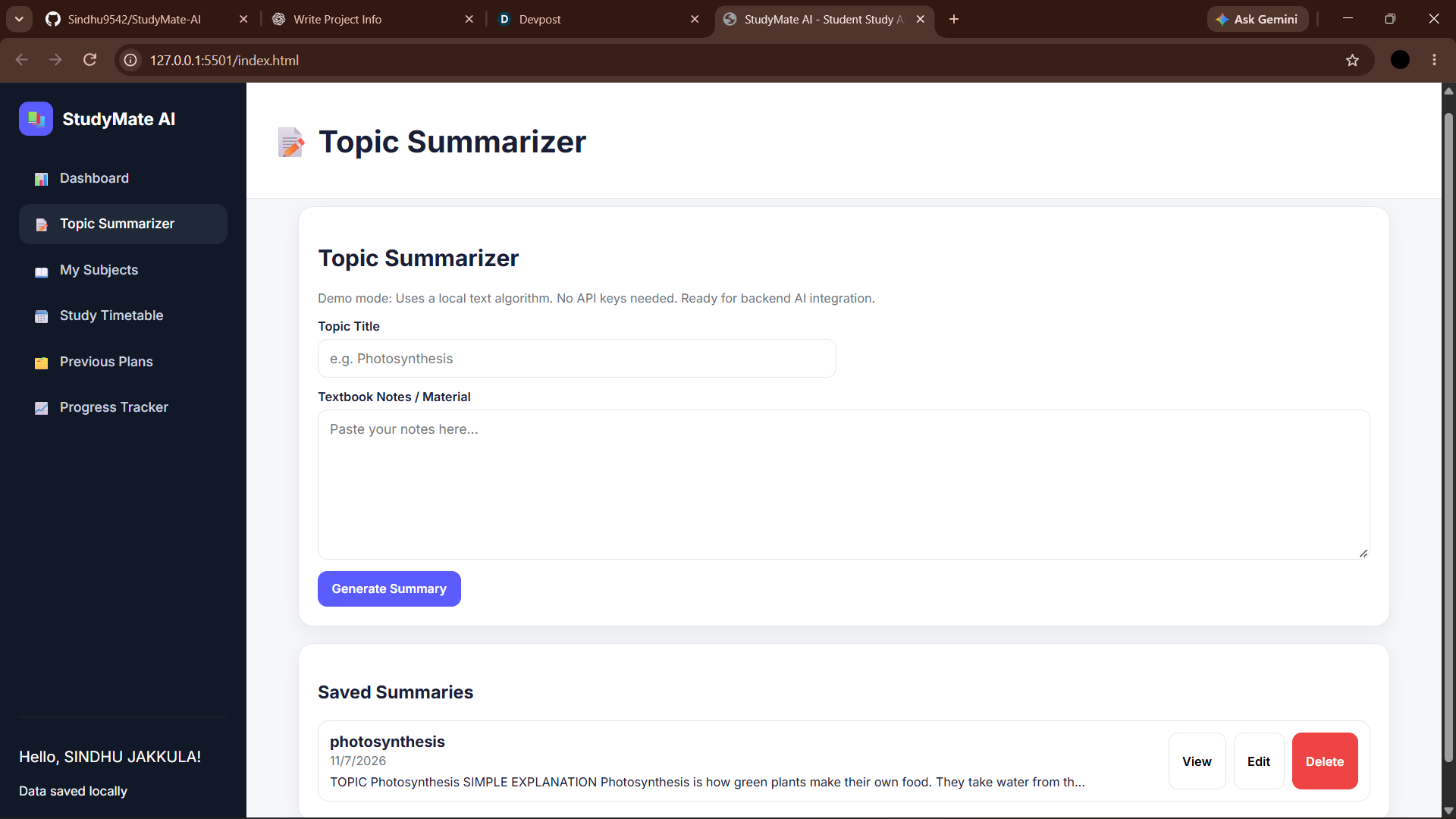
Ai summarizer
Inspiration
As a student, I know that understanding difficult topics and preparing for exams can sometimes be challenging. Students often need simple explanations, summaries, important questions, and a proper study plan to learn effectively.
I wanted to create something that could help students study in a simpler and more organized way. This inspired me to build StudyMate AI – Student Study Assistant, an AI-powered web application designed to make learning easier and more accessible.
What It Does
StudyMate AI helps students understand topics, prepare for exams, and organize their study schedules.
The application provides:
- AI Topic Summarizer: Generates simple explanations of topics in beginner-friendly English.
- Study Assistance: Helps students understand concepts and learn important information.
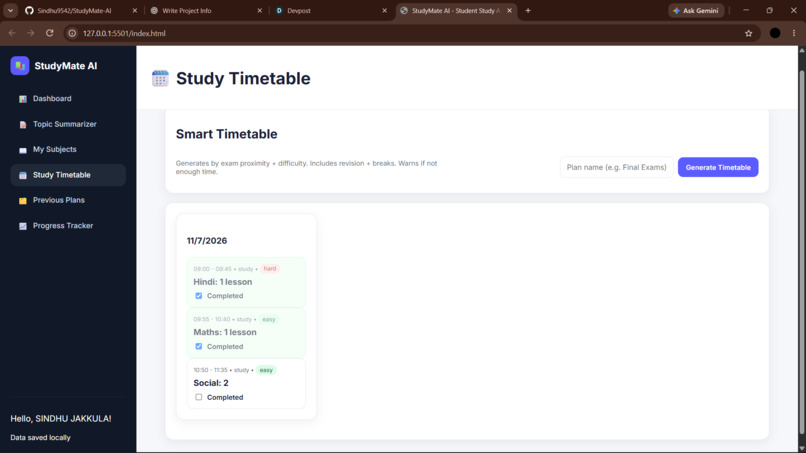
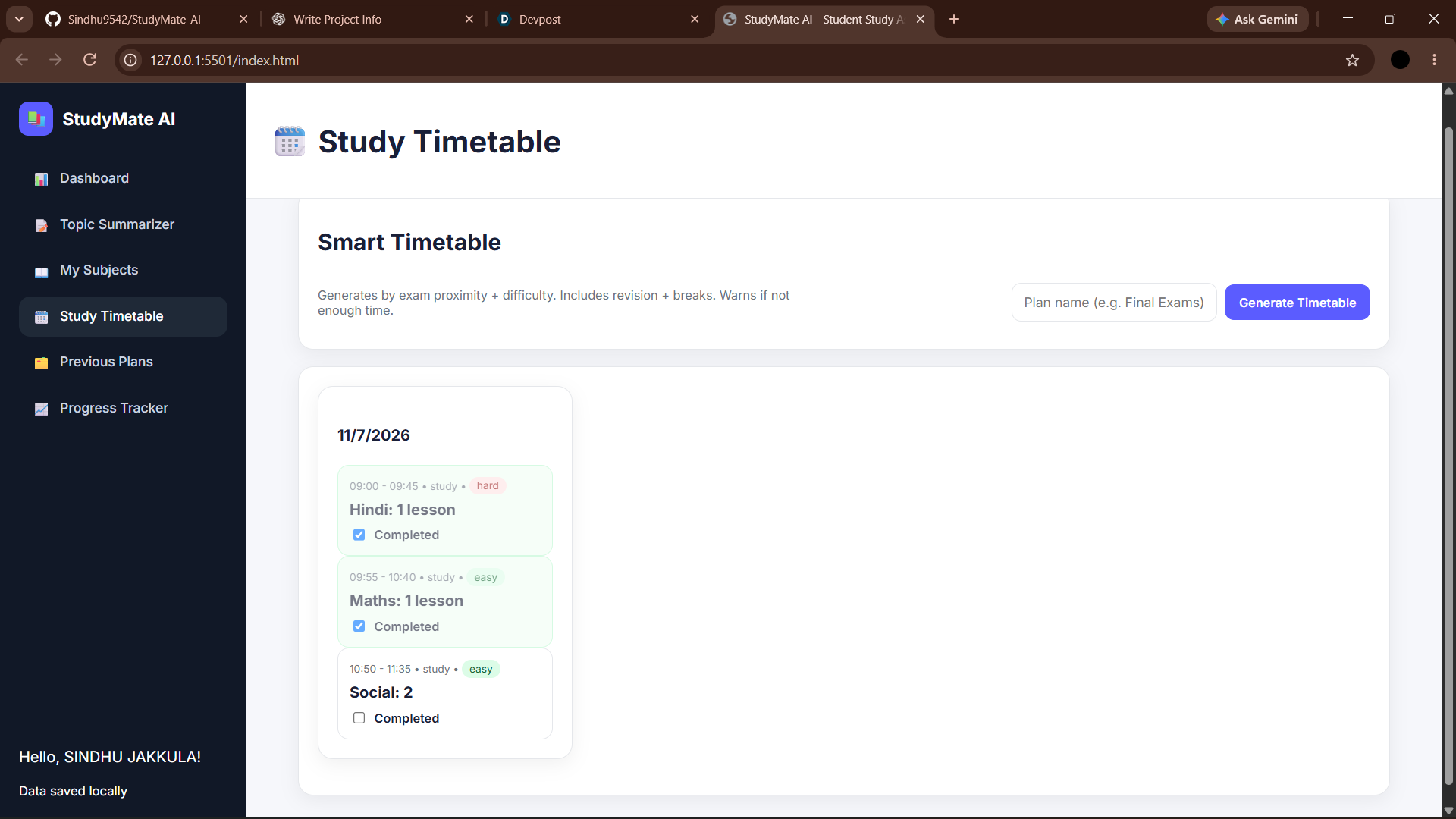
- Study Timetable: Helps students organize their subjects and study time.
- Student Dashboard: Provides a simple interface to access study features.
My goal is to make studying more organized and help students learn with less confusion.
How I Built It
I started by designing the user interface using HTML and CSS. I used JavaScript to implement the application functionality and handle user interactions.
I used Node.js to create the backend and connect the application with an AI model through an API. The AI integration allows the application to generate explanations and summaries based on the topics entered by students.
I worked on connecting the frontend and backend, handling API responses, and displaying the generated content in the application.
I also tested the features, fixed errors, and improved the application step by step.
Challenges I Faced
One of the main challenges was integrating the AI API with my application. I faced issues with API requests, model configuration, and connecting the frontend with the backend.
I also encountered errors while fetching AI-generated responses and had to understand how to handle unsuccessful requests properly.
Another challenge was managing the project within the hackathon timeline while learning new concepts and implementing the features.
Instead of giving up, I worked on understanding the errors, debugging the code, and improving the application.
What I Learned
Through this project, I learned how an AI-powered web application works and how different technologies communicate with each other.
I gained practical experience with HTML, CSS, JavaScript, Node.js, backend development, and AI API integration.
I also learned about API requests, JSON responses, error handling, debugging, and connecting frontend and backend components.
Most importantly, I understood that building a project requires continuous testing, problem-solving, and learning from mistakes.
What's Next
I want to improve StudyMate AI by adding more useful features for students.
Future improvements include better study timetable management, saving study history, improving AI-generated explanations, and adding more personalized learning features.
My goal is to continue developing StudyMate AI into a useful learning companion that helps students understand topics and prepare for their exams more effectively.
