-
-
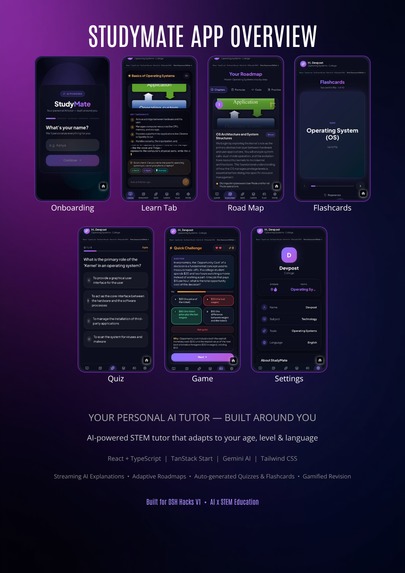
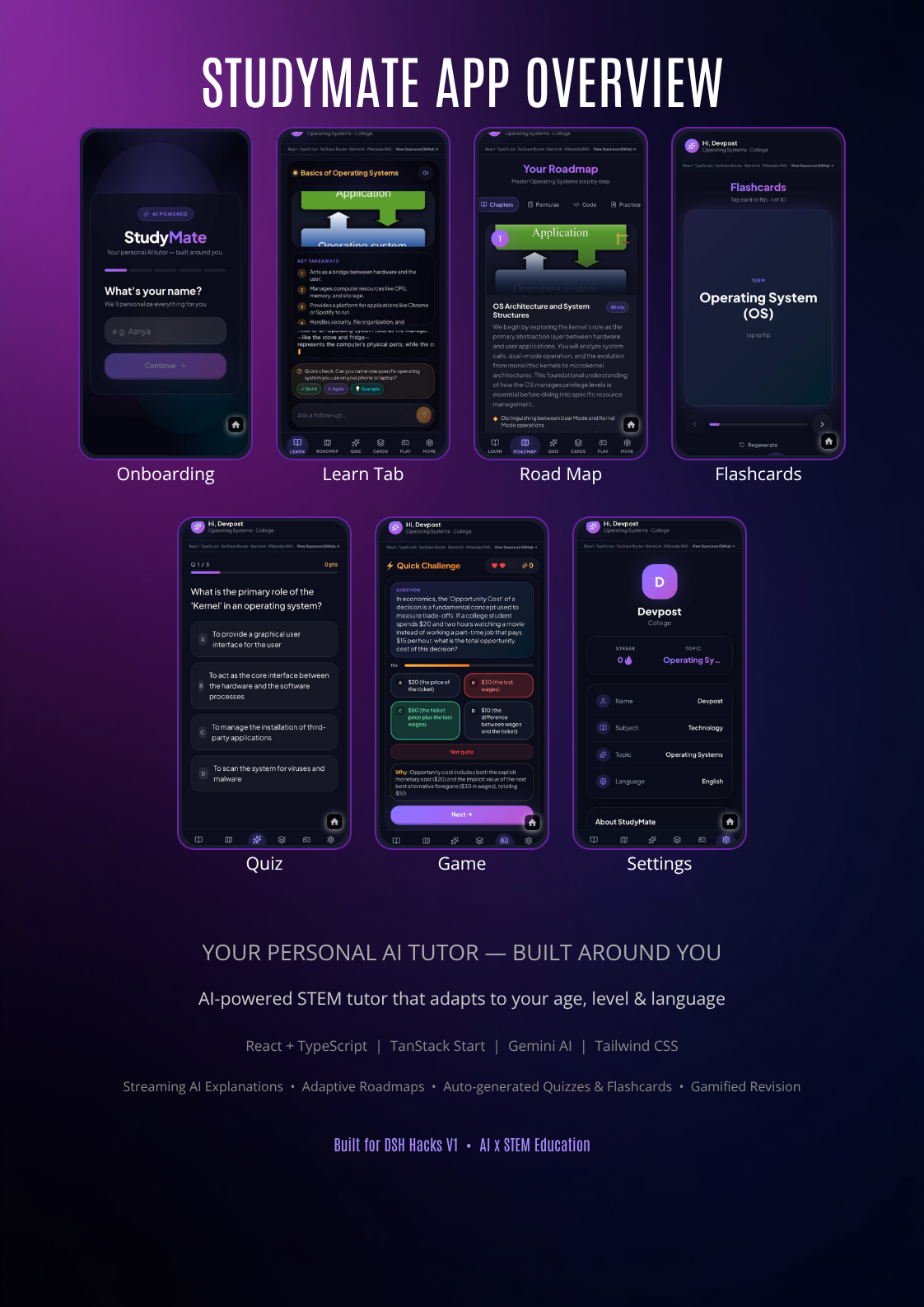
StudyMate at a glance — lessons, roadmaps, quizzes, flashcards & practice, adapted to you.
-
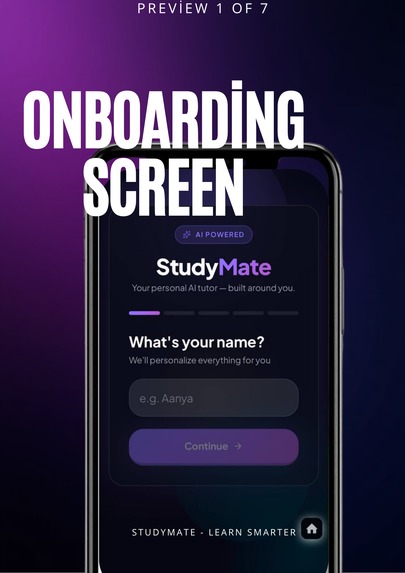
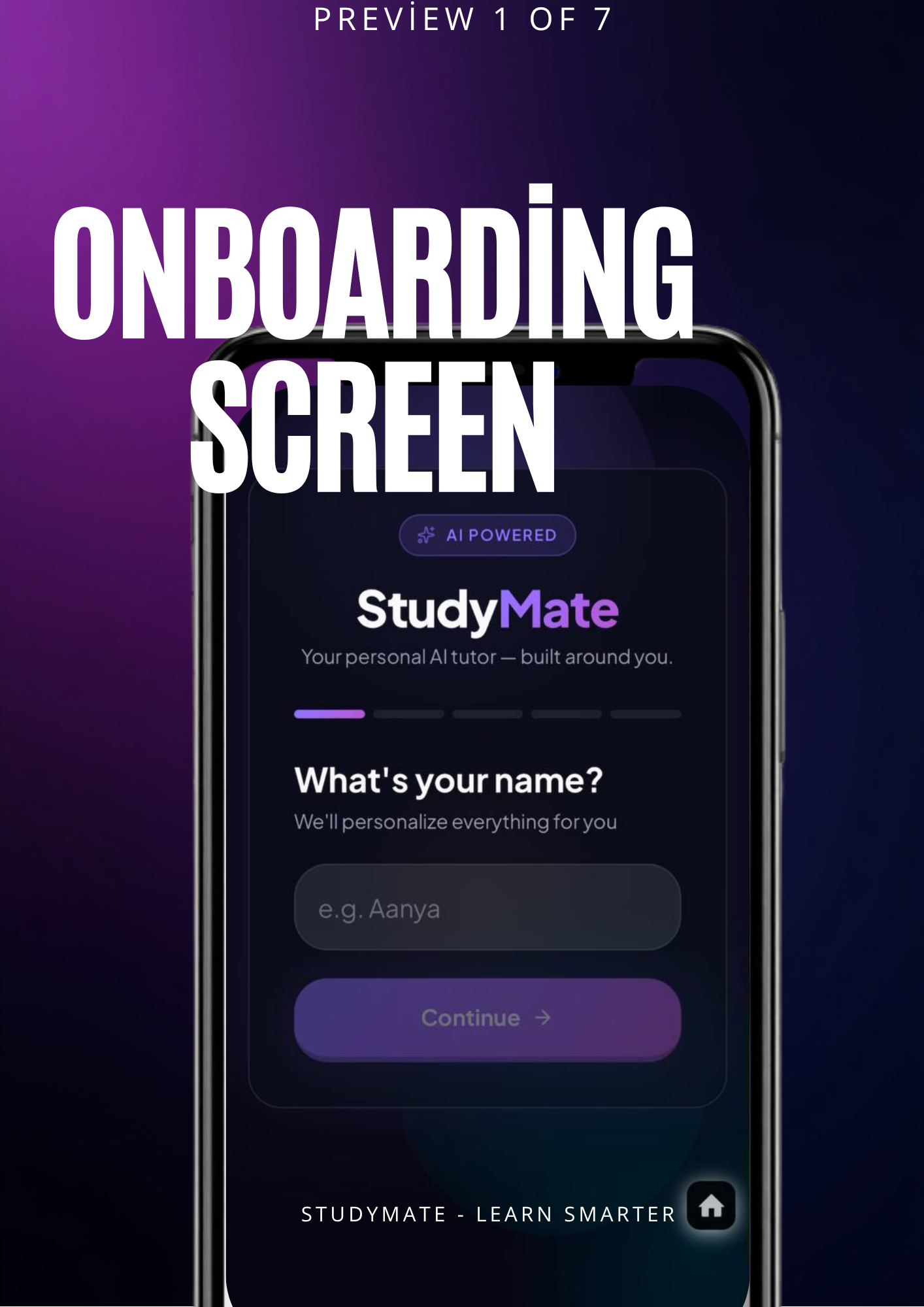
Quick setup — name, language, level, and topic, including a free-text option
-
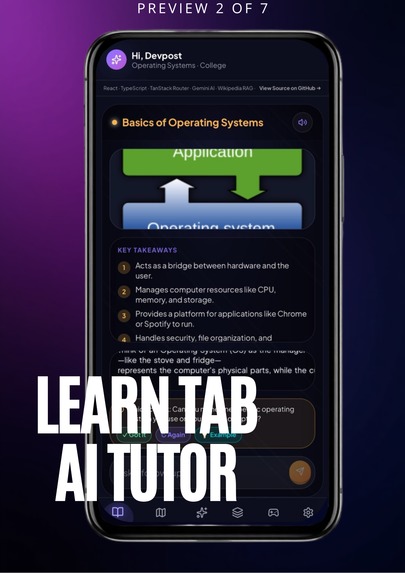
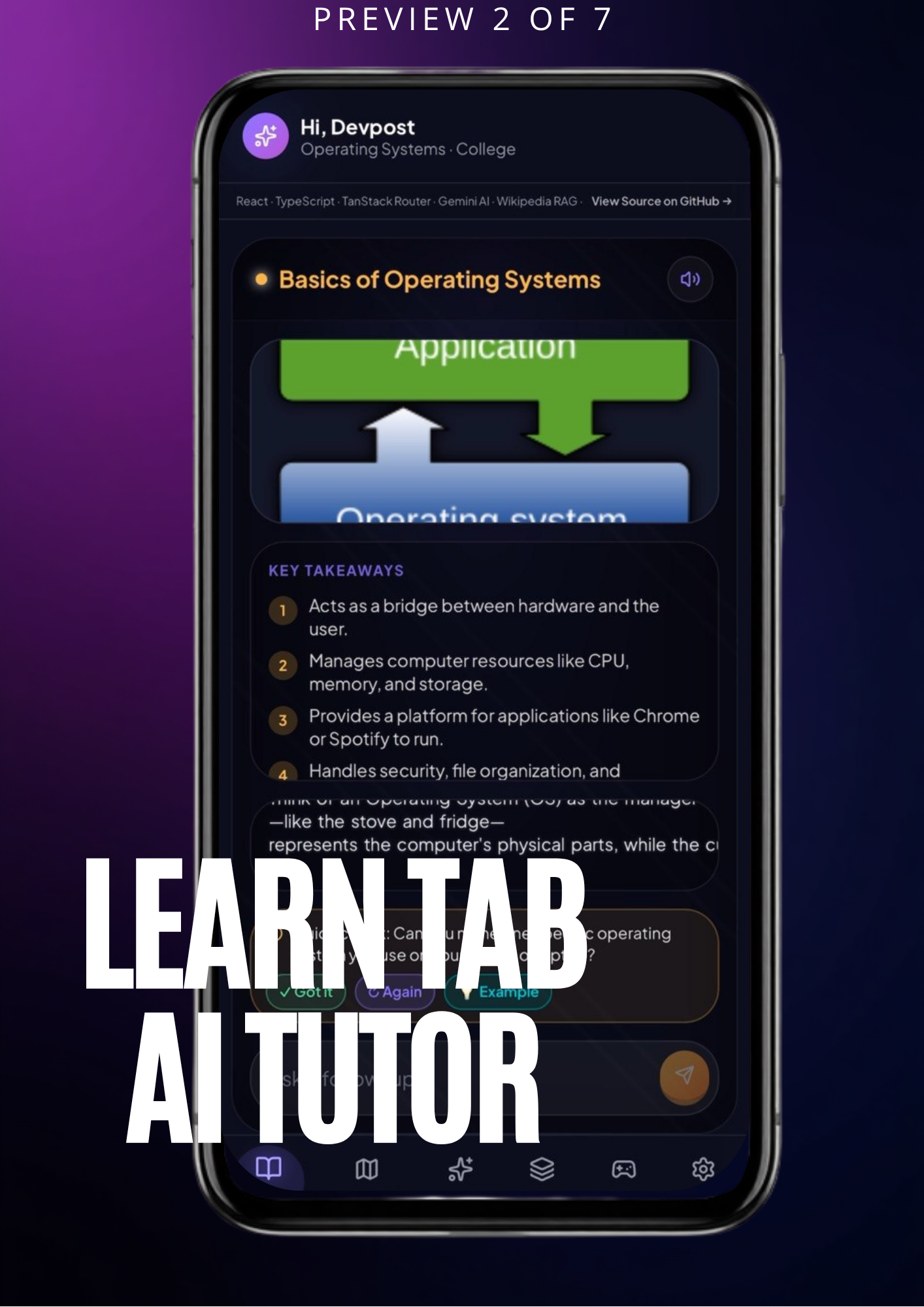
Ask anything and get a streaming AI explanation with notes, diagrams, and real-world examples
-
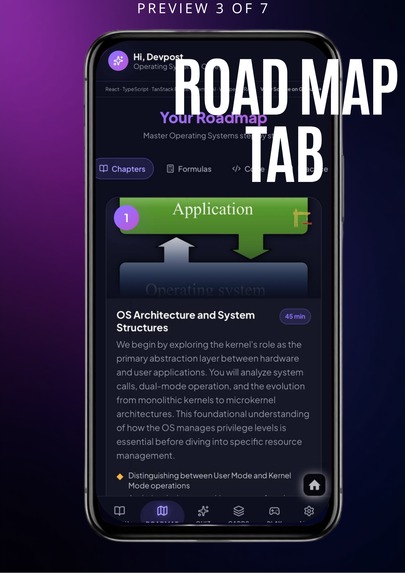
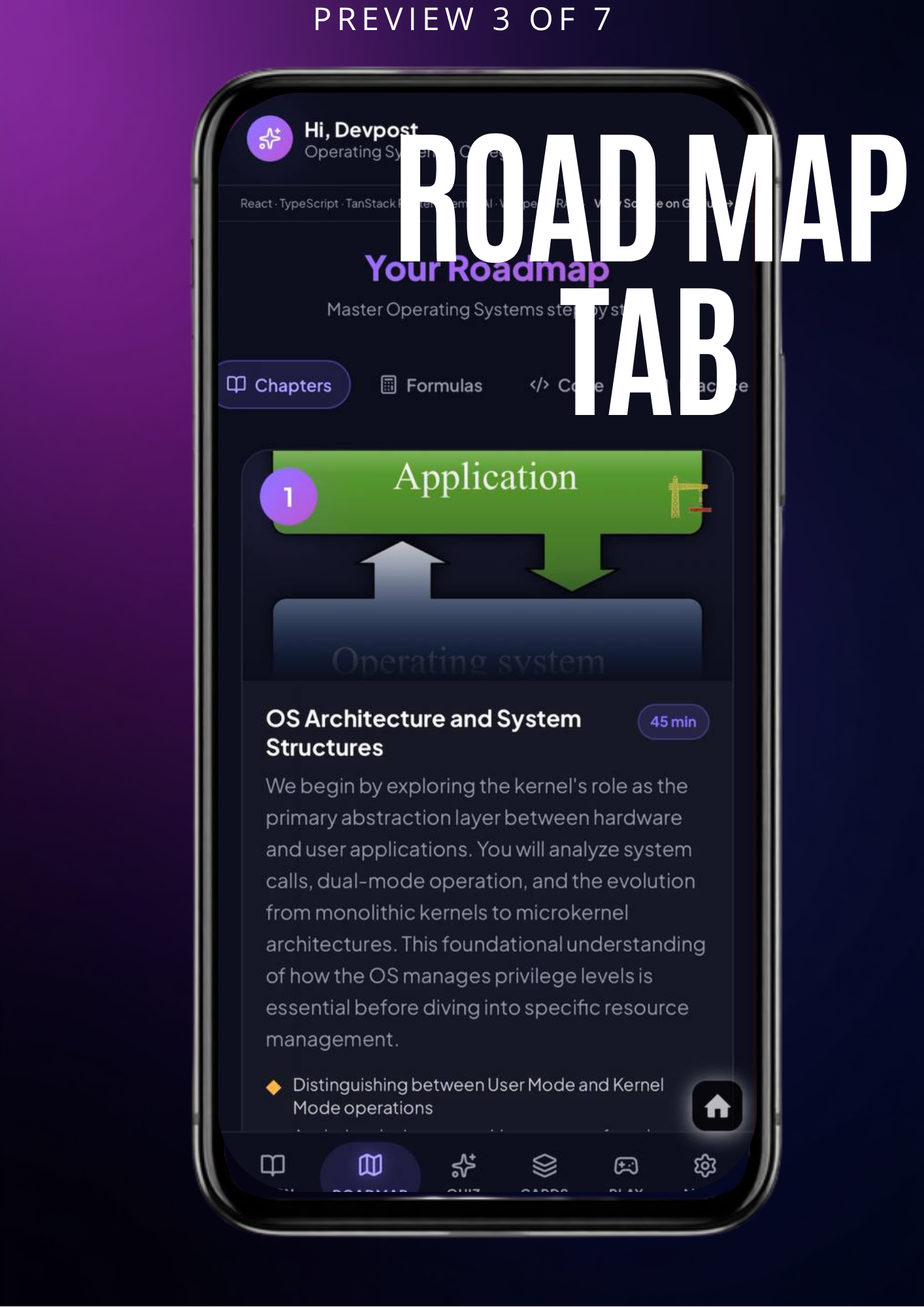
A chapter-by-chapter learning path, scaled to your education level.
-
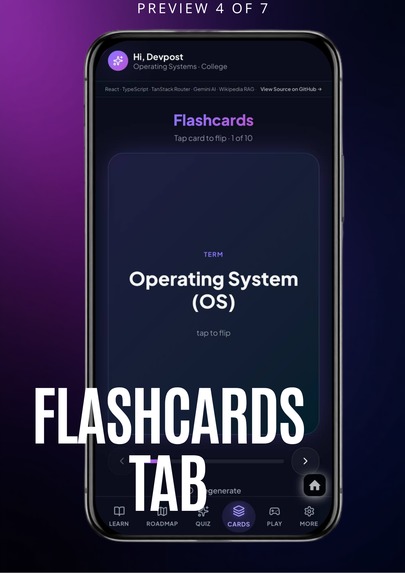
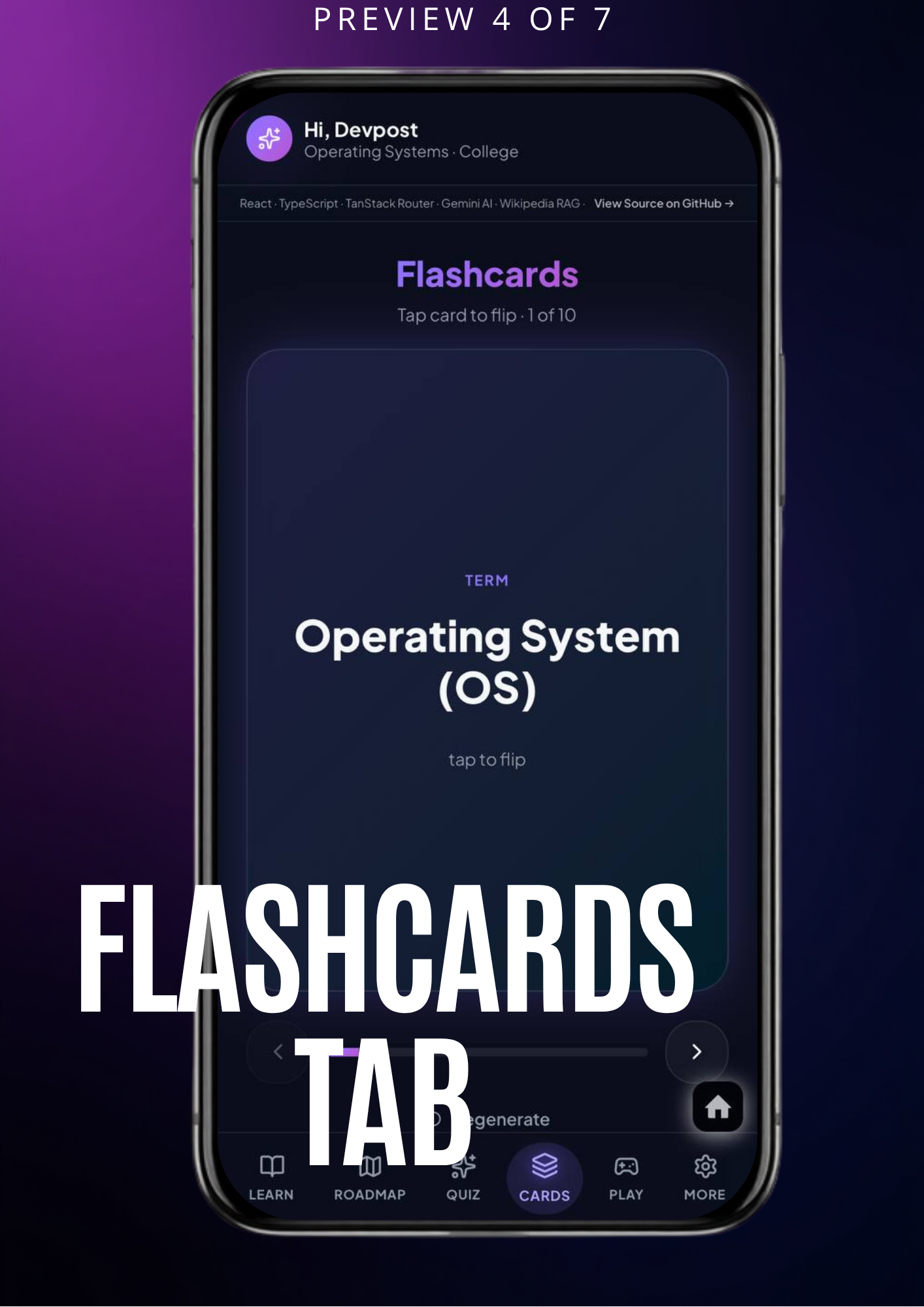
Auto-generated flip cards for quick concept revision.
-
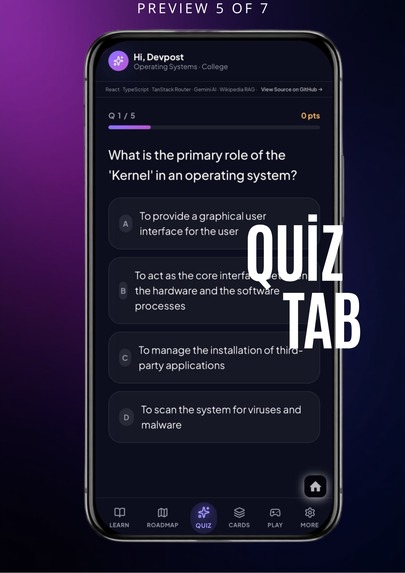
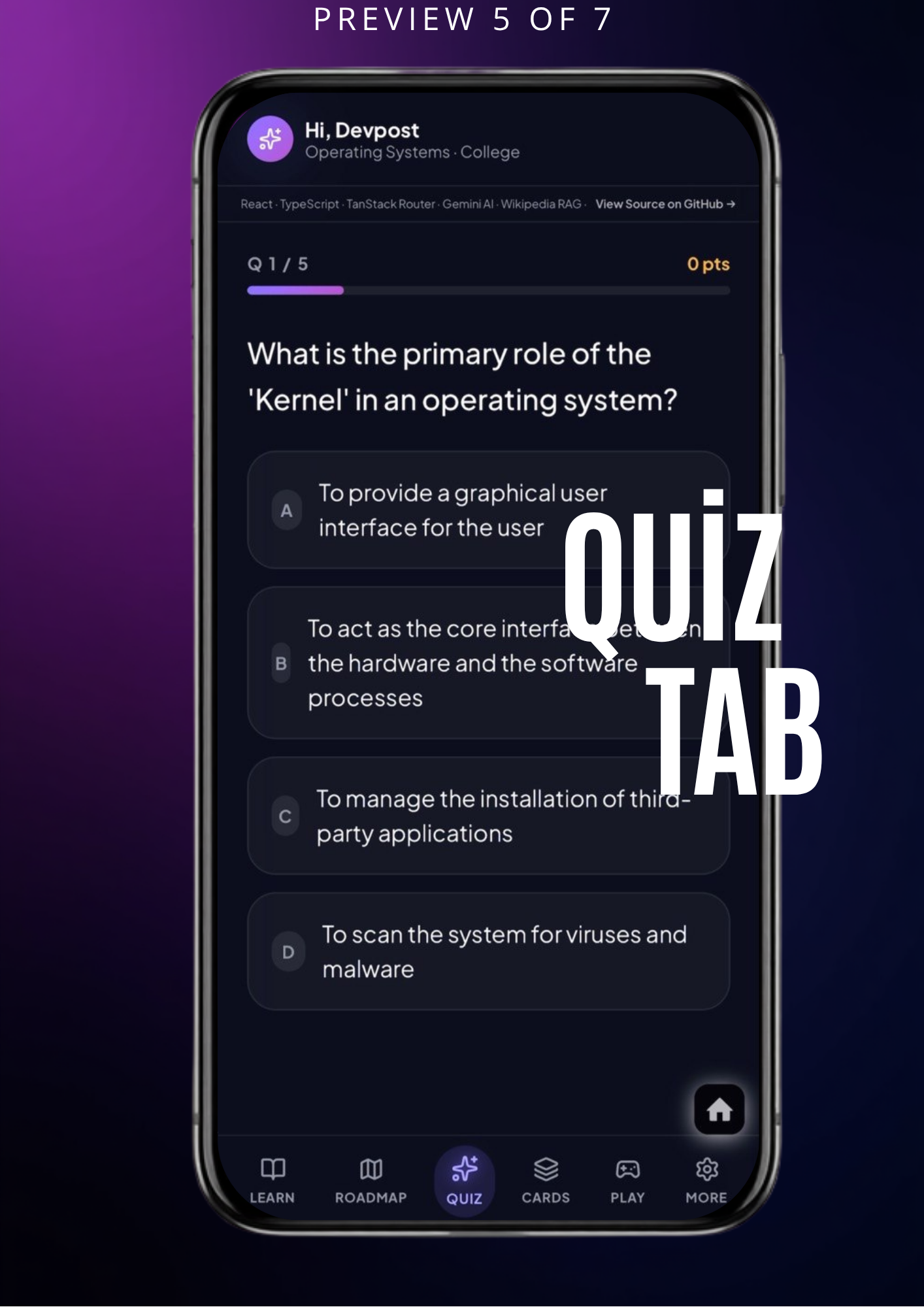
Multiple-choice questions with instant AI feedback and evaluation.
-
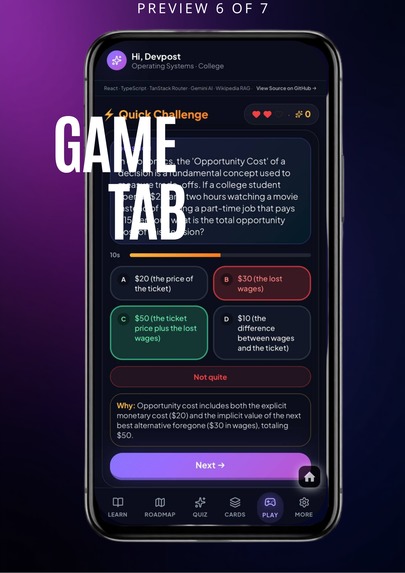
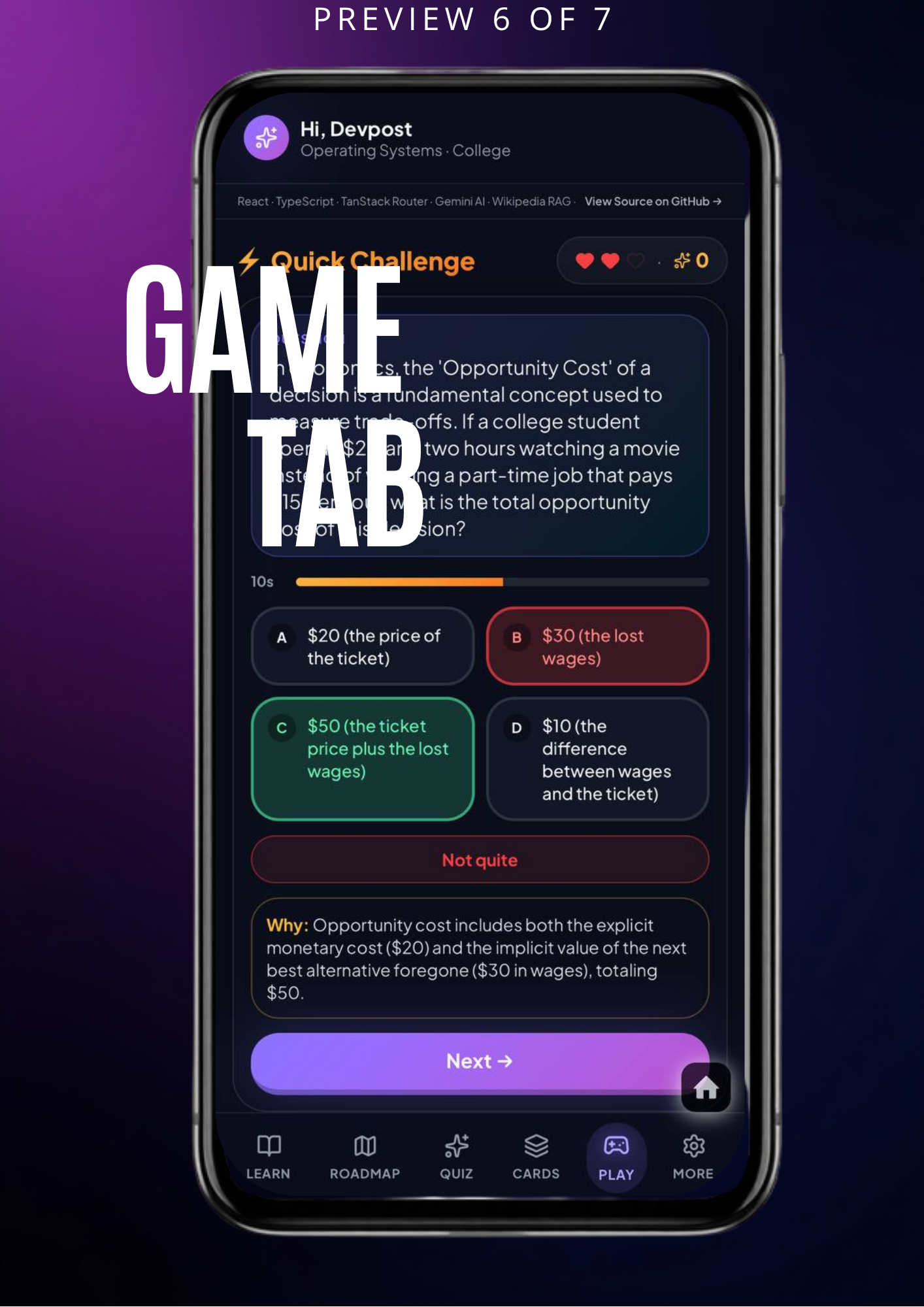
A gamified mode that makes revision feel like play, not work.
-
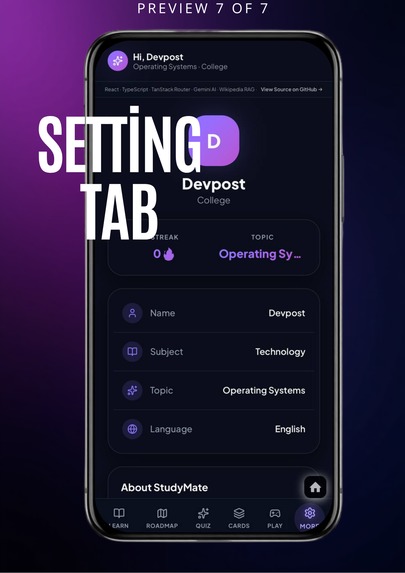
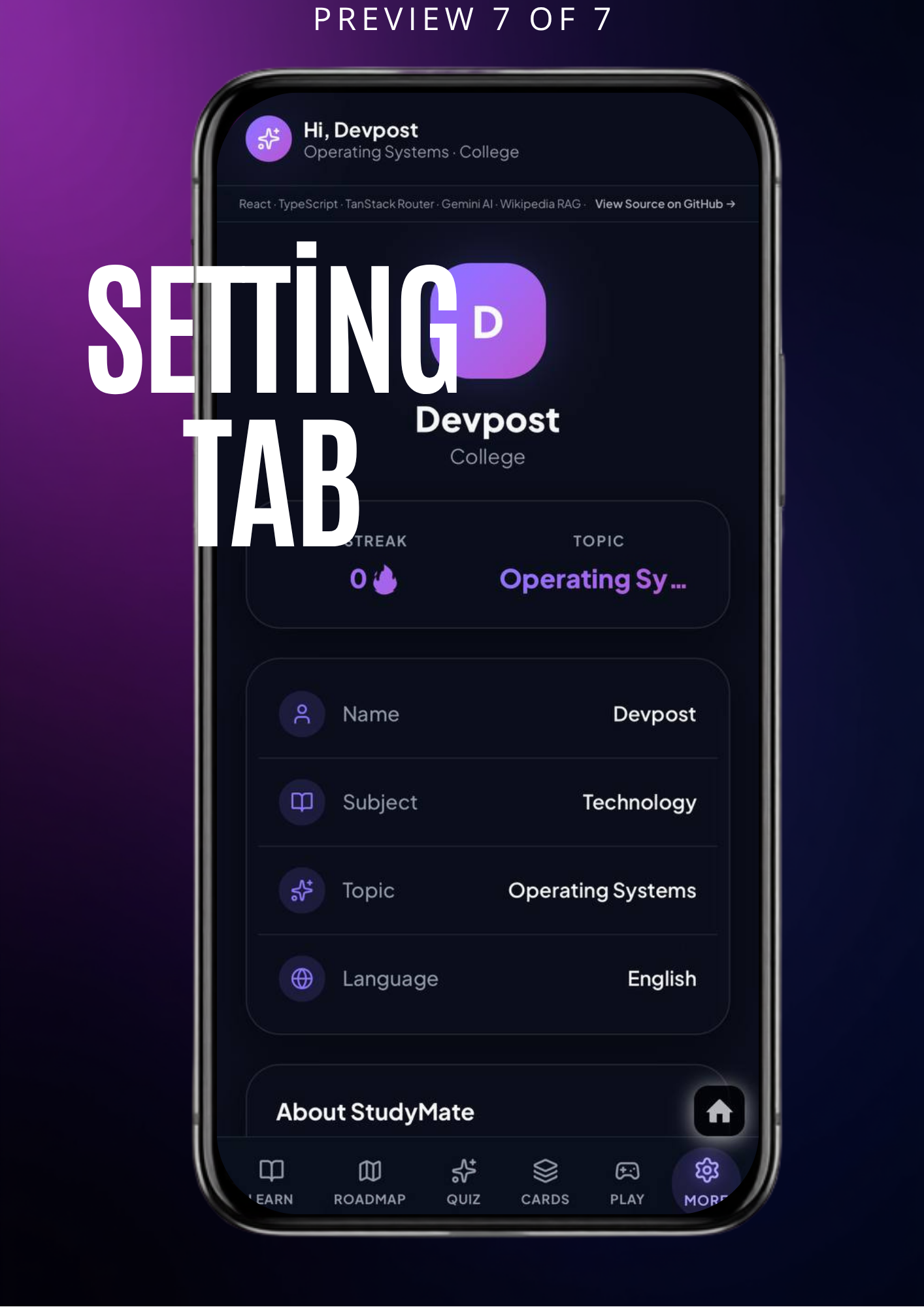
Tech stack, profile, and app preferences at a glance
Inspiration
Every student learns differently — but most STEM learning tools don't care. A 10-year-old and a college student asking "what is gravity?" get the exact same explanation, the same difficulty, the same everything. That never made sense to us. So we built StudyMate: a tutor that actually adjusts to who's asking.
What it does
StudyMate is an AI tutor for STEM subjects that adapts to the student's age, education level, and language (English, Hindi, or Hinglish). After a quick onboarding — name, language, level, and topic (including a free-text option if your topic isn't listed) — every feature in the app is shaped around that profile:
- Learn — Ask anything and get a streaming, AI-generated explanation with notes, a simple diagram, and a real-world example. Optional voice narration.
- Roadmap — A chapter-by-chapter learning path for your topic, scaled to your level.
- Quiz — Multiple-choice questions with instant AI feedback.
- Flashcards — Auto-generated cards for quick revision.
- Practice Papers — Full practice tests with MCQ and short-answer questions, calibrated to your difficulty level.
- Play — A gamified mode to make revision feel less like work.
Ask the same question as a school student and as a college student, and you'll get genuinely different answers — different vocabulary, different depth, different examples.
How we built it
StudyMate runs on React 18, TypeScript, TanStack Router/Start, and Vite, styled with Tailwind CSS and shadcn/ui. AI generation goes through Gemini, accessed via a single shared gateway (ai-gateway.server.ts) that every feature route calls into — so prompting, JSON parsing, streaming, and error handling are all handled in one place instead of being duplicated across nine different API routes.
We also added a lightweight Wikipedia-based retrieval layer: before generating an explanation, the app pulls a short factual summary on the topic so the AI's response stays grounded in real information instead of just "winging it."
Challenges we ran into
One of our biggest headaches was getting the LLM to reliably return structured JSON for things like quizzes and practice papers. Large prompts asking for too much content at once would sometimes get cut off mid-response and just... fail. No quiz, no error message that made sense, nothing. We ended up trimming question counts per difficulty level and adding a retry step — if the first generation attempt fails, the app quietly tries again with a smaller, more focused prompt instead of dumping an error on the user.
We also ran into a frustrating but funny bug where switching tabs didn't stop the AI's voice narration — so you could be sitting on the Quiz tab while the Learn tab's explanation kept talking away in the background, completely unrelated to anything on screen. Took us a while to track down, but we fixed it by tying the speech cleanup directly to tab changes.
Accomplishments that we're proud of
- A genuinely adaptive experience — six different learning modes that all respond to the same user profile
- Breaking the language barrier with seamless English, Hindi, and Hinglish generation — built for how students in India actually think and talk, not just textbook English
- Built-in fallback handling so AI hiccups don't break the experience
- A clean, mobile-first interface that feels like a real product
- No API keys required from users — it just works, for free
What we learned
Prompt design is product design. Small wording changes in how you ask an AI for content can be the difference between a feature that works 95% of the time and one that works 60% of the time. We also learned that planning for AI failure upfront — not as an afterthought — makes the whole app feel a lot more trustworthy when things inevitably go a little sideways.
What's next for StudyMate
- More subjects and deeper roadmap chapters
- Progress tracking across sessions
- Peer/classroom mode so teachers can assign topics to a group
- Expanding language support beyond English, Hindi, and Hinglish
Built With
- bun
- gemini
- radixui
- react
- shadcn
- tailwindcss
- tanstack
- tanstackrouter
- tanstackstart
- typescript
- ui
- vite
- wikipedia


Log in or sign up for Devpost to join the conversation.