-
-
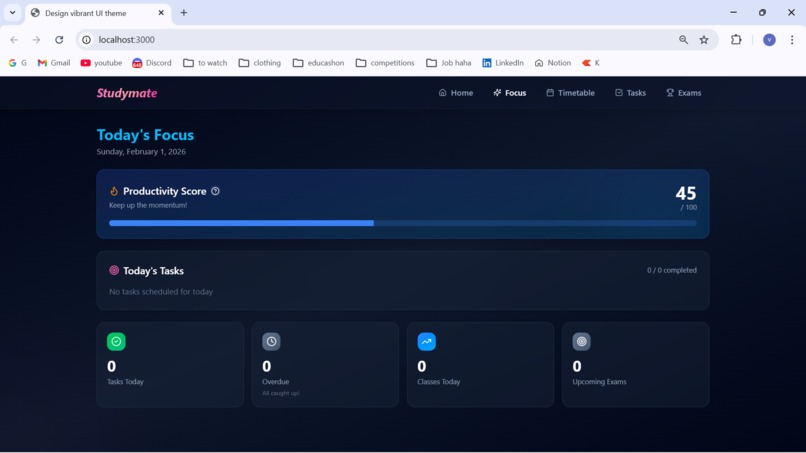
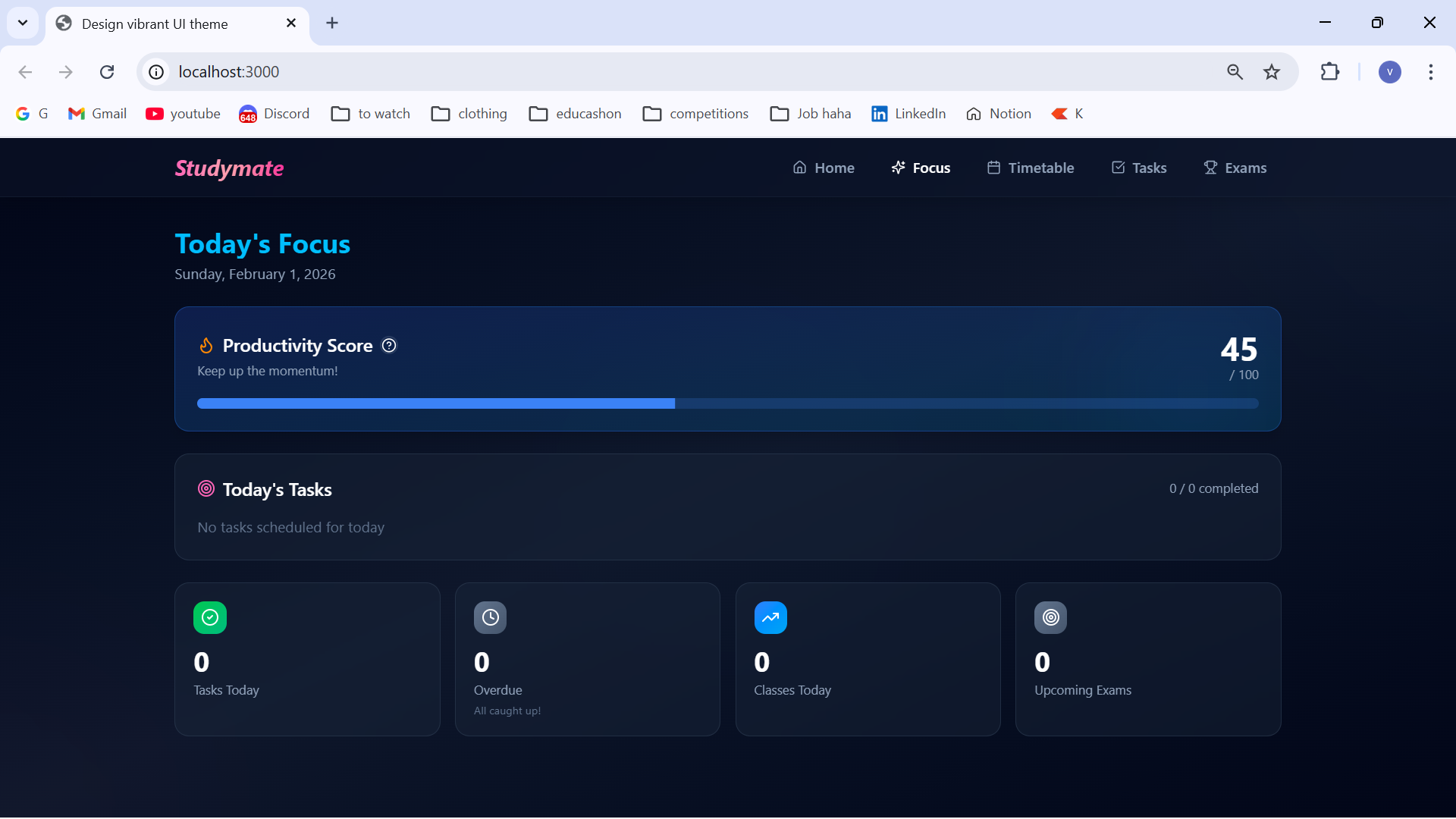
Focus tab
-
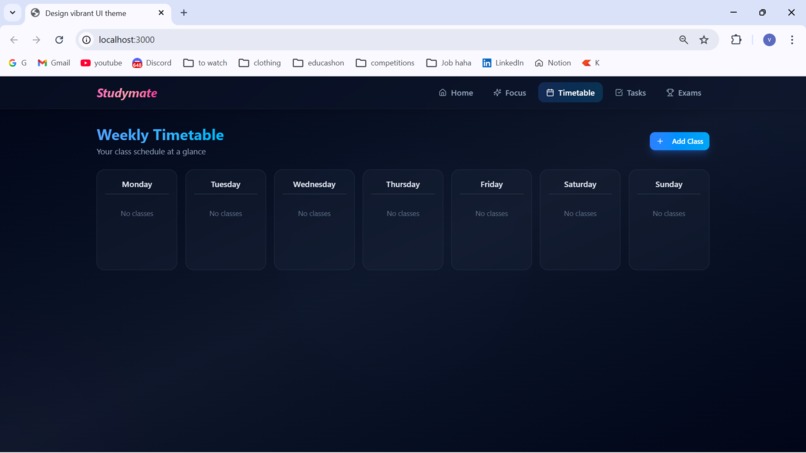
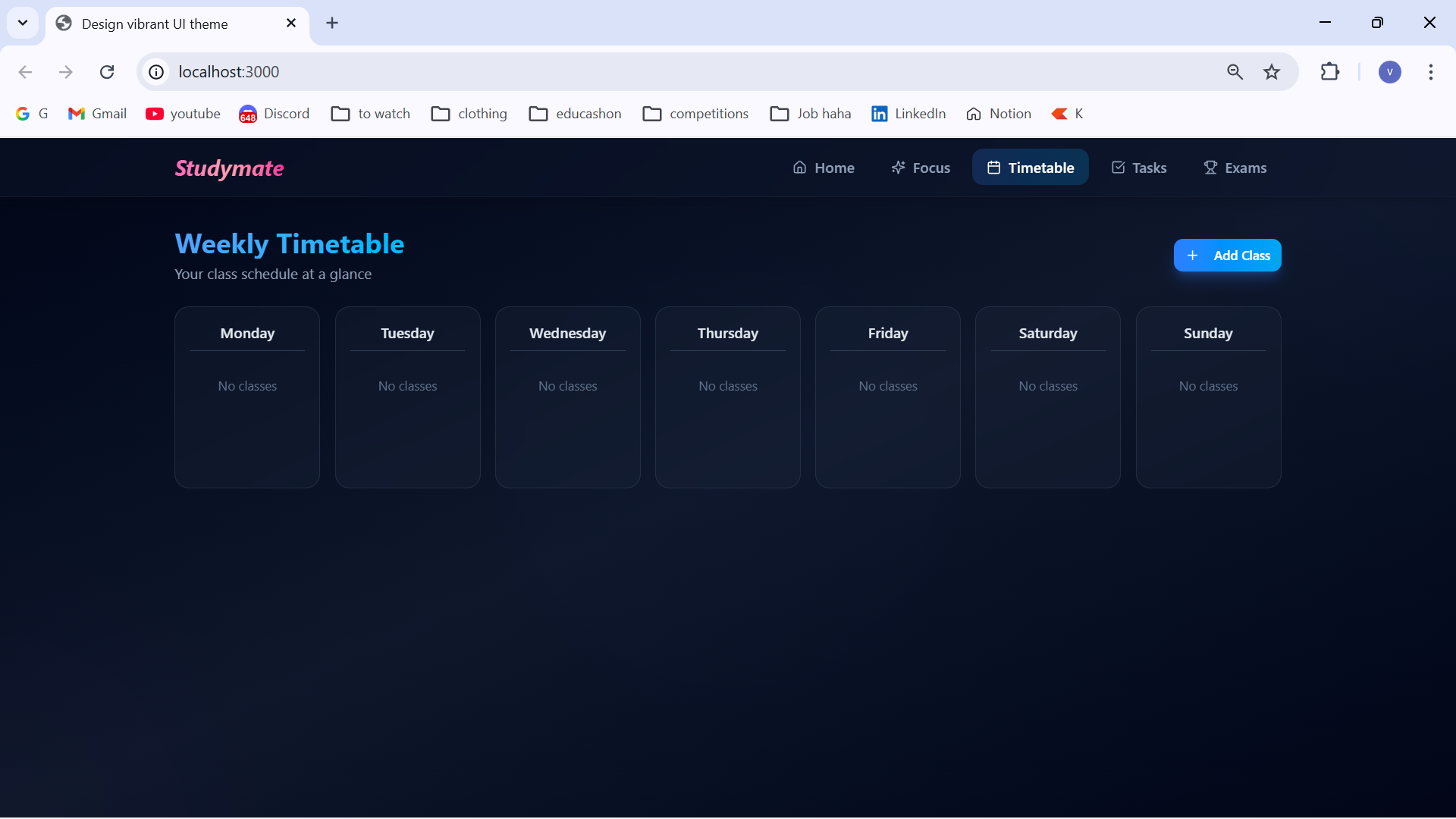
Timetable tab
-
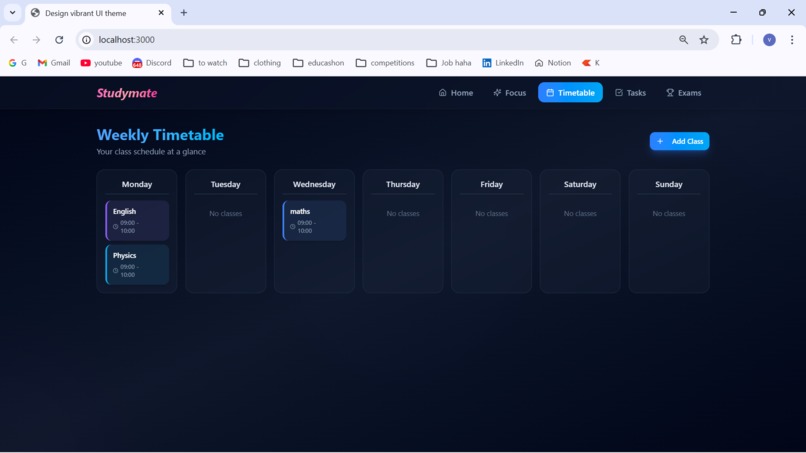
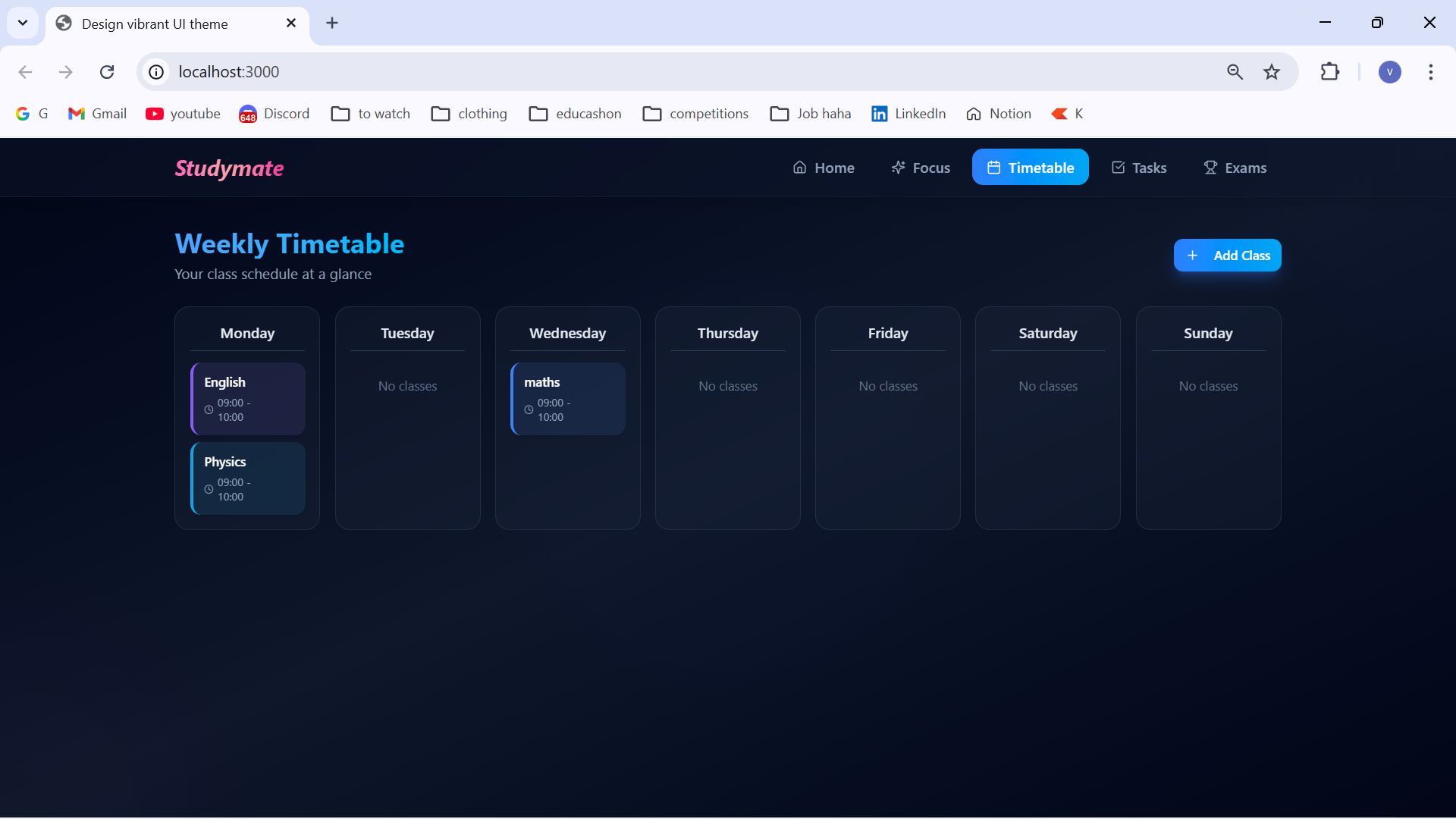
Added a few subjects in the timetable
-
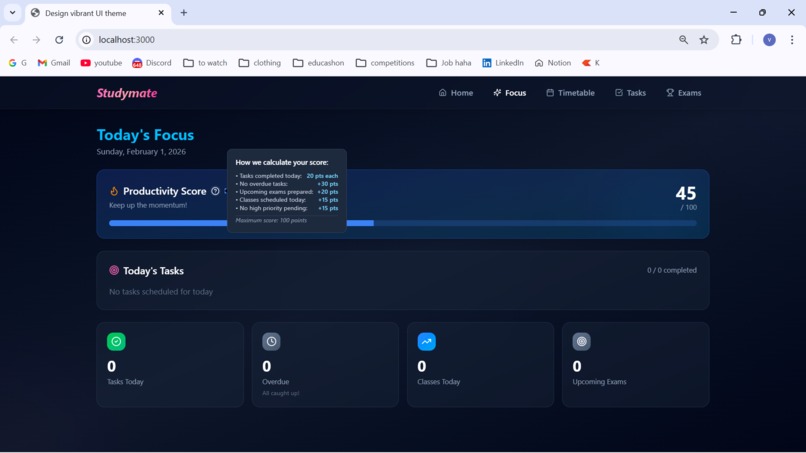
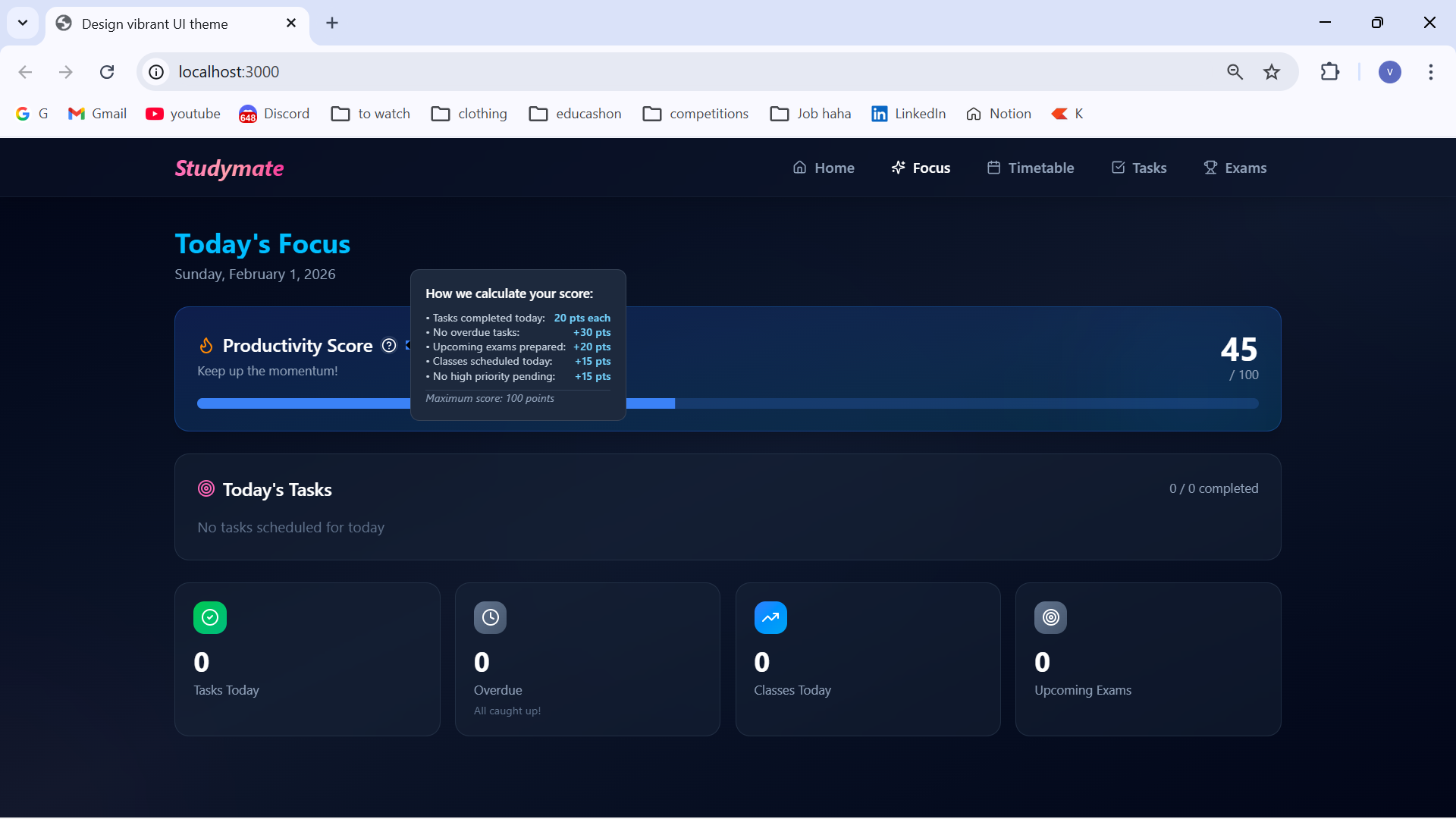
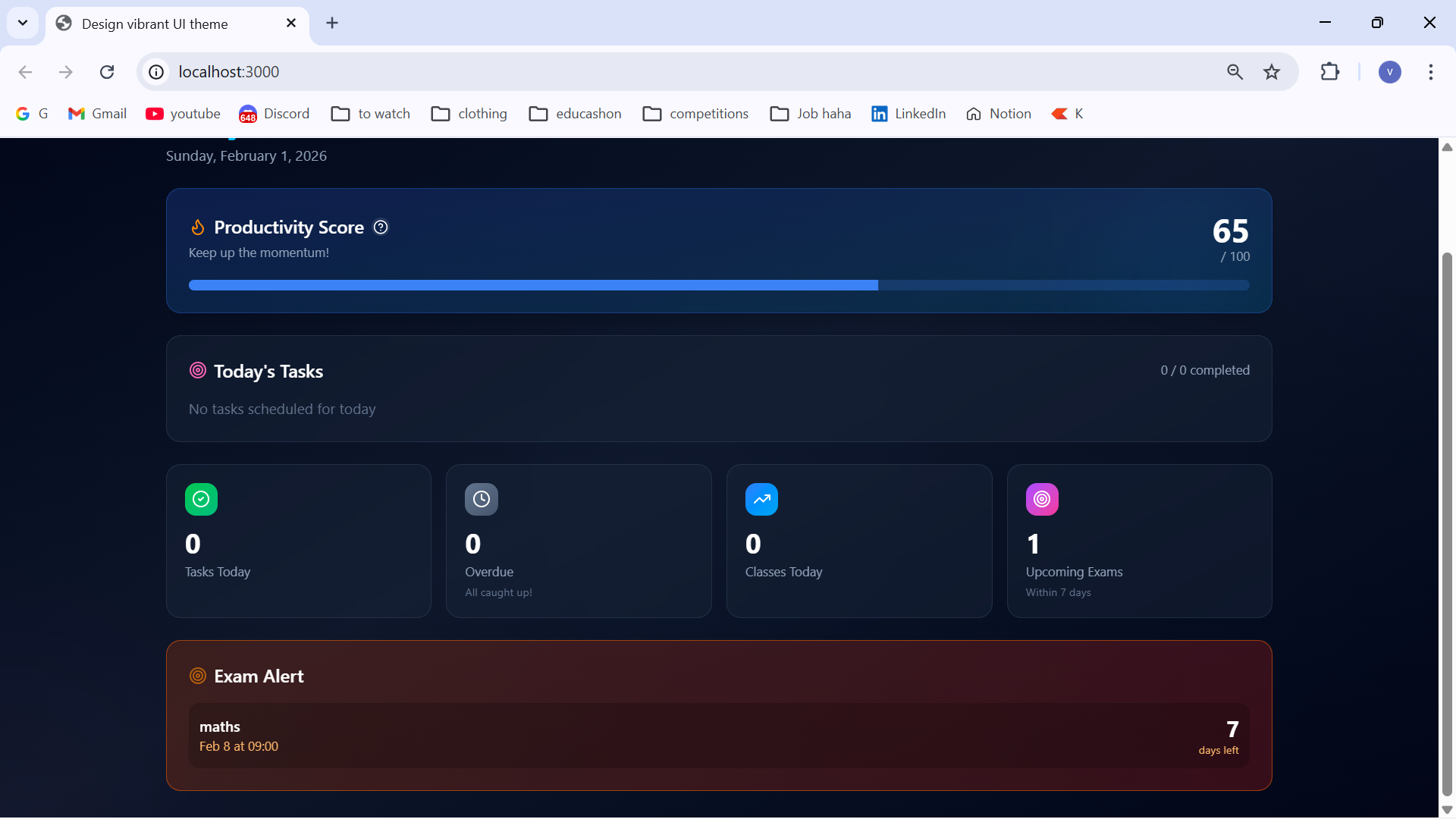
Explanation of how productivity score is calculated
-
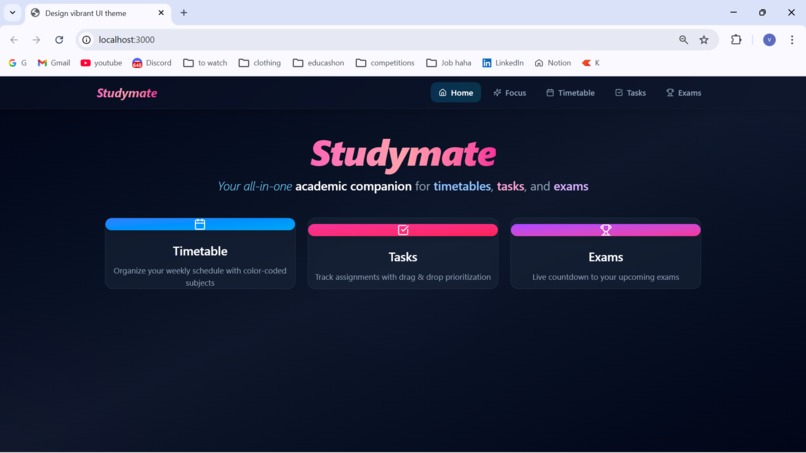
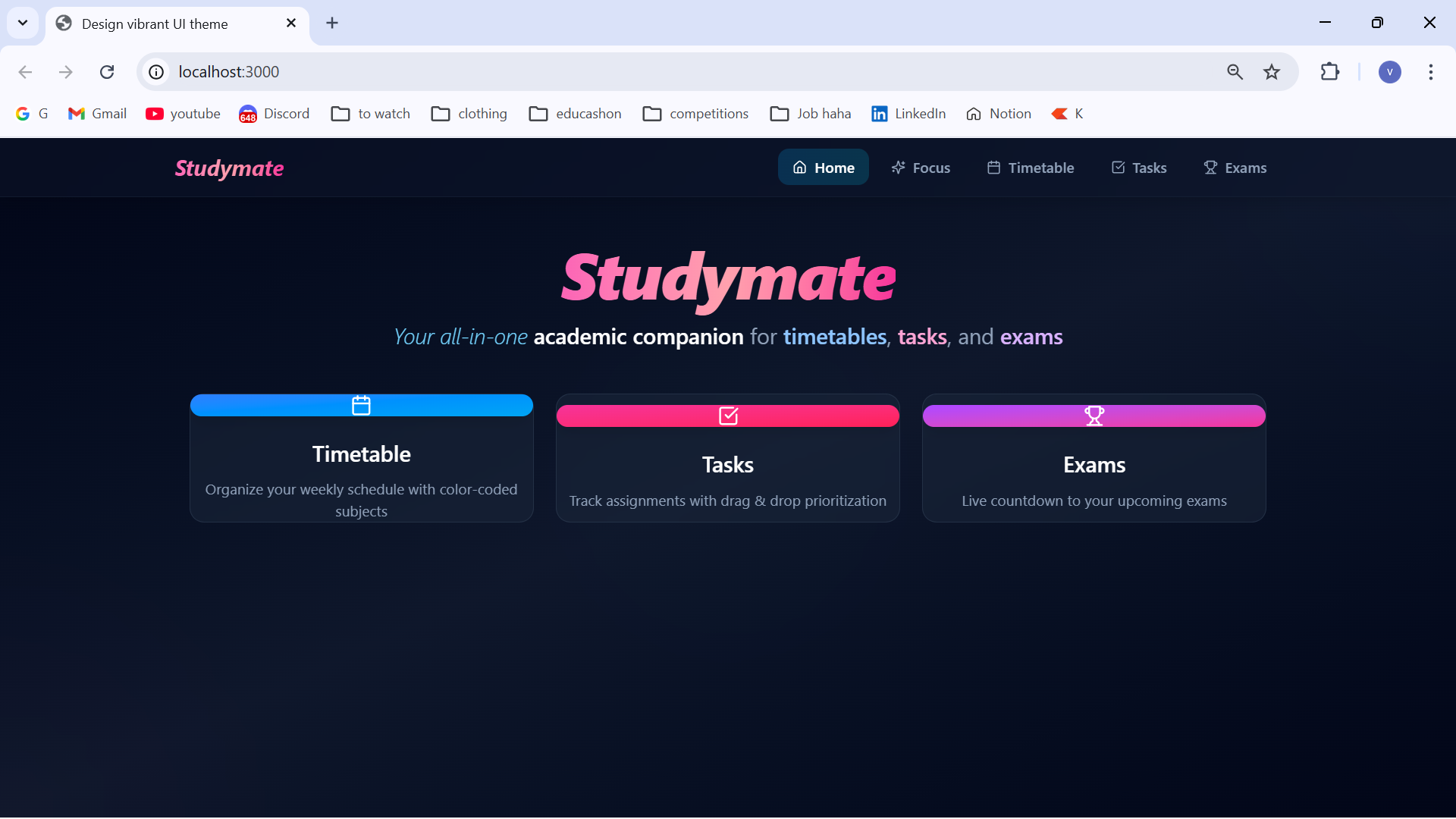
landing page
-
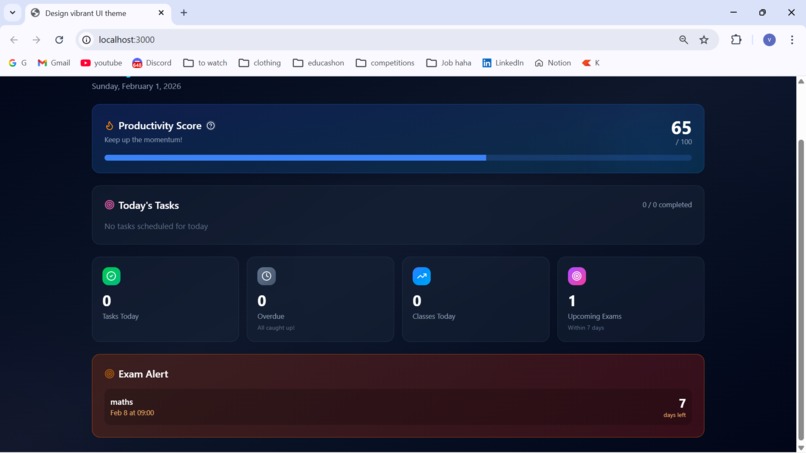
Exam alerts in the focus tab
-
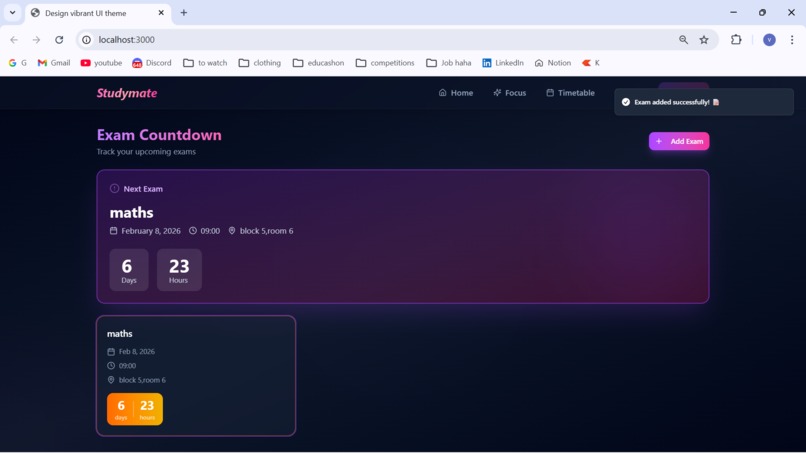
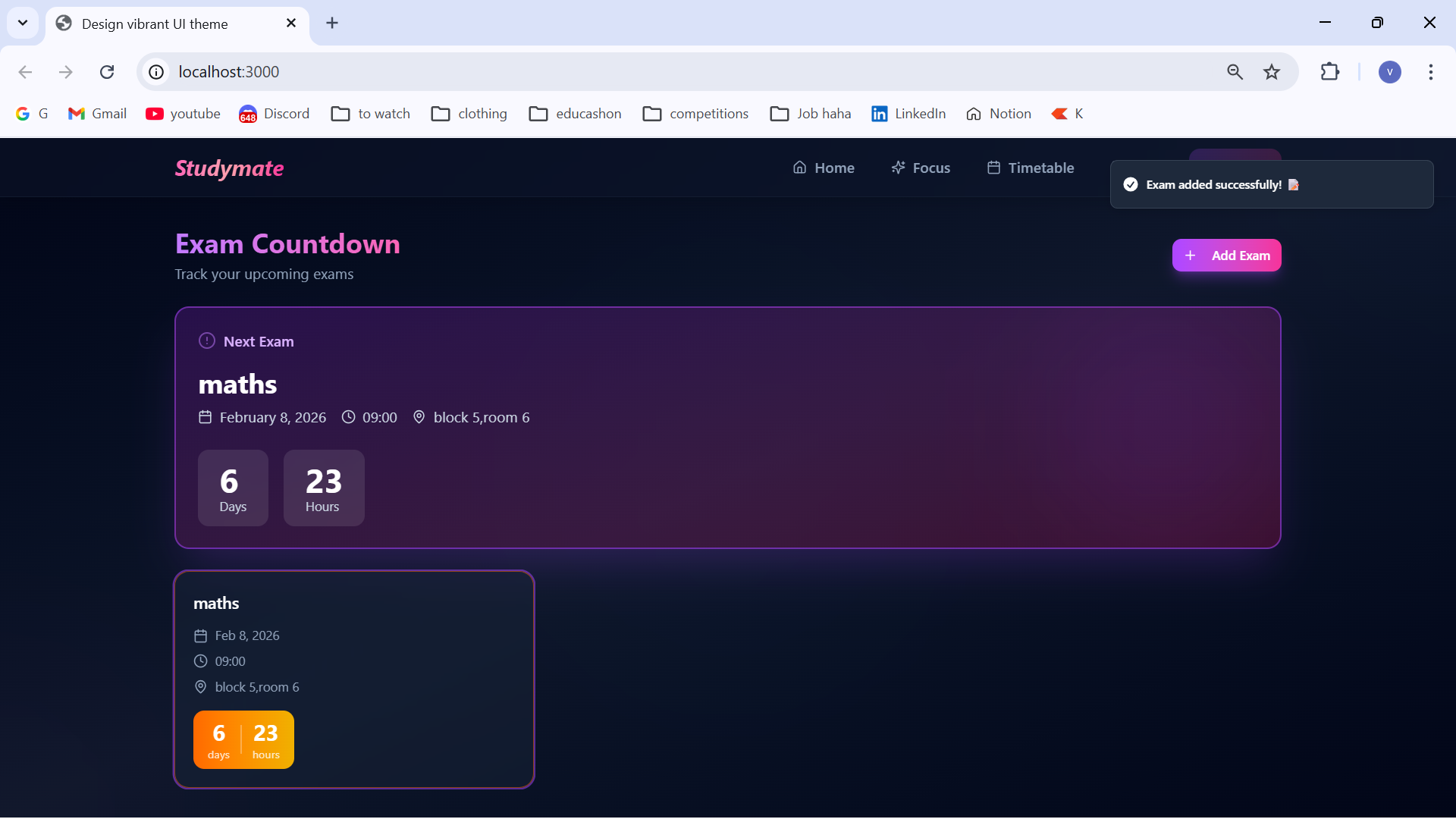
Exam countdown
Inspiration
As students, we constantly juggled multiple classes, assignments and exams while struggling to stay organized. Traditional planners felt outdated, and existing apps were either too complicated or lacked the visual appeal to keep us engaged. We envisioned a student productivity tool that was not only functional but also aesthetically pleasing,something that would make organization feel less like a chore and more like an experience. StudyMate was born from the desire to create a digital companion that understands student life and makes academic success achievable through smart design and intuitive features.
What it does
StudyMate is an all-in-one student productivity platform that helps students:
Track Daily Progress: View a personalized dashboard showing today's tasks, classes, and upcoming exams with a real-time productivity score
Manage Timetables: Create and visualize weekly class schedules with color-coded subjects, professor names, and time slots
Organize Tasks: Create, prioritize, and complete tasks with due dates and priority levels, with smart filtering and overdue tracking
Monitor Exams: Set up exam countdowns with detailed syllabus information and preparation tracking
Calculate Productivity: Get a dynamic productivity score based on task completion, overdue items, exam preparation, and class attendance
How we built it
We built StudyMate using a modern tech stack focused on performance and user experience:
Frontend: React 18.3 with Vite for blazing-fast development and build times
Styling: Tailwind CSS for rapid UI development with a custom design system featuring our signature dark theme with blue and silver accents
Components: Radix UI for accessible, unstyled component primitives that we could customize to match our design vision
Animations: Framer Motion (via Motion library) for smooth, engaging micro-interactions
State Management: React Hooks and Local Storage for persistent data without the complexity of external state management
Utilities: Day.js for date manipulation, Lucide React for beautiful icons, and React Hook Form for efficient form handling
The design philosophy emphasized glassmorphism effects, smooth transitions, and a premium feel that would delight users while maintaining functionality.
Challenges we ran into
Productivity Score Algorithm: Designing a meaningful scoring system that accurately reflected student productivity without being demotivating required careful balancing of different factors and point values
Date & Time Management: Handling different time zones, date comparisons, and countdown calculations while ensuring accuracy across all features
Performance Optimization: Keeping animations smooth while managing multiple components and real-time calculations without lag
Data Persistence: Implementing a robust local storage system that handled CRUD operations for tasks, subjects, and exams while preventing data loss
Responsive Design: Ensuring the premium UI looked stunning across all screen sizes while maintaining usability
User Experience Flow: Creating an intuitive navigation structure that made all features easily accessible without overwhelming new users
Accomplishments that we're proud of
Stunning Visual Design: Created a premium, modern interface that stands out from typical productivity apps with our signature dark theme, glassmorphism effects, and smooth animations
Productivity Score Feature: Developed an intelligent scoring algorithm with a beautiful tooltip explanation that helps students understand and improve their study habits
Seamless User Experience: Achieved smooth, lag-free animations and transitions that make the app feel polished and professional
Complete Feature Set: Built a comprehensive productivity suite in a single application—timetables, tasks, and exams all working together harmoniously
Accessibility: Leveraged Radix UI to ensure the app is usable by everyone, including keyboard navigation and screen reader support
What we learned
Design Systems Matter: Creating a cohesive design system early on made development faster and the final product more consistent
Animation Psychology: Learned how subtle animations and micro-interactions significantly impact user engagement and perceived quality
User-Centered Design: Understanding student workflows and pain points was crucial to building features that actually solve real problems
Performance vs. Beauty: Found the sweet spot between rich animations and smooth performance through optimization techniques
Component Composition: Mastered building complex UIs from simple, reusable components using Radix UI primitives
Local-First Architecture: Discovered the benefits of local storage for quick prototyping and offline-first experiences
Color Psychology: Learned how color choices (blue for trust, silver for sophistication) influence user perception and engagement
What's next for Studymate
Cloud Sync: Add backend integration for cross-device synchronization and data backup Smart Notifications: Implement push notifications for upcoming classes, task deadlines, and exam reminders
Study Analytics: Add detailed analytics dashboards showing study patterns, productivity trends, and time management insights
Pomodoro Timer: Integrate a study timer with break reminders to help students maintain focus
Collaboration Features: Allow students to share timetables, create study groups, and collaborate on tasks
Mobile Apps: Develop native iOS and Android applications for on-the-go access
AI Study Assistant: Integrate AI to provide personalized study recommendations and task prioritization
Calendar Integration: Sync with Google Calendar, Outlook, and other popular calendar services
Gamification: Add achievements, streaks, and rewards to make productivity more engaging
Built With
- css3
- git
- github
- html5
- javascript
- react
- tailwindcss
- typescript
- vite


Log in or sign up for Devpost to join the conversation.