StudyLine: AI-Powered Office Hours
Who we built this for and why they need it
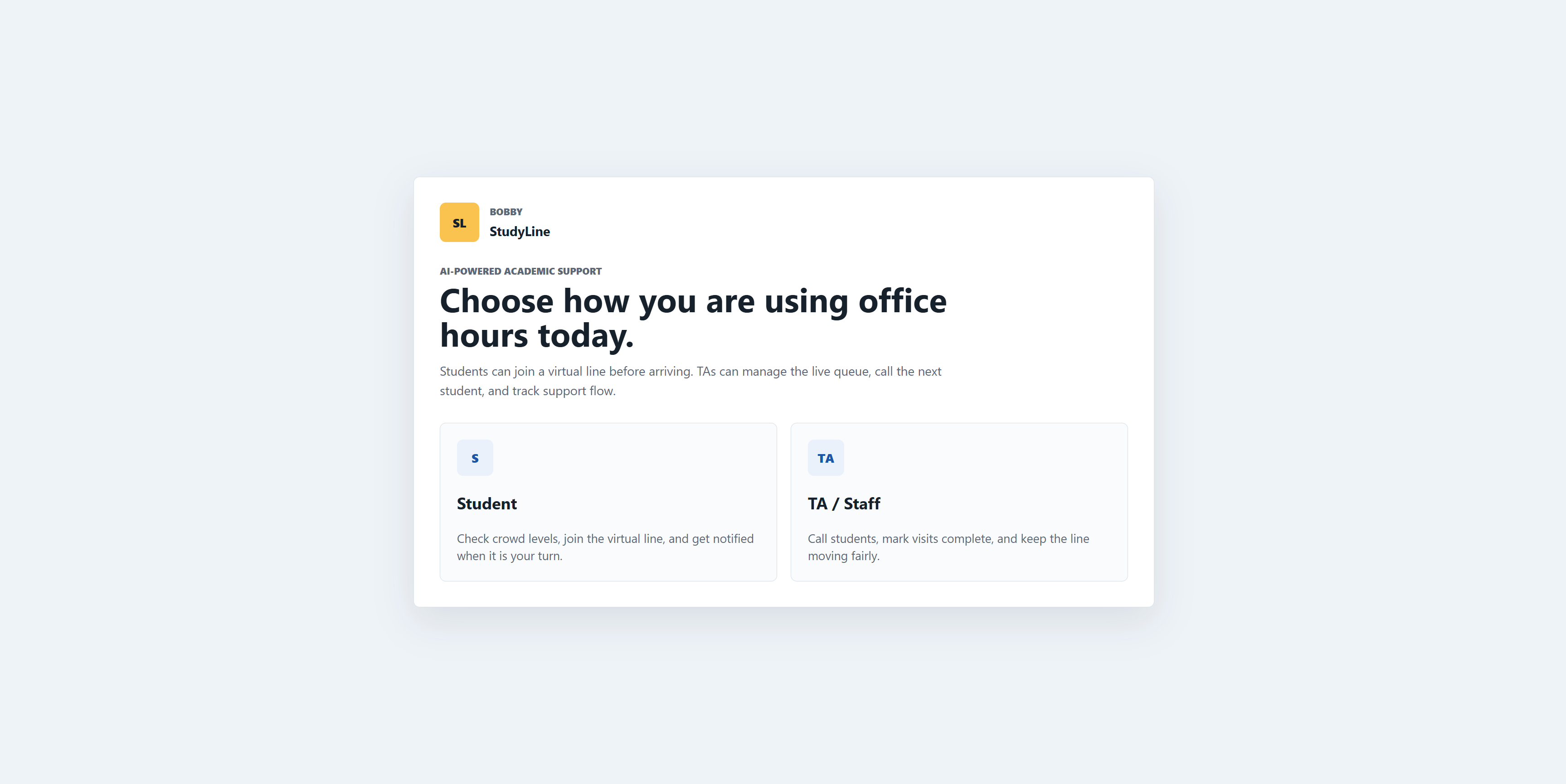
StudyLine is built for university students and TAs who are tired of the hallway wait—especially in high-demand Computer Science courses at UMD. Students often waste hours sitting on the floor outside an office, unsure if they’ll even be seen before the session ends.
This tool solves that by providing:
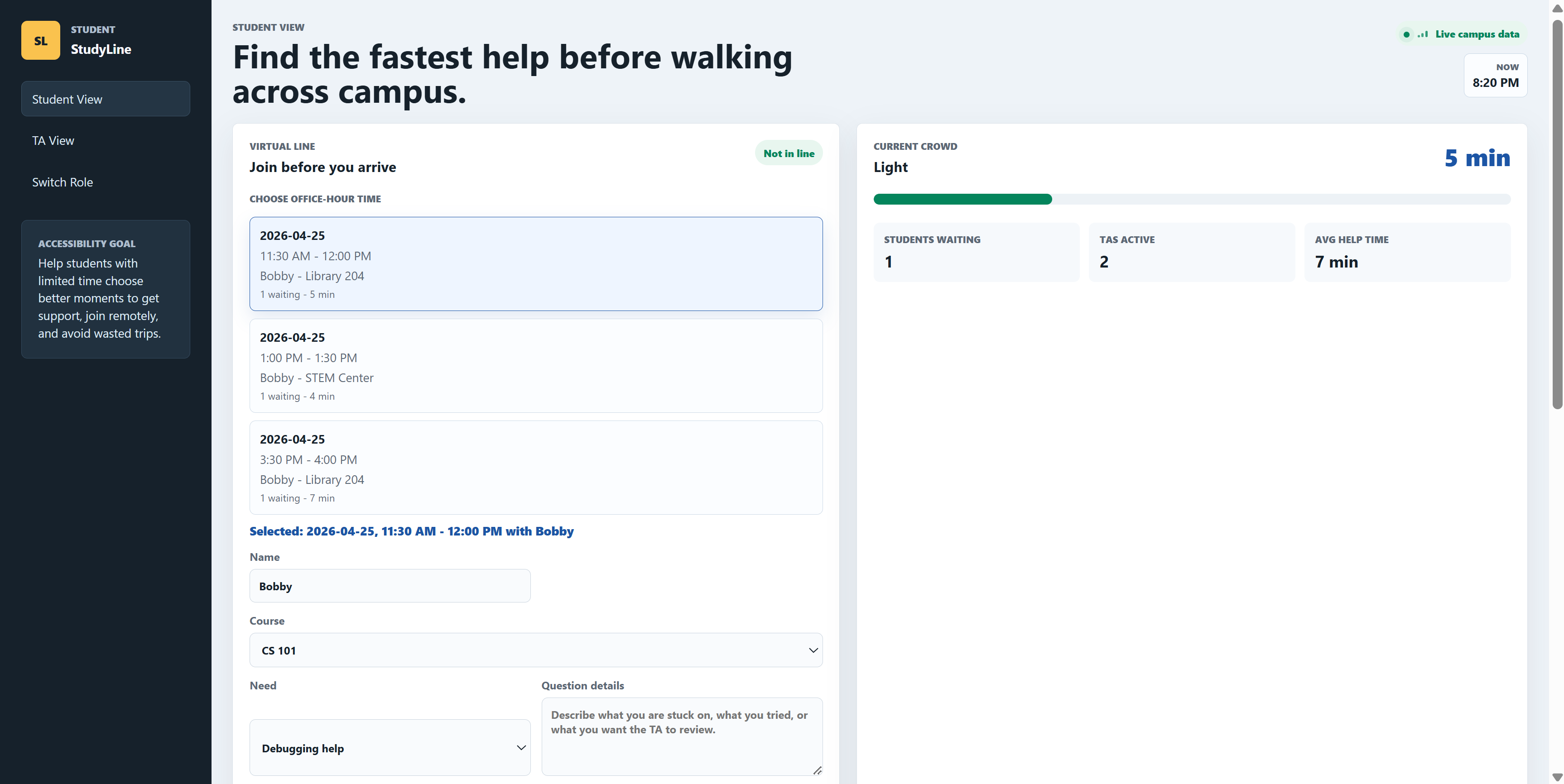
- For Students: A virtual line they can join from their dorm or the library. They get live crowd-level data and AI-estimated wait times, allowing them to walk across campus only when it’s actually their turn.
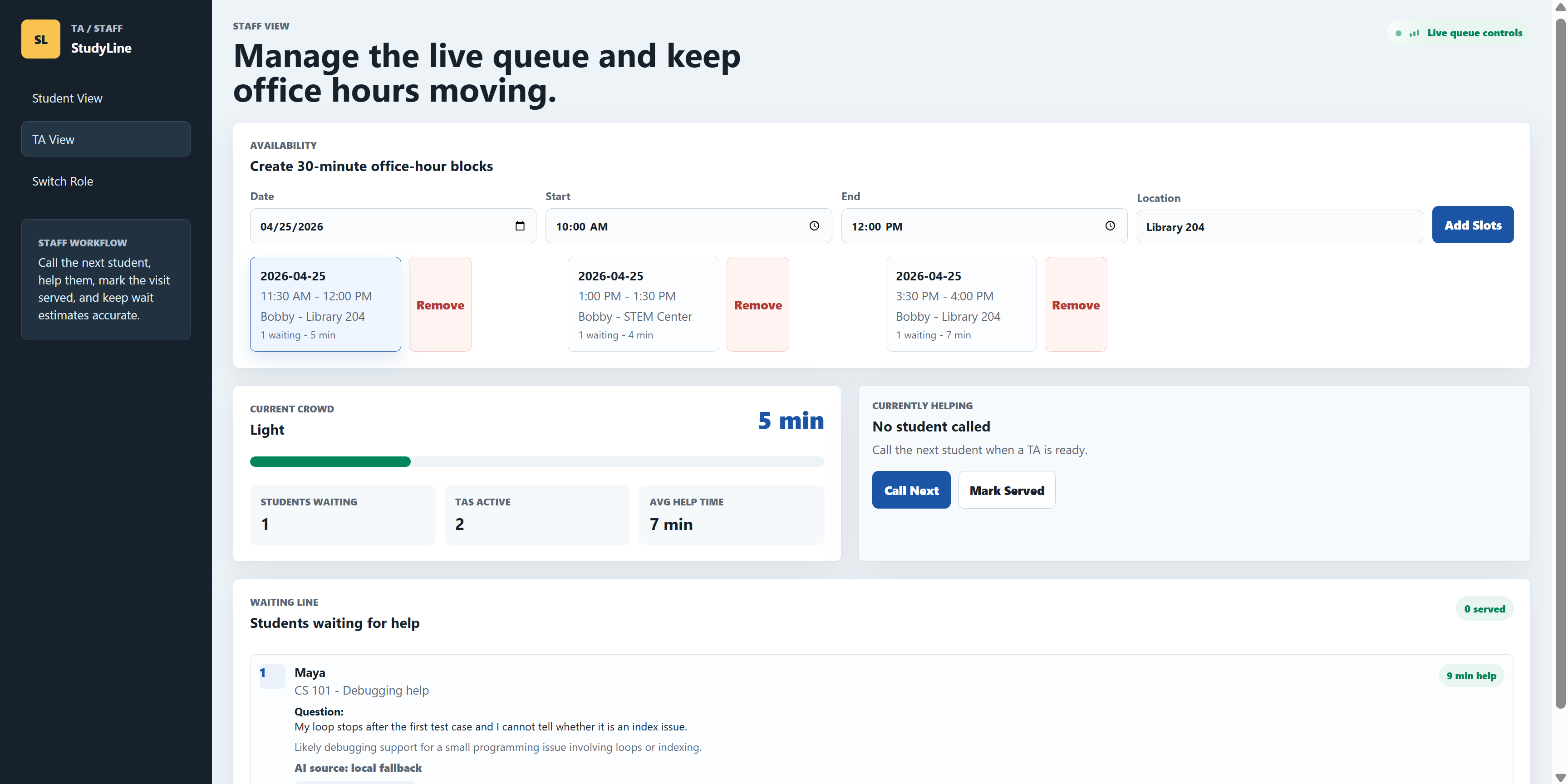
- For TAs: A streamlined staff dashboard that summarizes student questions and estimates help time before the student even sits down, allowing for fairer queue flow and better time management.
How we used AI in this project
AI acts as the brain of the StudyLine queue. We integrated the generative AI API directly into the Node.js backend to transform the queue from a simple chronological list into an intelligent assistant:
- Smart Summarization: When a student submits a request (and optional file attachments), the AI analyzes the payload and generates a concise, one-sentence brief for the TA.
- Dynamic Wait Estimates: Instead of a generic "10 minutes per person" rule, the AI predicts how long a specific problem will take (between 3 to 25 minutes). It intelligently allocates more time for deep debugging struggles and less time for quick conceptual questions.
What could go wrong and how we addressed it
- API Failures or Latency: Relying on an external AI API can be risky if the service goes down or times out. We addressed this by building a local heuristic fallback in the backend. If the API fails, the server automatically scans the student's text for keywords (e.g., "debug," "error," "concept") and file sizes to calculate a rough time estimate and summary so the queue never breaks.
- Accidental Page Reloads: Since this is a live, real-time queue, a student accidentally refreshing the page on their phone could lose their spot. We addressed this by leveraging Local Storage to save the user's session ID and selected slots, ensuring their place in line persists even if they close the browser tab.
What we'd build next if we had more time
If we had more time, we would transition from local storage to a dedicated database so accounts for students and TAs could fully persist across different devices and server restarts. We would also add real notifications, like email or text alerts, so students know when they are almost up without constantly checking the page.
Additionally, we would expand the AI's capabilities to include:
- Queue Decision Advisor: A wrapper that tells the student whether joining right now is worth it based on queue length, estimated wait, urgency, and how much time they have. Instead of only saying “56 minute wait,” it would say something useful like, “Join only if this is your last chance before the deadline. Otherwise, prepare your question and email the TA too.”
- Prep While You Wait: After the student joins the queue, the AI gives them a short checklist of what to prepare before their turn. For coding help, it might say: “Open your error message, find the line number, prepare the expected vs actual output, and be ready to explain what you already tried."
- Duplicate Question Detector: If multiple students type similar issues, the wrapper groups them. For example, if five students ask about the same project error, the system could tell the TA: “Several students are asking about the same file-reading bug. Consider making a quick announcement.”
- Group Help Recommendation: If many students have the same problem, the AI can recommend a group explanation instead of one-by-one help. This makes the queue move faster and helps more students.

Log in or sign up for Devpost to join the conversation.