-
-
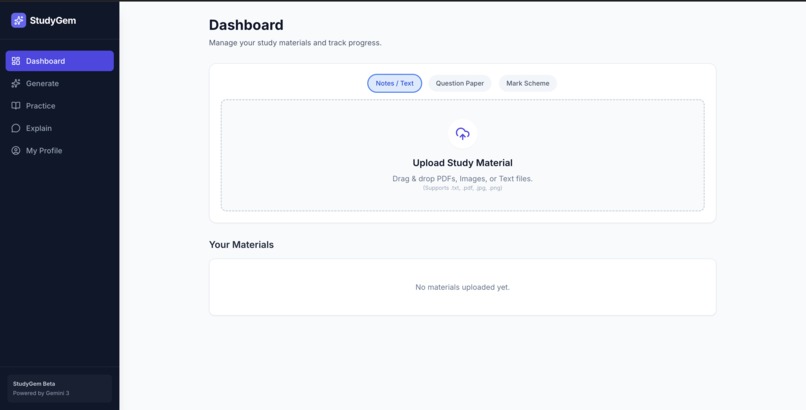
Main page
-
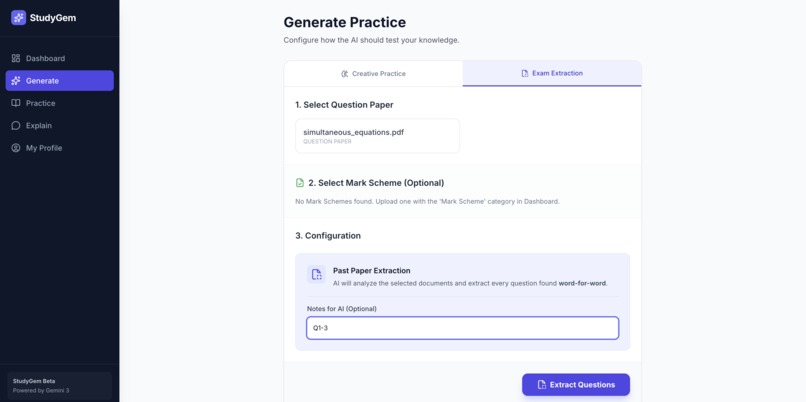
Generate questions page
-
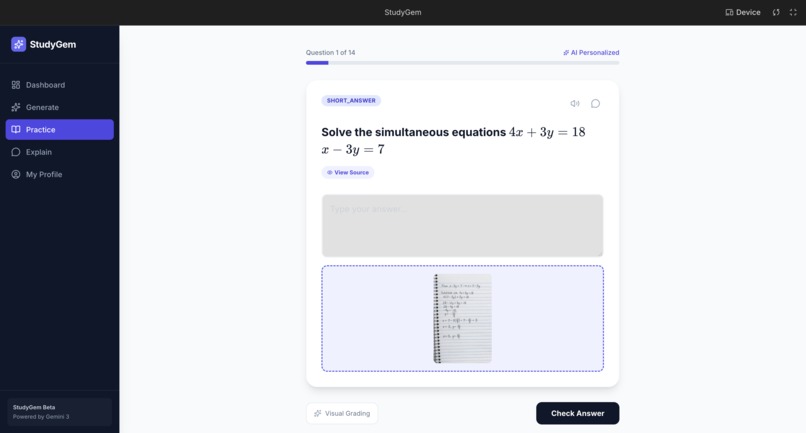
Practice page
-
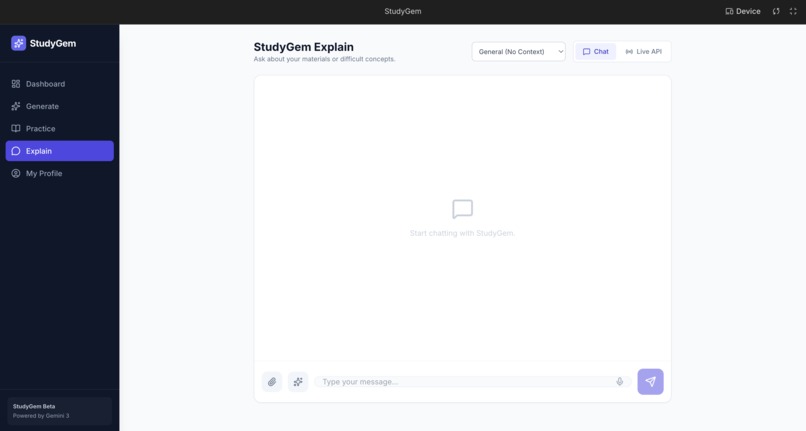
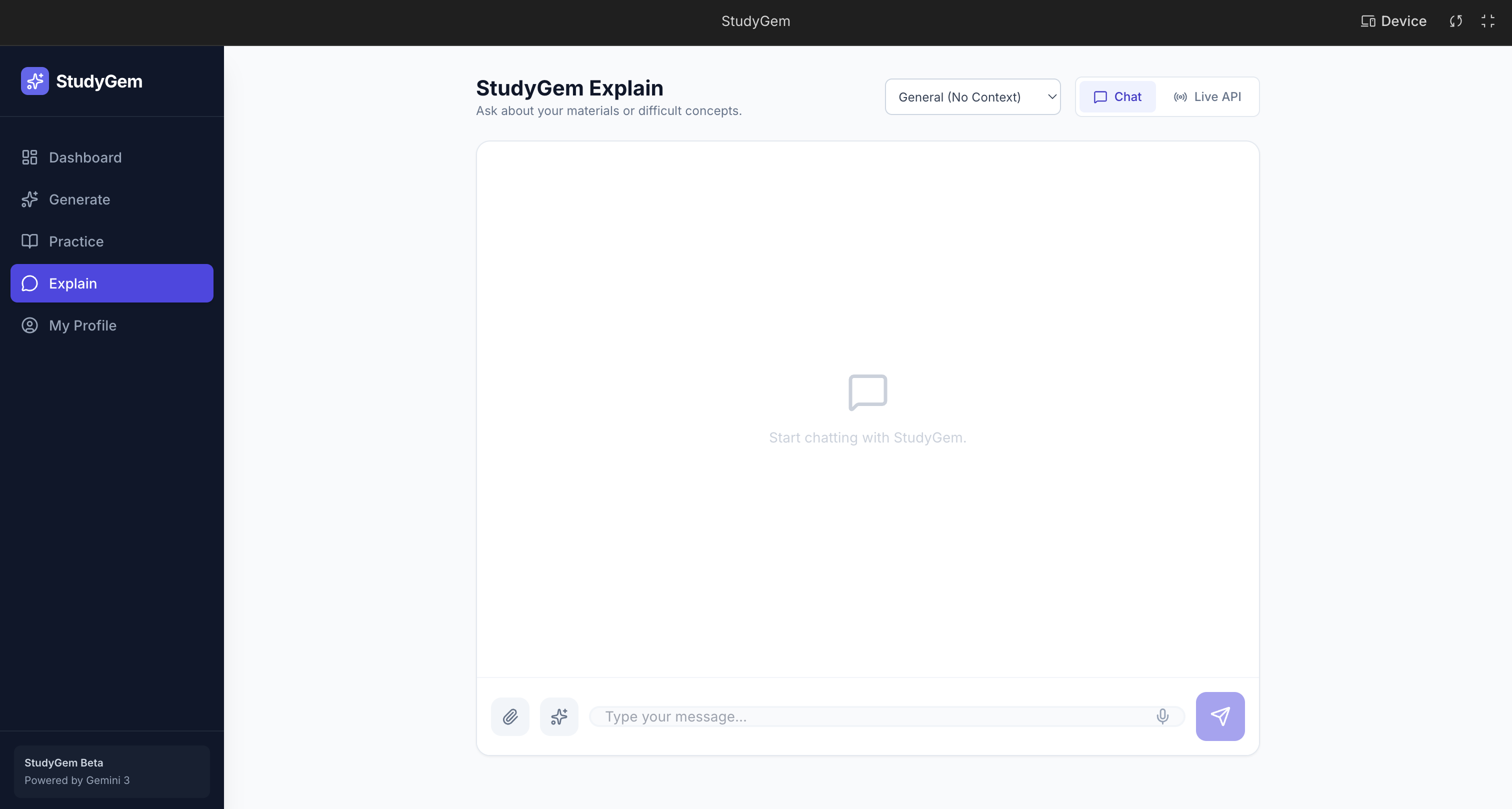
Explain page
-
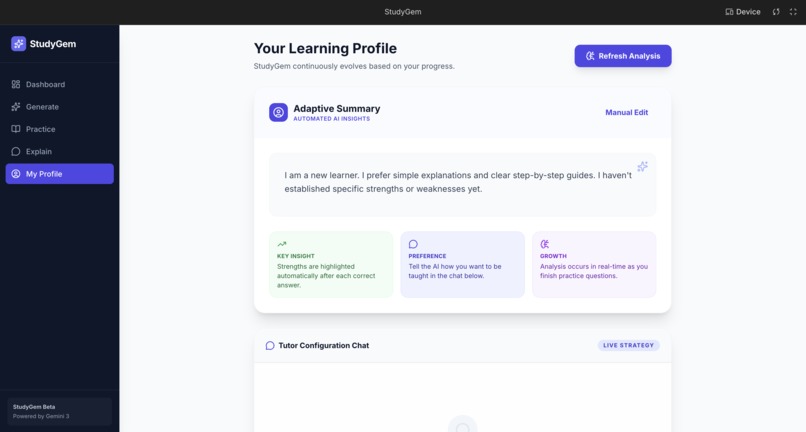
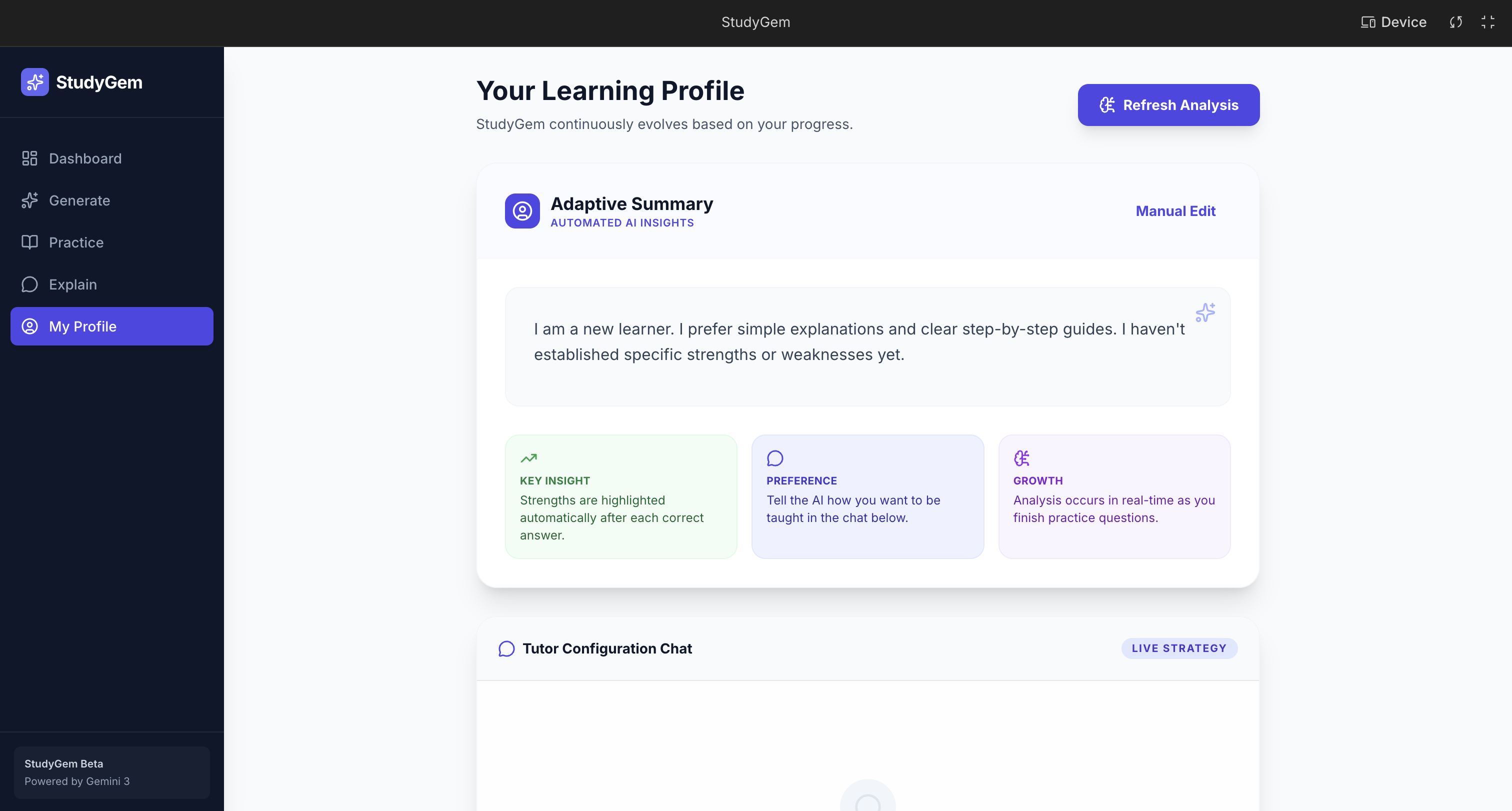
Personalize page
Inspiration
Every teacher faces the same challenge: how do you give personalized attention to every student when you have dozens in your class? How do you identify each student's weaknesses, mark their work with detailed feedback, and adapt your explanations to their understanding level—all while managing a full classroom?
Every student learns differently, but most educational platforms treat them the same—generic question banks, one-size-fits-all explanations, content that has nothing to do with what they're actually studying.
I asked: what if AI could be the personal tutor that helps teachers reach every student?
Not a tutor that teaches from its own curriculum, but one that reads your notes, understands your materials, and adapts its teaching to you. A teacher who marks your work with the same detail a human teacher would—explaining where you went wrong, why you misunderstood, and how to think about it correctly. A teacher who adapts explanations based on your responses, trying different approaches when you don't understand, and going deeper when you do. A teacher who talks to you naturally—in real time, with voice.
That's what I built.
What it does
StudyGem is a personalized AI study assistant that transforms your own study materials into a complete, adaptive learning experience:
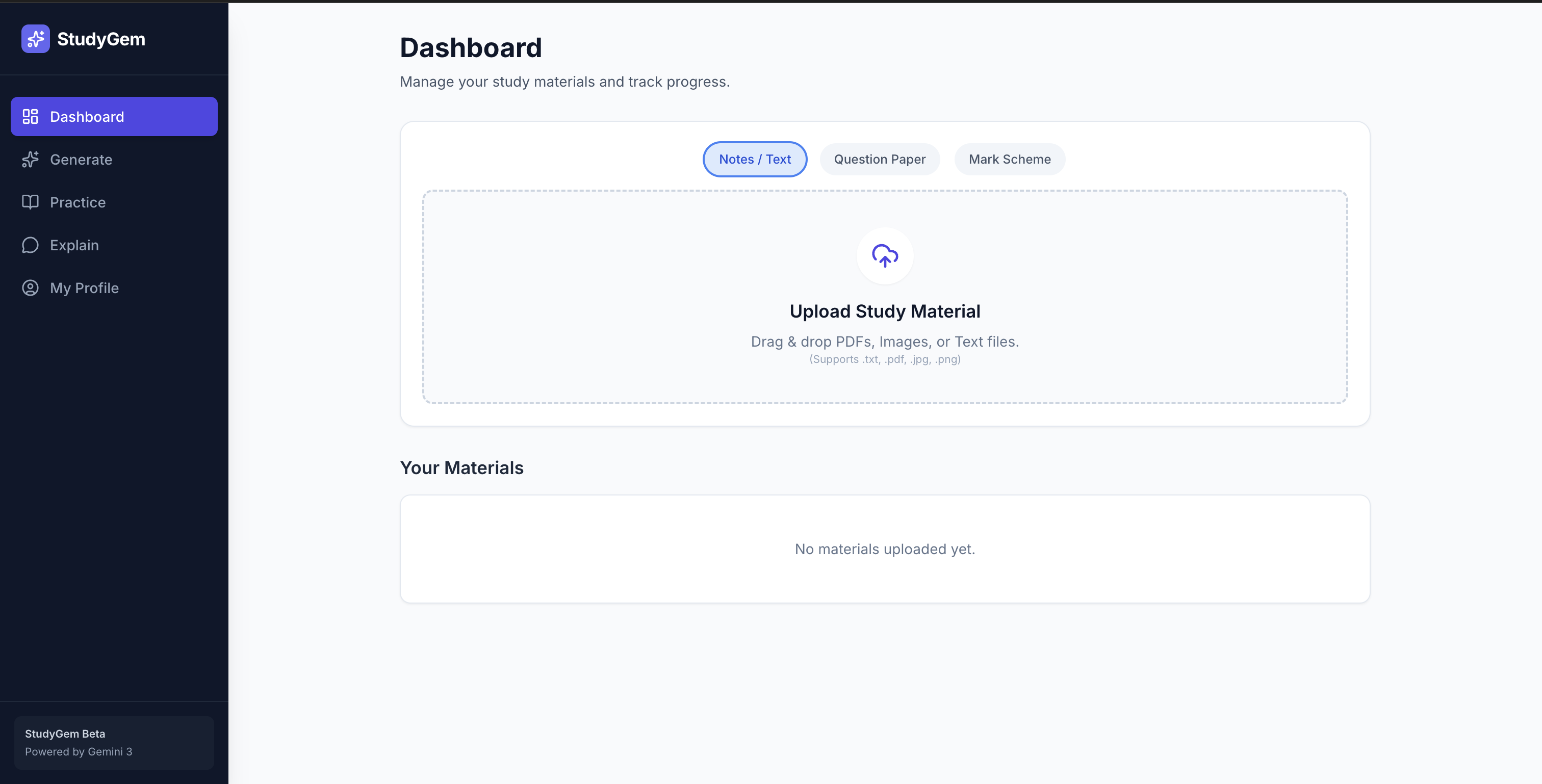
Upload Your Materials — PDFs, images, screenshots of lecture slides, handwritten notes. Gemini extracts and understands the content, processing it the way a teacher would read through your notebook.
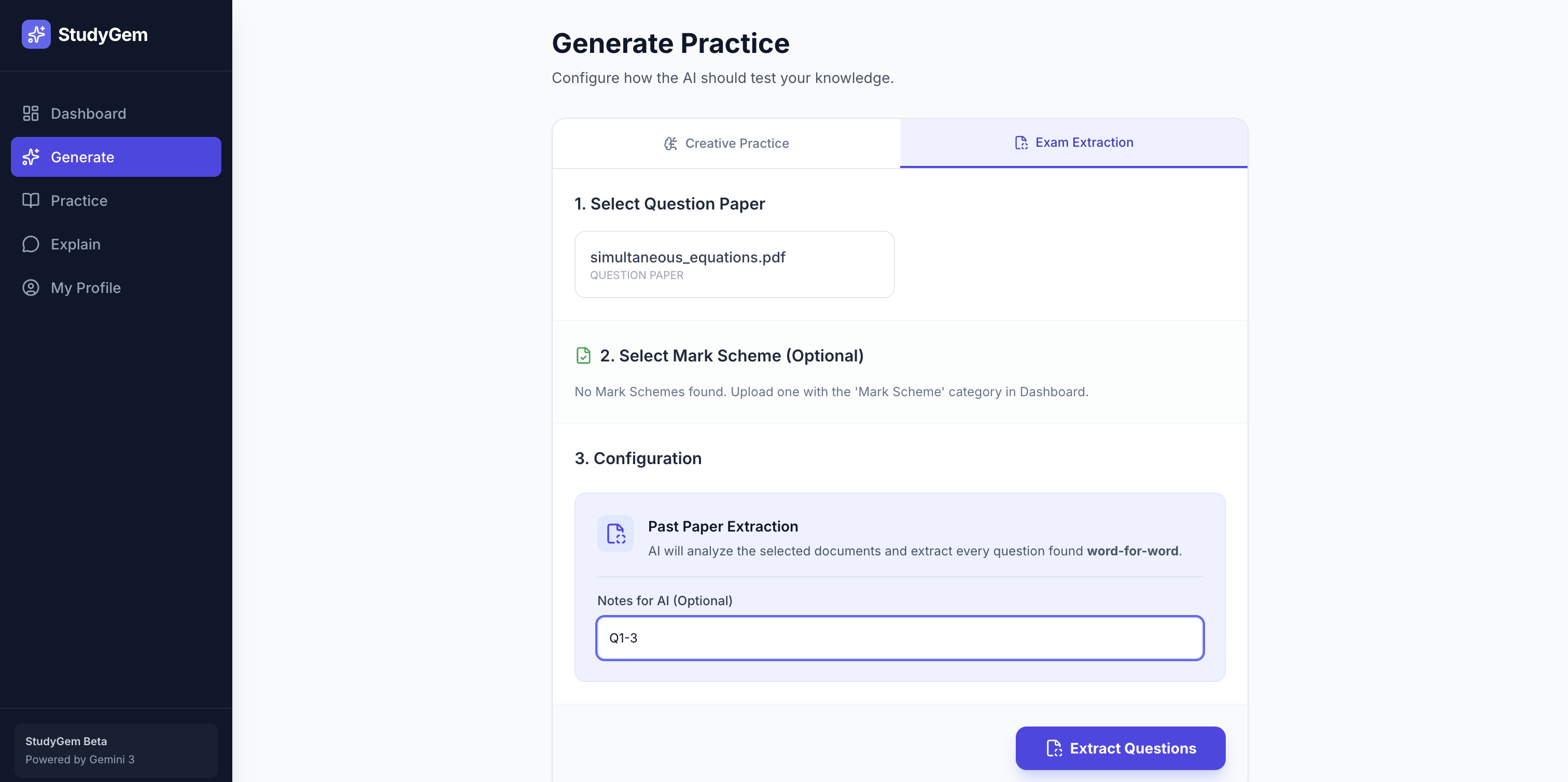
Generate Tailored Questions — Select your materials, choose difficulty levels and question types (multiple choice, short answer, true/false, fill-in-the-blank), and optionally focus on specific topics. Gemini generates questions from your actual content—not from a generic database.
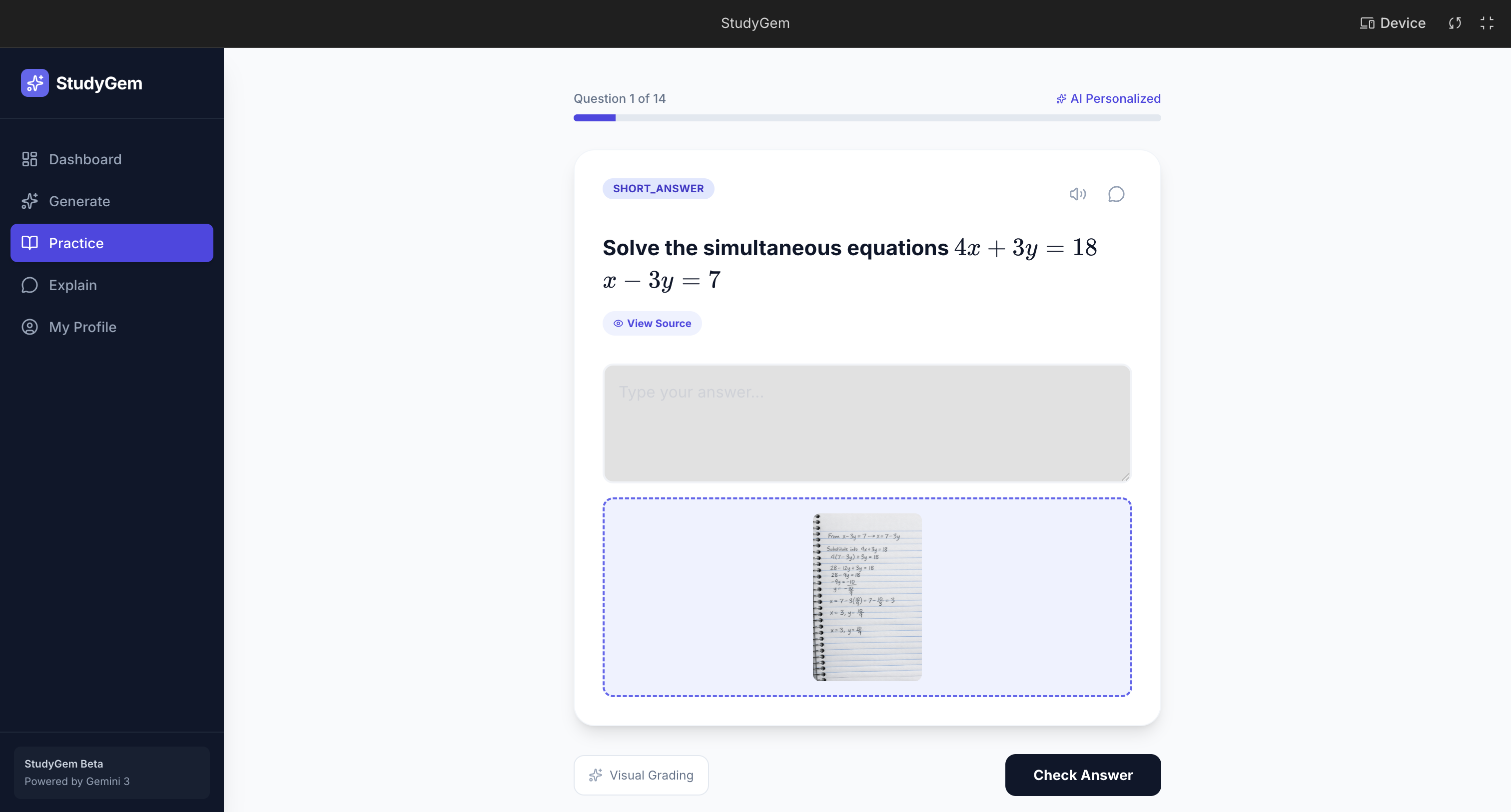
Practice with Teacher-Level Marking — Answer questions one at a time with hints available before you guess. When you submit an answer, Gemini Pro evaluates it like a teacher would—not just checking correctness, but providing detailed feedback explaining why you got it wrong, what you misunderstood, and how to approach it correctly. This is teacher-level marking with annotations, explanations, and guidance that helps students understand their thought process and learn from mistakes.
Talk to Your AI Tutor — Three modes of interaction:
- Text Chat: Ask questions about any topic with full conversation history
- Voice Mode: Speak naturally using browser-based speech recognition
- Live API Mode: Real-time bidirectional voice streaming through Gemini Live API—a natural, flowing conversation with zero text intermediary, like sitting across from a real tutor
The AI doesn't just answer—it adapts. This is what makes it truly different from other platforms. If a student doesn't understand something, the AI tries a different approach. It breaks down complex concepts into simpler parts. It uses examples relevant to their materials. It asks follow-up questions to ensure understanding. It remembers the conversation history and adjusts its teaching style—struggling students get simpler explanations with more examples, while advanced students get deeper insights and connections.
Most importantly, the AI can identify students' weaknesses and strengths through conversation and practice. It guides them toward understanding, not just providing answers. It teaches the way a great teacher would: patiently, personally, and persistently—but at scale.
How I built it
Architecture: React + TypeScript frontend with a Python FastAPI backend, connected through REST APIs and WebSocket streaming.
AI Integration: I used three main AI capabilities:
- Gemini 3 (
gemini-3) for intelligent text generation: material processing, question generation, adaptive chat-based explanations, and teacher-like answer evaluation with detailed feedback - Gemini Live API (Preview) for real-time audio: bidirectional voice streaming over WebSocket for natural tutoring conversations that adapt in real-time
- Nano Banana Pro for teacher-style inline annotation: marking student responses the way a real teacher annotates work — pinpointing exact reasoning errors, highlighting strengths, and leaving targeted feedback directly on the student's answer
Material Processing: Uploaded files are processed through PDF text extraction (PyPDF2) and OCR for images (pytesseract), with extracted content stored alongside the original files for AI context. Handwritten notes and documents are handled via a Multimodal LLM (M-LLM) pipeline — images are passed directly to the model for visual understanding, preserving the nuance of handwritten content that OCR alone would miss.
Question Generation & Evaluation: I engineered structured prompts that instruct Gemini Pro to generate questions with specific types, difficulties, hints, correct answers, and detailed explanations—all returned as parseable JSON. More importantly, when students submit answers, Gemini Pro evaluates them with teacher-level detail, providing nuanced feedback that explains not just correctness, but the reasoning behind mistakes—just like a teacher marking work with annotations and comments.
Frontend: Built with React 18, TypeScript, Tailwind CSS, and shadcn/ui components. The Live API integration required careful audio buffer management and sequential playback queues to handle real-time streaming.
Backend: FastAPI with SQLite database (SQLAlchemy ORM) for storing materials and chat history. WebSocket support for Live API streaming, with careful handling of audio format conversion between browser (16kHz) and Gemini (24kHz).
Challenges I ran into
Structured AI Output: Getting Gemini to consistently return properly formatted JSON for question generation required careful prompt engineering and robust parsing with fallback handling. I had to iterate on prompts multiple times to ensure reliable JSON structure.
Adaptive Explanation Engineering: Creating prompts that enable true adaptation—where the AI changes its approach based on student responses—required careful conversation history management and context-aware system instructions that guide the AI to be more patient and explanatory when students struggle.
Accomplishments that I'm proud of
Built a truly adaptive AI tutor that doesn't just answer questions but changes its teaching approach based on student responses—struggling students get simpler explanations, advanced students get deeper insights
Implemented teacher-level marking using Gemini Pro that provides detailed feedback explaining not just correctness, but the reasoning behind mistakes—just like a human teacher would
Created a complete learning loop from material upload to practice to explanation, all personalized to each student's own materials—not generic content
Achieved true personalization where the AI reads the student's actual notes, generates questions from their content, and explains concepts in the context of what they're studying
What I learned
- Real-time audio streaming requires careful attention to sample rates, buffer management, and sequential playback
- The Gemini Live API opens up entirely new interaction paradigms—voice-first AI feels fundamentally different from text-based chat
- Personalization through user-provided context (their own materials) makes AI responses dramatically more relevant and useful
- Building a complete learning loop (upload → generate → practice → explain) creates a cohesive experience that's greater than the sum of its parts
- Teacher-level evaluation requires more than correctness checking—it needs nuanced understanding of student reasoning and the ability to provide constructive feedback
- Adaptive teaching isn't just about different difficulty levels—it's about changing explanation style, using different examples, and adjusting based on real-time understanding
- WebSocket streaming for audio requires careful error handling and reconnection logic
- Prompt engineering for structured outputs (JSON) requires iterative refinement and robust parsing
What's next for StudyGem
Progress Tracking & Analytics: Track student performance over time, identify persistent weak areas, and provide insights to both students and teachers
Flashcard Generation: Automatically generate flashcards from study materials for spaced repetition learning
Multi-User Support: Add authentication and support for multiple students, allowing teachers to monitor their entire class's progress
Study Planner: AI-generated study schedules based on materials, deadlines, and student performance
Mobile App: Native mobile application for iOS and Android to make learning accessible anywhere
Cloud Storage Integration: Support for Google Drive, Dropbox, and other cloud storage services for seamless material access
Built With
- axios
- fastapi
- framer
- gemini
- liveapi
- pypdf2
- python
- sqlalchemy
- sqlite
- tailwind
- typescript
- vite
- websocket