Inspiration
I noticed that many students struggle with(being a student myself), three interconnected problems: fragmented task management, difficulty maintaining focus, and losing track of progress. Whether it's coursework, reading assignments, or exam prep, students juggle multiple tasks across different platforms, notes in one app, deadlines in a calendar, to-do lists scattered everywhere. When it comes time to focus, most students use a timer in isolation, with no connection to what they're actually working toward. This disconnect means they lose valuable context about their progress. StudyFlow was born from the idea that linking focused time directly to concrete tasks would help students feel more productive and intentional about their study sessions.
What it does
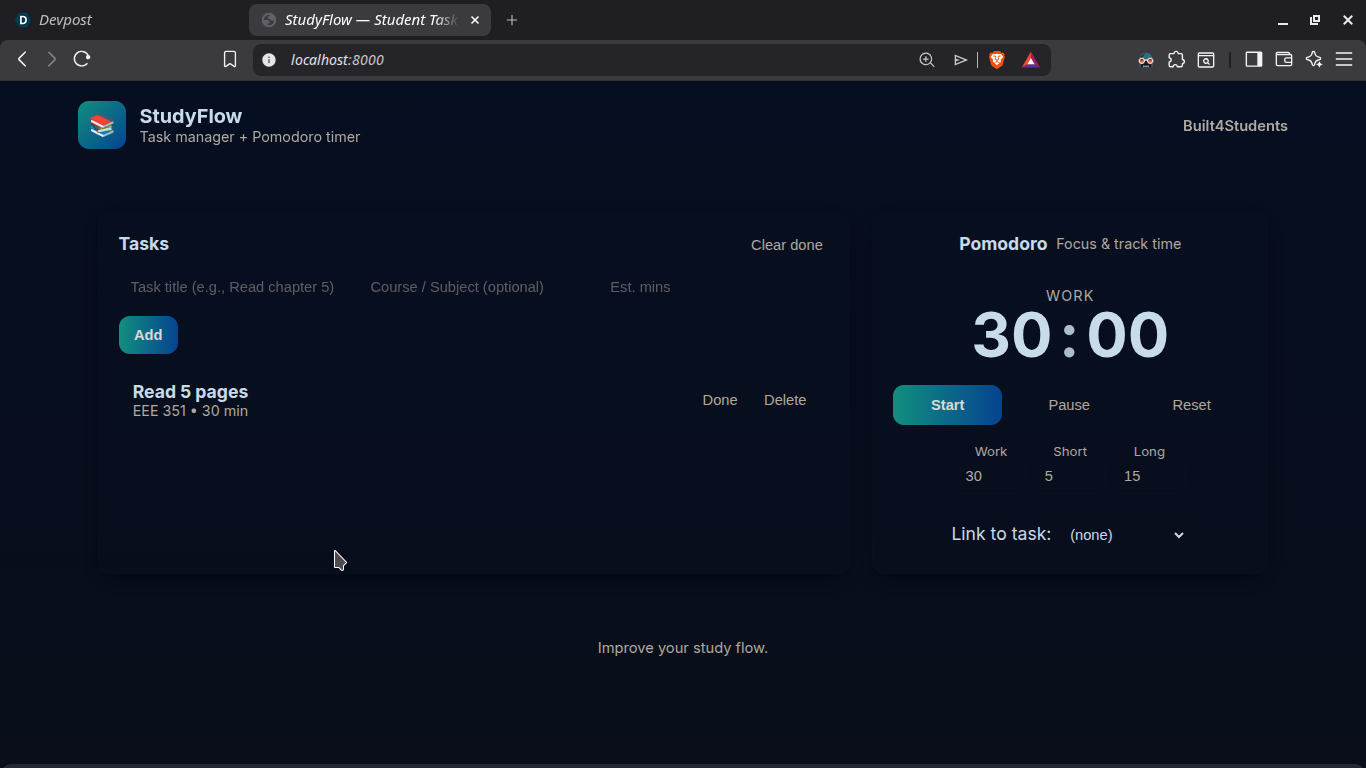
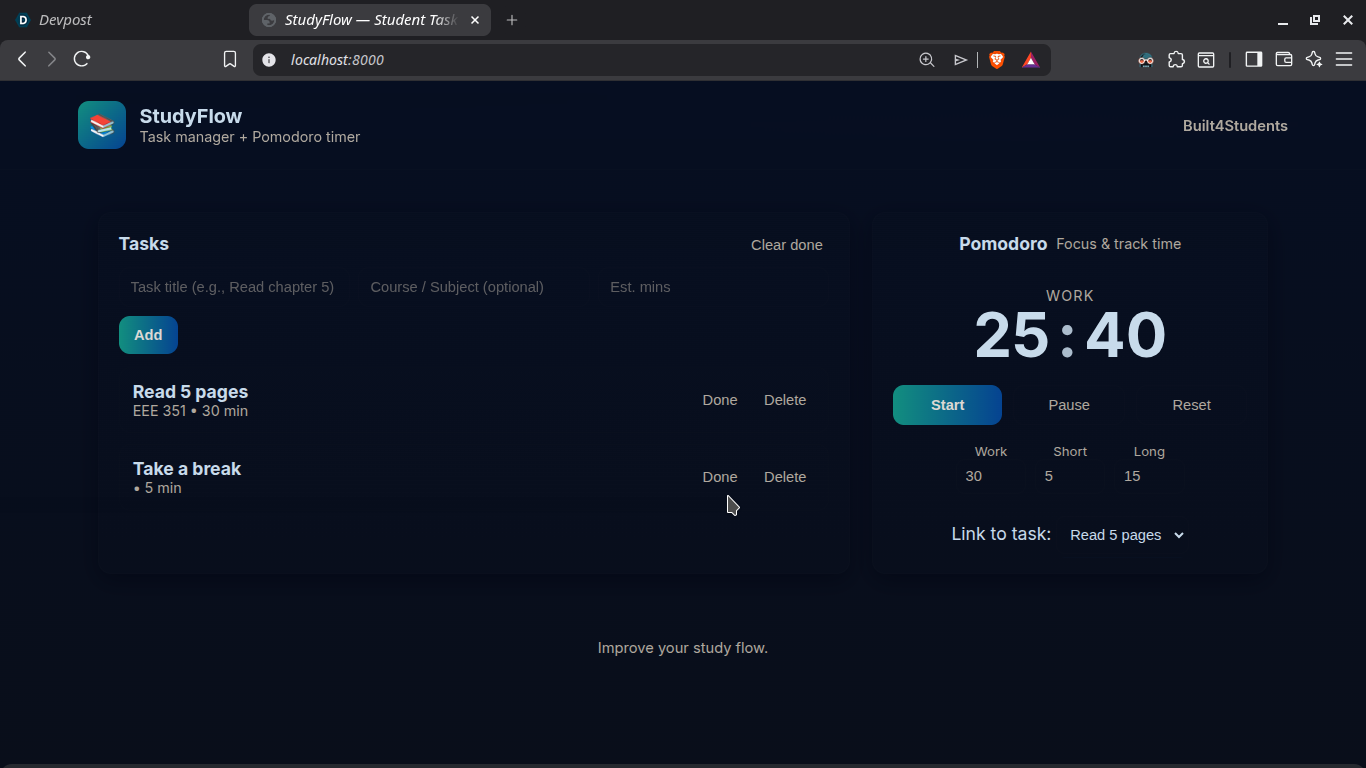
StudyFlow is a lightweight, single-page web app that combines task management with the Pomodoro Technique into one seamless workflow:
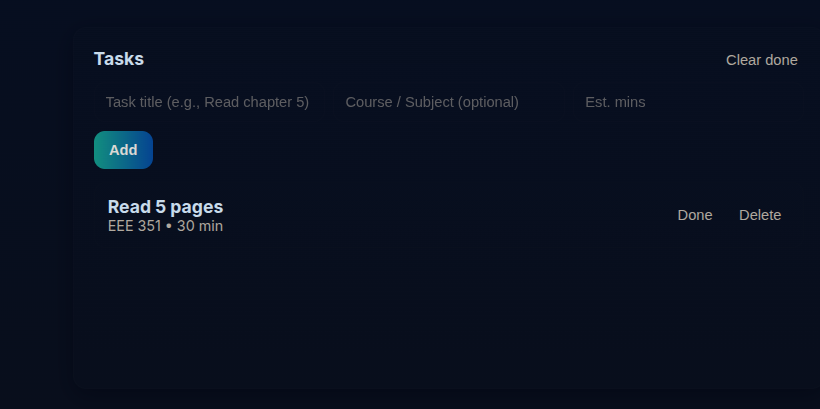
- Quick task entry: Add tasks with a title, optional course/subject, and estimated duration.
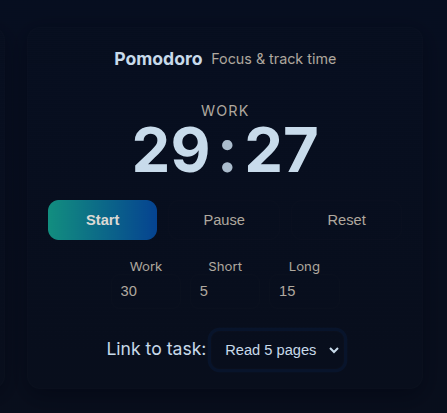
- Configurable Pomodoro timer: Set custom work, short break, and long break duration.
- Task-timer linking: Select a task from a dropdown to bind the current Pomodoro session to it, students always know what they're working toward.
- Smart session completion: When a work session ends, the app automatically marks the linked task as done (if desired) and switches to the appropriate break phase.
- Persistent storage: Tasks and preferences are saved to
localStorage, so students can close and reopen the app without losing progress. - Responsive design: Works on desktop, tablet, and mobile devices.
How we built it
I focused on simplicity and clean architecture from the start:
- Frontend: A single HTML file with semantic markup, modern CSS (grid layout, glassmorphism, responsive breakpoints), and vanilla JavaScript—no frameworks or dependencies.
- State management: Tasks and timer settings are stored in
localStorage, giving users automatic persistence without a backend. - Modular JS logic: Clear separation between UI rendering, storage operations, and timer mechanics, making the code easy to understand and extend.
- Design: We chose a professional dark theme with accent gradients, smooth transitions, and accessible focus states to ensure the UI feels polished and welcoming.
- Accessibility: Used semantic HTML, ARIA attributes, and high-contrast colors to support users of all abilities.
Challenges we ran into
- Timer accuracy: JavaScript's
setIntervalcan drift slightly over time, especially on lower-end devices. We implemented compensating logic to keep the timer as accurate as possible. - Task-timer binding: Deciding how to handle cases where a task is deleted mid-session, or when users want to switch tasks—we settled on a clean, user-friendly approach (e.g., warning before clearing).
- Mobile UX: Fitting all functionality into a small screen without overwhelming the UI required careful layout and break point design.
- Notification timing: Getting browser notifications to fire reliably (especially on mobile) required testing across different browsers and permission models.
Accomplishments that we're proud of
- Problem-centric design: Every feature solves a real student pain point. The task-linking feature is genuinely novel—most timer apps don't connect time to goals.
- Zero dependencies: The app is lightweight fast, and works offline after first load.
- Polished UI: The app looks and feels professional with thoughtful details (gradients, shadows, focus states), not like a quick prototype.
- Responsive & accessible: Works beautifully on any screen size and respects accessibility standards.
- Clean code: The code base is easy to read and modify, with clear comments explaining timer logic and storage patterns.
What we learned
- Student feedback matters: Validating assumptions with actual students (not just myself) revealed which features truly address pain points.
- Simplicity is powerful: Resisting the urge to add every feature we brainstormed made the product clearer and faster.
- Responsive design takes discipline: Mobile-first thinking upfront prevented awkward retrofitting later.
- Timer logic is tricky: We underestimated how much edge-case handling is needed for reliable Pomodoro timing and session transitions.
What's next for StudyFlow
- Cross-device sync: Add GitHub/Google authentication so tasks and progress sync across a student's devices.
- Session analytics: Track time spent per course/task, generate weekly reports, and help students identify productivity patterns.
- Study group features: Allow students to share tasks, coordinate study sessions, and see teammate progress (with privacy controls).
- Notifications: Enhance browser notifications with sound options and do-not-disturb schedules.
- Export & integration: Let students export session data or integrate with calendar apps (Google Calendar, Outlook) to see tasks alongside other commitments.
- Custom themes: Offer multiple color schemes for users who prefer light mode or personalization.
- Mobile app: Package this as a PWA or native app for easier access from phones and tablets.
Built With
- css
- html
- javascript
- linux
- pomodoro
- pyhton3

Log in or sign up for Devpost to join the conversation.