-
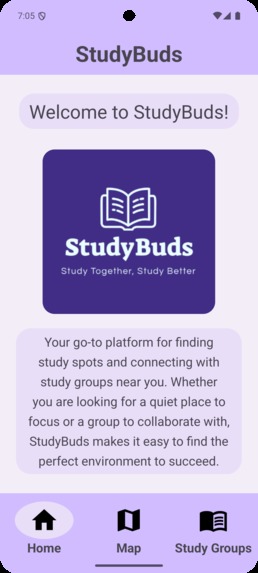
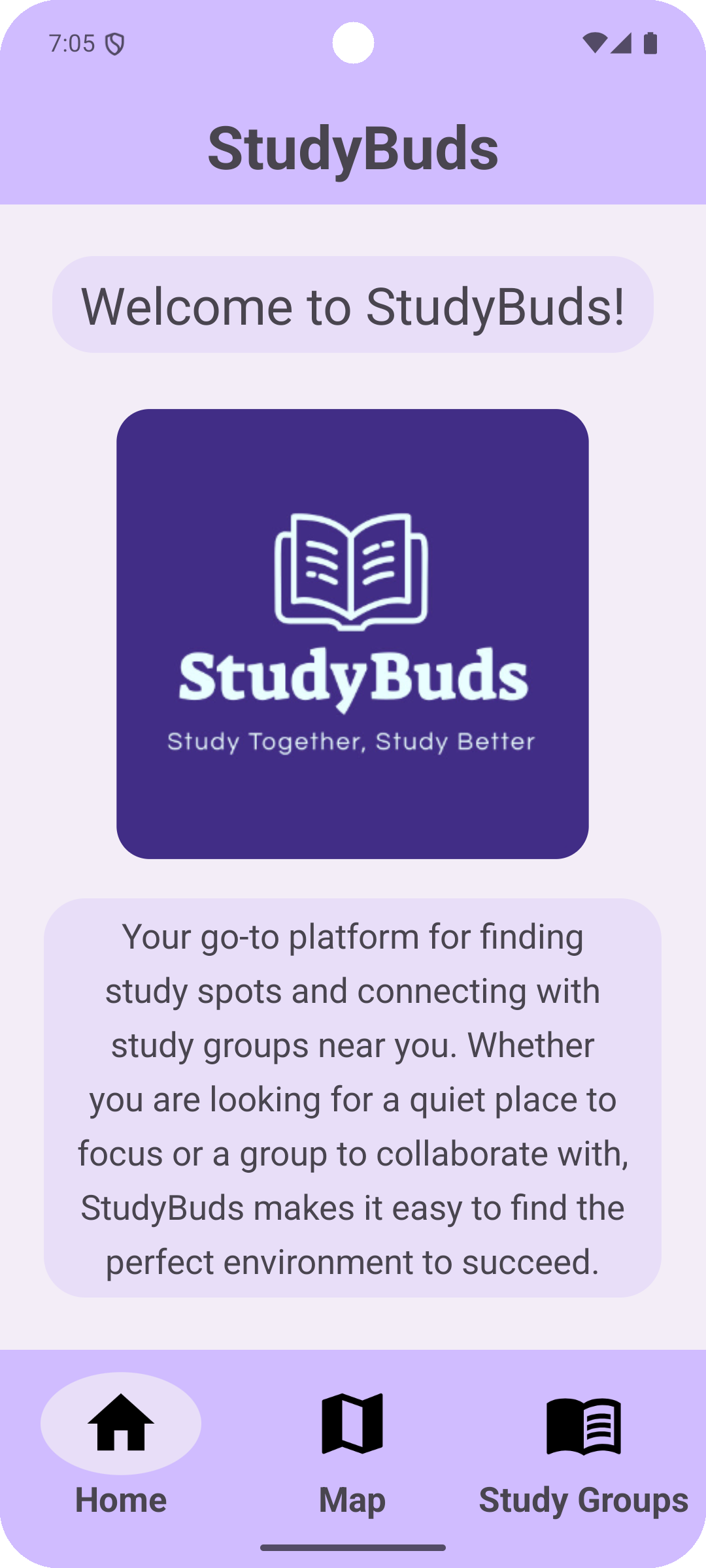
Home Screen
-
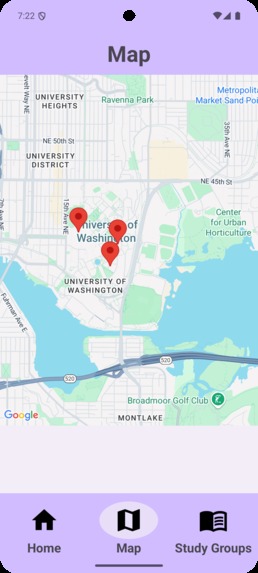
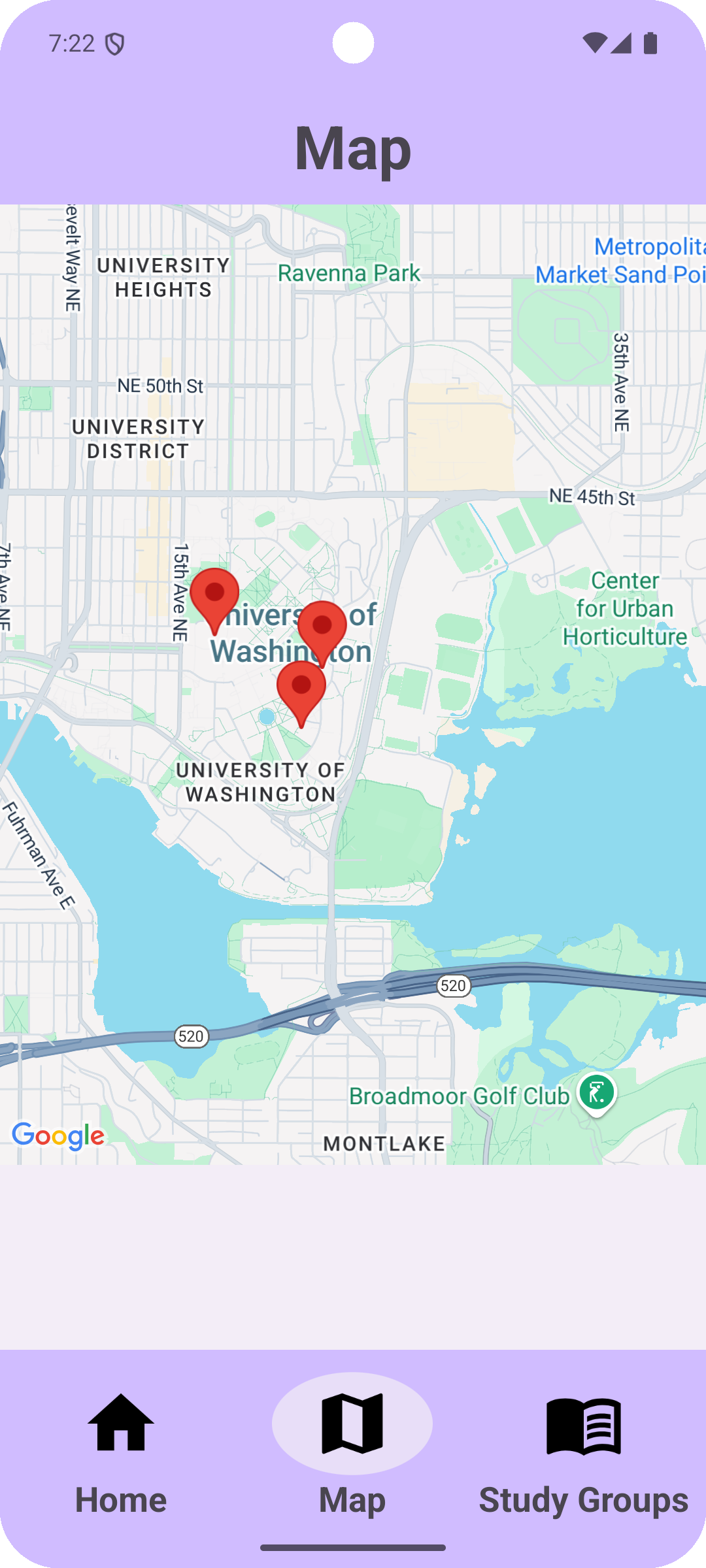
Map Screen
-
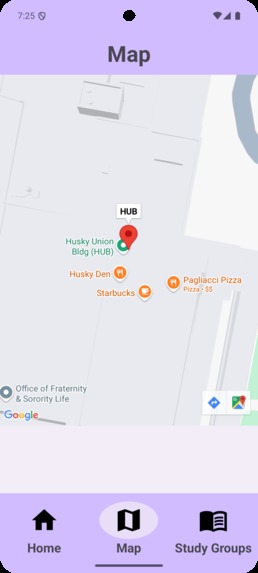
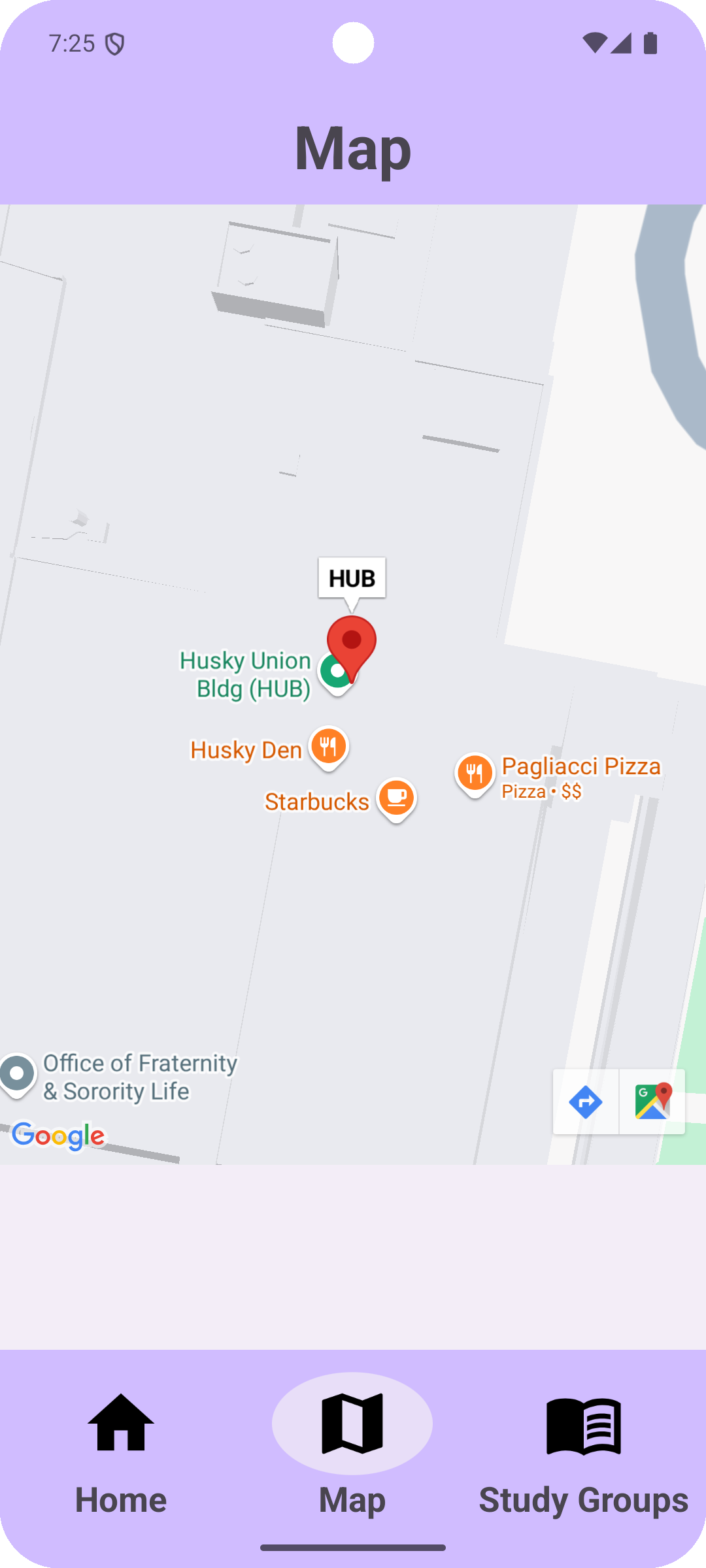
Map Zoomed In On Specific Study Location
-
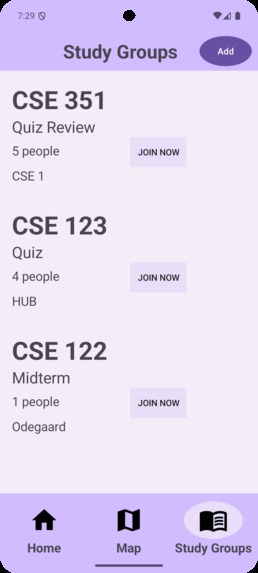
Study Groups Screen
-
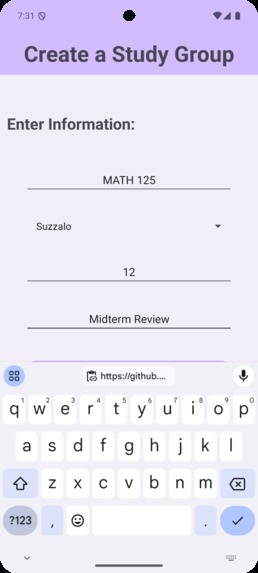
Create Study Groups
Inspiration
“For lab 1a, you can work with one other student in the class,” CSE 351 Professor Anderson announced. Looking around the room, all we saw were unfamiliar faces. The high school friends we collaborated with on group projects were gone, and now all reliance fell onto our shoulders.
Despite the huge student body at UW, freshmen, like ourselves, often experience isolation and loneliness as we enter college, which can negatively impact our mental and physical states. Making new friends is extremely difficult in a stressful environment where completing class assignments and pursuing extracurricular activities are a priority. Even worse, many freshmen often take classes with predominantly upperclassmen, making it even harder to find classmates to study with, let alone be friends with.
According to a study by Boston University, two-thirds of college students struggle with loneliness and isolation, which has caused an increase in mental health and psychological issues experienced by college students. Furthermore, with more than 22 million students entering US colleges, individual class sizes are often extremely large, making it difficult for students to receive 1 on 1 support. Unless steps are taken to address the isolation college students experience, mental health and suicide rates will only escalate, negatively impacting more and more students worldwide.
Therefore, we as Computer Science freshmen decided to take the initiative and create an application called StudyBuds that aims to connect students with each other. With this application, we hope that we can contribute to mitigating isolation and loneliness among college students—forging lasting friendships and most importantly, nurturing an environment rooted in collaboration, support, and interstellar connection.
What it does
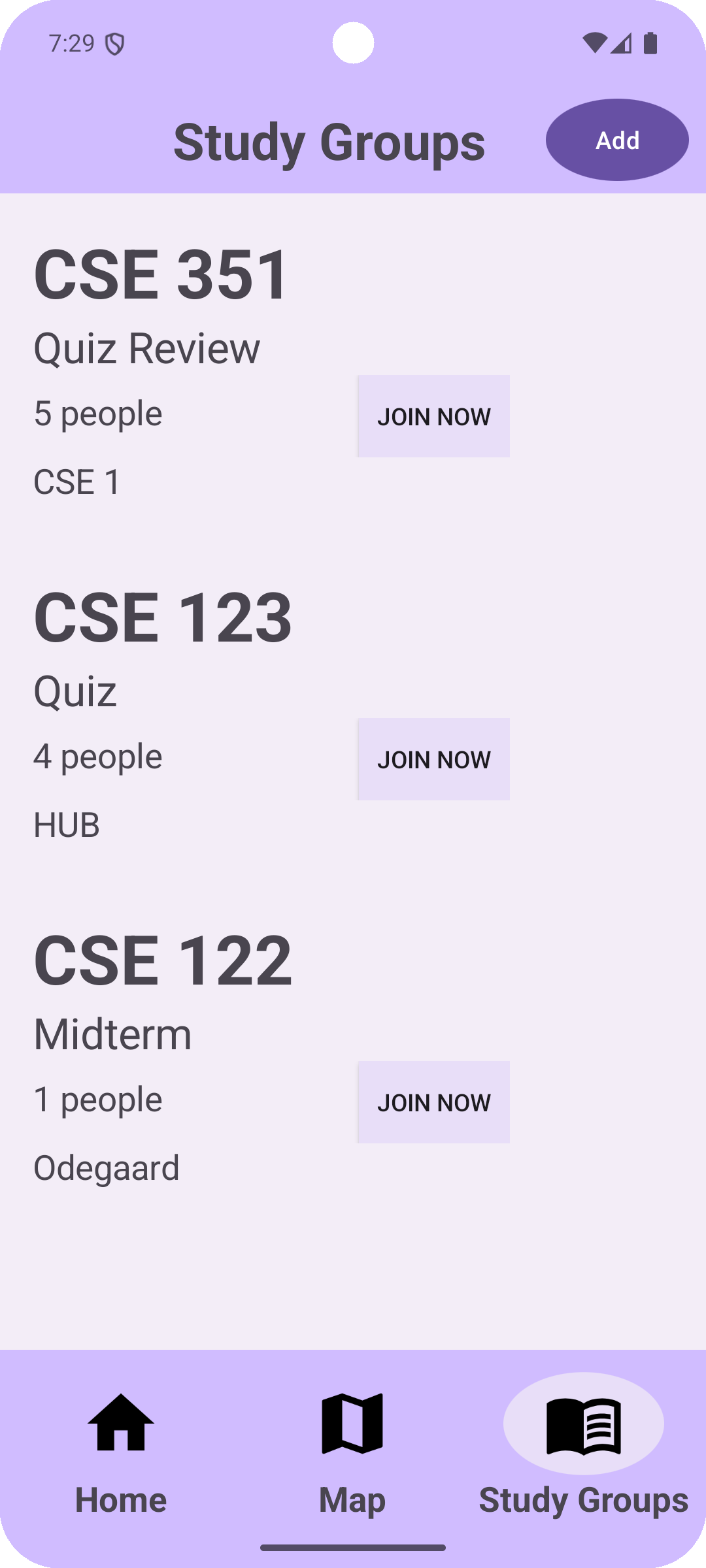
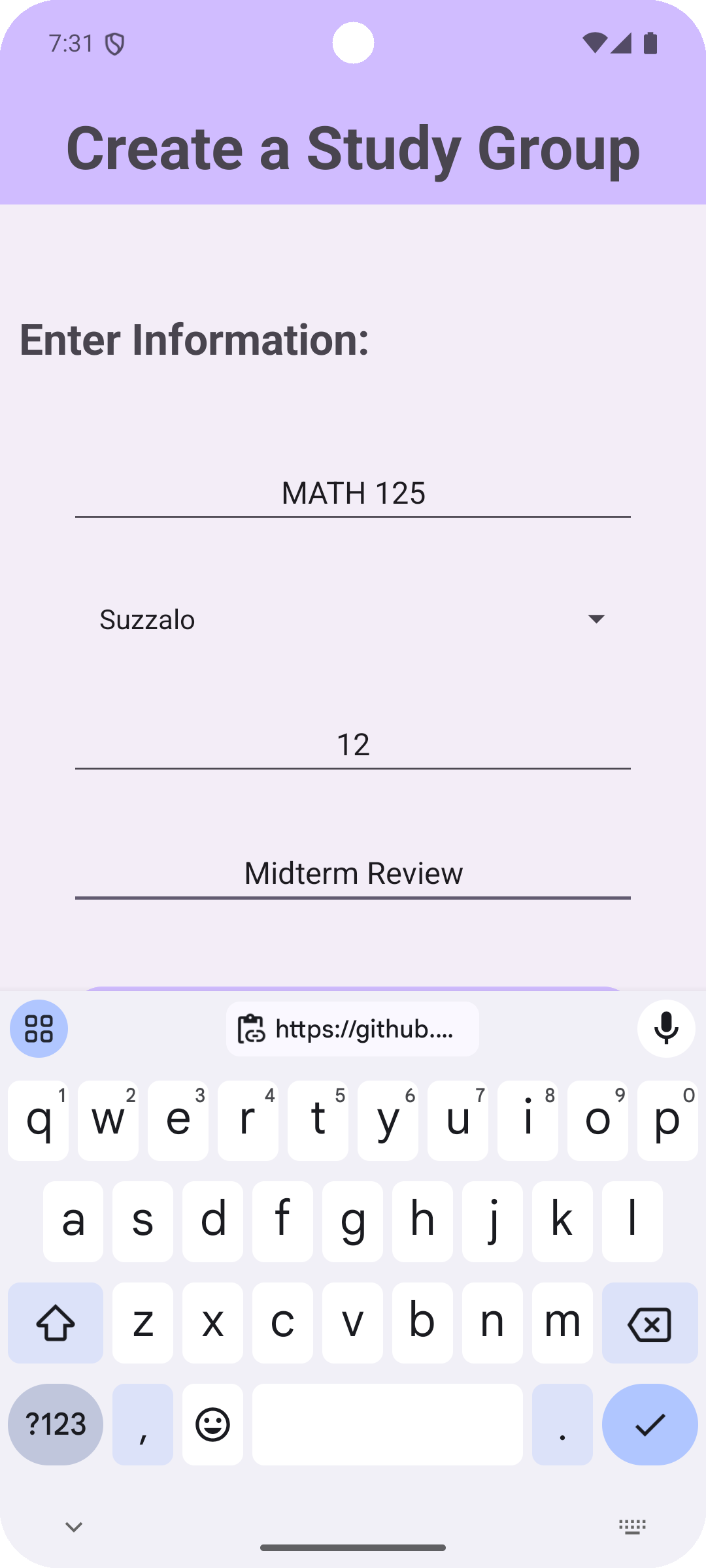
The main goal of StudyBuds is to help college freshmen find classmates to study with or create their own study groups. The application features three main screens: Home, Map, and Study Groups. The Home screen features our application logo, slogan, and mission statement to remind students of StudyBud’s main goal and purpose. The Map screen showcases our Google-Map API where students can see the existing study groups in their college. The map will display pins at different locations, each signifying a particular location of a study group. When users click a specific pin, the specific location of the pin will be displayed. For example, a random pin may display “CSE 351” for the name of the course. If the user wants a complete list of all the available study groups, they can navigate to the Study Groups tab, where all the groups with the class name, location, number of people, and short description will be displayed in an organized list. Each element on the list will also feature an add button where students can add themselves to the study group. Lastly, students can also click the add button at the top right of the Study Groups screen, enabling them to create their own study groups with their specific fields. Ultimately, StudyBuds provides students with a centralized platform where they can form study groups with classmates, supporting each other while collectively excelling in academics.
How we built it
StudyBuds is a mobile application that we developed using Java, XML, and Android Studio. XML was used for front-end development while Java was used for both front and backend development. To allow for easy collaboration between team members, we hosted our project on GitHub. Additionally, all data for our application is stored in a Firebase cloud database, which enables offline data persistence, remote access, and real-time synchronization. A unique feature of our application is the integration of the Google-Map API. This allowed us to display an interactive Google Map in our mobile application as well as utilize the functionality that comes with it. The various technologies and features we used to create StudyBuds are what make our application a unique and effective way to help foster an inclusive and collaborative college community.
Challenges we ran into
The first challenge that we encountered was version inconsistencies on Android Studio. Since this was our first time developing on Android Studio, we all had differing gradle and SDK versions, which led to compatibility issues with our code. However, after working closely with each other, we were able to solve this issue and have our repository run correctly.
Another challenge we ran into was GitHub syncing. Oftentimes, we ran into merging issues when two users made changes to the same file, leading to the loss of code. To solve this issue, we re-delegated tasks in a more organized and clear way, reducing the chances of editing the same file.
In addition, we also ran into issues with designing the user interface. We struggled with organizing the different fields in the study groups list so that it was displayed in an organized manner. Furthermore, creating the oval that was sized to fit around the icon was very difficult as it required a lot of trial and error with margins and padding.
The biggest challenge we ran into was the integration of the Google-Map API. Since it was the first time integrating an API in Android Studio. We had to understand how to implement the API from Google’s cloud services and also understand how to actually write the code to implement the map. This was done through a fragment element in XML and then the creation of the map was called by a method in our main class. We also had a problem when it came to reloading the map because it would not call the same method because Java deemed that the map was never ready to be initialized after it was reloaded. Therefore, we had to move the location of the method to somewhere where it would be called all the time.
Accomplishments that we're proud of
As a team, we are especially proud of implementing technologies that we were previously unfamiliar with. For example, after long hours of programming, we were able to integrate the Google-Map API into our mobile application as well as the functionality that came with it. Furthermore, even though we have all worked with local databases like SQLite, successfully utilizing the Firebase database to store our data was still a very big milestone for us as it was the first time we utilized a cloud-based database. Lastly, we were particularly proud of integrating the Google-Map API into our project as it serves as the main functionality for our application.
Outside of technical accomplishments, we are all very proud of the teamwork and collaboration that we all demonstrated. When we ran into issues, instead of arguing, we effectively communicated and problem-solved collectively. We are also very proud of our effectiveness in dividing tasks. Doing so allowed us to work more efficiently and implement more unique features in our application.
Most importantly, we are very proud that we all had a lot of fun throughout the entire event. Participating in Dubhacks was such an enjoyable and invaluable experience that only fueled our desire to continue enhancing our Computer Science skills. Dubhacks has inspired us to continue working as a group to tackle issues, collectively pushing the boundaries of innovation.
What we learned
This project marked our very first experience working with Android Studio for app development. This led to a lot of valuable lessons and challenges that we eventually persevered through. One of the key areas where we learned a lot was in front-end development. XML was a new language for us and learning the syntax proved to be difficult at first. However, we gradually became more comfortable with the project structure and design style. Our stylistic choices were also heightened to be more aesthetically pleasing. This experience gave us a much better understanding of how mobile app interfaces are built, and it taught us how to think about design in a more structured way.
Another major learning curve was integrating Google Maps through the Google API service into our app. This was the first time working with external APIs in Android Studio and figuring out how to retrieve API keys, configure the maps, and get location data to display properly was a complex task. Overall, by the end of the project, we were proud of integrating an interactive map with pins.
What's next for StudyBuds
In the future, we plan to enhance StudyBuds into a more comprehensive and user-friendly platform for organizing study sessions and stimulating collaboration. One of our key goals is to integrate scheduling tools like Google Calendar and enable users to easily schedule study sessions, set reminders for remaining group work, and help them manage their workload more efficiently. This integration will allow students to sync their study schedules with their existing calendars and help them with their time management skills.
Additionally, we plan on adding real-time group coordination through chat and messaging features. This allows students to organize group sessions easily and communicate instantaneously with their peers when sharing resources. Users will also be able to choose to work with their previous group or a new group, creating new connections and fostering meaningful relationships.
We also see potential in collaborating with UW’s room booking service, LibCal. Instead of having a separate online service that is often unknown, StudyBuds will make it more accessible to book study spaces, allowing for efficient management. Users could search for available study rooms on campus and book them directly through the app, eliminating the hassle of switching between multiple platforms. This would make arranging study sessions more convenient, especially during busy periods like exams and midterms when finding a quiet space is critical.
Built With
- android-studio
- firebase
- googe-maps-api
- java
- xml


Log in or sign up for Devpost to join the conversation.