Inspiration
We wanted to build something simple but helpful for students who struggle to focus. The Pomodoro technique is popular, so we made a tool that helps students stay on task, stay motivated, and take proper breaks.
What it does
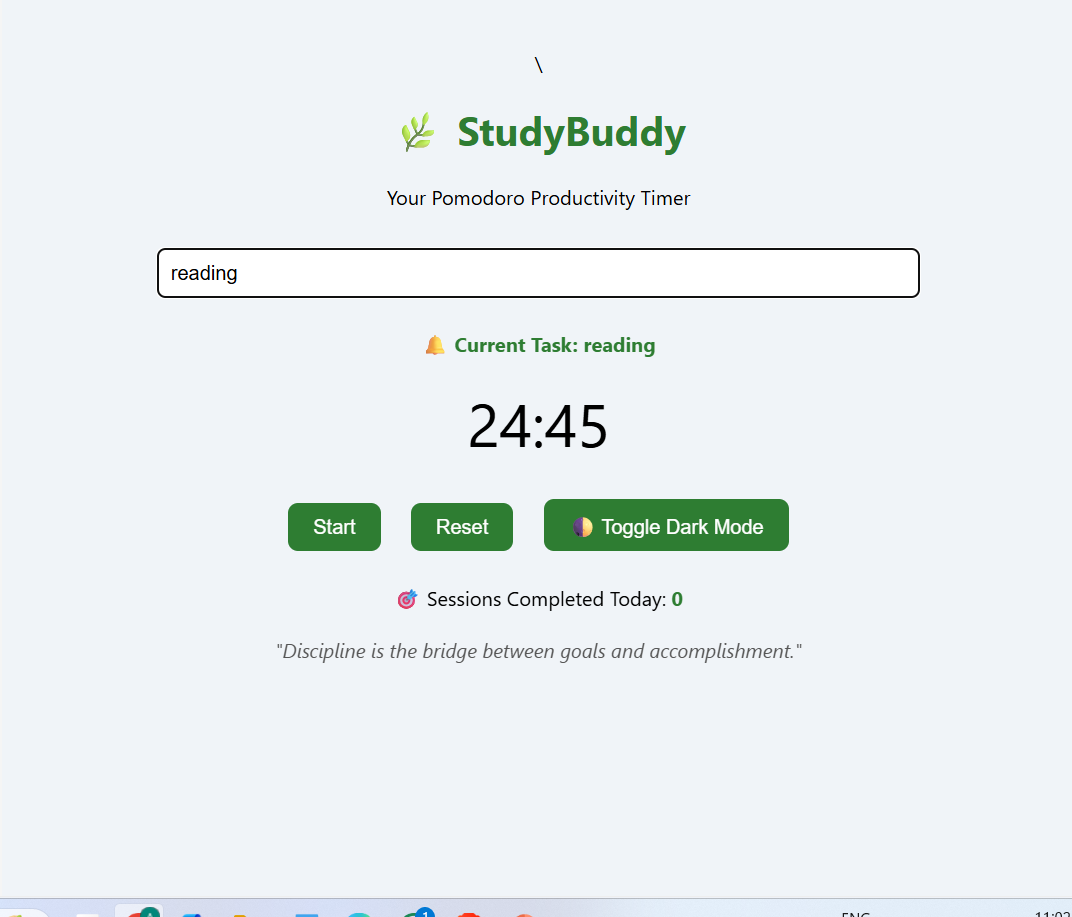
StudyBuddy is a web-based Pomodoro timer. It helps you focus with 25-minute work sessions and 5-minute breaks. You can write your current task, track your progress, see motivational quotes, and get sound alerts when time is up. It also has a dark mode!
How we built it
We used: HTML for the structure CSS for the design and layout JavaScript to make the timer work, show quotes, track sessions, and handle user input No libraries or frameworks—just simple, beginner-friendly code.
Challenges we ran into
Setting the timer logic and making it reset correctly Making sure the sound alert plays at the right time Making the layout look clean and mobile-friendly Keeping the code simple for beginners to understand
Accomplishments that we're proud of
We created a working timer from scratch! Added useful features like task input and session tracking Kept the project simple and clean Learned how to combine multiple features into one app
What we learned
How to use JavaScript for timers and dynamic text How to handle user input and update the page in real time How to write clean, readable HTML/CSS The power of small projects to help build coding confidence
What's next for StudyBuddy Pomodoro Timer
Let users set their own timer lengths Add a task list with checkboxes Add notifications or sounds for breaks and long rest periods Track weekly progress or build a productivity streak system Make it work offline and save data locally
Built With
- css
- html5
- javascript
- quotes
- reminders

Log in or sign up for Devpost to join the conversation.