-
-

Summarize the note
-
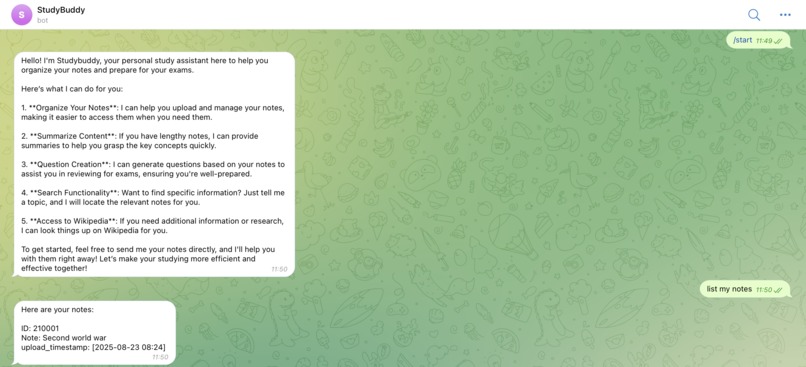
First conversation
-
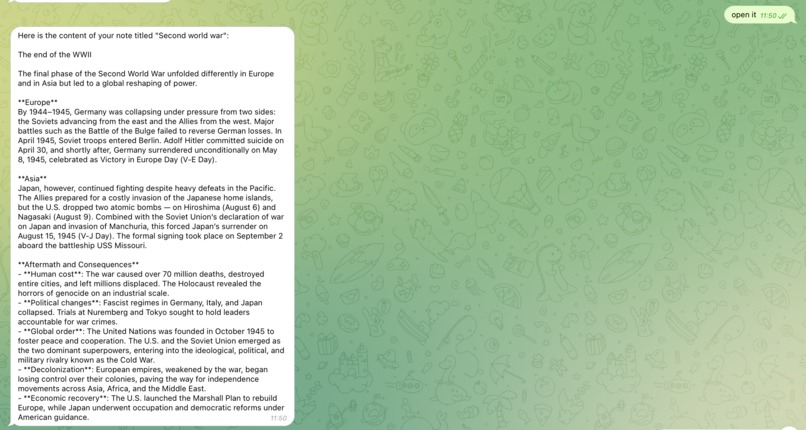
Open a note
-
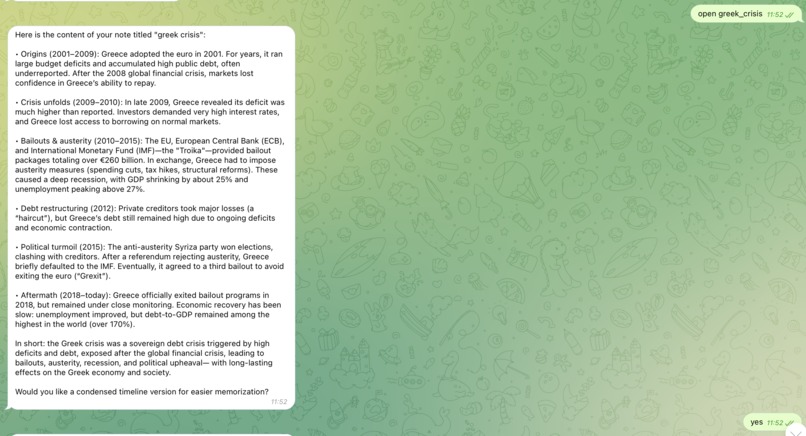
Get the new note
-
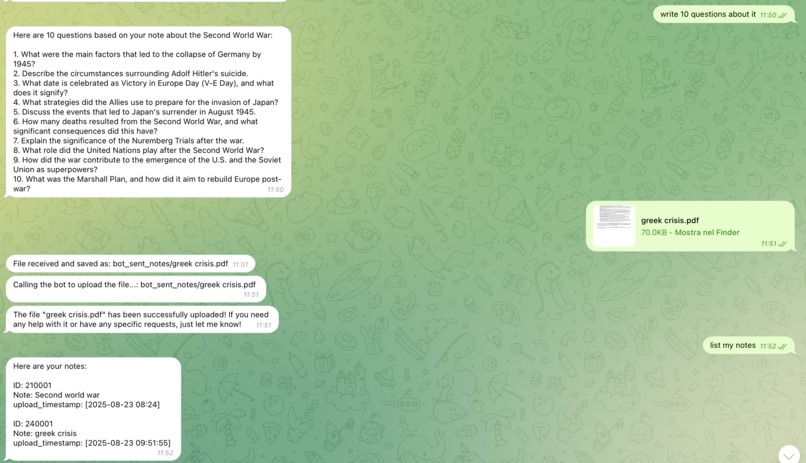
Adding a new note
-

Asking for questions
-

Web search


Inspiration
Today, most of the study material is digital. Students take notes on tablets and computers and receive slides and various documents from their professors. Moreover, it is increasingly common not to buy a book only in paper format, but to always have a digital counterpart as well. With StudyBuddy, we want to leverage the potential of LLMs to best assist students in preparing for exams. The text analysis capabilities of LLMs, combined with additional features such as online search, can be used to provide students with all the tools they need to prepare effectively for an exam.
What it does
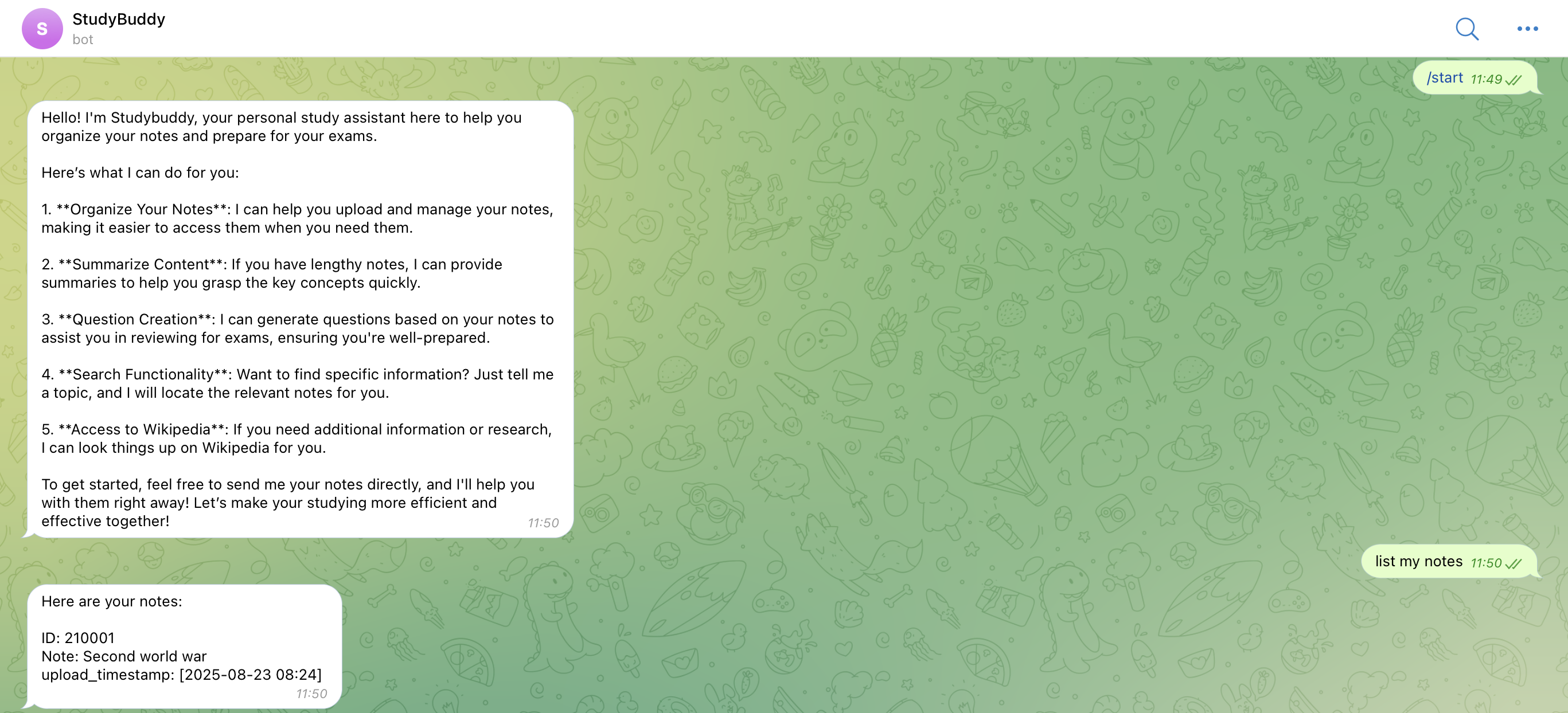
StudyBuddy was created as a simple chatbot that students can interact with. It is not meant to be just another app to install, but rather a companion that can also be added to WhatsApp/Telegram groups.
StudyBuddy is not just a mere porting to an LLM, but it allows students to:
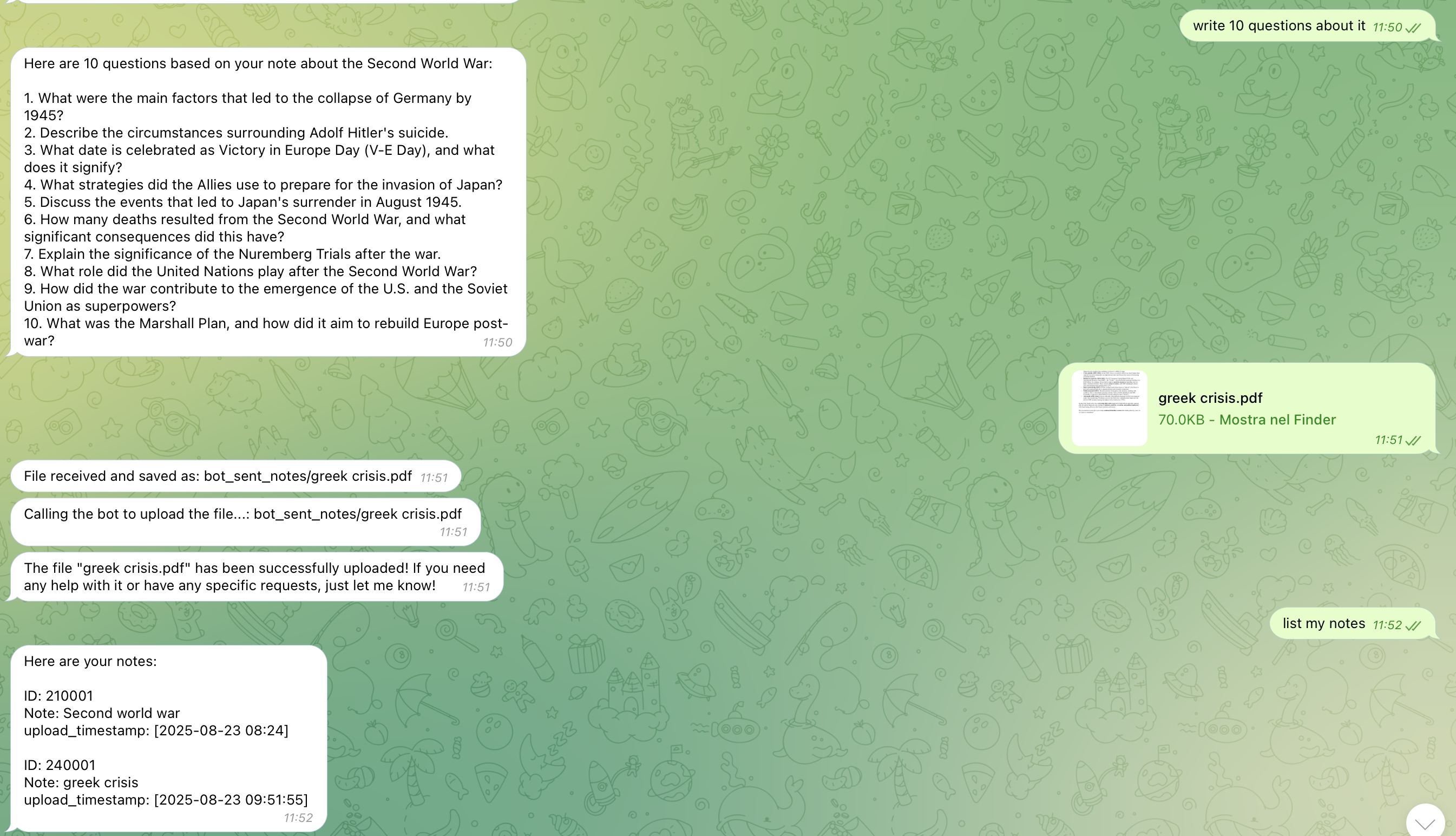
Upload Notes: Users can upload their study notes (supported formats: DOCX and PDF) directly in the chat. The files are stored in TiDB, and their content is embedded to enable semantic search.
Search Notes: Users can search through their notes using natural language queries, such as “What notes do I have about machine learning?”.
List Notes: Users can retrieve a list of all the notes stored in the database for easy navigation.
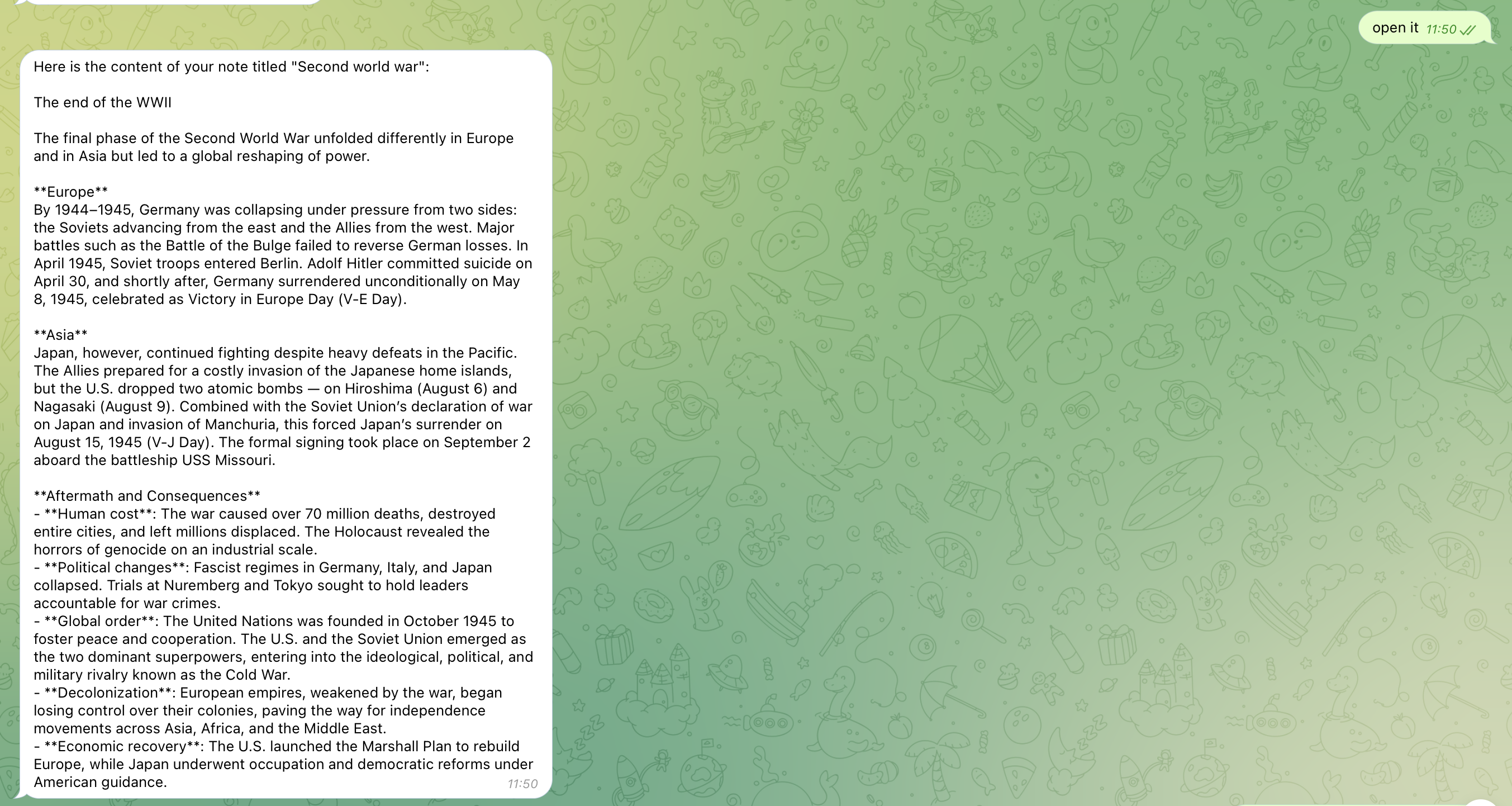
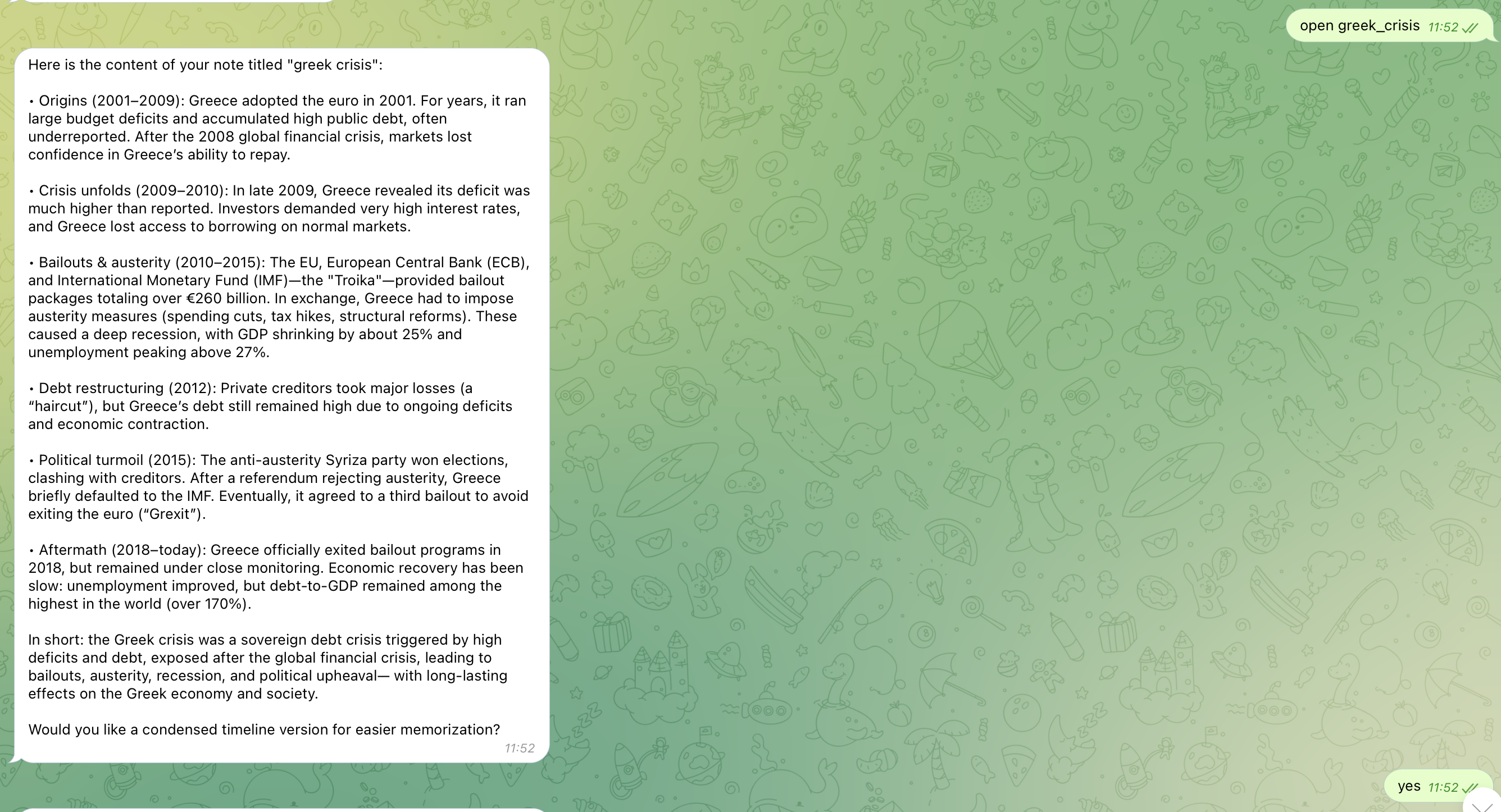
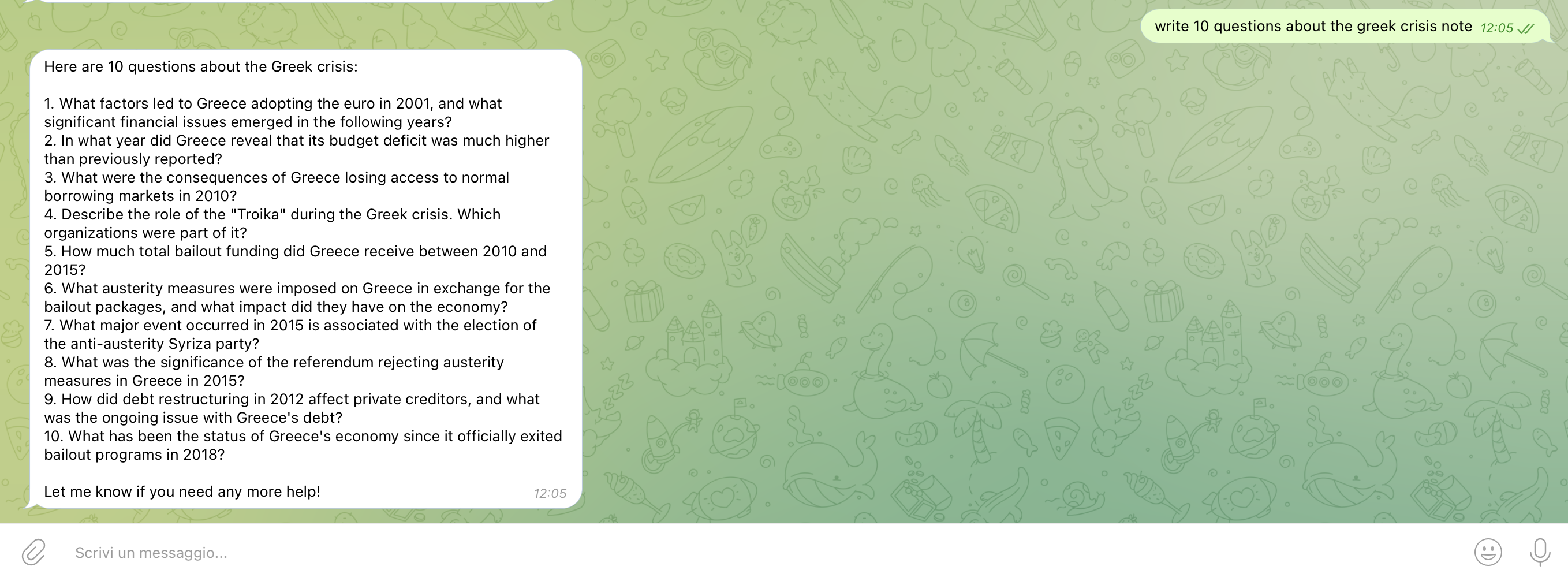
Interact with Notes: Users can select a specific note and interact with it using StudyBuddy’s AI capabilities. For example, they might ask the assistant to generate practice questions, summarize content, or explain complex concepts. The possibilities are as broad as the user’s imagination.
Online search: StudyBuddy is equipped with Wikipedia search, allowing users to enrich and expand their notes with reliable external information.
The idea is that after a student has taken their notes, they can pass them to StudyBuddy. The bot will handle saving them in TiDB (embedding the text) so that they can be easily accessed by LLMs. Once multiple files have been saved, the user can interact with StudyBuddy to review, perform online searches to clarify concepts they don’t fully understand, ask the bot to generate questions and answers, and much more.
How we built it
StudyBuddy was built using three main technologies:
- TiDB for storage
- LangChain for building the AI Agent
- OpenAI models for text embedding and LLM as the agent’s brain:
- Embedding model: text-embedding-3-small
- LLM: GPT-4o mini
Challenges we ran into
From a technical point of view, since it is a prototype, StudyBuddy was not complex to build, apart from the time spent learning how to use the various tools. Perhaps the most challenging part was testing, to ensure that the bot used the right tools and, most importantly, used them correctly.
Accomplishments that we're proud of
As of today, StudyBuddy is a prototype, but I believe it is an extremely interesting and truly useful idea. I’ve seen similar products on the market, but in my opinion, StudyBuddy’s added value comes from:
- It's just a chatbot, so no installation is required.
- User can interact using only natural language
- It's really powerful being able to chat with your notes, and given the LLM has memory, ask for help to get the best insights.
What we learned
Thanks to this project, I learned how to create an AI agent. I had to study vector databases, understand how text embedding works, interact with API calls to OpenAI models, and—most importantly—LangChain, which I discovered is an extremely easy and powerful framework for building AI agents. I was amazed by how simple it is to create intelligent bots: the only real limit is imagination.
What's next for Studybuddy
As mentioned earlier, StudyBuddy is currently just a prototype, but already potentially useful and functional. To turn it into a finished product ready for launch, the following is necessary:
- Create a website where users can register and manage their documents, access, and app in an easy and intuitive way.
- Connect StudyBuddy to the main cloud storage services on the market (Google Drive, Dropbox, OneDrive) or note-taking apps like Evernote, in order to automate the ingestion process. I imagine a university class with a shared Drive folder: the agent could automatically connect and ingest the new files.
- Enhance the bot’s capabilities in managing notes, for example by providing more powerful tools for online search (currently it only implements Wikipedia), allowing deletion of notes, and adding a tool to generate a summary file from multiple notes. A small market analysis would be necessary to understand what students would want from a tool like this.
- Fully leverage semantic search: currently StudyBuddy only accepts PDF and DOCX files. It is necessary to expand the supported text document formats and also allow the uploading of images or videos. An intelligent feature could be to upload a lecture recording, have it converted into text format, and save it in the database, so that the professor’s voice becomes a note.
Data flow and integrations
Studybuddy uses TiDB for users' note storage.
TiDB vectors features are used to store text embeddings and retrieve them using vector similarity.
When a note is uploaded, here's what happens:
- User gives a filepath
- In the database, there are two tables, "notes" and "note_chunks".
- The agent stores the file information (name, extension, upload timestamp) in the "note" table.
- Text is extracted from the note and is divided into chunks.
- OpenAI's text-embedding-3-small model is used to embed the chunks.
- Chunks and the embeddings are then stored in the note_chunks table.
When the user looks for their notes:
- Given the user prompt, the agent extracts the keywords (ex. "Do I have notes about Machine Learning?" --> "Machine learning")?
- The keyword is embedded
- Using the keyword embedding we use the cosine distance to get notes with "close" contents
- Most similar notes are returned
TiDB Account
TiDB email account: gabriele.3vi@gmail.com
Built With
- langchain
- openai
- python
- telegram-bot
- text-embedding
- tidb

Log in or sign up for Devpost to join the conversation.