-
-
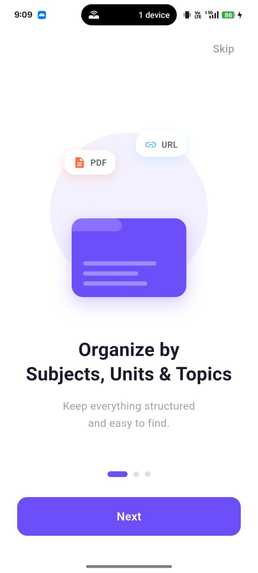
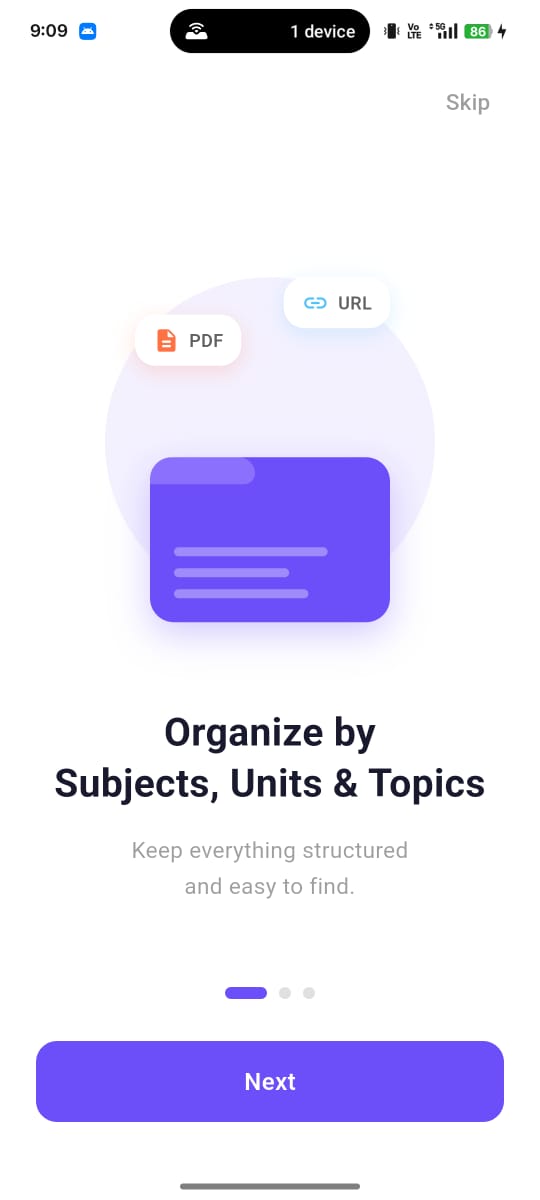
Onboarding page to Login Authentication
-
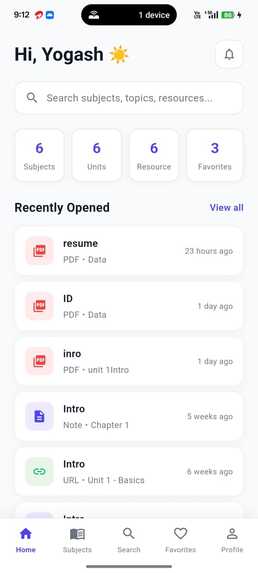
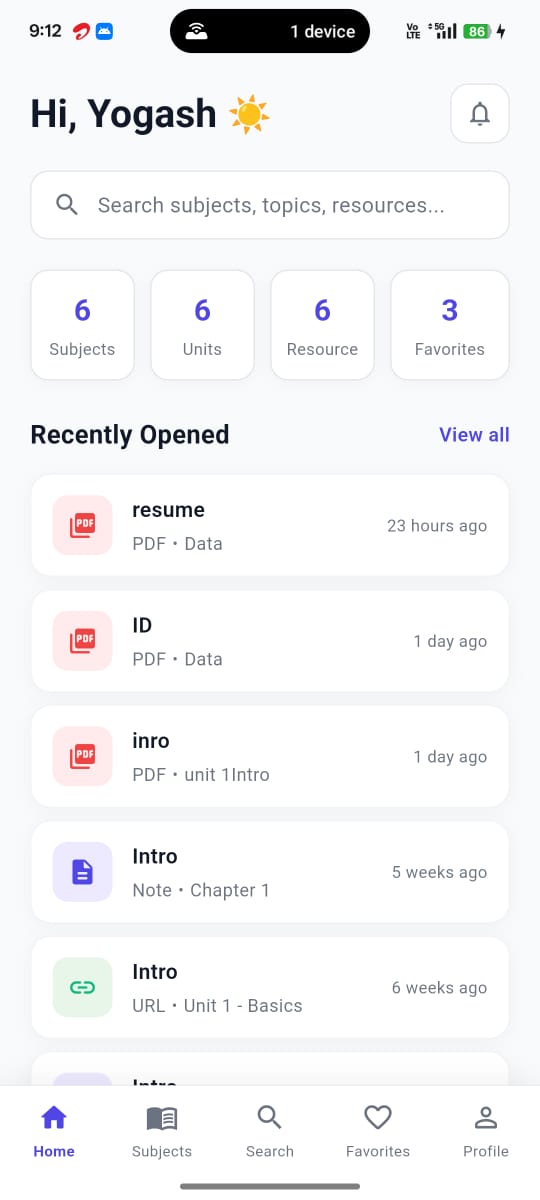
Dashboard page
-
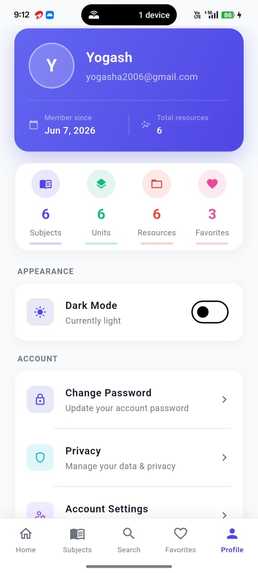
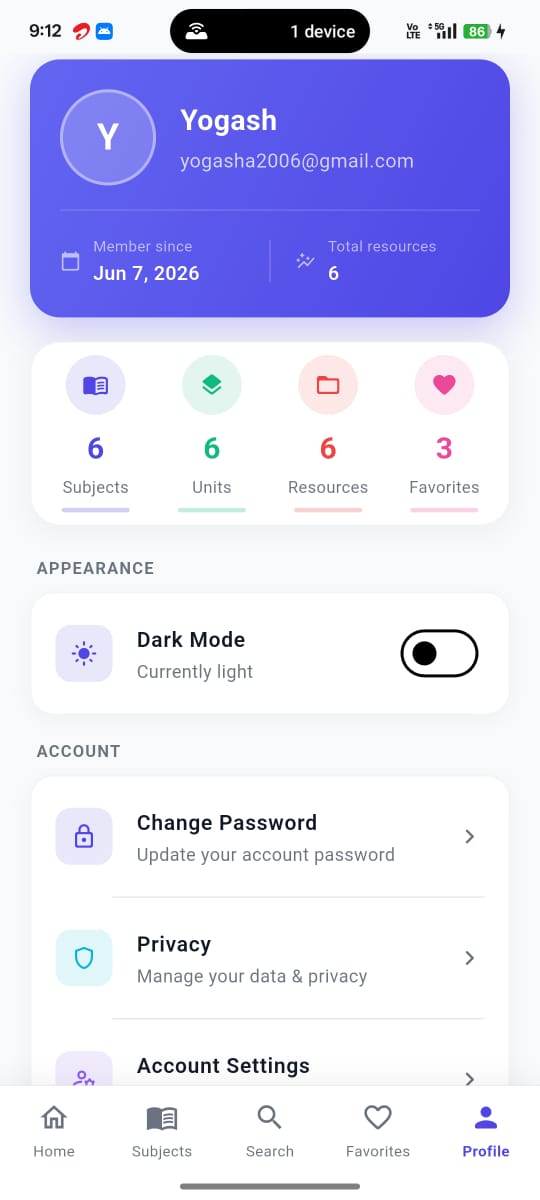
User Profile management
-
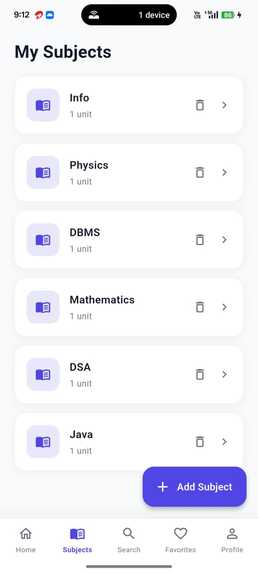
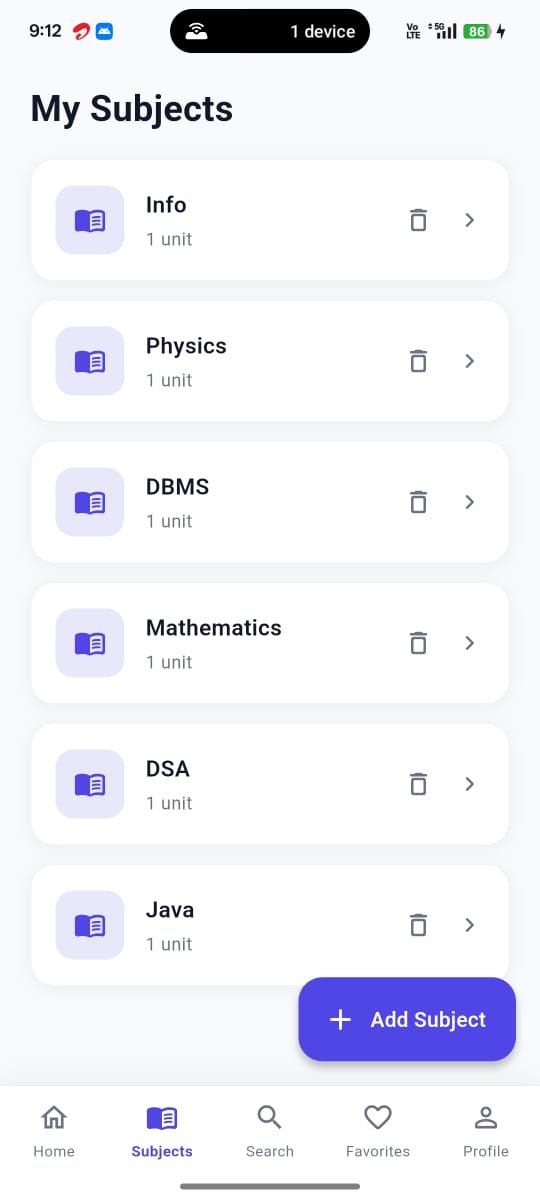
Subjects Organizing page
-
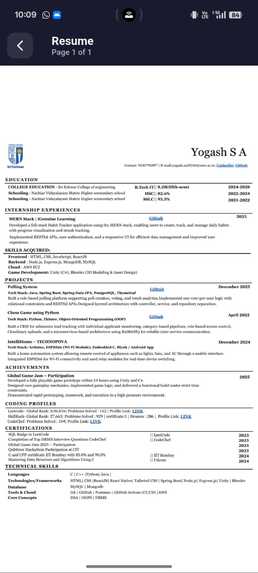
Stored pdf resource viewed
StudyVault
About the Project
StudyVault is a cross-platform Flutter application that helps students organize and manage all their study resources in one place. Instead of searching through messaging apps, browser bookmarks, cloud storage, and local folders, students can store their academic materials in a structured hierarchy.
Subject
 └── Unit
      ├── Notes
      ├── PDFs
      └── URLs
The application is currently available on Android, iOS, and Web using a single Flutter codebase.
Inspiration
As students, we often receive notes, PDF books, lecture slides, assignments, and useful websites from multiple sources. Over time, these resources become scattered across different platforms, making it difficult to locate important materials during exams or assignments.
StudyVault was developed to solve this problem by providing a centralized platform where study resources can be organized subject-wise and unit-wise for quick access.
How We Built It
StudyVault was developed using Flutter to provide a responsive and cross-platform user experience.
Frontend
- Flutter
- Material 3 UI
- Responsive Design
- Reusable Widgets
Backend
- Firebase Authentication
- Cloud Firestore
- MongoDB GridFS (for PDF storage)
- Node.js & Express REST API
The application currently uses:
- Firebase Authentication for secure user login and registration.
- Cloud Firestore for storing user information, subjects, units, notes, and resource metadata.
- MongoDB GridFS with a custom Node.js + Express backend to upload and retrieve PDF files across Android, iOS, and Web.
The application architecture is kept simple using Flutter's built-in features such as:
setState()FutureBuilderStreamBuilder
along with reusable service classes and models.
Features
Authentication
- Secure user registration
- Secure login
- Firebase Authentication
- User profile stored in Firestore
Study Resource Management
- Create Subjects
- Create Units
- Add Notes
- Upload PDF Files
- Save Website URLs
- View Uploaded PDFs
- Search Resources
Dashboard
- Subject statistics
- Clean dashboard interface
- Recently accessed resources
- Responsive UI
Cross Platform
- Android
- iOS
- Web
Challenges We Faced
One of the biggest challenges was designing a Firestore database structure that could efficiently organize subjects, units, and different types of study resources.
Another major challenge was supporting PDF uploads across all platforms. Flutter Web does not provide access to local file paths like Android and iOS, so PDF uploads had to be handled using byte data instead of file paths.
Other challenges included:
- Configuring Firebase Authentication
- Designing Firestore collections
- Creating Firestore composite indexes
- Integrating MongoDB GridFS
- Connecting Flutter with a Node.js backend
- Handling cross-platform file uploads
- Displaying PDFs across Android, iOS, and Web
These challenges helped us gain practical experience in full-stack Flutter application development.
What We Learned
Throughout the development of StudyVault, we gained hands-on experience with:
- Flutter Development
- Firebase Authentication
- Cloud Firestore
- Node.js
- Express.js
- MongoDB GridFS
- REST API Integration
- CRUD Operations
- Cross-platform Development
- File Upload Handling
- Responsive UI Design
- Cloud Database Design
Current Status
The following features have been successfully completed:
- User Authentication
- User Registration
- Subject Management
- Unit Management
- Notes Management
- URL Management
- PDF Upload
- PDF Viewing
- Firebase Integration
- MongoDB GridFS Integration
- Cross-platform Support (Android, iOS, Web)
The application is now capable of serving as a centralized repository for students to organize and access their study materials from multiple devices.
Future Improvements
The following features are planned for future versions:
- AI-powered Note Summarization
- AI Question Answering
- AI Study Assistant
- OCR for Scanned Notes
- Offline Mode with Synchronization
- Study Reminders
- Resource Sharing
- Smart Search using AI
- Flashcard Generation
- Quiz Generation
- Progress Tracking
Conclusion
StudyVault simplifies academic resource management by bringing notes, PDFs, and useful web resources together in one organized platform. With Firebase handling authentication and metadata, and MongoDB GridFS managing PDF storage, the application provides a scalable and cross-platform solution for students.
The current version successfully enables students to organize and access their study materials efficiently, while future updates will focus on integrating AI-powered learning features to make StudyVault a complete intelligent study companion.


Log in or sign up for Devpost to join the conversation.