Inspiration Students don't fail because they can't find notes — they fail because notes sit untouched after the lecture ends. We wanted to turn passive note-taking into an active, addictive system: what if reviewing your material felt like leveling up in a game? Inspired by spaced-repetition science (Anki), streak-driven motivation (Duolingo), and one big question — could generative AI take us from an idea to a real, installable product without writing a single line of code? — we built StudyStack Pro: a complete "Study Operating System," prompted into existence.
What it does StudyStack Pro turns your study material into stacks of bite-sized slides, then makes sure you never forget them:
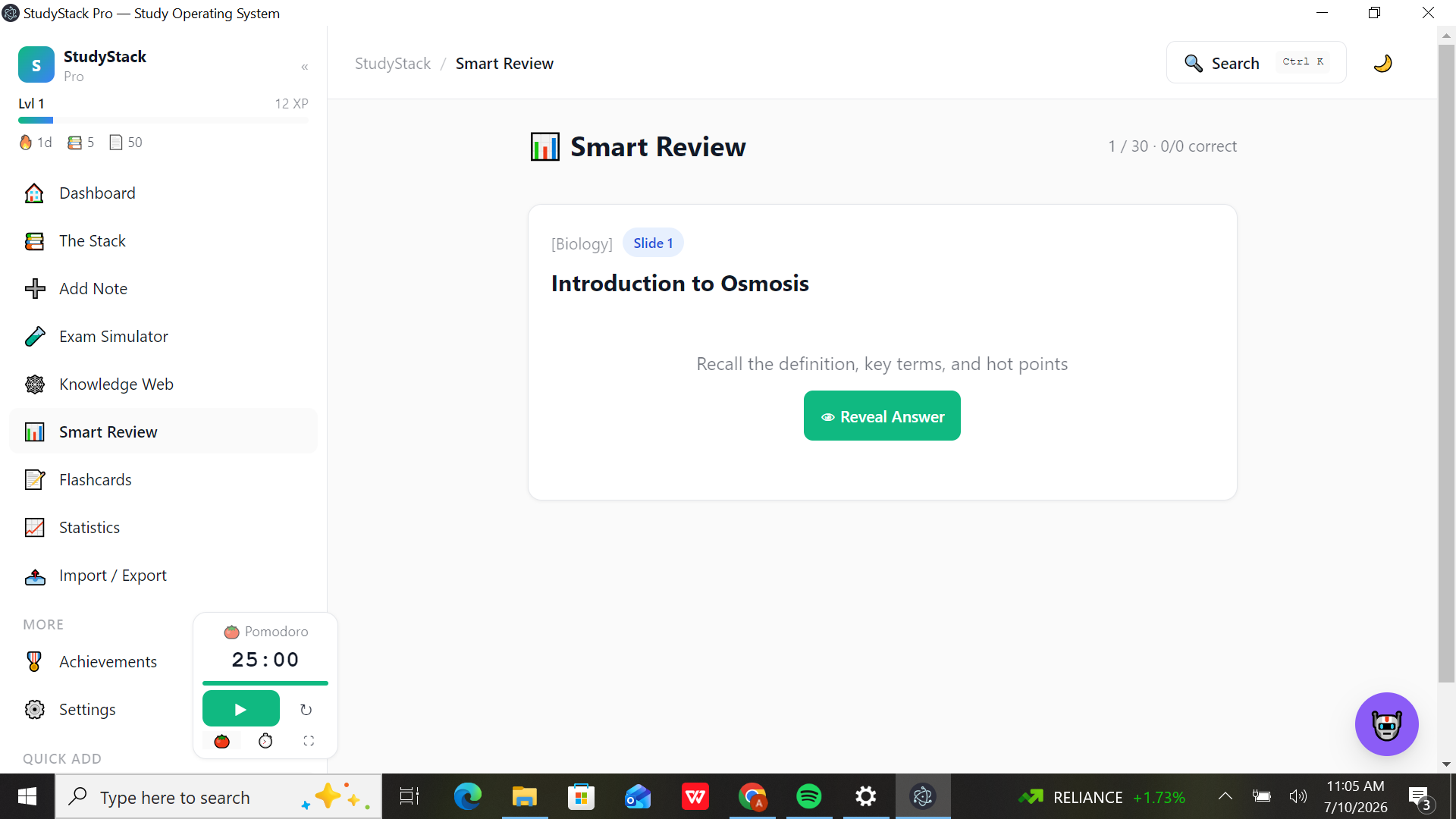
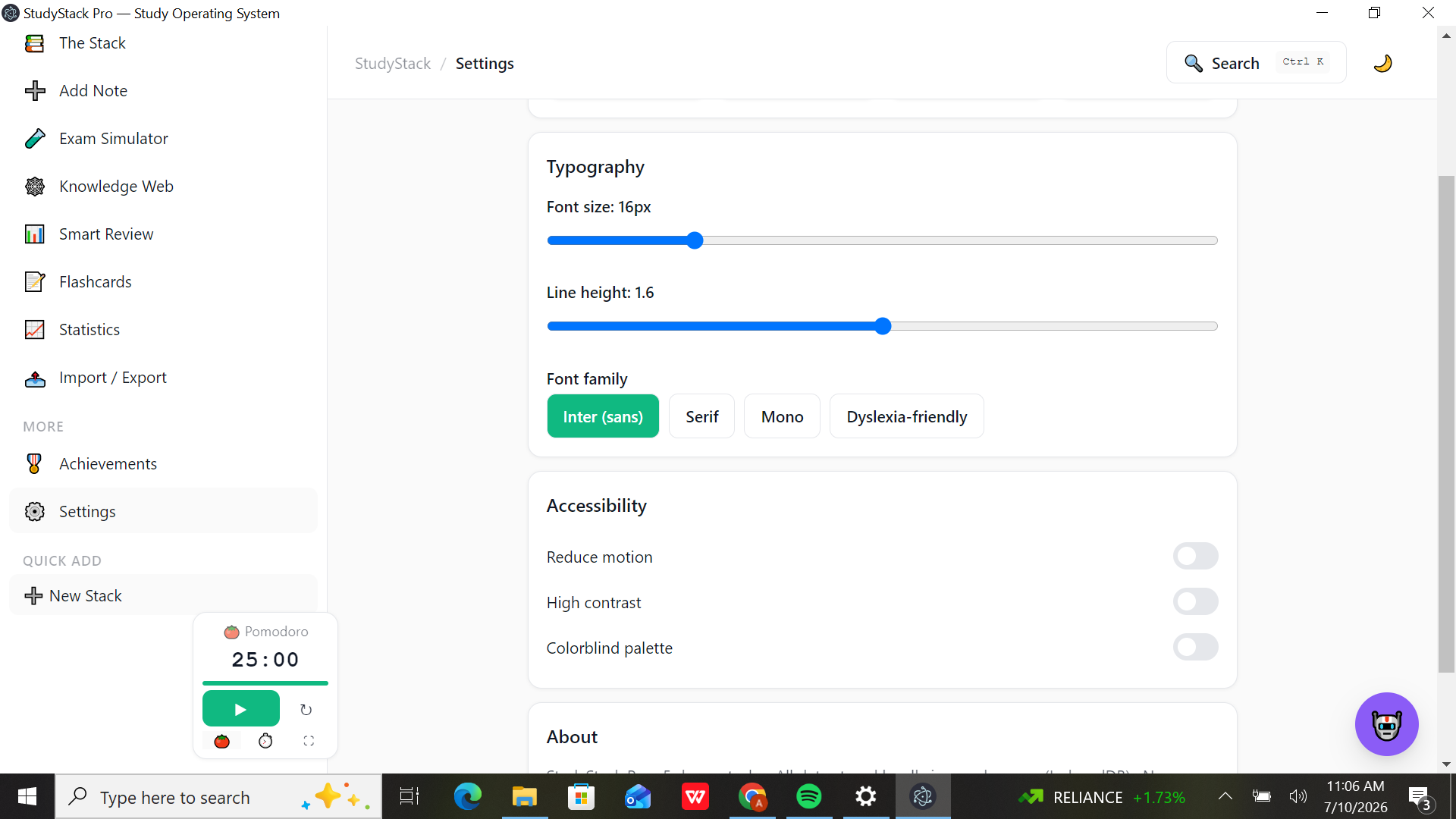
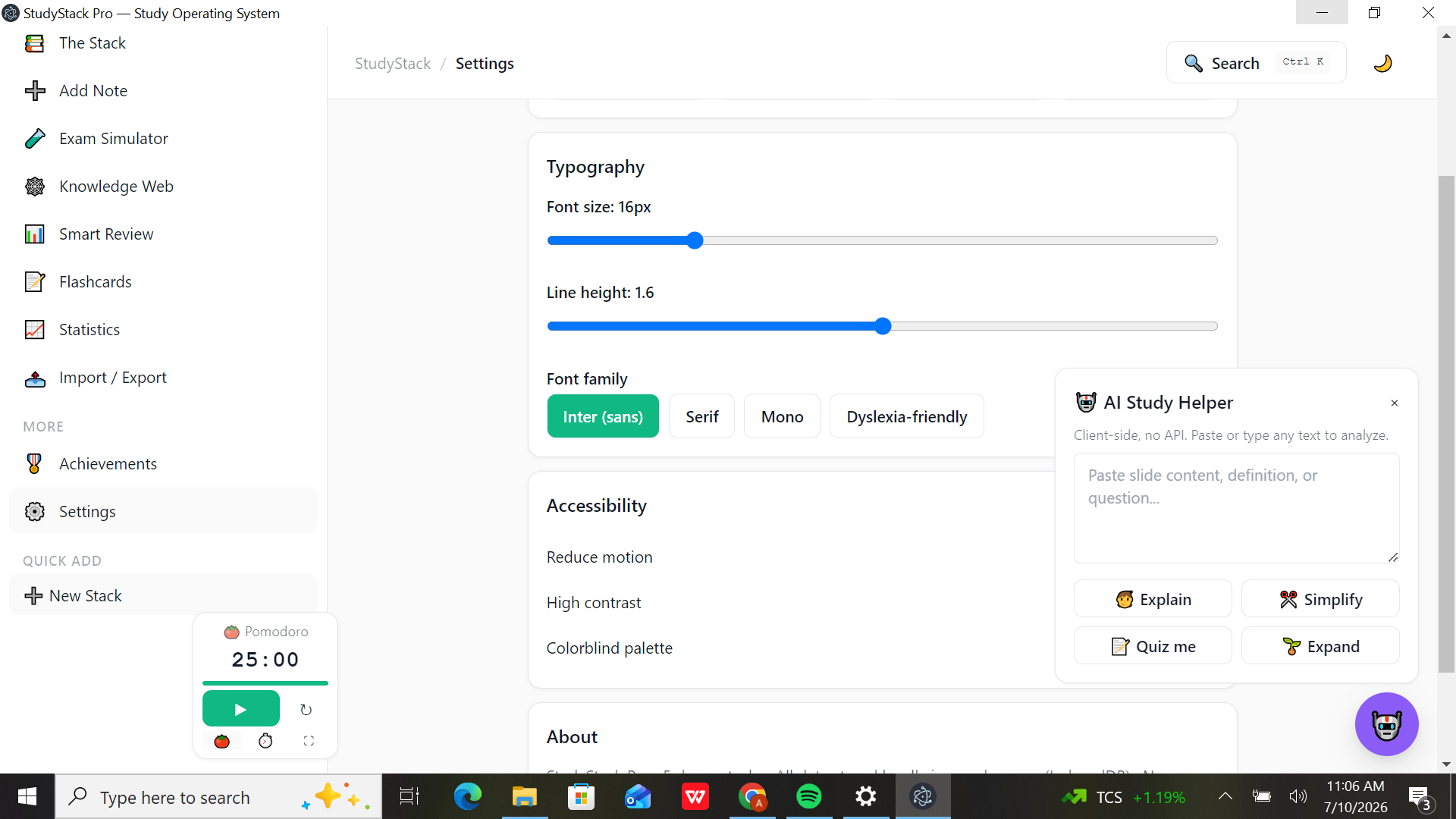
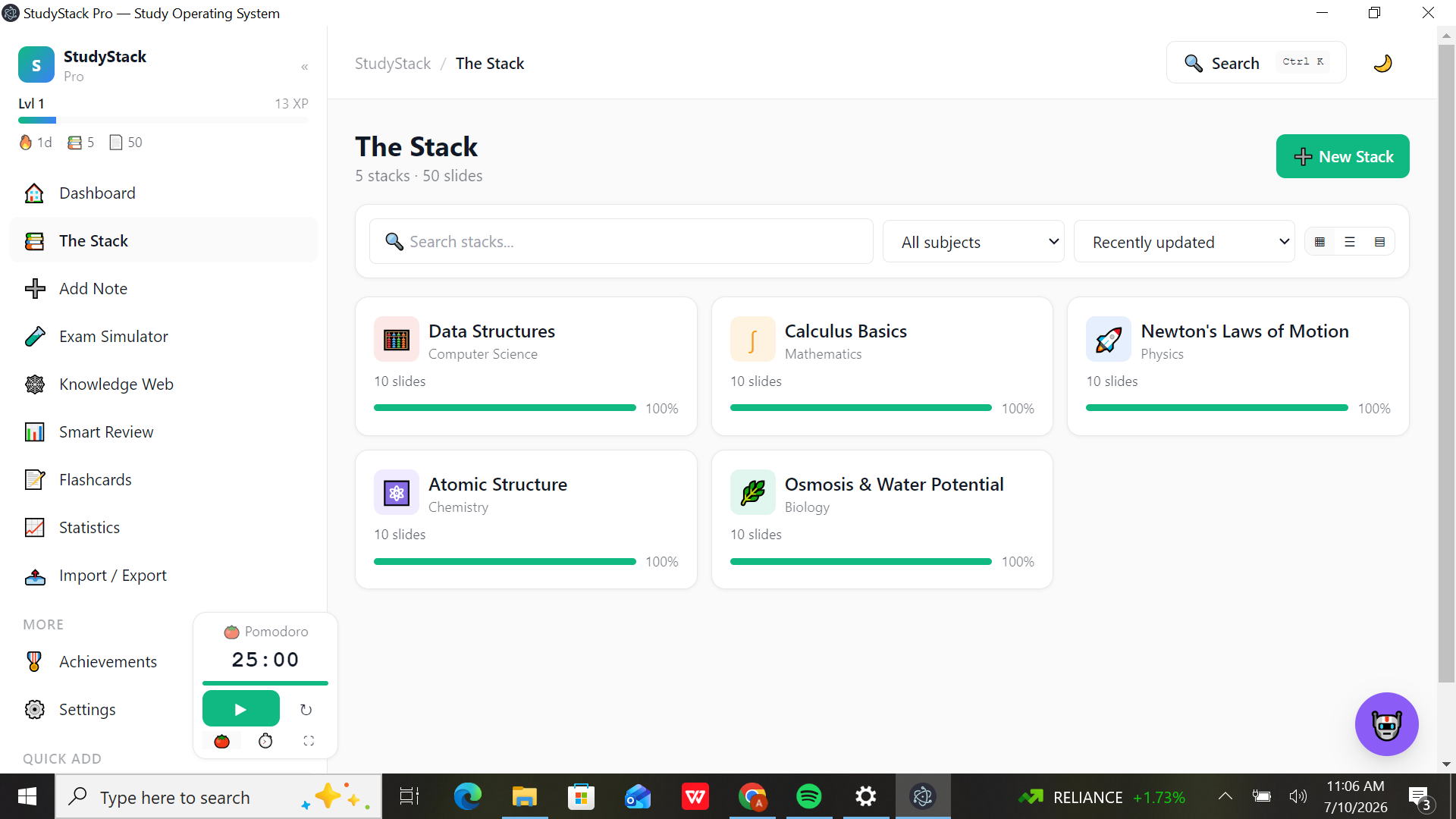
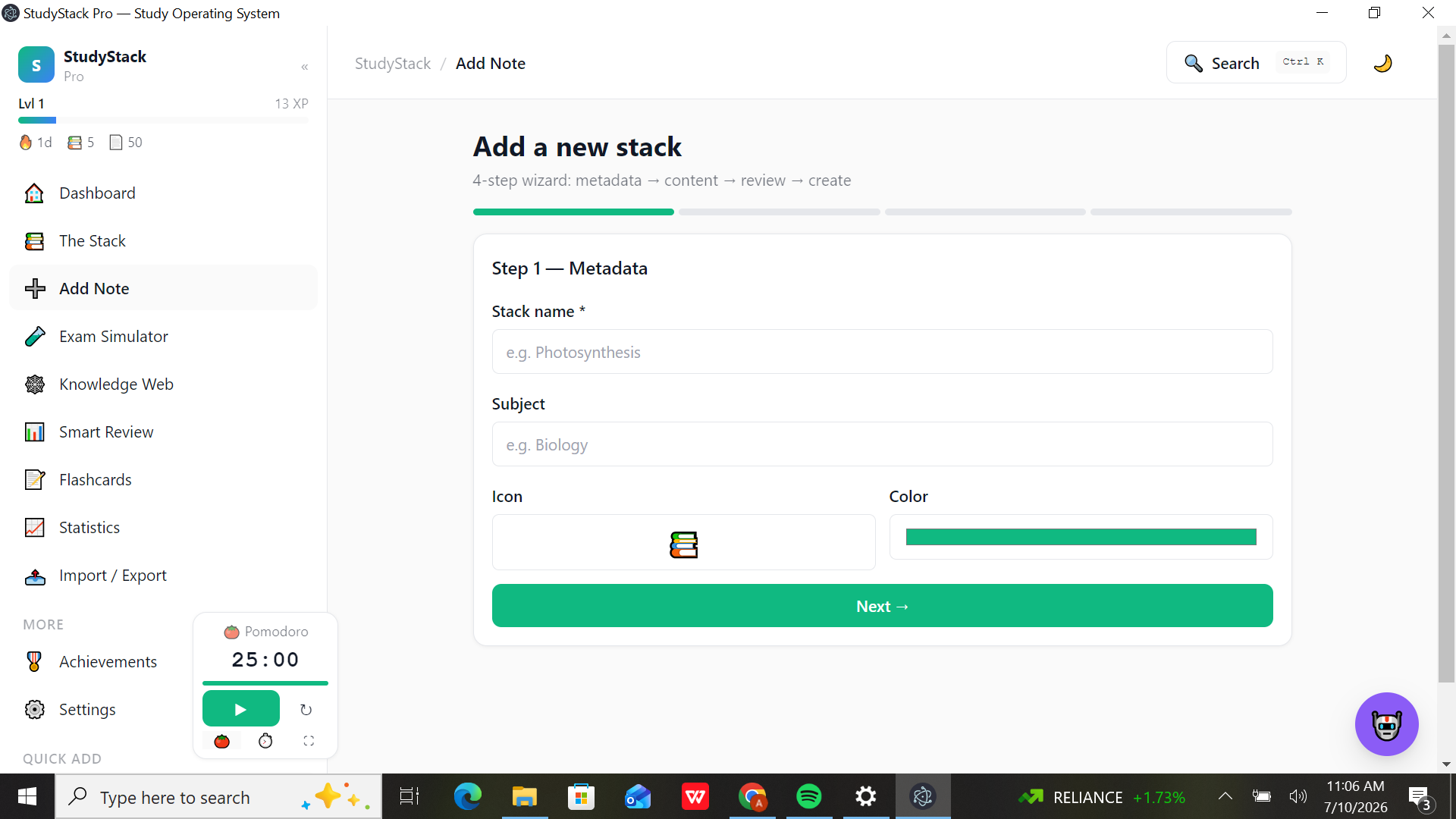
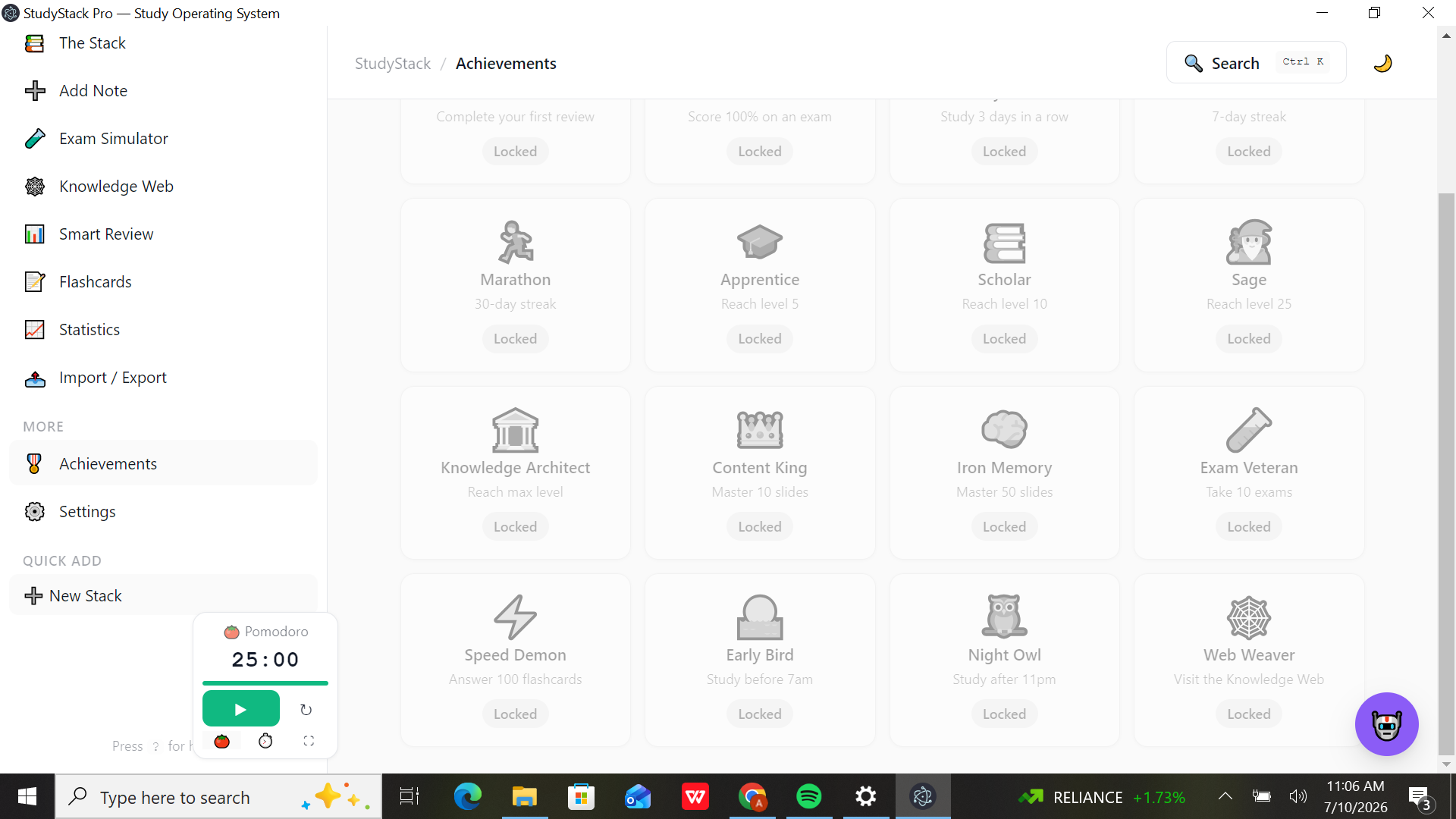
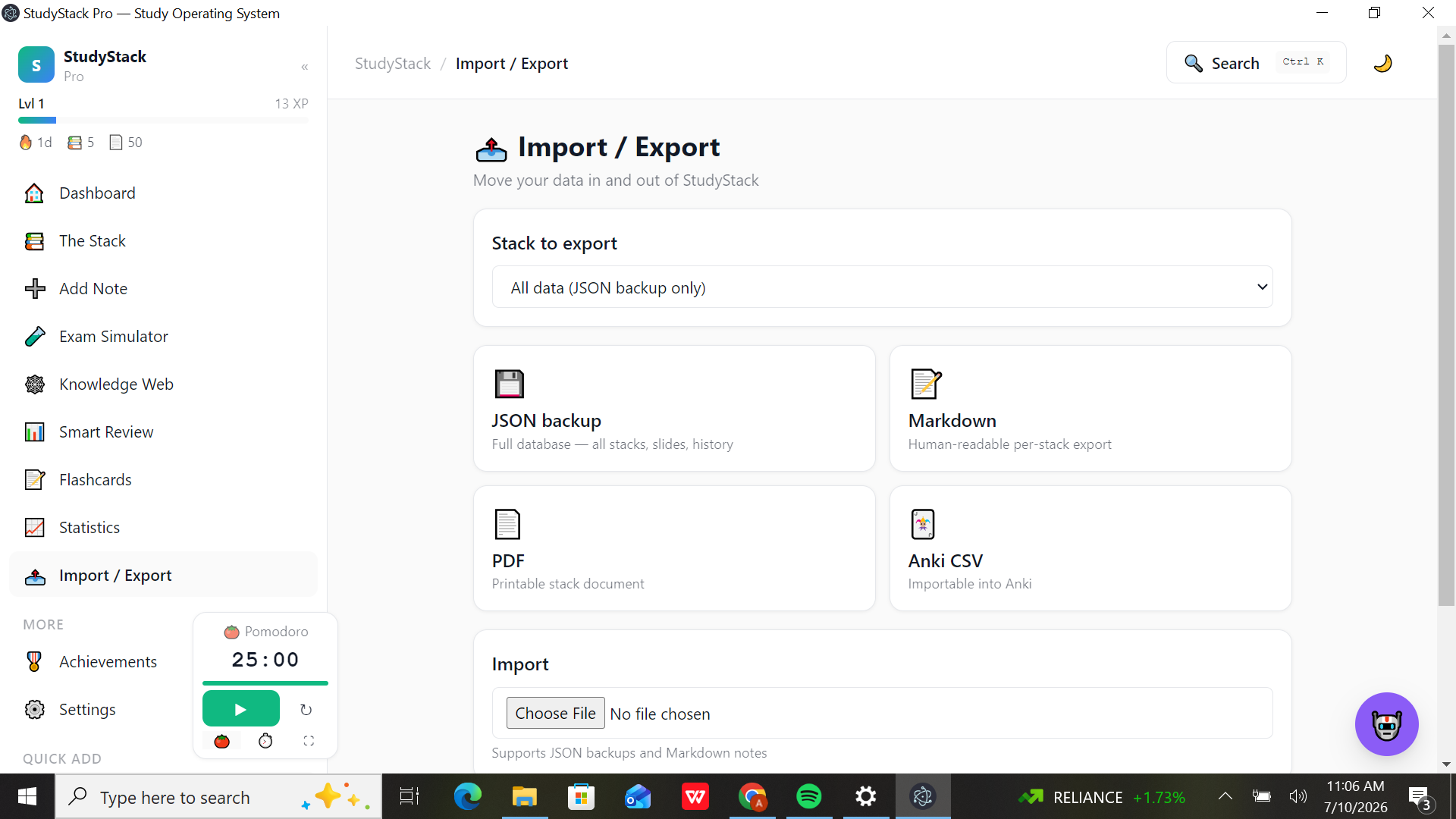
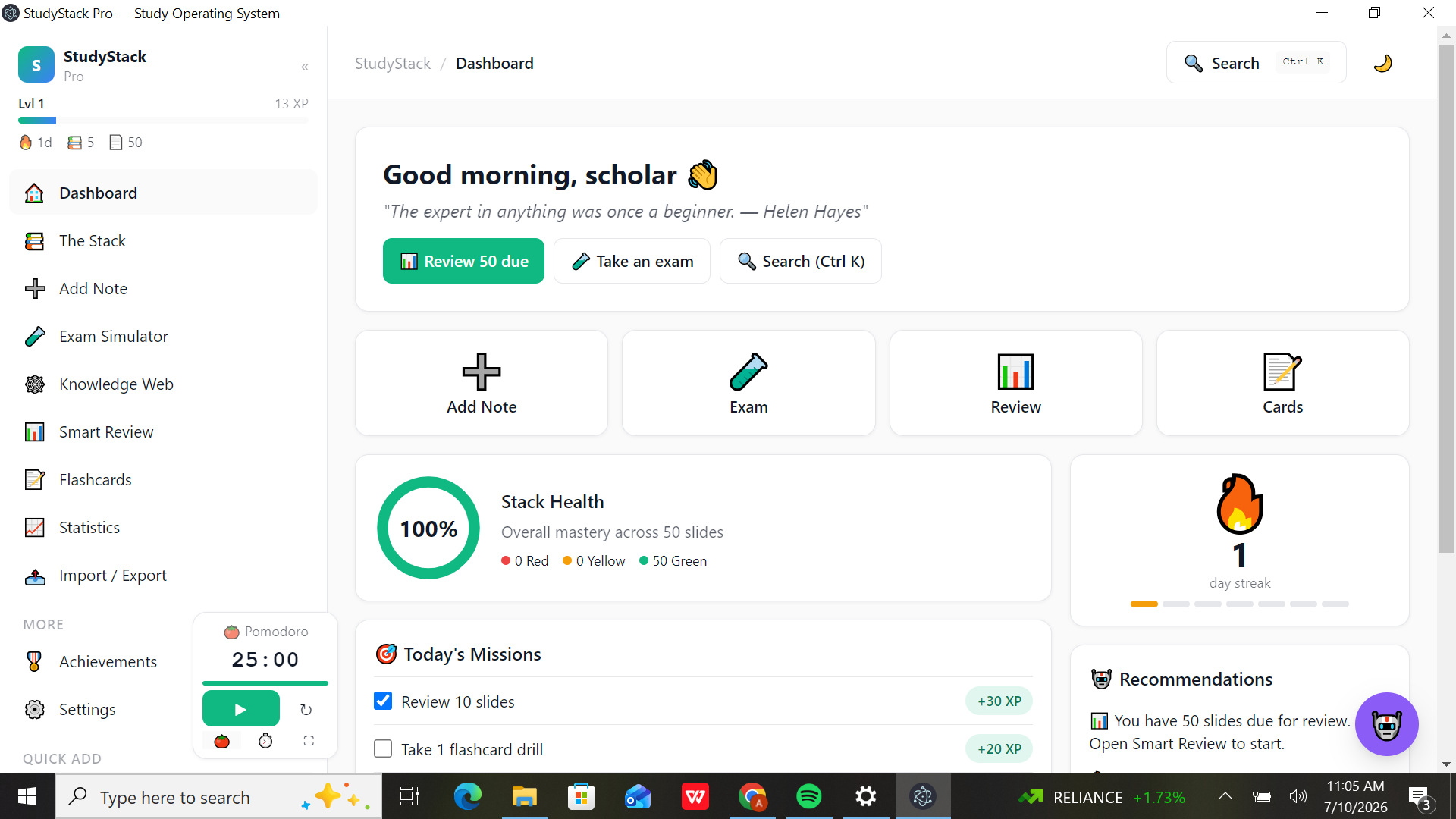
Smart Review — a spaced-repetition queue that prompts you to recall each slide's definition, key terms, and hot points, then reveal and self-grade. Every answer feeds per-slide mastery (Red / Yellow / Green). Stack Health — one donut that shows overall mastery across your entire library at a glance. Gamification everywhere — XP, levels, daily Missions, day streaks, and 16 unlockable achievements (Early Bird, Night Owl, Marathon, Knowledge Architect…). Focus tools — a floating Pomodoro widget with start/reset, stopwatch mode, and focus expansion. AI Study Helper — 100% client-side, no API, fully private: paste any text and Explain, Simplify, Quiz me, or Expand it. Create & manage — a 4-step Add Note wizard (metadata → content → review → create), a searchable/filterable stack library, Exam Simulator, Knowledge Web, Flashcards, and Statistics. Own your data — export as JSON backup, Markdown, PDF, or Anki CSV; import JSON and Markdown. Accessible by default — dyslexia-friendly font option, reduce motion, high contrast, colorblind palette, dark mode, and a Ctrl+K global search. How we built it Every pixel and every line of logic was generated by AI through natural-language prompting — zero hand-written code. We built iteratively, screen by screen: first the shell (sidebar with the player HUD, top bar with search), then the core loop (stacks → slides → Smart Review), then the engagement layer (XP engine, daily missions, achievements, streaks), then the utilities (Pomodoro, AI Study Helper, import/export), and finally packaged the whole thing as a standalone Windows executable. The app is local-first: all data lives on the user's machine and travels via JSON backups.
Challenges we ran into Consistency without code — getting one AI to generate nine-plus screens that share a single design system, vocabulary, and color language meant writing prompts as detailed as a spec document. State coherence — XP, streaks, mission checkboxes, review queues, and mastery colors all interlock. We caught quirks mid-build (e.g., a review session showing "1/30" while the dashboard said "50 due") and had to re-prompt for a tighter, unified data flow. Terminology drift — the generator occasionally invented its own naming (the stack-creation flow appeared as "Add Note"), so we learned to enforce vocabulary in every single prompt. Privacy-first AI — we wanted AI features with no API keys and no data leaving the machine, so the Study Helper runs entirely client-side. Packaging — turning a generated web app into a polished, native-feeling .exe without ever opening the codebase. Accomplishments that we're proud of Shipped a fully working desktop application with 0 lines of hand-written code — idea → executable through prompting alone. Nine-plus screens and a complete engagement loop: missions → XP → levels → achievements → streaks. A real spaced-repetition engine with per-slide mastery tracking and an aggregate Stack Health metric. Privacy by architecture: local storage, client-side AI, and full export freedom (JSON/Markdown/PDF/Anki). Accessibility and polish most prototypes skip — dark mode, dyslexia-friendly typography, motion and contrast controls. A seeded demo library of 5 subjects × 10 slides (50 slides) so the app feels alive from the first launch. What we learned Generative AI doesn't just autocomplete code — it can carry a product end-to-end if you think like a product manager: precise specs, small iterations, relentless review of the output. We learned that prompt quality is architecture quality, that terminology and design systems must be enforced in every prompt, and we genuinely learned the science we built on — active recall, spaced repetition, and the psychology of streaks.
What's next for StudyStack Pro Smarter scheduling with adaptive (FSRS-style) review intervals and deeper per-slide analytics on the Statistics page. Optional cloud sync and a mobile companion for reviews on the go. A richer Knowledge Web that auto-links related concepts across stacks. Optional bring-your-own-key LLM mode to supercharge the AI Study Helper while keeping client-side as default. Shared/public stacks so students can publish and import each other's libraries. Smart reminders that protect your streak before the day ends.

Log in or sign up for Devpost to join the conversation.