StudySpark ⚡
## Inspiration
As students ourselves, we've all experienced the struggle of staying focused while studying alone. We'd sit down with the best intentions, only to find ourselves scrolling through social media an hour later. We noticed something interesting though: when we studied with friends—even over video calls—our productivity skyrocketed. There was something powerful about mutual accountability and shared goals that kept us on track.
But coordinating study sessions was always a hassle. Different schedules, finding compatible study partners, and the awkwardness of asking "hey, want to stare at our laptops together?" We thought: what if there was a platform that made finding study buddies as easy as pressing a button?
That's how StudySpark was born—a platform that pairs students in compatible focus sessions, combining the science of Pomodoro timers with the power of social accountability.
## What it does
StudySpark is a study-buddy matching platform that helps students find their flow state through gentle accountability:
### Core Features:
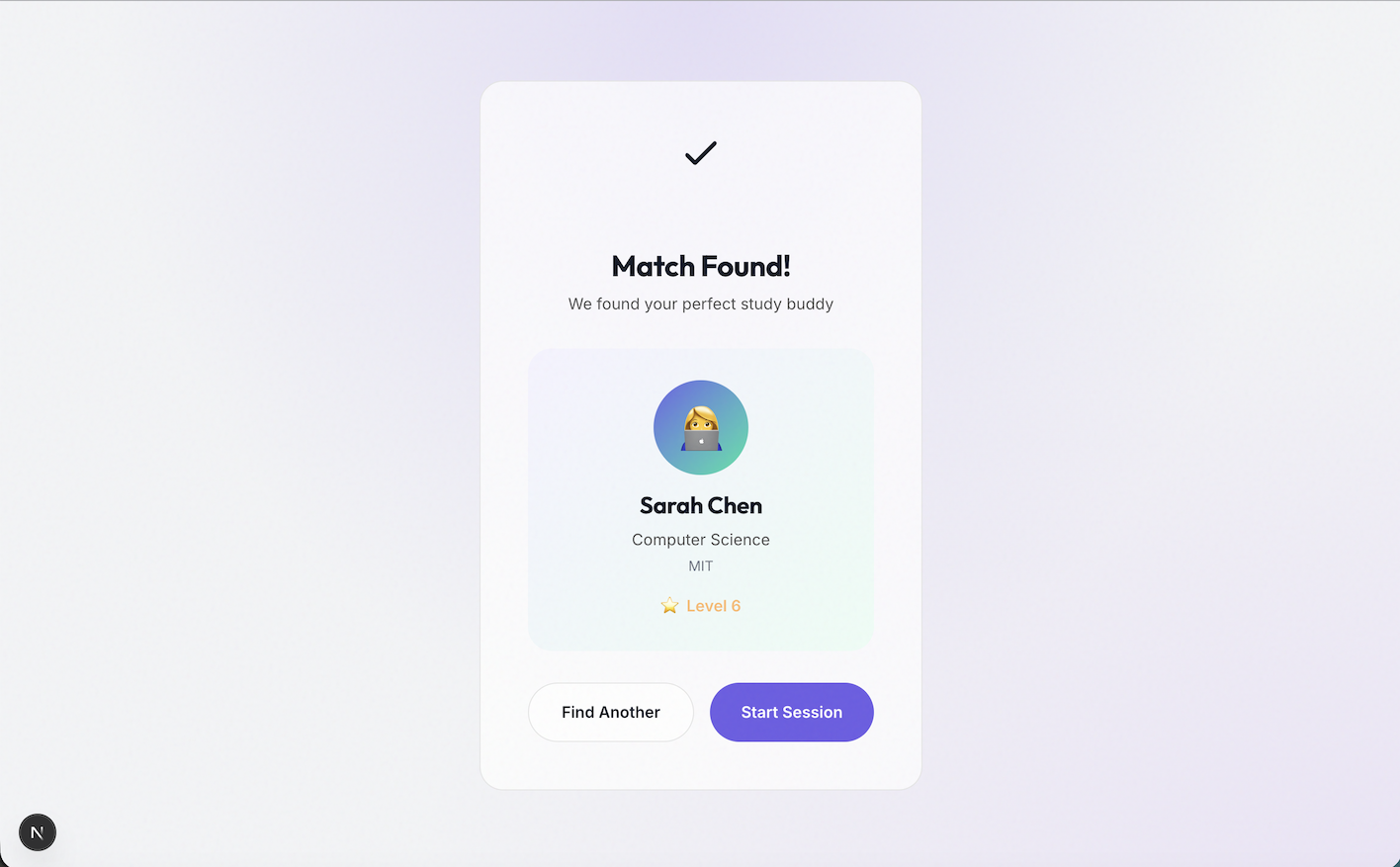
- 🎯 Smart Matching Algorithm - Pairs you with compatible study buddies based on your goals, subjects, and study preferences
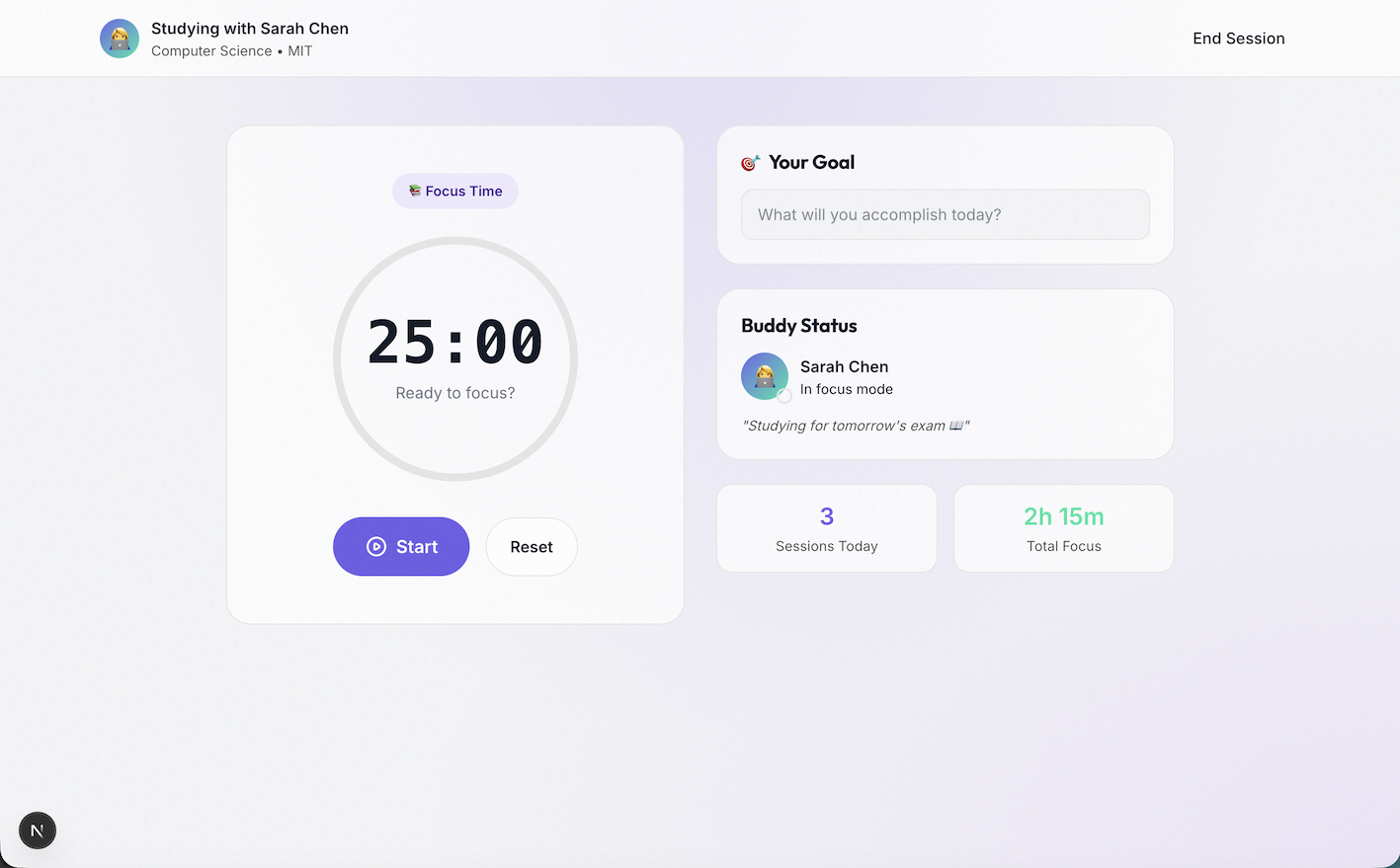
- ⏱️ Synchronized Pomodoro Timers - Study together with 25-minute focus sessions and 5-minute breaks
- ✅ Shared Goal Setting - Declare what you'll accomplish before each session for accountability
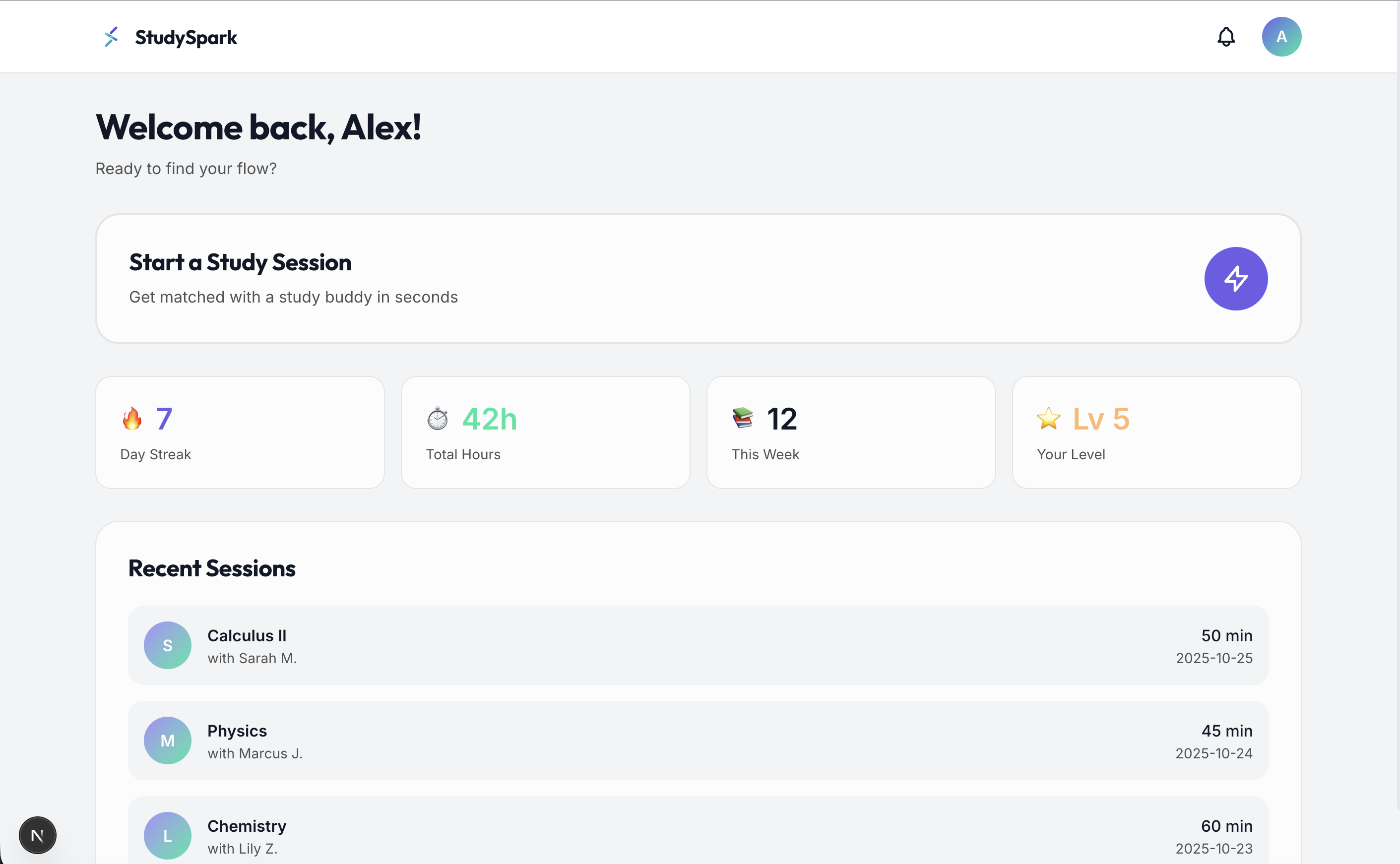
- 📊 Progress Tracking - Visual analytics showing streaks, total study hours, and productivity trends
- 👥 Study Groups - Join subject-specific groups or create your own for courses
- 🌙 Distraction-Free Interface - Clean, calming design that helps you stay in the zone
The magic happens when you click "Start Session"—within seconds, our algorithm finds you a compatible study buddy. You both set your goals, start the timer together, and suddenly you're not studying alone anymore. There's someone else out there, also grinding through their work, keeping you accountable without judgment.
## How we built it
### Tech Stack:
- Next.js 16 (App Router) - For server-side rendering and optimal performance
- React 19 with React Compiler - Leveraging the latest React features
- TypeScript - Type-safe development for fewer bugs
- Tailwind CSS 4 - Rapid UI development with custom design system
### Design System: We crafted a complete brand identity from scratch:
- Typography: Outfit (headings) and Inter (body) via Google Fonts for modern, readable text
- Color Palette: Primary indigo (#6C5CE7) for "spark", mint green (#00E5A0) for growth, with WCAG AA compliant contrast ratios
- Visual Effects: Glass morphism, subtle gradients, noise textures, and smooth animations
- Custom Logo: Animated spark/asterisk forming an abstract "S"
### Architecture: Landing Page → Dashboard → Matching Flow → Live Session ↓ ↓ ↓ ↓ Marketing User Stats Algorithm Pomodoro Timer Conversion Display Pairing + Goal Tracking
### Key Components:
- Matching Algorithm (currently mock) - Simulates intelligent pairing based on user preferences
- Session Interface - Real-time Pomodoro timer with circular progress visualization
- Dashboard Analytics - Streak tracking, study hours, and session history
- Responsive Design - Mobile-first approach, works beautifully on all devices
## Challenges we ran into
### 1. Balancing Simplicity with Features Early prototypes were overwhelming with too many options. We learned that students facing procrastination need friction reduction, not feature bloat. Solution: One-click matching, minimal setup required.
### 2. Creating the Right Mood Study apps can feel either too corporate (boring) or too gamified (childish). We aimed for "calm confidence"—encouraging without being pushy. This meant careful color choices, smooth animations, and copy that's supportive rather than demanding.
### 3. Timer Synchronization UX What happens if someone's timer is 2 minutes ahead? Do we show both? We decided on a shared session state where both users see the same timer. In a real implementation, WebSockets would handle this.
### 4. Dark Mode Design Making glass morphism work in dark mode was tricky—too much blur looks muddy, too little loses the effect. We fine-tuned opacity levels and added adaptive shadow strengths for both themes.
### 5. Git History Issues
We initially had commits from the wrong author. Learning moment: Always
configure git config user.name and user.email before the first
commit! We rewrote history using git filter-branch to ensure proper
attribution.
## Accomplishments that we're proud of
✨ Complete Design System - We didn't just build an app; we created a cohesive brand with custom logo, typography, color theory, and interaction design
🎨 Pixel-Perfect UI - Every spacing, shadow, and animation was intentionally crafted. The glass morphism effects and gradient backgrounds create a modern, premium feel
♿ Accessibility First - WCAG AA compliant colors, keyboard navigation, semantic HTML, and screen-reader friendly
📱 Fully Responsive - Works beautifully from mobile (320px) to 4K displays
⚡ Production Ready - Clean TypeScript, optimized builds, proper component structure, comprehensive README
🚀 Zero Backend Required - The demo works entirely client-side with mock data, making it easy to test and deploy
## What we learned
### Technical:
- Next.js 16 App Router - Learned the new paradigms for server/client components
- Tailwind CSS 4 - Explored the new
@theme inlinesyntax and CSS variable integration - React 19 Features - Used the React Compiler for automatic optimizations
- Design Tokens - Created a scalable design system using CSS custom properties
### Product:
- Less is More - Features should solve problems, not create new ones
- Psychology Matters - Social accountability is powerful; even a simulated study buddy changes behavior
- Brand Voice - "Encouraging, lightly playful, never childish" guided every design decision
### Process:
- Prototype Fast - Built the entire MVP in one focused session
- Design First - Starting with the design system made development faster and more consistent
## What's next for StudySpark
### Immediate Next Steps:
- Real-Time Matching - Implement WebSocket-based live matching algorithm
- User Authentication - Auth system with profiles and preferences
- Video/Audio Options - Optional face-cam or voice chat for study sessions
- Streak Rewards - Gamification elements like badges and milestones
- Study Music Integration - Curated lo-fi playlists and ambient sounds
### Long-Term Vision:
- AI Study Recommendations - Machine learning to suggest optimal study times and duration
- Course Integration - Connect with Canvas, Blackboard, Google Classroom
- Community Features - Forums, study guides sharing, peer tutoring marketplace
- Mobile Apps - Native iOS and Android apps with push notifications
- Analytics Dashboard - Deep insights into productivity patterns and recommendations
### Monetization (Keep It Free for Students):
- Premium Features - Advanced analytics, unlimited group sizes
- Institutional Licenses - Partner with universities for campus-wide deployment
- Corporate Training - Adapt the model for professional development and upskilling
The core insight remains: studying doesn't have to be lonely. With the right tools and a supportive community, anyone can find their flow—with a buddy. ✨
## Try It Out
- Live Demo: [Deploy to Vercel]
- GitHub: https://github.com/juliaparkerwilliams/cbchackathon
- Local Setup:
npm install && npm run dev
Built with ❤️ using Next.js and Tailwind CSS
Built With
- javascript
- next


Log in or sign up for Devpost to join the conversation.