-
-
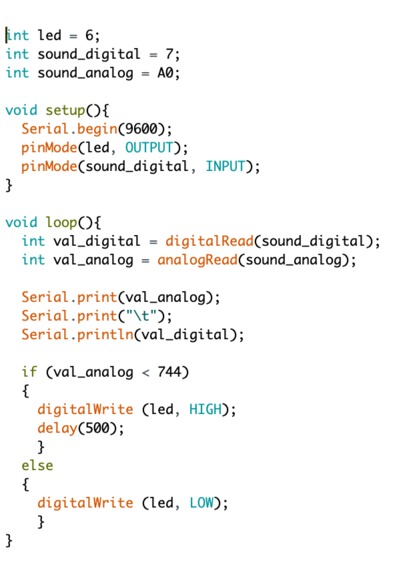
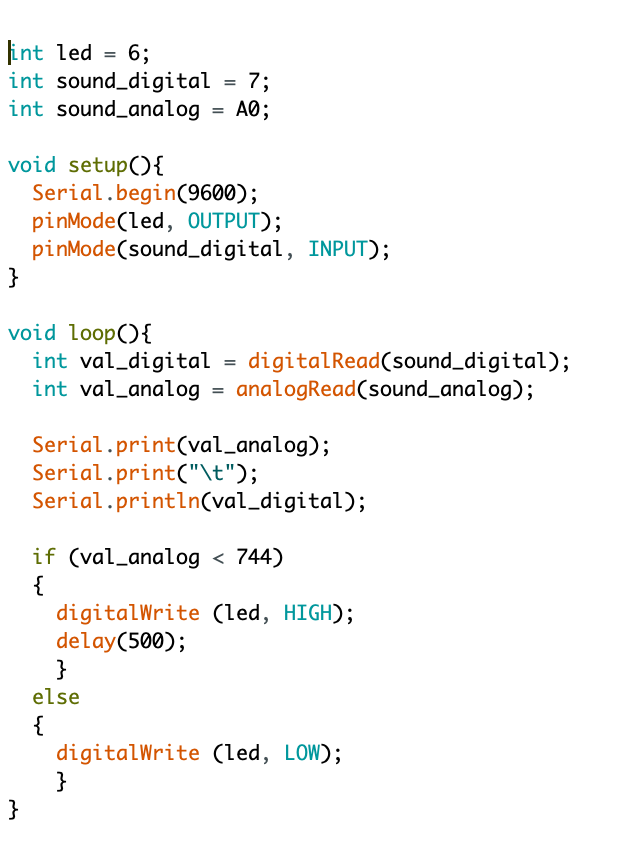
Code for sound-activated LED
-
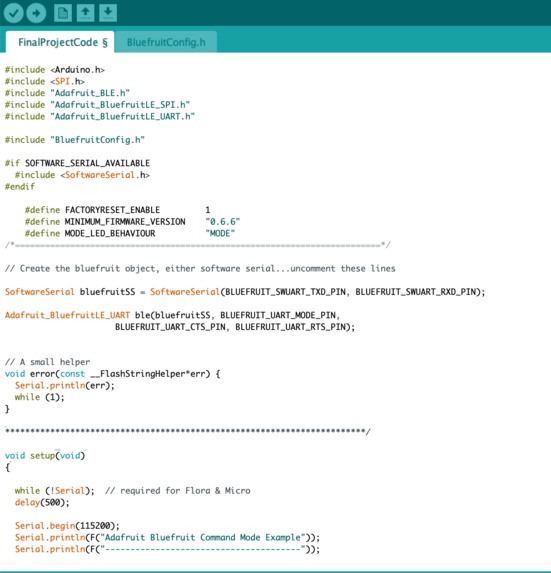
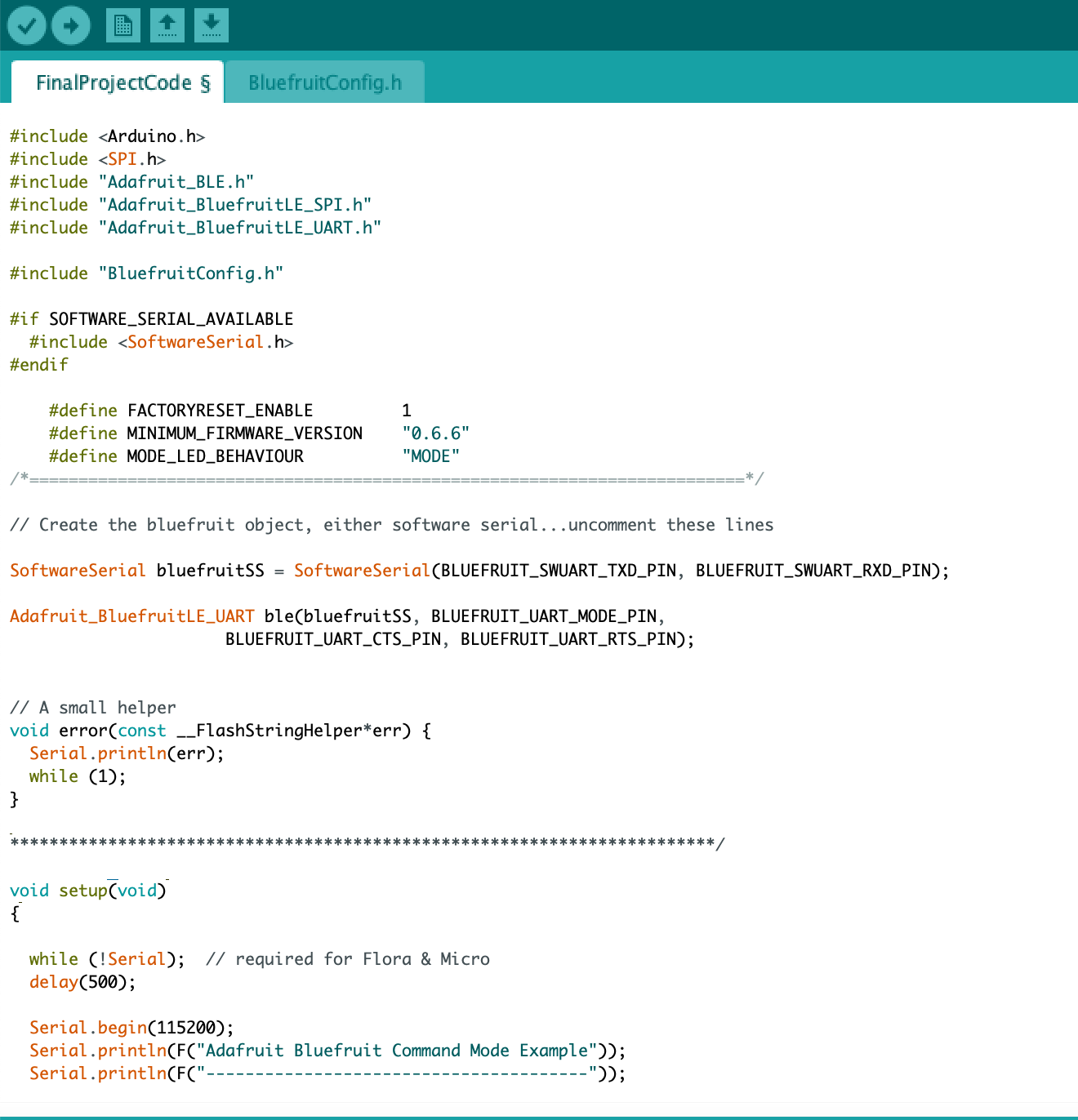
Beginning of bluetooth code from Adafruit Bluefruit LE nrF51
-
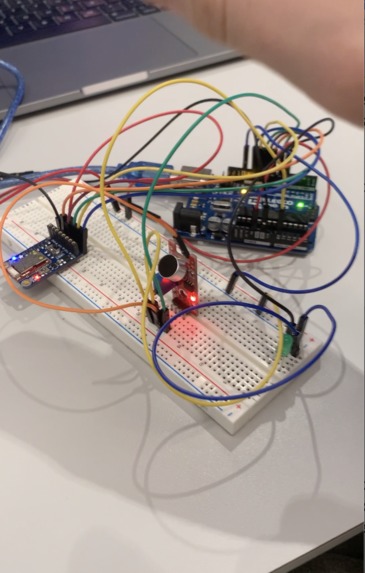
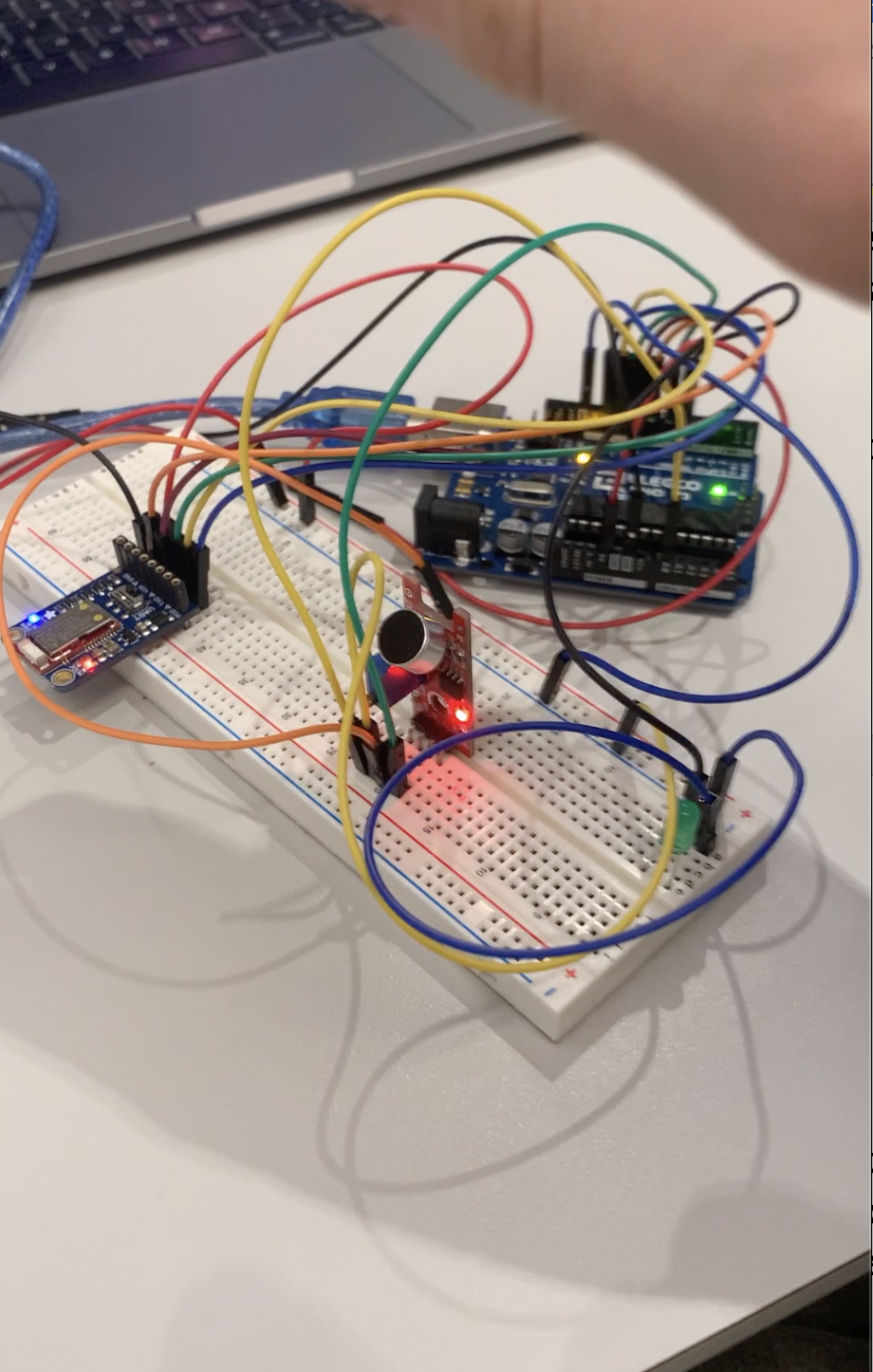
Hardware for Study Sense
-
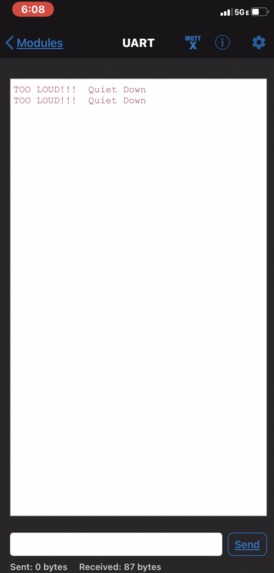
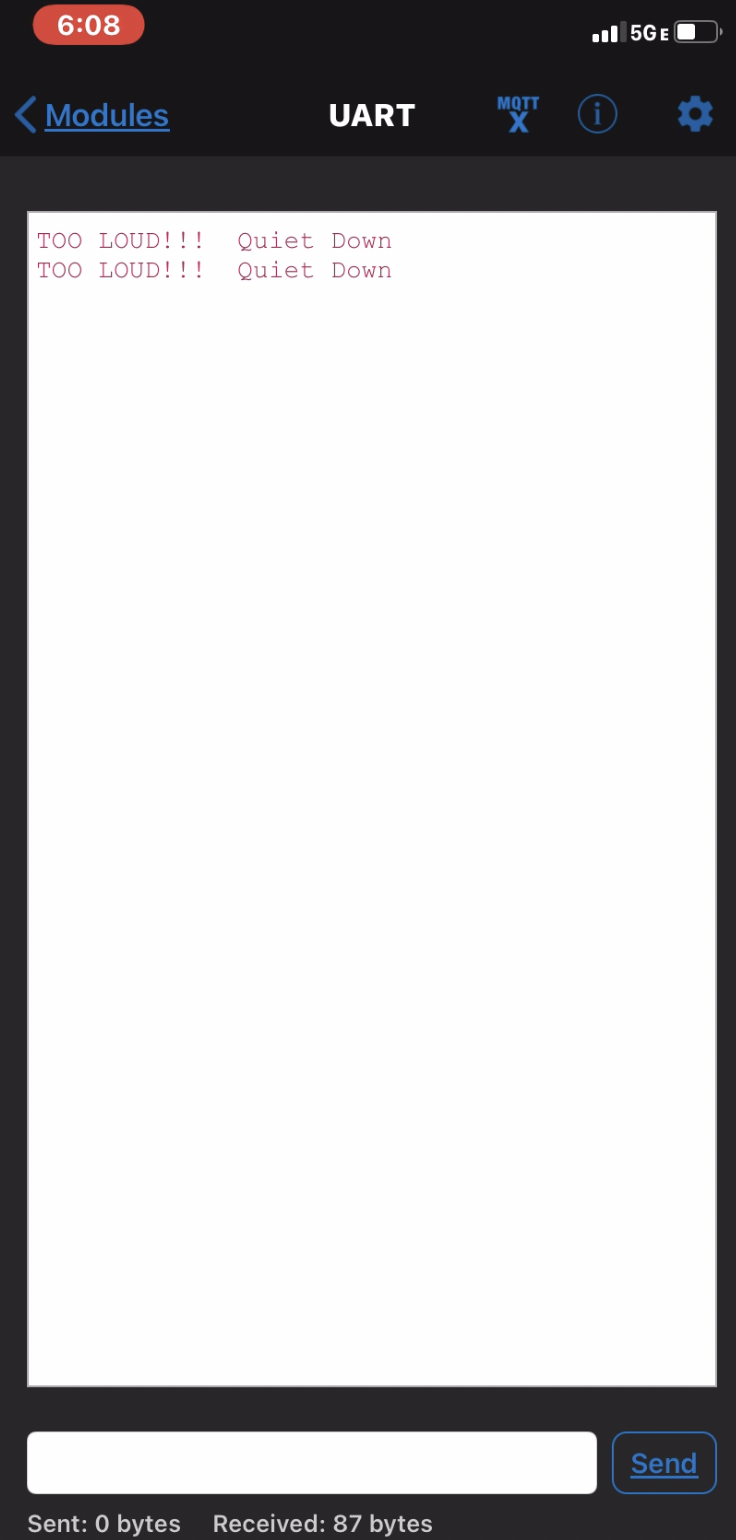
Bluetooth message displayed on phone when sound threshold is exceeded
Inspiration
Quiet study spaces at Penn are often restricted to certain students. Those that aren’t become so populated that the noise level is difficult to regulate. Jacob and I wanted to find a way to use our ESE knowledge and help students be mindful of their impact on others
What it does
The Study Sense product utilizes a microphone wired to an LED. When sound level exceeds a certain threshold, the LED has been coded to light up in order to alert the student that they need to quiet down. Study Sense will also send a message via bluetooth to the student's phone in case they do not see the light and are wearing headphones. With this product the school would require less investment in manpower to patrol quiet study spaces.
How we built it
We first created a circuit that wired an LED to a digital pin so that when the microphone reads above a certain sound threshold the code writes the LED as high and turns it on. Simultaneously, the Bluefruit LE UART friend would send a message from the serial monitor to the connected phone requesting that the student quiet down. The code for this will be shown below as well as the hardware. Parts used: Arduino Uno, breadboard, DEVMO microphone, Adafruit Bluefruit LE UART friend, USB to USB-C adapter, USB 2.0 Type-A/B cable, and wires for circuit.
Challenges we ran into
- The Bluefruit would not factory reset, and since most software in the library requires a factory reset we couldn’t test any code. We eventually had to build a button and hard reset multiple times as well as switch computers before the Bluefruit library would run.
- The Sound sensor was extremely finicky and only operates within a small decibel range that was difficult to find with the potentiometer. This made it difficult to test accurately in the lab.
- Integrating the microphone/LED functionality within the UART code proved nearly impossible despite breaking down the code and following the logic.
- We also had Issues with displaying necessary information on the serial monitor due to the Baud Rate being too high for the microphone to operate properly when running UART Code.
Accomplishments that we're proud of
We are proud of how we thoroughly utilized online resources to understand code structures and build a mostly-functioning product given our limited experience.
What we learned
- Hardware issues can cause huge bottlenecks and waste time if alternative parts are not available. Be flexible!
- Understanding the code skeleton is vital when trying to integrate new functionality.
- Don’t be afraid to ask for help even if it is a seemingly simple question.
What's next for Study Sense
- Buy or find a better microphone to detect ambient noise rather than noise in one direction.
- Automate Bluetooth message by integrating code into the if-statement that activates the light when sound exceeds a certain threshold.

Log in or sign up for Devpost to join the conversation.