-
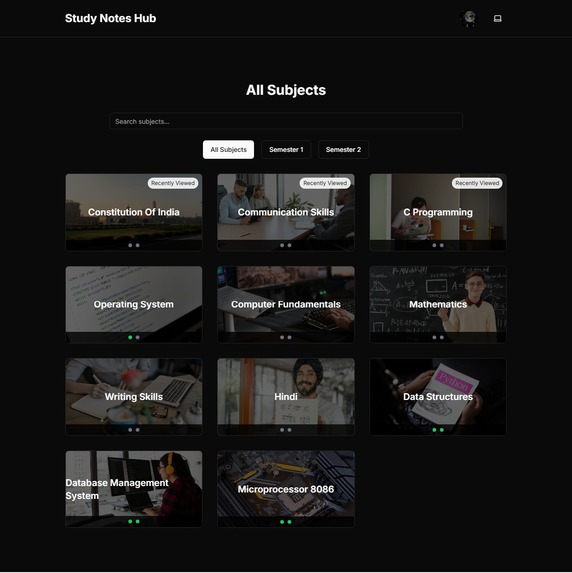
Home Page On Desktop With Dark Mode
-
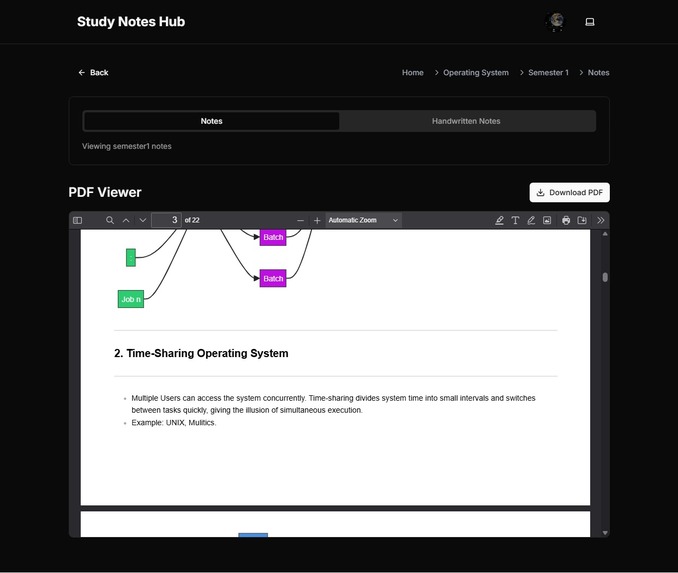
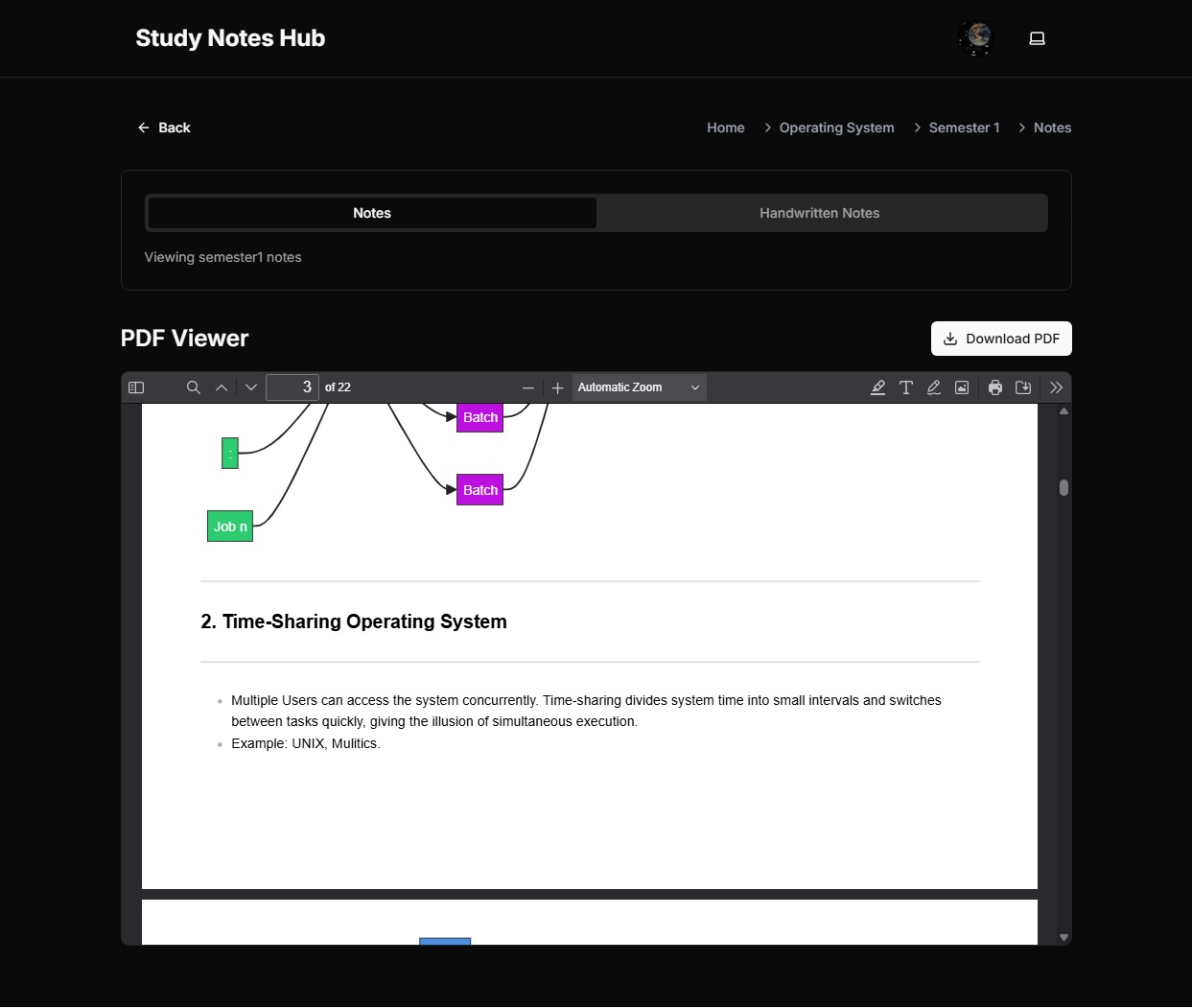
Subject Page On Desktop With Dark Mode
-
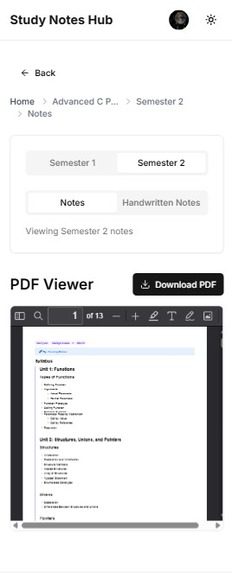
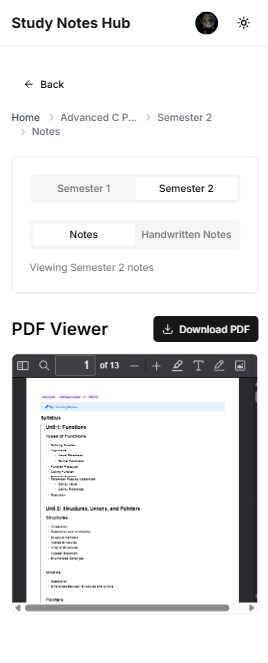
Subject Page On Mobile With Light Mode
-

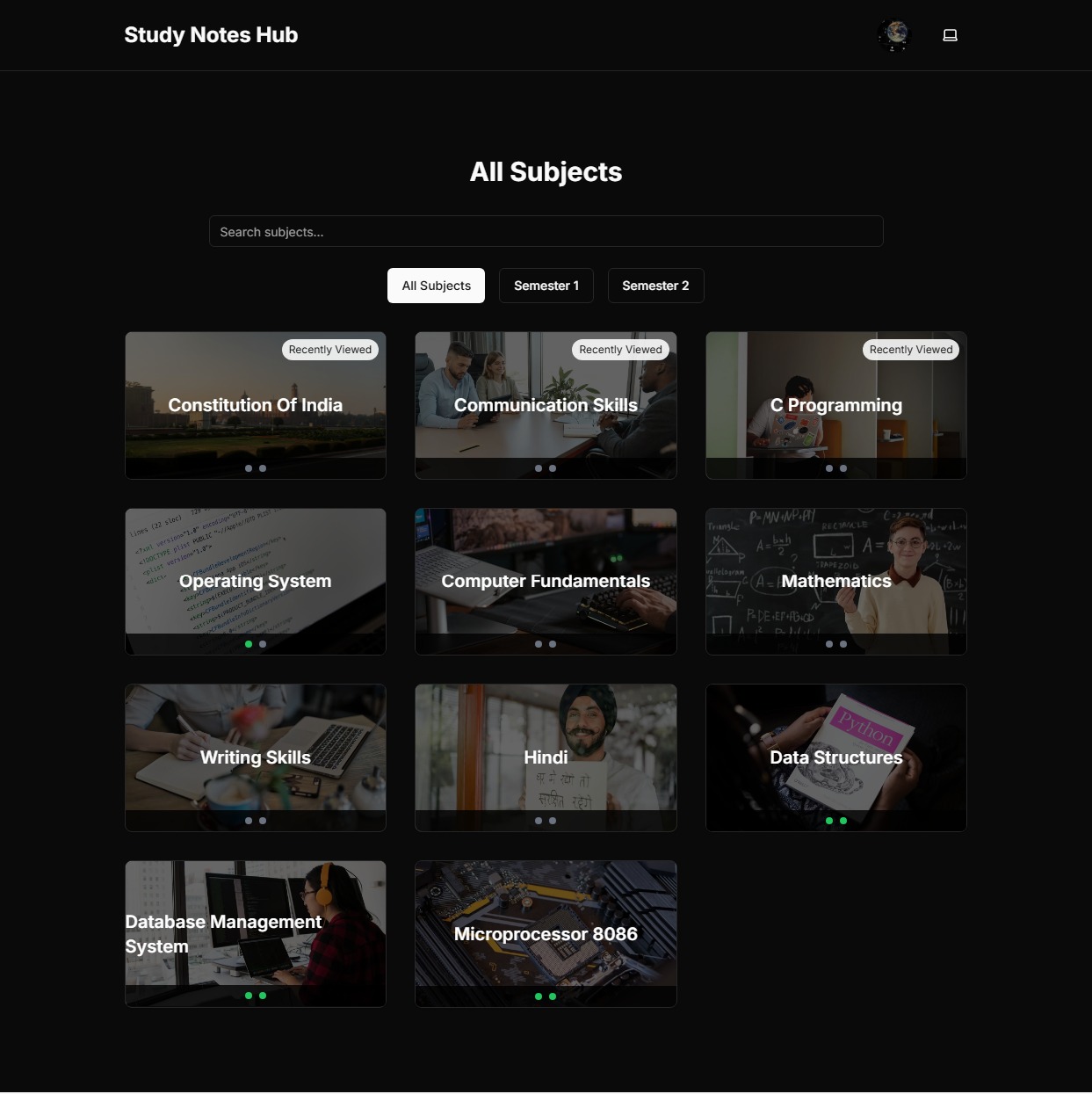
Home Page On Mobile With Light Mode

Study Notes Hub: A Journey of Collaboration and Learning
Introduction
Study Notes Hub is a web-based platform I created to simplify the process of sharing and accessing study notes for my college classmates. It’s a centralized hub where students can browse, view, and download notes for various subjects, organized by semesters and note types—regular and handwritten. Built with modern web technologies, it offers an intuitive and seamless user experience, making it easier for everyone to stay on top of their studies.
Inspiration
The idea for Study Notes Hub was born out of a common struggle I noticed among my classmates. Sharing notes was often a chaotic process—emails got lost, group chats were flooded with messages, and not everyone had access to the latest materials. One specific moment stood out: a close friend missed a crucial lecture due to illness and spent hours scrambling to collect notes from multiple people. It hit me then that we needed a better solution. I was inspired to create a platform where all our study resources could live in one place, easily accessible to everyone, fostering collaboration and reducing stress.
What I Learned
Building Study Notes Hub was a massive learning curve, and I picked up a ton of skills along the way:
- Front-end Development: I dove deep into React, mastering how to build dynamic and responsive interfaces. I learned to manage state, create reusable components, and handle routing with React Router.
- Styling: Tailwind CSS became my go-to for styling. Its utility-first approach let me craft a modern, consistent design quickly while keeping it responsive across devices.
- PDF Integration: Integrating PDF.js taught me how to render PDFs directly in the browser, ensuring notes were easy to view without extra downloads (unless desired).
- Project Management: I got hands-on with Git for version control, learning to track changes and collaborate effectively. Planning and breaking the project into manageable pieces was a skill in itself.
- Deployment: Deploying to Vercel introduced me to the world of hosting, continuous integration, and managing a live application.
Beyond the technical stuff, I learned about user experience—how small design choices, like a clear navigation bar or a theme toggle, can make a big difference for users.
How I Built It
Here’s a rundown of how I brought Study Notes Hub to life:
Technologies:
- React: The backbone of the UI, powering dynamic components and state management.
- Vite: My build tool of choice for its lightning-fast development server and optimized builds.
- Tailwind CSS: For quick, responsive styling with a modern look.
- shadcn/ui: Pre-built components that saved time and gave the interface a polished feel.
- React Router: For smooth navigation between the home page and subject pages.
- PDF.js: To embed PDF viewers for notes right in the browser.
- Vercel Analytics: To track usage and spot areas for improvement.
Process:
- Planning: I sketched out the features—subject browsing, semester tabs, note type selection, and a PDF viewer—based on what my classmates needed most.
- Design: I created simple wireframes to map out the layout, focusing on usability and clarity.
- Development: I started with the home page, building a grid of subject cards, then added the subject page with tabs and the PDF viewer. Local storage tracked recently viewed subjects and progress.
- Testing: I tested across devices and browsers to ensure everything worked smoothly, tweaking responsiveness as needed.
- Deployment: I pushed it live on Vercel, setting up a GitHub workflow for automatic updates with every change.
Challenges Faced
No project is without its bumps, and Study Notes Hub had its share:
- PDF Rendering: Getting PDF.js to work consistently was a headache. Some PDFs didn’t load properly across browsers, and I had to fiddle with configurations to handle different file sizes and formats.
- Responsive Design: Making the site mobile-friendly was tougher than I expected. The PDF viewer, in particular, needed extra tweaking to fit smaller screens without breaking the layout.
- State Management: Tracking progress (like which notes a user had viewed) and syncing it across components in React took some trial and error. I ended up using local storage, but ensuring it updated correctly was tricky.
- Deployment Hiccups: My first Vercel deploy failed because of misconfigured static assets. I spent hours debugging file paths and environment settings to get it right.
Each challenge was a puzzle to solve, and overcoming them made the project stronger—and me a better developer.
Conclusion
Study Notes Hub is more than just a tool; it’s a solution born from real student needs. It’s been incredible to see my classmates use it, saving time and staying organized. This project taught me not just how to code, but how to build something meaningful for others. Looking ahead, I’d love to add features like user-uploaded notes or a commenting system to make it even more collaborative. For now, I’m proud to have created a resource that’s making our college lives a little easier, one note at a time.
Built With
- react
- vite


Log in or sign up for Devpost to join the conversation.