Inspiration
In tune with the music theme, we all listened to Lofi music to get to work. The art for the playlist itself is beautiful and draws you in, almost creating an entire atmosphere just by listening. We were inspired by this, hoping to attribute and embrace our artistic, creative skills as well. We then targeted a problem: running out of study rooms. We combined all these factors into one: a study environment available at any time, complete with music and our own art, in order to solve a problem.
What it does
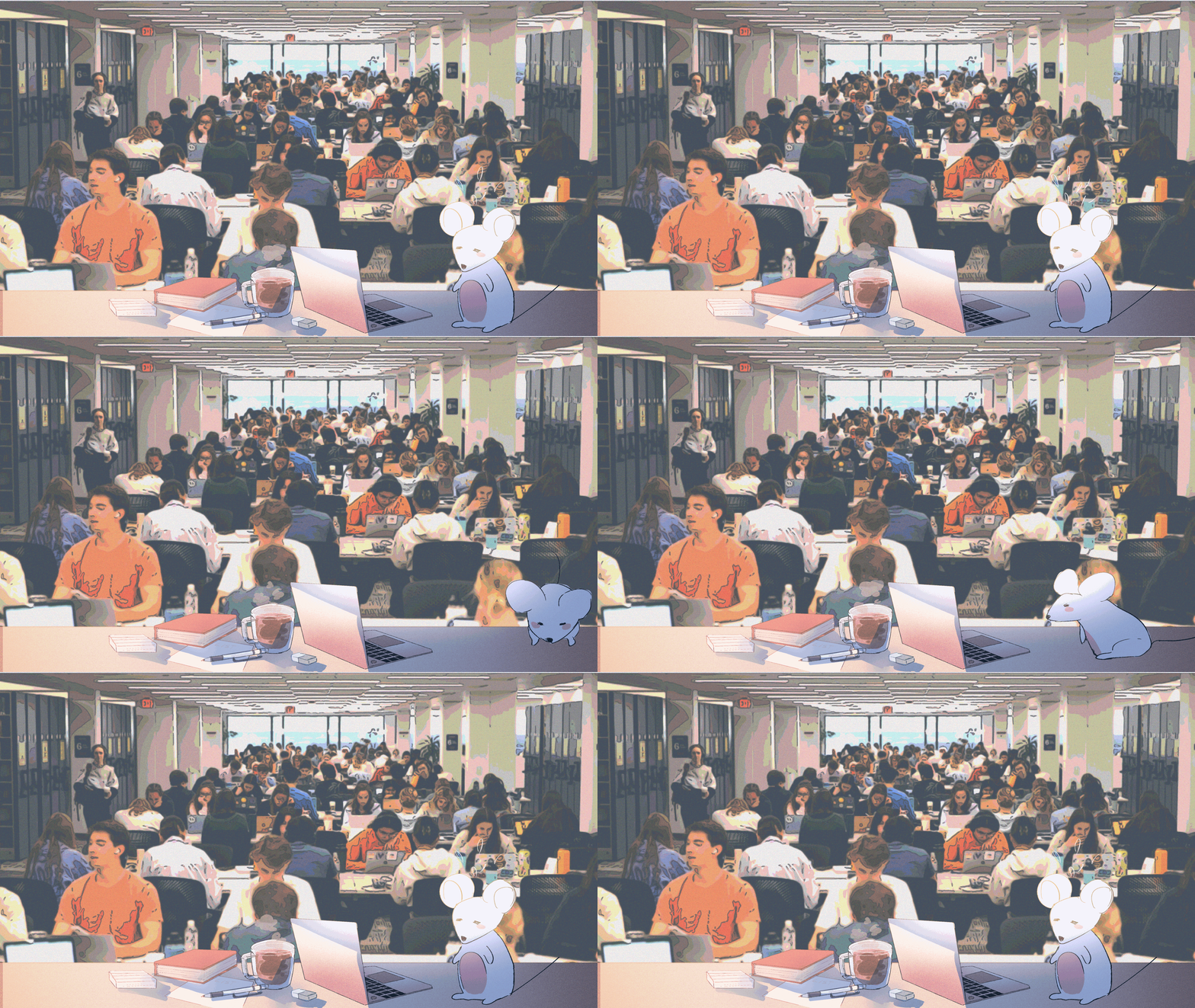
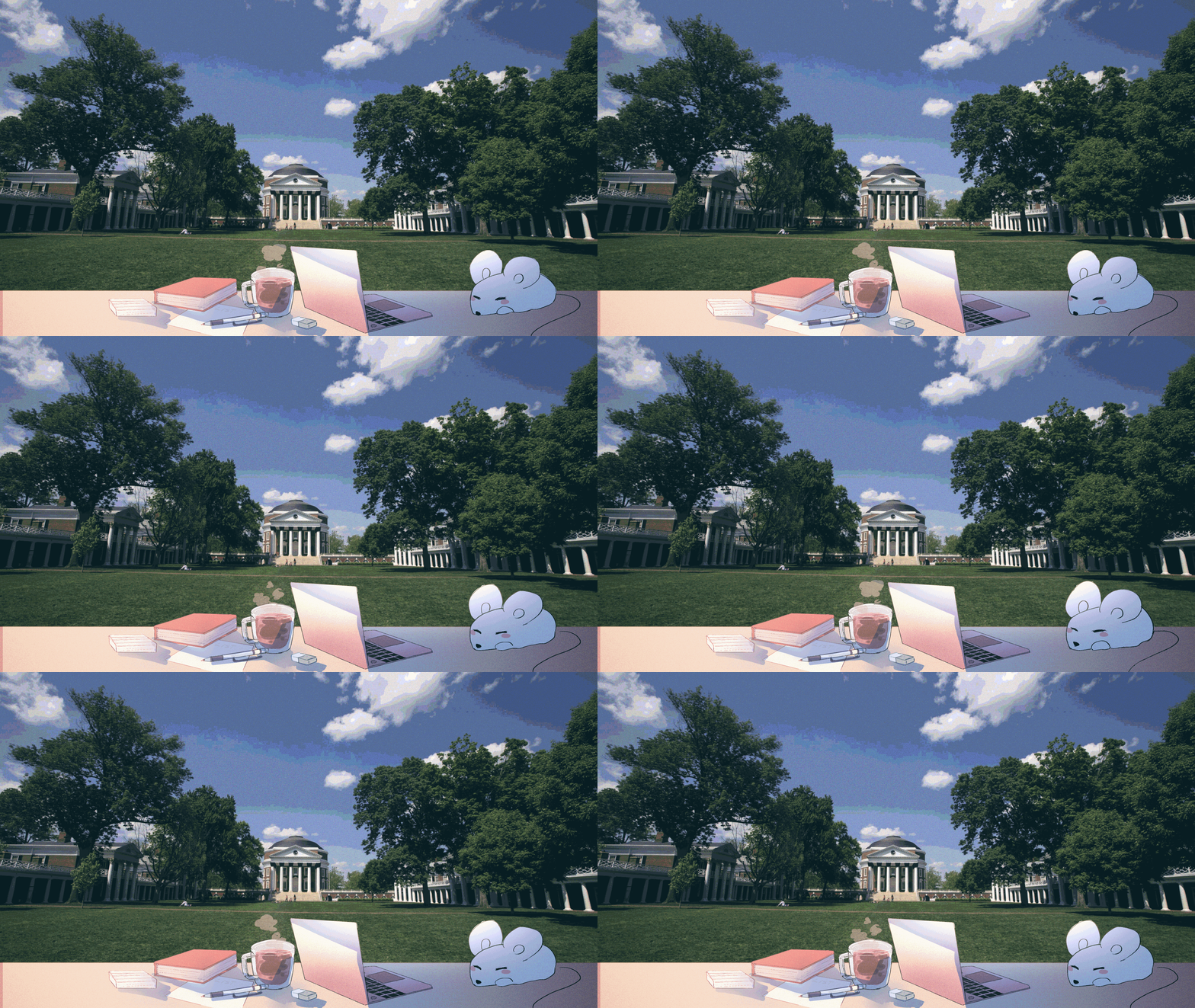
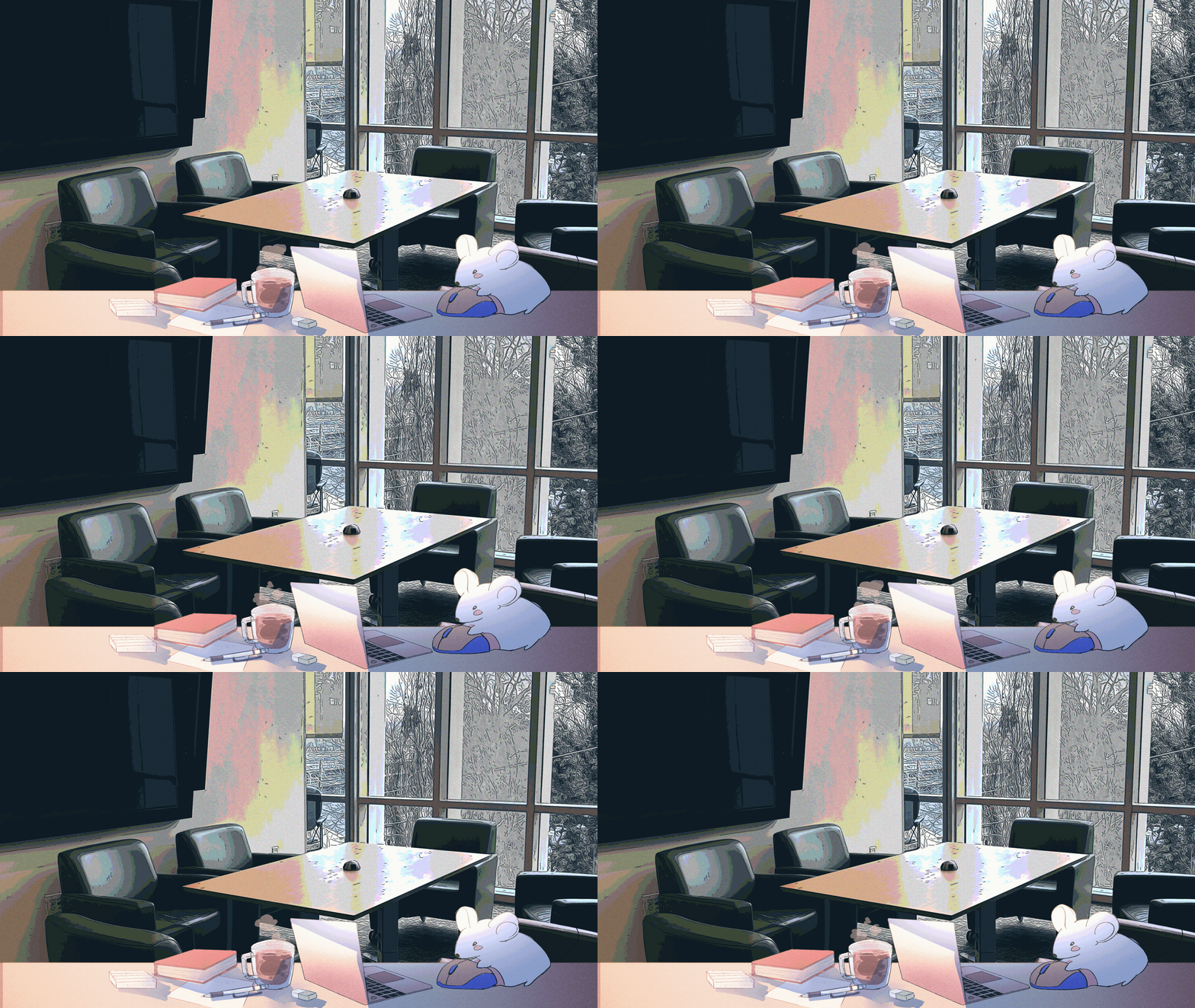
Study Mouse creates an all-in-one distraction free studying environment, combining music that increases focus and an animated mouse that has custom moods to match your own. You can select your own backgrounds that are central to the UVA studying experience such as Clemons Library, Rice Hall, and even the Lawn for calmer days. A timer with set intervals of 30, 60, and 90 minutes is included for focus sessions. All these features combine into a comprehensive UVA studying experience for both you and your study mouse!
How we built it
Study Mouse was built on VSCode with programming languages such as JavaScript, HTML, CSS, and Python. JavaScript was used to make our buttons and timer functional. HTML and CSS were used to design the website’s frontend appearance and implement the background images/mouse GIF. Lastly, our python app.py file contains the backend, while ngrok was used for deployment. An additional tool was Clip Studio Paint, which was used for the mouse animation and editing the backgrounds.
Challenges we ran into
One challenge we ran into was writing the code for the timer. There were several functions, so it was a hassle to connect them to each other and to the HTML. Another challenge we had was adjusting the background. When you set an image to a background, it may not fit the screen properly depending on what laptop size you have. After experimenting with the settings, we then found an easy solution: to lock the background at the center bottom. We realized that we didn’t have to adapt the ratios every time. We simply had to keep the key visual, the mouse, in frame. This challenge taught us that prioritizing can lead to the cleanest solutions.
Accomplishments that we're proud of
We’re proud of the study companion mouse GIF we incorporated onto the website’s interface primarily for the reason that it was hand-drawn and animated frame-by-frame by our teammate Ashley. Other than this visual aspect, we’re also proud of our fully-functional features that allow for a more personalized user experience.
What we learned
For all four of us, this was our first hackathon, so we got to experience building a project under a tight deadline. Additionally, we didn’t have a lot of experience in JavaScript, so that was a learning curve for us that we had to overcome. Ultimately, we were able to learn more about a coding language, enhance our communication skills, and apply our analytical background to a project we were all passionate about.
What's next for Study Mouse
In the future, we would like to add more playlists to create a curated space for many different study moods. We would also like to add more focus levels that implement other study locations on Grounds such as Shannon, the Data Science Building, and Contemplative Commons. We also want to include white noise as a feature in the future.

Log in or sign up for Devpost to join the conversation.