Inspiration
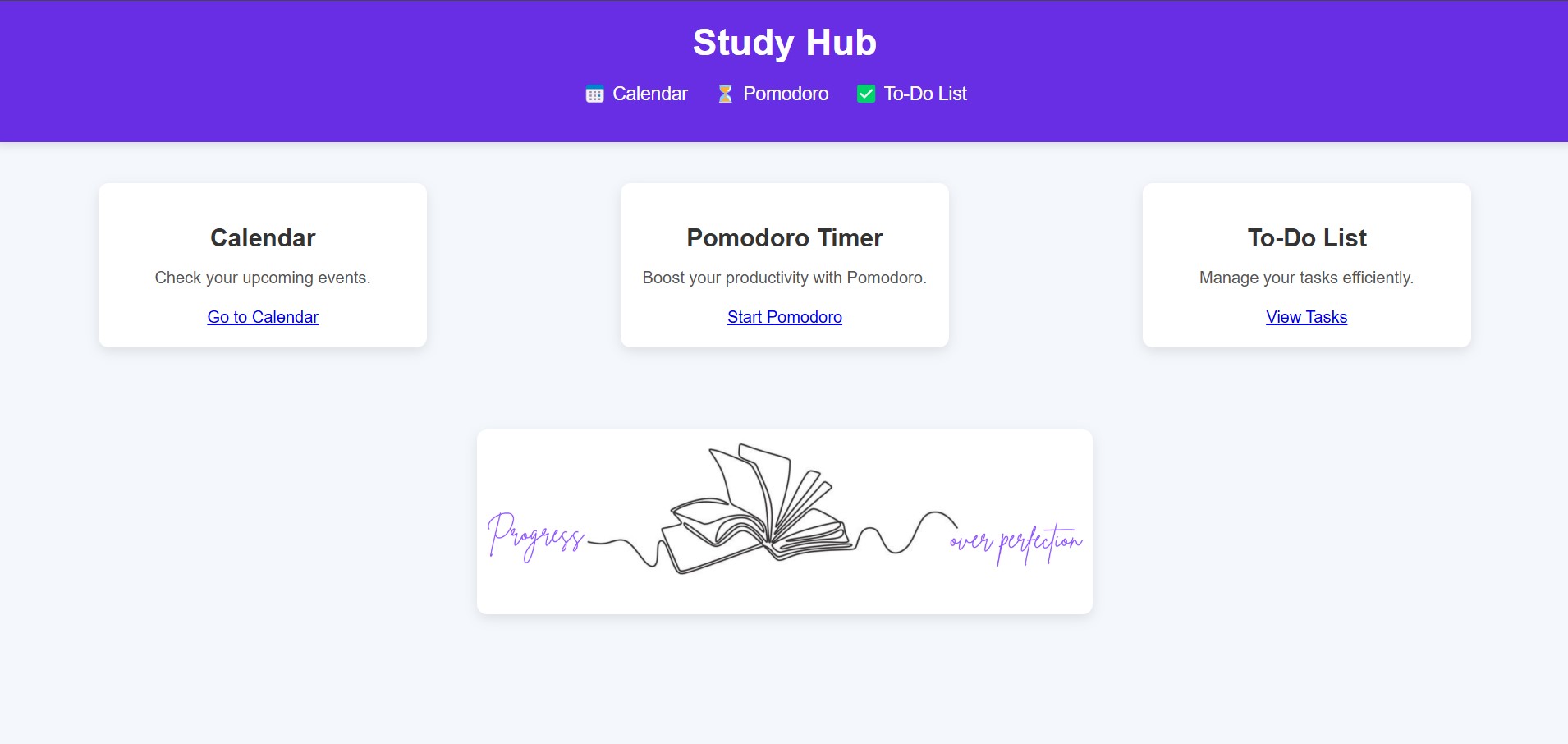
Study Hub was created to address the struggles that college students face in managing their time effectively. With the overwhelming demands of assignments, lectures, and extracurricular activities, students often find themselves juggling multiple deadlines and struggling with procrastination. The goal of Study Hub is to streamline the process of organizing and managing their study routine through a dynamic platform that brings together essential tools like a calendar, pomodoro timer, and to-do list into one cohesive app.
What it does
The development of Study Hub provided valuable insights into several key areas:
Integrating Multiple Features:
- Combined a Calendar, Timer, and To-Do list to create a Seamless User Experience
Real-Time Handling:
- Managing Dynamic Data like Deadlines, Events, and Timers required careful attention to Time-Sensitive Updates and Interactions
Front End Development with JavaScript:
- Demonstrated how JavaScript can manage User Interactions
User Interface (UI) Design:
- Reinforced the Importance of Creating an Intuitive and simple UI that allows students to focus on their tasks without distractions
How we built it
Frontend Development (HTML, JavaScript, CSS):
User Interface: Designed using HTML, with JavaScript providing the dynamic functionality for key features
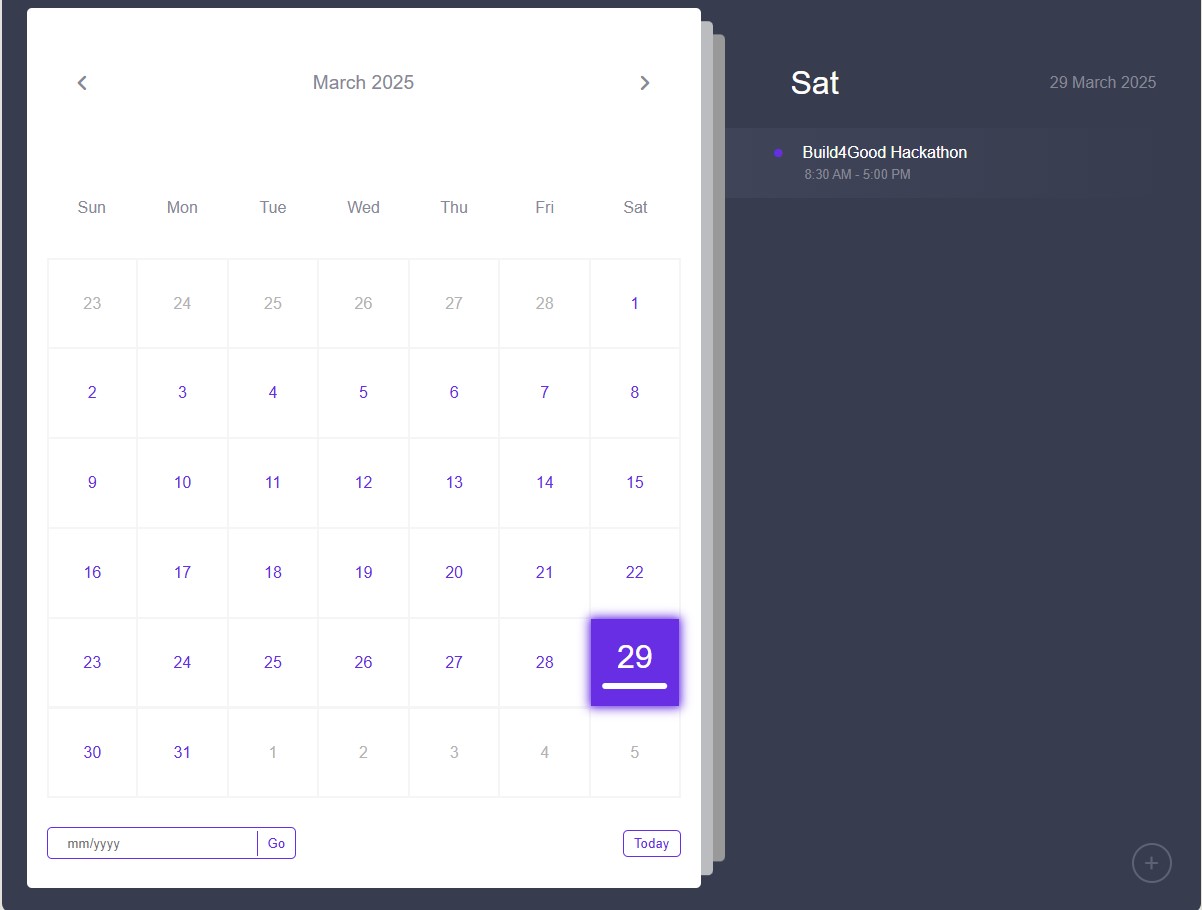
Calendar: A Dynamic Calendar was created using JavaScript, allowing users to add events with specific dates and times. The calendar displayed events in real-time to help users manage their schedules
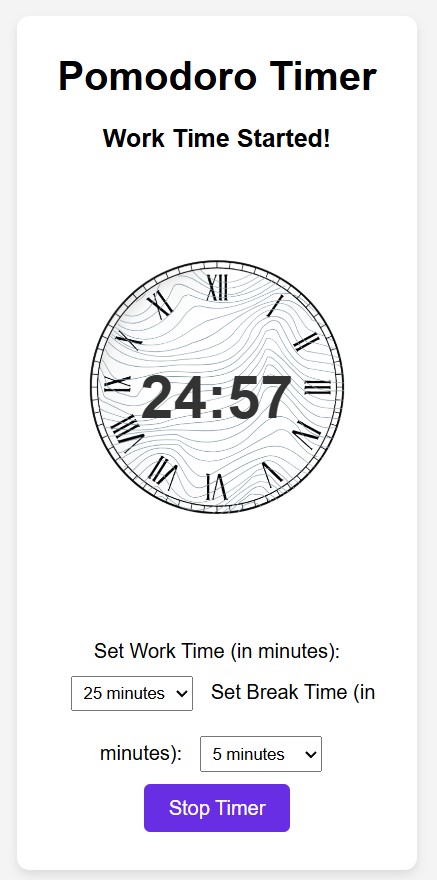
Pomodoro Timer: The Pomodoro Timer was built to help users maintain productivity by encouraging focused study sessions followed by short breaks
To-Do List: The To-Do List allows users to add, delete, and mark tasks as completed. JavaScript was used to manage tasks dynamically, and users could view their tasks in a real-time list
Backend Development (JavaScript & HTML):
- JavaScript was used to process data and ease communication between various functionalities on the backend. Because the program did not require complicated server-side actions, data was managed using simple structures and saved locally on the client side
Feature Integration:
- Ensuring that the Calendar, Pomodoro timer, and To-Do list all functioned together seamlessly needed careful coordination. The Pomodoro timer needed to connect with task deadlines, alerting users when their work sessions were almost done
Styling & User Interface:
- The application was styled using basic CSS, with a focus on clarity and simplicity. The goal was to design an interface that was clear, simple to use, and visually appealing to children. To ensure that the app remained effective without becoming overwhelming, a minimalist approach was used
Challenges we ran into
One of the biggest challenges we faced during the hackathon was the tight time limit, especially since half of our group were beginners. With limited time, we had to quickly get on the same page, define our goals, and brainstorm ideas. Once we were clear on the direction, we had to divide the tasks and rely heavily on one another to ensure the project was completed on time.
Another challenge was the design aspect—particularly with the sizing and overall look of the user interface when trying to combine the calendar, Pomodoro timer, and to-do list. Balancing functionality with an intuitive, aesthetically pleasing layout proved to be tricky, and it took up more time than we anticipated.
Unfortunately, due to the time constraints and energy spent on perfecting these core features, we weren’t able to integrate the Spotify playlist functionality as we had originally planned.
Accomplishments that we're proud of
Seamless Integration of Features:
- One of the most significant milestones was the seamless integration of the dynamic calendar, Pomodoro timer, and to-do list into a single application. This connection ensured that users could seamlessly switch between jobs, manage their time effectively, and track deadlines—all inside one platform
Improved Productivity and User Experience:
- The Pomodoro timer function, when combined with the ability to track activities and events, has the potential to greatly boost productivity. The software helps students stay focused and prevent procrastination by using tried-and-true time management strategies
Simple, Yet Effective User Interface:
- Despite the intricacy of the capabilities, the app was built with a clean and basic interface that kids can use without feeling overwhelmed. We are particularly proud of the user-friendly design, which allows users to focus on their studies rather than dealing with a complex interface
What we learned
One of the key lessons we learned was how important it is to integrate multiple features into one cohesive system. By combining a calendar, Pomodoro timer, and to-do list, we realized how each piece of functionality not only enhances the user experience but also works together to keep students organized and productive. Accomplishing this in a time limit was also an important lesson, because we learned to divide aspects of the project and uploaded it to git-Hub, and then combined all of it to create a website that is user-friendly and goal oriented.
What's next for Study-Hub
Natural sounds, such as rain or earthy sounds, can help elevate the mind and ease students into a productive and comfortable mood. Including this as a custom option in the Pomodoro timer would be a great addition. Additionally, extending the app to integrate with Spotify playlists, automatically retrieve tasks from Canvas, and add them to the Study Hub would enhance its functionality. Sending reminders through email or text would further help students stay on track and organized.

Log in or sign up for Devpost to join the conversation.