-
-
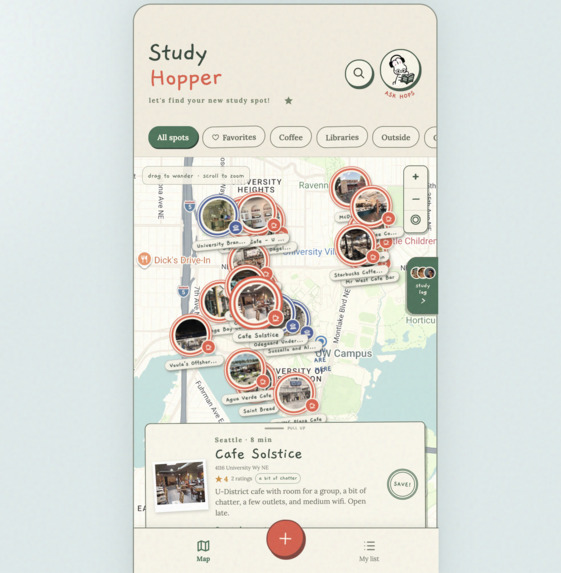
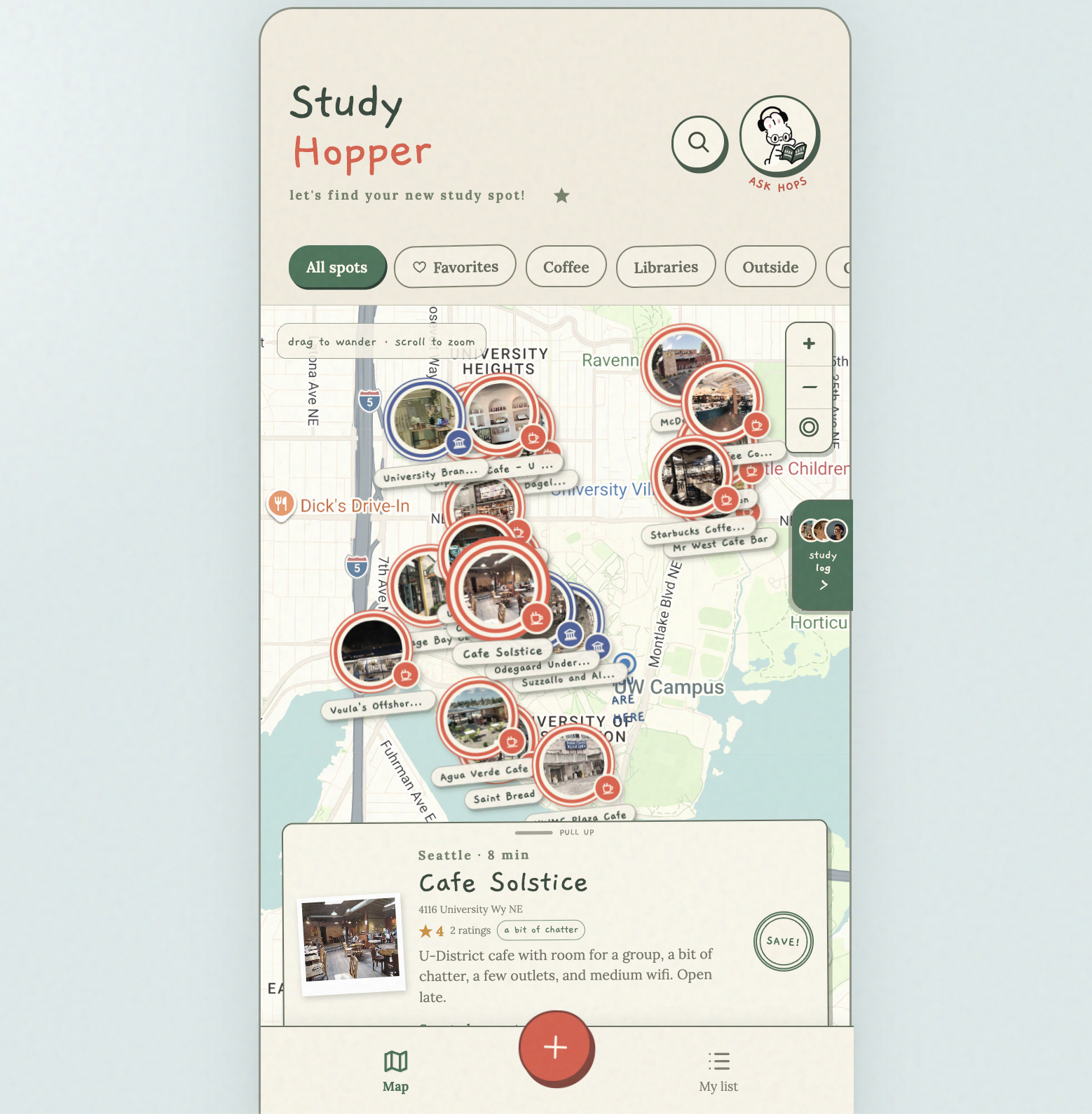
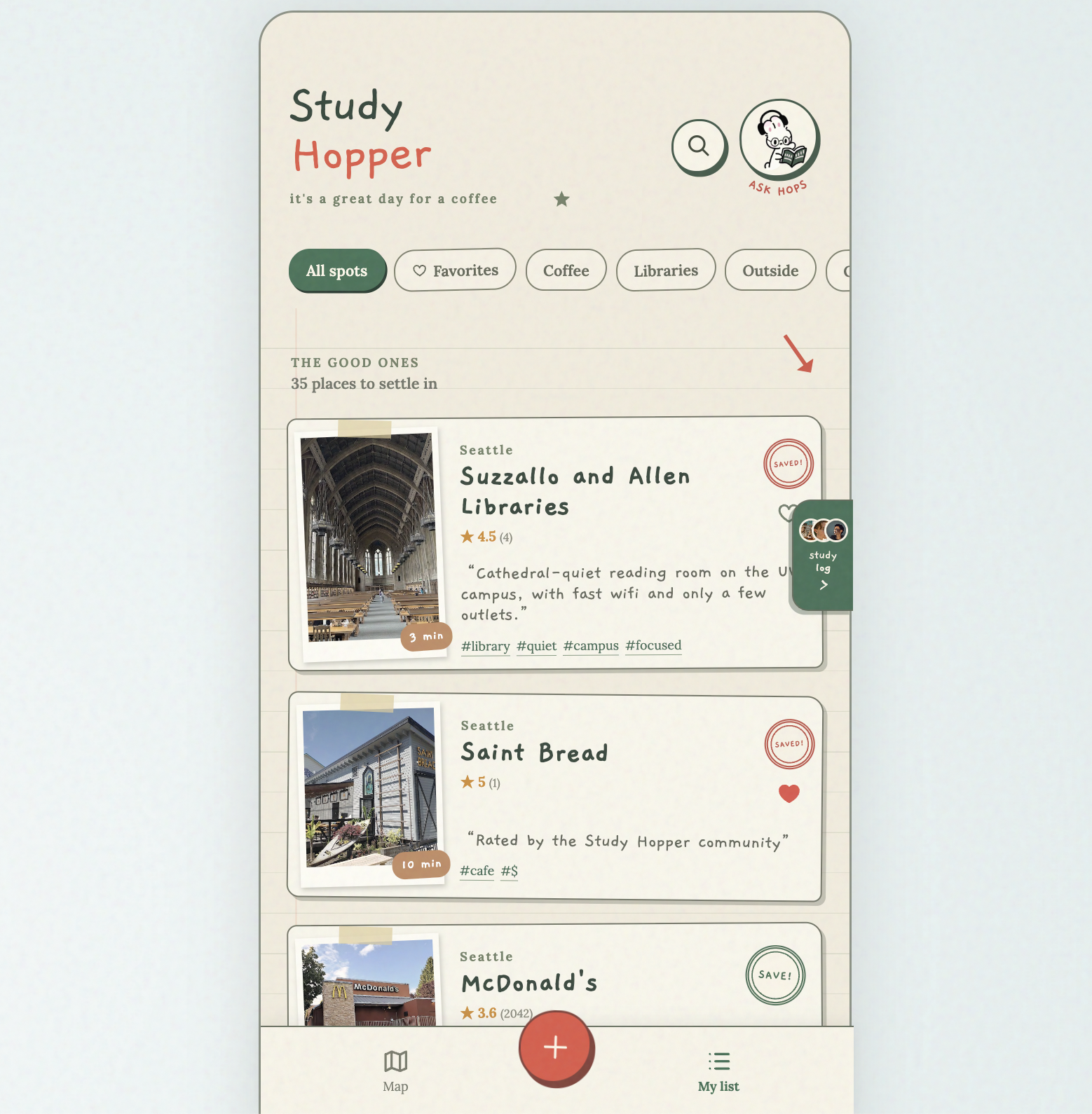
Main Page! Discover new cafes and libraries around you
-
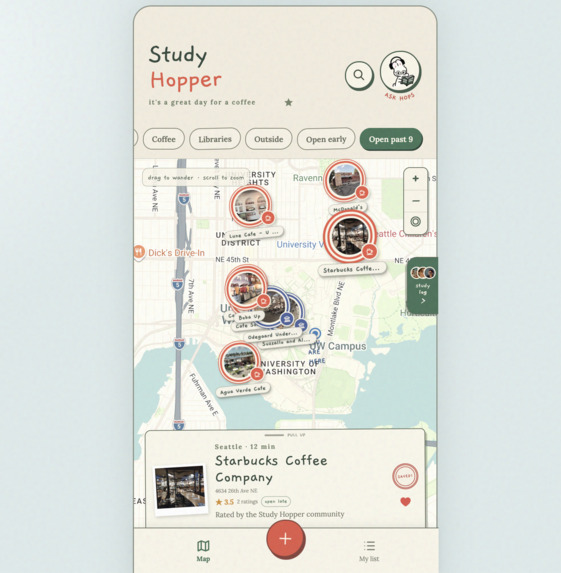
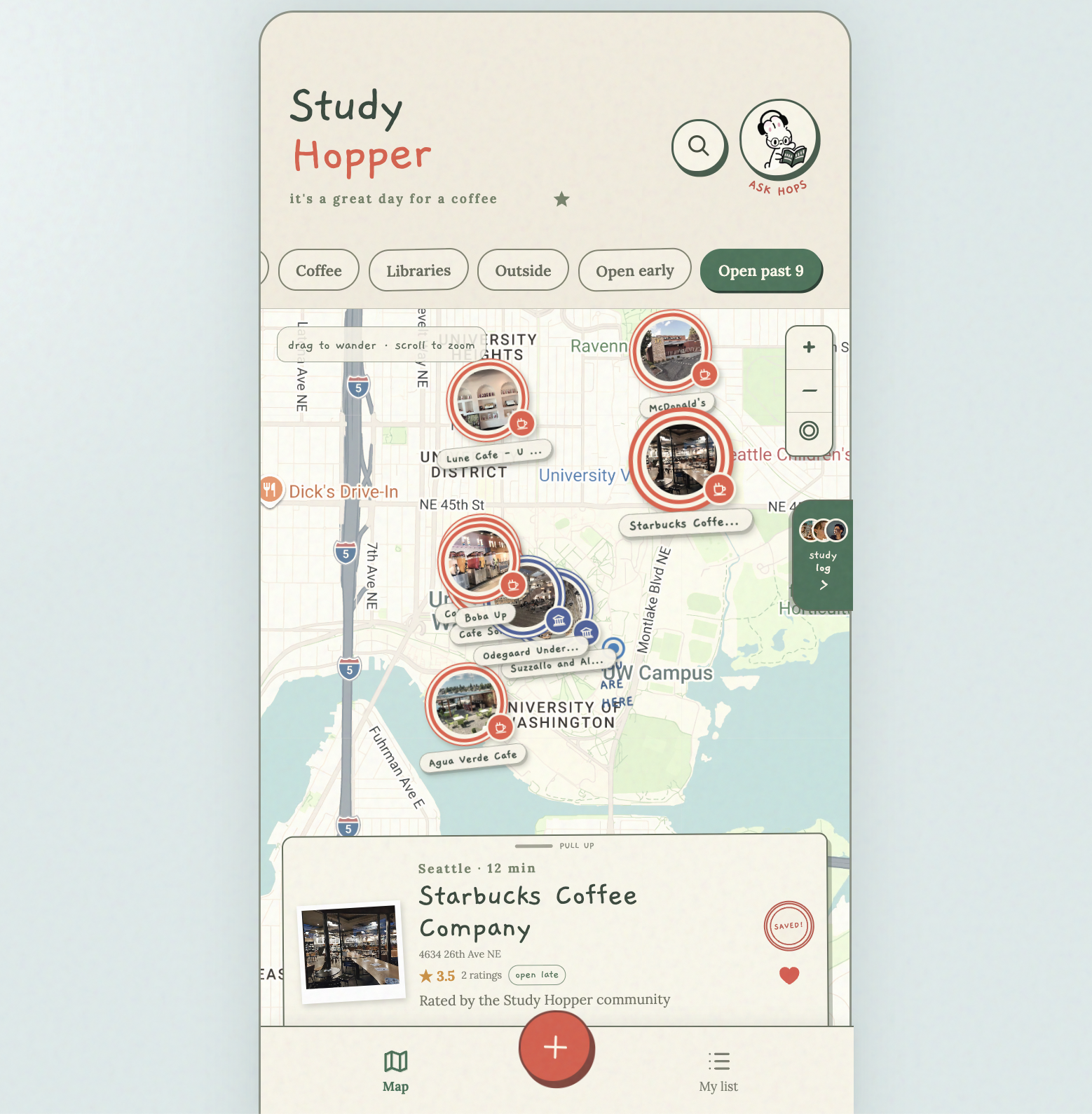
Filter by categories: Favorites, Coffee, Libraries, Open past 9, and more!
-
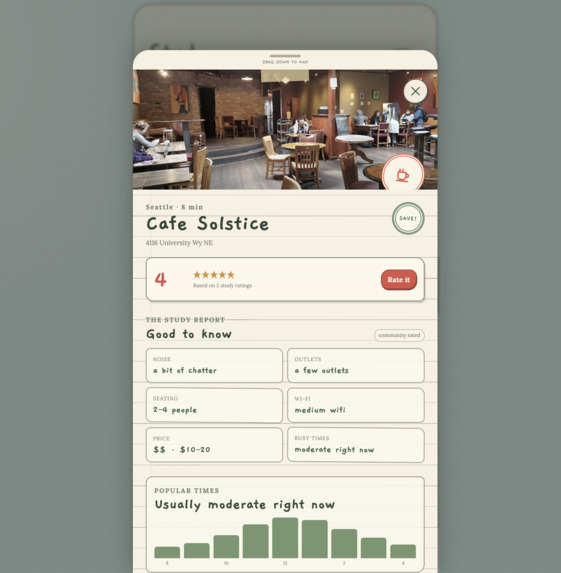
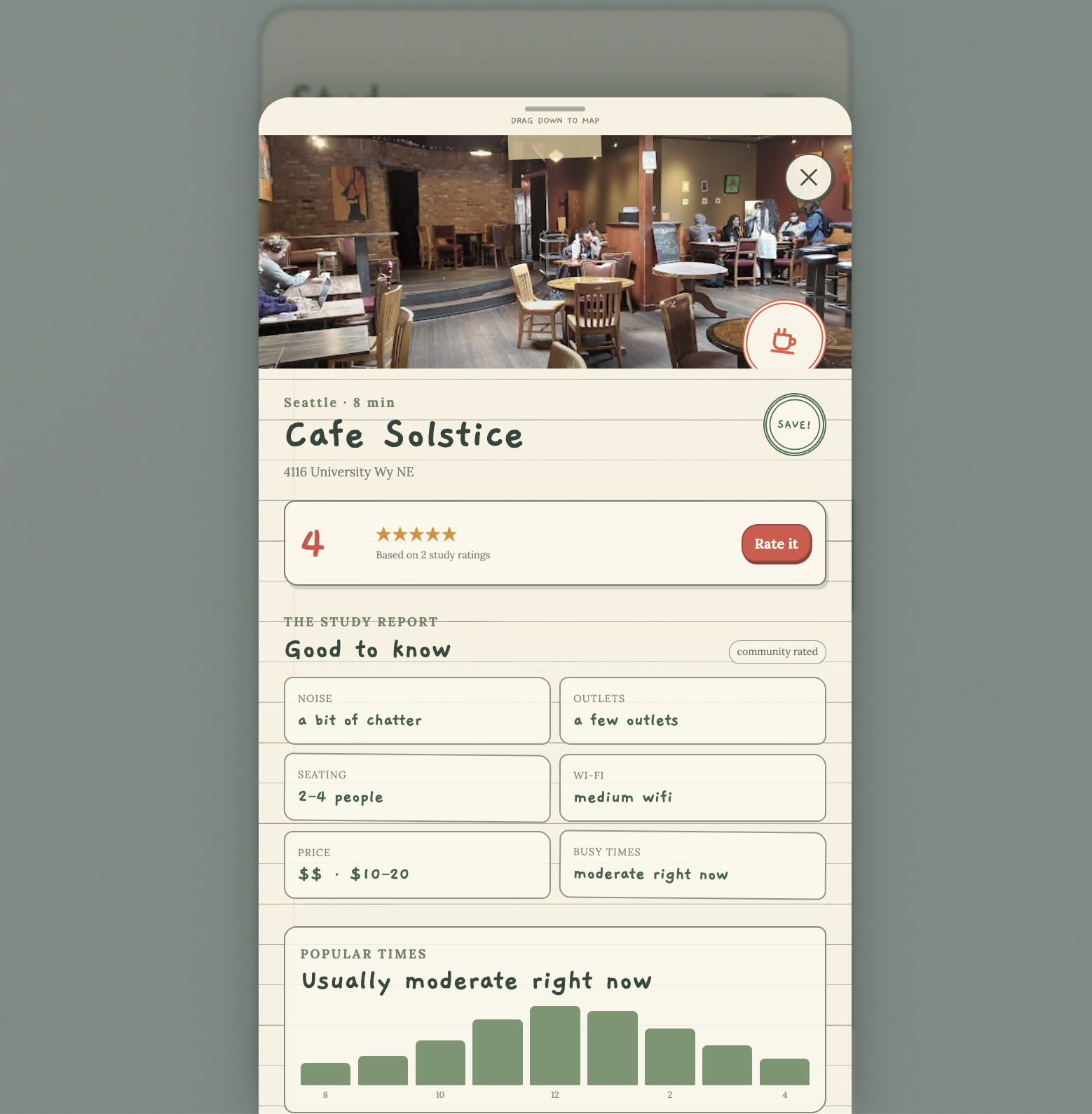
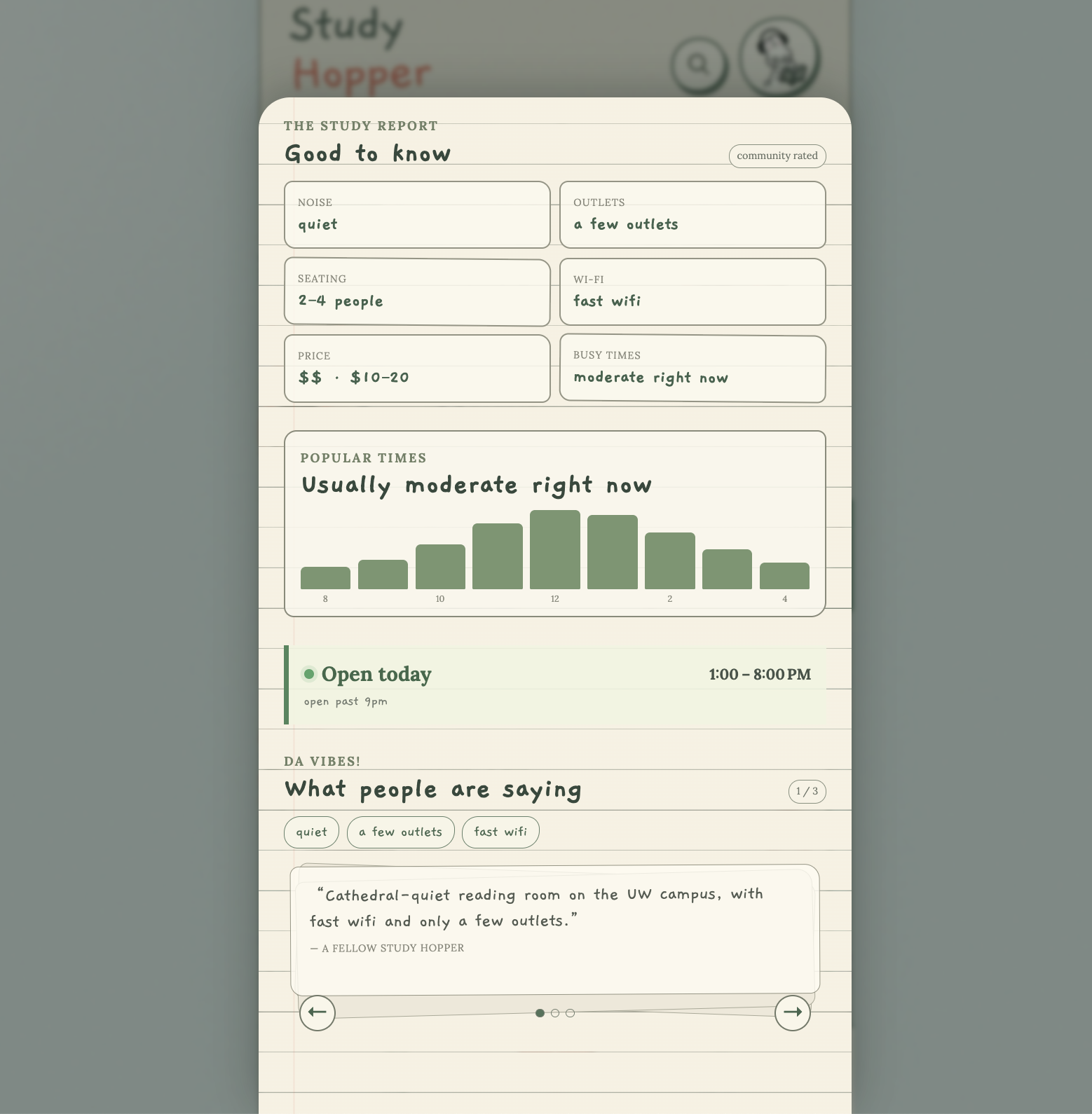
Look into each spot's information--noise, outlets, seating, wifi, price, and times!
-
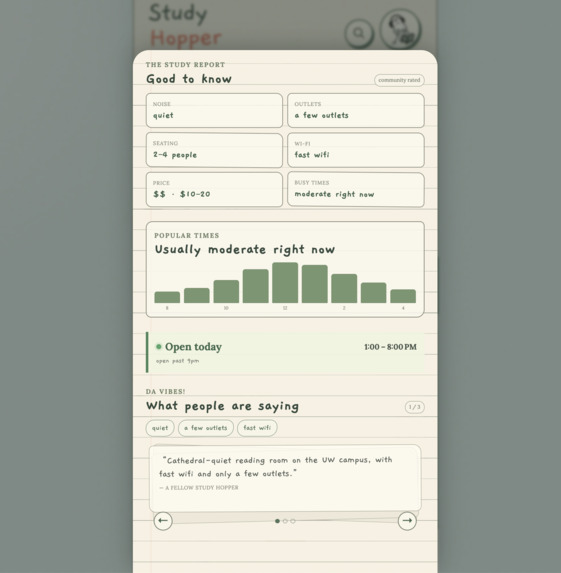
Check each store's average busy times, and see what reviews people are leaving!
-
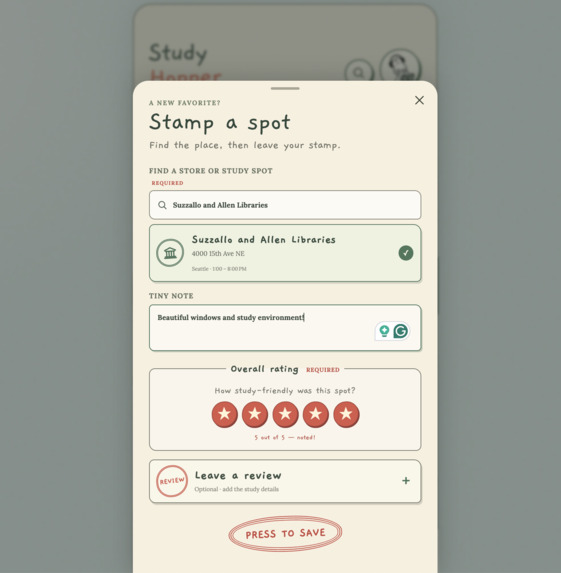
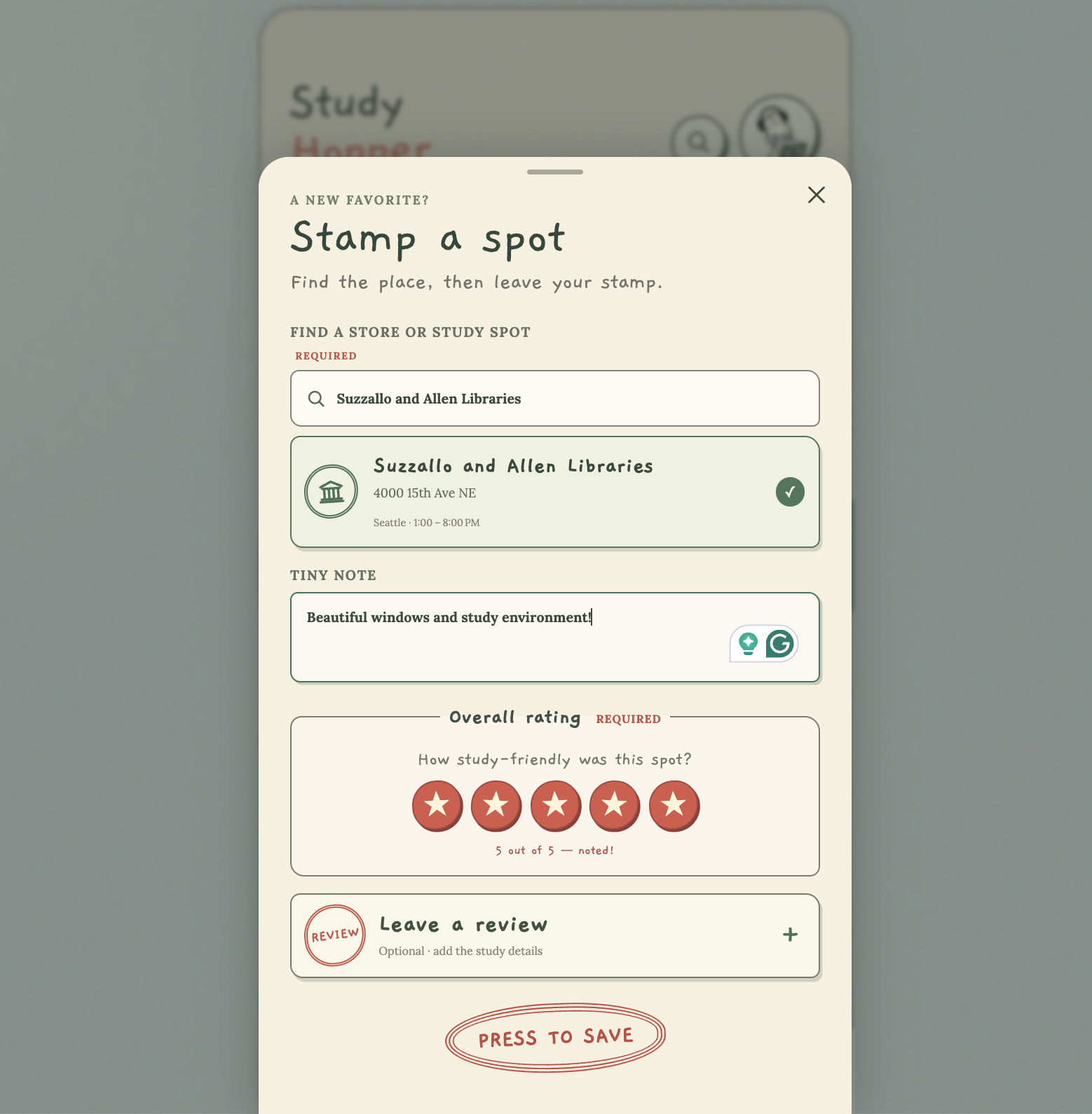
Stamp a spot and leave a review! Save it to your list to come back to
-
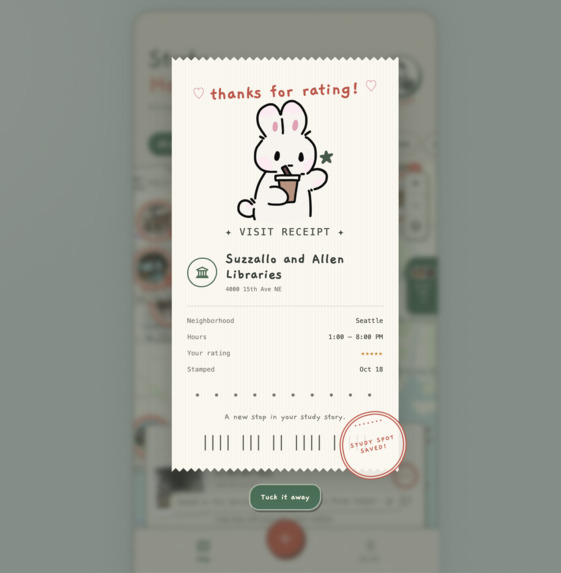
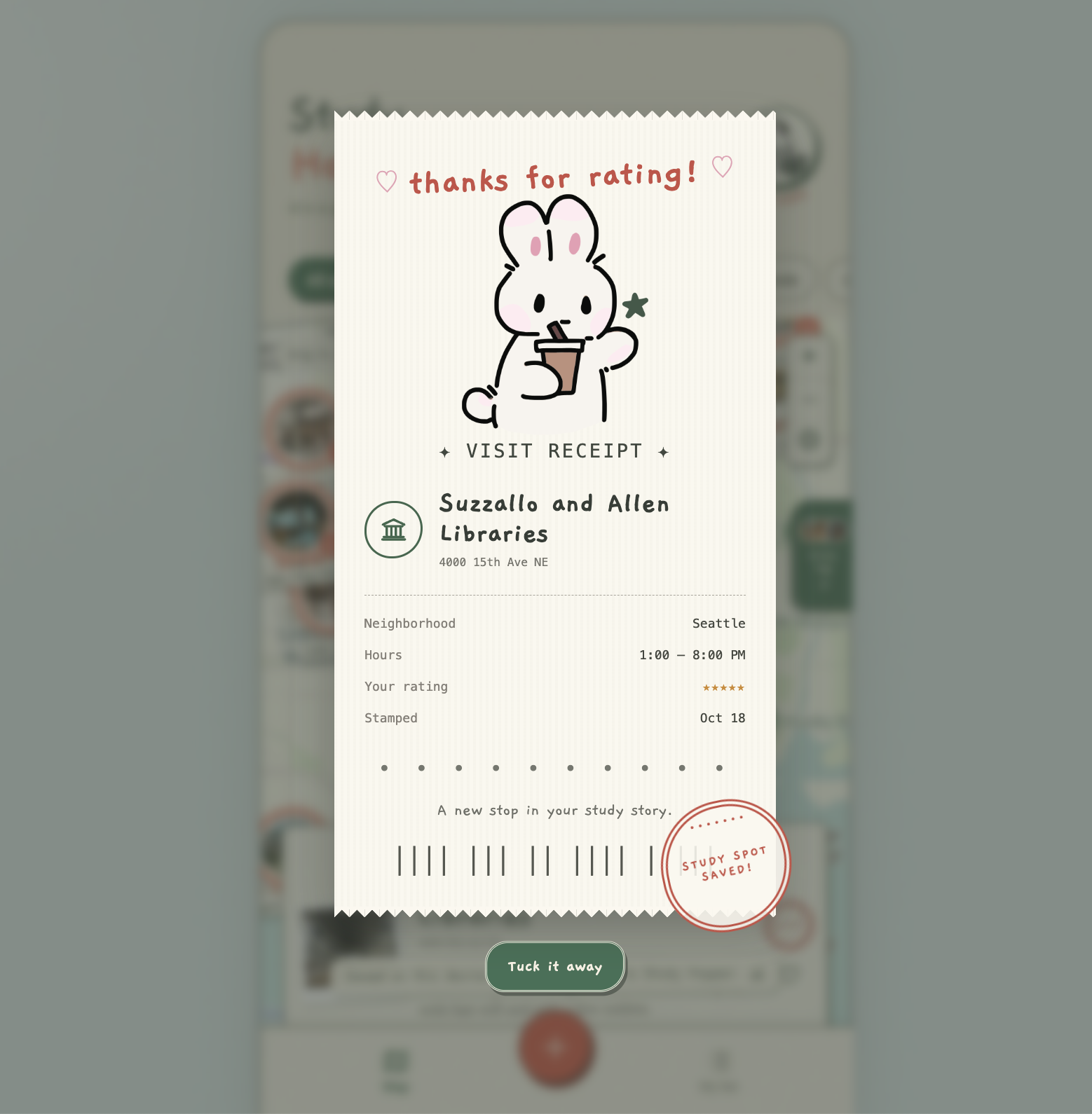
Receive a cute receipt after stamping a spot
-
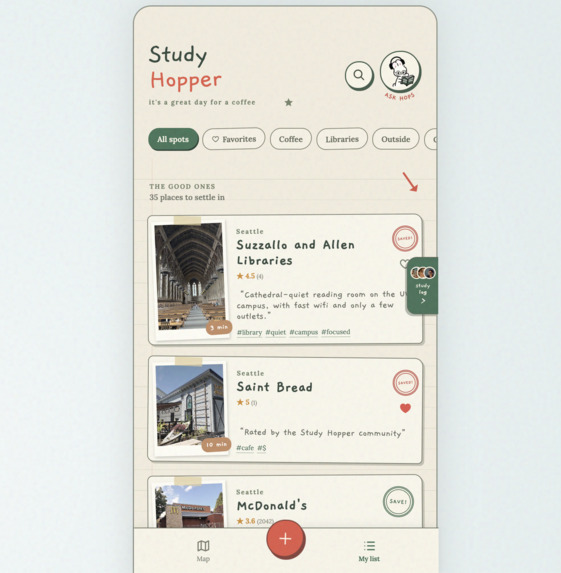
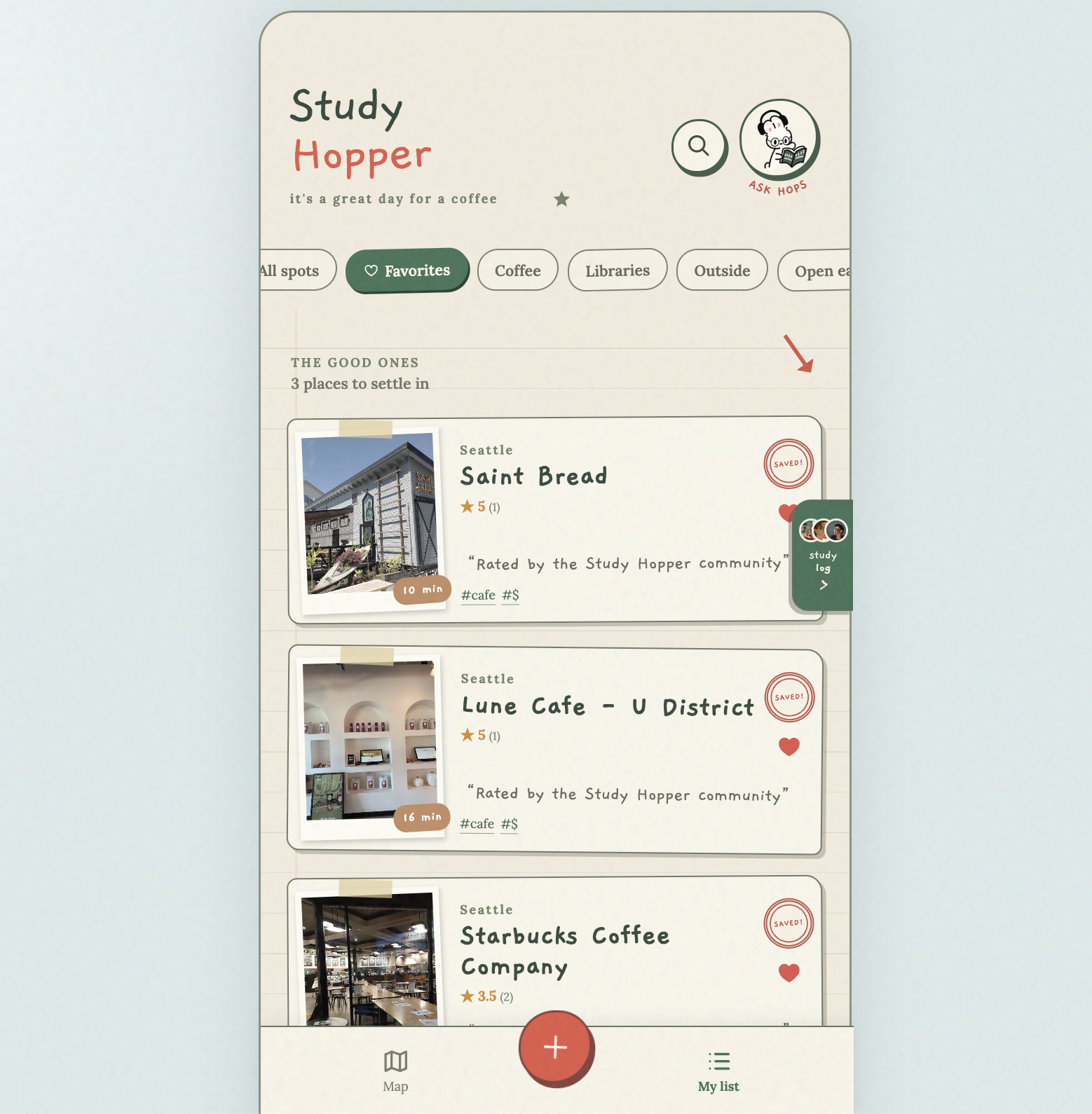
Keep track of your saved spots in "My List"
-
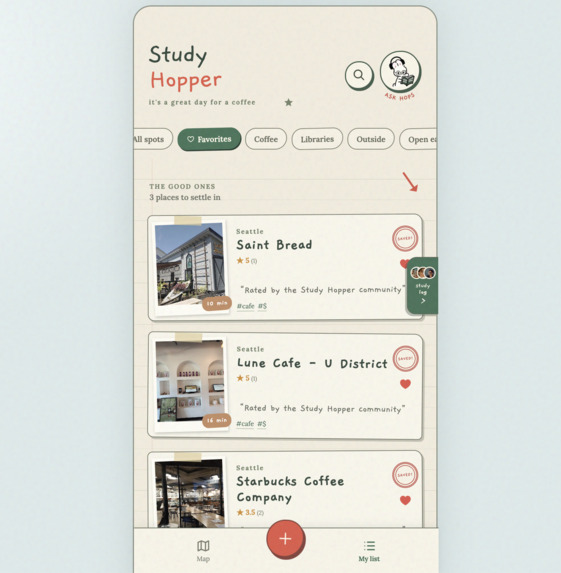
See your favorites all in one place
-
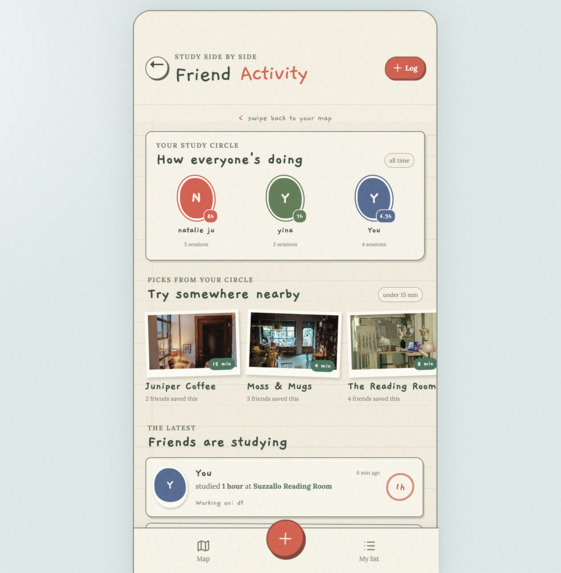
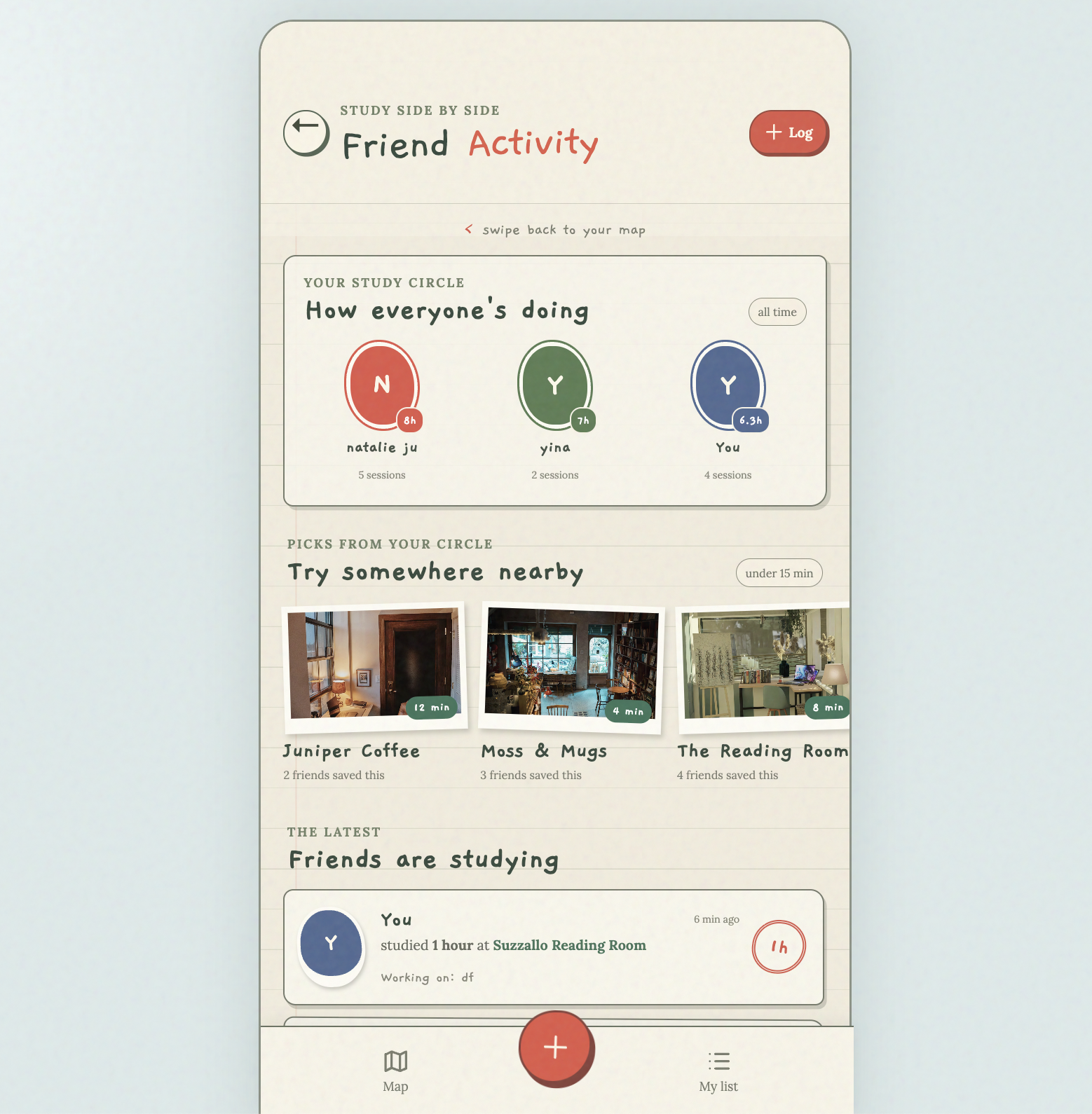
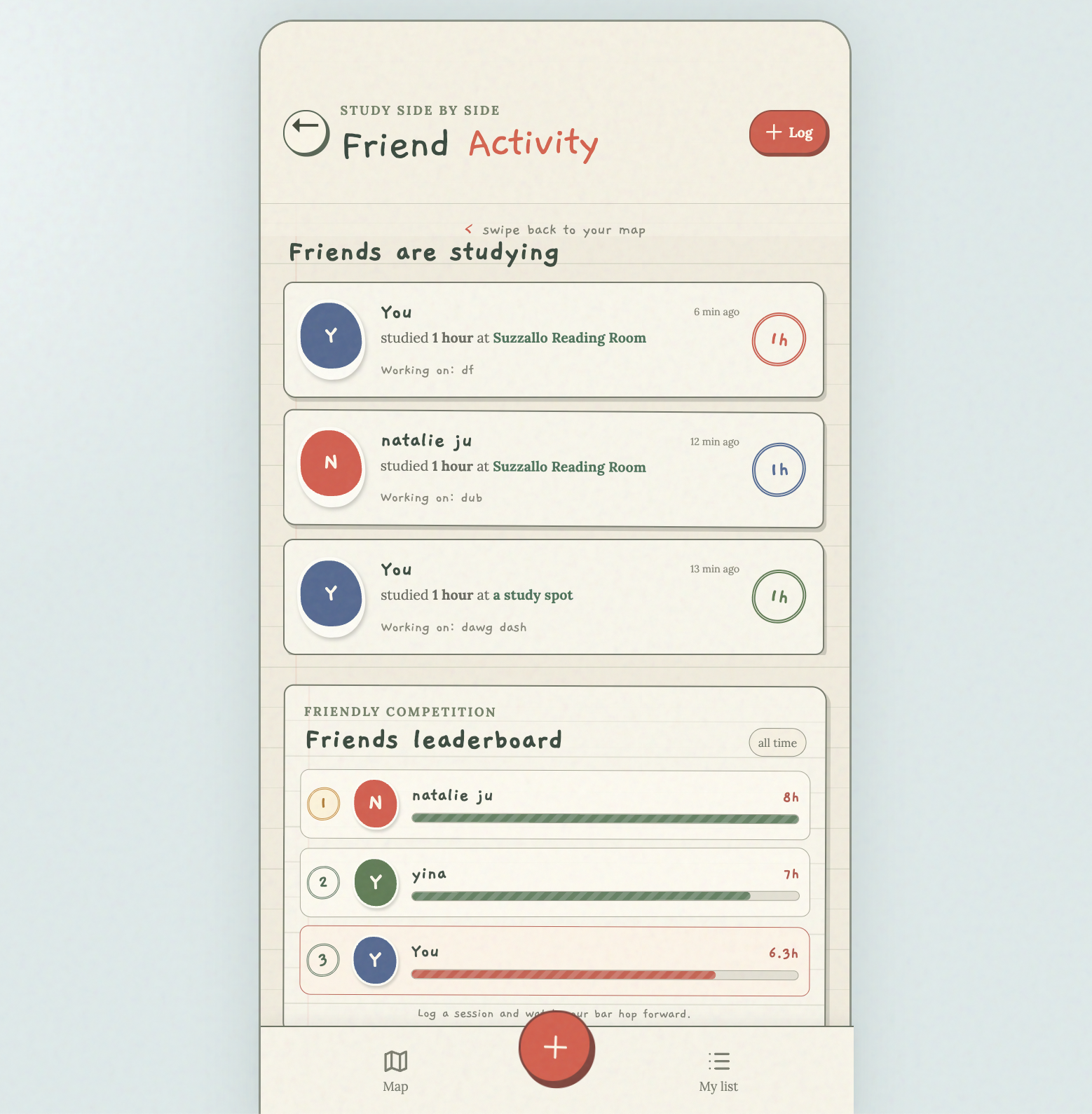
See friend activity--hours they studied, spots they recommend, projects they worked on
-
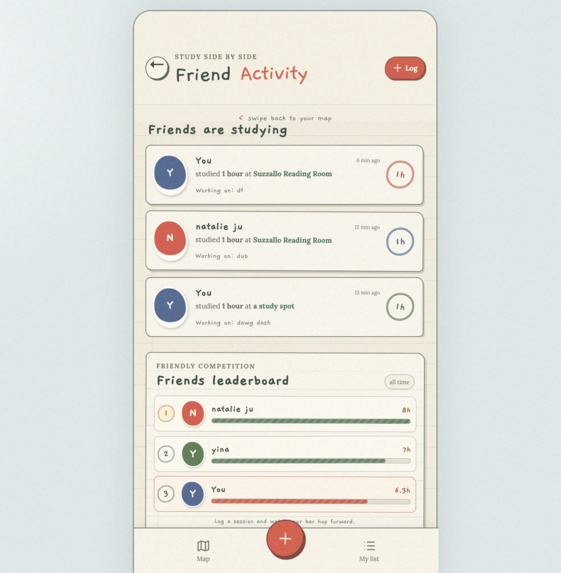
Engage in friendly competition with a friends study leaderboard to see who is the most locked in!
-
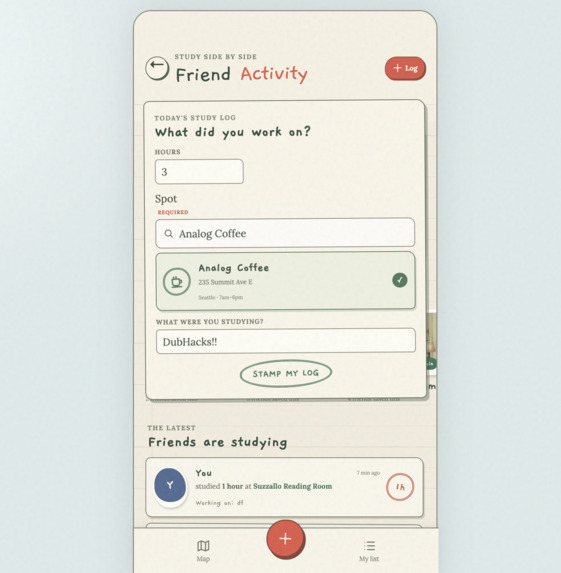
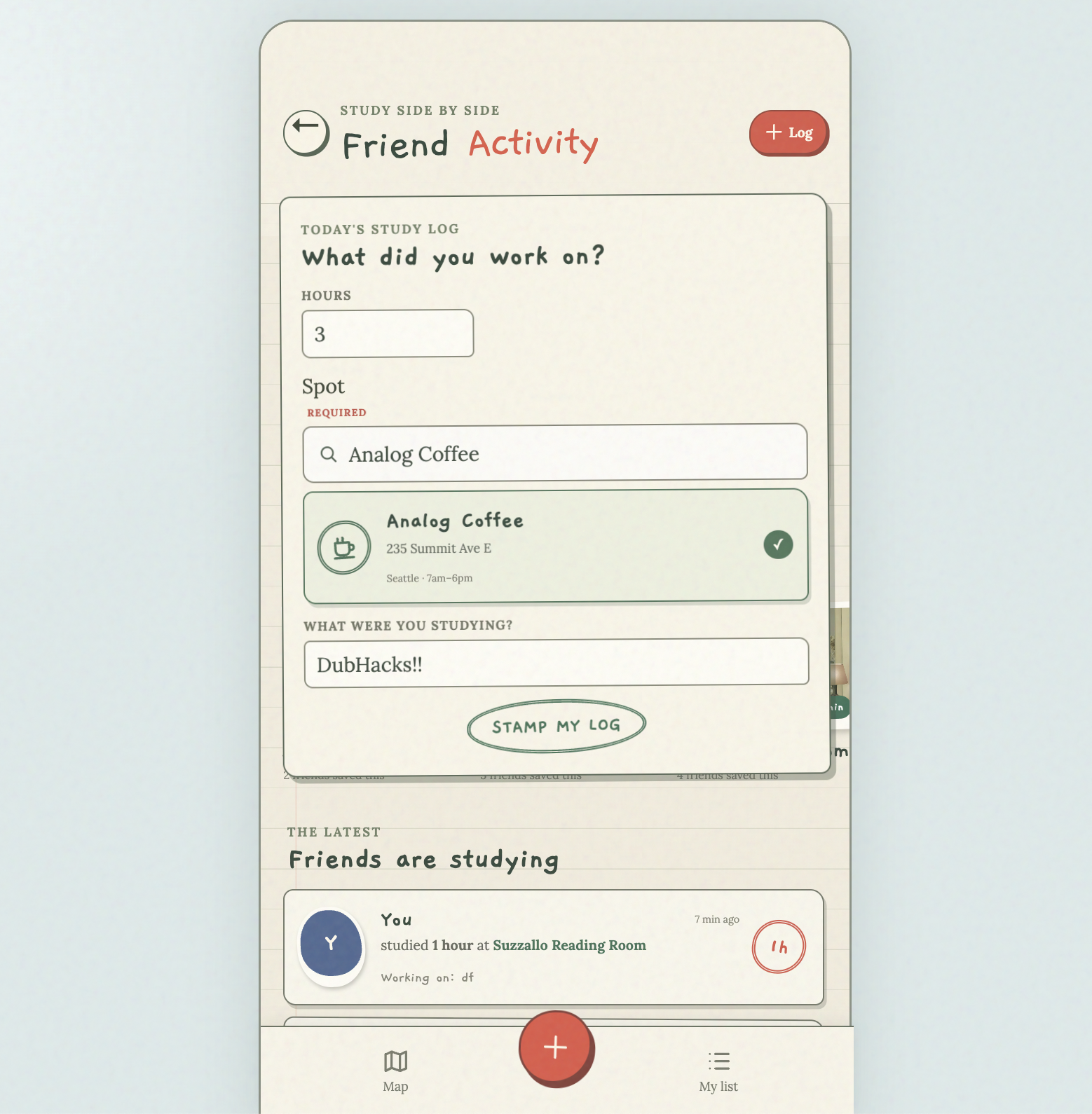
Log your own study hours to keep track of your progress
-
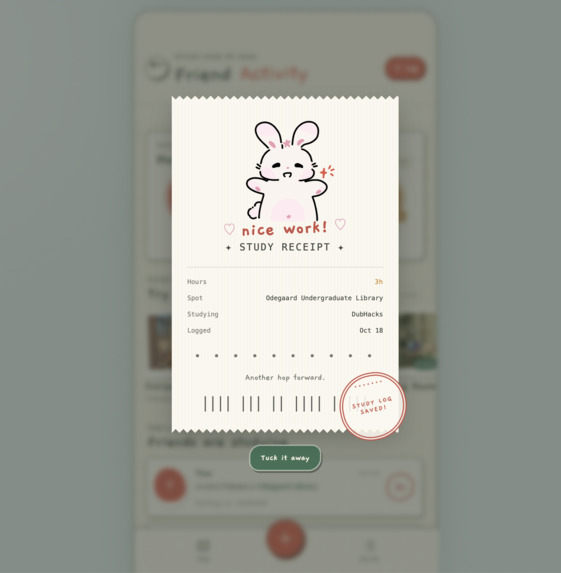
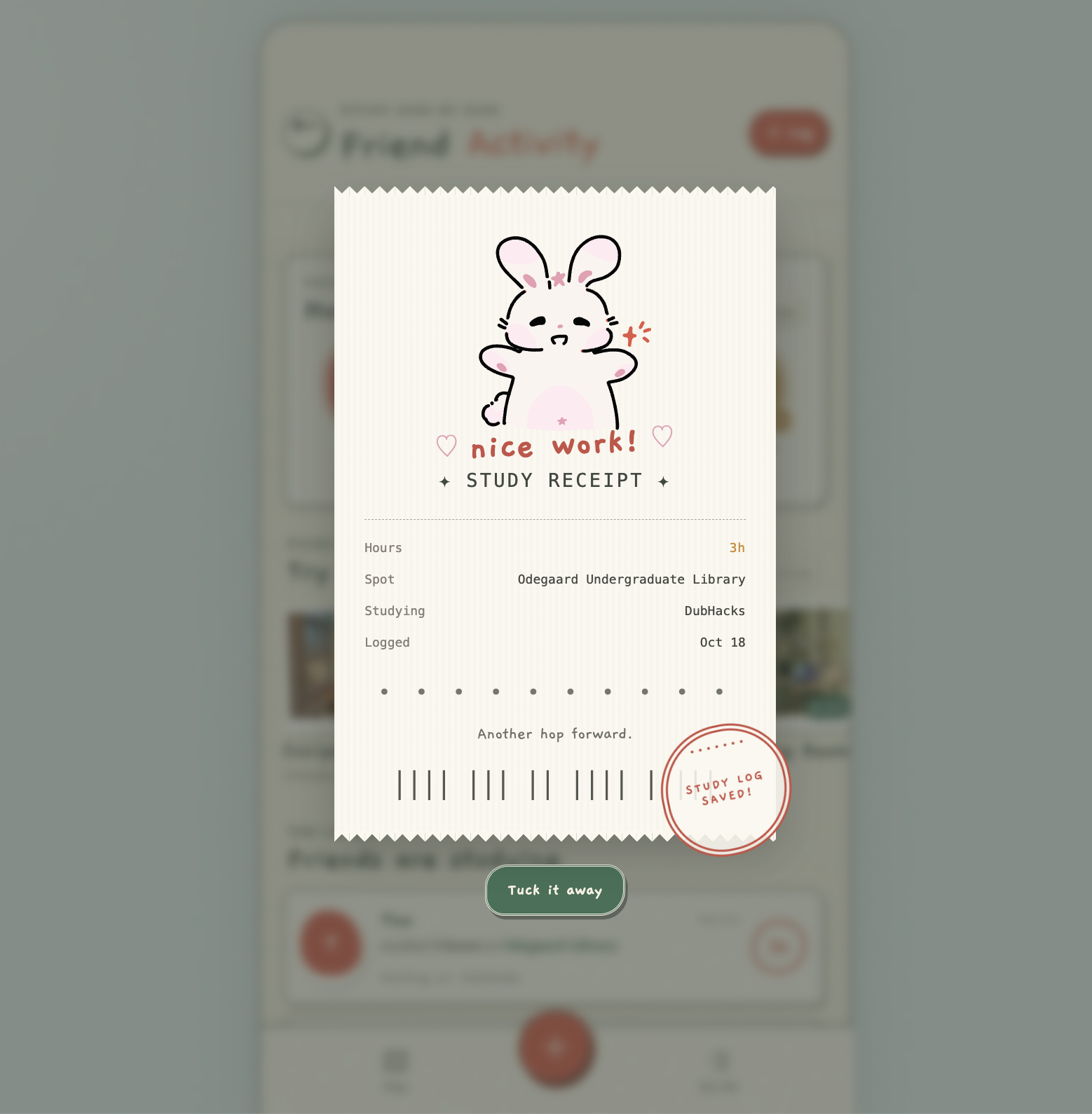
Receive a cute receipt after logging your study!
Inspiration
As four passionate, busy, and ambitious college students, finding a new place to study in is a constant priority. But when the search usually turns into an endless scroll on Google Maps, opening ten different tabs just to check if a cafe has outlets or if it gets too loud. When you’re already exhausted after a day of classes, that search kills your motivation. We built StudyHopper because we wanted a single place to find a spot that actually fits how you need to work that day.
What it does
Google Maps finds cafes. We find your next study spot.
StudyHopper is a study-focused discovery app. You can filter spots by the things that matter most to students: Wi-Fi strength, outlets availability, noise levels, seating, and vibes. We also build Hops, an AI assistant that gives you tailored recommendations based on what you need at the moment. Beyond discovery, you can track your study hours, see where your friends were hard at work, and log sessions to build a streak!
How we built it
We started by designing the framework and UI on Figma, building a cozy, hand-drawn interface that makes the app feel welcoming and personal, like sharing a study spot with a friend.
On the frontend, we used React and Vite, connecting the UI to real Google Maps and Places API integration so users can see real cafes nearby.
The backend runs on Supabase. We set up three tables to store study spots, users’ rankings, and logged study sessions. The spots table stores cafe information, including location, amenities, and community ratings. The ratings table stores individual users’ reviews, while study_sessions tracks each user’s study location, duration, and notes. We use Supabase Authentication to sign users in anonymously, so they can rate cafes and log study hours without creating an account. Row-level security protects user data, and database functions handle writes and aggregate study activity for features like the leaderboard and recent activity feed. For Hops, the AI assistant, we build a Supabase Edge Function that securely calls the Gemini API. We gave Hops access to our Supabase cafe list, so when a user asks for a quiet place with outlets open late, Hops replies with real spots from our database and displays them as interactive cards on the map.
Challenges we ran into
Our biggest challenge was managing to merge between our Figma UI and the custom backend code we were writing. At one point, a merge conflict dropped a variable declaration, which broke the entire app and left us with a blank white screen right when we needed to test. We dug through the console to trace the error back to a missing piece of state, and carefully resolved the conflicts without losing our teammates’ work.
Another major challenge was debugging the AI integration. We had to figure out how to handle Gemini’s rate limits during heavy testing, so we built fallback models into the Edge Function and added error handling to make sure the app didn’t crash when the quota ran out.
Accomplishments that we're proud of
We are proud of getting the real Google Maps and Places API connected and working smoothly! Building the custom AI pipeline where Hops can actually read our database and recommend real cafes is something we didn’t know we could pull off in a weekend.
We are also super proud of the UI. We spent a lot of time making sure the app feels warm and inciting, and we successfully kept our custom map and Supabase code separate from the Figma UI files so that late UI updates didn’t overrate our backend code.
What we learned
We learned a lot about how to manage a codebase when multiple people are working on different parts of the stack at the same time. We learned the hard way that keeping your logic in separate files saves you from massive merge conflicts.
On the technical side, we learned how to build secure AI features by moving the API calls to the server. We realized that we couldn’t just drop a Gemini key into the frontend, so we learned how to set up an Edge Function to keep our credentials safe and manage the API requests.
What's next for StudyHopper
We want to turn StudyHopper into a full social tool for students. Next, we plan to build out the friend feed so you can see the real-time check-ins from your friends and share study sessions. We also want to add a feature where cafes can partner with us to offer study-hour promotions, which gives us a clear path to revenue. Eventually, we want to expand the database beyond just cafes and libraries, to include co-working spaces, labs, and quiet rooms on campus.
Built With
- cursor
- figma
- gemini-api
- google-maps
- google-places
- grok
- html/css
- postgresql
- python
- react
- supabase
- supabase-auth
- supabase-edge-functions
- typescript
- vite

Log in or sign up for Devpost to join the conversation.