-
-

Logo
-
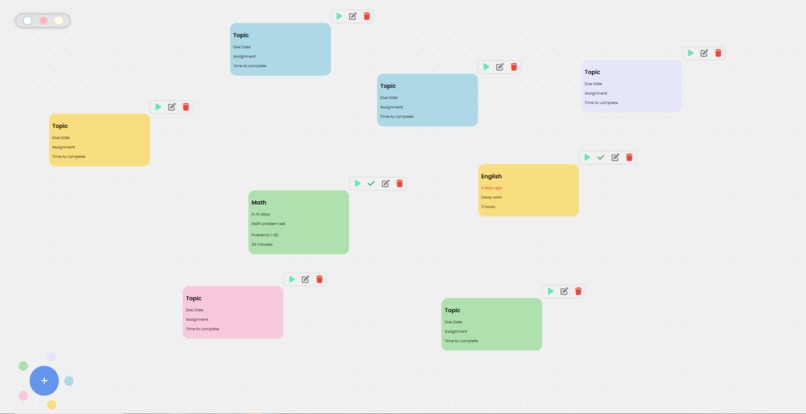
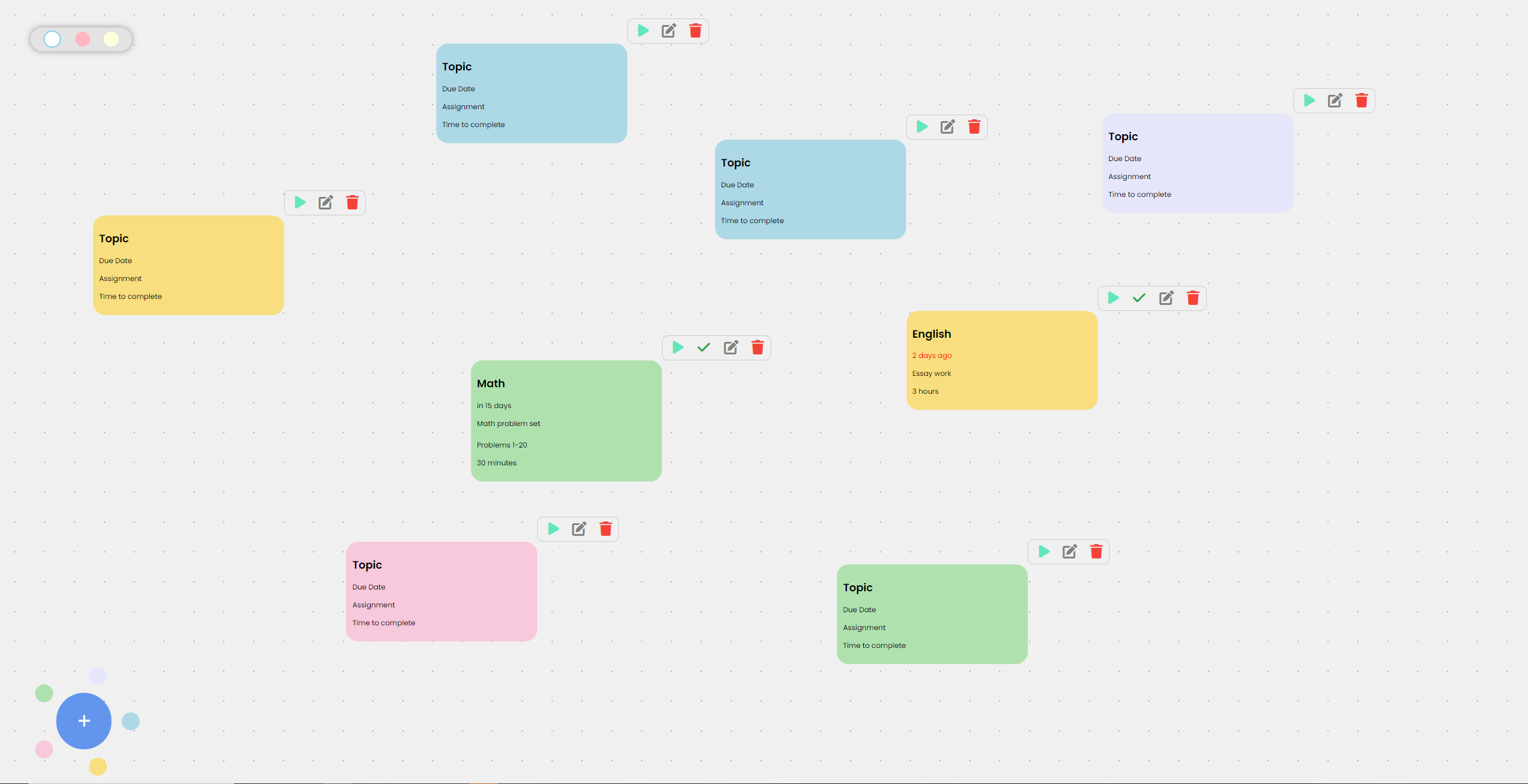
Board full of potential assignments
-
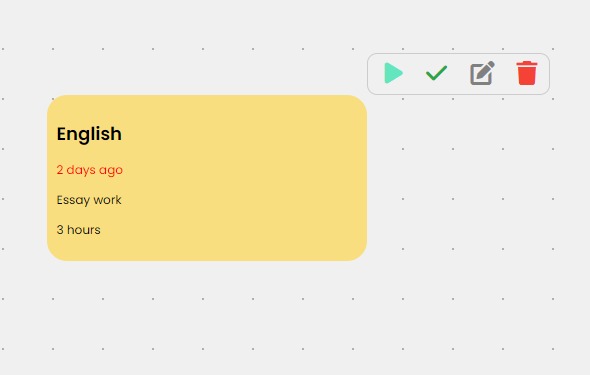
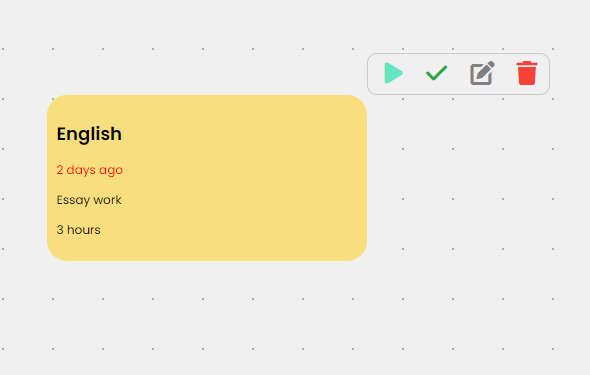
Single late assignment
-

Blocking page


Inspiration
These last couple of years, we ourselves were often getting distracted from our schoolwork due to devices around us, frequently losing hours being unproductive watching YouTube or browsing social media. We also noticed that students at our school were also falling victim to endless scrolling of content which caused their grades to slip and stress levels to increase. We then tried to use conventional blockers such as Forest, but they could only offer simplistic single-website blocking which can't expand to the millions of websites in the world. Conventional blockers also couldn't understand what websites we actually needed to use to complete our assignments. That prompted us to create Study Flow in hopes of helping out our school community with managing and finishing their work.
What it does
Study Flow is an AI website blocker with an integrated dashboard to manage assignments and other tasks. Starting a task on the dashboard leverages AI detection to block any websites and searches that are unrelated to that task, while allowing websites that help accomplish the task. For example, for a task of learning Python, a YouTube tutorial on learning Python would be allowed, but a YouTube video on video games would be blocked. The dashboard allows for multiple color-coded tasks which can include due dates and custom notes to help users keep track of their work.
How we built it
For our AI detecting system, we used the Llama3 7B parameter model and finetuned it with handwritten associations of popular websites and what categories they fall into. We used this along with extracting code to extract YouTube video names and Google search queries from website URLs and turned it into an API which our extension would then interact with.
In the extension, we used native html/js to create a lightweight dashboard to manage tasks. The tasks and info were then saved into Chrome's storage sync. Whenever a new website is opened, a request is sent to the backend AI model along with the visited URL and the currently active task. The backend llama3 model then decides if the website is appropriate for use given the active task, and returns it to the extension. If the verdict is blocked, then the extension replaces the site with a blocked page, reminding the user what their intended task was.
When the user completes a task, it deletes the box from the active board and uses external scripts to display confetti to the user.
Challenges we ran into
The original Llama3 7B parameter model is not large enough to have knowledge of all websites and their uses. We were able to solve this by creating a handwritten list of websites along with their general purpose, and we finetuned the model using that handwritten list. This yielded a much lower percentage of false results. We also ran into challenges with the extension dashboard. This mainly originated from date formatting as well as the dragging of elements around. We had to calculate many values using an offset of the mouse's position so it created a situation of doing a lot of trial and error.
Accomplishments that we're proud of
We're really proud of the increase in accuracy that came along with the finetuning of the llama3 model. We used to have a lot of false positives, especially when visiting less-popular sites, due to the AI not being able to recognize the themes of these smaller sites. Now, the model is much more accurate and is able to process very niche cases. Additionally, we're also very proud of the clean, minimalist look we achieved on the dashboard. We really wanted to go for the classroom aesthetic by making the background a "whiteboard" and having the assignments be sticky notes. The color-coded tasks also helped achieve our clean simplistic look while maintaining the dashboard's organization.
What we learned
The biggest thing we learned is how to even make a Chrome extension, since it's a fundamentally different setup than regular HTML/JS, including separate restrictions that are imposed on Chrome extension's JS. We learned how to save tasks to Chrome storage, along with loading them and keeping a state throughout a browser, without using any third-party libraries for snappy loading.
What's next for Study Flow
We hope to create a teacher mode that will allow teachers to create assignments for all their students, which auto-populates in students' dashboards to prevent repeated actions.
We also want to create taskboards, where users can separate tasks. For example, a user could a taskboard for work and a taskboard for personal use. This feature is already partially implemented, (the bar in the top left of the page), but we wanted to further develop it and make it easier for the student to use.
There's also room for improvement in the AI model, we could either use a larger llama3 model or increase our finetuning dataset size, both of which would improve blocking accuracy.
Built With
- chrome
- extension
- javascript
- llama3


Log in or sign up for Devpost to join the conversation.