-
-
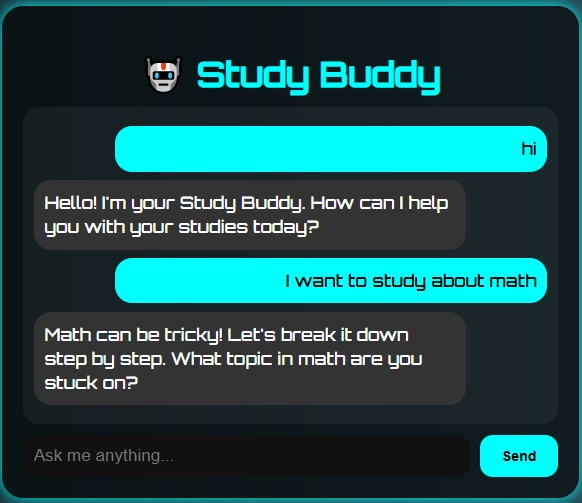
Respond automatically with dummy responses
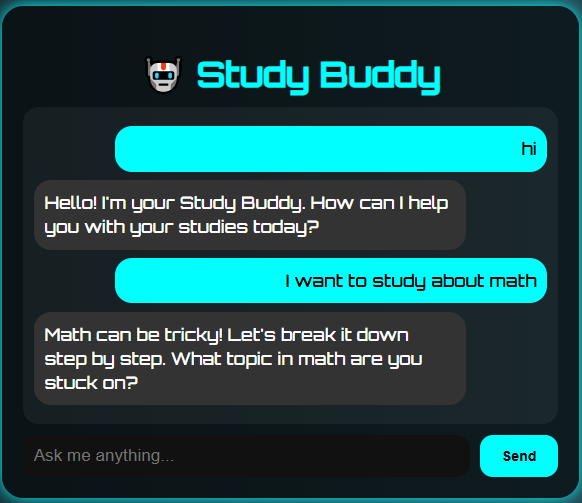
🧠 Study Buddy Chatbot
📌 Inspiration
Many high school students struggle with finding guidance and motivation while studying. The Study Buddy Chatbot was created to provide a helpful, friendly assistant that students can chat with for advice, encouragement, and answers to study-related questions.
🚀 What It Does
- ✅ Interactive chatbot UI
- ✅ Futuristic design and mobile-friendly layout
- ✅ Chat history and real-time messaging
- ✅ Built with HTML, CSS, JavaScript, and Node.js backend
- 🔜 Planned AI integration: Designed to connect with OpenAI or OpenRouter API for GPT-powered tutoring
🛠️ How I Built It
- Frontend: Vanilla HTML, CSS, JavaScript
- Backend: Node.js + Express server
- AI Integration (planned): OpenRouter / OpenAI GPT model
- Currently uses dummy responses due to lack of API billing access, but fully coded to support real AI once enabled.
⚡️ Challenges
- Limited access to paid AI APIs (no credit card for OpenAI key)
- Model downloads for free LLMs were too large for the hackathon timeframe
- Overcame by implementing a dummy AI layer to simulate responses and demonstrate concept functionality.
🏆 Accomplishments
- Built a responsive, futuristic chatbot UI from scratch
- Designed a backend ready for secure AI API integration
- Learned how to structure AI chat flows and secure API keys
- Developed a working prototype despite payment/API limitations.
📖 What I Learned
- How to build a chatbot with vanilla JS
- Serving static files and using Express
- Importance of secure API handling
- Hackathon project planning under time constraints
🔮 What’s Next
- Enable OpenRouter/OpenAI GPT-3.5 or GPT-4 API calls
- Deploy online using Replit or Render + GitHub Pages
- Add features: voice input/output, topic-based study modes, flashcards
▶️ How to Run
- Clone this repo
- Install dependencies:
bash
npm install
3. Run:
bash node server.js
Built With
- css3
- dummy-ai
- express.js
- html5
- javascript
- node.js
- openai
- server.js


Log in or sign up for Devpost to join the conversation.