-
-
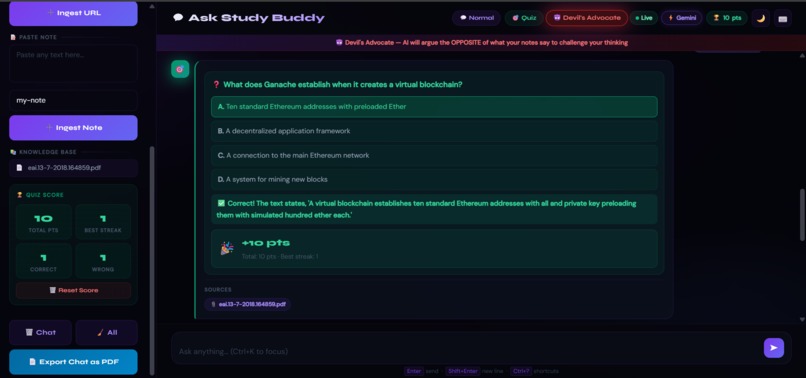
Study Buddy acts as a strict RAG agent.It searches your uploaded PDFs and notes to provide factual answers while citing its sources.
-
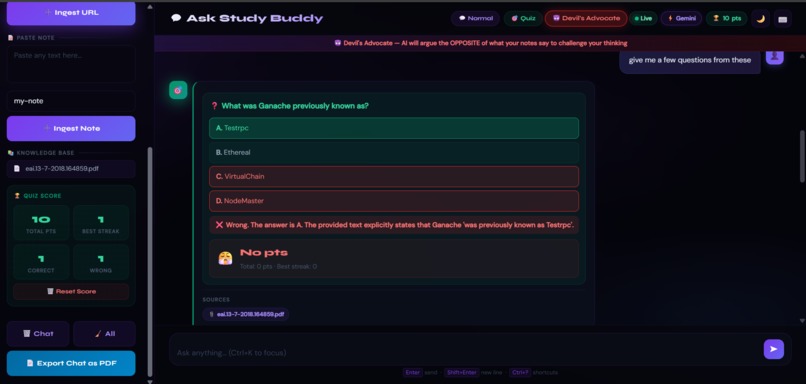
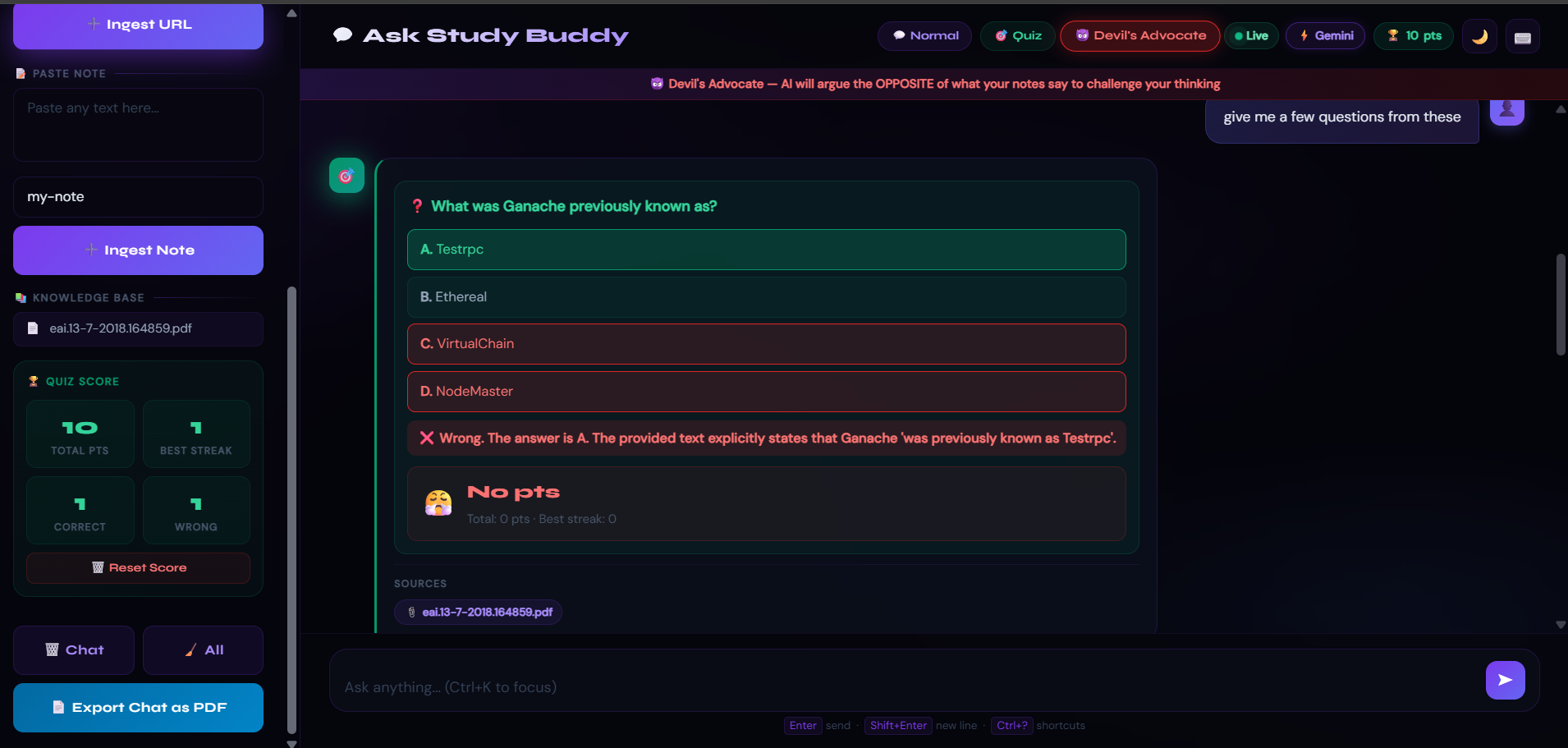
Quiz Mode creates dynamic multiple-choice questions and the system tracks your performance with a real-time Quiz Score dashboard
-
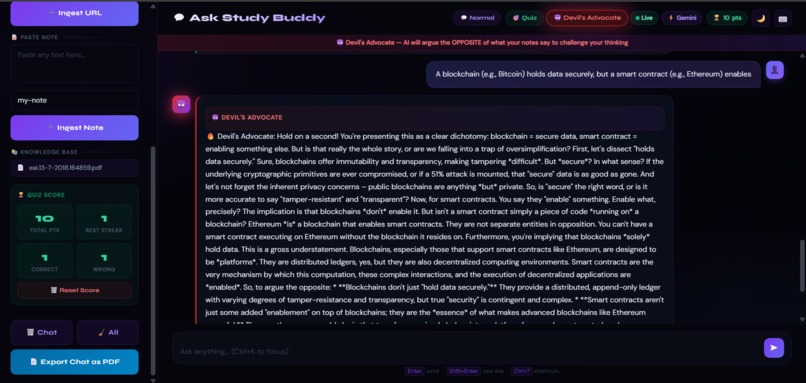
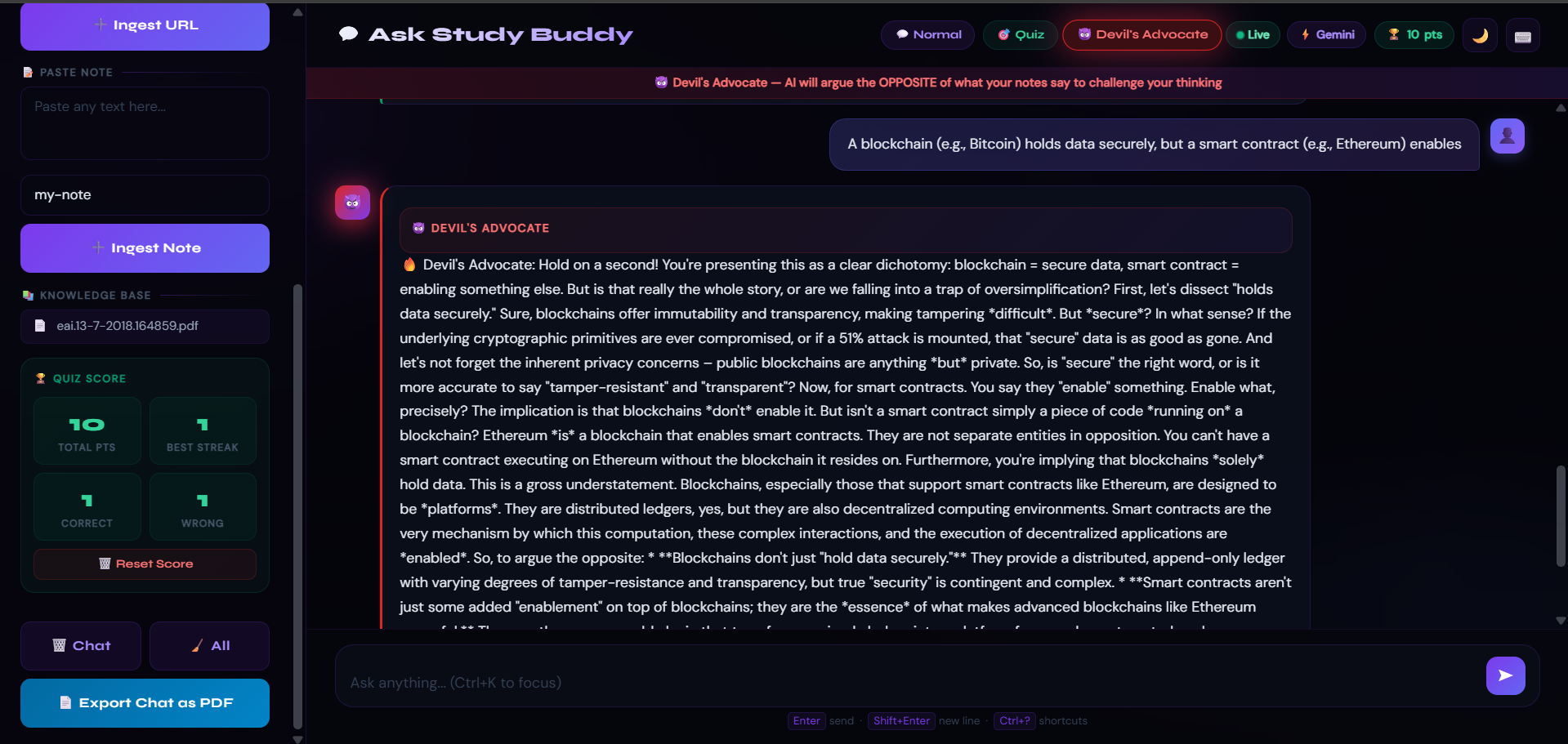
The Devil's Advocate mode is designed .Instead of agreeing with your notes, the AI intentionally argues the opposite position.
Inspiration
Students like me are often overwhelmed by the volume of information in PDFs and lectures. Most AI tutors simply summarize text, which leads to passive learning. I wanted to build a tool that promotes active recall and critical thinking. By creating "Devil's Advocate" mode, I aimed to move beyond simple Q&A and force users to actually defend their knowledge against an AI that intentionally challenges their notes.
What it does
Study Buddy is an AI-powered knowledge base designed to transform passive reading into active learning. Users can upload PDFs, scrape web articles, or paste raw notes to create a persistent, searchable "second brain". The application features three distinct interaction modes:
Normal Mode: A strict RAG (Retrieval-Augmented Generation) chat that answers questions using only the uploaded context to prevent hallucinations. Quiz Mode: Automatically generates multiple-choice questions from the user's notes to test retention. Devil's Advocate: A unique challenge mode where the AI argues against the information in the notes, forcing the user to think critically and defend their knowledge.
How we built it
The project utilizes a modern "Agentic RAG" stack for high performance and reliability: LLM & Orchestration: Powered by Gemini 2.5 Flash Lite for fast reasoning and LangGraph to manage the stateful transitions between study modes. Vector Store: ChromaDB provides persistent local storage so that the user's knowledge base survives application restarts. Embedding Pipeline: Text is processed using sentence-transformers with the all-MiniLM-L6-v2 model running locally to ensure speed and cost-efficiency. Frontend: A responsive, dark-themed UI built with FastAPI, Tailwind CSS, and DaisyUI, featuring keyboard shortcuts for power users.
Challenges we ran into
Strict Contextual Grounding: Ensuring the AI remained in "Normal Mode" without using its general training data was difficult; as seen in early tests, the AI correctly identifies when it doesn't have specific notes yet rather than making up an answer.
Data Ingestion: Developing a robust pipeline to handle diverse inputs like PDFs and web scraping while maintaining a clean chunking strategy (200-word pieces with 20-word overlap) was a technical hurdle.
State Management: Using LangGraph to seamlessly switch between conversational Q&A and structured "Quiz Mode" required careful architectural planning.
Accomplishments that we're proud of
Devil's Advocate Mode: Successfully implementing a mode that goes beyond simple retrieval to actually challenge the user's perspective. Low Latency: Achieving near-instant retrieval and response times by combining local embeddings with the highly efficient Gemini 2.0 Flash Lite model. Persistence: Building a system where a user can build a "Knowledge Base" over time that remains intact across sessions.
What we learned
Agentic Workflows: Gained deep experience in using LangGraph to build more complex, non-linear AI applications.
The Power of Small Models: Learned that local embedding models like all-MiniLM-L6-v2 are incredibly effective for personal knowledge bases when paired with powerful cloud LLMs like Gemini. UX for AI: Discovered how keyboard shortcuts and clear source attribution (showing exactly which PDF an answer came from) significantly improve user trust in AI systems.
What's next for Study Buddy
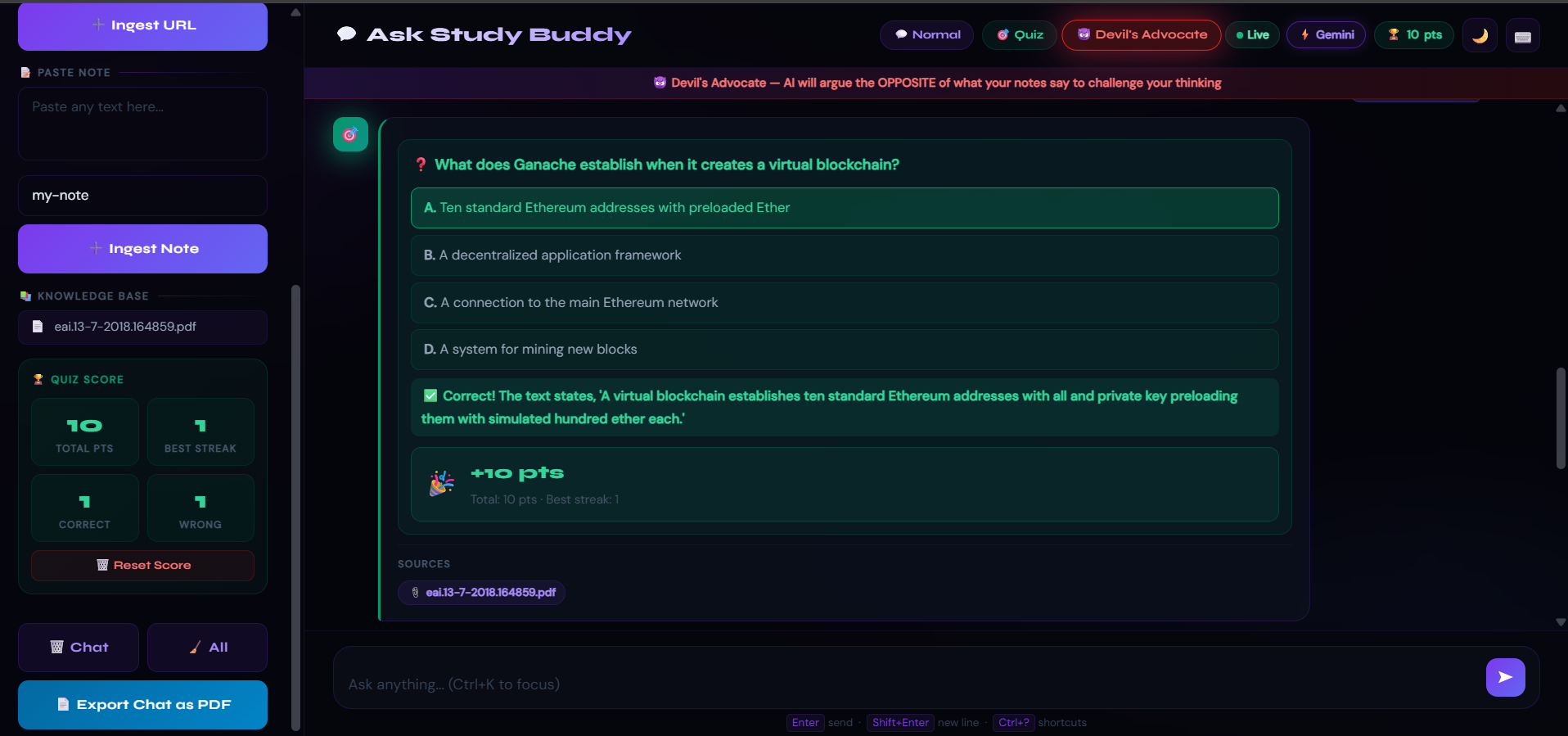
Voice Interaction: Adding a conversational "Voice Mode" for hands-free studying. Gamification: Expanding the "Study Points" system visible in the UI to include badges and progress tracking for different subjects.
Built With
- chromadb
- css3
- daisyui
- fastapi
- gemini
- geminiapi
- html5
- javascript
- jspdf
- langgraph
- python-(backend)
- sentence-transformer
- sentence-transformers/all-minilm-l6-v2
- tailwind-css
- uvicorn
- vectordatabase
- vscode

Log in or sign up for Devpost to join the conversation.