-
-
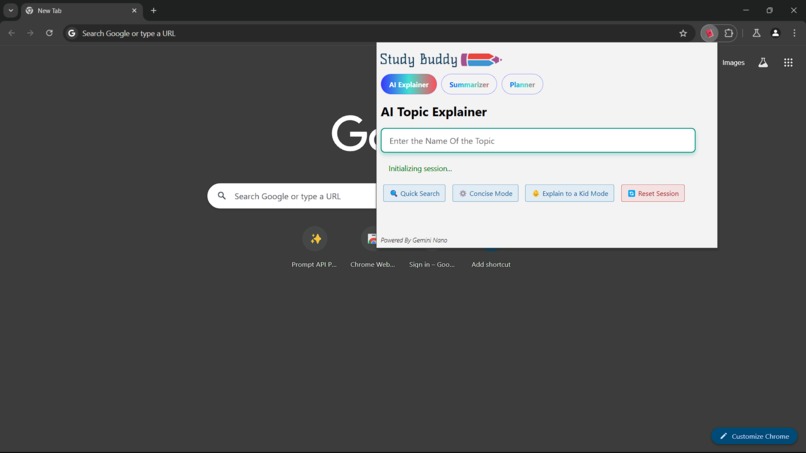
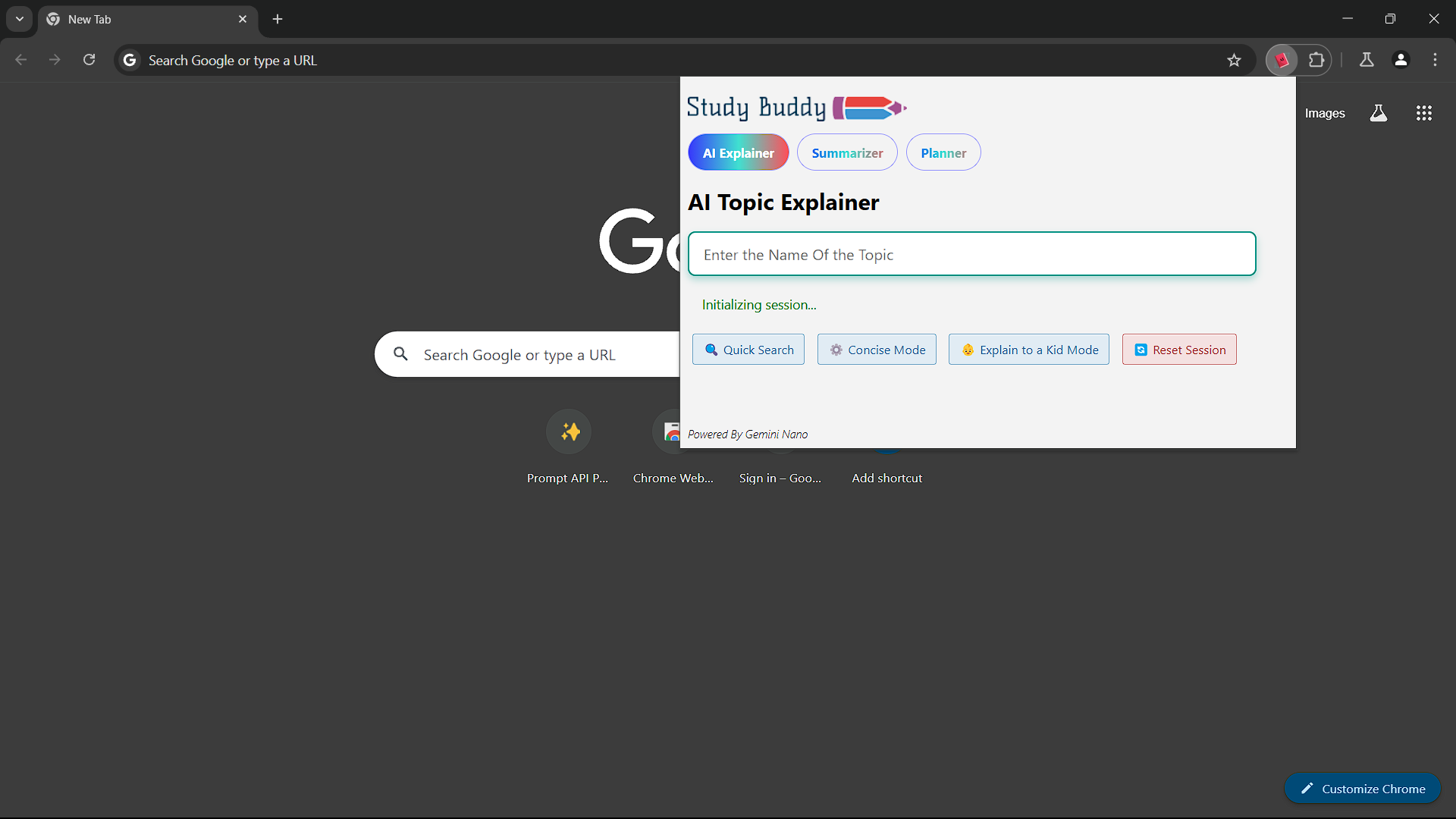
Default Popup of The extension: AI Topic Explainer
-
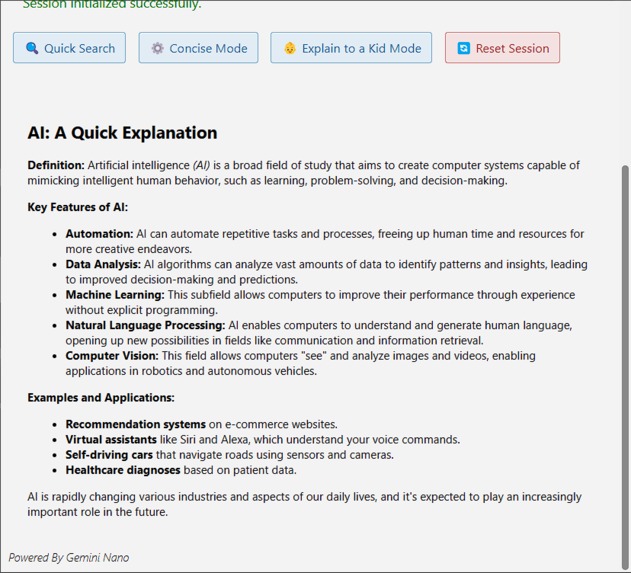
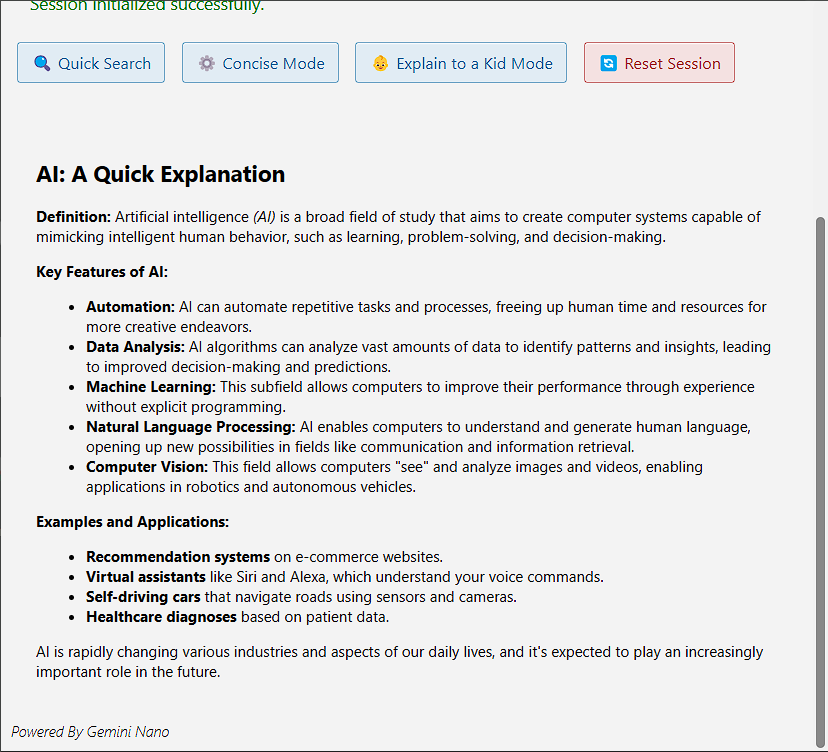
AI Topic Explainer: Quick Search Response
-
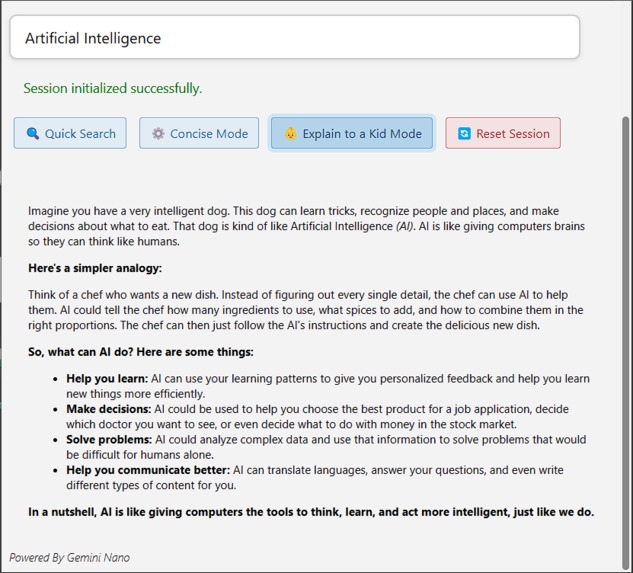
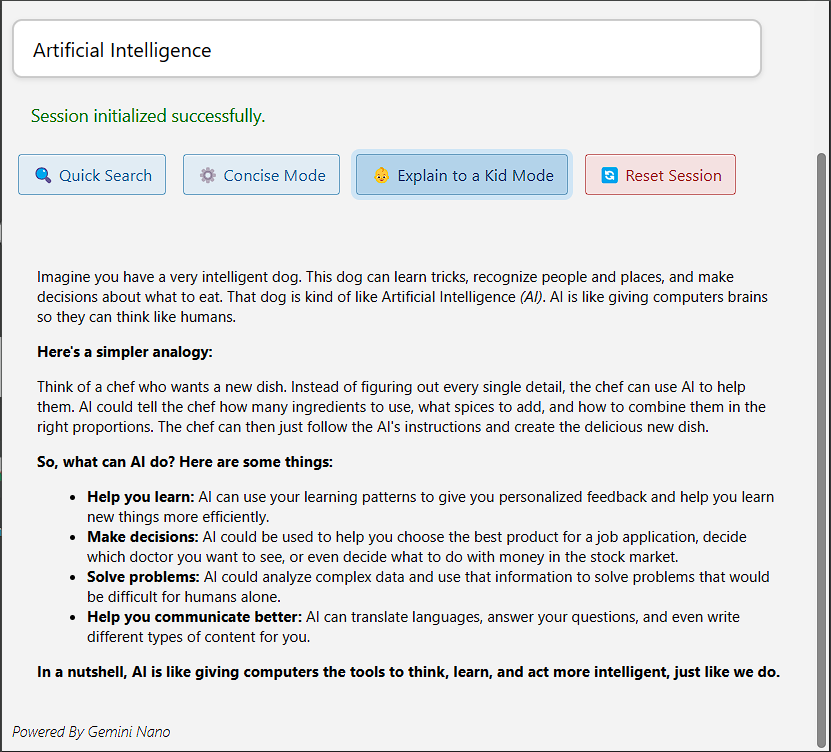
AI Topic Explainer: Explain To a Kid Mode Response
-
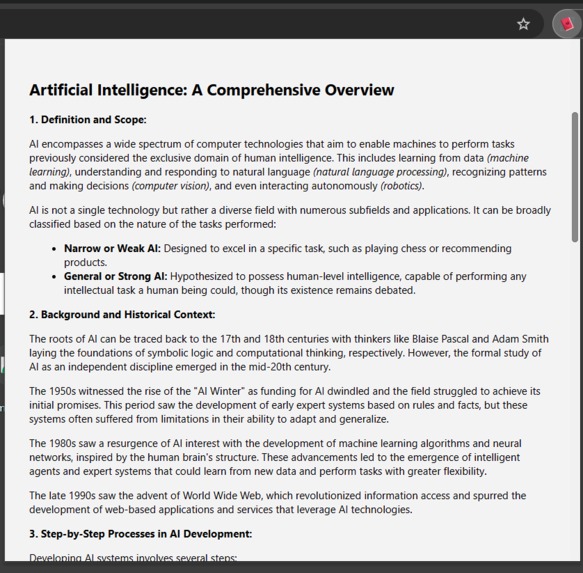
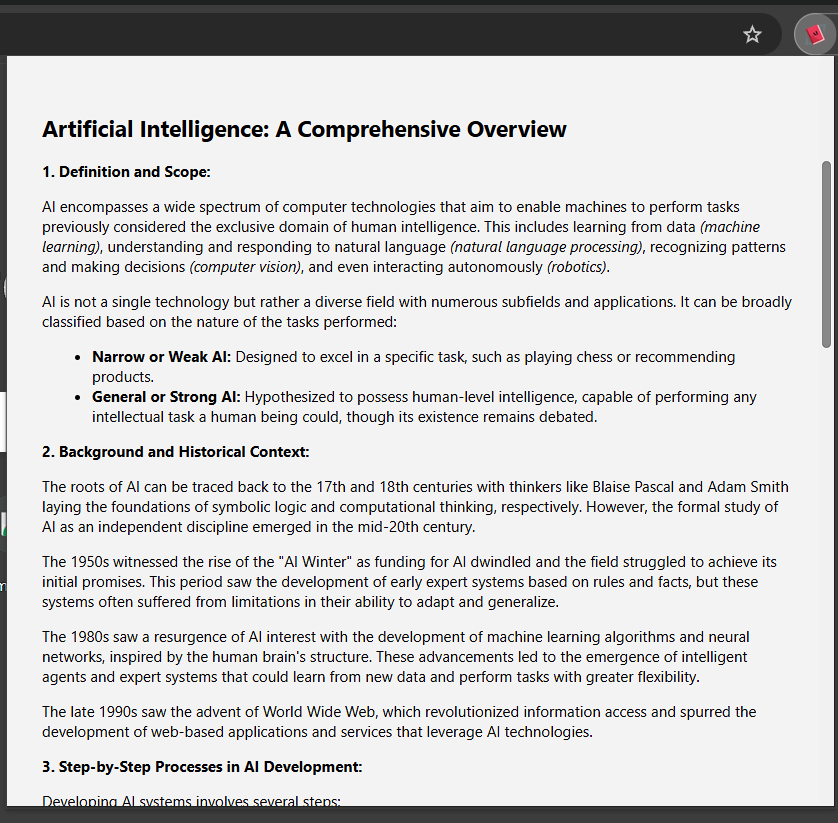
AI Topic Explainer: Concise Mode Response
-
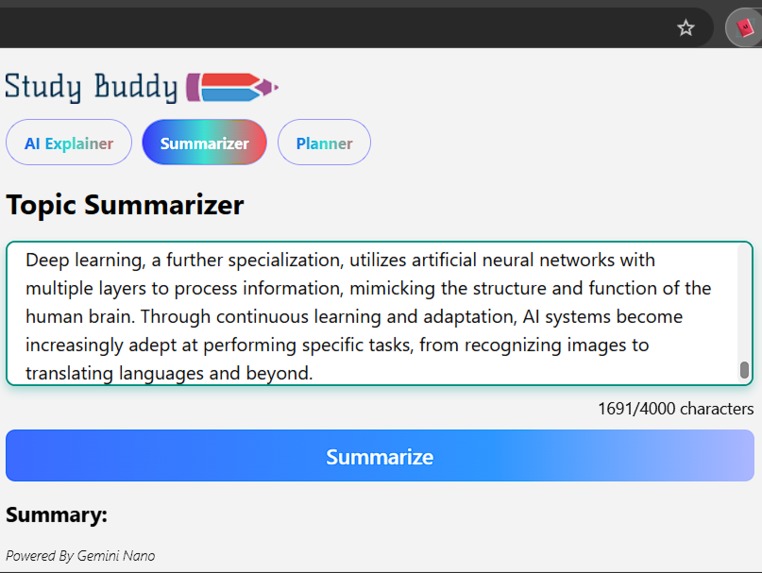
Topic Summariser
-
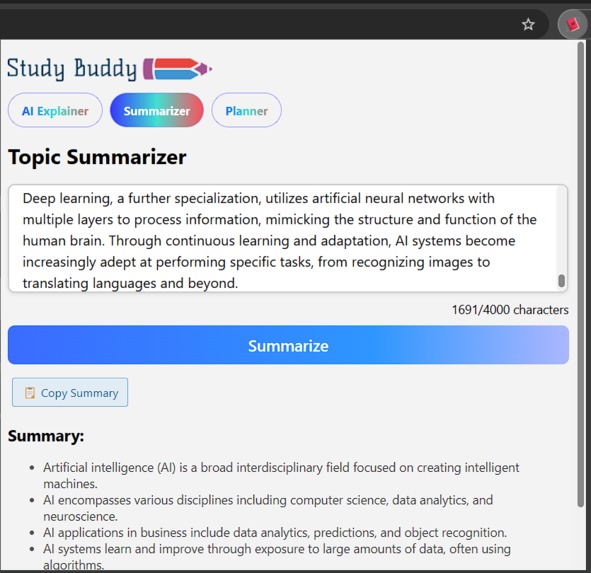
Topic Summarizer Response
-
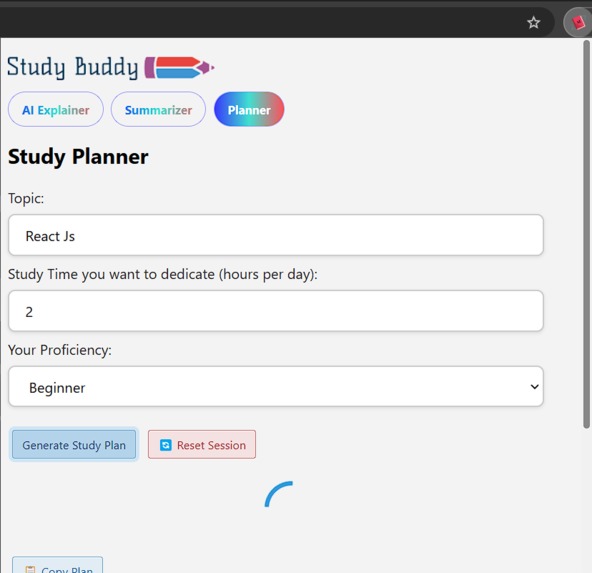
Planner
-

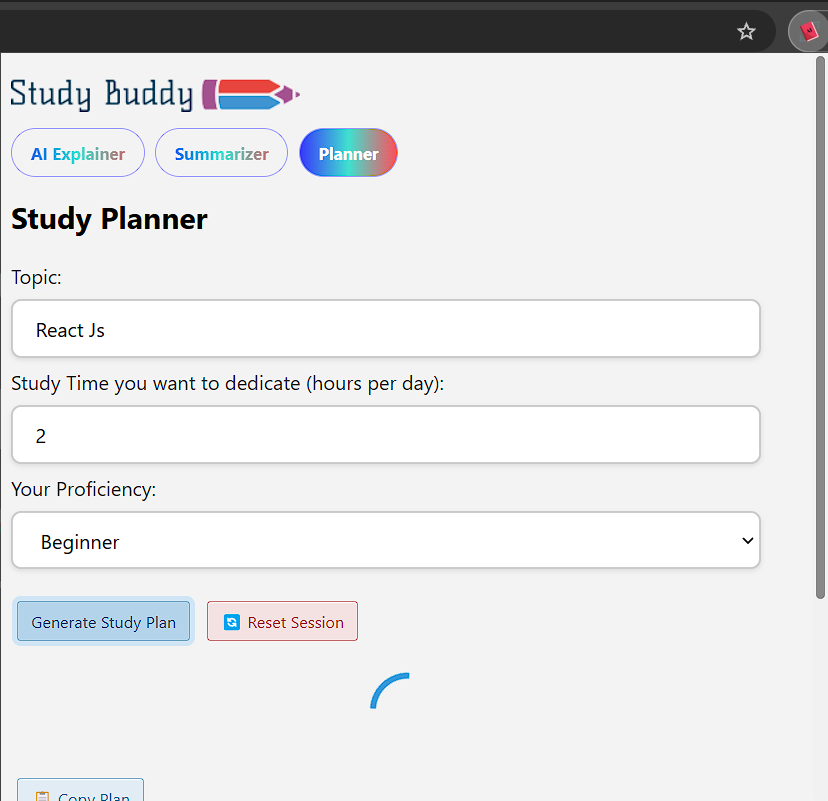
Planner Response



The Problem That Sparked Study Buddy
The idea for Study Buddy arose from a seemingly simple yet pervasive problem: losing focus while searching for information online. When studying a topic, students often open new tabs to look up clarifications or examples. What begins as a quick search can rapidly spiral into a rabbit hole of distractions—social media, irrelevant videos, or unrelated websites. This disrupts concentration, fragments study sessions, and hinders productivity.
For students with focus deficiency conditions, such as ADHD (Attention-Deficit/Hyperactivity Disorder) or other medical concentration challenges, the problem is even more pronounced. Once sidetracked, these learners often struggle to regain focus, turning what should have been a productive session into a frustrating ordeal.
Although this issue might appear minor, its cumulative effects on learning and productivity are significant. Study Buddy was created to tackle this challenge head-on, offering students a seamless, distraction-free way to access the information they need without breaking their flow or focus.
What It Does
Study Buddy is a Chrome extension designed to streamline the learning process and eliminate distractions. It offers three core features to enhance productivity and improve the study experience:
AI Topic Explainer: This feature provides students with an AI-powered breakdown of any topic, offering three distinct modes:
- Quick Search: Delivers concise, straightforward results for a fast understanding of the topic.
- Concise Search: Offers a more detailed, in-depth explanation for users who need a deeper understanding.
- Kid Mode: Simplifies complex topics into easy-to-understand explanations, making it accessible to younger learners or beginners.
AI Summarizer: This tool summarizes articles, research papers, or any long-form content, highlighting the key points and providing a condensed version of the material. This helps students quickly grasp the essentials without having to read through lengthy texts.
Study Planner: The Study Buddy planner helps users create personalized study schedules based on their goals, available study hours, and proficiency level. It generates a customized study plan to help students manage their time effectively, stay on track, and optimize their learning process.
By combining these features into a single extension, Study Buddy provides a comprehensive, distraction-free learning environment, helping students focus and make the most out of their study sessions.
How We Built It
Study Buddy was developed using a combination of modern web technologies, including JavaScript, HTML, and the Chrome Extension API. The extension was designed with both functionality and user experience in mind, ensuring a seamless integration with users' study routines.
Frontend Development:
- The user interface (UI) of Study Buddy was built using HTML and CSS, providing a clean, minimal design to keep users focused on their study tasks.
- JavaScript was used to handle interactions between the user and the extension, allowing for smooth transitions between the different modes (Quick Search, Concise Search, Kid Mode) and the AI-powered features.
AI Integration:
- The AI Topic Explainer and Study Planner features utilize the Google Gemini Nano AI model. We use the Prompt API to send detailed queries to the model, which returns intelligent, context-aware explanations and personalized study plans based on the user’s input (topic, proficiency level, and available hours).
- The AI Summarizer feature uses the Summarizer API to generate concise summaries of long-form content. This API extracts key points from articles, research papers, or any text, providing a quick, digestible version of the material for users.
Chrome Extension Development:
- The extension was built using the Chrome Extension API, which enables smooth integration with the Chrome browser. The extension can interact with the user via popups and provides an easy-to-use shortcut key for quick access, allowing users to activate features without switching tabs.
Testing and Debugging:
- Rigorous testing was conducted on Google Canary and Google Dev browsers to ensure compatibility and performance across different versions of Chrome. The features were thoroughly tested to guarantee that each function worked as expected without introducing any distractions.
By combining AI, user-friendly design, and powerful browser integration, we were able to create a tool that streamlines the learning process and helps students stay focused and organized.
Challenges We Ran Into
During the development of Study Buddy, we faced several challenges that tested our ability to troubleshoot and refine the extension. Some of the key obstacles included:
Slow Response from AI:
- A significant challenge we encountered was slow response times from the Google Gemini Nano AI model. The AI-powered features, such as the Topic Explainer and Study Planner, rely on real-time queries to generate explanations and study plans. When the AI's response time was slow, it negatively impacted the user experience. To address this, we optimized the prompts and fine-tuned the communication between the extension and the AI to reduce delays and provide a smoother, more responsive interaction.
AI Failing to Generate a Response in Untested Languages:
- Another issue we ran into was that when the Google Gemini Nano AI model attempted to respond in languages that were untested or unsupported, it failed to generate any response at all. This was particularly problematic, as users would expect a relevant answer in their preferred language, but instead received no output.
Handling Mixed Languages in AI Responses:
- Occasionally, the AI would mix languages in its responses, such as combining English with foreign terms or phrases. For example, it sometimes included Mandarin, Japanese, and other foreign languages in the answers. This led to confusion, especially when users were seeking clear and comprehensive explanations.
Accomplishments We Are Proud Of
We are proud of several key accomplishments in the development of Study Buddy:
Successful AI Integration:
- Integrating the Google Gemini Nano AI model allowed us to offer personalized study plans, accurate explanations, and summaries tailored to users' needs.
User-Focused Design:
- We created an intuitive, distraction-free interface that makes Study Buddy easy to use for students of all ages, especially those with concentration challenges.
Customization and Flexibility:
- The ability to choose between different modes (Quick Search, Concise Search, Kid Mode) and personalize study plans based on proficiency and time was a major achievement.
What We Learned
Building Study Buddy was an insightful journey that taught us several important lessons, both technical and practical:
Optimizing AI for Real-World Use:
- Working with the Google Gemini Nano AI model highlighted the importance of optimizing prompts to deliver timely, accurate, and consistent responses. This process showed us how small changes in AI interaction could significantly enhance usability.
Balancing Features and Simplicity:
- Through feedback and testing, we realized the importance of not overwhelming users with too many options. Streamlining the interface while maintaining versatility taught us how to prioritize simplicity without compromising functionality.
Adaptability in Problem-Solving:
- Overcoming technical challenges, such as slow AI responses and inconsistent language outputs, emphasized the importance of adaptability. Each issue became an opportunity to learn and improve both the process and the final product.
The Impact of Collaborative Feedback:
- Involving our friends and peers in the development process proved invaluable. Their suggestions not only helped us refine the extension but also deepened our understanding of how different users approach learning and productivity tools.
The Potential of AI in Education:
- This project reaffirmed our belief in the transformative power of AI for education. Whether it’s simplifying complex topics or creating personalized study plans, we saw how technology can make learning more accessible and effective.
These lessons have been crucial in shaping Study Buddy into a tool that genuinely supports students, while also teaching us how to approach future projects with user feedback and adaptability at the forefront.
What's Next for Study Buddy
Looking ahead, we have several exciting plans to further enhance Study Buddy:
Feature Expansion:
- We aim to introduce additional features such as a progress tracker to help students monitor their study goals and milestones.
- We're also considering adding voice interaction for hands-free access to the AI-powered features.
- We aim to introduce additional features such as a progress tracker to help students monitor their study goals and milestones.
User Personalization Enhancements:
- We plan to add more customizable options for study plans and modes, allowing users to tailor their study experience based on specific subjects, time constraints, and learning preferences.
- We plan to add more customizable options for study plans and modes, allowing users to tailor their study experience based on specific subjects, time constraints, and learning preferences.
Planner Integration with Chrome Calendar API:
- In the future, we aim to integrate the Chrome Calendar API with the planner. This will allow users to seamlessly add their study plans to their schedule, ensuring better organization and time management
.
- In the future, we aim to integrate the Chrome Calendar API with the planner. This will allow users to seamlessly add their study plans to their schedule, ensuring better organization and time management
.
Contextual Response
In the future, the extension will collect page data to provide context for generating more relevant responses.
By continuously improving Study Buddy, we strive to provide students with a more powerful and adaptable tool to enhance their study habits and academic performance.
Built With
- chrome-extension-api
- css3
- html5
- javascript


Log in or sign up for Devpost to join the conversation.