

Inspiration
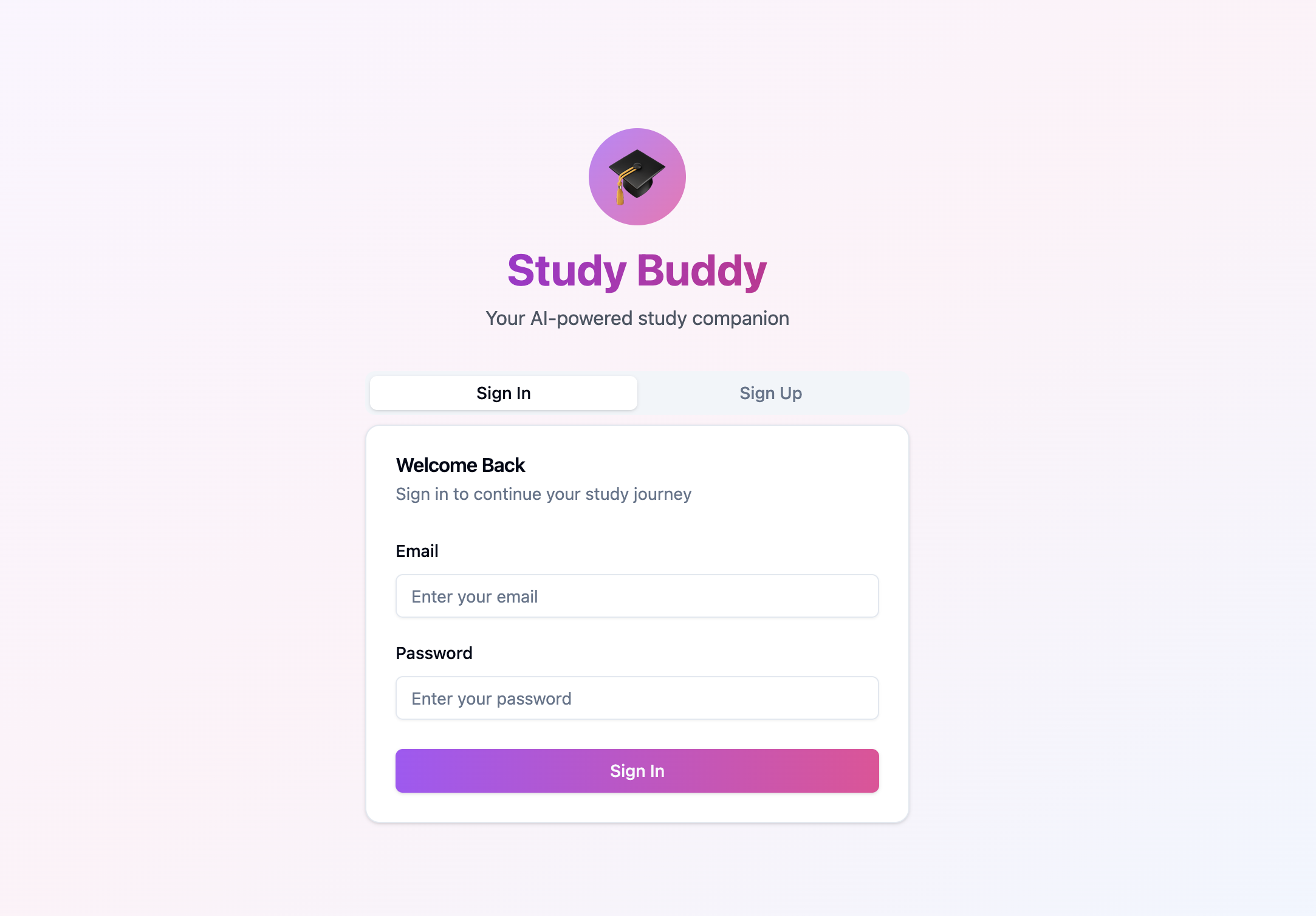
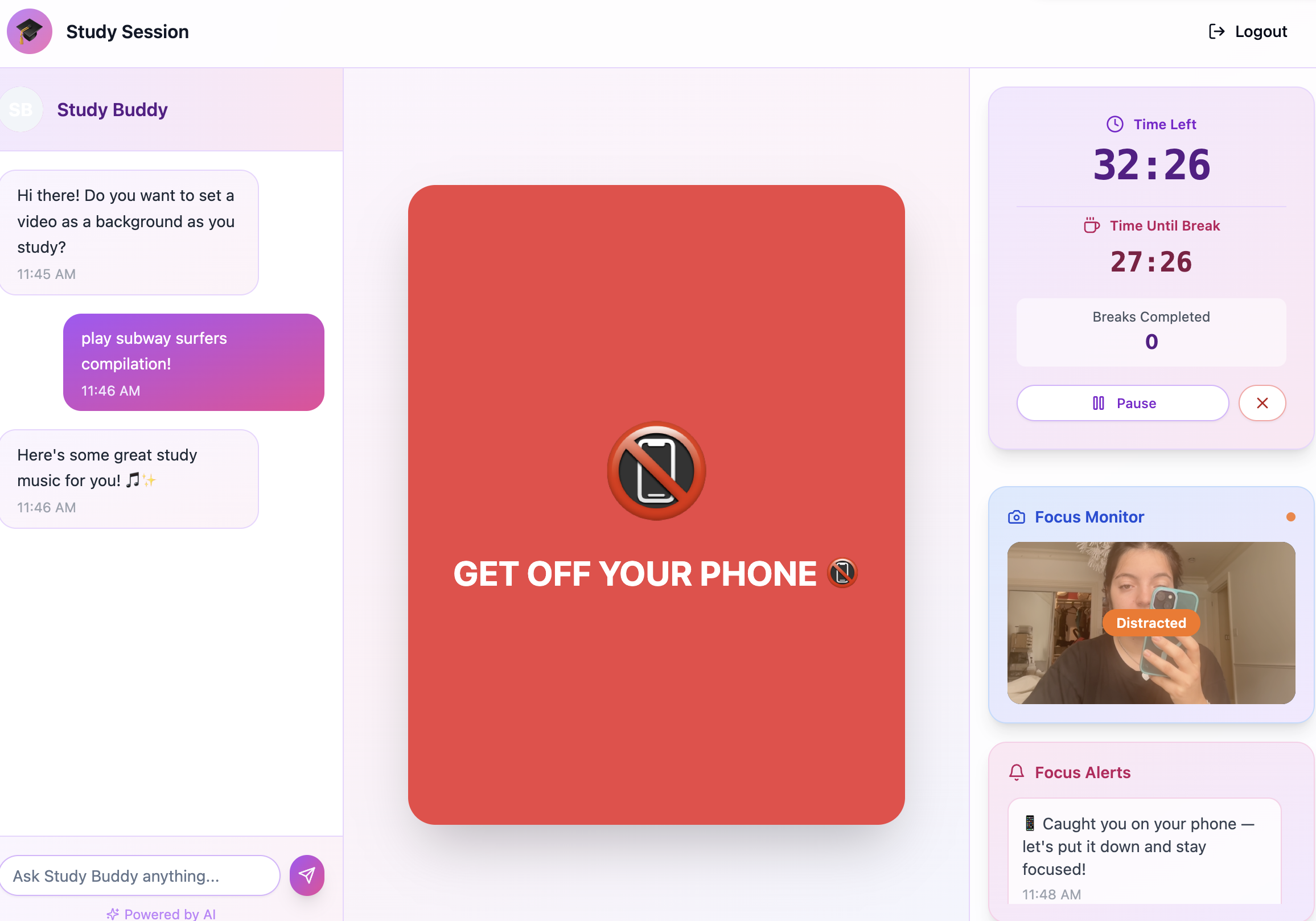
Study Buddy is a study companion that helps you stay focused and understand your study habits. Using your webcam, it tracks focus, fatigue, and phone usage during study sessions, providing real-time feedback and post-session analytics. Customize your study and break intervals, and use the built-in chatbot to play background music, all without leaving your workspace!
Why we built it
Many students focus better on FaceTime because having someone present keeps them accountable. But when friends are busy or offline, that support suddenly disappears.
That’s where Study Buddy comes in, and why we chose to build it! :)
Study Buddy gives you the same sense of presence without the downside of getting distracted by conversation. In fact, you’re often more productive with Study Buddy: you can’t talk to it, it keeps you on task, and it structures your breaks to help you study efficiently. It’s a reliable, always-available accountability partner that helps you beat distractions, avoid doomscrolling, and build healthier study habits.
What It Does
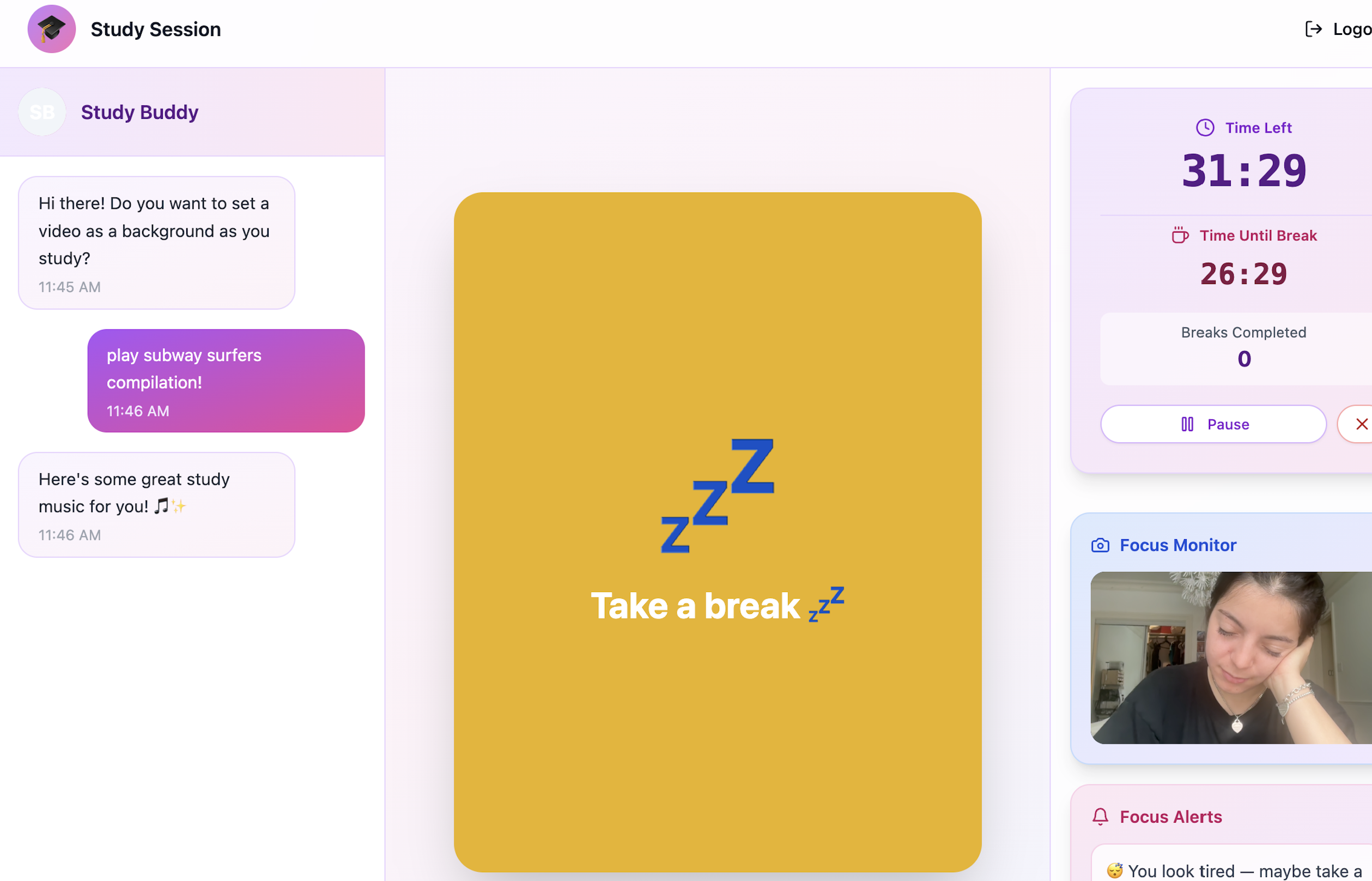
- Focus Tracking: Uses computer vision to detect signs of confusion, fatigue, and phone usage, helping you stay on task.
- Customizable Sessions: Set your preferred study and break intervals (e.g., Pomodoro 25/5, 50/10) and session durations.
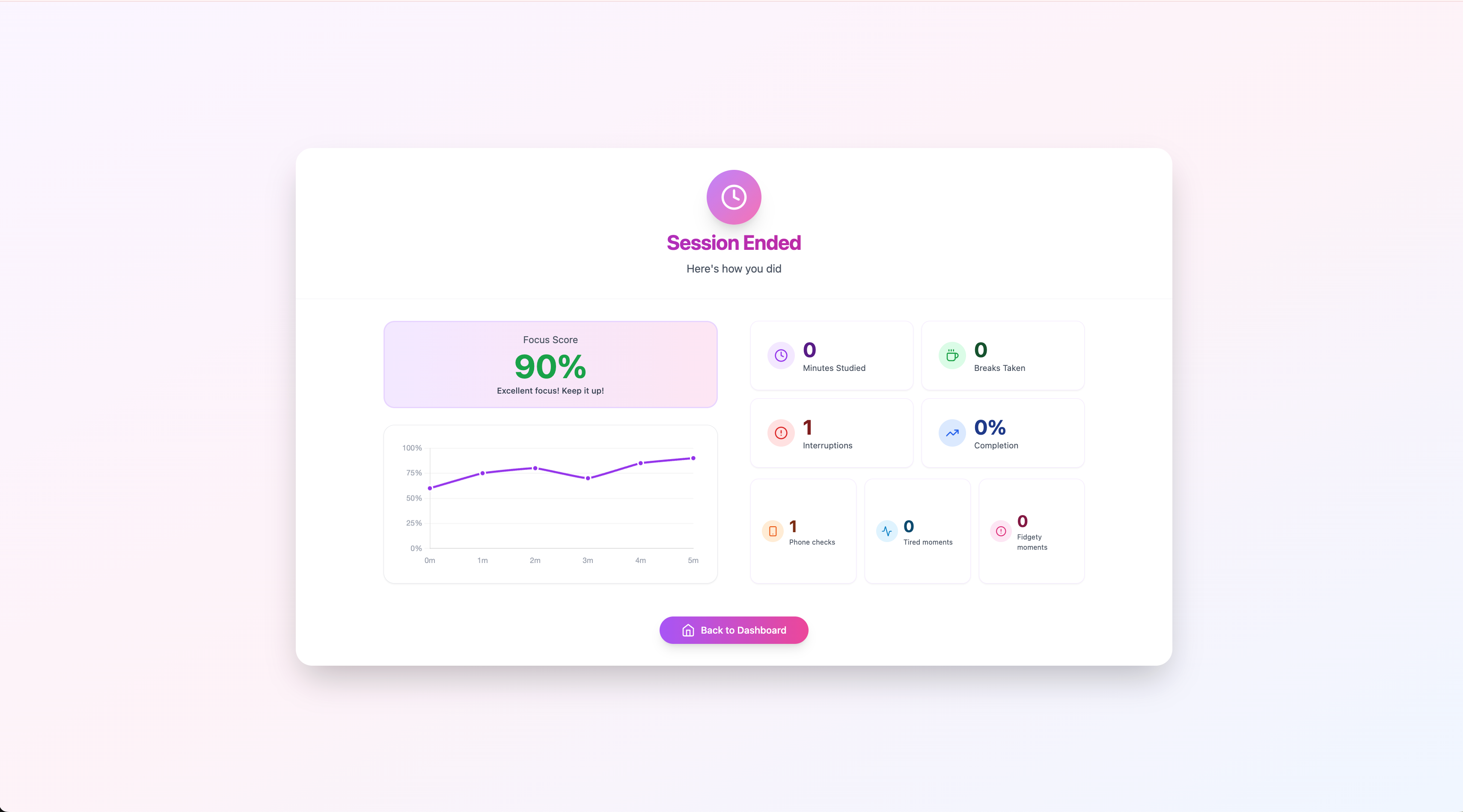
- Post-Session Analytics: Receive a focus score, distraction breakdown, and historical trends to identify patterns and improve productivity.
- Gentle Notifications: On-screen reminders when you’re distracted or need a break.
- Chatbot Assistant: Request background music or ambient sounds via chat, so you can stay in the zone without switching tabs.
- Session History: Review past sessions to track progress and adjust your study habits over time.
How We Built It
- Frontend: React for a clean, intuitive interface.
- Computer Vision: OpenCV and MediaPipe for real-time analysis of focus and distractions
- Backend: Supabase for authentication and database, Websocket for videos, and Python for everything else
- Music Integration: YouTube and Gemini API for music control
- Notifications: Browser-based alerts to keep you on track without disruption.
Technologies Used
| Category | Tools/Technologies |
|---|---|
| Languages | Python 3.11, JavaScript, TypeScript |
| Computer Vision | OpenCV, MediaPipe |
| Frontend | React |
| Backend | Python 3.11, websockets, FastApi, Uvicorn |
| Music | Gemini API, YouTube API |
| Database / Auth | Supabase (PostgreSQL, Auth) |
Challenges We Ran Into
- Computer Vision Architecture: Designing and implementing a pipeline to have the study stream captured by frontend/webcam who then sends frames via a web socket to backend for frame by frame detection.
- Accurate Distraction Detection: Fine-tuning models
- User Experience: Thinking of the design on the webpage and how to make the UI calm but interactive.


Log in or sign up for Devpost to join the conversation.